Introduction: Is Your Facebook Shop Just a Catalog?
Imagine walking through a busy shopping street in a major city. You see a beautifully decorated shop window. You stop, admire the products – but the door to the store is locked. No one is there to answer your questions or take your money. Frustrating, right?
This exact scenario plays out thousands of times daily in e-commerce. Many merchants set up a Shopify Facebook integration, sync their products, and sit back. But in many markets outside the US, things work differently than expected.
While US merchants can often complete the entire purchase process on Instagram or Facebook, merchants in Germany and other European markets face specific challenges: No native checkout, strict GDPR requirements (including Consent Mode V2), and the often-overlooked unit price regulations. According to Hostinger, over 40% of consumers use social media for product research, making this integration essential.
In this comprehensive guide – developed specifically for international markets in 2025/2026 – we go far beyond standard tutorials. We'll show you not just which buttons to click. We'll show you how to transform your Facebook Shop from a static "shop window" into an interactive sales channel that, thanks to Artificial Intelligence (AI), advises customers as if they were standing right in front of you in the store. Discover how AI Chatbots transforming customer experiences are revolutionizing online retail.
Why Connect Shopify & Facebook? (More Than Just Likes)
Before we dive into the technical details, we need to clarify the why. Many merchants see the Facebook Shopify connection only as a way to display products on their Facebook page. However, that's just the tip of the iceberg.
Omnichannel Reach: Maintain Once, Sell Everywhere
The integration ensures that your Shopify backend remains the "single source of truth." You change a price or product image in Shopify, and the change is automatically pushed to Facebook and Instagram. This not only saves time but prevents embarrassing pricing errors across platforms.
The Algorithm Needs Data (Retargeting Power)
The true power of the integration lies in data exchange. Through the connection (especially via CAPI, more on that later), you feed the Meta algorithm with signals:
- Who views products?
- Who adds items to the cart?
- Who actually makes a purchase?
Without this data, your Facebook advertising is like flying blind. With the integration, you can run Dynamic Product Ads: A customer views red sneakers in your shop but doesn't buy. The next day, they see exactly those sneakers in their Instagram feed. This is where AI-driven consultation can significantly boost your conversion rates.
Social Proof and Product Discovery
A well-maintained Facebook Shop serves as a trust signal. Even if the purchase isn't completed there (more on that shortly), it's often the first touchpoint in the customer journey. When combined with multilingual AI chatbots, you can engage customers in their preferred language from the very first interaction.
The Market Reality: Showroom vs. Cash Register
Here's where most international guides make a crucial mistake: They ignore the market situation in regions outside the United States.
No Native Checkout in Many Markets
In the US, customers can click "Buy" and pay without leaving Instagram or Facebook. This isn't currently possible in Germany, most of Europe, and many other regions. As confirmed by Pragmago and Freeshop, Meta has restricted the "Shops" functionality in many countries.
Meta has limited the "Shops" function in many countries and focuses on markets with native checkout (primarily the US). According to Glowmetrics, this means for merchants in affected regions:
- Facebook is the shop window (Discovery): This is where customers discover the product.
- Shopify is the cash register (Transaction): Clicking on the product necessarily redirects to your Shopify product page.
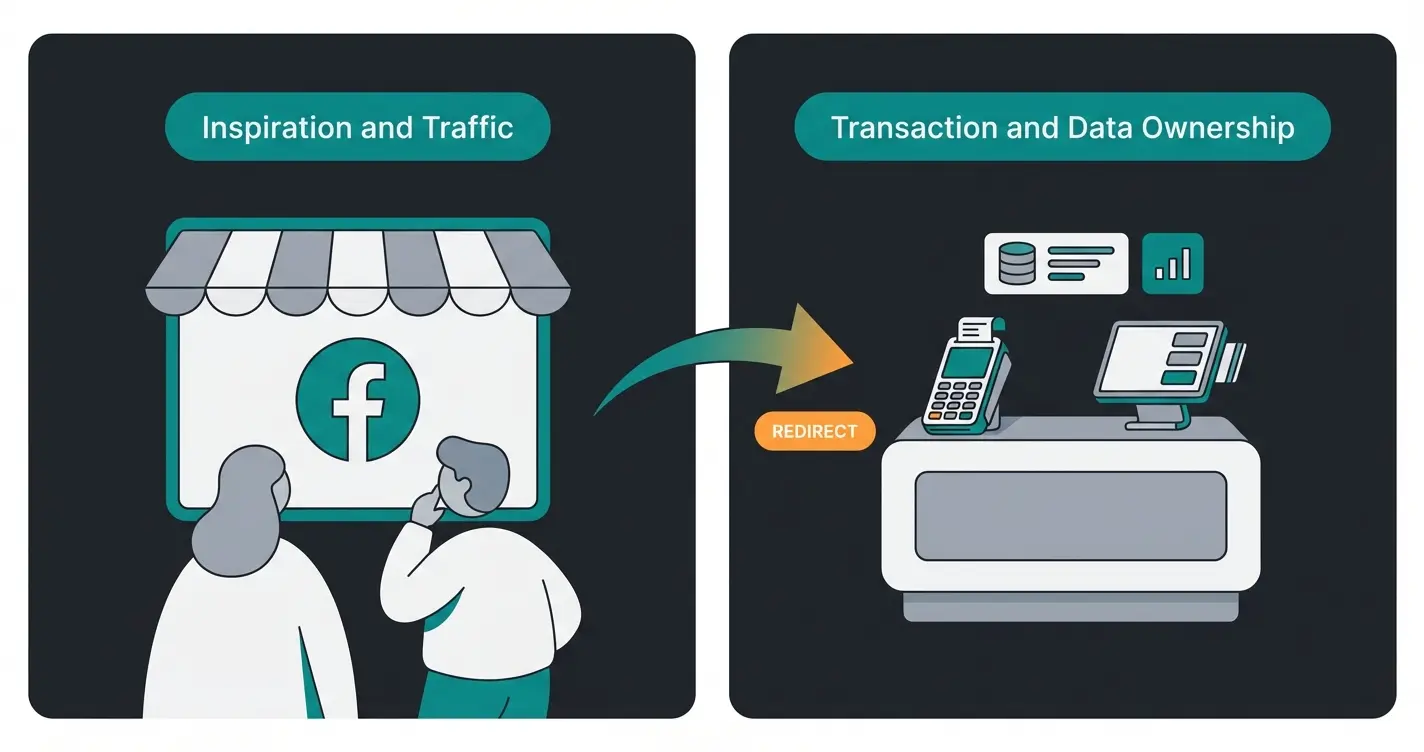
Customer browses your product catalog on Facebook or Instagram
Customer clicks on product, triggering redirect to your store
AI assistant answers questions and provides personalized advice
Customer completes purchase with preferred payment method
Step-by-Step Guide: The GDPR-Safe Setup
Let's set up the integration – but with a focus on legal compliance and functionality for international markets.
Phase 1: The Prerequisites
Before you start in Shopify, make sure you have the following assets ready in Meta Business Manager:
- A published Facebook Business Page
- An Instagram Business account (linked to the Facebook page)
- A Meta Business Manager account (with admin rights)
- An advertising account (Ad Account)
Phase 2: Installation in Shopify
Follow these steps to install the Facebook & Instagram sales channel as outlined in the official Shopify documentation:
- Log in to your Shopify admin area
- Go to Sales Channels > Facebook & Instagram (Search for "Facebook & Instagram" by Meta in the App Store)
- Click Add Channel
- Click Start Setup
- Connect your personal Facebook account (which has admin rights to the Business Manager)
- Connect the Business Manager, Facebook Page, and Instagram account
Phase 3: Critical GDPR Settings (Data Sharing)
This is the most important step for merchants operating under GDPR. Shopify asks you about the "Data Sharing Settings." According to Exenlabs, you have three options:
- Standard: Uses only the Pixel (browser-based). Susceptible to ad blockers and iOS tracking protection.
- Enhanced: Uses "Advanced Matching" (matching customer data like email).
- Maximum: Uses the Conversion API (CAPI). Data is sent directly from the server to Facebook.
Recommendation for GDPR regions: Choose Maximum. Why? Because browser cookies are becoming increasingly unreliable due to browser updates (Chrome, Safari). CAPI is the future.
As explained by Measuremindsgroup and Scale-me, apps like Consentmo or Pandectes offer special integrations for the Shopify Facebook channel. Understanding professional AI consulting requirements helps ensure your setup meets regulatory standards.
Phase 4: Product Synchronization & Status
After setup, Facebook reviews your products. In Shopify, go to Sales Channels > Facebook & Instagram > Overview:
- Green: Product is approved
- Yellow/Red: Rejected. Common reasons: Policy violations (e.g., before-after images for cosmetics, weapons, adult content) or missing information
Legal Pitfalls: Imprint & Unit Prices
A functioning shop is useless if you get legally penalized. Here are two points that US-focused guides completely ignore.
The Facebook Imprint (Legal Notice Requirement)
Courts in Germany and other EU countries require that the legal notice (imprint) on a commercial Facebook page be "easily recognizable, immediately accessible, and constantly available." According to Heise Regioconcept and Allsocial:
- The Problem: The mobile Facebook app often hides the "About" section.
- The Solution: Use the specific "Imprint" field in your Facebook page settings. Enter the complete text or a descriptive link (e.g., `yourshop.com/imprint`). A link in the "bio" often isn't sufficient if it's not clearly labeled as a legal notice.
As Händlerbund and Abmahnung.org warn, missing or improperly displayed legal notices are a common reason for legal warnings.
Unit Price Regulations (Price per Unit)
Anyone selling coffee, shampoo, or fabrics in Germany and many EU countries must display the unit price (e.g., "€19.99 / 100g"). This is where things get tricky:
- Shopify: Now supports unit prices natively (including globally since late 2024/2025) according to Shopify
- Meta Catalog: The unit price is often not correctly transferred to the Facebook catalog during sync, as Facebook's standard fields are very US-centric
Solution: Check your Facebook Shop manually. If the unit price is missing, use a feed management app (e.g., Flexify or DataFeedWatch). These apps allow you to explicitly map the "unit_price" field. Alternatively, as Benitatech explains, you can use Metafields in Shopify and assign them via rules in Commerce Manager, though this requires technical expertise.
From Listing to Consulting: The AI Revolution
Now you have your shop set up, it's legally compliant, and synchronized. But does it actually sell? The problem with a static Facebook Shop is its passivity. The customer sees an image. They have a question ("Is this suitable for my sensitive skin?", "Is this compatible with model X?").
In the classic setup, they must:
- Click through to the website
- Search for information there
- Possibly write an email and wait 24+ hours
Result: Purchase abandonment. This is where AI transforms support into a competitive advantage.
Conversational Commerce as a Game Changer
Here comes your "Blue Ocean" strategy: AI-powered consultation. Instead of using Facebook only as a catalog, use it as an entry point to a conversation.
The 2025 Scenario:
- Customer sees your product on Instagram
- Customer sends a DM: "Do you have this in size 44?" or clicks a "Send Message" button in the ad
- Your AI agent (not a dumb bot) responds immediately: "Yes, size 44 is in stock. Since this model runs slightly small, we recommend size 45 for wider feet. Shall I show you the size chart?"
Learn how Conversational AI evolves to deliver these personalized experiences at scale.
Why AI Beats Standard Facebook Bots
Standard bots ("Press 1 for business hours") frustrate customers. Modern AI solutions (based on LLMs like GPT-4o or Claude) understand context. They function as digital product consultants that truly understand your catalog.
- Product Knowledge: The AI is trained on your Shopify product catalog. It knows inventory, variants, and details.
- Availability: It responds at 3 AM when many impulse purchases happen.
- Tone: It can be configured to be as friendly and brand-consistent as your best employee.
An AI product finder can dramatically improve how customers discover relevant products in your catalog.
| Feature | Standard Facebook Shop | AI-Enhanced Conversational Shop |
|---|---|---|
| Interaction | Passive (customer just looks) | Active (customer asks & gets answers) |
| Consultation | None (only product description) | Individual ("Is this right for me?") |
| Response Time | Email support (24h+) | Instant (seconds) |
| Conversion Rate | 1-2% (e-commerce average) | 10-15% (with chat interaction) |
| Customer Feeling | "I'm browsing a catalog" | "I'm being served" |
Stop losing customers to unanswered questions. Our AI product consultant engages visitors 24/7, providing personalized recommendations that convert browsers into buyers.
Start Your Free TrialAdvanced Tips for 2026: CAPI and Server-Side Tracking
As technology continues to evolve, one concept is crucial for your success: Signal Quality.
Why the Pixel Is Dying
Browsers like Safari (Apple) and Chrome (Google) are blocking third-party cookies ever more aggressively. A pure browser pixel loses up to 30-40% of data. This means: Facebook doesn't know that your ads are working and delivers them less effectively.
The Solution: Conversion API (CAPI)
As mentioned in Step 3, the "Maximum" setting in Shopify is the easiest path to CAPI:
- What happens? Your Shopify server communicates directly with the Meta server. "Order #1234 for $50 has been received."
- The benefit: Ad blockers can't see this server-to-server communication. Your data quality increases, and ROAS (Return on Ad Spend) improves.
Pro Tip: Regularly check the "Event Match Quality" in the Facebook Events Manager. According to Analyzify and Getelevar, a score above 8.0 (out of 10) is excellent. If it's lower, customer data like email or phone number is often missing during matching.
Browser pixels lose this much data due to ad blockers and privacy features
Ideal Event Match Quality score in Facebook Events Manager
Achievable conversion rate with AI-powered chat interactions vs 1-2% average
B2B and Complex Products: Where AI Truly Shines
Most Shopify Facebook guides assume you're selling t-shirts. They completely ignore high-ticket or complex products that require explanation – exactly where AI delivers the most value.
When customers are considering expensive equipment, technical products, or items requiring consultation, they need more than a product description. They need an AI product consultant that can answer detailed questions, compare options, and guide decision-making.
The active product advice approach transforms passive browsing into guided selling experiences. Whether someone is comparing specifications or needs compatibility confirmation, AI handles these complex interactions seamlessly.
For businesses looking to implement these solutions, revenue-generating product consultants represent the next evolution in e-commerce customer service.
The DM-to-Buy Trend: Automating Social Selling
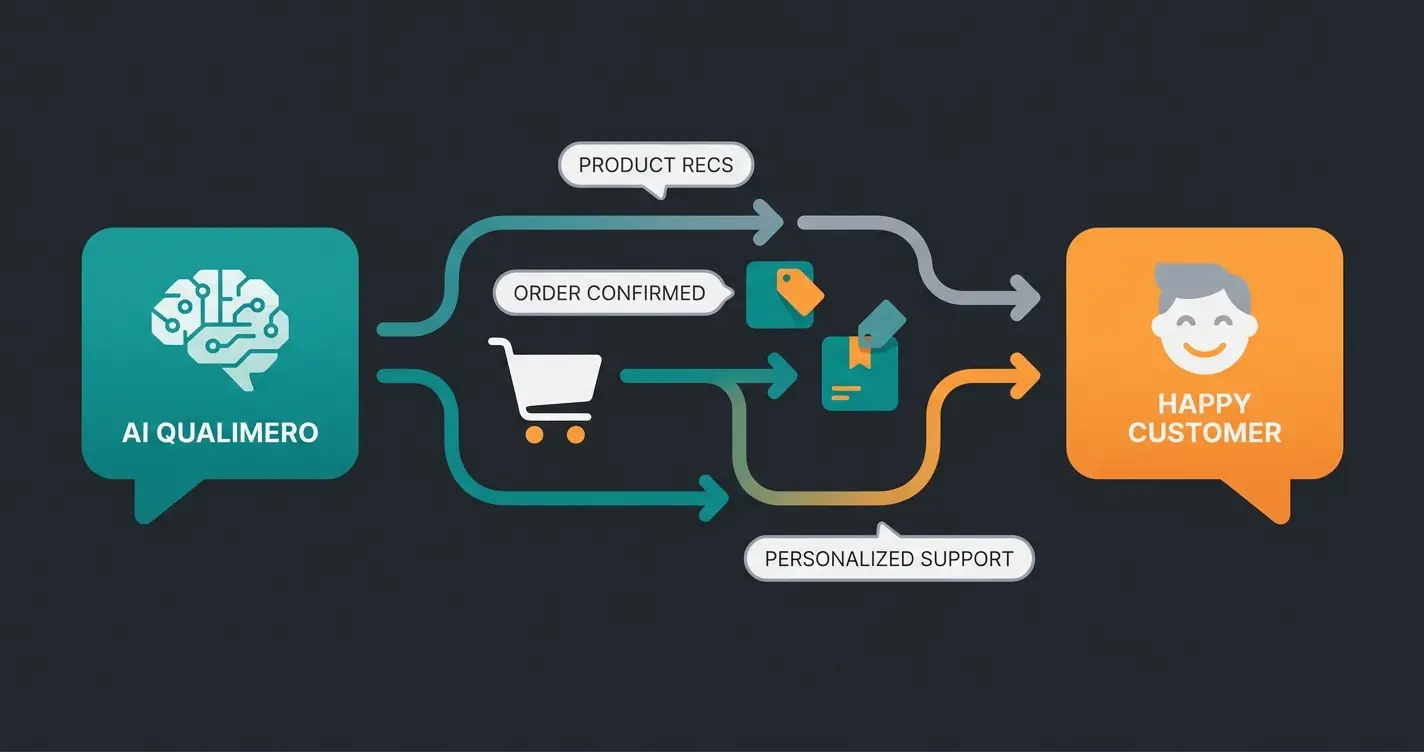
One of the biggest trends in social commerce is "DM to buy" – where customers initiate purchases through direct messages. This approach is rising because it feels more personal and immediate than clicking through multiple pages.
With AI Chatbot for E-Commerce solutions, you can automate this entire flow. When someone messages "Is this available in blue?", your AI can check inventory, provide the answer, share a direct checkout link, and even process the order – all within the conversation.
This represents a fundamental shift from catalog-based selling to conversation-based commerce, perfectly bridging the gap between social discovery and purchase completion.
FAQ: Common Questions About Shopify Facebook
Yes, installing the "Facebook & Instagram" app in Shopify is free. Meta charges no fees for listing products when checkout occurs on your website (which is the case in Germany and most non-US markets). Costs only arise when you run paid advertisements.
This feature is currently (as of 2025) primarily reserved for merchants in the US. In Germany, Austria, Switzerland, and most other countries, transactions must be processed through your own Shopify store. This is often actually safer for you legally, as you maintain data ownership and can offer local payment methods.
Common reasons include: Images with text overlays, before-after comparisons, or too much skin (for underwear/swimwear); Descriptions using protected terms or health claims (for supplements); Synchronization issues – try going to the app in Shopify and clicking "Re-sync products."
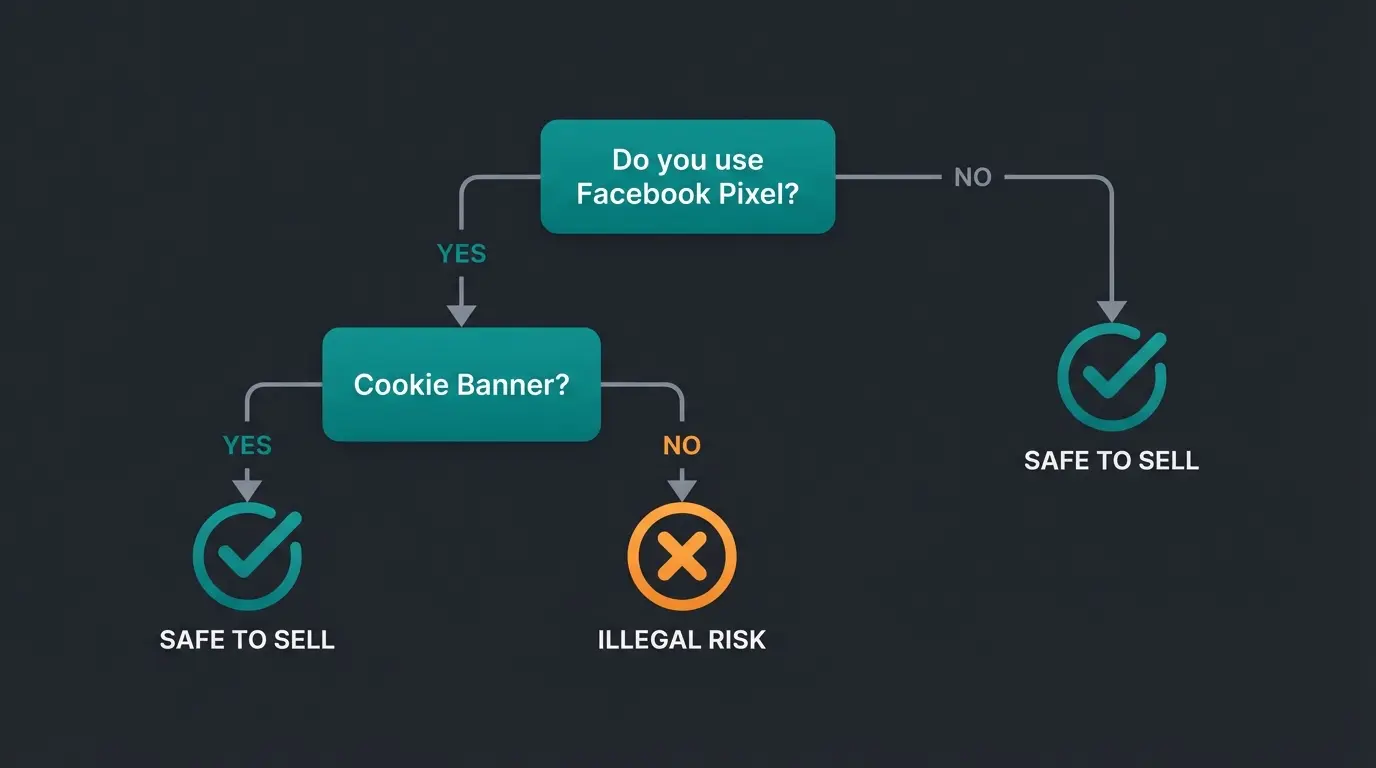
Only if you configure it correctly! The basic use isn't illegal, but data transfer (Pixel/CAPI) requires user consent. You must use a cookie banner (CMP) that blocks Facebook scripts until the user consents (Consent Mode V2). Without this, you risk legal action and fines.
Focus on maximizing your Event Match Quality score by using the Conversion API (CAPI) setting in Shopify. Ensure you're capturing customer email addresses and phone numbers at checkout, as this data helps Meta match conversions more accurately, improving your ad targeting and ROAS.
Conclusion: Technology Is Required, AI Is the Differentiator
The connection between Shopify and Facebook is no longer a "nice-to-have" for merchants today – it's fundamental baseline work. But don't let the technology frustrate you.
- Set up the integration properly (Business Manager, Sales Channel)
- Pay careful attention to GDPR (Consent Mode) and local requirements (legal notices, unit pricing)
- Accept that Facebook is your "traffic supplier" and Shopify is your "cash register"
The real competitive advantage, however, lies in the future: Use the time saved to think about AI and Conversational Commerce. While your competition is still trying to fix their product catalog, your AI is already advising the next customer in Messenger – and closing the sale.
Your Launch Checklist
- Facebook Business Manager & Ad Account created?
- "Facebook & Instagram" App installed in Shopify?
- Data Sharing set to "Maximum"?
- Cookie Banner (CMP) with Consent Mode V2 active?
- Legal notice on Facebook page (dedicated tab/link) verified?
- Unit prices in catalog spot-checked?
- AI chatbot solution considered?
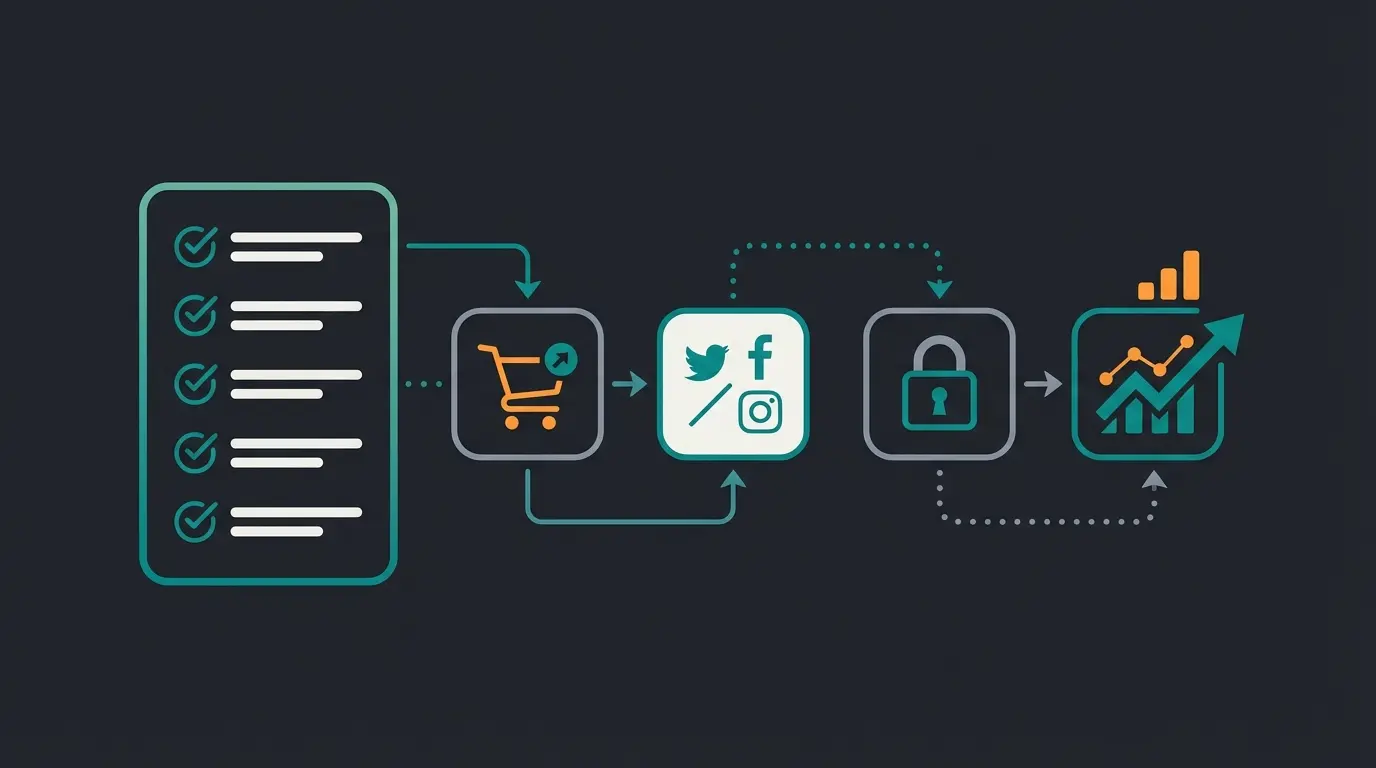
Don't let your Facebook Shop remain a static catalog. Transform every visitor interaction into a personalized consultation that converts. Our AI solution integrates seamlessly with your Shopify store.
Get Started Free Today