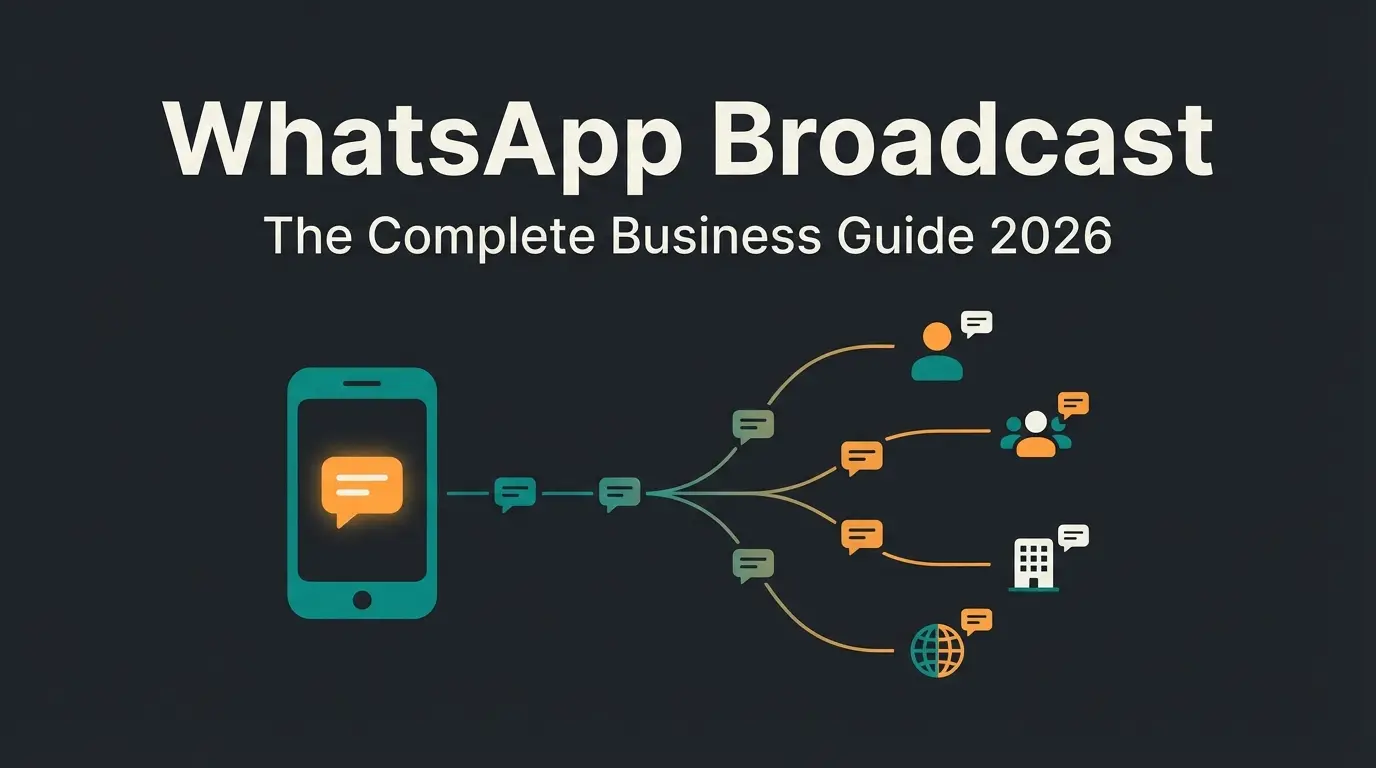
What is a WhatsApp link?
A WhatsApp link is a URL that opens a WhatsApp conversation when clicked. The most common format is `https://wa.me/<phone number>`, where the phone number uses the international format without the plus sign or leading zeros. Click the link on any device, and WhatsApp opens with a chat window ready to send a message.
The beauty of WhatsApp links is their simplicity. No contact saving required. No app downloads for desktop users (WhatsApp Web handles it). No QR code scanning. One click, one conversation. According to the official WhatsApp click-to-chat documentation, the wa.me format is the recommended way to let people start a chat with you.
For businesses, WhatsApp links solve a fundamental friction problem. Every additional step between "interested" and "conversation" costs you potential customers. A WhatsApp link on your website, in an email signature, or on a product page removes that friction entirely. We have seen e-commerce clients reduce their first-response time from hours to seconds by combining WhatsApp links with automated AI responses.
WhatsApp links work across all platforms: iOS, Android, macOS, Windows, and web browsers. The protocol detects which version of WhatsApp is available and opens the right one. This cross-platform compatibility is one reason WhatsApp links have become the default customer contact method for businesses in markets where WhatsApp dominates, including most of Europe, Latin America, and parts of Asia.
Types of WhatsApp links
Not all WhatsApp links are the same. There are seven distinct types, each with a different format, use case, and set of limitations. Understanding which type fits your situation saves time and prevents broken links. For details on group-specific links, see our guide to WhatsApp group links.
| Link type | Format | Use case | Limitations |
|---|---|---|---|
| wa.me personal link | `wa.me/<number>` | Direct chat with any WhatsApp number | Requires phone number, number is visible to the user |
| Business short link | `wa.me/message/<business-ID>` | Branded link from WhatsApp Business app | Only available for WhatsApp Business accounts |
| Group invite link | `chat.whatsapp.com/<invite-code>` | Let people join a WhatsApp group | Admin must generate, can be revoked, group limit applies |
| Channel link | `whatsapp.com/channel/<channel-ID>` | Follow a WhatsApp Channel (broadcast) | Read-only for followers, admin creates content |
| Click-to-chat link | `wa.me/<number>?text=<message>` | Website buttons, social media bios | Pre-filled message is visible and editable by the user |
| Share link | `whatsapp://send?text=<message>` | Share content from websites to WhatsApp | No target specified, user picks the recipient |
| API link | Via WhatsApp Business API | Automated conversations, chatbot entry points | Requires Business API access, technical setup needed |
The first three types (wa.me, business short links, and group invites) point to a specific destination. Click-to-chat adds a pre-filled message to guide the opening line. Share links let users forward content to any contact they choose. API links are the enterprise version, connecting WhatsApp to your CRM, helpdesk, or AI system. The WhatsApp short links guide covers business short links in detail.
How to create a WhatsApp link
Every WhatsApp link follows a simple pattern. The base URL is `https://wa.me/` followed by a phone number in international format, without the plus sign or leading zeros. From there, four variations cover nearly every use case:
- Basic wa.me link: `https://wa.me/491701234567` opens a direct chat with that number.
- Pre-filled message: Append `?text=Your%20message` to the URL so the recipient sees a ready-to-send message on click.
- Business short link: WhatsApp Business app generates a branded link under Settings > Business Tools > Short Link that hides your phone number.
- HTML button: Wrap any wa.me URL in an `<a>` tag with WhatsApp-green styling for a one-click chat button on your website.
That covers the basics. For the full step-by-step walkthrough with code snippets, URL encoding rules, and advanced options like number-free links, read our dedicated guide on how to create a WhatsApp link.
Best WhatsApp link generator tools
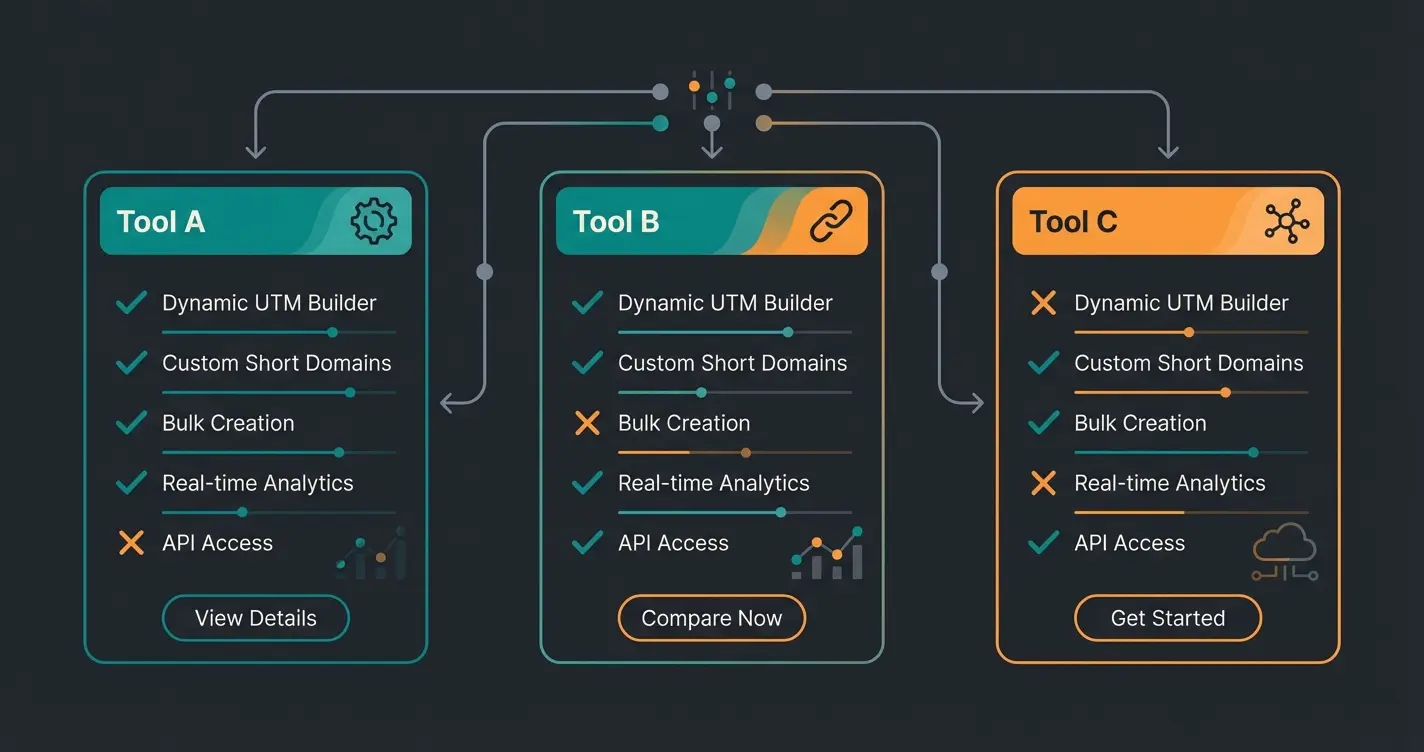
You do not need a tool to create a WhatsApp link. But if you want QR codes, analytics, custom domains, or need to generate links in bulk, a dedicated generator saves time. For a full comparison with pros, cons, and pricing, check our WhatsApp link generator tools guide.
| Tool | QR code | Analytics | Pre-filled message | Custom domain | Price |
|---|---|---|---|---|---|
| Walink (create.wa.link) | Yes | Yes | Yes | Yes (paid) | Free / from $4.99/mo |
| Kommo | Yes | Yes (CRM) | Yes | No | Free tool / CRM from $15/mo |
| Chatarmin | Yes | Yes | Yes | No | Free tool / platform pricing |
| BusinessChat.io | Yes | Basic | Yes | No | Free |
| Postcron | No | No | Yes | No | Free |
| Elementor | No | No | Yes | No | Free |
For most small businesses, the free version of Walink or the manual wa.me format is enough. If you need tracking (which link drives the most conversations), Walink or Kommo's CRM integration provide that data. For enterprise use with hundreds of links across campaigns, the paid tiers with custom domains and analytics dashboards are worth the investment.
WhatsApp click-to-chat links
Click-to-chat is the business use case that makes WhatsApp links genuinely valuable. Instead of listing a phone number and hoping someone calls, you place a clickable link that opens a conversation in one tap. For a deep dive into implementation patterns, see our WhatsApp click-to-chat guide.
The most effective placements for click-to-chat links depend on your business model. E-commerce stores see the highest conversion from product pages, where a customer has a specific question about sizing, compatibility, or availability. Service businesses benefit most from contact pages and email signatures. B2B companies get the best results from LinkedIn profiles and proposal follow-ups.
- Product pages: "Have a question about this product? Chat with us on WhatsApp." Place below the price or next to the add-to-cart button.
- Website footer or floating widget: Persistent access on every page. Use a green WhatsApp icon for instant recognition.
- Instagram and Facebook bio: Replace generic "link in bio" with a direct WhatsApp link for immediate conversations.
- Email signatures: Add a "Chat on WhatsApp" link below your name. Works especially well for sales teams.
- Google Business Profile: Add your WhatsApp link as the messaging URL in your Google Business listing.
- QR codes (offline): Print on packaging, business cards, event banners, or in-store displays. Same wa.me link, just encoded as a QR code.
WhatsApp share links and social media
Share links work differently from chat links. Instead of opening a conversation with a specific number, they let users forward content to any WhatsApp contact or group they choose. This is the viral distribution mechanism. For broader strategies, see our guide to WhatsApp marketing.
The share link format uses the WhatsApp protocol directly:
https://api.whatsapp.com/send?text=Check%20out%20this%20article%3A%20https%3A%2F%2Fyoursite.com%2FarticleYou can also use `whatsapp://send?text=<message>` for mobile-only contexts. The `api.whatsapp.com` version is more reliable across devices because it falls back to WhatsApp Web on desktop browsers. For website integration, most social sharing plugins (ShareThis, AddToAny, Sumo) include WhatsApp as a sharing option out of the box.
Brands that add WhatsApp share buttons alongside Twitter and Facebook sharing see 2-5x higher share rates in markets where WhatsApp is dominant. The reason is simple: people share articles and products in private group chats more often than on public social feeds. A shared WhatsApp message also carries implicit endorsement, making it more likely to be opened and read.
WhatsApp links for business and customer service
This is where WhatsApp links become a revenue channel, not just a communication tool. Every WhatsApp link on your website is an entry point for a conversation that can lead to a sale, a support resolution, or a long-term customer relationship. If you are new to business messaging on WhatsApp, start with our overview of What is WhatsApp Business.
The strategic value of WhatsApp links for WhatsApp Business goes beyond convenience. Unlike email forms or contact pages, WhatsApp conversations are real-time, two-way, and persistent. The customer does not need to repeat their question if they come back a day later. The conversation history is there. For businesses handling more than 50 conversations per day, the WhatsApp Business API enables automation, routing, and integration with CRM systems.
- Customer support entry points: Place click-to-chat links on FAQ pages, order confirmation emails, and shipping notifications. Customers who cannot find an answer self-serve through WhatsApp instead of abandoning.
- Sales funnels: Use WhatsApp links in ad campaigns (Instagram, Facebook) to move prospects from awareness to conversation in one click. The WhatsApp Developer Documentation covers the technical setup for ad-to-WhatsApp flows.
- Lead generation: Offer a WhatsApp consultation instead of a generic contact form. Conversion rates for WhatsApp entry points are typically 3-5x higher than form submissions.
- Appointment booking: Pre-filled messages like "I would like to book a consultation for [date]" streamline scheduling.
- Post-purchase follow-up: Send order updates and ask for reviews via WhatsApp. The open rate for WhatsApp messages is 98%, compared to 20-30% for email.
At Qualimero, we take this a step further. Our AI employees handle WhatsApp conversations triggered by these links, providing instant product advice, answering questions about availability and compatibility, and guiding customers through the purchase decision. One of our e-commerce clients saw a 35% increase in average cart value and a 60% higher checkout rate after deploying an AI employee on their WhatsApp channel.
A WhatsApp link brings the conversation. A Qualimero AI employee handles it, 24/7, with product knowledge, customer recognition, and persistent memory. Our clients see a 16x ROI.
Book a free demoWhatsApp link best practices
A working link is the minimum. An effective link drives conversations that convert. These best practices come from our experience deploying WhatsApp entry points across dozens of e-commerce businesses.
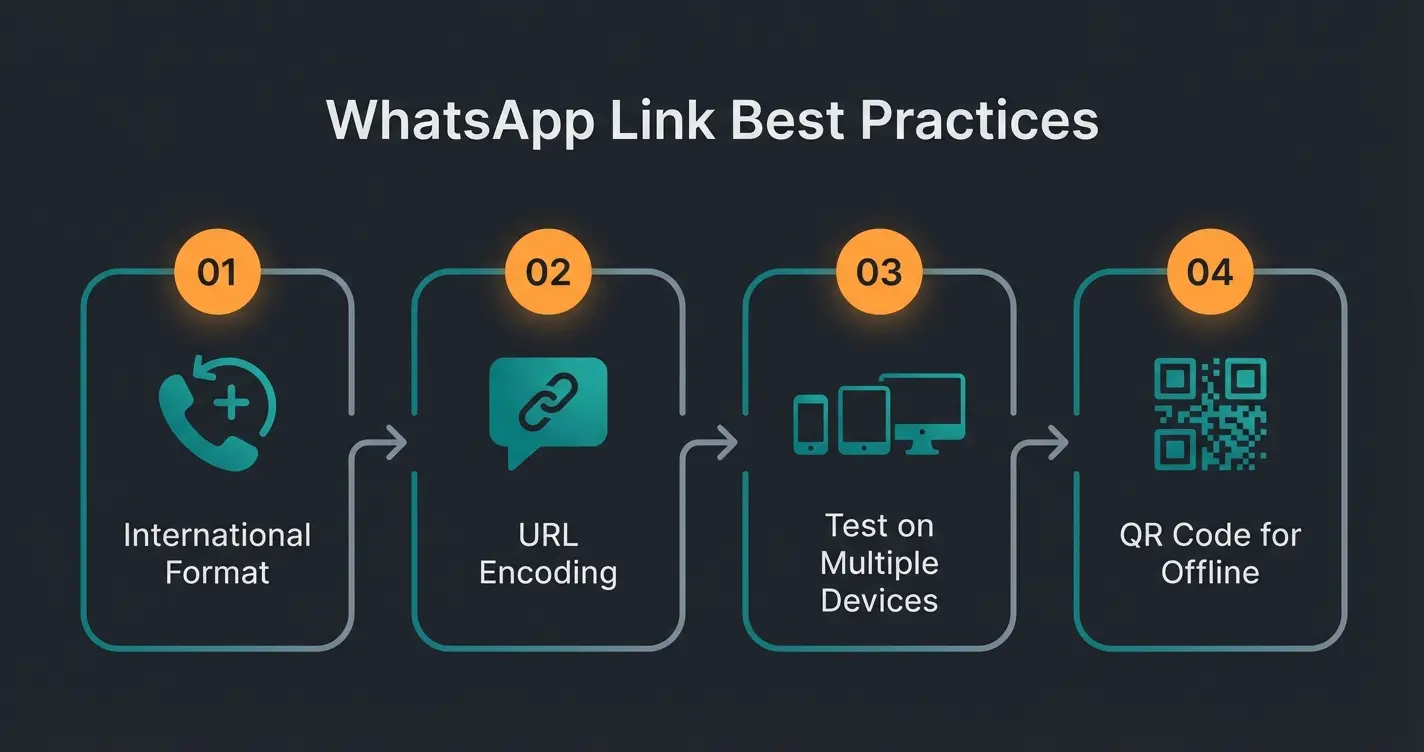
- Always use the international phone format. Remove the + sign, remove leading zeros. A German number +49 170 1234567 becomes 491701234567. No spaces, no dashes, no parentheses.
- URL-encode every pre-filled message. Spaces are `%20`, line breaks are `%0A`. Unencoded special characters break the link on some devices.
- Test on both mobile and desktop. Open the link on an iPhone, an Android phone, and a desktop browser. Some formatting issues only appear on specific platforms.
- Keep pre-filled messages short and action-oriented. 1-2 sentences maximum. The user should be able to send it without editing. "Hi, I am interested in [Product Name]. Can you help?" works. A three-paragraph introduction does not.
- Use different links for different channels. This is the simplest form of WhatsApp analytics. If Instagram gets `?text=Found%20you%20on%20Instagram` and your website gets `?text=Question%20about%20[Product]`, you know exactly where each conversation started.
- Generate QR codes for offline use. Same wa.me link, just rendered as a QR code. Print on packaging, business cards, event banners, and in-store displays. Free QR generators like qr-code-generator.com work perfectly.
- Update links when you change your number. wa.me links are tied to the phone number. If the number changes, every link pointing to the old number breaks. Keep a list of where you have placed WhatsApp links so you can update them.
FAQ
Take your phone number in international format (e.g., 491701234567 for a German number), remove the + sign and leading zeros, and add it to `https://wa.me/`. Your link is `https://wa.me/491701234567`. Optionally add `?text=Your%20message` for a pre-filled message.
WhatsApp automatically converts URLs in messages into clickable links. To create a link that opens a WhatsApp chat, use the format `https://wa.me/<phone number>`. Embed it as an HTML anchor tag on your website or paste it directly into social media bios and posts.
The URL for a WhatsApp direct message is `https://wa.me/<phone number>` where the phone number uses international format without the + sign. For example, `https://wa.me/14155552671` for a US number. Add `?text=Hello` to include a pre-filled message.
Yes, if you use a WhatsApp Business account. The WhatsApp Business app lets you generate short links in the format `wa.me/message/<business-ID>` that route to your business profile without exposing your phone number. Standard wa.me links always include the number.
Copy your wa.me link and paste it into your Instagram bio, Facebook page description, LinkedIn profile, or any social media post. For Instagram, use the "Website" field in your profile settings. The link works as a standard URL on every platform.
No, wa.me links do not expire. They remain active as long as the phone number is registered on WhatsApp. Group invite links can be revoked by the group admin, and WhatsApp Business short links stay active as long as the business account exists.
Qualimero's AI employees handle WhatsApp inquiries around the clock: product advice, order questions, and guided selling. No flow builders, no manual setup.
Start your free trial
Lasse is CEO and co-founder of Qualimero. After completing his MBA at WHU and scaling a company to seven-figure revenue, he founded Qualimero to build AI-powered digital employees for e-commerce. His focus: helping businesses measurably improve customer interaction through intelligent automation.