WhatsApp Channel: The Complete Business Guide for 2026
Learn how to create, grow, and monetize WhatsApp Channels for your business. Covers features, best practices, comparisons, data protection, and AI automation.

What are WhatsApp Channels?
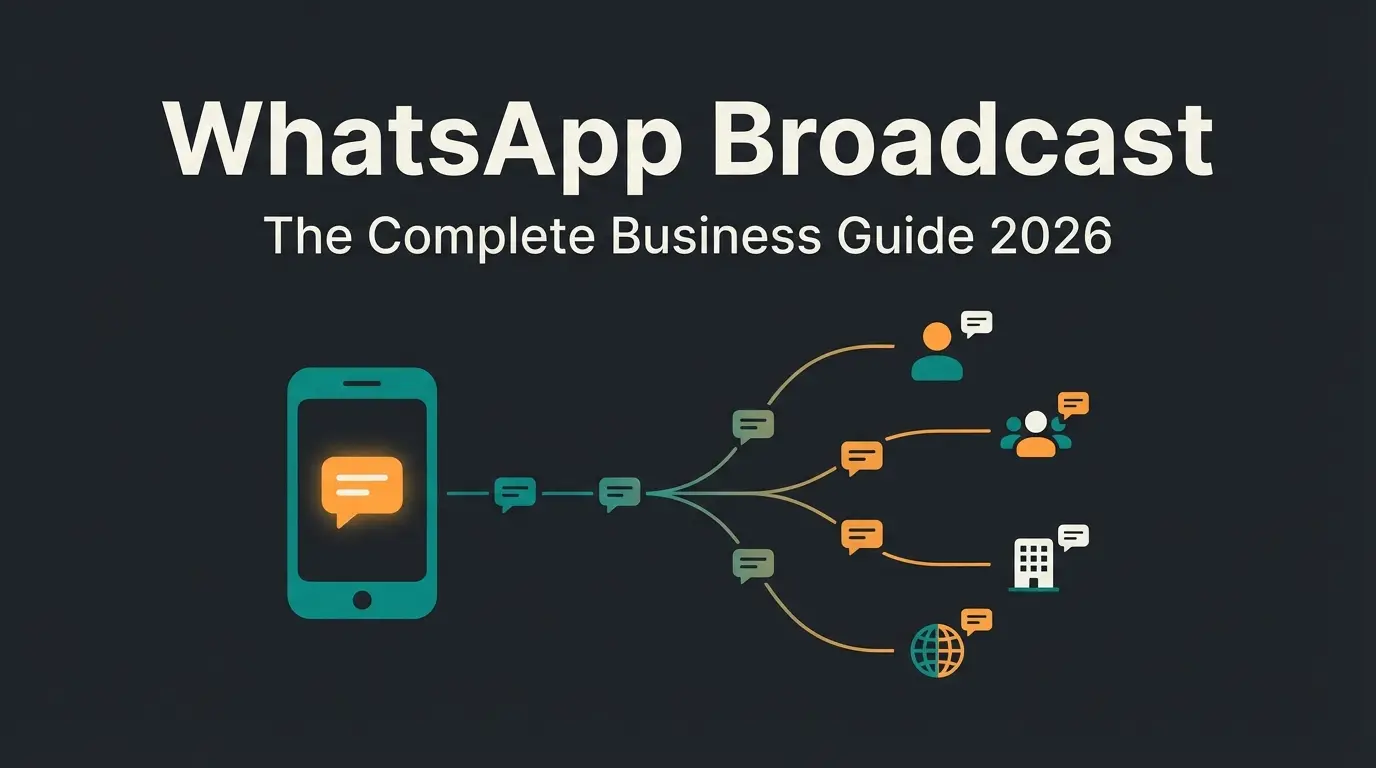
A WhatsApp Channel is a one-way broadcast tool that lets you send updates to an unlimited number of followers through the Updates tab. Followers receive your messages, react with emojis, and vote in polls, but they cannot reply. Think of it as a newsletter inside WhatsApp, minus the spam folder.
Meta launched Channels globally in September 2023, and within months the feature crossed 500 million monthly active users. That growth makes sense when you consider the context: WhatsApp has 3.3 billion active users worldwide as of 2025 (source: DemandSage), and the Updates tab alone reaches 1.5 billion people daily. For a deeper look at the feature itself, the WhatsApp Help Center has the official documentation. For SME owners who need a direct line to customers without paying for ads, that reach is hard to ignore.
The core features that matter for business: you can share text, photos, videos, voice notes, polls, stickers, and links. Your phone number stays hidden from followers, and their identities remain private from you. Content expires after 30 days on WhatsApp's servers, which keeps things lean but means your best content deserves a repurposing strategy.
As of 2025, making it the largest messaging platform globally. Source: DemandSage
The tab where Channels live reaches 1.5 billion people every day
If you want a deeper breakdown of how the feature works under the hood, read our explainer on what is a WhatsApp Channel. And for the bigger picture of where Channels fit into your WhatsApp Business Guide, that pillar covers the full platform.
WhatsApp Channel vs Group vs Broadcast List
Three tools inside WhatsApp, three completely different jobs. I have seen business owners waste months posting in a Group when they needed a Channel, or sending Broadcast messages when a Group would have built the community they actually wanted. Here is how they compare.
| Feature | Channel | Group | Broadcast List |
|---|---|---|---|
| Communication | One-way (admin to followers) | Two-way (all members) | One-way (sender to individuals) |
| Max audience | Unlimited | 1,024 members | 256 recipients per list |
| Privacy | Followers anonymous, admin number hidden | All members see each other's numbers | Recipients don't see each other |
| Discoverability | Listed in WhatsApp directory | Invite only | Private, not discoverable |
| Content types | Text, images, video, polls, stickers, voice notes | Text, images, video, documents, voice notes | Text, images, video, documents |
| Replies | Emoji reactions and poll votes only | Full replies from all members | Replies go to sender privately |
| Admin controls | Post-only for admins, screenshot blocking | Multiple admins, moderation tools | No admin controls |
| Content lifespan | 30 days on server | Permanent | Permanent |
| Best for | Public announcements, brand building, product updates | Community discussion, customer groups, internal teams | Targeted private messages, personalised offers |
The decision framework is straightforward. Use a Channel when you want to reach a large public audience with announcements and updates. Use a Group when you need two-way discussion among a defined community. Use a Broadcast List when you want to send personalised, private messages to a smaller list of contacts.
Most e-commerce businesses benefit from running at least two: a Channel for public-facing content (product launches, offers, behind-the-scenes) and a Broadcast List or dedicated WhatsApp Broadcast Lists strategy for targeted promotions to existing customers.
How to create a WhatsApp Channel
Creating a Channel takes less than two minutes. The setup is deliberately simple, which means the real work is in the decisions you make before tapping "Create".
- Open WhatsApp and navigate to the Updates tab
- Tap the + icon and select Create channel
- Choose your channel name (pick something searchable, include your brand name and core topic)
- Write a description that tells potential followers exactly what they will get and how often
- Upload a channel icon that matches your brand across other platforms
- Tap Create channel and share your invite link immediately
A tip that saves headaches: your channel name is how people find you in the directory. "ACME Store" tells nobody what content to expect. "ACME Store: Garden Tips and Deals" does. Think like a podcast title, not a business card.
Key WhatsApp Channel features for business
Features only matter if they help you do something your customers care about. Here is what WhatsApp Channels actually offer as of early 2026, and what each feature means for an SME running a shop with a small team.
| Feature | What it does | Business value |
|---|---|---|
| Rich media posts | Share text, photos, videos, voice notes, stickers, and links in a single update | Showcase products with images and videos without sending followers to a separate platform |
| Polls | Ask followers a question with multiple-choice answers | Quick market research: test product ideas, preferred launch dates, or content topics |
| Reactions | Followers react with emojis to individual posts | Lightweight engagement signal. Track which updates resonate without needing a reply |
| Forwarding | Followers share your updates to their own chats and groups | Organic growth: every forward includes a link back to your Channel |
| Channel directory | Public listing in WhatsApp's browse-by-category directory | Discoverability: new followers find you through WhatsApp search, not just your marketing |
| Screenshot blocking | Admins can prevent followers from screenshotting updates | Protect exclusive content, time-limited offers, or early access announcements |
| Analytics | View reach, top regions, follows/unfollows, reactions, and poll results | Measure what works. Basic but actionable for adjusting posting strategy |
| Paid subscriptions | Charge followers for access to exclusive Channel content (rolling out 2025-2026) | New revenue stream: premium content, early access, VIP offers |
| Verified badge | Green checkmark for authenticated channels | Trust signal: verified channels get better directory placement and higher follow rates |
The analytics are basic compared to email marketing platforms or social media dashboards. You get reach, follower growth, reactions, and poll results. No click tracking, no conversion attribution, no A/B testing. For SMEs running Channels alongside other tools, this means you should track conversions externally, using UTM parameters in your links.
How to find and follow WhatsApp Channels
From the user side, discovery works through several paths. Understanding these matters because it tells you where to invest your own discoverability efforts.
- Updates tab directory: browse by category (business, sports, entertainment, news) and region
- WhatsApp search: type a topic or brand name directly in WhatsApp's search bar
- Invite links: direct wa.me/channel links shared on websites, emails, social media, or QR codes
- Forwarded updates: when a follower shares your post, the recipient can follow your Channel from the forwarded message
- WhatsApp web directory: browse Channels at whatsapp.com/channels without opening the app
For businesses, the most reliable growth comes from your own channels: embed the invite link on your website, add it to email signatures, print QR codes on packaging, and mention it in post-purchase emails. The directory is a bonus, not your primary strategy.
For a detailed walkthrough of the discovery mechanisms and how to optimise your Channel for search visibility, see our complete guide on how to find WhatsApp Channels.
WhatsApp Channel best practices for business
I have watched dozens of business Channels over the past two years. The ones that grow share five patterns. The ones that flatline share one: they post product promos and nothing else.
Post 2-4 times per week. More than that and followers mute you. Less than once a week and WhatsApp's algorithm deprioritises your updates in the directory. The sweet spot is consistent enough to stay visible, rare enough to stay welcome.
Mix content types deliberately. A good weekly pattern: one product update or offer, one educational post or tip, one poll or interactive content, and one behind-the-scenes or team moment. The variety keeps engagement high and gives you data on what resonates. Companies like REWE, HelloFresh, and ABOUT YOU run successful German-market Channels with exactly this mix.
- Lead with value, not promotion. If a follower can learn something useful, they stay. If every post is "Buy now", they leave. The 80/20 rule applies: 80% useful content, 20% commercial.
- Use polls for market research. Polls have the highest engagement rate of any Channel feature. Ask about preferred product colours, delivery options, content topics. You get data and engagement in one move.
- Cross-promote relentlessly. Your website header, email footer, Instagram bio, product packaging, checkout confirmation, even your physical store receipt. Every touchpoint should mention your Channel.
- Maintain visual consistency. Use the same brand colours, emoji patterns, and formatting across posts. Followers scroll fast. Recognition beats novelty.
- Time your posts. Test posting at different times and track reach in your analytics. For DACH e-commerce, Tuesday to Thursday between 10:00-12:00 and 18:00-20:00 consistently outperform weekends.
For a broader perspective on how Channels fit into your overall messaging strategy, our WhatsApp marketing strategy guide covers the full funnel from awareness to conversion.
How to grow your WhatsApp Channel
Follower count is a vanity metric right up until it correlates with revenue. Growing a Channel the right way means attracting people who actually care about what you sell. Here is what works.
- Embed your Channel link everywhere your customers already are. Website banner, product pages, checkout confirmation, email signatures, social media bios. The people who buy from you are the most valuable followers.
- Print QR codes on physical materials. Packaging inserts, receipts, trade show materials, business cards. A QR code to your Channel converts better than a social media handle because WhatsApp is already on their phone.
- Leverage forwarding. Create posts worth sharing: exclusive deals, useful tips, surprising facts. Every forward includes your Channel link, giving you organic reach into networks you could not buy.
- Get verified. The green checkmark improves directory placement and builds trust. Apply for verification once your Channel is active and compliant with WhatsApp's guidelines.
- Collaborate with complementary Channels. Cross-promote with non-competing businesses in your niche. A garden tools brand and a plant nursery Channel mentioning each other reaches both audiences.
- Post consistently. The directory algorithm rewards active Channels. Going silent for two weeks pushes you down in category rankings.
The verification process is straightforward but has requirements around account age, follower count, and content compliance. For the full walkthrough, see our guide on WhatsApp Channel verification.
WhatsApp Channel monetization
Channels started as a free distribution tool. That is changing. WhatsApp has been rolling out monetization features since late 2025, and the options are more practical than you might expect.
Paid subscriptions are the biggest shift. Channel admins can offer premium content behind a paywall. Think exclusive product previews, VIP discounts, early access to launches, or premium educational content. The subscription fee is set by the admin. WhatsApp takes a platform fee (details vary by region).
Beyond subscriptions, the indirect monetization paths are where most SMEs see results. Drive traffic to your shop through Channel links. Use time-limited offers to create urgency. Share affiliate recommendations for complementary products. Convert engaged followers into leads by linking to booking pages, free trial sign-ups, or consultation forms.
Meta has also begun testing promoted Channels and advertising in the Updates tab, which reaches 1.5 billion daily users. For businesses willing to pay, this could accelerate follower acquisition significantly.
For the complete breakdown of revenue models and setup instructions, read our dedicated guide on WhatsApp Channel monetization.
WhatsApp Channels and data protection
Privacy is built into the architecture of Channels, which is good news for businesses concerned about GDPR compliance. Followers' identities are never visible to the Channel admin. Your phone number as admin is hidden from followers. And content expires after 30 days on WhatsApp's servers.
That said, Channels are not a blank cheque for data handling. If you collect data through links in your Channel posts (lead forms, shop purchases, survey tools), standard GDPR rules apply to those external touchpoints. The Channel itself is privacy-friendly, but what you link to needs to be compliant too.
For businesses in regulated industries, the 30-day content lifespan is actually an advantage. It reduces the surface area of stored personal data. Just make sure your record-keeping obligations are met through your own systems, not through WhatsApp itself.
How AI enhances WhatsApp Channel management
Running a WhatsApp Channel alongside a shop, customer service, and everything else an SME owner juggles is manageable. Doing it well, consistently, with the right content at the right time, that is where most businesses struggle.
This is where AI employees change the equation. An AI team member can analyse your product catalogue and customer questions to suggest Channel content that actually matches what your audience cares about. It can draft posts in your brand voice, recommend posting times based on engagement data, and flag when a Channel topic connects to a product a customer has been asking about.
But the real value is on the other side of the Channel. A follower sees your product update and wants advice. They have a question about sizing, compatibility, or whether this product solves their specific problem. The Channel cannot answer that. An AI employee can, in real time, across WhatsApp, your website chat, and every other channel your customers use.
Qualimero clients like Gartenfreunde saw a 7x higher conversion rate after adding an AI employee to handle product advisory conversations. The pattern is clear: Channels bring the audience, AI converts the interest into sales.
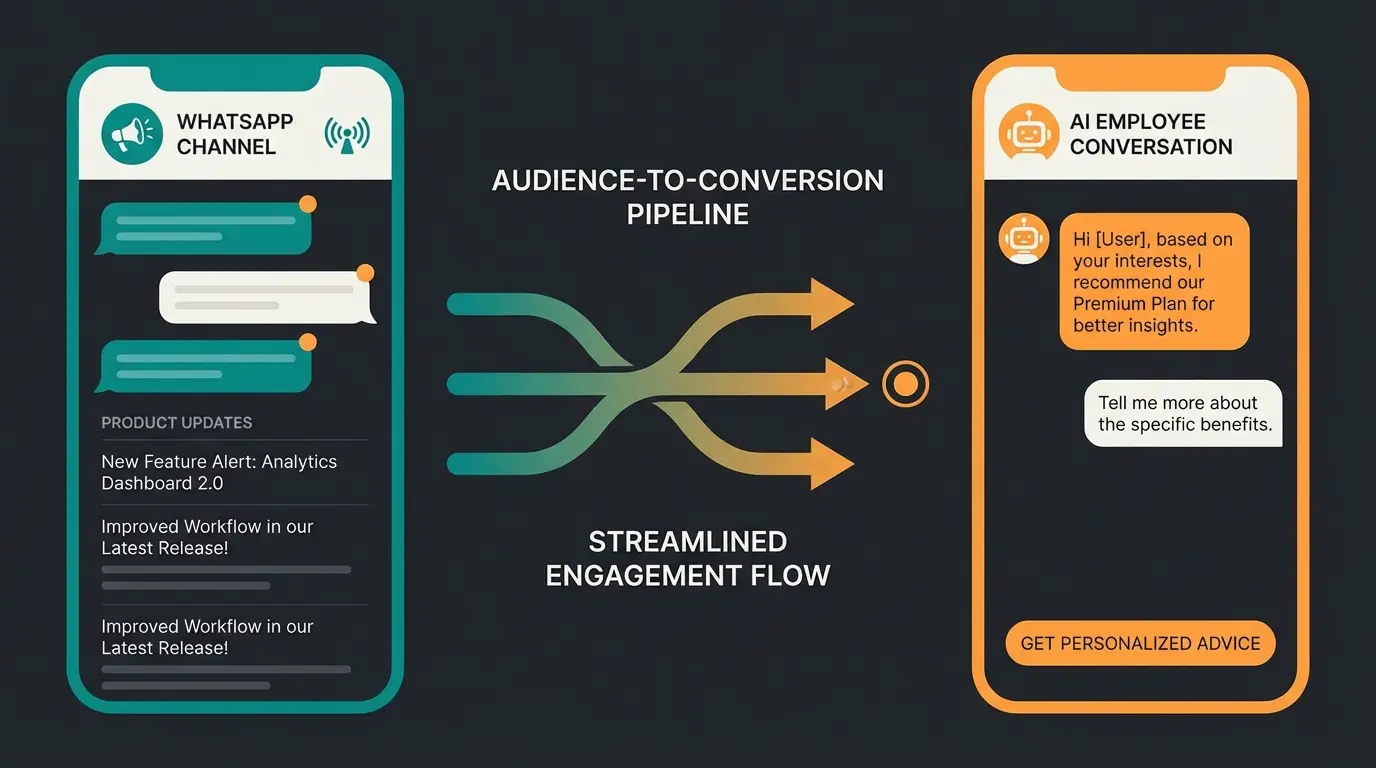
A WhatsApp Channel brings the audience. A Qualimero AI employee converts them with real-time product advice, personalised recommendations, and 24/7 availability. Our clients see a +35% increase in average cart value.
Book a free demoFAQ
Open WhatsApp and tap the Updates tab at the top of the screen. You will see Channels you follow and a link to the Channel directory where you can browse and search by category or topic.
Creating and using a WhatsApp Channel is free for both admins and followers. WhatsApp has introduced optional paid subscriptions that let admins charge for premium content, but the base feature remains free.
WhatsApp Channels offer one-way broadcasting to an unlimited audience with built-in privacy, meaning followers' phone numbers are hidden from admins and vice versa. Unlike Groups or Broadcast Lists, Channels are publicly discoverable in WhatsApp's directory and scale without moderation overhead.
Yes, any WhatsApp user can follow a public Channel through the directory, a direct invite link, or a QR code. Admins can also choose to make a Channel private and invite-only.
Yes. Only you can see which Channels you follow. Your phone number is never shared with the Channel admin, and admin phone numbers are hidden from followers. This makes Channels one of the most privacy-friendly broadcast tools available.
There is no follower limit on WhatsApp Channels. Some Channels run by major brands and media outlets have tens of millions of followers. For SMEs, even a few thousand engaged followers can drive meaningful business results.
More reach is only half the equation. A Qualimero AI employee turns your WhatsApp followers into buyers with personalised product advice, 24 hours a day. Clients report up to 16x ROI.
See it in action
Lasse is CEO and co-founder of Qualimero. After completing his MBA at WHU and scaling a company to seven-figure revenue, he founded Qualimero to build AI-powered digital employees for e-commerce. His focus: helping businesses measurably improve customer interaction through intelligent automation.