WhatsApp Business: The Complete Guide for Companies (2026)
Everything you need to know about WhatsApp Business in 2026: App vs API comparison, pricing, setup, marketing, customer service, GDPR compliance, and automation.

What is WhatsApp Business?
WhatsApp Business is Meta's suite of business communication tools built on the WhatsApp platform. It lets companies create a professional presence, showcase products, automate messages, and serve customers directly inside the app that 3.3 billion people already use every month (DemandSage, 2026). That number is projected to reach 3.5 billion by the end of 2026, making WhatsApp the world's most-used messaging platform by a wide margin.
The platform has grown fast. In 2018, WhatsApp launched the Business App as a free tool for small businesses. By 2020, the API opened doors for enterprise-scale automation. In 2023, WhatsApp Channels added one-to-many broadcasting. Today, the WhatsApp Business ecosystem handles everything from a local bakery's order confirmations to a multinational retailer's AI-powered product advisory across 180+ countries.
Three distinct products exist under the WhatsApp Business umbrella, each designed for a different stage of business growth. Understanding which one fits your company is the single most important decision before you start. For a deeper breakdown, read our full guide on What is WhatsApp Business?.
| Feature | Business App (Free) | Business App Premium | Business API / Cloud API |
|---|---|---|---|
| Cost | Free | Varies by region | Per-message pricing (service messages free) |
| Team size | Up to 5 devices | Up to 10 devices | Unlimited agents |
| Automation | Away messages, quick replies | Same + custom links | Full chatbot + AI integration |
| Product catalog | Up to 500 products | Up to 500 products | Via Commerce API |
| Broadcast | 256 contacts per list | 256 contacts per list | Unlimited with templates |
| CRM integration | No | No | Yes, full API access |
| Best for | Sole traders, micro-businesses | Small teams (5-10 people) | Growing and enterprise companies |
| GDPR-compliant | No (contact sync issue) | No | Yes (with proper setup) |
Over 200 million businesses worldwide use WhatsApp Business tools as of early 2026 (Meta, Q1 2025 report). The majority are small businesses using the free App. But the fastest growth is in the API segment, where companies connect WhatsApp to their existing systems for automated customer service, marketing campaigns, and transactional messages.
One number worth noting: 80% of WhatsApp Business App users are small and medium-sized businesses. The remaining 20% use the API, but they account for the vast majority of message volume and revenue. The ecosystem is built for both ends of the spectrum.
Visit the official WhatsApp Business website for Meta's own product overview and documentation.
WhatsApp Business App: features and capabilities
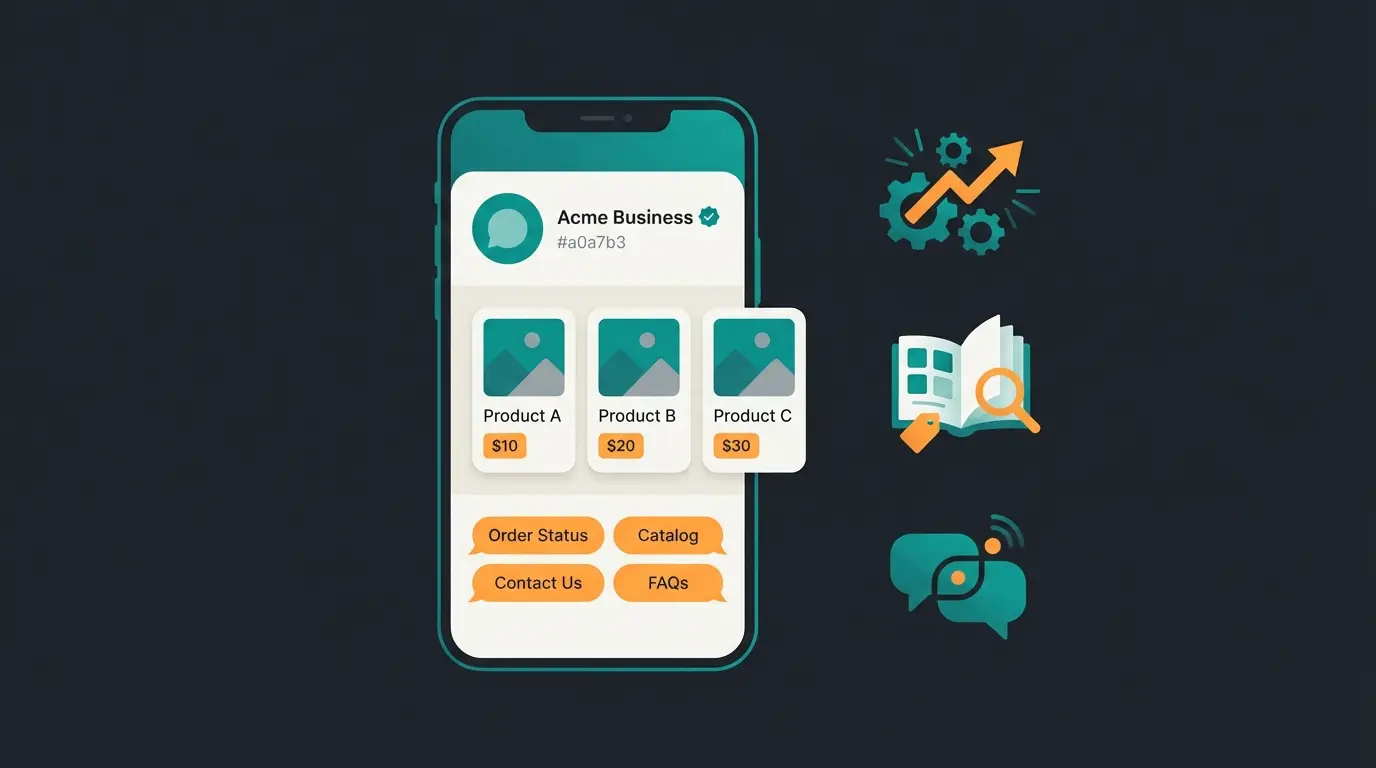
The free WhatsApp Business App is where most companies start. It looks and feels like regular WhatsApp, but adds a set of business-specific tools that turn a personal messaging app into a lightweight customer communication platform.
Here is what you get out of the box, and where the limits are. I have tested every one of these features with client implementations, and some are more useful than they appear on paper.
| Feature | What it does | Limits |
|---|---|---|
| Business profile | Company name, logo, address, hours, website, description | 1 profile per phone number |
| Product catalog | Showcase products with images, prices, descriptions, and links | 500 products, up to 10 images per product |
| Quick replies | Pre-written responses triggered by keyboard shortcuts | Up to 50 saved replies |
| Greeting message | Auto-sent to first-time or returning customers after 14 days | 1 active greeting message |
| Away message | Auto-response when you are unavailable. Learn more in our WhatsApp away message guide | Schedule-based or always-on |
| Auto reply | Respond instantly to incoming messages. See our auto reply setup guide | Limited to greeting and away messages in free tier |
| Labels | Organize chats and contacts (e.g., 'New Customer', 'Paid', 'Follow Up') | Up to 20 custom labels |
| Broadcast lists | Send one message to multiple contacts at once | 256 contacts per list |
| Short link / QR code | Generate a wa.me link or QR code for instant contact | 1 per business number |
| Statistics | Messages sent, delivered, read, received | Basic metrics only |
| Multi-device | Use on phone + up to 4 linked devices | 5 total (10 with Premium) |
You can also access your messages through a browser. Our guides on WhatsApp Business Web and WhatsApp Business Desktop walk through the setup.
A less-known feature: WhatsApp Business statistics show you how many messages were sent, delivered, and read. These are basic metrics compared to what the API offers, but they give you a starting point for understanding engagement patterns. If your read rate is below 80%, something is off with your messaging timing or content.
The Premium tier adds custom short links, up to 10 linked devices, and the ability to link multiple phones to one account. It is available in select markets and costs vary by region. For most growing businesses, though, the real upgrade path is not Premium. It is the API.
WhatsApp Business pricing: what does it really cost?
The WhatsApp Business App is free. No subscription, no per-message fees, no hidden costs. You download it, register your business number, and start messaging. That simplicity is why over 80% of WhatsApp Business users are small businesses (AiSensy, 2025).
The API is different. Meta charges per message, with rates that vary by message category and country. Since July 2025, the pricing model shifted from per-conversation to per-message. The good news: customer-initiated service messages are free.
| Category | What it covers | Price range (USD) | Notes |
|---|---|---|---|
| Marketing | Promotions, offers, product recommendations | $0.025 - $0.14 | Highest cost category |
| Utility | Order confirmations, shipping updates, receipts | $0.004 - $0.05 | Free within 24hr service window |
| Authentication | OTPs, 2FA codes, verification | $0.004 - $0.05 | Special international rates |
| Service | Customer-initiated support responses | Free | 24-hour response window |
Country matters. Sending a marketing message to a contact in Germany costs roughly $0.11, while the same message to India costs about $0.02. A 10,000-message campaign to German contacts runs approximately EUR 1,100. The same campaign to India: around EUR 200 (WhatsApp Platform Pricing).
Several 2026 pricing updates are worth noting. In January 2026, Meta lowered rates for France and Egypt while raising India rates. April 2026 brought higher authentication-international rates for India and lower utility and authentication rates for Turkey. Meta now supports billing in 16 currencies, and local billing in Indian Rupees launched in January 2026, with Brazilian Real planned for the second half of 2026.
Meta also offers volume-based discounts and a new "Max-Price" bidding model for marketing messages that can reduce costs by up to 25%. First 1,000 service conversations per month are free across all plans. For a full cost breakdown with country-specific rates, see our WhatsApp Business costs guide and API costs analysis.
Setting up WhatsApp Business: step by step
Getting started takes less than 15 minutes for the App. The API setup is more involved but manageable if you know the steps.
Get WhatsApp Business from Google Play or Apple App Store. It is a separate app from regular WhatsApp.
Use a dedicated business phone number. You can migrate an existing WhatsApp number, but this will convert it from personal to business.
Add your company name, logo, address, business hours, website, and a short description. This is your storefront.
Add products with images, prices, descriptions, and links. Customers can browse and share items directly in the chat.
Set a greeting message for new contacts, an away message for off-hours, and save quick replies for frequent questions.
Generate a wa.me link to share on your website, social media, and marketing materials. Print the QR code for physical locations.
One common question: can you convert an existing personal WhatsApp number to a business account? Yes, but it is a one-way migration. Your personal chats will be preserved, but the number becomes a business number permanently. If you want to keep personal and business separate, use a dedicated number. A second SIM card or a virtual number both work.
For the API, setup is different. You need a Meta Business Manager account, business verification (takes 2-5 business days), a BSP partner or direct Cloud API access, and a dedicated phone number. Most BSPs handle the technical setup and get you live within 1-3 days after verification.
For a detailed walkthrough with screenshots, read our WhatsApp Business setup guide. If you need help creating your account from scratch, the account creation guide covers every step. You can also check the WhatsApp Business FAQ for official troubleshooting.
WhatsApp Business API: for growing companies
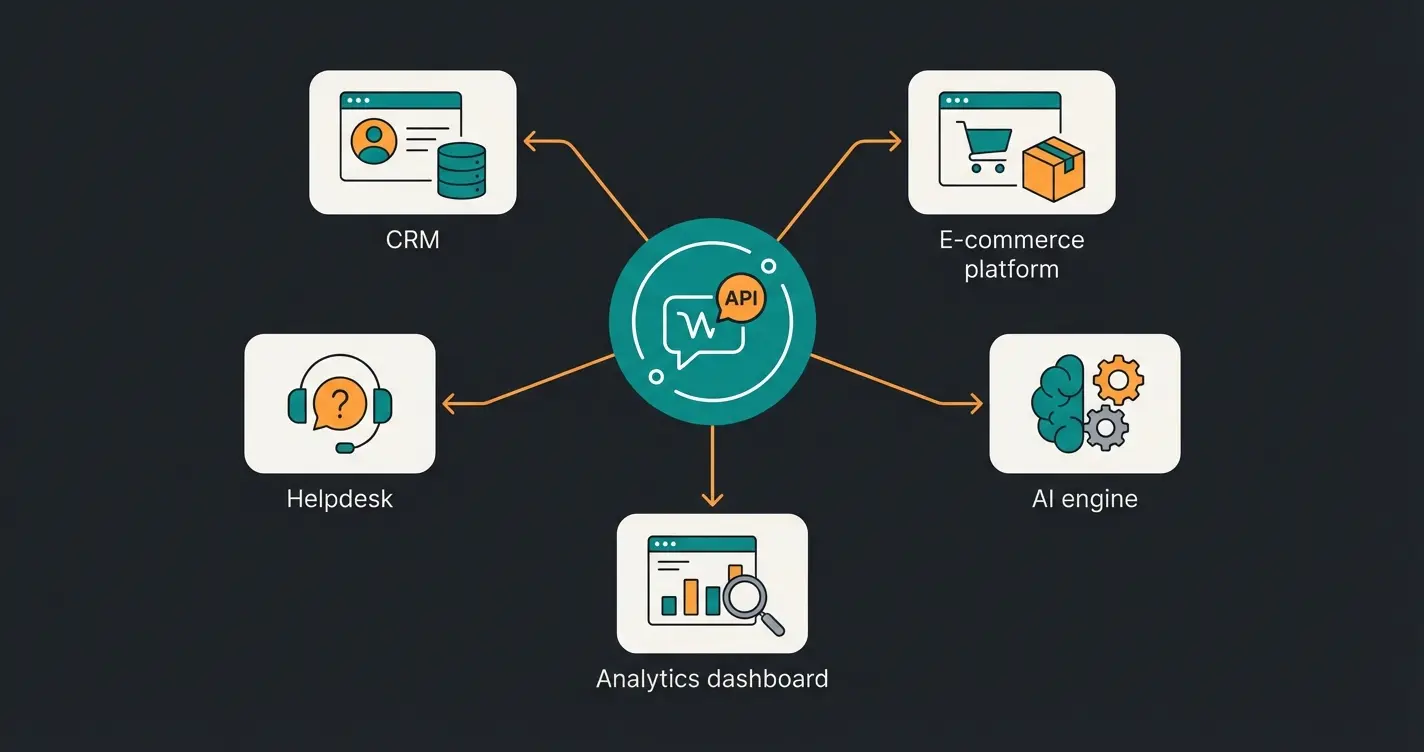
The WhatsApp Business API is not an app. It is an interface that connects WhatsApp to your existing business systems: your CRM, your helpdesk, your e-commerce platform, your AI customer service tools. There is no download, no screen, no buttons. You access it through a Business Solution Provider (BSP) or directly via Meta's Cloud API.
The question is not whether the API is better than the App. It is whether your business has outgrown the App. Here are the signals.
- More than 5 people need to respond to customer messages
- You want to connect WhatsApp to your CRM, ERP, or helpdesk
- You need to send automated transactional messages (order confirmations, shipping updates)
- You want to run WhatsApp marketing campaigns at scale (beyond 256 contacts)
- You need AI-powered chatbots or product advisory
- GDPR compliance is a hard requirement for your business
Two API options exist: Meta's Cloud API (hosted by Meta, faster setup, free hosting) and the On-Premise API (self-hosted, full data control, being phased out). For most businesses in 2026, Cloud API is the right choice. Meta is actively migrating on-premise users to the cloud version.
You do not interact with the API directly. You choose a Business Solution Provider (BSP) like Qualimero, or build on the Cloud API yourself. BSPs provide the interface, the chatbot builder, the analytics dashboard, and the technical support.
The API unlocks capabilities the App cannot touch. Template messages let you send pre-approved content outside the 24-hour service window. Interactive messages with buttons and list menus replace clunky text-based menus. WhatsApp Flows allow you to build structured forms and workflows directly inside the chat. And webhook-based integrations mean every customer message can trigger automated processes in your backend systems.
One honest note: API setup is not plug-and-play. You need a Meta Business Manager account, a verified business, a dedicated phone number, and either a BSP or development resources. The process takes 1-3 days with a BSP, or 1-2 weeks if you build directly on the Cloud API. But once it is running, the scaling potential is effectively unlimited.
Read our complete WhatsApp Business API guide for the full technical breakdown, including the WhatsApp Business Platform documentation from Meta.
WhatsApp marketing: reaching and retaining customers
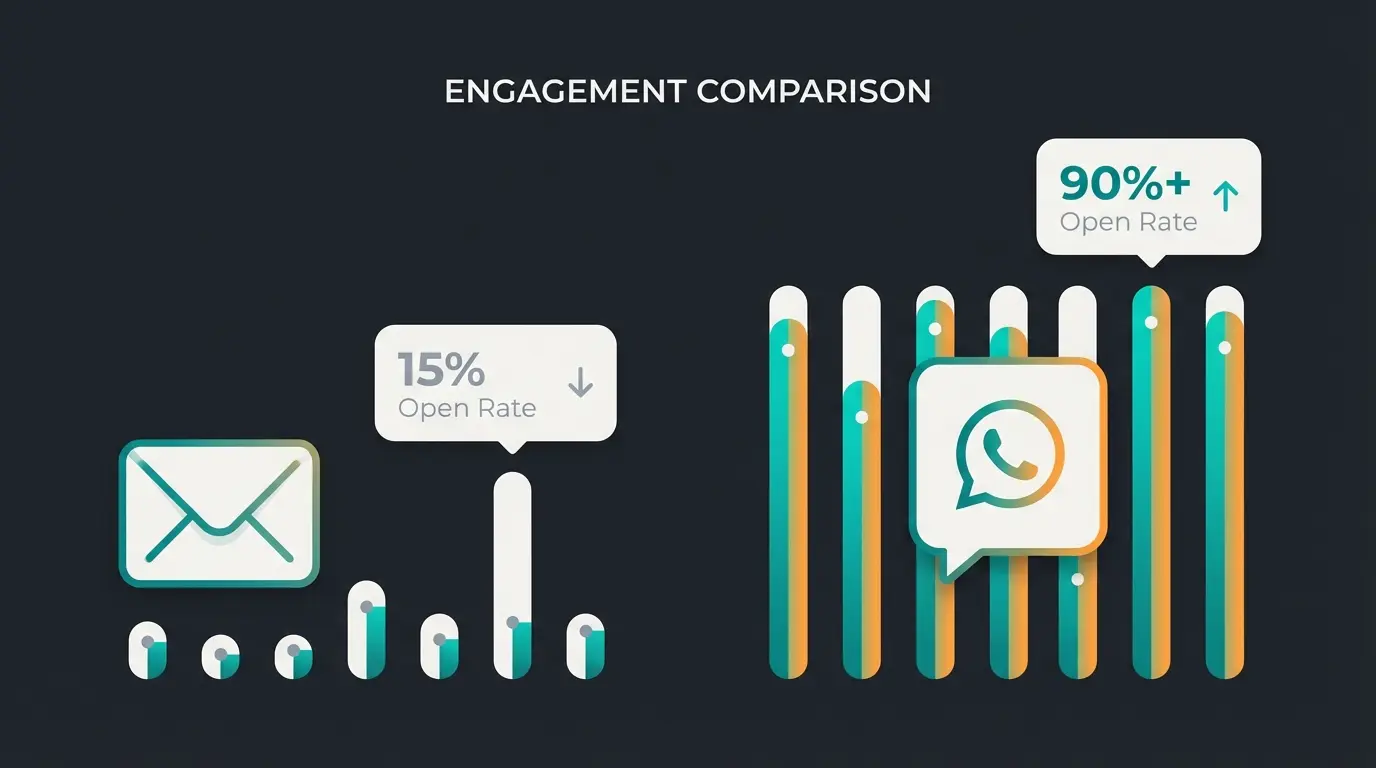
WhatsApp is not just a support channel. It is one of the highest-performing marketing channels available to businesses today. The numbers make the case clearly: WhatsApp messages achieve 98% open rates compared to 20-25% for email. Click-through rates range from 15% to 60%, while email averages 2-6% (Aurora Inbox, 2026).
HolidayPirates measured 97% open rates and 40% CTR on their WhatsApp campaigns, with 10x more engagement than email. Air France saw 4.5x higher click-through rates on WhatsApp newsletters compared to email. These are not theoretical projections. They are measured results from live campaigns.
But there is a critical rule: opt-in is mandatory. You cannot message someone on WhatsApp Business unless they have explicitly consented. This is not just a legal requirement under GDPR. It is enforced by Meta at the platform level. Businesses that ignore opt-in rules get their accounts restricted or banned.
Click-to-WhatsApp ads are the fastest-growing entry point for marketing conversations. These ads run on Facebook and Instagram but open a WhatsApp chat instead of a landing page. The advantage: customer-initiated conversations triggered through these ads are free for 72 hours, and the barrier between interest and conversation drops to a single tap. Benefit Cosmetics saw a 30% increase in appointments and 200% year-over-year sales increase using this approach.
- Promotional campaigns - product launches, seasonal offers, flash sales via template messages
- Click-to-WhatsApp ads - Facebook and Instagram ads that open a WhatsApp conversation instead of a landing page
- Abandoned cart recovery - automated messages reminding customers about items left in their shopping cart
- Personalized recommendations - product suggestions based on purchase history and browsing behavior
- Loyalty programs - exclusive offers and early access sent directly to opted-in customers
For detailed strategies, campaign templates, and real-world examples, explore our WhatsApp marketing hub, marketing software comparison, and marketing examples.
WhatsApp newsletter and broadcast
WhatsApp shut down its newsletter feature in 2021 amid privacy concerns around the Business API. Then it brought it back with stricter consent mechanisms and template-based messaging. Today, WhatsApp newsletters via the API are one of the fastest-growing business communication formats, combining the reach of email with the engagement rates of messaging.
Two distinct tools exist for one-to-many communication, and the difference matters.
| Feature | Broadcast Lists (App) | Newsletter via API |
|---|---|---|
| Reach | 256 contacts per list | Unlimited (template-based) |
| Requirement | Contact must have your number saved | Opt-in only (no number saving needed) |
| Message types | Any message format | Pre-approved templates only |
| Tracking | Basic delivery/read receipts | Full analytics (open, click, conversion) |
| Cost | Free | Per-message pricing (marketing category) |
| Automation | Manual send only | Scheduled, triggered, or API-driven |
| Best for | Small, personal outreach | Scaled campaigns with tracking |
The App's broadcast lists are simple but limited. Each list caps at 256 contacts, and recipients must have your number saved in their phone. Otherwise, the message simply does not arrive. For anything beyond a small loyal customer base, you need the API.
Template messages are the foundation of API-based broadcasting. Every message you send outside the 24-hour service window must use a pre-approved template. These templates go through Meta's review process, which typically takes 1-24 hours. The approval rate is high if you follow Meta's guidelines: no misleading content, no prohibited categories, and clear opt-out instructions.
Our WhatsApp Newsletter guide covers the full setup process and strategy. For broadcast-specific guidance, see WhatsApp Broadcast. If you are looking for tools to manage newsletter campaigns, check our newsletter tool comparison.
WhatsApp Channels: the new reach booster
WhatsApp Channels launched in September 2023 as Meta's answer to Telegram channels. They allow businesses to broadcast updates, news, and content to an unlimited number of followers through a one-way feed inside the WhatsApp Updates tab. Within the first year, hundreds of millions of users subscribed to at least one channel, and the feature is now available in 150+ countries.
Channels are different from both broadcast lists and newsletters. Followers subscribe voluntarily, their phone numbers stay private, and the content appears in a dedicated feed rather than in the chat list. There are no message templates, no approval process, and no per-message cost. Channels are free.
- One-to-many updates with no message limits
- Follower privacy: phone numbers are never shared with the channel admin
- Rich media support: text, images, videos, polls, and stickers
- Discoverability: users can search and browse channels inside WhatsApp
- No cost: entirely free for businesses
The limitation is engagement. Channels are broadcast-only. No conversations, no replies, no customer interaction. They work best as a reach and awareness tool alongside conversational channels like WhatsApp Business messaging.
Where Channels shine is in keeping your audience warm between transactions. Share product updates, industry news, behind-the-scenes content, or limited-time offers. Because Channels live in the Updates tab (not the main chat list), they feel less intrusive than direct messages. Users subscribe because they want to, and the content does not compete with personal conversations. For e-commerce businesses, that combination of reach and low friction makes Channels a strong top-of-funnel tool.
Learn how to set one up in our WhatsApp Channels guide, or read how to create a WhatsApp Channel step by step. Want to grow your following? See our guide on finding WhatsApp Channels.
Customer service with WhatsApp: faster, more personal, more efficient
Open the support dashboard of a mid-size e-commerce company and count the unanswered messages. Now imagine every one of those customers received a response within 90 seconds. That is the shift WhatsApp enables when implemented properly.
90% of WhatsApp messages are read within 3 minutes (Flowcart, 2026). The average response expectation from customers on messaging apps is under 5 minutes. Compare that to email, where 6+ hours is considered normal. The channel itself sets the pace, and customers have already chosen it: messaging is the preferred support channel for consumers under 45 across every major market.
Lenovo offers a useful benchmark: after moving technical support to WhatsApp, they measured an 8.2x higher conversion rate for appointment bookings compared to their website, along with a 44.5% increase in customer engagement. Air France handles 85% of customer care conversations through WhatsApp, reporting dramatically lower handling times than phone support.
What makes WhatsApp customer service work at scale is not having more people answering messages. It is combining human agents with AI-powered automation.
- Instant automated responses for common questions (order status, return policy, store hours)
- AI-powered product advisory that understands your catalog and makes personalized recommendations
- Seamless handoff from AI to human agents when conversations require personal attention
- Shared team inbox where multiple agents manage conversations with full context and history
- Integration with helpdesk tools like Zendesk, Intercom, or Freshdesk via the API
We have seen this work at Qualimero across 25+ implementations. Rasendoktor, an online garden supply retailer, achieved a 16x ROI with an AI employee handling product advisory on WhatsApp. Gartenfreunde saw a 7x higher conversion rate after deploying AI-powered customer service. In both cases, the AI did not replace human agents. It handled the repetitive product questions, leaving the human team free for complex advisory that actually requires expertise.
The key metric that surprises most businesses: cart value. When a customer receives personalized product recommendations through WhatsApp, they buy more. Not because of aggressive upselling, but because the recommendation is relevant. Our average across e-commerce implementations is a +35% increase in cart value and a +60% increase in checkout rate. The channel is personal, the timing is right, and the AI understands the product catalog deeply enough to make genuinely useful suggestions.
For a deep dive into strategy and implementation, read our WhatsApp customer service guide and WhatsApp for customer service FAQ.
Qualimero's AI employees handle product advisory, customer questions, and order support on WhatsApp, 24/7. Our clients see up to 16x ROI and +35% higher cart values.
Book a free demoWhatsApp chatbots and automation
Automation is where WhatsApp Business stops being a communication tool and starts being a revenue driver. Two categories exist, and the gap between them is enormous. Rule-based chatbots follow pre-defined decision trees: "Press 1 for order status, press 2 for returns." AI-powered solutions understand context, remember previous conversations, and make decisions based on your product data, customer history, and business rules.
The rule-based approach handles simple FAQ deflection well. But it breaks the moment a customer asks something outside the script. The AI approach handles complexity: product recommendations based on use case, cross-selling based on purchase history, troubleshooting based on product specifications. I have seen implementations where the AI handles 94% of incoming product questions correctly at an average response time of 1.2 seconds.
| Capability | Rule-based chatbot | AI-powered (e.g., Qualimero) |
|---|---|---|
| Setup time | Days to weeks | 2-4 weeks (including training) |
| Handles unexpected questions | No, falls back to human agent | Yes, understands context and intent |
| Product advisory | Basic FAQ only | Full catalog knowledge, personalized recommendations |
| Learns over time | No | Yes, improves with every conversation |
| Customer recognition | No | Yes, remembers past interactions |
| Cross-selling | Static suggestions | Dynamic, data-driven recommendations |
| Languages | One per flow | Multilingual, automatic detection |
| Best for | Simple FAQ deflection | Revenue-generating customer interactions |
Explore our full WhatsApp Bot guide for an overview of the ecosystem. For implementation details, see WhatsApp chatbot setup, how to create a WhatsApp bot, and API chatbot integration.
Qualimero's AI employees are not rule-based scripts. They understand your products, recognize returning customers, and drive real revenue. Our clients achieve +60% higher checkout rates.
See how it worksWhatsApp links and click-to-chat
The simplest way to start a WhatsApp conversation with a customer is a link. WhatsApp's wa.me links let you create a direct entry point: one click, and the customer lands in a chat with your business. Add a pre-filled message, and the conversation starts with context.
The format is straightforward: `https://wa.me/[phonenumber]?text=[pre-filled message]`. Replace the phone number with your business number in international format (no plus sign, no dashes) and URL-encode the message text. Pre-filled messages are powerful because they give you context before the conversation even starts. A link on your running shoes page that pre-fills "I am interested in running shoes" tells your team (or AI) exactly what the customer wants.
- Website integration - embed a WhatsApp button or click-to-chat widget on your site
- Social media - add your wa.me link to Instagram bio, Facebook page, LinkedIn profile
- Email signatures - include a "Chat with us on WhatsApp" link in every email
- Print and packaging - QR codes on business cards, product packaging, receipts, and in-store displays
- Advertising - Click-to-WhatsApp ads on Facebook and Instagram that skip the landing page entirely
QR codes deserve special attention for businesses with physical locations. Print them on product packaging, receipts, business cards, or in-store displays. A customer scanning a QR code on a plant care product to ask an AI employee about watering schedules is not hypothetical. We have seen this exact scenario drive a 7x conversion increase at an online garden retailer.
Our WhatsApp Link guide covers link creation in detail. For generating links with tracking parameters, use our WhatsApp link generator guide.
Privacy and GDPR compliance: using WhatsApp Business legally
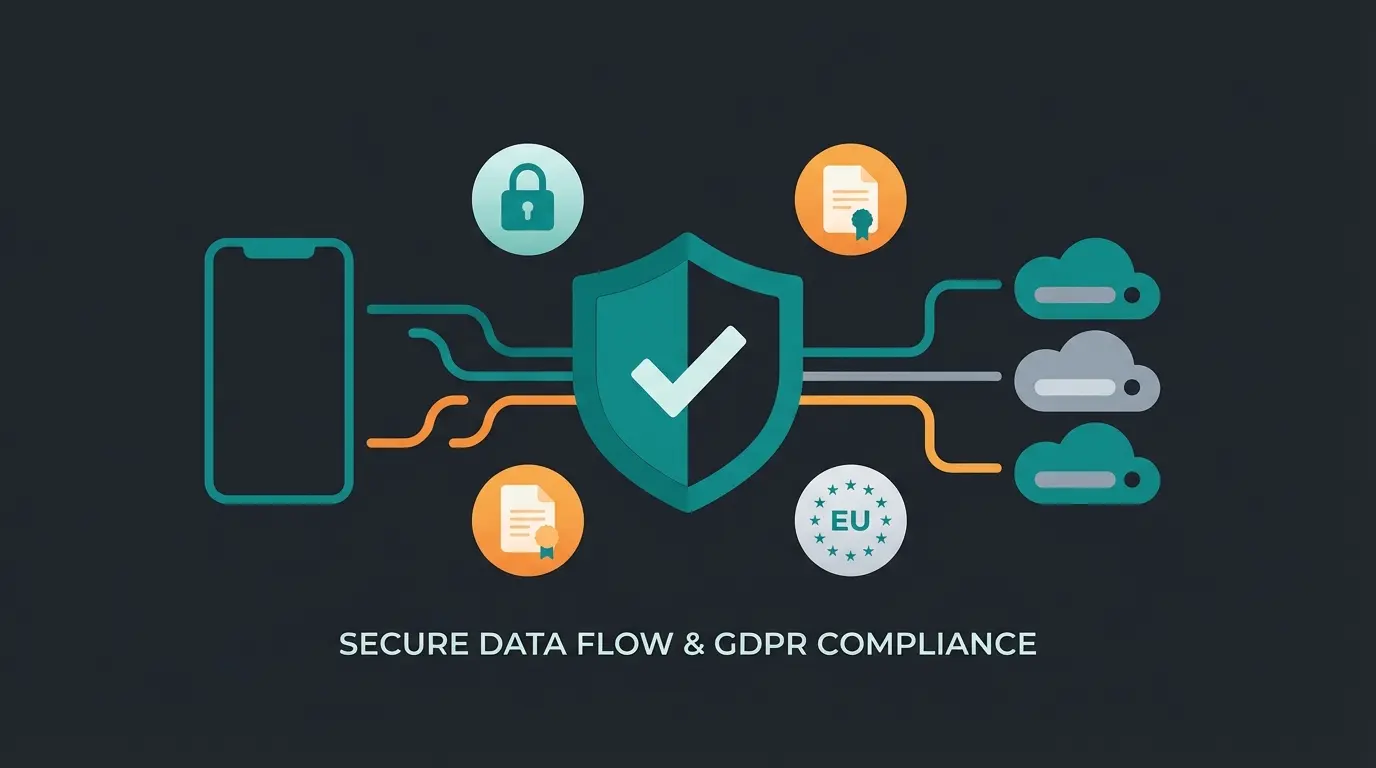
This is the section most guides skip, and it is the one that matters most for European businesses. The short answer: only the WhatsApp Business API is GDPR-compliant. The free WhatsApp Business App is not.
The reason is contact synchronization. The free App uploads your phone's contact list to Meta's servers, including contacts who never consented to having their data shared with a US tech company. Under GDPR, this is a violation of the lawfulness and data minimization principles. The API does not sync contacts. It processes only the data you explicitly send through it.
This is not a theoretical risk. The European Data Protection Board (EDPB) has published a binding decision concerning WhatsApp data processing that sets precedent for enforcement. Businesses using the free App for customer communication in the EU are exposed to fines under GDPR Article 83, which allows penalties of up to 4% of annual global turnover.
- Double opt-in - customers must explicitly consent to receiving WhatsApp messages, and you must document that consent
- Data Processing Agreement (DPA) - sign a DPA with your BSP and any intermediaries handling message data
- Data hosting in the EU - ensure your BSP stores data in GDPR-compliant regions, ideally within the EU
- Right of access and deletion - implement immediate opt-out mechanisms and respond to data access requests within 30 days
- Retention policy - define and enforce data retention periods for conversation logs and customer data
- Audit trail - maintain records of consent, processing activities, and data access
Two 2026 regulatory changes affect WhatsApp Business directly. First, WhatsApp Channels were classified as a "Very Large Online Platform" under the EU Digital Services Act (DSA) in January 2026, requiring stricter risk assessment and content moderation by mid-May 2026. Second, Meta now prohibits generic AI bots on WhatsApp since January 15, 2026. Only task-specific automation (support, booking, order tracking) is permitted.
A practical point many businesses miss: the 24-hour service window. When a customer sends you a message on WhatsApp Business API, you have 24 hours to respond with a free-form message. After that window closes, you can only send pre-approved template messages, which cost money per message. This means fast response times are not just good customer service. They save you money.
For the full compliance checklist, read our WhatsApp data protection guide, WhatsApp Business GDPR guide, and WhatsApp AI privacy analysis.
WhatsApp Business App vs API vs Cloud API: which solution fits your company?
After 14 sections covering every aspect of WhatsApp Business, here is the practical decision framework. The choice comes down to five factors: team size, message volume, automation needs, budget, and compliance requirements. Most businesses that start with the App eventually move to the API. The question is when, and the answer depends entirely on where you are right now.
The free App works. Beyond 5 people responding to messages, you need the API.
If you need to reach more than 256 contacts per campaign, the API is the only option.
The App connects to nothing. The API connects to everything.
EU businesses handling customer data should use the API. The App fails core GDPR requirements.
| Your situation | Recommended product | Why |
|---|---|---|
| Sole trader, <50 messages/day | Free App | Simple, free, sufficient for personal customer relationships |
| Small team (2-10), local business | App + Premium | Multi-device support, still manageable manually |
| Growing e-commerce, >100 messages/day | Cloud API | Automation, CRM integration, scalable marketing |
| Enterprise, multi-country, regulated industry | Cloud API + BSP | GDPR compliance, team management, AI-powered customer service |
| Technical team, custom requirements | Cloud API (direct) | Full control, custom integrations, cost optimization |
A common mistake: businesses jump straight to the API because it sounds more professional. If you have 3 employees and 30 customer messages a day, the free App is genuinely the right choice. Overengineering your WhatsApp setup wastes time and money. Start where your volume actually is, not where you hope it will be in two years.
The other mistake is waiting too long. If your team spends more than 2 hours a day on WhatsApp customer messages and you cannot integrate those conversations into your CRM, you are losing data and burning hours. The API pays for itself the moment automation handles the repetitive 60% and your team focuses on the complex 40%.
If you recognize yourself in the third or fourth row, the next step is a conversation with a team that has implemented this for businesses like yours. Not a generic platform demo, but a discussion about your specific products, your customer journey, and your support volume.
We have helped 25+ companies choose and implement the right WhatsApp Business setup. From simple App configurations to AI-powered API solutions that generate real revenue. Let us look at your situation together.
Book a free consultationFAQ: frequently asked questions about WhatsApp Business
Regular WhatsApp is for personal messaging. WhatsApp Business adds business-specific features: a verified business profile, product catalog, automated messages, quick replies, labels for organizing chats, and business statistics. The Business version is free and available as a separate app download.
The WhatsApp Business App is completely free. The WhatsApp Business API charges per message, with rates depending on message category (marketing, utility, authentication) and recipient country. Customer-initiated service messages are free. First 1,000 service conversations per month are included at no cost.
The main limitations are: the free App is not GDPR-compliant for EU businesses due to contact synchronization, broadcast lists are capped at 256 recipients, no CRM or third-party integrations are available on the App, and the API requires technical setup or a Business Solution Provider. For businesses needing scale and compliance, the API solves these issues but adds cost.
Yes. WhatsApp and WhatsApp Business are separate apps that can run simultaneously on the same device, each with a different phone number. You cannot use the same phone number for both. For more details, see our guide on WhatsApp Business for private use.
The free WhatsApp Business App supports up to 5 linked devices (1 phone + 4 companions). WhatsApp Business Premium increases this to 10 devices. The WhatsApp Business API has no device limit, as it runs on servers, not phones.
Only the WhatsApp Business API can be used in a GDPR-compliant manner. The free App syncs your phone contacts to Meta servers without individual consent, violating GDPR data minimization requirements. EU businesses should use the API with a certified Business Solution Provider, implement double opt-in, and sign a Data Processing Agreement.
The most common use cases are customer support (answering product questions, handling returns), marketing (promotions, newsletters, abandoned cart messages), sales (product advisory, catalog sharing, order taking), and transactional messages (order confirmations, shipping updates, appointment reminders).

Lasse is CEO and co-founder of Qualimero. After completing his MBA at WHU and scaling a company to seven-figure revenue, he founded Qualimero to build AI-powered digital employees for e-commerce. His focus: helping businesses measurably improve customer interaction through intelligent automation.