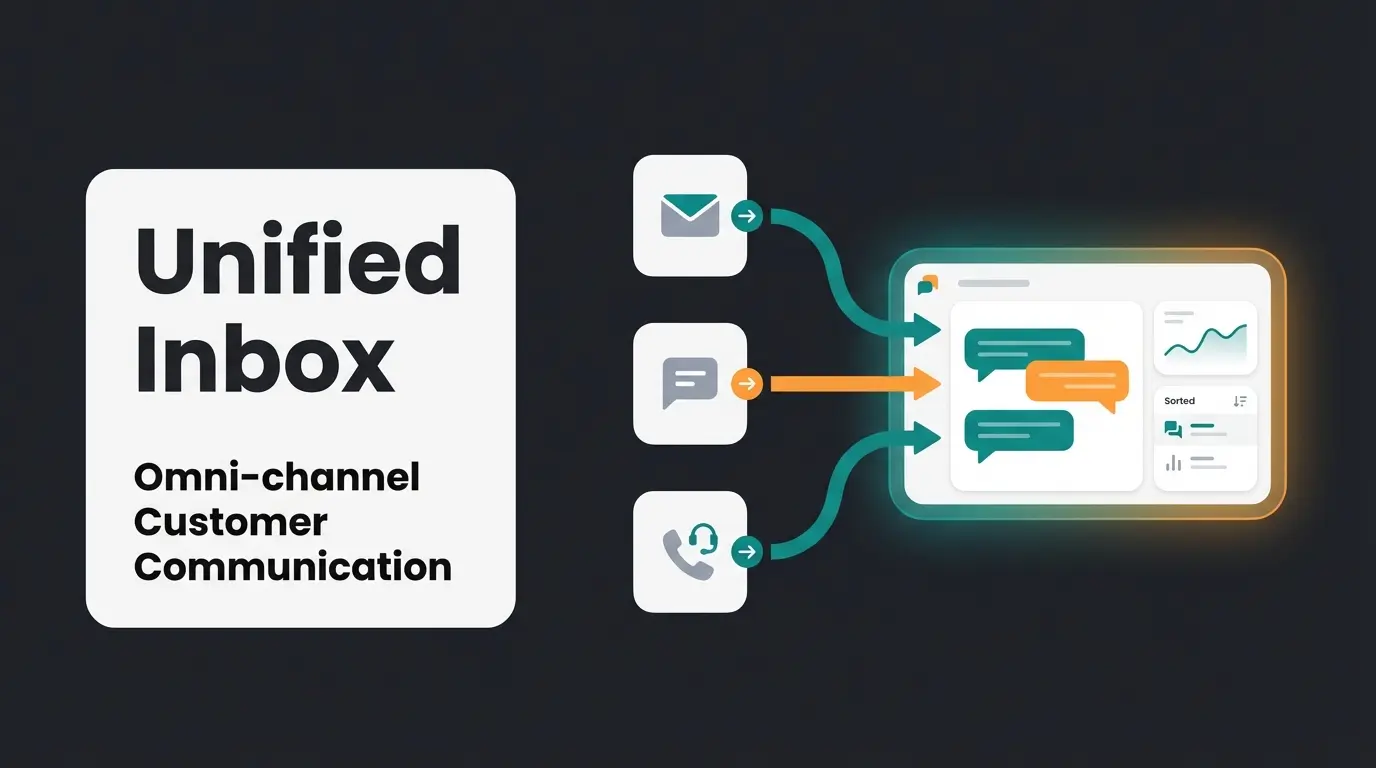
Introduction: Why Your Chat Widget Can Do More Than Say Hello
Imagine walking into a high-end specialty store in a major city. A friendly employee approaches you—not to ask "Do you have a technical problem?" but to say: "What are you looking for today, and how can I help you find the perfect product?"
In the digital world, however, the exact opposite often happens. Customers land on a website, open the chat widget, and are greeted by a rigid bot that pushes them into a support queue or bombards them with FAQ articles. This is where AI Customer Service automation can make a transformative difference.
The Intercom Messenger is one of the most powerful tools on the market, used by over 25,000 companies worldwide according to Sacra. Yet many businesses—especially in the DACH region—only use a fraction of its potential. They degrade the Intercom widget to a mere mailbox for complaints.
In 2025, when 90% of Germans are online and the digital advertising market continues to grow according to eCommerce Germany, that's no longer enough. Customers expect real-time answers and personalized consultation.
This article is your blueprint. We'll show you not only how to set up the Intercom Messenger technically sound and GDPR-compliant, but above all, how to transform it from a cost center (support) into a revenue driver (sales consultant). We'll uncover the gaps that standard bots leave behind and show how modern AI solutions fill them. Understanding how AI Chatbots transform customer interactions is essential for this transformation.
What is Intercom Messenger? The Essential Basics
Before diving into strategy, we need to understand the tool. The Intercom Messenger is far more than the classic "live chat" window of the 2010s. Intercom positions it as the only interface that accompanies customers throughout their entire journey—from their first website visit to using your app.
From Chat to Business Messenger
Chat widgets used to be isolated islands. Today, the Intercom chat widget is an operating system for customer relationships. It integrates deeply into your tech stack (CRM, email marketing, analytics) and provides a persistent identity for each user. This means: if a customer chats today and returns next week, the messenger still knows what the conversation was about.
The Architecture of the Messenger
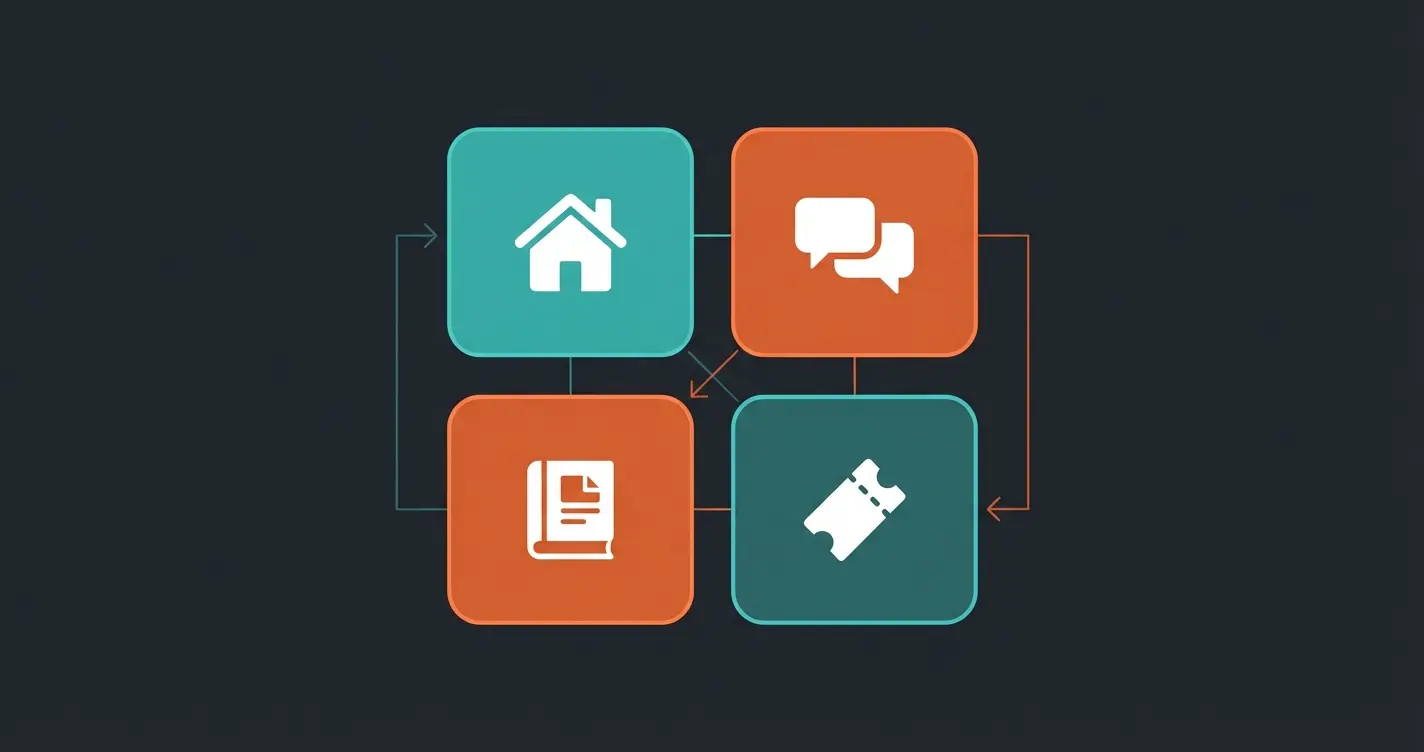
Since the major updates in 2024/2025, the messenger is divided into so-called "Spaces" (areas) that you need to know, as documented by Intercom:
- Home Space: The widget's landing page. Here you can embed apps, present news, or offer various conversation starters. It's the "storefront" of your widget.
- Messages Space: This is where actual communication happens. Users see their history and open requests.
- Help Space: An integrated knowledge base. Customers can search and read articles without leaving the page—essential for self-service.
- Tickets Space: New and important for complex requests. Customers can view the status of their formal support tickets here, similar to a customer portal.
Key Features You Must Know About Intercom Widget
To use the Intercom widget effectively, you need to go beyond basic functions. Here are the features that make the difference:
Customization and Branding
A chat widget that looks like a foreign element creates no trust. Intercom allows deep customizations as shown in various YouTube tutorials:
- Colors & Logos: Customize the widget exactly to match your CI.
- Launcher: You don't have to use the default speech bubble. Custom icons or text ("Ask us about the product") increase click rates.
- Backgrounds: In the Home Space, you can use background colors or patterns to highlight actions.
In-App Messages and Outbound Communication
This is the "salesperson" who approaches the customer. Instead of waiting for the customer to click, you can trigger messages based on behavior according to Intercom's documentation.
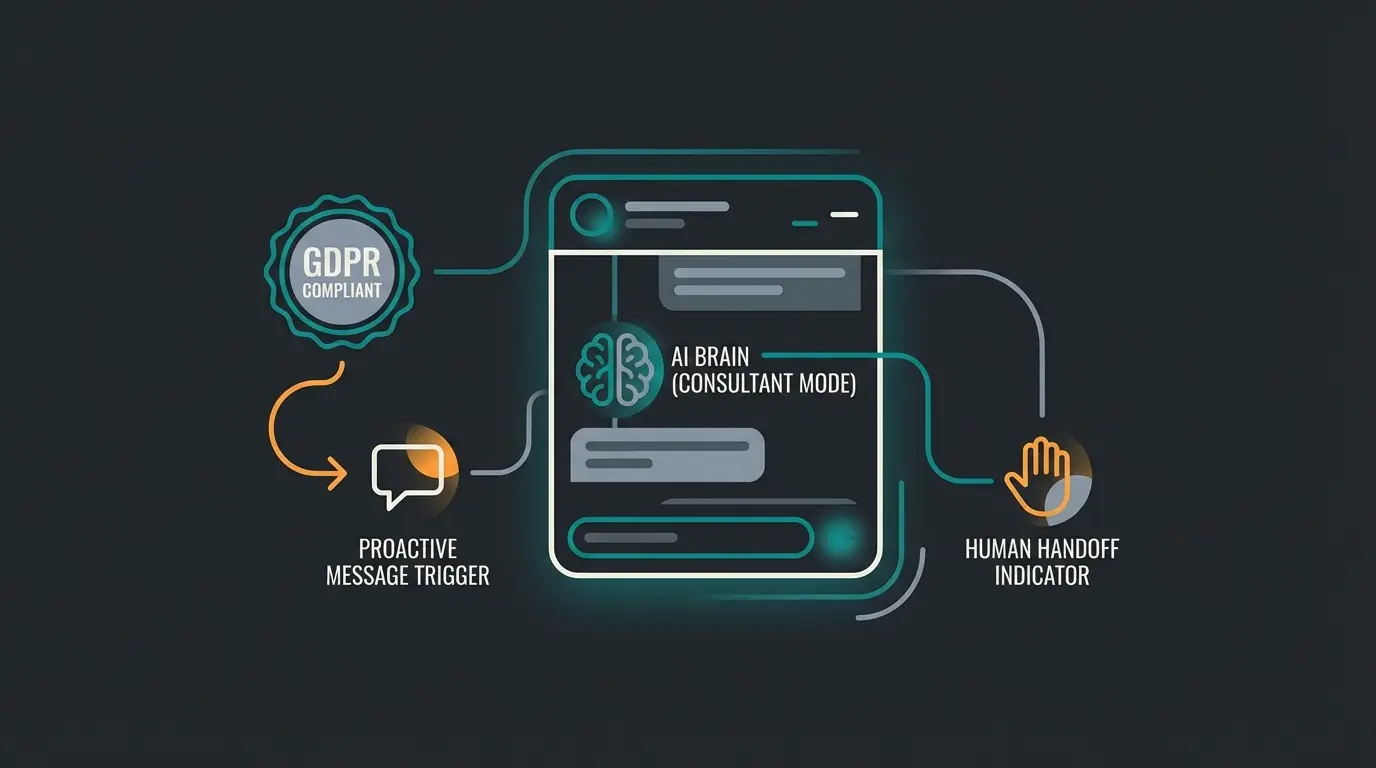
Example: A customer lingers for 30 seconds on the pricing page -> The messenger opens automatically: "Need help choosing the right plan?" This proactive approach is at the heart of the AI Selling revolution in e-commerce.
The App Store and Integrations
The messenger is extensible. You can embed apps directly into the chat window as noted by eesel.ai:
- Calendly: Let leads book appointments directly in chat.
- Stripe: Process upgrades or payments in chat.
- Statuspage: Display system status to reduce support requests during outages.
Mobile SDK for Native App Integration
For companies with their own app, the Mobile SDK is crucial. It brings the messenger natively into iOS and Android apps as explained by eesel.ai. Important: Since 2025, there are improved features like "Launch directly into conversation" to reduce barriers for mobile users according to Intercom.
Businesses actively using Intercom Messenger
Internet users expecting real-time support
Fin AI cost that can quickly add up at scale
The German Perspective: GDPR, Hosting & Privacy Compliance
This is the section that most US-centric guides ignore, but is vital for every German business owner. Using US tools like Intercom is legally complex in Germany, but doable if you do it right. This is especially important when implementing multilingual AI chatbots for international audiences.
Data Hosting: EU vs. USA
Intercom now offers "Regional Data Hosting," including in Europe (server location Dublin, AWS) as noted by eesel.ai.
- The Problem: By default, data often ends up in the USA.
- The Solution: New customers can directly choose an "EU Workspace."
- The Catch: Existing US workspaces cannot simply be migrated. You often have to create a new workspace and manually transfer data or use partner tools according to Opengraphy. Additionally, certain data (billing data, admin data) continues to be processed in the USA.
The Data Processing Agreement (DPA)
You must conclude a Data Processing Agreement with Intercom. Intercom provides this digitally according to legalweb.io. Without this agreement, use in the EU is illegal.
Cookie Consent and the Loading Problem
This is the most common reason for legal warnings. The Intercom Messenger sets cookies and tracking scripts as soon as it loads. Under current law (TTDSG, GDPR), this may only happen after the user has consented in the cookie banner (CMP) as stated by Cookie Script.
How to do it right:
- Don't hardcode: Don't build the Intercom script directly into the HTML header.
- Integration via Google Tag Manager (GTM) or CMP: Use tools like Usercentrics, Cookiebot, or Borlabs Cookie.
- Logic: The Intercom script may only fire when the trigger "Marketing/Functional Consent Granted" is active according to Intercom.
- Consequence: If the user rejects cookies, no chat widget appears. That's the price of compliance.
Privacy Notice and Imprint in Chat
Don't forget that the chat itself is a telemedia service. Link your privacy policy directly in the messenger (e.g., in the Home Space) as recommended by Intercom Help. Explain explicitly in your privacy policy what data Intercom collects and that data may be transferred to the USA (citing the Data Privacy Framework, if applicable).
Select Europe/Dublin as your data region during account setup
Complete the Data Processing Agreement with Intercom
Set up cookie consent via GTM with proper triggers
Include privacy policy links in the messenger Home Space
Verify widget only loads after explicit consent
The Limitation: Why Support Bots Fail at Sales
Intercom has made a big step with "Fin AI." But for many companies selling complex products, there's a problem: the architecture is often still designed for "support deflection" (deflecting requests), not "sales consultation" (advising). This is where understanding the different types of chatbots becomes crucial.
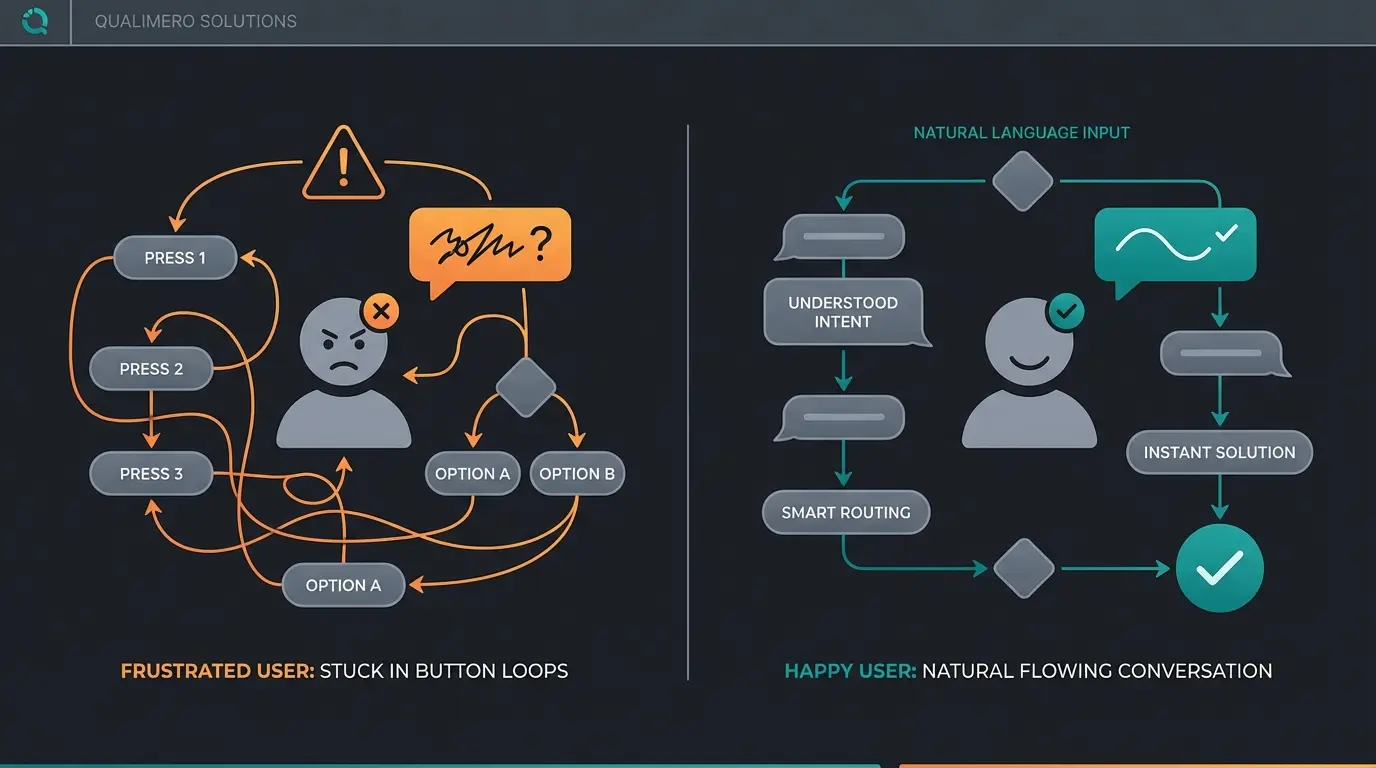
The Problem of Decision Trees
Classic workflows in Intercom are based on if-then logic:
- Bot: "Do you have a question about A, B, or C?"
- Customer: Clicks A.
- Bot: "Here's an article about A."
This works excellently to reduce support tickets. But in sales? Imagine a customer asks: "I have back pain and am looking for an e-bike for my commute, about 20km."
- A standard bot understands "e-bike" and sends a link to the category page.
- A workflow stubbornly asks: "Men's or women's bike?" without addressing the back pain.
The Cost Trap: Fin AI Pricing Model
Intercom's Fin AI is powerful, but the pricing model is aggressive: $0.99 per "Resolution" according to GPTBots.
- A "resolution" counts when the customer marks the answer as helpful or leaves the chat without requesting a human.
- Calculation example: If you have 5,000 chats per month and Fin "resolves" 50% of them, you pay almost $2,500 extra per month—just for the bot.
- For support tickets that would otherwise cost $8 in personnel costs, that's cheap as noted by SaaS Price Pulse.
- For sales conversations ("Is this available in red?") that don't guarantee direct revenue, this can quickly become uneconomical. You pay for every small interaction.
The Dumb Bot Reality
Many users are frustrated by bots that only spit out articles. When a customer wants purchase advice, a bot that says "I found these help articles" feels like a rejection. This is where the content gap arises: there's a lack of solutions that transform the messenger into a real consultant. Companies looking for better solutions should explore how AI employees are evolving in the modern workplace.
Stop losing sales to dumb bots. Our AI product consultation solution turns every chat interaction into a revenue opportunity—without the per-resolution fees.
Start Your Free TrialThe Solution: Transform Your Widget Into a Product Consultant
Here's your chance to stand out from the competition. Instead of using the Intercom chat widget only as a "support fire extinguisher," you should configure it as a "digital sales floor." This approach is central to understanding AI Product Consultation providers in 2025.
The Concept: Guided Product Consultation
The key lies in switching from "reactive answering" to "proactive consulting." Modern AI solutions (which you can integrate into Intercom via API or use as a layer) don't act like librarians (searching for articles) but like salespeople.
Scenario: The AI Product Consultant
- Customer: "Which package is right for me if I have 5 employees?"
- AI Consultant: "For small teams like yours, the 'Growth' package is often ideal. Do you also need features like X or Y? Then the 'Pro' package might be worth it."
This type of conversation leads to conversion, not just "resolution." The same principle applies to AI sales consulting across different channels.
Comparison: Intercom Fin vs. Workflows vs. AI Consultant
| Feature | Standard Workflows | Intercom Fin AI | AI Product Consultant |
|---|---|---|---|
| Main Goal | Navigation & Routing | Support Automation (close tickets) | Sales & Consultation (increase conversion) |
| Technology | Static decision trees | Generative AI (RAG on Help Center) | Generative AI + Sales Psychology |
| Data Basis | Manually created paths | Knowledge Base Articles | Product data, catalogs, sales guides |
| Complex Questions | Fails ("Please select an option") | Summarizes articles | Asks follow-up questions, advises, recommends products |
| Pricing Model | Included in base price | $0.99 per resolution (expensive at scale) | Often flat rate or performance-based |
| Ideal For... | Simple routing tasks | Support teams wanting to reduce tickets | E-Commerce & SaaS Sales Teams |
How to Activate Consultant Mode
Since Intercom's native tools are heavily focused on support, innovative companies often use specialized AI integrations that run in the Intercom window. You can learn more about how Chatbot AI transforms customer interactions across industries.
- Custom Actions: Use Intercom's API to connect external AI agents that can access your product database.
- Handover Strategy: Let the AI do the needs analysis ("Qualifying") and hand over "hot" leads to human sales staff, while "cold" leads or support questions are handled automatically.
- Sales Prompts: Train your AI not just on "How do I reset my password?" but on "Why is Product A better than Product B?"
For e-commerce businesses specifically, implementing an AI Chatbot for E-Commerce can dramatically improve conversion rates while reducing support costs.
Implementation Guide: Setting Up the Messenger Right
A good concept needs a clean technical foundation. Here's the roadmap for a professional setup that leverages AI Chatbots transforming conversational commerce.
Step 1: Installation and GDPR Setup
- Create the workspace (Region: EU/Dublin).
- Integrate the code via your Google Tag Manager.
- Important: Set the trigger so that `Intercom('boot')` only fires when the consent status is `granted`.
Step 2: Design and Branding
- Go to Settings > Messenger > Appearance.
- Choose colors that provide contrast but match the brand.
- Use real photos of your employees for the team profile—this builds trust ("Human Touch").
Step 3: Configure Spaces
- Disable spaces you don't need (e.g., "Tickets" if you don't offer support).
- Enable the "Help Space" only if you have a maintained knowledge base. Empty help centers frustrate users.
- Use the "Home Space" for current promotions (e.g., "Black Friday Deal" app card).
Step 4: Automate the First Response
- Set up "Business Hours." Nothing is worse than a "Live Chat" that's offline at night without saying so.
- Use workflows for greetings: Differentiate between visitors (leads) and logged-in users (customers).
Visitor: "Would you like to learn more about our pricing?" Customer: "Do you have a technical question?"
Step 5: The AI Upgrade
- Decide: Is Fin AI enough for support? Or do you need a specialized sales AI?
- If using Fin: Monitor the "Resolution Rate" closely to keep costs under control.
- If using Sales AI: Integrate it as a "Teammate" in the messenger.
Conclusion: From Support Cost Center to Sales Machine
The Intercom Messenger is the gold standard for customer communication in 2025. But like a Ferrari in city traffic, it's often used incorrectly.
Most companies use it purely reactively for support. That's good, but expensive. The real magic happens when you understand the Intercom widget as a proactive sales instrument.
Strategy Summary:
- Legal Security: Ensure a clean GDPR setup (EU hosting & consent).
- Honesty: Recognize the limits of standard bots and pure FAQ answers.
- Upgrade: Use AI not just to deflect tickets but to advise customers. Whether through Intercom's Fin (for support) or specialized sales AIs (for revenue).
The market is moving away from "dumb bots" toward real intelligence. Your chat widget is the first touchpoint for many customers—make sure that first impression isn't "Please wait" but "How can I help?"
FAQ: Common Questions About Intercom Messenger
No, not by default. You must choose an EU workspace (servers in Dublin), conclude a Data Processing Agreement, and mandatorily place the widget behind a cookie consent banner (opt-in). Without these steps, use in Germany is legally risky according to Intercom's own documentation and privacy experts.
Fin AI costs $0.99 per "Resolution." A resolution is defined as a conversation where the customer marks the answer as helpful or leaves the chat without requesting a human. No costs are incurred when the bot hands over to a human. This can add up to $2,500+ monthly at scale with 5,000 conversations.
Yes. Through the messenger settings, you can precisely control on which URLs or for which user groups (e.g., only logged-in users) the widget is visible. This is particularly useful for reducing support costs by hiding the chat on the homepage.
There is none. "Intercom Widget," "Chat Widget," and "Messenger" are used synonymously. Intercom itself prefers the term "Messenger" to emphasize that it's more than just a simple chat (including apps, knowledge base, etc.).
If you only want to chat: No. Tools like WhatsApp Business or simple plugins are cheaper. Intercom is worth it when you want to bundle automation, CRM data, and various channels (email, chat, app) in one place. It's a platform play, not a pure chat tool.
Join thousands of businesses using AI-powered product consultation to turn chat interactions into sales. See how our solution integrates seamlessly with Intercom and outperforms standard bots.
Get Started Free
Lasse is CEO and co-founder of Qualimero. After completing his MBA at WHU and scaling a company to seven-figure revenue, he founded Qualimero to build AI-powered digital employees for e-commerce. His focus: helping businesses measurably improve customer interaction through intelligent automation.