Shopify Theme Store: The Complete Guide to Choosing, Buying, and Optimizing Your Store Design (2026)
Navigate the Shopify Theme Store with confidence. Compare free vs premium themes, find the best theme for your industry, and learn how to buy, test, and optimize your Shopify store design.

What is the Shopify Theme Store?
The official Shopify Theme Store is Shopify's curated marketplace for store designs. Every theme listed there has passed Shopify's quality review for performance, accessibility, and code standards. That distinction matters more than most merchants realize.
As of early 2026, the store offers over 200 themes, including 24 completely free options built by Shopify's own design team. Premium themes from vetted third-party developers fill the rest, priced between $140 and $400 USD. All themes are mobile-responsive, optimized for Online Store 2.0, and come with regular updates.
The store is organized by industry (Clothing & Fashion, Electronics, Food & Drink, Health & Beauty, Home & Garden, and more), by catalog size, by layout style, and by price. You can filter themes by specific features like product quick-view, mega-menus, or EU translations. Each theme listing includes a live demo, feature breakdown, and developer information.
The difference between the official store and third-party marketplaces like ThemeForest is significant. Official themes get Shopify's direct support escalation, guaranteed compatibility with new platform features, and free trial access before purchase. Third-party themes may be cheaper, but they lack these guarantees. For the broader context on how Shopify Themes fit into your store strategy, our pillar guide covers the full landscape.
Why does your theme choice matter so much? According to a Deloitte and Google study, a 0.1-second improvement in page load time can increase e-commerce conversions by 8.4% and average order value by 9.2%. Your theme is the single biggest factor in your store's baseline performance, before any apps, content, or customization enter the picture.
Free vs premium themes in the Shopify Theme Store
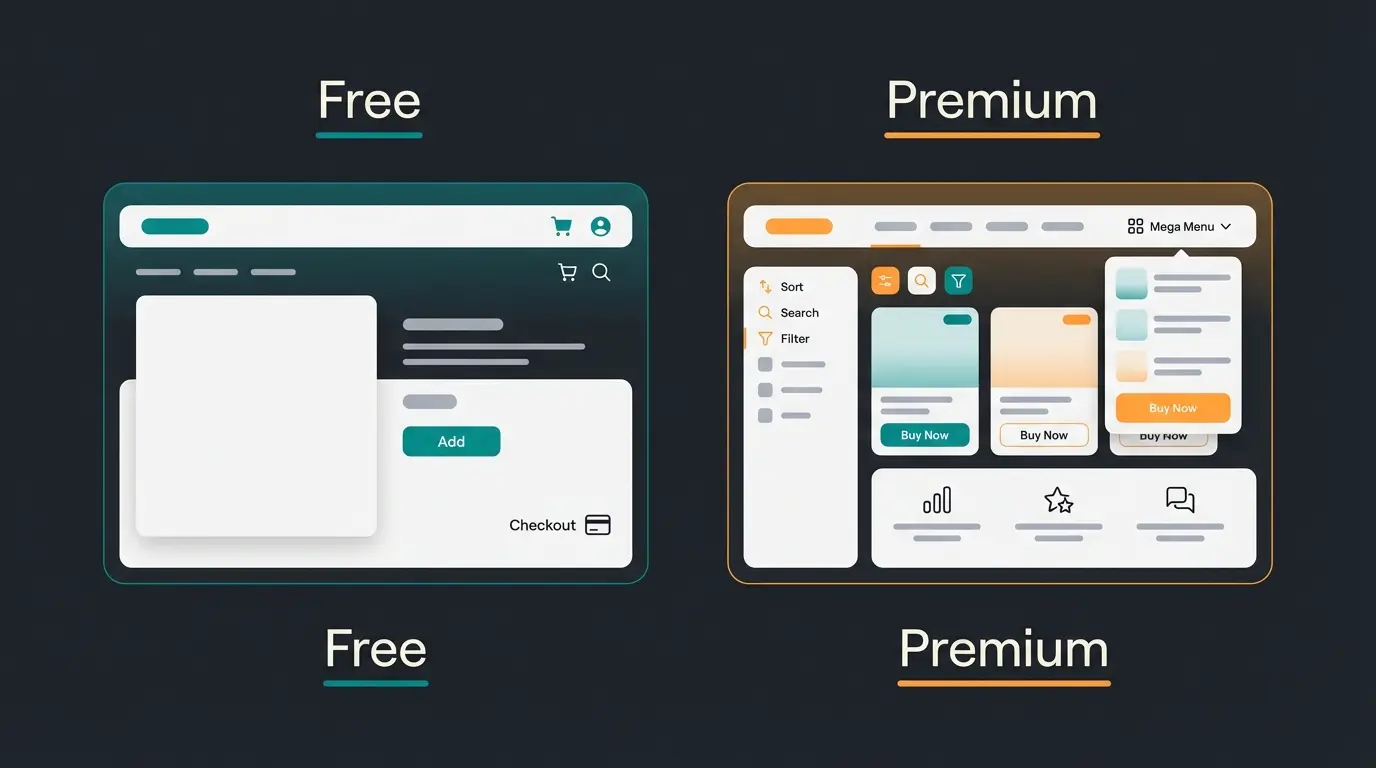
Shopify offers 24 free themes, all built in-house. Dawn is the default starting theme and the performance benchmark every other theme is measured against. Other free options like Craft, Sense, Taste, Refresh, Ride, and the newer Horizon each target specific aesthetics and industries, but they share Dawn's core Online Store 2.0 architecture.
Premium themes cost between $140 and $400 USD as a one-time purchase. That price includes lifetime updates, developer support, and access to the theme's full feature set. There are no recurring fees, no subscription model, and no hidden costs. You pay once and own the theme for one store permanently.
The real question is not whether premium themes are 'better.' It is whether their additional features justify the investment for your specific use case. A single-product store with a clear brand can do everything it needs with Dawn. A fashion retailer with 500+ SKUs and complex filtering needs will quickly outgrow a free theme's layout options.
I recently worked with a home decor store running Dawn. Their catalog had grown to 400 products across 12 categories, and customers were struggling to find what they needed. Switching to Warehouse ($320) with its mega-menu and advanced filtering reduced their bounce rate by 18% within the first month. The $320 paid for itself in the first week of improved conversions.
| Feature | Free themes (24 available) | Premium themes ($140-$400) |
|---|---|---|
| Price | $0 | $140-$400 one-time |
| Built by | Shopify's in-house team | Vetted third-party developers |
| Layout options | 2-4 presets per theme | 5-15+ presets, advanced sections |
| Mega-menu support | Basic navigation only | Full mega-menu with images and collections |
| Product filtering | Standard filters | Advanced filters, tag-based, multi-select |
| Quick-view / quick-add | Limited | Full support with AJAX cart |
| Cross-selling features | Basic recommendations | Bundling, frequently bought together, upsells |
| Speed benchmark | Excellent (Dawn: 97+ Lighthouse) | Good to excellent (varies by developer) |
| Support | Shopify Help Center | Developer support + Shopify escalation |
| Updates | Automatic, frequent | Regular, tied to developer roadmap |
| Multi-language | Basic locale support | Advanced translation, currency switching |
| Custom sections | Limited section types | 20-40+ unique section types |
Best themes in the Shopify Theme Store
Choosing the right theme depends on three factors: your industry, your catalog size, and your budget. I have worked with dozens of e-commerce stores across different verticals, and the pattern is consistent. The stores that pick a theme aligned with their product type and customer behavior outperform those that choose based on aesthetics alone.
Here are the top picks by category for 2026, based on performance data from Shopify's theme performance benchmarks and real-world usage across our client base. For a broader look at template options, check out Shopify Templates.
| Use case | Theme | Price | Why it wins |
|---|---|---|---|
| Best free theme overall | Dawn | Free | Fastest default theme, 97+ Lighthouse score, clean architecture, most third-party app compatibility |
| Best for fashion / lifestyle | Impulse | $380 | Lookbooks, quick-view, advanced product media, editorial layouts |
| Best for premium / luxury brands | Prestige | $350 | Elegant typography, image-forward design, brand storytelling sections |
| Best for large catalogs (500+ SKUs) | Warehouse | $320 | Mega-menu, advanced filters, fast product browsing, built for complexity |
| Best for single-product stores | Starter (Dawn preset) | Free | Focused conversion layout, minimal distractions, fast load time |
| Best for food / beverage | Taste | Free | Recipe and ingredient sections, visual storytelling, warm aesthetic |
| Best for sports / outdoor | Ride | Free | Bold typography, dynamic layouts, energy-forward design |
| Best for new stores on a budget | Horizon | Free | Modern, newest free theme, strong performance, versatile presets |
A closer look at the top picks
Dawn remains the reference point. It scores consistently above 97 on Google Lighthouse, loads in under 1 second on fast connections, and works with virtually every Shopify app. If you are starting a new store and not sure what you need, Dawn is the zero-risk starting point.
Impulse ($380) is the go-to for fashion and lifestyle brands. Its lookbook sections, advanced product media (video, 3D), and editorial-style collection pages create the browsing experience fashion customers expect. Multiple navigation styles and a persistent cart make high-AOV shopping seamless.
Warehouse ($320) is built for complexity. If your store has hundreds of products across multiple categories, Warehouse's mega-menu, advanced filtering (multi-tag, price range, availability), and quick-view functionality let customers find what they need without frustration. It handles large product images efficiently, keeping page speed respectable even with heavy catalogs.
Horizon is the newest addition to Shopify's free lineup and worth highlighting. It combines modern design sensibility with strong performance, offering more layout flexibility than Dawn while maintaining comparable speed. For stores launching in 2026, Horizon is a compelling free starting point.
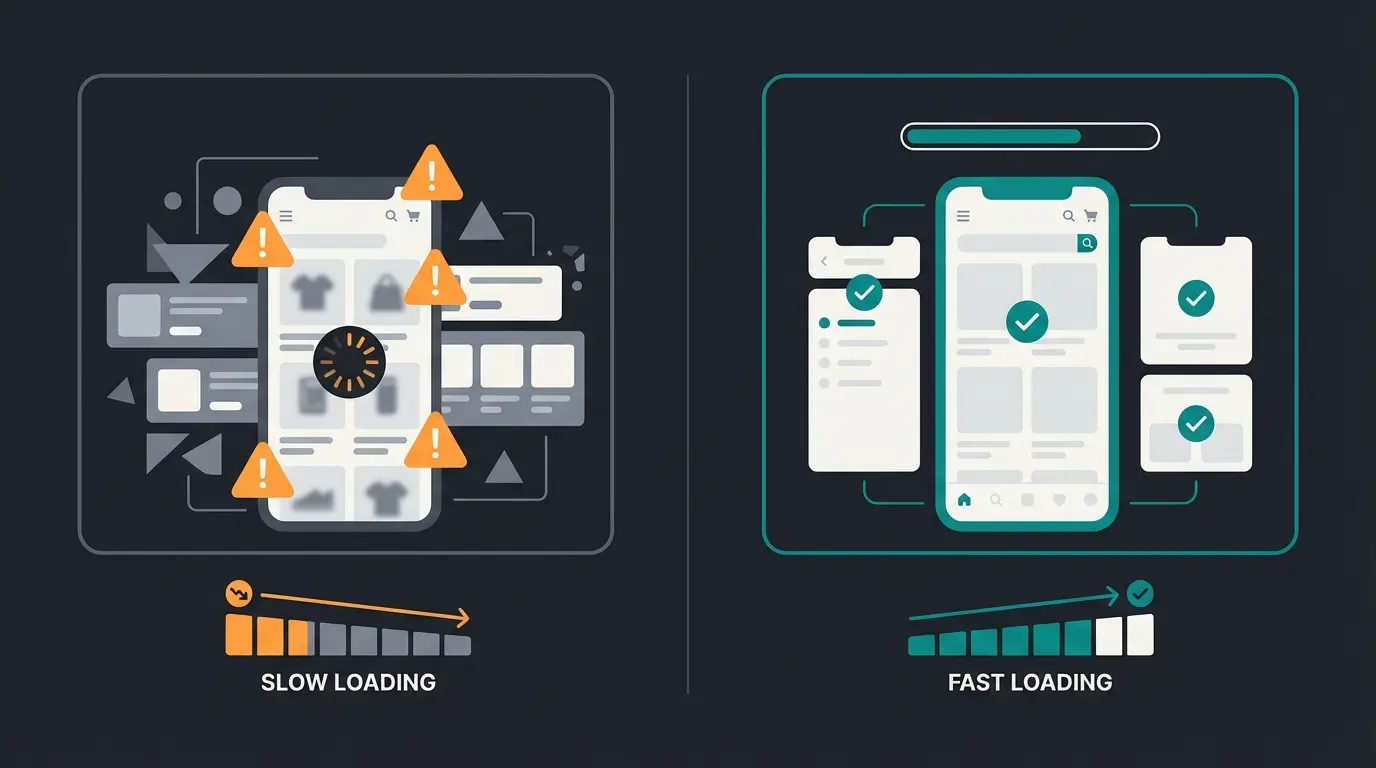
When load time exceeds 3 seconds (Google Research)
When site meets Core Web Vitals thresholds (Google)
How to buy a Shopify theme: step-by-step guide
Buying a theme from the Shopify Theme Store is straightforward, but there are a few things most guides leave out. Here is the complete process, including the steps that save you from costly mistakes.
- Open the Theme Store. From your Shopify admin, go to Online Store > Themes > Add theme > Visit Theme Store. Or go directly to themes.shopify.com.
- Filter by your requirements. Use the sidebar filters: industry (Clothing, Electronics, Food, etc.), catalog size, layout style, and price (free or paid). Do not browse randomly.
- Preview themes with your own products. Click any theme, then use the 'View demo store' option. Better: click 'Try theme' to install the trial version directly into your store with your actual products and branding.
- Test on mobile. Open the trial theme preview on your phone. Check navigation, product pages, cart, and checkout flow. Over 70% of e-commerce traffic is mobile, according to Statista's 2025 e-commerce report.
- Check the theme's Core Web Vitals. Visit Shopify's performance data table to see aggregated speed scores for each theme before buying. This is real user data, not synthetic benchmarks.
- Purchase. Click 'Buy' on the theme page, confirm payment. The theme is permanently licensed to this specific store. One purchase covers one store only.
- Publish. Go to Online Store > Themes, find your new theme in the library, and click 'Publish' to make it live. Your old theme stays in the library as a backup.
One detail most guides skip: when you install a trial theme, your current live theme stays active. Customers see no changes. You can test the new theme in the background for days or weeks before committing. There is no rush, and there should not be.
How to choose the right Shopify theme
Most merchants choose a theme the wrong way. They browse the store, pick the one that looks best in the demo, and buy it. Two weeks later they realize the demo used professional photography, the navigation does not work for their catalog size, and the theme loads slowly with their actual content.
Here is a framework that actually works. I have used this with clients across home and garden, fashion, electronics, and specialty retail.
- Start with your catalog size. Under 50 products: free theme. 50-500 products: free or entry-level premium. 500+ products: premium with mega-menu and advanced filters.
- Match your industry. A food brand needs recipe layouts and ingredient displays. A fashion brand needs lookbooks and size guides. Choose themes designed for how your customers shop, not how your brand looks in your head.
- Set a performance floor. Only consider themes with a Lighthouse score above 80. Check Shopify's performance benchmarks for real data, not demo site scores.
- List your must-have features. Mega-menu, quick-view, product bundles, multi-currency, age verification. Match your list against the theme's feature page before falling in love with the design.
- Test with your worst-case product. Install the trial theme, load it with your most complex product (the one with the most variants, images, and details). If it works there, it works everywhere.
Your theme handles the visual layer, but getting the most from it means knowing how to customize your Shopify design beyond the defaults. Conversion does not stop at design. Once visitors land on your store, they need guidance, especially for consulting-intensive products like supplements, garden equipment, or specialty electronics. A well-designed product page gets a customer's attention. Answering their specific questions in real-time is what closes the sale.
That is where an AI employee can pick up where a theme leaves off: answering product questions in real-time, recommending the right variant based on the customer's specific situation, and guiding them through complex purchase decisions. Our clients see up to a +35% increase in cart value when they combine a well-chosen theme with intelligent product advisory. The theme gets them in the door. The AI employee makes sure they find exactly what they need.
A great Shopify theme is the foundation, but visitors still need guidance. Qualimero's AI employees provide real-time product advisory, answer customer questions, and increase cart values by up to 35%. See how it works in your store.
Book a free demoShopify Theme Store alternatives
The official Theme Store is not the only place to find Shopify themes. Third-party marketplaces offer more variety and lower prices, but with trade-offs you should understand before buying.
ThemeForest is the largest alternative with over 2,600 Shopify themes starting at $20. The variety is impressive, but quality varies dramatically. Some ThemeForest themes are excellent. Others use outdated code, lack OS 2.0 support, and slow your store significantly. Without Shopify's vetting process, you need to evaluate each theme carefully.
Out of the Sandbox is a premium alternative with around 10 themes, all at the $320-$380 range. Their themes (Turbo, Flex, Parallax) are well-regarded in the Shopify ecosystem and offer deep customization. They are a solid choice if you need something specific they offer, but their catalog is limited.
| Factor | Shopify Theme Store | ThemeForest | Out of the Sandbox |
|---|---|---|---|
| Number of themes | 200+ (24 free) | 2,600+ | ~10 premium themes |
| Price range | $0-$400 | $20-$85 | $320-$380 |
| Quality review | Shopify-vetted, strict standards | Envato review (less strict) | Independent, high quality |
| Free trial | Yes, try before buying | No | Limited demos |
| Support | Lifetime + Shopify escalation | 6 months (extend for extra fee) | Direct developer support |
| OS 2.0 compatibility | Guaranteed | Varies by theme | Guaranteed |
| Refund policy | No refunds (trial available) | Case-by-case | No refunds |
| Security | Shopify-reviewed code | Varies significantly | Trusted developer |
ThemeForest's lower prices are appealing, but the hidden costs add up. Six-month support limits mean you pay extra for ongoing help. OS 2.0 compatibility is not guaranteed for all themes. And without a free trial, you are buying blind. For most SMBs, the official Shopify Theme Store is the safer choice. The premium is worth the peace of mind.
Common mistakes when buying a Shopify theme
After working with dozens of Shopify merchants, I see the same five mistakes repeated. Each one costs real money and time.
- Choosing by demo design only. Demo stores use professional photography and curated content. Your store will not look like the demo on day one. Test with your actual products and your actual product photography.
- Ignoring mobile performance. Over 70% of e-commerce traffic comes from mobile devices. A theme that looks stunning on desktop but loads slowly on mobile costs you more than half your potential customers. Google's research shows 53% of mobile visitors leave if a site takes longer than 3 seconds to load.
- Relying on apps for basic features. Every app you install adds JavaScript that slows your store. Apps are the single biggest cause of Core Web Vitals failures on Shopify, ahead of themes and images. If you need a mega-menu, quick-view, or product filters, choose a theme that includes them natively instead of stacking apps.
- Not testing before buying. Shopify lets you try any premium theme for free before purchasing. Skipping this step is like buying a car without a test drive, and the store's no-refund policy makes it permanent.
- Picking the wrong theme for your catalog size. A minimalist free theme for a 1,000-product electronics store. A feature-heavy premium theme for a 10-product brand. The mismatch creates friction for your customers and extra work for you.
FAQ: Shopify Theme Store
Yes. You can change your theme at any time from Online Store > Themes. However, customizations you made in the theme editor (section layouts, color schemes, custom content) do not transfer to the new theme. You will need to reconfigure those settings manually.
Your product data, pages, blog posts, and navigation menus stay intact. Theme-specific customizations like section arrangements, color settings, and custom CSS are tied to the old theme and will not carry over. Back up your current theme before switching.
Free themes built by Shopify receive updates every few weeks, aligned with new platform features. Premium themes are updated according to the developer's roadmap, typically every 1-3 months. All updates are free once you own the theme.
Shopify does not run sales or offer discount codes for themes in the official store. Prices are set by the theme developers and remain stable. If you see a Shopify theme at a steep discount elsewhere, verify it is from a legitimate source.
Yes. Click 'Try theme' on any premium theme to install it in your theme library. You can customize it, preview it with your real products, and test it thoroughly. You only pay when you decide to publish it as your live theme.
As of early 2026, Shopify offers 24 free themes including Dawn (the default), Craft, Sense, Taste, Refresh, Ride, Horizon, and others. All are built by Shopify's design team, regularly updated, and fully compatible with Online Store 2.0.
Your Shopify theme handles the first impression. An AI employee handles the rest: real-time product advice, personalized recommendations, and 24/7 customer guidance. Qualimero clients see up to 60% higher checkout rates.
See how it works
Lasse is CEO and co-founder of Qualimero. After completing his MBA at WHU and scaling a company to seven-figure revenue, he founded Qualimero to build AI-powered digital employees for e-commerce. His focus: helping businesses measurably improve customer interaction through intelligent automation.