Shopify Website Design: The Complete Guide to Building a Store That Converts
Learn how to design a Shopify website that drives sales. Covers no-code customization, Liquid/CSS, mobile-first design, costs, and AI optimization for 2026.

Why Shopify website design determines your store's success
Shopify website design is the practice of structuring, styling, and optimizing a Shopify store's visual appearance and user experience to maximize conversions, trust, and brand perception. It encompasses everything from theme selection to custom code modifications and mobile responsiveness.
Open the analytics dashboard of any mid-sized Shopify store and the pattern is always the same: the stores with intentional, conversion-focused design consistently outperform those that launched with default settings and never looked back. Whether you start with a curated Shopify Themes collection or build from scratch, design quality determines revenue trajectory. Research confirms that 94% of first impressions are design-related, and 75% of consumers judge a business's credibility based on website design alone (Stanford Web Credibility Research).
The numbers get sharper when you zoom into e-commerce specifically. According to Baymard Institute, 35% of potential e-commerce revenue is lost due to poor UX. A one-second delay in page load costs you 7% in conversions. And with mobile now driving 78% of all e-commerce traffic (Statista, 2026), a design that works only on desktop is essentially a design that works for nobody.
The cost of poor Shopify website design shows up in three places: higher bounce rates, lower average order values, and abandoned carts. Trust badges alone increase conversions by 42%. Clear product photography and consistent typography are not aesthetic choices. They are revenue decisions.
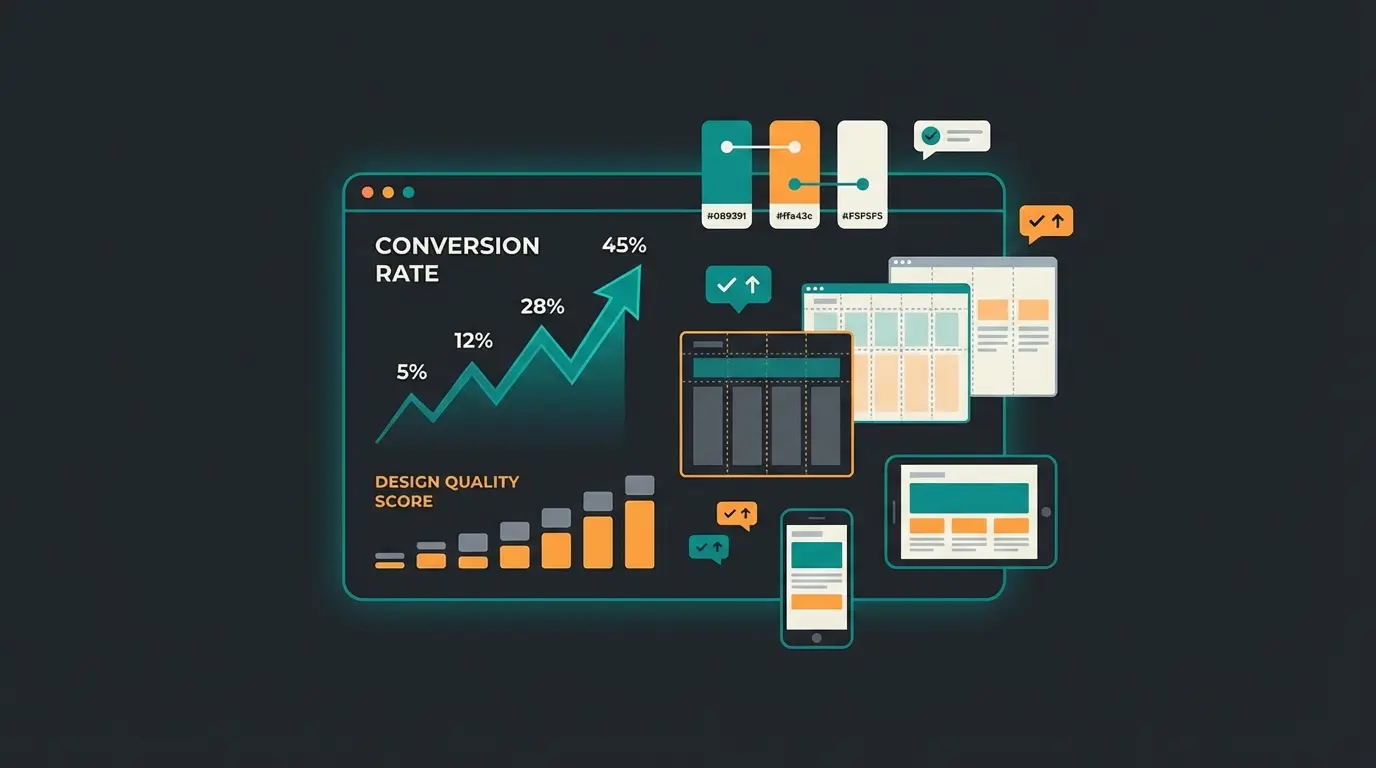
Choosing the right theme as your design foundation
Every Shopify website design starts with a theme, and the difference between Online Store 2.0 themes and legacy themes is not incremental. It is structural. Online Store 2.0 introduced sections and blocks across all pages, not just the homepage. This means you can rearrange, add, and customize content on product pages, collection pages, and blog pages without touching a single line of code.
If you are still running a legacy theme, migrating to Online Store 2.0 should be your first design priority. The architecture difference changes what is possible for your Shopify Themes strategy entirely.
| Criteria | Free Themes | Premium Themes ($150-$400) |
|---|---|---|
| Design flexibility | Basic sections and blocks, limited layouts | Advanced sections, custom blocks, multiple layout options |
| Speed performance | Generally fast (less code overhead) | Varies. Test before purchasing |
| Mobile responsiveness | Standard responsive | Enhanced mobile-specific features |
| Customization depth | Colors, fonts, basic layout | Advanced typography, animations, custom sections |
| Support and updates | Shopify maintains | Theme developer maintains (check track record) |
| Best for | New stores, tight budgets, simple catalogs | Growing stores, brand-differentiated design, 50+ products |
The key criteria when evaluating themes: page speed (test with Google PageSpeed Insights before purchasing), section/block architecture (more sections equals more flexibility), mobile responsiveness (check on a real device, not just browser preview), and active developer support. Browse the Shopify Theme Store for vetted options, or check our breakdown of the Best Shopify Themes for specific recommendations by store type.
Customizing your Shopify website design without code
The Shopify Theme Editor is where most store owners spend 80% of their design time, and for good reason. With Online Store 2.0, the editor lets you customize sections and blocks on every page type through a drag-and-drop interface. This is the fastest path from default theme to custom-looking store.
Here is the practical workflow for no-code Shopify store design customization:
- Set your brand foundation. Upload your logo, define brand colors (primary, secondary, accent), and select typography. Stick to two fonts maximum: one for headings, one for body text.
- Customize the homepage layout. Add sections in the order that matches your sales funnel: hero image, featured collections, social proof, about section, newsletter signup.
- Optimize product pages. Configure image galleries, variant selectors, and add trust-building sections below the buy button (shipping info, return policy, reviews).
- Build collection pages. Set up filtering and sorting options. Use collection images that are consistent in style and dimensions.
- Add custom content sections. Use the built-in sections for testimonials, image-with-text blocks, video embeds, and comparison tables.
- Configure navigation. Keep the main menu to 5-7 items maximum. Use mega menus for stores with deep catalogs.
For more advanced no-code customization, page builders like Shogun and PageFly add a visual editor layer on top of Shopify's Theme Editor. They are useful when you need landing pages or promotional layouts that go beyond your theme's built-in sections. The Shopify Templates guide covers template selection in depth, and if you are working with Shopify's default theme, our Shopify Dawn Theme deep dive shows exactly what is possible without code.
Customizing Shopify design with code (Liquid, CSS, JavaScript)
There is a ceiling to what no-code customization can achieve. When you need a completely custom product page layout, animated interactions, or design logic that responds to customer behavior, code is the path forward. Shopify uses Liquid as its template language, which controls the HTML structure of every page.
The three layers of code-level Shopify design:
- Liquid (HTML structure): Controls what content appears and where. Edit `.liquid` files to restructure page layouts, create custom sections, or build conditional content blocks.
- CSS (visual styling): Overrides theme styles for colors, spacing, typography, and animations. The safest entry point for code customization.
- JavaScript (interactive behavior): Adds dynamic elements like custom product configurators, AJAX cart updates, or scroll-triggered animations.
<!-- Example: Custom trust badges section below Add to Cart -->
<div class="trust-badges" style="margin-top: 1rem; display: flex; gap: 1rem;">
  {% for block in section.blocks %}
    <div class="trust-badge">
      {{ block.settings.icon | image_url: width: 40 | image_tag }}
      <span>{{ block.settings.label }}</span>
    </div>
  {% endfor %}
</div>
A practical rule: start with CSS overrides, move to Liquid when you need structural changes, and use JavaScript sparingly. Every line of JavaScript adds to page load time. The Shopify Official Design Best Practices documentation covers the full technical specification for theme development.
Conversion-optimized design best practices
Good Shopify website design is design that sells. The difference between a store that converts at 1.5% and one that converts at 3.5% is almost never about aesthetics. It is about reducing friction and building trust at every step of the purchase journey.
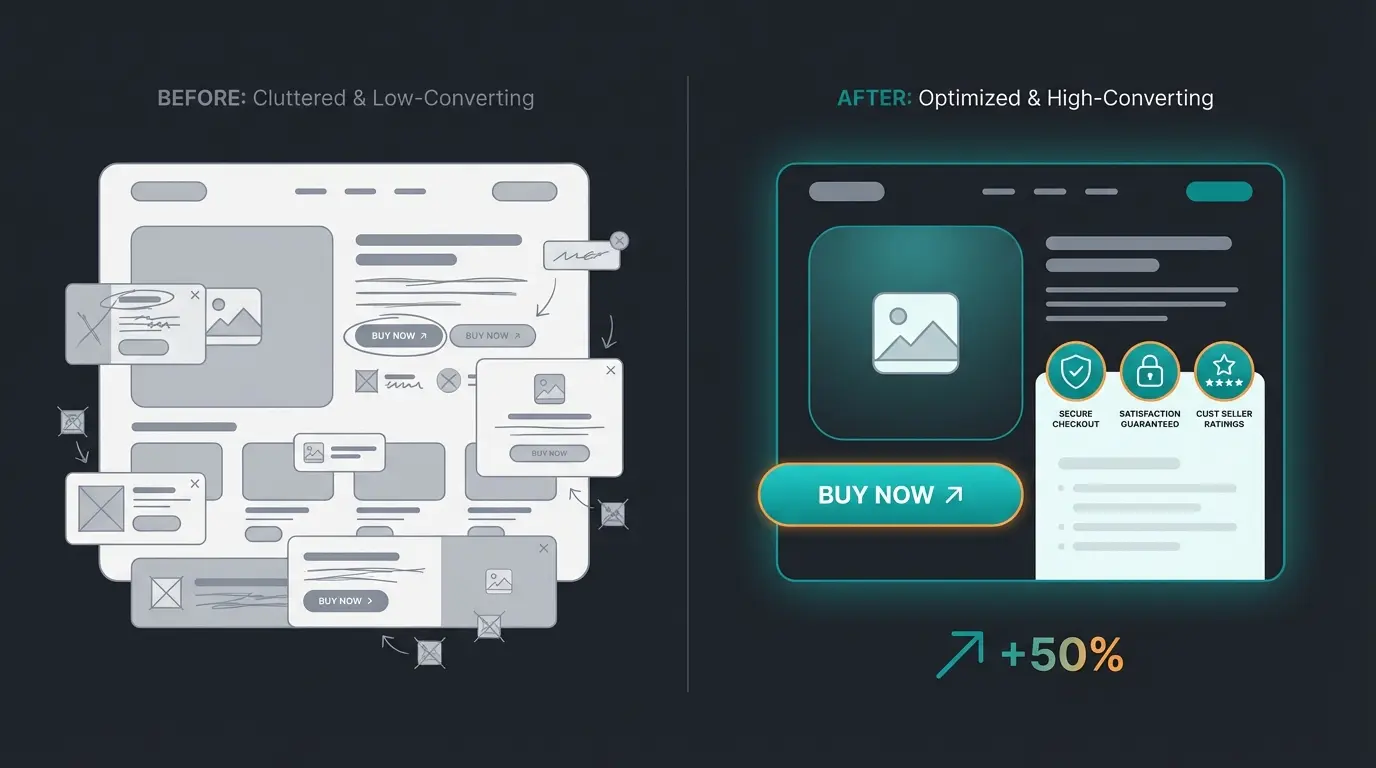
Security seals and payment icons near the buy button. Source: VWO research
Page speed directly impacts purchase decisions. Source: Google/Deloitte study
Benchmark for 2026. Well-designed stores reach 4-5%.
The design principles that consistently move the needle in Shopify stores are not new. They are disciplined execution of fundamentals:
- Clear CTAs above the fold. The primary action button should be visible without scrolling on both desktop and mobile. Use contrasting colors.
- Product images that answer questions. Show scale, show the product in use, show details. Lifestyle photos for the hero, detail shots for the gallery. Consistent image dimensions across the catalog.
- Trust signals near the buy button. Shipping info, return policy, payment icons, and reviews. Place these directly below or beside the Add to Cart button.
- Simplified navigation. Every click between landing and checkout is a potential exit. Reduce steps, not options.
- Color psychology with restraint. One accent color for CTAs, neutral backgrounds for content. Do not use more than three colors in your design system.
I worked with a home and garden retailer last year that increased their average order value by 28% with three design changes: larger product images, a cross-sell section below the product description, and moving the shipping calculator above the fold. No redesign. No new theme. Just repositioning existing elements based on heatmap data.
Checkout design deserves special attention. Shopify's one-page checkout (introduced in 2023) reduced abandonment significantly, but your product pages still need to build enough trust and urgency before a customer reaches checkout. The sequence matters: product value first, then social proof, then trust signals, then the buy button. Breaking this sequence is one of the most common Shopify design mistakes.
Color psychology is often over-complicated in design guides. The practical version: use your brand's primary color for navigation and headers, a high-contrast accent color for CTAs (orange and green consistently outperform blue and gray in e-commerce A/B tests), and neutral backgrounds for product content. White space is not wasted space. It directs attention.
Mobile-first Shopify design
Mobile drives 78% of e-commerce traffic and accounts for 60% of global e-commerce sales in 2026 (Statista). But there is a revealing gap: mobile captures 78% of traffic yet only 66% of orders. That conversion gap is a design problem, not a traffic problem.
Mobile-first Shopify design means designing for mobile screens first and adapting upward for desktop, not the other way around. According to Nielsen Norman Group's e-commerce UX research, the most common mobile design mistakes are:
| Mistake | Impact | Fix |
|---|---|---|
| Touch targets too small | Misclicks, frustration, cart abandonment | Minimum 44x44px for all interactive elements |
| Horizontal scrolling required | Users miss content, navigation breaks | Test all pages at 375px width minimum |
| Slow-loading hero images | 60% of visitors leave after 2 seconds | Compress images, use WebP format, lazy load below-fold content |
| Desktop navigation on mobile | Hamburger menus with 20+ items overwhelm | Limit mobile menu to 5-7 top-level items with clear hierarchy |
| Non-sticky Add to Cart button | Users scroll past the buy button | Use a sticky bottom bar with Add to Cart on product pages |
Test your Shopify store design on actual devices, not just browser developer tools. The thumb zone, the natural reach area for one-handed phone use, should contain your most important interactive elements. Every Shopify theme should be tested on at least three screen sizes: 375px (iPhone SE), 390px (iPhone 14), and 412px (Samsung Galaxy).
The responsive vs mobile-first distinction matters. Responsive design starts with desktop and scales down. Mobile-first design starts with the smallest screen and scales up. The difference is not academic: mobile-first forces you to prioritize content ruthlessly, which improves the experience on every screen size. Shopify's Dawn theme and most modern Online Store 2.0 themes are built mobile-first, but older themes and heavy page builder layouts often are not.
One overlooked mobile design factor: font size. Body text below 16px triggers zoom-on-focus in iOS Safari, which breaks form inputs and creates a jarring experience. Set your base font to 16px minimum, headings to 24-32px on mobile, and ensure line height is 1.5 for readability on small screens.
How much does Shopify website design cost?
The most common question in Shopify website design, and the one with the widest range of answers. Costs depend entirely on your approach, and each approach has a clear use case.
| Approach | Cost Range | Timeline | Best For | Limitations |
|---|---|---|---|---|
| DIY with free theme | $0 + Shopify subscription | 1-2 weeks | New stores, testing product-market fit | Limited design flexibility, generic look |
| Premium theme | $150-$400 (one-time) | 1-3 weeks | Growing stores needing brand differentiation | Customization within theme constraints |
| Page builder app | $39-$99/month | 2-4 weeks | Marketing teams needing landing pages | App dependency, potential speed impact |
| Freelance designer | $1,500-$8,000 | 3-6 weeks | Established stores needing custom design | Quality varies, ongoing support uncertain |
| Design agency | $6,000-$35,000+ | 6-12 weeks | Enterprise stores, full rebrand | High cost, longer timelines |
| Custom development | $10,000-$50,000+ | 8-16 weeks | Unique functionality requirements | Highest cost, requires ongoing developer relationship |
Industry data for 2026 shows design package prices have climbed 8-12% compared to 2025 (Storetasker). If you are starting fresh, the highest-ROI path is a premium theme ($150-$400) combined with targeted freelance work ($500-$2,500) for customizations your theme does not support natively. This gives you a professional, brand-differentiated store for under $3,000 total.
The agency route makes sense for stores doing $500K+ in annual revenue where the design directly impacts a significant revenue stream. At that scale, the $10,000-$35,000 investment pays for itself within months if it improves conversion rate by even 0.5%. For stores under $100K annual revenue, the math rarely justifies agency pricing.
Monthly ongoing costs to factor in: Shopify subscription ($39-$399/month depending on plan), apps for extended functionality ($50-$500/month for most growth-stage stores), and quarterly design iteration time. The Shopify app ecosystem is powerful, but each app adds code to your store. Audit your apps quarterly and remove anything that is not actively driving revenue.
Optimizing Shopify design with AI
Design gets you to the point of conversion. What happens after a visitor clicks depends on the experience behind the design. This is where AI tools change the equation for Shopify stores.
A/B testing design elements, from button colors to product page layouts, used to require significant traffic volume and weeks of data collection. AI-powered tools now accelerate this by identifying winning patterns across visitor segments. But the bigger shift is not about testing. It is about what happens when a customer engages with your store.
A well-designed Shopify store brings visitors to the product page. An AI product consultation layer turns browsers into buyers by guiding them through complex product decisions in real time. The social commerce brand Signed automated 70% of their customer inquiries with an AI employee and achieved an 18x return on investment, primarily through better product recommendations during the buying journey.
The combination of strong visual design and intelligent customer interaction is where the real conversion gains happen. Our clients see an average of +35% higher cart values and +60% checkout completion rates when AI-driven product advisory works alongside a well-designed store. Design brings them in. The AI employee closes the sale.
Qualimero's AI employees advise your customers in real time, recommend products, and increase cart values by up to 35%. See how it works for your store.
Book a free demoFrequently asked questions about Shopify website design
Shopify website design costs range from $0 (DIY with a free theme and Shopify subscription) to $35,000+ for a full agency custom build. The most common path for growing stores is a premium theme ($150-$400) plus targeted freelance customization ($500-$2,500), totaling under $3,000 for a professional, brand-differentiated design.
Yes. Shopify's Theme Editor with Online Store 2.0 themes lets you customize sections and blocks on every page through drag-and-drop. You can change colors, fonts, layout, and add custom content sections without code. Page builder apps like Shogun and PageFly extend this further for landing pages and promotional content.
For free themes, Dawn offers the most customization options with full Online Store 2.0 support. For premium themes, look for themes with 15+ sections, multiple layout options per page type, and active developer support. Speed and mobile responsiveness should be verified before purchasing.
Go to Online Store > Themes > Customize > Theme Settings > Typography. Shopify's font library includes 1,000+ free fonts from Google Fonts and Monotype. Select one heading font and one body font. For custom brand fonts, upload them via the theme code editor in the `assets` folder and reference them in your CSS.
Focus on page speed (compress images, minimize apps, use a fast theme), clean heading hierarchy (one H1 per page, logical H2/H3 structure), descriptive alt text on all images, mobile responsiveness, and structured data markup. Shopify handles basic SEO meta tags and sitemaps automatically, but heading structure and image optimization require manual attention.
Great design is the foundation. AI-powered customer interaction is what multiplies results. Our clients average a 7x increase in conversion from visitor to buyer.
See Qualimero in action

Lasse is CEO and co-founder of Qualimero. After completing his MBA at WHU and scaling a company to seven-figure revenue, he founded Qualimero to build AI-powered digital employees for e-commerce. His focus: helping businesses measurably improve customer interaction through intelligent automation.