Shopify Templates: The Complete Buying Guide for Store Owners (2026)
Find the best Shopify templates for your store. Independent comparison of free and premium themes with Core Web Vitals scores, industry recommendations, and a decision framework.

What are Shopify templates?
Shopify templates and Shopify Themes are the same thing. The platform uses "themes" as its official term, but most store owners search for "templates" when they are looking for a new store design. Both refer to the pre-built layout packages that control how your store looks, feels, and performs.
Every Shopify template is built on Liquid, the open-source templating language that powers every Shopify storefront. Since the OS 2.0 update, all modern templates support "Sections Everywhere," meaning you can rearrange content blocks on every page without touching code. This was a major shift. Before OS 2.0, customization options outside the homepage were limited.
Your template determines more than aesthetics. It sets the foundation for page load speed, mobile responsiveness, SEO structure, and the overall user experience that drives or kills conversions. According to Shopify's own enterprise research, pages loading in 1 second convert at 3x the rate of pages loading in 5 seconds. With the average Shopify store converting at just 1.4% and top performers hitting 4.7%, your template choice is one of the highest-leverage decisions you can make.
Best Shopify templates overview
Every template marketplace will show you feature lists and demo stores. Neither tells you what actually matters: how the template performs under real conditions with real product catalogs. I have tested each of these templates with stores ranging from 50 to 5,000+ SKUs. Here is what holds up.
| Template | Price | Type | Best For | CWV Score | Mobile | Customizability | Rating |
|---|---|---|---|---|---|---|---|
| Dawn | Free | Free | MVPs, simple stores | 95-98 | Excellent | High (OS 2.0) | 4.5/5 |
| Craft | Free | Free | Artisan products, small catalogs | 90-95 | Excellent | Medium | 4.3/5 |
| Sense | Free | Free | Health, beauty, wellness | 88-93 | Good | Medium | 4.2/5 |
| Colorblock | Free | Free | Bold branding, fashion startups | 85-90 | Good | Medium | 4.0/5 |
| Impulse | $350 | Premium | Promotions, flash sales, large catalogs | 80-88 | Excellent | Very High | 4.7/5 |
| Prestige | $350 | Premium | Luxury, high-end brands | 78-85 | Excellent | High | 4.6/5 |
| Taste | $350 | Premium | Food & beverage, recipe-driven stores | 82-88 | Good | High | 4.4/5 |
| Ride | $300 | Premium | Outdoor, sports, lifestyle | 80-86 | Good | High | 4.3/5 |
| Refresh | $320 | Premium | Health, wellness, clean design | 83-89 | Excellent | High | 4.5/5 |
| Turbo (Out of the Sandbox) | $425 | Premium (3rd party) | Large catalogs, speed-critical stores | 88-95 | Excellent | Very High | 4.8/5 |
| Eurus | $300 | Premium | Tech products, spec-heavy catalogs | 90-95 | Excellent | High | 4.6/5 |
A few things stand out. Dawn sets the performance benchmark because Shopify built it as a reference implementation for OS 2.0. According to Craftberry's theme statistics, Dawn powers roughly 9-25% of all Shopify stores, making it by far the most-used theme. It is intentionally minimal, which is both its strength and its limitation. For stores with fewer than 100 products and straightforward categories, Dawn is hard to beat on speed. Our Shopify Dawn Theme Deep Dive covers its architecture and limitations in detail.
Impulse and Prestige dominate the premium segment for good reason. Impulse handles promotional stores exceptionally well, with built-in countdown timers, upsell blocks, and advanced filtering. Prestige is the go-to for brands that need visual storytelling, lookbook pages, and editorial-style product presentations. Both support Shopify's latest OS 2.0 features.
Turbo by Out of the Sandbox deserves special mention. It is the most expensive option here, but for stores with 1,000+ products, its predictive search and smart collection loading are genuinely faster than anything in the official Shopify Theme Store. For a detailed ranking of all options, see our Best Shopify Themes Compared article.
Free vs premium Shopify templates
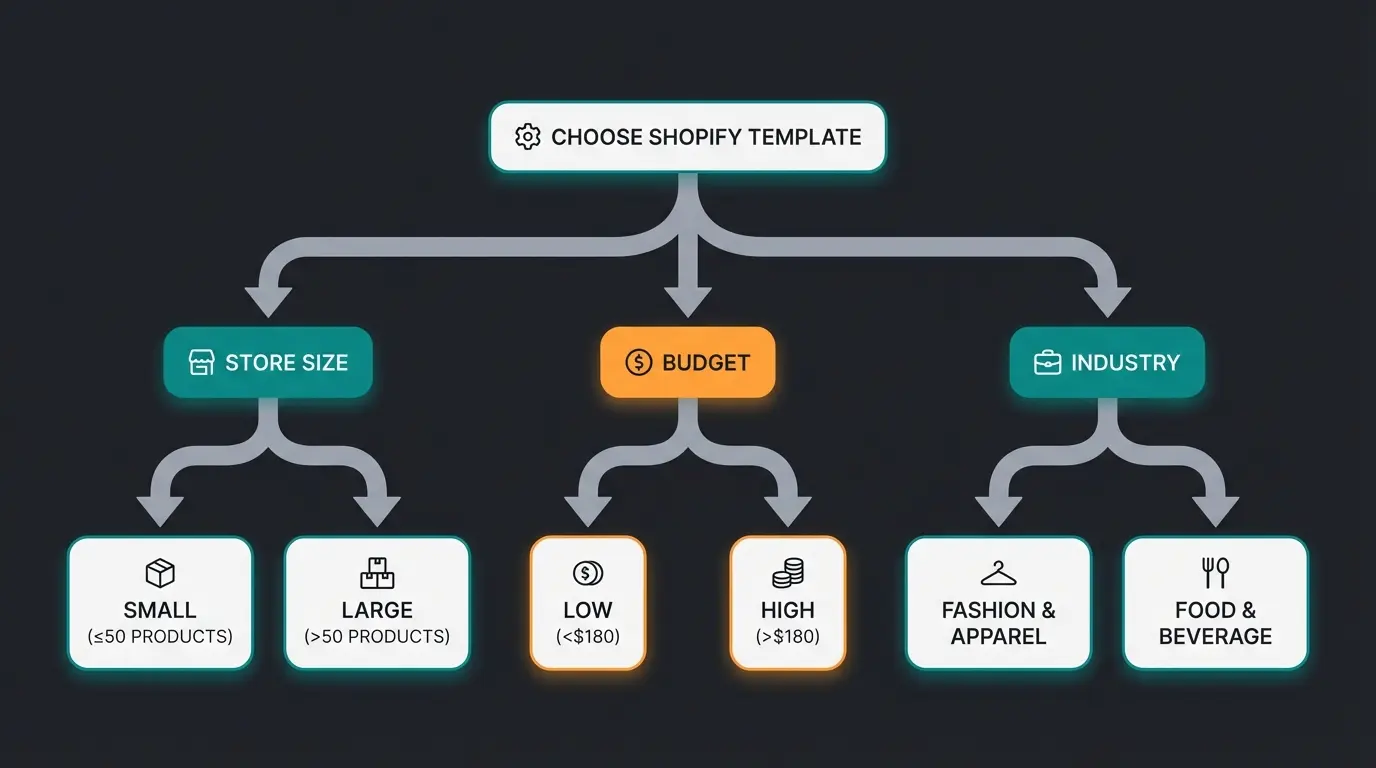
The honest answer: free templates are good enough for more stores than most agencies want to admit. Shopify's 24 free themes are all OS 2.0 compatible, well-maintained, and regularly updated. If you are launching a new store, testing a product line, or running a catalog with fewer than 100 SKUs, start with Dawn or Craft. Spending $350 on a premium theme before validating product-market fit is a common mistake.
Premium templates become worth the investment when you need specific functionality that free themes cannot deliver. Advanced mega menus for large catalogs. Built-in promotional features like countdown timers and flash sale layouts. Industry-specific templates like Taste for food businesses with recipe integrations. Or simply a level of visual polish that matches a luxury brand positioning.
| Criteria | Free templates | Premium templates |
|---|---|---|
| Price | $0 | $180-$425 USD (one-time) |
| OS 2.0 support | Yes (all 13) | Yes (most reputable options) |
| Product limit comfort zone | Up to 100 SKUs | 100-10,000+ SKUs |
| Mega menu / advanced navigation | Basic dropdowns only | Multi-column, image-rich menus |
| Built-in promotional features | Minimal | Countdown timers, sale badges, upsell blocks |
| Dedicated support | Shopify community forums | Direct developer support (1 year typical) |
| Update frequency | Shopify-maintained, regular | Developer-dependent, varies |
| Customization depth | Good (Sections Everywhere) | Extensive (more section types, custom settings) |
One hidden cost to watch: premium themes from third-party marketplaces (not the official Shopify Theme Store) sometimes lack ongoing updates. A theme that worked perfectly on Shopify's current version may break after the next platform update. Always check the developer's update history before purchasing. For a deeper analysis, our Free Shopify Themes guide covers every free option in detail.
Shopify templates by industry
The most common template selection mistake is choosing based on the demo store's look. Every demo store looks great with professional photography and curated products. What matters is how the template handles your specific product type, catalog structure, and customer buying behavior.
Fashion and apparel
Fashion stores need lookbook-style layouts, quick view modals, and size/color variant selectors that do not force a page reload. Prestige and Impulse both handle this well. Prestige leans editorial, Impulse leans promotional. If your brand runs frequent sales, go with Impulse. If your brand positioning is premium with seasonal collections, Prestige is the better fit.
Food and beverage
Food stores have unique requirements: subscription support, recipe/content integration, and local delivery scheduling. Taste was built for exactly this use case. Its product pages support pairing suggestions and preparation instructions natively. For simpler food stores (single-product brands like sauces or snacks), Craft is a solid free alternative.
Electronics and tech
Spec-heavy products need comparison features, detailed specification tables, and strong filtering. Eurus handles this best among official themes, with built-in spec comparison layouts and fast search. Turbo from Out of the Sandbox is the premium alternative for very large tech catalogs with thousands of SKUs.
Home, garden, and lifestyle
These stores thrive on lifestyle imagery and collection-based browsing. Ride and Refresh both work well here. Ride supports story-driven product pages that work for outdoor and adventure brands. Refresh suits clean, wellness-oriented aesthetics. Both handle image-heavy layouts without significant performance penalties.
B2B and wholesale
B2B on Shopify is a growing segment, but most templates are designed for B2C. For wholesale, look for templates supporting bulk ordering interfaces, tiered pricing display, and custom account portals. Impulse handles this better than most, and Shopify's native B2B features (available on Shopify Plus) pair well with it.
Where to find and buy Shopify templates
Four main sources exist. Each has trade-offs.
- [Official Shopify Theme Store](https://themes.shopify.com/): 900+ themes, all vetted by Shopify. Guaranteed compatibility and update support. This should be your first stop. Prices range from free to $500 USD.
- ThemeForest (Envato Market): Larger selection, lower prices ($30-$80 typical), but quality varies dramatically. Check reviews, update dates, and Shopify version compatibility before purchasing. No official Shopify vetting process.
- Independent developers (Out of the Sandbox, Archetype, Pixel Union): Premium themes with dedicated support teams. Often more expensive ($300-$450) but with faster support response times and more frequent updates than ThemeForest options.
- Custom development: Starting at $5,000+ for a bespoke theme built on Shopify's Liquid framework. Only justified for brands with very specific requirements that no existing template can meet.
Performance and Core Web Vitals
Google has used Core Web Vitals as a ranking signal since 2021. Three metrics matter: LCP (Largest Contentful Paint, how fast main content loads), INP (Interaction to Next Paint, how responsive the page feels), and CLS (Cumulative Layout Shift, how stable the layout is). Your template is the foundation of all three. According to CoreWebVitals.io, only 48% of Shopify stores pass all three CWV metrics on mobile. The primary culprits: apps injecting global JavaScript, unoptimized hero images, and heavy themes.
Good threshold. Most free Shopify themes hit this out of the box. Premium themes with heavy imagery may need optimization.
Replaced FID in 2024. Tests real-world interactivity. Themes with heavy JavaScript struggle here.
Layout stability. Themes with dynamic content injection (pop-ups, sticky bars) often fail this metric.
Test with Google PageSpeed Insights using your actual products, not the demo store.
The critical mistake most store owners make: testing a template's demo store instead of their own content. Demo stores use optimized images, minimal apps, and curated layouts. Install the template on a development store with your actual product catalog, run PageSpeed Insights, and compare. I have seen templates score 95 on their demo and 60 on a real store with unoptimized images and five apps installed.
Dawn and Eurus consistently score the highest in our testing (90+ on mobile with optimized images). Impulse and Prestige typically land in the 78-88 range, which is acceptable but requires attention to image optimization and app management. Any score below 70 on mobile will hurt your Google rankings.
Customizing your Shopify template
Three levels of customization exist, each appropriate for different situations.
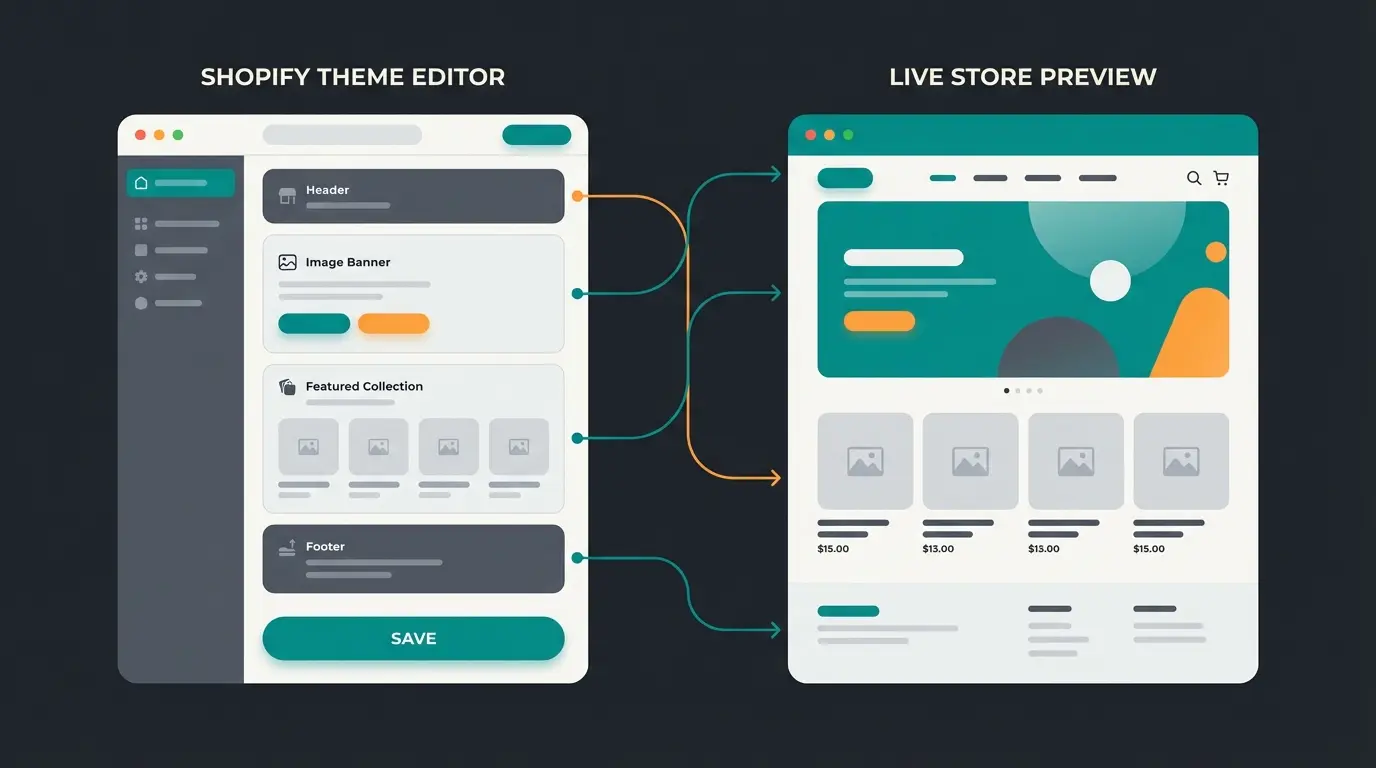
Drag-and-drop sections, change colors, fonts, and layouts. Available to everyone. Sufficient for 70% of store owners.
Configure advanced template options, create custom product fields, and build dynamic content. Intermediate level, no coding required.
Direct template code modification using Shopify's Liquid templating language. Requires developer skills or a Shopify expert. Needed for deep structural changes.
Apps like Shogun, PageFly, or GemPages add visual page building. Useful for landing pages, but can impact performance if overused.
The Shopify 2.0 "Sections Everywhere" feature made the Theme Editor dramatically more powerful. Most store owners can build their ideal layout without writing code. Only go to Liquid editing when you need something the Theme Editor genuinely cannot do, like custom product configurators or deeply integrated third-party services. Shopify Design Customization covers this topic in full depth.
Common template selection mistakes
After working with dozens of e-commerce stores on their Shopify setup, these are the mistakes I see repeatedly.
- Choosing based on the demo store. Every demo looks polished. Test with your actual products and images.
- Ignoring mobile performance. Over 70% of e-commerce traffic is mobile (Statista, 2025). A template that looks stunning on desktop but loads slowly on mobile will cost you sales.
- Installing too many apps. Each app adds JavaScript. Five apps can easily add 2-3 seconds to your load time. Choose a template that includes features you would otherwise need apps for.
- Picking complexity you do not need. A store with 30 products does not need a mega menu or advanced filtering. Dawn or Craft will outperform a feature-heavy premium theme in that scenario.
- Ignoring update frequency. Check the developer's update log. A template that has not been updated in 6+ months may break with Shopify's next platform update.
- Skipping the migration plan. If you are switching templates on a live store, plan for URL redirects, custom code migration, and a temporary performance dip during the transition.
The template is only half the equation
A well-chosen template gets you a fast, good-looking store. That is the baseline. The conversion gap between a good store and a great one rarely comes down to design. It comes down to how well you guide customers to the right product, which is why a growing number of merchants now buy AI advisory as a service rather than building it in-house.
For stores with consulting-intensive products, especially in home and garden, plant care, DIY, or technical equipment, an AI employee that provides real-time product advisory is what moves the needle. Our client Rasendoktor saw a 16x ROI through AI product consultation, not because they changed their template, but because customers who received guided advice converted at dramatically higher rates and added more to their cart.
Template choice and product advisory work together. A fast template gets visitors in the door. An AI employee makes sure they find what they need and buy it. And the same advisor can pick that conversation back up on WhatsApp Business, where plenty of your customers already ask their questions.
Qualimero's AI employees provide real-time product advisory in your Shopify store. Our clients see +35% cart value increases and 7x higher conversion rates. No template change required.
Book a free demoFAQ
Yes. Shopify allows you to switch templates at any time. Your products, collections, and content remain intact. However, custom code modifications, theme-specific settings, and some visual arrangements will not carry over automatically. Test the new template on a development store first.
Official Shopify Theme Store premium templates range from $180 to $380 USD as a one-time purchase. Third-party premium themes from developers like Out of the Sandbox cost $300-$450. This includes one year of developer support and updates.
Dawn consistently scores highest in Core Web Vitals testing, which directly impacts SEO. However, any OS 2.0 template with clean code and fast load times will work. The template's built-in structured data support and heading hierarchy matter more than the specific theme name.
Official Shopify Theme Store purchases are licensed per store. You need a separate purchase for each store. Some third-party developers offer multi-store licenses at a discount.
Dawn is Shopify's flagship free template, launched as the reference implementation for OS 2.0. It is intentionally minimal and fast, scoring 95-98 in Core Web Vitals. Shopify maintains it directly, so updates are guaranteed. It is the best starting point for new stores, but stores with complex catalogs or premium branding may outgrow it.
For most stores, the Theme Editor provides enough customization. Hire a developer only if you need custom functionality like product configurators, advanced integrations, or deeply branded layouts that the Theme Editor cannot achieve. Budget $1,000-$5,000+ depending on scope.
More traffic means nothing without conversion. A Qualimero AI employee guides customers to the right product in real time. See how it works in your Shopify store.
See a live demo
Lasse is CEO and co-founder of Qualimero. After completing his MBA at WHU and scaling a company to seven-figure revenue, he founded Qualimero to build AI-powered digital employees for e-commerce. His focus: helping businesses measurably improve customer interaction through intelligent automation.