What is Shopware AI?
Shopware AI is the set of artificial-intelligence features built into the Shopware 6 commerce platform, branded as the AI Copilot and, in newer releases, agentic Commerce. It spans content generation, product data, customer experience, and store automation. The goal is the same across all of it: less manual work, more personalised shopping at scale.
One distinction matters before anything else. Native Shopware AI is not the same as a third-party AI add-on. The Copilot lives inside the admin and helps the merchant. A customer-facing AI, the kind that talks to shoppers, is a separate layer you add on top. Most guides blur the two, and that is exactly where buyers get confused.
Why does the distinction matter so much? Because the two layers solve different problems and carry different price tags. The admin Copilot reduces your team's workload, measured in saved hours. The customer-facing layer grows revenue, measured in conversion and basket value. If you evaluate Shopware AI as one thing, you end up disappointed that the native feature set does not sell products, when selling was never its job.
This pillar covers three layers in one place, in the order you actually meet them. First, native AI: the Copilot and agentic Commerce. Second, automation: the Admin and Store APIs, Flow Builder, and Rule Builder, which are not AI but get lumped in with it constantly. Third, the customer-facing AI layer: chatbots and AI product consultation. For the full platform picture, see our complete Shopware guide.
Shopware AI Copilot explained
The Shopware AI Copilot is a built-in assistant that uses generative AI to automate everyday store tasks. It bundles 12 features, from AI-generated product descriptions and SEO metadata to AI-assisted search and post-purchase messaging. In newer releases, agentic Copilot agents can chain actions across the admin instead of running one prompt at a time.
Shopware positions this under a broader idea it calls Agentic Commerce, where AI agents act across the store rather than sitting in a single text box. The company describes the Copilot as 12 features "poised to revolutionize your everyday ecommerce experience," which is marketing language, but the underlying feature set is real and shipping. Atwix, in its August 2025 feature guide, confirmed Shopware "now has agentic AI technology called Copilot that uses AI agents to automate" admin work.
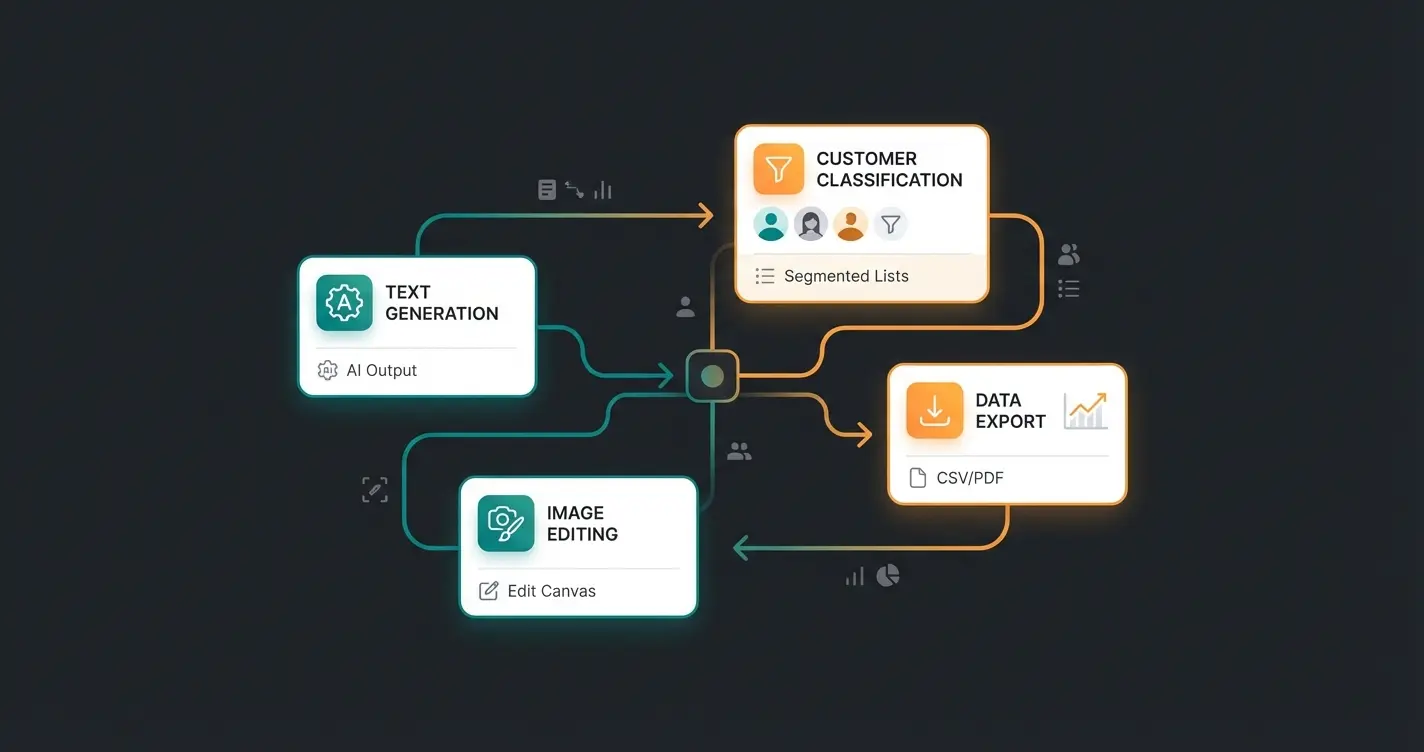
The cleanest way to read the 12 features is by job, not by name. Three buckets cover all of them: content and product data, merchandising and storefront, and operations. The table below maps them.
| Group | Feature | What it does |
|---|---|---|
| Content & product data | AI product descriptions | Generates product and category copy from keywords |
| Content & product data | AI spelling & grammar check | Reviews and corrects existing text in the admin |
| Content & product data | AI translation | Translates content into multiple storefront languages |
| Content & product data | AI SEO metadata | Produces meta titles and descriptions for products |
| Merchandising & storefront | Image Keyword Assistant | Reads images and assigns alt tags and keywords |
| Merchandising & storefront | AI Image Editor | Removes or generates backgrounds, places products in scenes |
| Merchandising & storefront | AI-assisted search | Improves storefront search relevance |
| Merchandising & storefront | AI recommendations | Surfaces related products on the storefront |
| Operations | AI Export Assistant | Builds CSV exports from natural-language requests |
| Operations | Customer Classification | Labels customers (VIP, bargain hunter) from order history |
| Operations | Review Summary | Condenses hundreds of reviews into a short verdict |
| Operations | Custom Checkout Message | Generates a personalised post-purchase message from the cart |
Two things to flag here. The feature list grew through 2025, so older agency posts that count "eight features" are out of date; the official Shopware AI Copilot page lists 12. And the agentic layer, marketed as Copilot and Nexus, is the newer part: agents that read your store state and act, not just generate a block of text.
From single prompts to agents
The first generation of the Copilot, from 2023 and 2024, was prompt-and-output: you asked for a product description, it wrote one. The shift through 2025 is toward agents that chain steps. Shopware demonstrates this with Copilot and Nexus, pitched as "chat with your store," where you ask a question in natural language and the agent queries store data and returns an answer or an action.
In practice that means the gap between "AI writes text" and "AI does a task" is closing inside the admin. An agent can read an order, decide on a label, and apply it, rather than just suggesting copy. That is genuinely useful for operations. It still does not put an advisor in front of the shopper, which is the limit worth keeping in mind through every section below.
Shopware AI for content and product data
Shopware AI generates product descriptions, SEO titles and meta descriptions, and translations directly in the admin. For mid-size catalogs this is the single biggest time saver. Instead of writing each entry by hand, you produce on-brand copy for hundreds of products in a fraction of the time, then review and adjust.
Where does it actually pay off? In testing terms, the break-even sits around the point where manual copywriting stops scaling. A catalog under roughly 100 products rarely needs it. Past 500 SKUs, generating a first draft per product and editing it is faster than writing from zero, every time. The Image Keyword Assistant compounds this: it tags images with alt text and keywords, which feeds both SEO and the storefront search.
The translation feature deserves a specific mention because it removes a recurring cost. For merchants selling across DACH and into the wider EU, the Copilot translates product content into multiple storefront languages directly in the admin, which often makes a separate translation agency unnecessary for standard catalog copy. You still want a human pass on legal and high-stakes text. For routine product descriptions across hundreds of SKUs, machine translation in-platform is fast enough to be the default.
The AI Export Assistant is the quiet productivity win in this group. Instead of writing SQL or wrestling with filters, you describe the export in plain language, "all orders from yesterday over 100 euros," and get a CSV. For anyone who has waited on a developer to pull a one-off report, that alone changes the working day. It is a small feature with an outsized effect on how fast non-technical staff can self-serve data.
One caveat worth stating plainly. Generated copy is a first draft, not a finished one. The Copilot does not know your brand voice unless you constrain it, and unedited AI output reads like every other AI store. Set a tone, give it your product attributes as input, and review before publishing at volume. That review step is the work; the generation is the easy part.
Shopware AI in the customer experience
On the storefront, Shopware AI powers smarter search, product recommendations, and AI-generated checkout messages. These features lift relevance by surfacing the right products and personalising post-purchase communication without manual rule-building. They improve the catalog experience. They do not, on their own, talk a hesitant shopper into a decision.
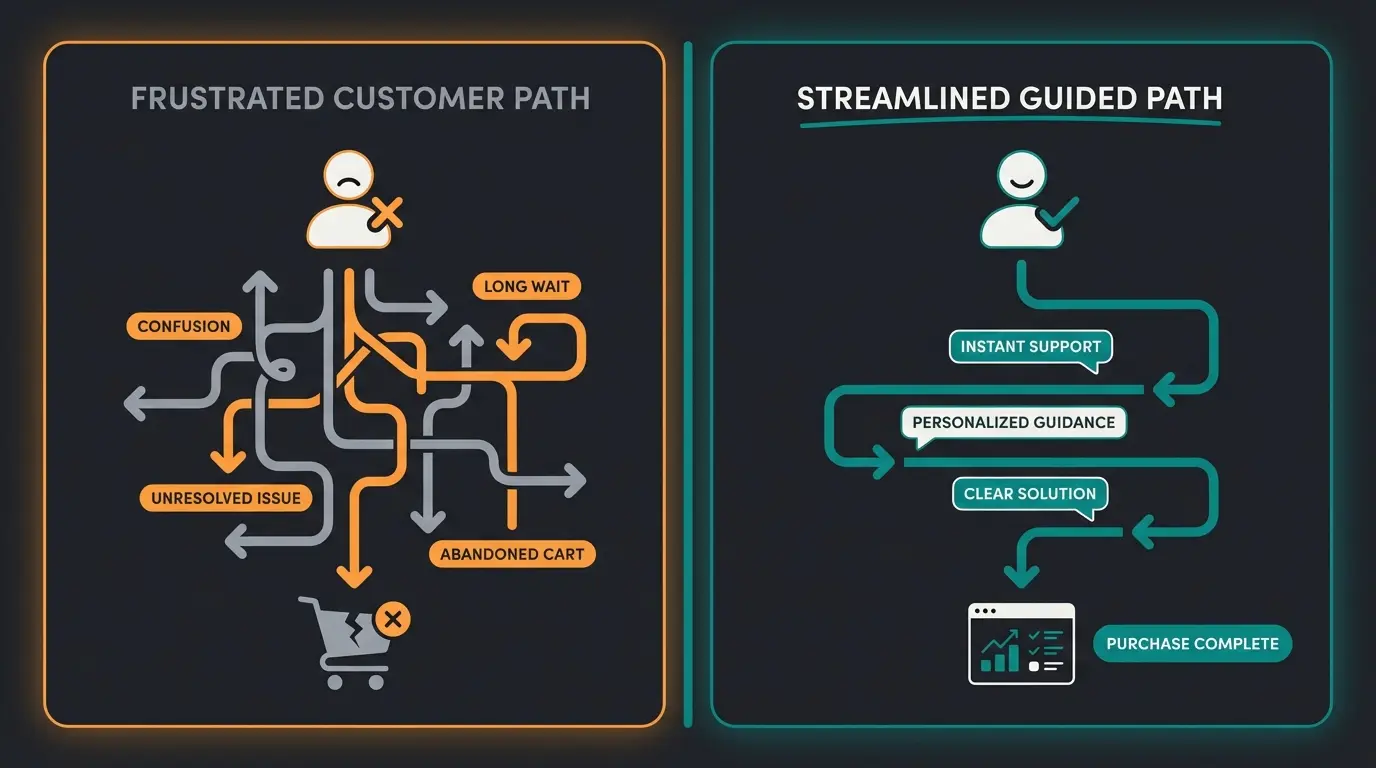
That gap matters because the storefront is where revenue is won or lost. The Baymard Institute puts the 2025 average cart-abandonment rate at 70.19%, calculated across 48 separate studies. Better search and recommendations chip at that number. They do not close it, because the shopper who does not know which of 40 products fits them still leaves.
Look closely at what AI-assisted search actually does. It improves results when the shopper already knows the vocabulary, when they type "hardtail mountain bike 29 inch" and want the matching list faster. It does little for the shopper who types "bike for forest trails, I'm a beginner," because that is not a search query, it is a question. Filters have the same limit: they assume the customer can already translate their need into technical attributes like frame height in millimetres. Most cannot, and that is the silent leak in consultation-heavy catalogs.
The Custom Checkout Message is the most underrated feature in this group. It generates a personalised note based on the cart, delivered at the moment of highest attention, right after purchase. It strengthens loyalty. It does not influence the decision that came before it, which is the one that actually moves conversion.
Think of the storefront like a physical shop. The shelves are tidy, the labels are correct, the lighting is good, all thanks to the Copilot. What is missing is the person on the floor who notices you looking lost and asks what you need. AI search and recommendations improve the shelves. They do not staff the floor. For consultation-heavy products, the floor staff is the difference between a sale and a bounce, which is exactly where AI product consultation comes in.
| Feature | Lifts | Does not address |
|---|---|---|
| AI-assisted search | Findability for known intent | Shoppers who cannot name what they need |
| AI recommendations | Cross-sell and discovery | Individual follow-up questions |
| Custom Checkout Message | Post-purchase loyalty | The pre-purchase decision |
Shopware automation beyond AI
Beyond generative AI, Shopware automates operations through the Admin and Store APIs plus two no-code tools: Flow Builder for event-based workflows and Rule Builder for conditional logic. Together they handle order processing, stock alerts, customer tagging, and third-party integrations without custom code. None of it is AI in the Copilot sense; all of it removes manual work the Copilot never touches.
API-driven automation
The Admin API gives programmatic access to every entity in the store: products, orders, customers, media, categories. Any operation you do by hand in the admin, the API does in bulk. The Sync API extends this by bundling many write operations into a single request, which cuts sync time for large catalogs from hours to minutes.
A concrete pattern from our integration work: a merchant running over 12,000 SKUs across three warehouses spent four hours daily updating stock by hand. A scheduled Sync API job now runs every 15 minutes with zero manual steps. OAuth 2.0 and granular permissions keep the connection secure, and real-time webhooks let external systems react the instant an order lands. For implementation detail, see the Shopware automation guide.
The Store API is the other half, and it is what makes Shopware viable for headless and app-driven setups. Where the Admin API manages the store, the Store API serves the storefront: catalog, cart, checkout, customer account. A customer-facing AI employee talks to this layer when it reads products and prices in real time. So the same API depth that powers a headless frontend also powers a real-time advisor, which is not a coincidence; it is the architectural reason consultation is buildable on Shopware at all.
Workflow automation via Flow Builder
The Shopware Flow Builder turns business rules into automated workflows triggered by store events. It works in three parts: triggers (events like order.placed or customer.registered), conditions (customer group, cart value, payment method), and actions (send email, change status, fire webhook). Order placed? Generate the invoice, tag the customer, notify fulfilment. Payment failed? Send a recovery mail and flag the order.
The Shopware Rule Builder feeds these workflows with over 50 condition types, from dynamic pricing to region-based shipping and B2B/B2C catalog separation. One budgeting detail: basic flows run on all plans, webhooks to external CRM or ERP systems require Evolve or Beyond, and time-delayed actions are exclusive to Beyond. So the automation ceiling scales with the plan, while the floor is available to everyone.
AI customer service and product consultation
Shopware native AI stops at the admin; it does not answer customers in real time. To automate customer service and product advice on a Shopware store, you add an AI employee that recognises customers, understands the catalog, and consults across channels. This is the layer where the conversion numbers actually move, and it is the gap no official feature fills.
The distinction is technical, not cosmetic. The native Copilot is generative AI that writes one text for everyone. A customer-facing AI employee runs an individual dialogue with one shopper, reads structured Shopware product data through the API, and recommends specific products with reasoning. It is also not a basic Shopware chatbot that only answers "where is my order." It does the job of a salesperson. For the full build, see AI product consultation for Shopware.
The outcomes are documented, not estimated. Garden-care specialist Neudorff deployed the AI employee Flora for product consultation: 97% accuracy in product recommendations, an average response time under 5 seconds, and a 99% cost reduction per chat, per the Neudorff AI advisor Flora case study. Flora handles the recurring, consultation-heavy questions that used to overwhelm the service team.
Rasendoktor, an online lawn-care specialist, saw 2,000 to 3,000 consultation-intensive inquiries per season. With the AI employee Hektor, the result was a 16x return on investment, a 100% automation rate on webchat inquiries, and 40% support savings, per the Rasendoktor case study. Hektor considers regional specifics, like climate and soil, that a static filter cannot, which is why the recommendations hold up across a technically demanding catalog.
How does this work technically? The AI employee connects to Shopware through the API, reads structured product data (attributes, availability, categories), and maps a shopper's unstructured request onto it. A customer says "something for shady patches that the dog won't ruin," and the system resolves that into specific SKUs with reasoning. The Copilot generates the descriptions those products carry; the AI employee uses them to advise. The two layers complement each other rather than compete.
Across Qualimero clients, this customer-facing layer drives up to +35% higher basket value. The point is not that native Shopware AI is weak; it is excellent at what it does. The point is that the revenue lever sits at the conversation, not the catalog, and the conversation is the part Shopware leaves open. If you want to see AI product consultation or AI customer service on your own catalog, that is the fastest place to start.
Rasendoktor, all inquiries handled automatically
Across Qualimero clients
Shopware AI pricing and plan availability
Shopware native AI is tied to your Shopware plan, not sold standalone. The AI Copilot is available on the commercial Rise, Beyond, and Evolve editions, and AI request volume scales with the plan. The free Community Edition does not include the full Copilot. Customer-facing AI employees like Qualimero are priced separately as a SaaS subscription, because they sit outside the core.
The table below maps what is available where. Treat exact limits as a snapshot: Shopware adjusts plan contents over time, so confirm against current pricing before you commit. The pattern holds even when specific numbers shift.
| Capability | Community | Rise | Beyond / Evolve |
|---|---|---|---|
| AI Copilot (12 features) | Limited / no | Yes | Yes |
| Basic Flow Builder | Yes | Yes | Yes |
| Flow Builder webhooks (external CRM/ERP) | No | No | Yes |
| Time-delayed flow actions | No | No | Beyond |
| Admin & Store API | Yes | Yes | Yes |
| Customer-facing AI employee | Add-on (SaaS) | Add-on (SaaS) | Add-on (SaaS) |
There is a real friction point here that the marketing pages skip over. AI request volume is metered. On the lower commercial plans you can hit usage ceilings if you bulk-generate copy across a very large catalog in one sitting, so plan the work in batches rather than firing everything at once. It is not a dealbreaker. It is the kind of detail you only find out after you have committed, so it is worth knowing up front.
The takeaway for budgeting: native AI cost is a function of which Shopware edition you already run, so for most merchants the Copilot is not a new line item but a reason to be on a commercial plan. The revenue layer, the AI employee, is the deliberate spend, and it is the one with a measurable ROI attached. Rasendoktor's 16x return is the relevant benchmark, not the Copilot's per-request cost.
How to set up Shopware AI
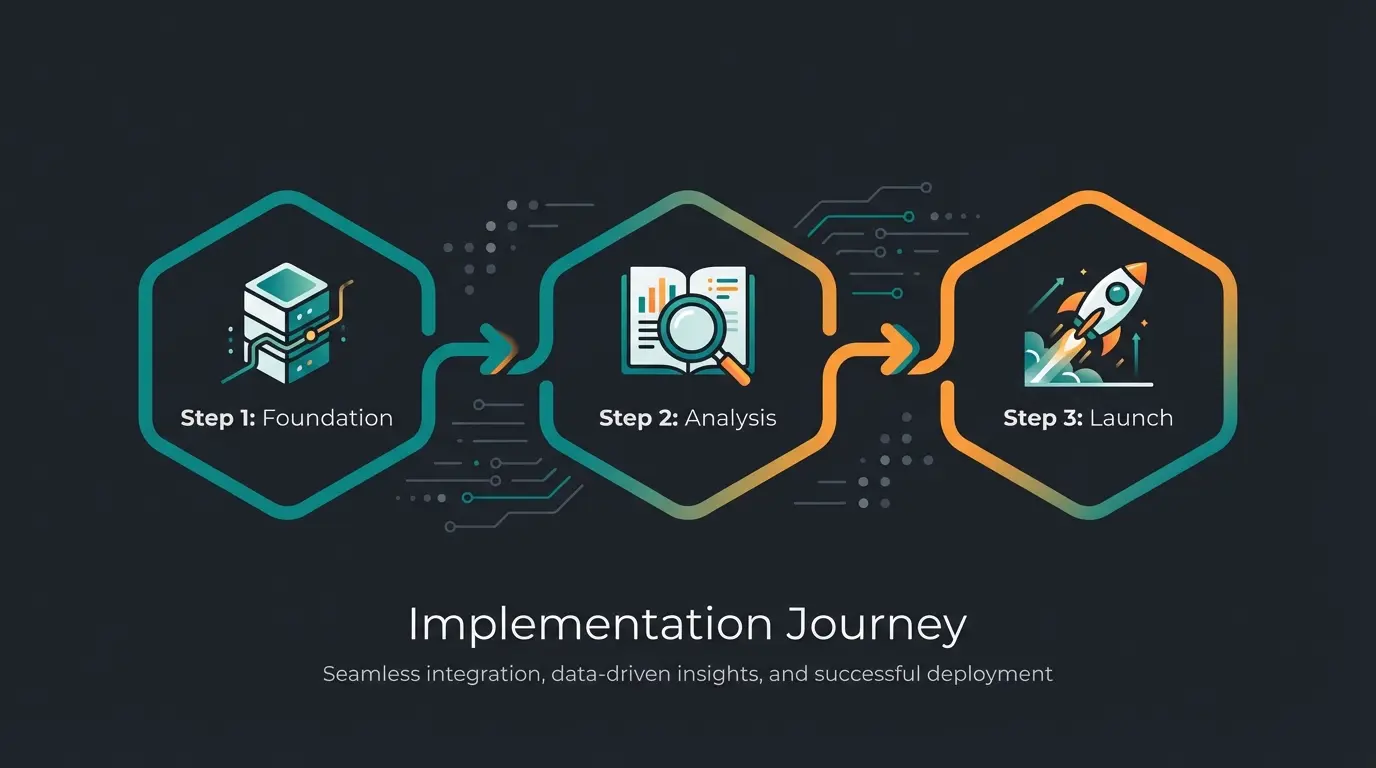
To enable Shopware AI, activate the AI Copilot in the admin settings, confirm your plan includes it, and connect your account or AI provider key. Activation takes minutes. The longer work is reviewing output and configuring brand tone before you publish at scale, which is where most teams underestimate the effort.
- Confirm you run Shopware 6.7+ on a commercial edition (Rise, Beyond, or Evolve)
- Enable the AI Copilot in admin settings and connect your account or provider key
- Run the Image Keyword Assistant across existing media to clean up metadata
- Define a brand-tone reference before bulk-generating product copy
- Review generated output on a sample set, then scale once quality holds
- For real-time customer consultation, add a customer-facing AI employee via API
A note on the brand-tone step, since it is the one teams skip and then regret. Before you bulk-generate, write down three or four rules for how your products should sound and a short example of good copy. Feed that as context. Without it, the Copilot defaults to generic e-commerce phrasing, and you spend more time fixing output than you saved generating it. With it, the first draft is usually 80% there.
Shopware documents the activation steps and feature scope in its Shopware AI documentation. If you plan to add a customer-facing AI on top, the prerequisite is clean, complete product data, because the AI recommends only what it can read through the API. Garbage attributes in, generic recommendations out. This is why the metadata work in the content section is not optional housekeeping; it is the foundation the consultation layer stands on.
Shopware AI vs other platforms
Compared with Shopify Magic and other native AI suites, Shopware AI leans harder into B2B and complex-catalog workflows and pairs with open APIs for automation. Shopify Magic is broader and faster for SMB content generation, while Shopware pushes toward agentic Commerce and deeper extensibility. Neither native suite, on its own, runs a real-time sales consultation, which is the point most comparisons miss.
The honest read: if you sell simple products and want one-click copy, Shopify Magic gets you there with less setup. If you sell consultation-heavy products with complex attributes, Shopware's API depth and the customer-facing AI layer you can build on it matter more than the native feature count. Shopware gives you control over the data pipeline; Shopify gives you speed out of the box.
| Dimension | Shopware AI | Shopify Magic |
|---|---|---|
| Native AI focus | Admin Copilot + agentic Commerce | Content generation across admin |
| Best fit | B2B, complex/large catalogs | SMB, simpler catalogs |
| API extensibility | Open Admin/Store API, high control | App SDK, faster but more constrained |
| Real-time customer consultation | Add-on layer (not native) | Add-on layer (not native) |
| Automation tooling | Flow Builder + Rule Builder | Shopify Flow |
WooCommerce belongs in this comparison too, by contrast. It has no native AI suite of its own; AI arrives through third-party plugins, which means more flexibility and more assembly work. Shopify Magic and Shopware AI are built in and curated; WooCommerce is a build-it-yourself toolkit. For a merchant without development resources, that difference decides the platform before the AI features ever do.
One comparative point on direction: Shopware founded the Agentic Commerce Alliance in July 2025 to push open standards for AI agents in e-commerce, positioning against closed ecosystems from the large platforms. Whether that vision lands or not, it tells you where Shopware is steering, toward agents that act across systems rather than single-store text tools. If your roadmap assumes agents will negotiate and act on your behalf in a few years, Shopware's open-standard bet is the more aligned choice; if you want the simplest path to AI copy today, Shopify is faster.
Frequently asked questions
The Shopware AI Copilot is the native AI assistant in Shopware 6.7, bundling 12 features for content, merchandising, and operations. It generates product descriptions, tags images, builds CSV exports from plain language, and more. It runs inside the admin and helps the merchant, not the customer.
Not a customer-facing one. The native Copilot works in the admin and does not answer shoppers in real time. To automate customer service or product advice, you add an AI employee on top of Shopware that reads product data via the API. Neudorff's Flora reaches 97% recommendation accuracy this way.
Native AI is not sold standalone; it is included with the commercial Rise, Beyond, and Evolve editions, so the cost is tied to your Shopware plan. AI request volume scales with the edition. A customer-facing AI employee is a separate SaaS subscription, justified by ROI like Rasendoktor's 16x return.
API automation uses the Admin and Store APIs to move data programmatically, such as syncing 12,000 SKUs every 15 minutes. Workflow automation uses Flow Builder and Rule Builder to trigger no-code actions on store events, like invoicing after an order. APIs handle bulk data; Flow Builder handles event logic.
You need Shopware 6.7 or later on a commercial edition. The Copilot feature set expanded through 2025, so older versions miss most of the 12 features. The free Community Edition does not include the full Copilot.
Yes, but not with native AI alone. You add a customer-facing AI employee that connects to Shopware via API, understands the catalog, and consults shoppers in real time. Rasendoktor automated 100% of its webchat inquiries this way, with 40% support savings.
Shopware AI saves time in the admin. A Qualimero AI employee grows revenue at the storefront: real-time product consultation, up to +35% higher basket value, and ROI like Rasendoktor's 16x. See it on your own catalog.
Book a demo
Kevin is CTO and co-founder of Qualimero. As an AI architect with over 15 years of experience as CTO and CPO in the tech industry, he designs the AI systems that automate tens of thousands of customer interactions daily for Qualimero's clients — reliably, securely, and at scale.