Why Your Billing Data Is Gathering Dust in Silos
In the modern SaaS landscape, Stripe (for payments) and Intercom (for communication) are the two cornerstones of many tech stacks. But when you examine the implementation at 90% of companies, you'll notice something critical: The connection between heart and brain is missing.
Most search results and guides for "Stripe Intercom integration" focus on a single scenario: A customer asks, "Did my payment go through?" and the support agent looks at the panel on the right, sees the status "Paid," and responds "Yes." That's efficient, but it's pure cost reduction.
We're in 2025. Support is no longer just "ticket processing"—it's a revenue driver. If you're only using Stripe data to answer billing questions, you're leaving money on the table. According to Intercom, companies that leverage payment data for proactive outreach see significantly higher customer lifetime values.
The Shift: From Reactive Support to Proactive Consultation
Consider this scenario:
- Old Way: A customer's payment fails. They contact support. You respond.
- New Way (Revenue-Focused): Your AI detects that a customer has reached 90% of their usage limit (Stripe Usage Data). Before the customer gets frustrated or hits a wall, Intercom proactively sends a message: "Hey, you're growing faster than expected! Based on your current volume, our Pro plan would actually save you $50/month. Want me to break down the numbers?"
This article isn't your typical "how-to." We cover the technical basics (the "hygiene factor"), but the focus is on how you can use this Intercom Stripe integration to prevent churn, automate upsells, and do it all GDPR-compliant for the European market. This is where AI-powered product consultation becomes your secret weapon.
Most companies only use 20% of their Stripe-Intercom integration potential
In-app proactive messages vs. traditional email campaigns
Days for SEPA Direct Debit processing—critical for automation timing
The Basics: Fast Setup (The Hygiene Factor)
Before we can implement revenue-boosting strategies, the technical foundation must be solid. There's an important update for 2025: Stripe has updated its App Framework.
Step-by-Step Installation Guide
The setup is now very user-friendly thanks to the Intercom App Store, but it requires admin rights on both platforms. Here's how to get your Stripe Intercom integration up and running according to Eesel AI:
Navigate to the Intercom App Store, search for 'Stripe', select the official app ('Built by Intercom'), and click Install
You'll be redirected to Stripe. Log in with your admin account. For multiple Stripe accounts, connect them but note the Inbox app primarily shows main account data
Enable 'Sync' to import historical data. Tip: Activate 'Allow user creation with email only' for leads without User IDs
Add the Stripe widget to the right sidebar in Intercom Inbox to display plan, balance, last 3 payments, and subscription status
According to Stripe's documentation, once connected, your agents will immediately see the current plan, account balance, last 3 payments, and subscription status (Active, Past Due, Canceled) directly in the conversation sidebar.
What the Standard Integration Cannot Do
The native integration is excellent for master data (Plan, Status). However, it has weaknesses with real-time events. A "Payment Failed" event in Stripe doesn't immediately and automatically trigger a message in Intercom unless you use workarounds like Zapier or Make to send a "Track Event" to Intercom. We'll dive into this in the automation recipes section. This is where having digital expert consultants powered by AI can bridge the gap.
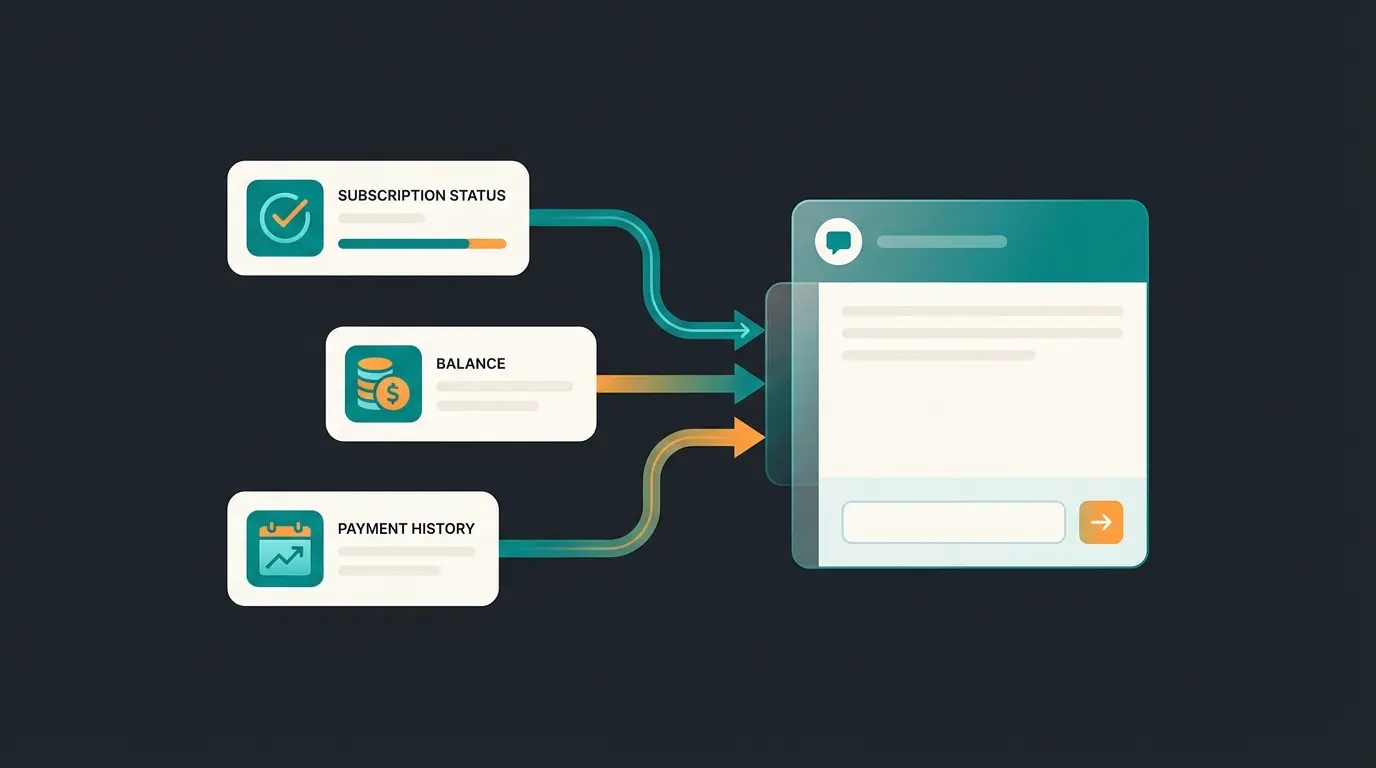
The Must-Have Table: Strategic Data Mapping
To work strategically, you need to understand which data points flow from Stripe into which Intercom attributes. Only then can you build segments for your marketing campaigns or AI bots. This mapping is essential for any serious Intercom Stripe integration implementation.
Here's the mapping of the most important fields and how to use them strategically:
| Stripe Data Point | Intercom Attribute (CDA) | Strategic Usage (Revenue Focus) |
|---|---|---|
| Plan Name | stripe_plan | Segmentation: Send feature updates only to "Pro" users to emphasize plan value |
| Status | stripe_status | Churn Prevention: Filter by `past_due` or `unpaid`. Start automated "dunning" campaigns via chat instead of email |
| Account Balance | stripe_account_balance | Credit Check: If Balance < 0 (credit), suggest the customer use it for an add-on |
| Created At | stripe_created_at | Loyalty: Automated congratulations on "anniversaries" with a small upgrade discount |
| Delinquent | stripe_delinquent | Risk Management: If `true`, block access to premium support until the invoice is settled (automated by Fin AI) |
| Plan Interval | stripe_plan_interval | Cash Flow Optimization: Filter all users with `month` who have high usage and offer 20% discount for switching to `year` |
Advanced Strategy: The AI Consultant Workflow
This is where the wheat separates from the chaff. Most companies use Intercom only reactively. We're flipping the script—and this is where AI product consultation becomes truly transformative.
The Problem with "Dumb Bots"
A standard bot reacts to keywords. When a customer types "invoice," the bot sends a link to the settings. That's helpful, but not intelligent. As AI Selling is revolutionizing the industry, simple keyword matching is becoming obsolete.
The Solution: The AI Consultant (Fin AI Agent)
By integrating Stripe data into Intercom's Fin AI Agent, you can enable the bot to make context-based decisions. According to Intercom's documentation, Fin can access Stripe data to automatically resolve conversations. This transforms your support from cost center to revenue-generating product consultants.
Scenario: The Proactive Upgrade
Instead of waiting for the customer to ask why their account is locked, we build the following workflow:
- Trigger: An external script (or Zapier) monitors Stripe Usage Records
- Condition: Usage > 80% of plan limit
- Action: Update a Custom Attribute in Intercom (`usage_status` = `high_risk`)
- Intercom Workflow: As soon as `usage_status` jumps to `high_risk`, an Outbound Message starts
The message content: "Hi [Name], I noticed you're having an extremely successful month and have already reached 80% of your limit! 🎉 Before any bottlenecks occur: Our Enterprise plan would actually save you money at this volume. Want me to show you the details?" with a button: "Yes, show me the savings."
Configuring Fin AI for Billing Support
For Fin to answer questions like "When is my next invoice due?", you need to ensure Fin has access to the Stripe app. Go to the Fin settings, activate the use of app data, and Fin can now dynamically access `stripe_subscription_period_end` and respond: "Your next invoice for $29 is due on November 15th." According to Intercom, this setup enables autonomous resolution of complex billing inquiries.
See how AI-powered product consultation can double your upgrade rates by proactively engaging customers based on their Stripe data.
Start Free TrialEuropean Market Special: GDPR & SEPA Compliance
This section is crucial for ranking in the European market. Most English-language guides completely ignore European legal requirements and payment habits. Understanding the EU AI Act implications is also becoming increasingly important for AI-powered integrations.
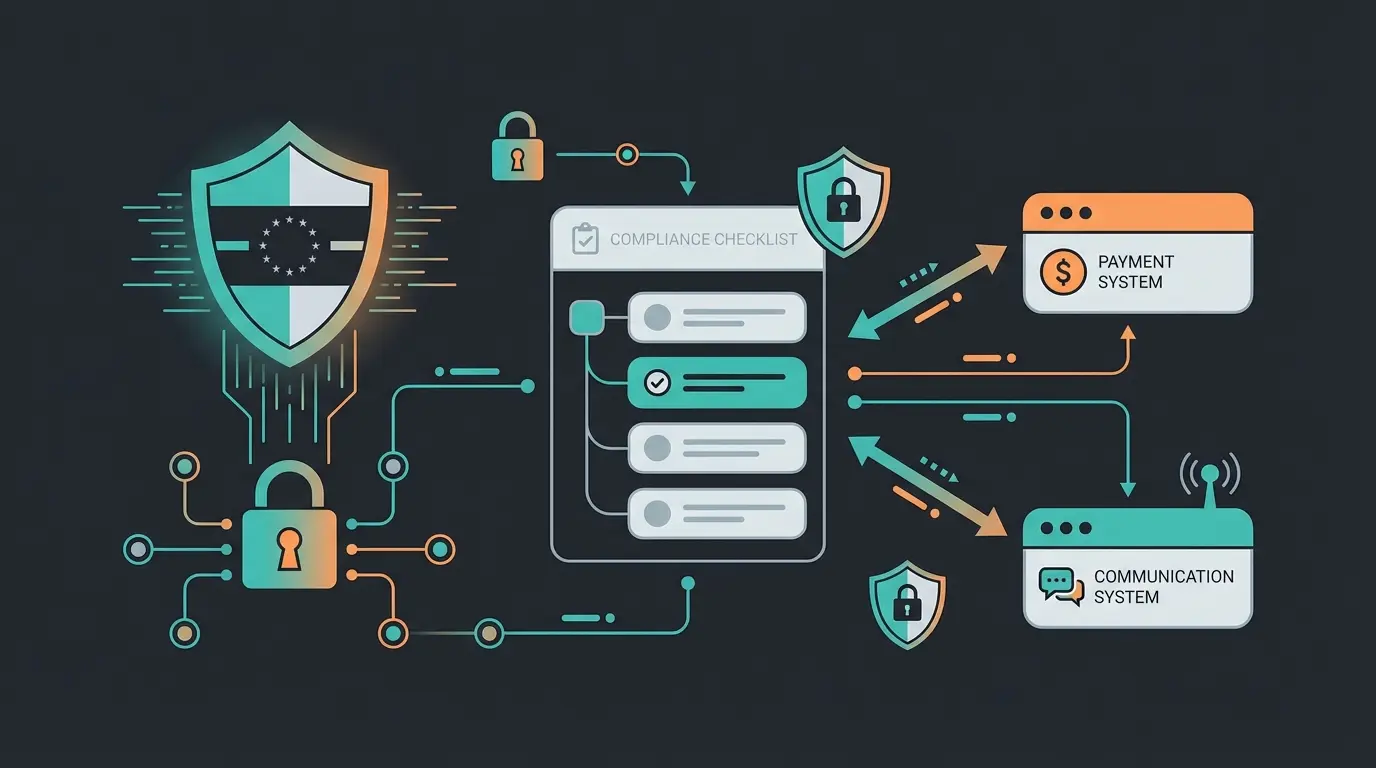
GDPR Checklist for the Integration
When you link financial data (Stripe) with communication data (Intercom), you're creating extremely detailed user profiles. This is relevant under data protection law. According to Simple Analytics, proper documentation is essential.
- Data Processing Agreement (DPA): You need valid DPAs with both providers. Check whether Stripe and Intercom are explicitly listed as "data processors" in your privacy policy
- Data Minimization: Only sync data you actually need. Do you really need to store the exact credit card brand in Intercom? If not, disable this field in the sync to maintain data economy
- Server Location: Intercom now offers EU hosting. Check whether your Intercom instance is hosted in the US or Europe, and note data transfers to third countries (US) in your privacy policy (keyword: Data Privacy Framework)
According to Stripe's privacy documentation, ensuring proper data handling agreements are in place is a critical compliance requirement for any Stripe Intercom integration in the European market.
The SEPA Trap: T+6 Settlement & AM04 Errors
In Germany and across Europe, SEPA Direct Debit is extremely popular but tricky for automations. According to Stripe, understanding these nuances is critical for European businesses.
The Most Common Error (AM04): The error code `AM04` stands for "Insufficient Funds" (account not covered).
- Wrong Workflow: The system immediately locks the account and sends an angry email
- Better Workflow with Intercom: Stripe reports `payment_intent.payment_failed` with code `AM04`. Intercom sends a chat message (not an email that lands in spam): "Oops, your bank returned the direct debit (code AM04). This often happens when the account was temporarily underfunded. Want to try again or switch to credit card?"
This approach is less confrontational and leads to faster resolutions since the customer is often actively using the product at that moment. Important: Note that SEPA chargebacks incur fees. Communicate transparently whether you pass these on to avoid legal issues in Germany.
Top 3 Automation Recipes for Revenue Growth
Here are three concrete "recipes" you can implement immediately. We use a combination of the native integration and (for triggers) tools like Zapier or Make, since the native integration often doesn't provide real-time triggers for workflows. These workflows showcase what AI Product Consultation can achieve when combined with payment data.
Recipe 1: The Churn Preventer (Last-Minute Rescue)
Goal: Prevent customers from churning due to technical payment issues (Involuntary Churn).
- Trigger (via Zapier/Make): Stripe Event `invoice.payment_failed`
- Action: Intercom `Tag User` → "Billing-Issue"
- Intercom Workflow Entry Rule: Tag is "Billing-Issue"
- Message (Banner or Chat): "We couldn't process your payment. Please update your method to avoid interruptions."
- The Kicker: If the customer doesn't respond within 2 days, the workflow automatically escalates the ticket to the "Customer Success Team" for a personal call
Recipe 2: The Upsell Scout (High LTV Focus)
Goal: Identify VIP customers for white-glove service.
- Data Basis: Stripe Field `Lifetime Value` (LTV) or `Total Spend`
- Logic: When `LTV` exceeds $500
- Actions: Set Intercom Attribute `VIP_Status` to `true`, send internal note to Account Manager in Intercom: "Customer X just crossed the $500 mark. Time for a thank you?", route all future support requests from this customer to the "Priority Inbox" (wait time < 1 hour)
Recipe 3: The Trial Converter
Goal: Convert free trial users into paying customers based on payment data status.
- Scenario: Many SaaS companies only require payment data after the trial
- Trigger: Intercom Attribute `Signed Up` 25 days ago (for a 30-day trial)
- Check: Has the customer already added a payment method in Stripe? (Attribute `stripe_card_brand` is empty)
- Message: "Your trial ends in 5 days. You haven't added a payment method yet. Add it now so your data won't be archived."
Psychology: Use loss aversion to drive action. This recipe transforms passive trial users into engaged prospects ready for your AI-powered product consultation to close the deal.
Responds to 'help' keyword with generic FAQ links
Detects 'Credit Card Declined' event and proactively offers solutions
Only engages when customer initiates contact
Notices usage spike and suggests plan upgrade before limits hit
Conclusion: Data Is the Fuel, Intercom Is the Engine
The Stripe Intercom integration is far more than just a technical feature for accounting. It's a bridge between your customer's financial success (payment) and their satisfaction (support).
Anyone still manually clicking back and forth between the Stripe dashboard and Intercom inbox in 2025 is wasting valuable resources. The winners use this integration to:
- Proactively respond to payment issues (before the customer notices)
- Data-driven upsell placements (when the customer is ready)
- Legally compliant operations in the European market (GDPR & SEPA)
Next Step: Check today whether you're still using the outdated Stripe extension. If so, plan the upgrade. And then: Build your first "Upsell Scout" workflow. Your revenue will thank you.

FAQ: Common Questions About the Integration
The app itself is included in most Intercom plans (Essential, Advanced, Expert), but requires an active Stripe account. There's no additional charge for the integration itself.
The sync isn't always instant. For critical events (e.g., Payment Failed), we recommend using webhooks (via Make/Zapier) to fire an event directly to Intercom rather than waiting for the periodic sync.
Yes, through so-called 'Custom Actions' or 'Fin Tasks,' Fin can send API calls to Stripe to trigger refunds. However, this requires precise configuration of permissions and API endpoints to prevent misuse.
You can connect multiple Stripe accounts (e.g., US and EU separately), but the Inbox app primarily shows data from the main account. Additional accounts often only sync attributes for segmentation purposes.
Not automatically. You need valid Data Processing Agreements with both providers, should only sync essential data fields, and must document the data flow in your privacy policy. EU hosting options are available for Intercom.
Discover how AI-powered consultation using your Stripe data can transform customer interactions into revenue opportunities. Join leading SaaS companies already seeing 3-4x higher conversion rates.
Get Started Now
Kevin is CTO and co-founder of Qualimero. As an AI architect with over 15 years of experience as CTO and CPO in the tech industry, he designs the AI systems that automate tens of thousands of customer interactions daily for Qualimero's clients — reliably, securely, and at scale.