Key Takeaways at a Glance
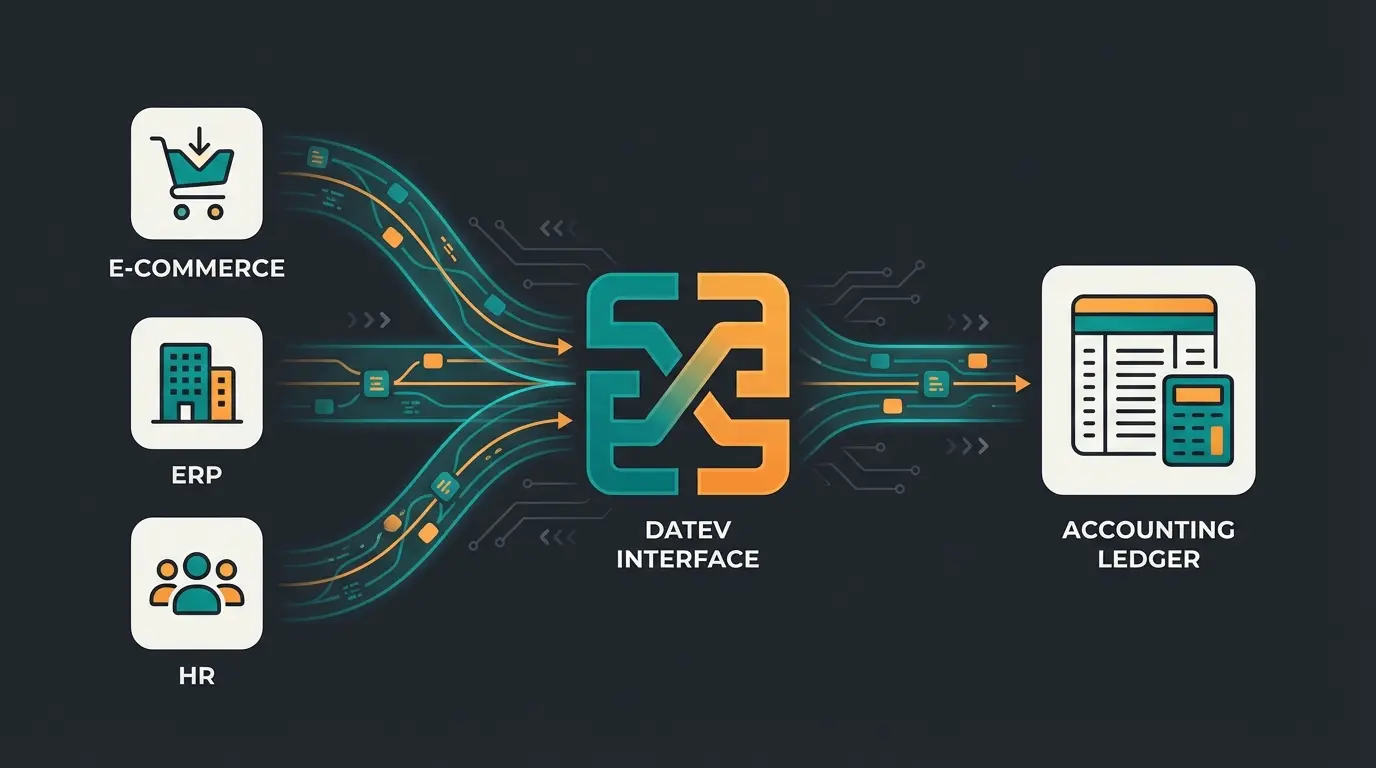
Definition: A DATEV interface is the digital bridge between upstream systems (ERP, e-commerce shops, HR software) and the tax advisor's accounting software (Kanzlei-Rechnungswesen), designed to eliminate manual data entry entirely.
The Problem: Classic exports often rely on rigid CSV or ASCII formats that produce cryptic error messages at the slightest deviation—whether it's missing header information or incorrect formatting—blocking the entire import process.
The AI Solution: Modern approaches leverage "Consultative AI" (advisory Artificial Intelligence) that doesn't just forward data, but validates, cleans, and establishes logical booking relationships (such as SKR03/SKR04 mapping) before the export even happens.
The Goal: Transform from pure data transmission (a "dumb pipe") to intelligent pre-validation that eliminates the "Garbage In, Garbage Out" effect in accounting completely.
Introduction: Why DATEV Integration Matters
In the German business landscape, there's virtually no way around DATEV. For millions of companies and their tax advisors, the green software from Nuremberg represents the gold standard. But as powerful as the system is internally, the path data takes to get there can be incredibly frustrating. Business owners know the scenario all too well: The month is over, invoices have been written, and now the data from the webshop or invoicing tool needs to reach the tax advisor.
What follows is often a technical disaster: CSV files are exported, manually "tweaked" in Excel, sent via email, and frequently end up at the tax advisor's office with the dreaded error message: "Error in row 1: Invalid format." This constant back-and-forth wastes valuable time and creates unnecessary stress for everyone involved.
This article examines the DATEV interface in a depth that goes far beyond simple definitions. We analyze not only the technical specifications of the DATEV format and the differences to ASCII, but also demonstrate how Artificial Intelligence (AI) is currently revolutionizing this process. We're moving away from rigid exports toward intelligent integration, where the software thinks like a junior accountant before the data ever reaches the accounting firm. Companies implementing AI product consultation solutions are already seeing dramatic improvements in their data quality and processing times.
What Exactly Is a DATEV Interface?
A DATEV interface functions as a translator between your operational world (invoicing, inventory management, payroll accounting) and your tax advisor's accounting world. While your upstream system speaks the language of "orders," "invoice numbers," and "PayPal fees," the DATEV data center only understands the language of "debit," "credit," "booking keys," and "cost centers."
Why Is This Integration So Critical?
Without a functioning DATEV integration, booking entries must be typed in manually. This not only costs time and fees at the tax advisor's office but is also extremely error-prone. A clean interface ensures that the following elements flow automatically and in compliance with GoBD (German principles for proper accounting) into the DATEV Kanzlei-Rechnungswesen (KaReWe) or Unternehmen online (DUO) systems:
- Booking entries (invoices, payments, credit notes)
- Master data (debitor/creditor addresses and contact information)
- Document images (the actual PDF invoice for audit trail purposes)
According to DATEV's official documentation, the standardized format ensures consistent data exchange across different software systems, making the interface the backbone of modern German accounting workflows.
Technical Fundamentals: DATEV Format vs. ASCII
Anyone dealing with DATEV export will inevitably encounter two terms that are often confused: The proprietary DATEV format (often referred to as EXTF) and the generic ASCII interface. Understanding this distinction is essential for error-free data transfer and will save countless hours of troubleshooting.
The DATEV Format (EXTF): The Gold Standard
The DATEV format is a strictly standardized CSV format. It's the preferred method for data exchange because it requires the least amount of work from the receiving system (the accounting firm). You can typically identify a file in DATEV format by the filename prefix `EXTF_` or `DTVF_`. As explained by AH Consulting, these prefixes indicate files that follow the strict DATEV specifications.
The Anatomy of a DATEV File
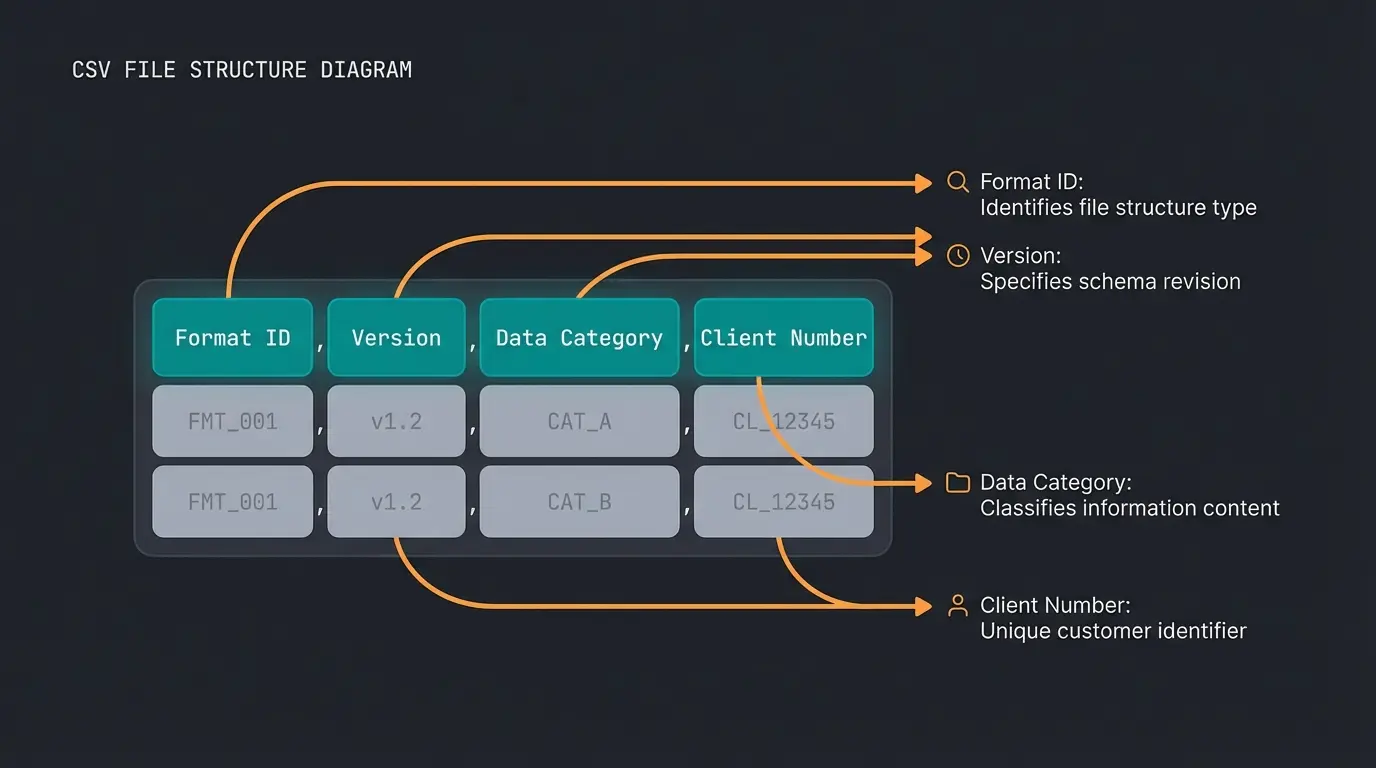
Such a file isn't simply a list of numbers. It forces the sender to include certain metadata in the very first row, the so-called header. If this header is missing or incorrect, DATEV categorically refuses the import—no exceptions, no workarounds.
A typical header looks like this (and is absolutely cryptic for laypeople):
`"EXTF";700;21;"Buchungsstapel";12;20240101000000;...`
Here we decode the most important fields of the first row:
- EXTF: Identifier for "External Format" (data comes from third-party software)
- 700: The version number of the format (ensures backward compatibility across different DATEV versions)
- 21: The data category (21 stands for booking batch, 16 for debitors/creditors)
- Mandant number & Consultant number: These must exactly match the data in the accounting firm. If they don't match, the data either ends up in digital limbo or must be laboriously assigned manually.
The ASCII Interface: Flexible but Risky
In contrast to the strict DATEV format, the ASCII DATEV interface (also often called "individual ASCII import") is a more open format. This involves a CSV file whose column structure is not predetermined. According to DATEV's technical documentation, this flexibility comes with significant tradeoffs.
- Advantage: You can import almost any Excel table with minimal modification.
- Disadvantage: The tax advisor must create a so-called "format template" in DATEV. They must teach the system once: "Column A contains the date, column B contains the amount, column C contains the account number."
- The Risk: If even one column changes in your upstream system, the entire import either stops working or—even worse—incorrect values are transferred to the accounting system (e.g., invoice number interpreted as amount).
Comparison Table: Which Format Should You Use?
| Feature | DATEV Format (EXTF) | ASCII Format (Individual) |
|---|---|---|
| Structure | Fixed, strictly defined | Freely configurable |
| Header Requirement | Yes (complex and mandatory) | No (optional) |
| Setup Effort at Firm | Minimal (Plug & Play) | High (Manual mapping required) |
| Error Susceptibility | Low (if file is valid) | High (with structural changes) |
| Document Linking | Easily possible | Often cumbersome |
| Recommendation | Professionals & SaaS Tools | DIY Solutions & Legacy Software |
The Biggest Pain Points with Classic Exports
Why do so many business owners and accountants complain about interfaces, even though the technology has existed since the 1980s? The problem usually lies not in the transfer itself, but in data quality and the lack of validation before the export takes place.
1. The "Header" Problem and Version Conflicts
As mentioned earlier, the header is the bottleneck. A common scenario: You switch tax advisors (new consultant number) or establish a new GmbH (new mandate number). If you don't update this change in your shop system or invoicing tool, the DATEV export produces a file with the old IDs.
Consequence: The import is rejected, or the data ends up in the wrong client file. Error messages like "Invalid combination of data category and format version" are the order of the day, as documented in DATEV's error handling guide.
2. Cryptic Error Messages ("Error 404 in Accounting")
When an import fails, DATEV outputs error logs. However, these are often written for developers, not for end users who just want their data to work.
Example: `#REW00967: The input in the booking text field is too long.`
- Reality: DATEV often allows only 40 or 60 characters in the booking text. But your webshop writes "Invoice for Order #12345 - Item: Super Long Product Name in Special Edition Blue."
- Result: The text is brutally truncated or the entire record is rejected.
Example: `#REW01077: Invalid characters.`
- Cause: A customer used quotation marks (") or special characters in their name that break the CSV format (e.g., "Restaurant \"The Post\""). If these aren't properly escaped, the entire row shifts and corrupts subsequent data.
According to DATEV's character encoding specifications, proper character handling is critical for successful imports.
3. Batch Processing as a Bottleneck
The classic approach is batch processing: collect data, export, import. If a batch of 1,000 bookings contains just three errors, the entire batch often needs to be reviewed or corrected. The error search resembles finding a needle in a haystack, since the row numbers in the CSV file often don't correlate with the error messages when Excel has reformatted the file in between (e.g., removing leading zeros from postal codes). As noted by Accountico, this mismatch between reported errors and actual file content is one of the most frustrating aspects of traditional DATEV workflows.
Average percentage of DATEV workflow time dedicated to fixing export errors rather than productive accounting work
Hours spent per month by SMEs correcting DATEV import failures and data inconsistencies
Percentage of common DATEV import errors that could be caught with pre-export AI validation
The New Era: AI-Powered DATEV Integration
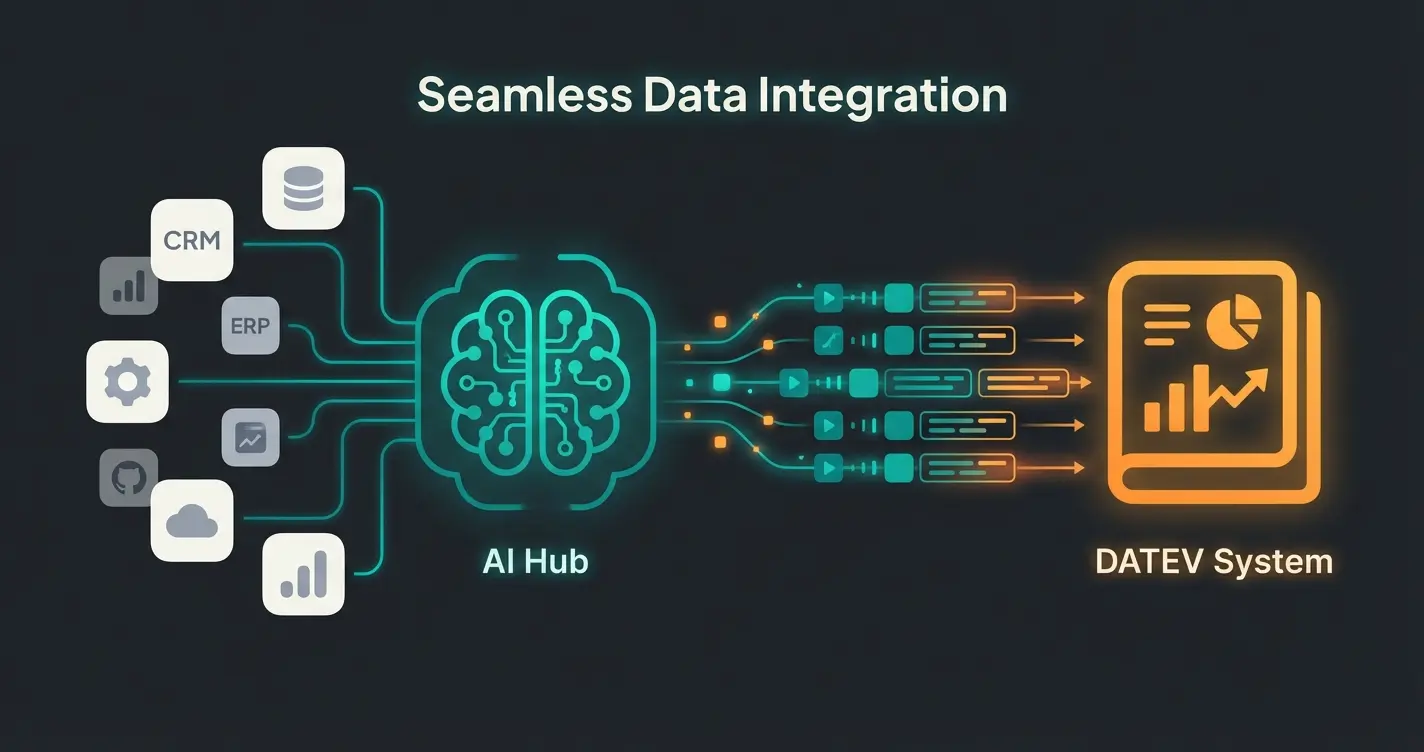
This is where the decisive transformation happens. While classic interfaces are "dumb pipes" that push data from A to B (and burst when clogged), modern AI-powered integrations act as intelligent advisors. We're not talking about simple OCR (document scanning) here, but about Large Language Models (LLMs) that understand context and can reason about accounting logic.
Consultation vs. Automation: The Crucial Difference
Conventional automation follows rules: `If Field A is empty, then Error`. AI consultation understands context: `Field A is empty, but based on the transaction type, that's logical. I'll automatically fill it with the default value and document why.`
Example: The Intelligent "Junior Accountant"
Imagine you sell software subscriptions worldwide via Stripe. Businesses implementing solutions like an AI Employee Flora are already experiencing how AI can transform complex data interpretation tasks.
- Classic Export: Simply writes "Revenue €100" into the list. The tax advisor must check: Where does the customer come from? Is this reverse-charge? Third country? MOSS/OSS?
- AI-Powered Interface: The AI analyzes the transaction: "Customer is located in Switzerland (third country), service is electronic." It checks the mapping: "For third-country services, we need Account X in SKR04." The key advantage: If the AI is uncertain (e.g., ambiguous customer IP address), it doesn't generate an error message (`Error 500`), but instead asks the user a question in natural language: "Hey, I'm uncertain about this invoice from Zurich whether tax should apply. Was this a B2B service? If so, I'll book it to account 4338."
Data Cleaning Through AI
Dirty data is the enemy of every accounting department. AI tools like DataRobot or specialized accounting agents can recognize inconsistencies that regular expressions (RegEx) would miss entirely. According to research published on Medium, AI-driven data quality improvements are transforming financial workflows across industries.
Use Case: An employee submits an expense report and writes "Business dinner with client" as the purpose. The AI recognizes that for tax purposes, the names of the hosted persons are mandatory and requests this information before the export. This saves follow-up questions weeks later and ensures compliance from the start. An AI Assistant Sophie implementation demonstrates how this proactive approach works in practice.
Generative AI for Mapping Challenges
Mapping product categories to booking accounts (e.g., "Office supplies" vs. "Low-value assets") is complex and traditionally required deep accounting expertise. Studies from AlixPartners show that LLMs are already helping to map unstructured data (like item descriptions in multiple languages) to standardized taxonomies (chart of accounts), work that previously cost hundreds of hours of manual effort.
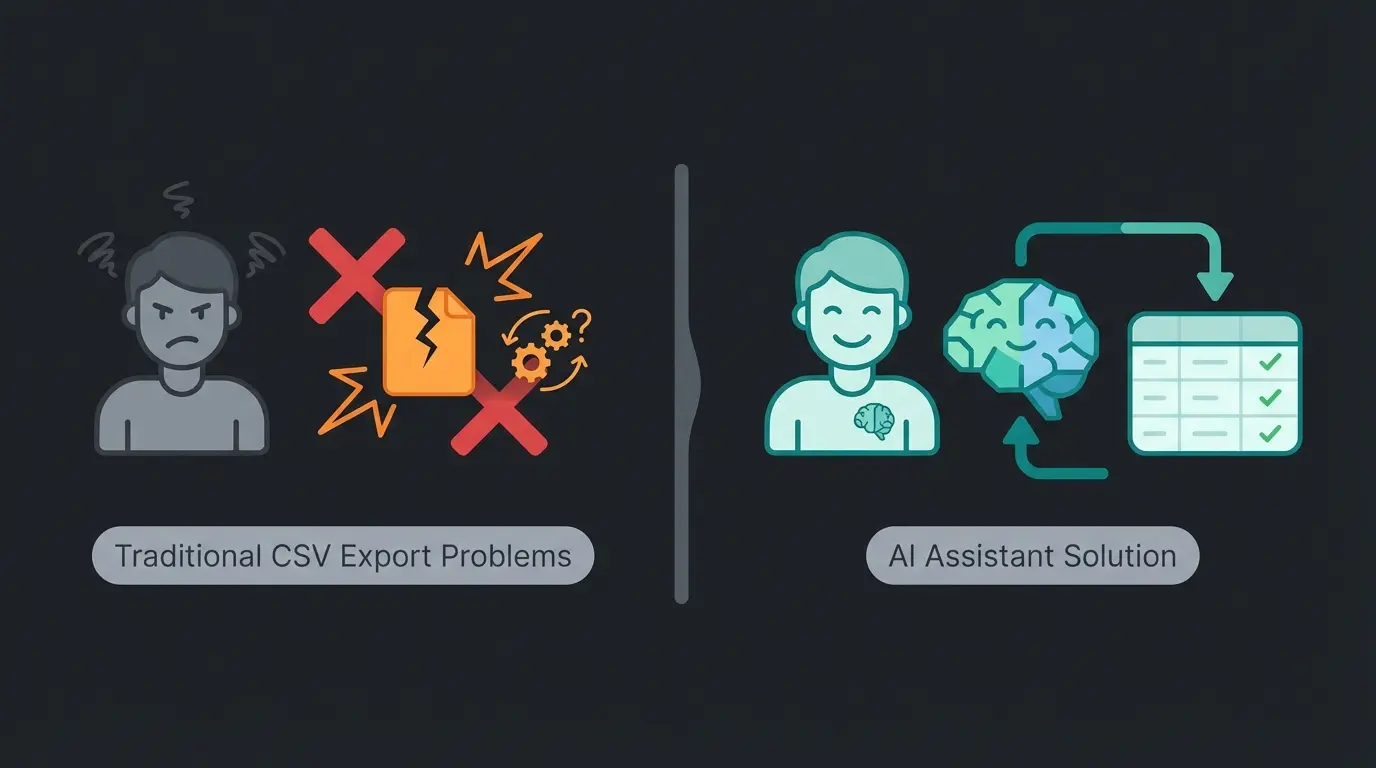
Paper documents typed into systems by hand, high error rates, days of processing time per month
Users must format Excel perfectly or face cryptic errors, still requires manual intervention and Excel expertise
User communicates with AI in natural language, AI formats and validates data perfectly for DATEV automatically
Comparison: Static Export vs. AI Consultation
To truly understand the paradigm shift, let's compare traditional approaches with modern AI-powered solutions. Companies using an AI Employee Theresa have reported significant improvements in their data processing accuracy and speed.
| Feature | Standard CSV Export | AI-Consulted Integration |
|---|---|---|
| Error Handling | Cryptic error codes (e.g., "ERR_005") | Plain text explanation ("You're missing a tax key for this invoice.") |
| Setup Time | Weeks (Manual mapping required) | Minutes (AI auto-suggests mapping) |
| Data Quality | Garbage In, Garbage Out | Cleaned & Validated before export |
| User Experience | Requires technical expertise | Natural language interaction |
| Adaptability | Breaks with any change | Learns and adapts to new patterns |
| Cost of Errors | High (discovered late, expensive to fix) | Low (caught early, easy to correct) |
Stop wrestling with cryptic error messages and manual CSV formatting. Our AI-powered solution validates, cleans, and maps your data automatically—like having a junior accountant who never sleeps.
Start Your Free TrialStep-by-Step: How to Achieve Error-Free Exports
To move from a "stumbling interface" to a true integration, follow this workflow. This applies regardless of whether you're using a modern SaaS solution or manual exports.
Step 1: Data Preparation (Pre-processing)
Before you export, clean your sources thoroughly. As detailed in DATEV's data preparation guidelines, proper preparation is essential.
- Duplicate Check: Are invoice numbers assigned twice? This will cause import conflicts.
- Formatting: Remove line breaks or semicolons from text fields (like item descriptions), as these can destroy the CSV format structure.
- Character Encoding: Ensure UTF-8 encoding to handle special characters correctly.
Step 2: Account Mapping (SKR03 vs. SKR04)
You must know which chart of accounts your tax advisor uses. An error here makes the entire export unusable and requires complete rework.
- SKR03: Sorted by process structure (Balance accounts 0-9). More common in manufacturing and trading companies.
- SKR04: Sorted by closing structure (Balance accounts 0-2). Often preferred by service companies and follows international standards more closely.
Example: A standard revenue account (19% VAT) is often `8400` in SKR03, but `4400` in SKR04. According to Weclapp's documentation, understanding this mapping is crucial for accurate financial reporting.
Step 3: Validation (Where AI Shines)
This is where your modern interface software intervenes and provides real value. Organizations implementing AI Employee 'Kira' solutions see dramatic reductions in validation errors.
- Logic Check: Does the tax key match the account? (An account with "DATEV Automatic" often cannot receive a manual tax key, otherwise error `#REW00018` threatens). The DATEV tax key documentation explains these constraints in detail.
- Finalization Flag: Decide whether the data should be exported as "finalized" (no longer changeable, GoBD-compliant) or as an open batch. A value of `1` in the header or the finalization column sets the flag permanently.
Step 4: Import into Kanzlei-Rechnungswesen
The final step is usually performed by the accounting firm, but understanding it helps you prepare better data.
- Opening batch processing in DATEV
- Importing the file through the standard interface
- Critical: Reviewing the import protocol. Modern tools deliver this protocol back to you in an understandable format, instead of just saying "Error" with no context.
According to ePago's integration guide, maintaining clear communication with your accounting firm about expected data formats prevents most import issues.
Checklist: What a Modern DATEV Interface Must Do
When evaluating software for your business (whether invoicing tools, HR software, or ERP systems), check the DATEV integration against these criteria. In 2024, don't accept "dumb" CSV exports anymore—demand intelligent solutions. Teams using AI Chat functionality for internal processes have found these criteria essential for evaluation.
- ✅ Native DATEV Format Support: Does the software produce genuine EXTF format including correct header generation?
- ✅ Intelligent Error Handling: Are errors displayed in plain text ("Tax key missing for invoice #1234") instead of codes (`#REW00123`)?
- ✅ Document Image Transfer: Are PDFs transferred alongside the booking entry (via DATEV Unternehmen online / document image service)?
- ✅ Chart of Accounts Logic: Does the tool support SKR03 and SKR04 and help with mapping decisions?
- ✅ Plausibility Check: Does the system warn when you try to book a gross invoice to a net account?
- ✅ AI Support: Are there functions that automatically suggest missing data (like booking texts) based on history and patterns?
FAQ: DATEV Interface Questions Answered
Costs vary significantly depending on your needs. On the DATEV side: Using DATEVconnect or Buchungsdatenservice typically incurs monthly fees (e.g., approximately €3.00 - €10.00 per account for certain online services), as detailed in DATEV's pricing information. Third-party providers: Many SaaS tools (like Weclapp, SevDesk, Payhawk) include the DATEV export in their base price. Specialized middleware (converters) often costs between €50 and €150 per month, depending on transaction volume. Setup: Budget for initial setup (account mapping) by an expert or tax advisor with one-time costs (often hourly rate based). According to Menk Dittrich, professional setup pays for itself within months through reduced error correction time.
Yes and no. You cannot directly drag & drop an Excel file as a booking batch into DATEV. You must either: 1) Save the Excel file as `.csv` and read it via ASCII import with a manually created format template (error-prone and requires setup), or 2) Use tools that convert Excel to the official DATEV format (EXTF) with proper header generation. Important warning: Opening DATEV-format CSV files in Excel and saving them again often destroys the formatting—Excel converts dates to serial numbers and removes leading zeros from document numbers.
This error (often `#REW00967`) occurs when text fields in your upstream system are longer than DATEV allows. Booking text: Usually limited to 60 characters maximum. Document field 1: Often limited to 12 or 36 characters. Solution: The interface must intelligently truncate texts before the file is created. According to DATEV's field specifications, proper field length handling is essential for successful imports.
DATEV Format Export (File-based): You generate a file, save it, and upload it manually (or via email) to your tax advisor. This is the traditional approach. Buchungsdatenservice (API-based): This is the modern cloud interface (Rechnungsdatenservice 1.0 / Buchungsdatenservice). The software sends data directly via a secure connection to the DATEV data center. No file handling takes place—it's a direct, encrypted transmission that reduces errors and improves security.
AI transforms DATEV integration in several key ways: 1) Pre-export validation catches errors before they cause import failures, 2) Intelligent mapping automatically suggests correct accounts based on transaction context, 3) Natural language error resolution explains problems in plain language instead of cryptic codes, 4) Data cleaning normalizes inconsistent formats (dates, numbers, text fields) automatically, and 5) Learning capability improves suggestions based on your correction history. An AI assistant can handle much of this work automatically, freeing your team for higher-value tasks.
Conclusion: From CSV Nightmare to Intelligent Integration
The DATEV interface is more than a technical necessity—it's the backbone of German business accounting. Properly set up and supported by AI, it becomes an efficiency booster that relieves accountants and business owners alike. The days of manually tweaking CSV files in Excel, deciphering cryptic error codes, and playing email ping-pong with your tax advisor are numbered.
Modern AI-powered solutions don't just move data—they understand it, validate it, and ensure it arrives in perfect condition. They act as that knowledgeable junior accountant who catches mistakes before they become problems, asks clarifying questions in plain language, and learns from every transaction to get better over time.
Say goodbye to the "CSV nightmare" and demand intelligent solutions from your software that think along with you. Your tax advisor—and your sanity—will thank you.
Join thousands of businesses that have eliminated DATEV export errors with AI-powered validation. Set up in minutes, not weeks—and never decode another cryptic error message again.
Get Started Free Today
Kevin is CTO and co-founder of Qualimero. As an AI architect with over 15 years of experience as CTO and CPO in the tech industry, he designs the AI systems that automate tens of thousands of customer interactions daily for Qualimero's clients — reliably, securely, and at scale.