Introduction: Why Accounting Is Your Biggest Profit Lever
Accounting is the dreaded "final boss" for most shop owners. It's considered dry, complicated, and time-consuming. But in 2025, the game is changing fundamentally. With the introduction of the e-invoice requirement and stricter GoBD rules, it's no longer enough to throw receipts into a shoebox once a month or maintain Excel spreadsheets.
Anyone still handling their WooCommerce accounting manually today risks not only hefty penalties during the next tax audit but is also burning real money. The good news: technology has evolved massively. We're no longer just talking about automatically generating invoices. We're talking about an AI-powered financial strategy that tackles the problem at its root: preventing unnecessary accounting entries through intelligent sales consultation.
This guide isn't a dry tax textbook. It's your strategic roadmap for 2025 to automate your WooCommerce finances in a legally compliant way and massively increase your profitability through the use of AI (Artificial Intelligence). Whether you're looking to implement DATEV export automation or explore alternatives, this comprehensive guide has you covered.
Hidden costs including handling, depreciation, and shipping
Returns require triple the bookkeeping entries of clean sales
AI consultation can cut returns and related accounting by half
Average accounting time required per return transaction
Part 1: The German Problem – GoBD, E-Invoices & WooCommerce
Before we install any tools, we need to understand the legal foundation. Germany has one of the strictest regulatory frameworks worldwide with the GoBD ("Principles for the proper keeping and storage of books, records, and documents in electronic form and for data access"). Understanding these requirements is essential, especially when comparing platforms like Shopware vs WooCommerce.
Why WooCommerce Alone Isn't Enough
WooCommerce is a fantastic shop system, but it is not accounting software. According to HWK Flensburg and Ecovis KSO, there are two critical compliance gaps:
- Modifiability: In a standard database, orders can theoretically be changed retroactively. However, GoBD requires immutability of records.
- Incomplete Documentation: Simply deleting a test order can already break the sequential invoice numbering logic – a red flag for any tax auditor.
The 2025 Update: The E-Invoice Requirement
Starting January 1, 2025, the e-invoice requirement for B2B transactions comes into effect in Germany. This represents the biggest change in years, as confirmed by Online Shop Support and Splendid Internet.
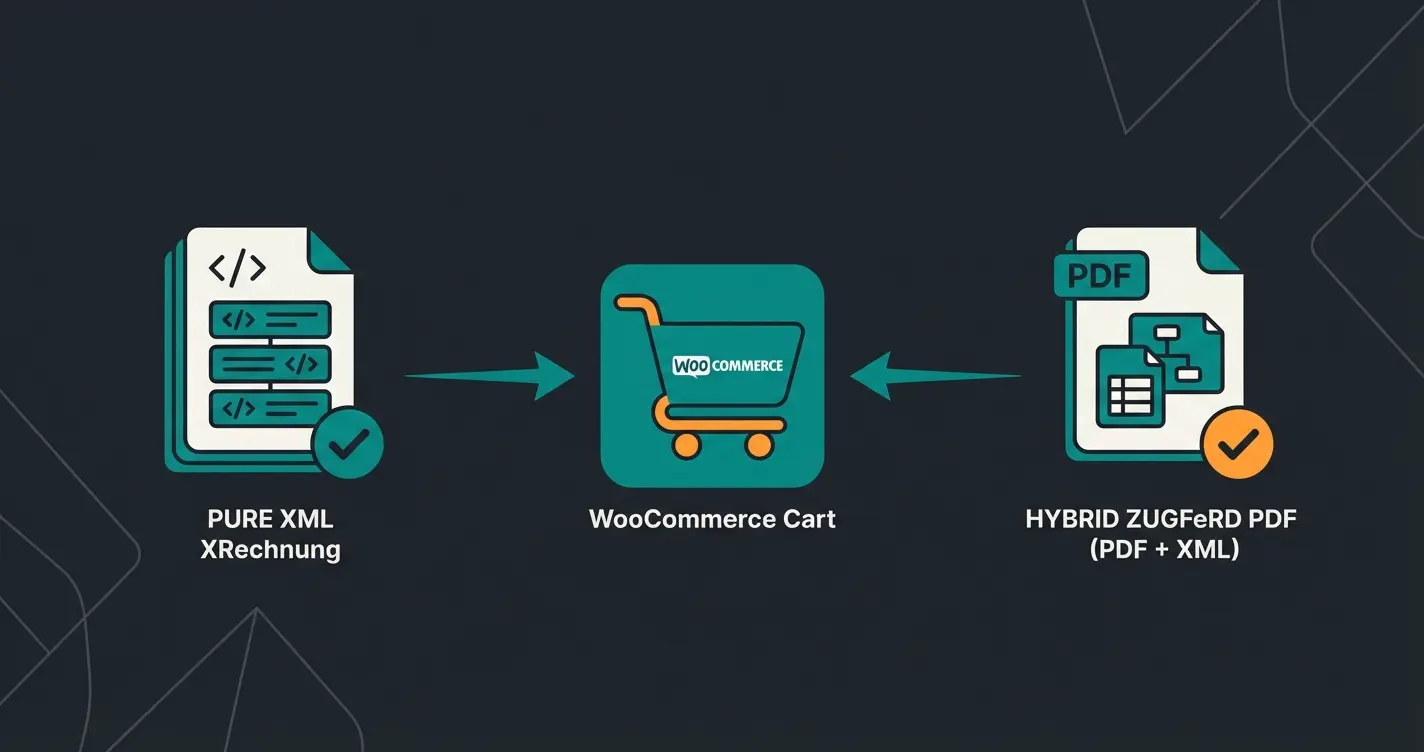
The Formats: Acceptable formats include XRechnung (pure XML) or ZUGFeRD (hybrid format: PDF + embedded XML), as explained by YouTube tutorials and KassenSichV.
The Deadlines: According to IHK and DATEV:
- From 01.01.2025: Every German company must be technically capable of receiving e-invoices.
- Transition Periods for Sending: There are transition periods for sending invoices until the end of 2026 (or 2027 for smaller businesses), but receiving capability is mandatory immediately.
Implication for Your Shop: If you sell to business customers (B2B), you must ensure that your WooCommerce accounting plugin is capable of generating ZUGFeRD or XRechnung invoices. A simple PDF plugin will soon no longer be sufficient. This is also relevant when exploring WooCommerce alternatives for German shops.
Part 2: The 3 WooCommerce Accounting Strategies
How do you get data from WooCommerce to the tax office in a legally compliant way? There are three paths that differ in effort, cost, and risk. Understanding these options is crucial for proper AI automation implementation.
Method A: The Manual Way (The "Excel Trap")
- Process: You export orders as CSV, manually type data into Excel, and send it to your tax advisor.
- Risk: Extremely high. Typing errors are inevitable. GoBD compliance is nearly impossible to guarantee since Excel files can be modified at any time.
- Verdict: For professional shops in 2025, this is no longer acceptable.
Method B: The Plugin Solution (The "Document Generator")
Here you use plugins like Germanized or German Market.
- Function: These plugins create legally compliant PDF invoices and often offer export functions (e.g., DATEV format as XML/CSV download).
- Advantage: Affordable and directly integrated into WooCommerce.
- Disadvantage: It's not real accounting. You're only generating documents. Reconciliation with payment receipts (PayPal, Stripe, bank account) often still needs to be done manually or semi-automatically. Additionally, the logic for complex EU tax scenarios (OSS) is often missing.
- Suitable for: Very small shops with few orders per month.
Method C: Professional Automation (The "Connector")
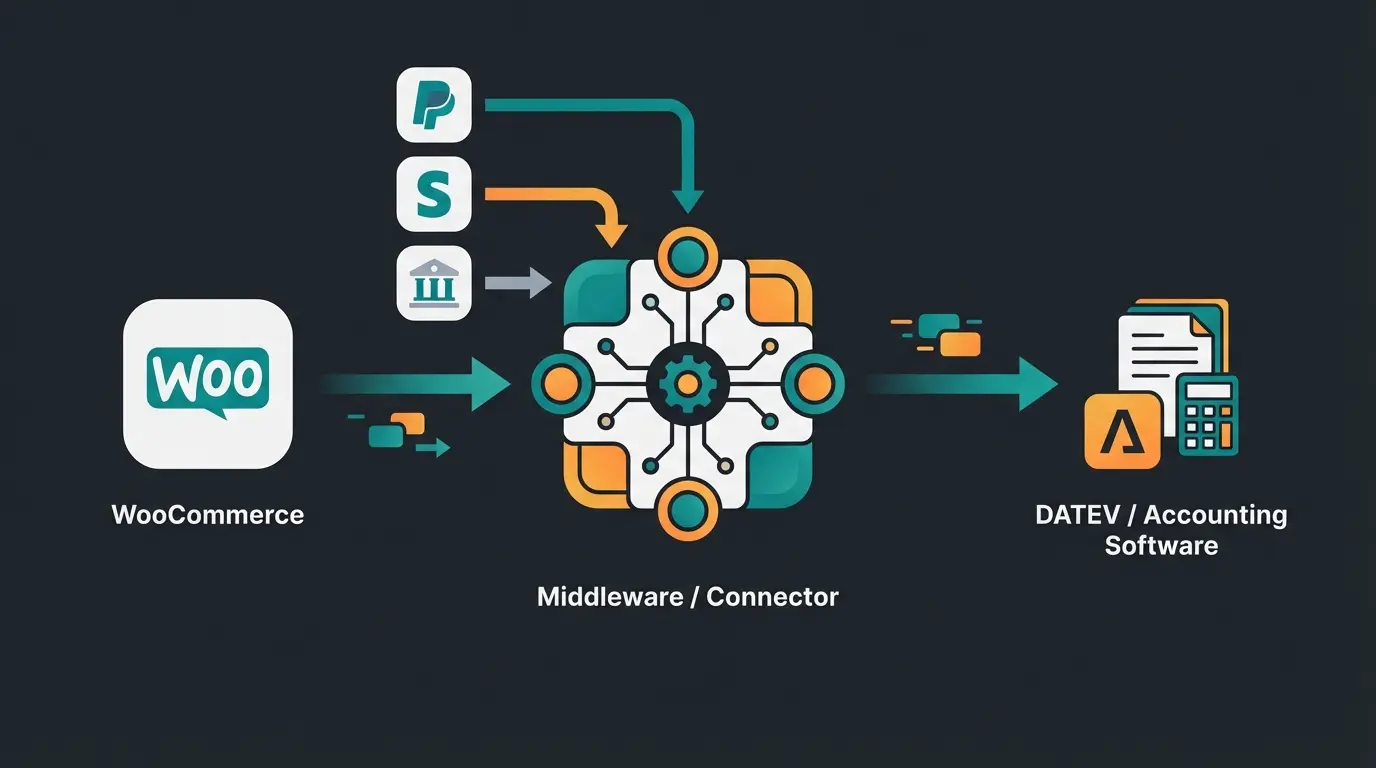
This is the standard for growing shops. You use "middleware" that connects WooCommerce with the accounting world. According to Sommer Partner and Tax and Bytes, this approach is the gold standard.
The Workflow: WooCommerce (Sales) -> Connector (Data Processing) -> DATEV/Tax Advisor
The Key Players:
- AccountOne: Specialized in DATEV interfaces and online retailers with complex requirements (Amazon FBA, PAN-EU, OSS). Correctly assesses transactions for tax purposes before they go to the tax advisor, as confirmed by Steuerberaten.de.
- Pathway Solutions: Strong in automation for Shopify and WooCommerce. Offers excellent payment matching and automatic invoice generation according to Tax and Bytes.
- Lexware / sevDesk: The classic cloud accounting tools. They often offer direct integrations but are less flexible than specialized connectors like AccountOne for high order volumes or complex cross-border scenarios (delivery thresholds). For detailed setup guidance, see our WooCommerce Lexoffice integration and WooCommerce sevDesk integration guides.
Comparison Table: WooCommerce Accounting Strategies
| Strategy | Cost | Monthly Time Required | GoBD Risk | Scalability |
|---|---|---|---|---|
| Manual / Excel | Low (€0) | Very High (Hours/Days) | Critical | None |
| PDF Plugins | Medium (~€70/Year) | Medium | Low | Medium |
| Connector (Automated) | High (~€50-150/Month) | Minimal (Minutes) | Very Low | High |
High risk, hours of work, no scalability - suitable only for hobby shops
Better compliance, medium effort, limited automation - for small businesses
Full compliance, minimal effort, high scalability - professional standard
Prevents accounting workload through return reduction - the future of e-commerce finance
Part 3: The Hidden Costs of Accounting – And the AI Solution
Most guides end here. They say: "Buy Tool X and you're done." But as an experienced merchant, you know: Invoice generation isn't the problem. The problem is cancellations and returns.
Why Returns Explode Your Accounting Workload
A clean order generates one accounting entry: Receivable to Revenue. A return generates a chain of problems:
- Cancel invoice (create credit note)
- Allocate payment outflow (refund) in PayPal/Stripe
- Correct inventory
- Process differential taxation or vouchers
Fact: A return costs on average between €10 and €20 (handling, depreciation, shipping) according to Fashion United. Add to that the accounting effort, which is often triple that of a normal order.
The "Blue Ocean": AI Product Consultation for Prevention
Instead of just automating the accounting of returns, in 2025 we use Artificial Intelligence to prevent the return (and thus the accounting workload) from occurring in the first place. This approach aligns with GDPR compliant consultation requirements while maximizing efficiency.
1. AI Size Guides (For Fashion & Accessories)
Wrong size is the number one reason for returns. Static size charts don't work.
- Solution: Plugins like Codexa AI Size Guide or Kiwi Sizing as mentioned by Coderxa.
- How it works: The AI analyzes customer measurements and compares them with brand-specific data and fabric elasticity. It recommends the perfect size.
- Accounting Effect: Fewer "selection orders" (customer orders size M and L) = 50% fewer invoice corrections.
2. AI Chatbots & Purchase Consultation
Customers often return products because they had wrong expectations. Using an intelligent sales consultant can dramatically reduce this issue.
- Solution: Tools like StoreAgent or Tidio AI, as referenced by Visser and StoreAgent.ai.
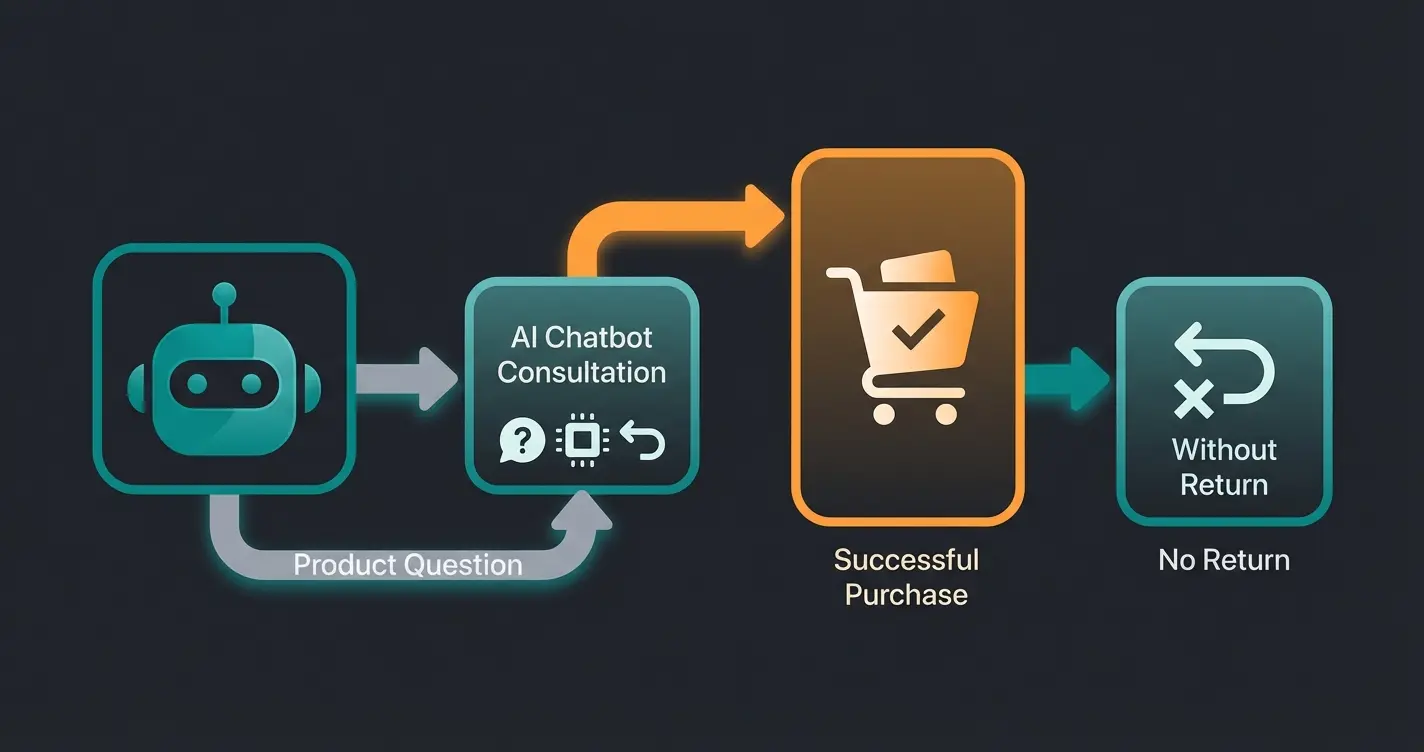
- How it works: These bots are trained with your product data. They act like a salesperson in a store. A customer asks: "Does this spare part fit my 2018 model?" The AI responds precisely based on the specs.
- The difference: A standard chatbot says "Here's our FAQ". An AI sales agent says: "No, for the 2018 model you need Item B, here's the link."
- Accounting Effect: The customer immediately buys the right part. No cancellation invoice, no refund.
This is where AI product consultation becomes a game-changer. The approach works hand-in-hand with AI customer service to create a seamless experience that prevents returns before they happen.
Discover how AI-powered product consultation can cut your return rate by up to 50% while dramatically reducing accounting workload. Start your free trial today.
Start Free TrialPart 4: Step-by-Step Workflow for the Perfect 2025 Setup
Here's the concrete roadmap to put your WooCommerce accounting on autopilot. Following these steps ensures you can optimize customer service while maintaining compliance.
Step 1: Choose Your "Leading System"
Decide where accounting sovereignty lies.
- Scenario A (Self-Booker): You use sevDesk or Lexware Office. Connect these directly or via a plugin with WooCommerce.
- Scenario B (Tax Advisor): You use DATEV. Here a connector like AccountOne or Pathway is mandatory. These tools pull data from WooCommerce, process it (OSS check!) and send a finished batch to the firm.
Step 2: Automate Payment Reconciliation
The biggest time sink is matching payments.
- Connect your payment providers (PayPal, Stripe, Klarna, bank account) with the connector.
- The connector automatically checks: "Order #123 for €50" <-> "PayPal payment receipt for €50".
- Important: Make sure fees (PayPal Fees) are automatically posted to an expense account. Pathway Solutions is particularly strong for this.
Step 3: Activate "E-Invoice" Capability
Ensure that your invoice tool (e.g., Germanized Pro or the connector itself) creates ZUGFeRD invoices starting in 2025.
- Check in settings: "Enable E-Invoice / ZUGFeRD".
- Enter your Leitweg-ID (if you sell to government agencies).
Step 4: Install the AI Prevention Layer
Install a consultation plugin to keep your accounting clean. This also needs to comply with the EU AI Act requirements.
- For Fashion: Install Codexa or Kiwi Sizing.
- For Tech/Niche: Train a StoreAgent bot with your product datasheets.
Decide between self-booking (sevDesk/Lexware) or tax advisor workflow (DATEV with connector)
Connect PayPal, Stripe, Klarna and bank accounts for automatic reconciliation
Activate ZUGFeRD/XRechnung in your invoice tool for B2B compliance
Deploy AI size guides or consultation bots to reduce returns at the source
Part 5: FAQ – Common Questions About WooCommerce Accounting
No, WooCommerce in its standard installation is not GoBD-compliant. It lacks data immutability and change logging. You absolutely need additional plugins (like Germanized) and ideally an external accounting system to be legally compliant. The GoBD requires that all business-relevant data be stored in an unalterable format with complete audit trails.
It depends on your size: For Starters: Lexware Office or sevDesk (simple integration, good app). For Professionals & GmbHs: The combination of AccountOne (interface) and DATEV Unternehmen online (at the tax advisor). This is the standard for scaling and complex tax questions (OSS, delivery thresholds). For detailed integration guides, check our WooCommerce Lexoffice and sevDesk tutorials.
From January 1, 2025, you must be able to receive and archive e-invoices (XML-based) from your suppliers. If you sell B2B, you should convert your systems now to also be able to send such invoices (ZUGFeRD/XRechnung), even though there are still transition periods for sending. The formats XRechnung and ZUGFeRD are both acceptable.
If you sell to end consumers in other EU countries, you must calculate the VAT of the destination country (e.g., 20% in Austria). WooCommerce can do this with the right tax settings. A connector like AccountOne checks these tax rates for plausibility before export to DATEV ("tax check"), protecting you from expensive errors in OSS reporting.
AI consultation tools prevent returns by ensuring customers buy the right product the first time. Each prevented return eliminates: 1 cancellation invoice, 1 refund transaction, 1 inventory correction, and associated processing time. Tools like AI size guides can reduce fashion returns by up to 50%, while AI chatbots prevent wrong purchases of technical products.
Conclusion: From Bookkeeper to Financial Strategist
WooCommerce accounting in 2025 is more than just fulfilling legal obligations. Yes, the e-invoice requirement and GoBD are the foundation – and with tools like AccountOne or Pathway, these hurdles can be elegantly overcome.
But the real leverage lies in process optimization before the purchase. By using AI tools like StoreAgent or Codexa, you transform your shop from a "return machine" into an efficient sales channel. Fewer returns mean fewer credit notes, fewer refund transfers, and fewer gray hairs during monthly reconciliation.
Your Next Steps
- Check if you're ready to receive e-invoices (mandatory from 01.01.2025!).
- Analyze your return rate: Is it higher than 5%? Then an AI consultation tool is your best "accounting measure".
- Automate the interface to your tax advisor so you can focus on what matters: growing your business.
The combination of legal compliance, automated workflows, and AI-powered prevention creates a financial system that doesn't just keep you compliant – it actively contributes to your profitability. Start implementing these strategies today to transform accounting from your biggest headache into a competitive advantage.
Ready to automate your accounting compliance and reduce returns with AI? Join thousands of merchants who've already streamlined their financial operations.
Get Started Now
Lasse is CEO and co-founder of Qualimero. After completing his MBA at WHU and scaling a company to seven-figure revenue, he founded Qualimero to build AI-powered digital employees for e-commerce. His focus: helping businesses measurably improve customer interaction through intelligent automation.