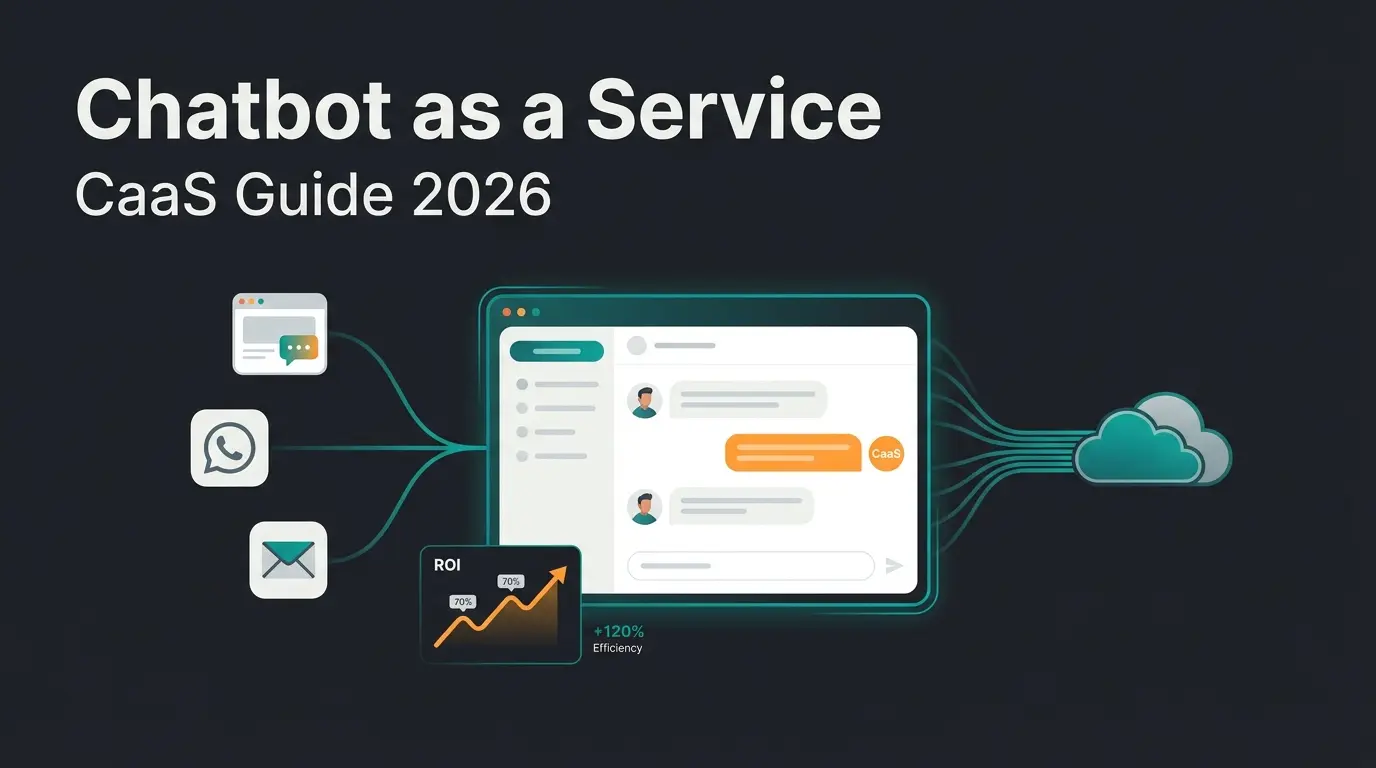
Introduction: the fear of AI reading your messages
In an era where artificial intelligence (AI) permeates our digital lives, many users feel growing unease: What actually happens to my data? Is my private conversation training Meta's next large language model? WhatsApp has responded to these concerns by rolling out a feature called WhatsApp Advanced Chat Privacy.
Since the introduction of Meta AI, the intelligent assistant integrated directly into WhatsApp, Instagram, and Facebook, millions of users have asked themselves: "Is the AI reading my messages?" According to WhatsApp's official blog, the concern is not unfounded. To train AI models, tech giants require massive amounts of data.
However, while tech portals celebrate this function as a new security standard, confusion reigns among many users and especially among businesses. Is my chat actually secure now? What does this mean for business communication? And does this toggle really protect against every AI?
This comprehensive guide provides deep insights into the new feature, analyzes the technical background, and uncovers a crucial gap that matters enormously for professional users: the difference between Meta's generic AI and specialized business solutions.
What you will learn in this article
- What WhatsApp's advanced chat privacy technically accomplishes and how it works
- How to activate the feature and what limitations it brings
- How call relay and link preview blocking protect your IP address from third parties
- Why this protection often does not apply to business communication
- How professional AI solutions differ from Meta's data collection approach
- Practical tips for combining multiple privacy layers for maximum security
Deep dive: what is WhatsApp advanced chat privacy?
The advanced chat privacy feature (called "Erweiterter Chat-Datenschutz" in German) is an optional setting that must be activated individually for each chat. It bundles several specific security mechanisms designed to prevent data from leaving the protected conversation space or being analyzed by third parties, including Meta itself.
As Digitec.ch reports, this feature rolled out broadly beginning in spring 2025 and represents WhatsApp's response to growing regulatory pressure from EU data protection authorities and user feedback demanding more control.
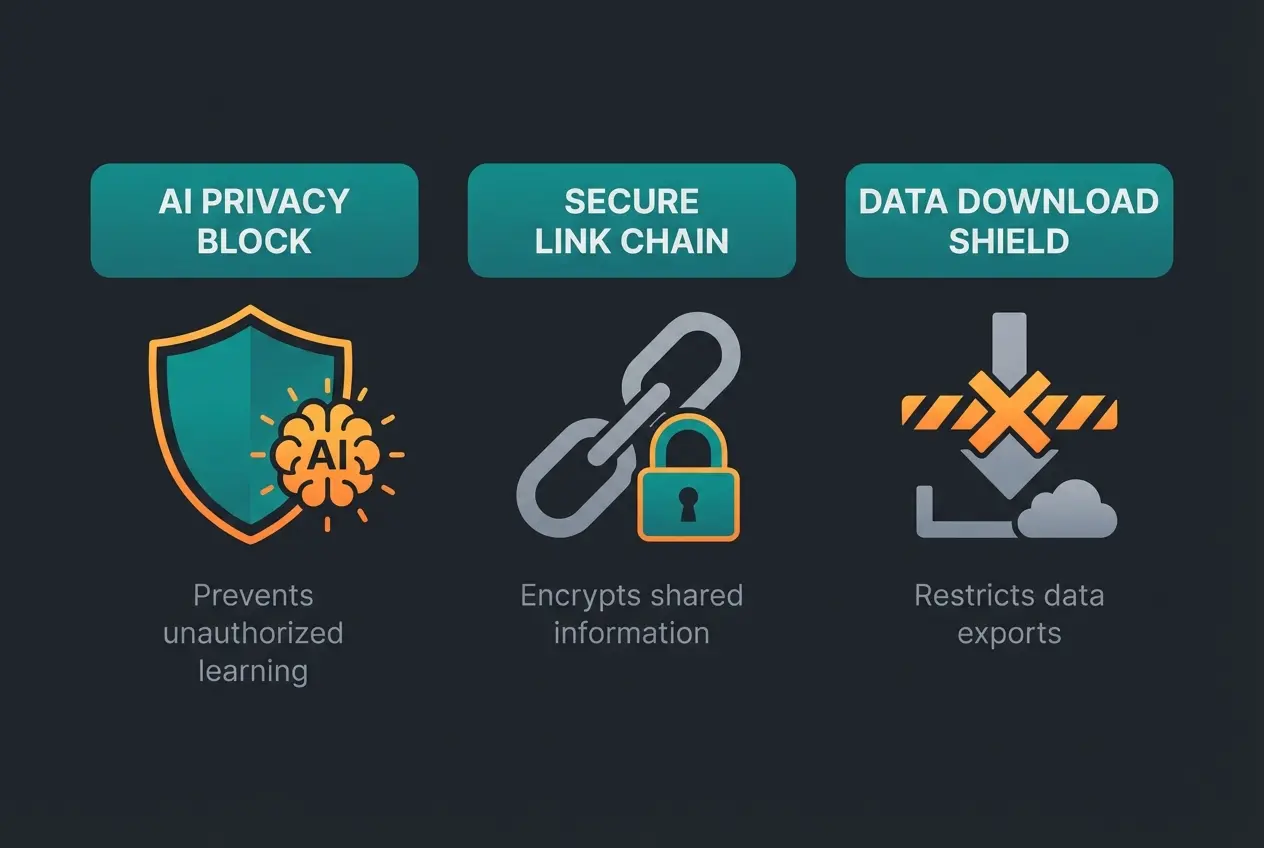
Here are the four pillars of this feature in detail:
1. Blocking Meta AI learning from your chats
The most important feature for privacy-conscious users is the interaction with Meta's artificial intelligence. Normally, Meta AI can be integrated into chats, and data from interactions may be used to train the model. When users mention `@Meta AI` in groups, this data gets processed. According to Joyn.de's analysis, this represents a significant privacy concern.
When advanced chat privacy is activated, Meta AI usage in that specific chat is technically prevented. The AI cannot be invoked, and the chat content is explicitly excluded from processing by Meta's AI models. However, it is important to note that this primarily affects active improvement of Meta models. It does not make metadata (who writes when to whom) invisible.
2. Disabling link previews for IP protection
Link previews represent an often underestimated risk that RPR1.de highlights in their coverage. When you share a link in WhatsApp, the app normally generates a preview (title, image, brief text). To do this, a request must be sent to the linked website's server. In this process, your IP address gets transmitted to that server, even before the recipient clicks the link. This theoretically allows third-party providers to track your location or create profiles.
Security researchers pointed out years ago that this process carries real risks, as documented by Medium and Mysk.blog. An attacker could send you a prepared link, and just by pasting it into the text field, your IP address could be leaked.
The advanced privacy mode suppresses preview generation. The recipient sees only the bare link. Your IP address remains protected because no connection to the target server is established until you actively click. This is particularly relevant for users concerned about digital tracking, as WhatsApp's privacy documentation explains.
3. Blocking media downloads and exports
This component focuses on data security on the end device. In standard chats, received images often land automatically in your smartphone's gallery. Additionally, any participant can export the entire chat history and send it via email. The advanced privacy mode changes this according to Medium's technical analysis:
- No Auto-Save: Media is no longer automatically saved to your Camera Roll or gallery
- Export Lock: The "Export Chat" function becomes grayed out, making it harder for participants to extract data in bulk from the chat
4. Call IP protection via server relay
WhatsApp calls (VoIP) normally connect two devices directly to each other using Peer-to-Peer (P2P) routing. This provides the best audio quality but has a serious disadvantage: to establish the direct connection, both devices must exchange their IP addresses.
A technically savvy caller can read your IP address and derive your approximate location (city or region) or your internet provider from it, as Gadgets360 has documented. For journalists, lawyers, or anyone communicating with strangers, this is a meaningful risk.
The "Protect IP address in calls" feature (found under Settings > Privacy > Advanced) changes the routing: all data traffic is encrypted and routed through WhatsApp (Meta) servers instead of going directly to your conversation partner. The result: the other party only sees the IP address of the WhatsApp server, not yours. The trade-off is that call quality (latency) may suffer minimally since the data path is longer. For confidential conversations, however, this is an indispensable protection, as confirmed by WhatsApp's official documentation and Nickelfox.
Percentage of WhatsApp users who do not know about advanced privacy settings
Calls without relay protection expose your approximate location
Potential data pool for Meta AI training if privacy is not enabled
Advanced privacy must be enabled individually for each conversation
How to activate WhatsApp advanced chat privacy
Activation is not possible globally. It must be done individually for each conversation. This is a deliberate design decision by WhatsApp to avoid universally restricting user-friendliness (since link previews are often desired). Here is everything you need to know about enabling this protection.
Prerequisites before activation
According to Webasha.com's guide, ensure you have the latest version of WhatsApp installed. The rollout began in April 2025, with broad availability in summer 2025. If you do not see the option, check your app store for updates.
Step-by-step guide for Android and iOS
Navigate to the individual or group chat you want to protect
Tap the contact name or group name at the top of the screen
Scroll down below 'Chat Lock' and 'Disappearing Messages' options
Tap 'Advanced Chat Privacy' and toggle the switch to enable it
A system message appears in chat: 'Advanced chat privacy has been enabled'
As documented by PC-Phone-Treff.de, once enabled, a system notification appears in the chat informing all participants that advanced chat privacy has been activated.
Activating call IP protection separately
Call relay is configured globally, not per-chat. Open WhatsApp > Settings > Privacy > Advanced and toggle "Protect IP address in calls." This routes all future calls through WhatsApp servers. Note that call quality may change slightly due to the longer routing path.
The business gap: why business chats work differently
Here we arrive at a point that is almost always overlooked in general reporting, but is decisive for understanding the complete picture of WhatsApp data protection in a business context.
Many users believe: "I will activate advanced privacy now and be protected from all companies." This is a misconception.
The WhatsApp Business API exception
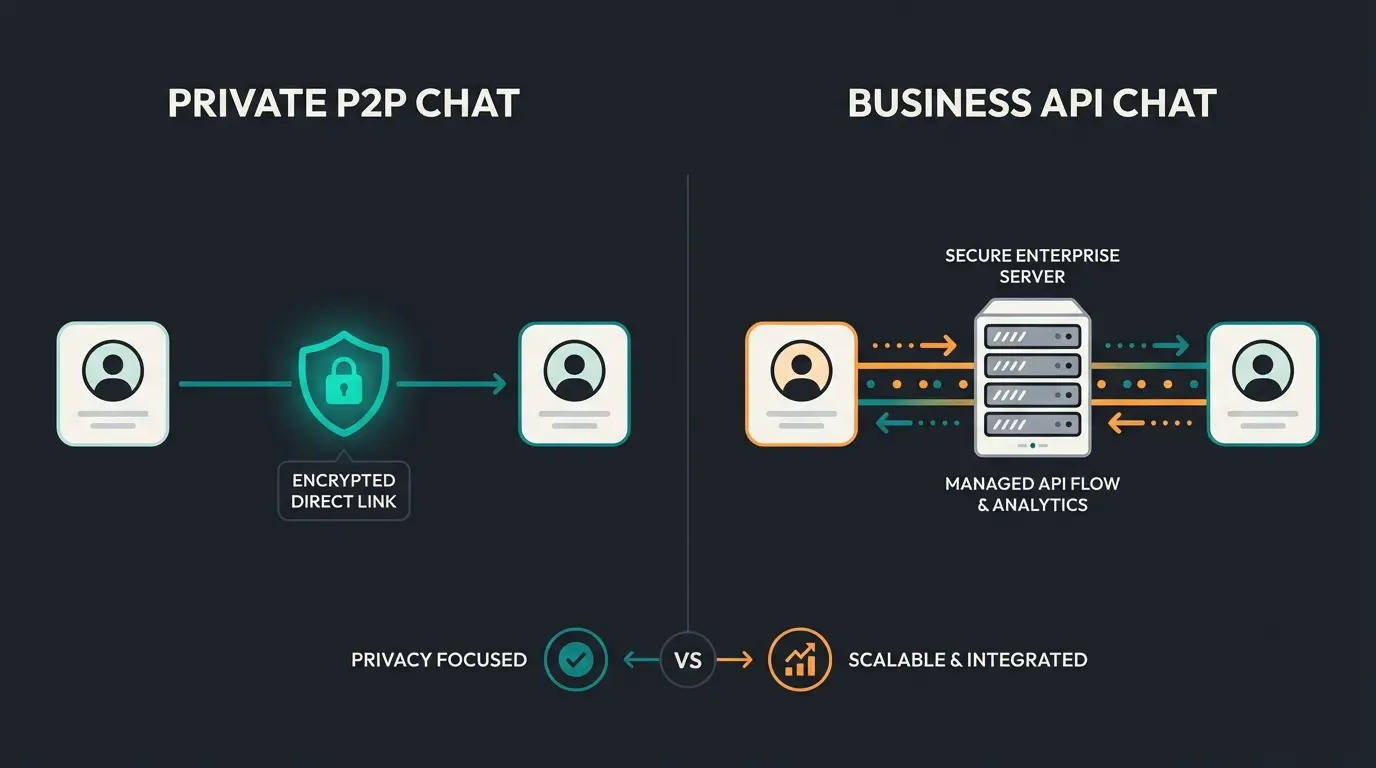
When you chat with a professional business account (for example, airline support, a large online retailer, or a specialized service provider), you are often not communicating with someone on a smartphone. Instead, you are connected to the WhatsApp Business API (or Cloud API). This distinction is crucial for understanding WhatsApp Business GDPR compliance, as Moin.ai explains in their documentation.
WhatsApp's own FAQ states explicitly: "Advanced chat privacy is not available in chats with businesses that use Meta [...] to securely store messages and respond to customers on their behalf."
Why this exception exists
Companies using the API are subject to strict GDPR requirements and archiving obligations. According to Sofortdatenschutz.de's analysis, they must often store messages in their CRM systems to provide customer service. A feature blocking export or processing would make professional customer service technically impossible.
What this means for users
WhatsApp's advanced chat privacy is primarily a feature for P2P (Peer-to-Peer) communication: private person to private person or in private groups. Once professional business solutions enter the picture, different mechanisms apply.
Meta AI vs. specialized business AI: the critical difference
The primary motivation for activating WhatsApp's advanced chat privacy is fear of data misuse by artificial intelligence. But we must differentiate here. Not every AI is a "data vacuum cleaner." Understanding the risks of AI privacy in WhatsApp requires looking at how different AI systems handle your data.
Meta AI: the generalist that trains on data
Meta AI is a generic model. It is designed to do everything: write poems, generate images, create travel plans. To become "smarter," it requires massive amounts of training data. As Verbraucherzentrale.de reports, this creates significant privacy implications.
- Risk: If user data flows into this training, fragments of this information could theoretically reappear in other contexts
- Objective: Meta wants to build a world model. The user is (also) the data source
- Scope: Generic capabilities across all domains, continuously learning from interactions
Specialized business AI: the walled garden approach
In contrast stand professional AI solutions connected via the WhatsApp Business API, like specialized product consultation AI. These use RAG (Retrieval Augmented Generation), accessing a fixed knowledge database (for example, your product catalog) to provide answers. Here is the critical difference:
- Data Sovereignty: User inputs are not used to train the underlying language model for the general public
- Walled Garden: Data remains within the company's closed system
- Security: Since this communication runs through the Business API, contractually regulated data protection provisions (DPA) apply, which are often stricter than the terms for private WhatsApp users
As e-Recht24.de documents, businesses implementing WhatsApp solutions must adhere to strict compliance frameworks that protect customer data far beyond what consumer-facing toggles offer.
Discover how a specialized AI employee provides intelligent product consultation while keeping your customer data secure in a compliant walled garden, never used for training public models.
Start Your Free TrialCritical analysis: is it just "false security"?
Despite its useful functions, we should not overestimate WhatsApp's advanced chat privacy. Critics like Netzpolitik.org sometimes speak of "Scheinsicherheit" (false security). Here is why.
The screenshot problem
Although chat export is blocked, the feature does not prevent screenshots. Consider this scenario: You share confidential health data in a group and activate advanced protection. A participant can still take a screenshot and send it via email. The protection against data leakage is therefore incomplete. This limitation is well-documented by Watson.ch in their coverage.
Metadata remains visible
WhatsApp (and thus Meta) still sees significant information even with advanced privacy enabled:
- Who communicates with whom
- When and for how long
- IP addresses (during connection establishment, even with disabled link previews)
- Profile pictures and status updates
This metadata is often more revealing than the content itself and is not affected by the new feature.
Manual saving still works
The feature blocks automatic media downloads. However, it does not prevent a user from opening an image and manually clicking "Save." It is more of a convenience restriction than a hard security barrier.
Privacy levels comparison: WhatsApp security features
To resolve confusion between the various modes, this direct comparison helps clarify what each privacy option actually provides. This information is synthesized from multiple sources including WhatsApp's official documentation.
| Feature | Standard Chat | Chat Lock | Advanced Chat Privacy |
|---|---|---|---|
| End-to-End Encryption | Yes | Yes | Yes |
| Physical Access Protection | No | Yes (Biometrics/PIN) | No |
| Hidden in Chat List | No | Yes (Separate folder) | No |
| Blocks Meta AI Training | No | No | Yes |
| Blocks Link Preview (IP Protection) | No | No | Yes |
| Blocks Chat Export | No | No | Yes |
| Blocks Screenshots | No | No | No |
| Call IP Relay (separate setting) | No | No | No (global setting) |
| Available for Business API Chats | Yes | Yes | Usually No |
Standard privacy settings: the foundation checklist
Before diving into advanced features, make sure the basic privacy settings are properly configured. These form the foundation on which advanced privacy builds.
| Setting | Recommendation (Private) | Recommendation (Business) | Why? |
|---|---|---|---|
| Last Seen / Online | "Nobody" | "Everyone" (or "My Contacts") | Private: avoids surveillance. Business: signals availability. |
| Profile Picture | "My Contacts" | "Everyone" | Protection against identity theft (scraping) vs. brand presence. |
| Read Receipts | Off | On | Avoid pressure vs. create transparency. |
| Group Invitations | "My Contacts" | "My Contacts" | Prevents spam groups and crypto scams, as Kaspersky warns. |
| Mute Unknown Callers | On | Off (Situational) | Automatically blocks spam calls but may filter new customers. |
Practical tips for maximum chat privacy in WhatsApp
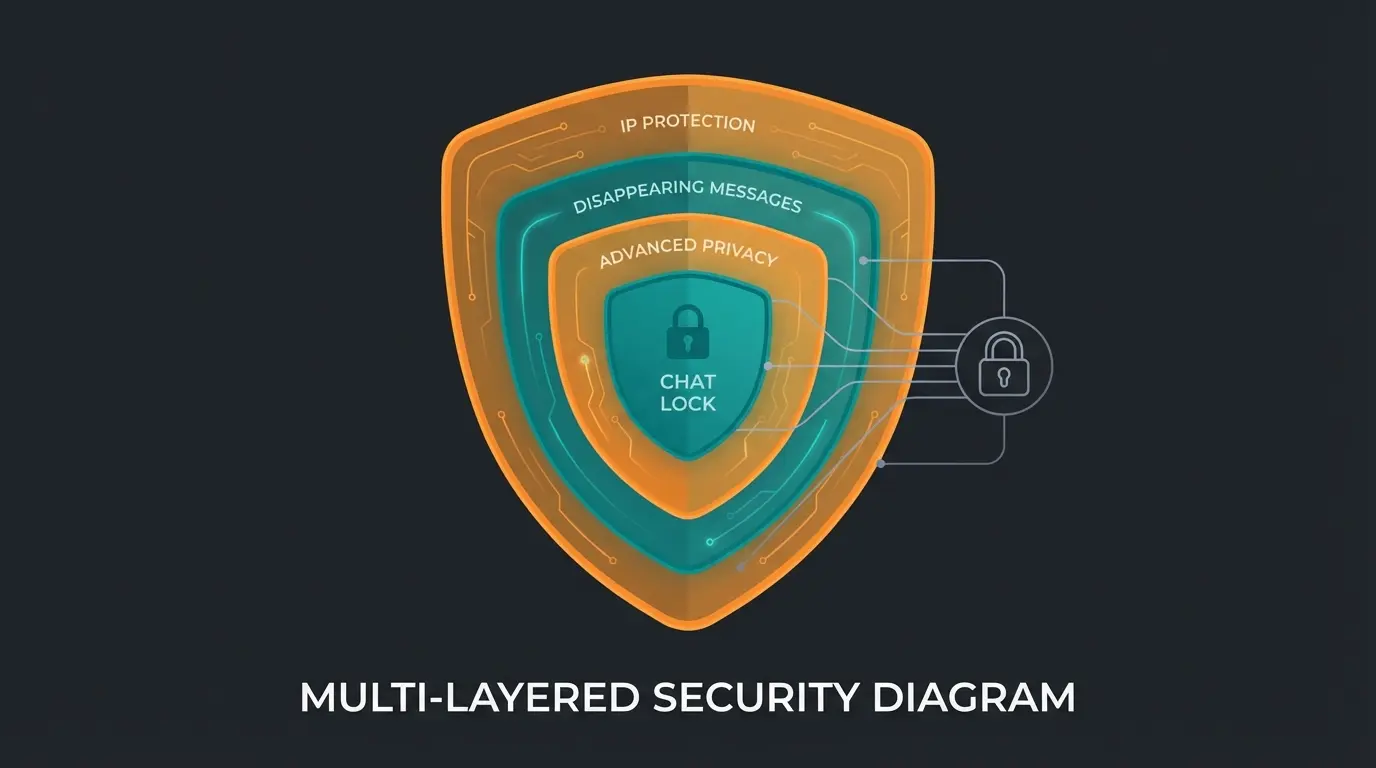
If chat data protection in WhatsApp truly matters to you, pursue a "defense in depth" strategy: combine multiple protective layers for genuine security rather than relying on a single toggle.
Defense in depth: combining multiple protection layers
- Combine Features: For highly sensitive chats, use both Chat Lock (against curious glances at your phone) and Advanced Chat Privacy (against data collectors)
- Disappearing Messages: This is the most effective protection against leaks through screenshots or later exports. When the message is gone, it cannot be shared anymore, as AI-Law.co.uk confirms
- Caution with Groups: Activate advanced protection in all groups where you do not personally know 100% of participants (for example, parent groups, neighborhood chats). The risk of unwanted data leakage is highest here
- IP Protection for Calls: Additionally activate under Settings > Privacy > Advanced the option "Protect IP address in calls." This routes calls through WhatsApp servers and conceals your location
Additional security features worth enabling
Passkeys: The replacement for SMS verification. Use biometric passkeys for login to make SIM swapping attacks futile, as Android Police and Tech.co explain. If an attacker clones your SIM, they still cannot access your account without your physical biometrics.
Chat Lock with Secret Code: Particularly sensitive chats can be moved to a separate folder that can only be opened via biometrics (FaceID/Fingerprint) or a secret code. You can completely hide the 'Locked Chats' folder in the chat list. It only appears when you enter the secret code in the search bar, as documented by WhatsApp's help center.
Code Verify for Web Users: For users of WhatsApp Web, install the browser extension Code Verify (from Meta). This automatically checks whether the code of the WhatsApp Web version has been tampered with. A green symbol in the browser confirms the integrity of the encryption, as documented by VarIndia.
FAQ: common questions about advanced chat privacy
Here we answer the questions users ask most frequently about WhatsApp's advanced chat privacy feature.
No. Activating the feature has no effect on existing messages. It only changes the rules for future interactions and how data is handled (export, preview). Your chat history remains intact.
Yes. In the current version, any participant in a chat can activate this setting for themselves and the group. WhatsApp then informs all participants about the change via a system message.
No. The feature specifically blocks the integration of Meta AI. External AI solutions from businesses running through the Business API are technically separate and continue to function, provided the chat involves a Business account.
That is part of the protection. To hide your IP address from the linked website, WhatsApp no longer loads the preview. If you absolutely need previews, you must deactivate advanced privacy for that specific chat, as Green-API.com documents.
Usually not. When communicating with businesses using the WhatsApp Business API, this feature is typically unavailable because companies have different data governance requirements under GDPR and need to process messages for customer service purposes.
No. The online status ('Online') is regulated separately. Advanced privacy takes care of technical metadata (IP, links, AI training), not your presence status. You hide the online status under Privacy > Last seen/Online.
To display the small preview image, a request must be sent to the website's server. This request contains your IP address. An attacker could create a website just to collect the IP addresses of all people who paste the link in WhatsApp, even if they never send the message.
Yes. The core features of Meta AI continue to work because they are based on text content. However, disabling link previews prevents the AI from summarizing website content for you before you click.
Conclusion: a step in the right direction, not a cure-all
WhatsApp's advanced chat privacy is a welcome addition to the digital self-defense toolkit. It addresses specific problems like unnoticed AI training by Meta, IP address leakage through link previews, and location exposure during calls. For private users wanting to maintain control over their data, activation is absolutely recommended.
However, for professional contexts, it becomes clear: True data security does not come from a toggle in a consumer app, but from choosing the right partners and technologies.
Key takeaways
- Activate the protection in private groups and for sensitive topics. It provides meaningful additional privacy layers against Meta's data collection
- Do not rely on it blindly: Screenshots remain possible, and metadata is still visible to WhatsApp
- Enable call relay and disable link previews under Settings > Privacy > Advanced for maximum IP protection
- Differentiate between AI types: Block generic data collectors (Meta AI), but use trustworthy, specialized AI solutions for productivity and consultation that respect your data by design
- Understand the business exception: Advanced privacy does not protect you in business chats, but that is because business solutions operate under stricter compliance frameworks
Data privacy is not a state. It is a process. With advanced chat privacy, call relay, passkeys, and chat lock, you now have a robust set of tools at hand. Use them together for genuine protection.
Transform your WhatsApp customer communication with an AI employee built on data sovereignty principles. Our specialized product consultation AI keeps your customer conversations secure and compliant, never training public models with your data.
Book a Demo
Kevin is CTO and co-founder of Qualimero. As an AI architect with over 15 years of experience as CTO and CPO in the tech industry, he designs the AI systems that automate tens of thousands of customer interactions daily for Qualimero's clients — reliably, securely, and at scale.