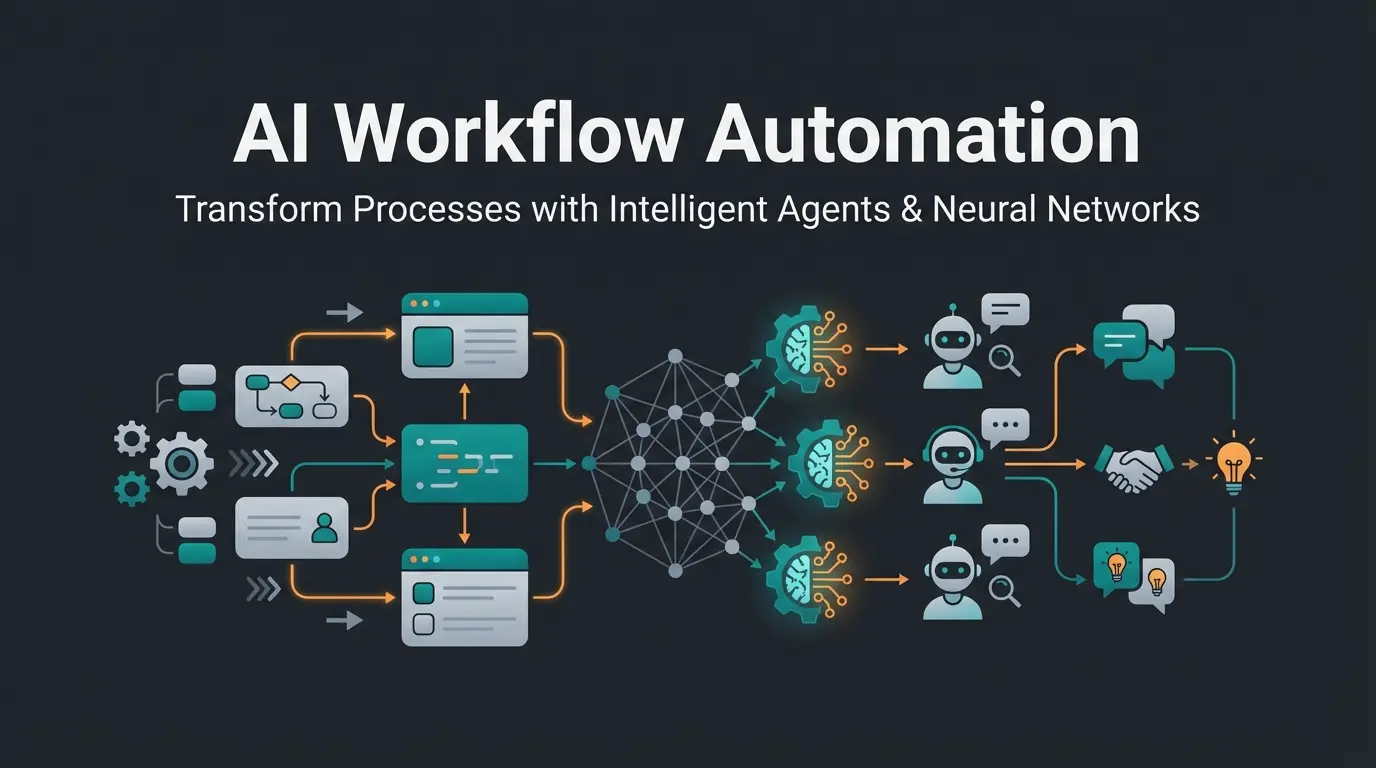
Why Simply Connecting Apps Is No Longer Enough
For a long time, workflow automation (or Workflow Automatisierung in German) was primarily understood as a technical tool to move data from point A to point B. A form gets filled out, an email gets sent, an entry is created in the CRM. That's useful, saves time, and reduces typos. But in 2026, businesses face entirely different challenges that simple "if-then" rules can no longer solve.
The skilled labor shortage has intensified dramatically. According to Bitkom, Germany alone is missing approximately 109,000 IT specialists. Simultaneously, the pressure to meet customer expectations in real-time continues to rise. Simply managing processes is no longer sufficient; it's about scaling expert knowledge.
While traditional workflow software reduces administrative burdens, the new generation of AI-powered automation opens up an entirely new field: The automation of consulting. Imagine your best sales engineer could advise thousands of customers simultaneously—individually, competently, and considering complex rule sets. This is exactly where the "blue ocean" of workflow automation lies: the step from pure back-office efficiency gains to front-office revenue generation.
This article takes you deep into the subject matter. We'll analyze how you can use automated workflows not only to reduce costs (according to Gartner, by up to 30%), but to redefine your value creation through intelligent, agent-based systems.
What Is Workflow Automation? Definition & Evolution
The Classic Definition
At its core, workflow automation refers to technology that executes business processes based on defined rules, logic, and routines without manual intervention. The goal is to eliminate manual, repetitive tasks, avoid media breaks, and increase process speed.
Typical elements include:
- Trigger: An event starts the process (e.g., "receipt of an email")
- Action: The system executes a task (e.g., "save attachment in folder X")
- Condition: Logical branching (e.g., "if amount > €1000, then request approval")
The New Definition: Intelligent Process Automation
With the advent of Artificial Intelligence (AI) and Large Language Models (LLMs), the definition has expanded. Today we often speak of hyperautomation or "Agentic Automation." As reported by Boerse Social and Machine Learning Mastery, workflows no longer just follow rigid paths but can:
- Understand unstructured data: Read emails, analyze documents, comprehend contexts
- Make decisions: Based on probabilities and complex data situations (not just yes/no)
- Act dynamically: The workflow adapts to user behavior instead of forcing the user into a rigid framework
Comparison: Static vs. Intelligent Workflows
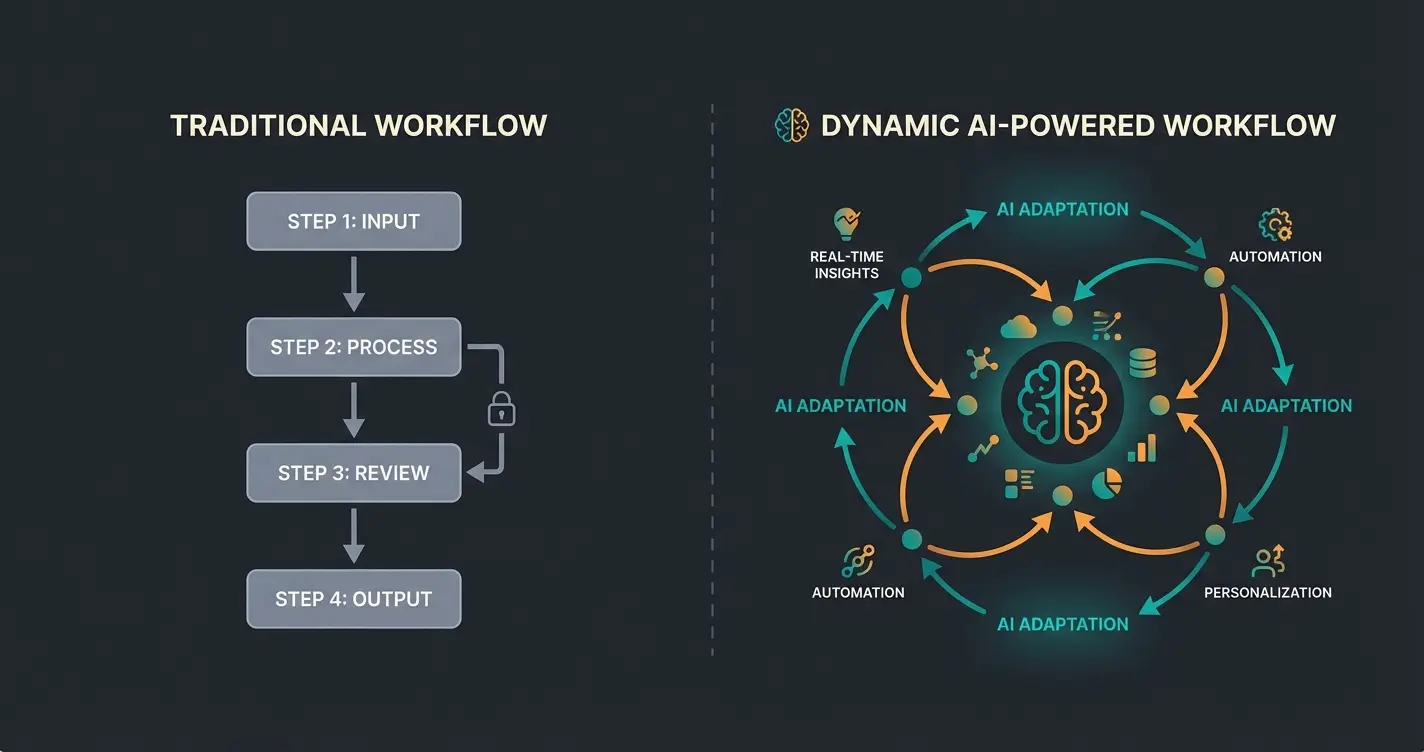
To illustrate the difference, a direct comparison is worthwhile. Most companies are still in the left column, while market leaders are already moving to the right.
| Feature | Classic Workflow Automation (e.g., Zapier, Legacy BPM) | Intelligent Advisory Automation (AI Agents) |
|---|---|---|
| Logic | Linear, rule-based (If X, then Y) | Probabilistic, dynamic (context-dependent) |
| Data Basis | Structured data (numbers, dropdowns) | Unstructured data (free text, speech, images) |
| Goal | Data transfer & administration | Problem solving & consulting |
| Flexibility | Rigid (breaks with unexpected inputs) | Adaptive (learns and responds to nuances) |
| Example | Send email on form submission | Analyze customer needs and suggest product |
The 3 Levels of Automation: A Maturity Model
To implement workflow management strategically in your organization, it helps to view automation not as an "all-or-nothing" decision but as a staged model. Interestingly, according to studies from Custom Workflows AI and Formstack, only about 4% of companies have achieved fully automated work environments, which highlights the enormous potential for early movers.
Moving data between apps. Example: Lead from Facebook automatically entered in Google Sheets. Tools: Zapier, Make, IFTTT.
End-to-end handling of standardized processes. Example: Vacation request workflow with approvals. Tools: ServiceNow, Jira, Power Automate.
Cognitive tasks previously reserved for experts. Example: AI-guided product consultation with database matching. Technology: AI Agents, RAG, Semantic Search.
Level 1: Task Automation
This is the entry point. Individual, isolated tasks are automated.
- Focus: Data transfer between apps
- Example: A lead comes in via Facebook and is automatically entered into Google Sheets
- Tools: Zapier, Make (formerly Integromat), IFTTT
- Value: Time savings on small administrative tasks
Level 2: Process Automation
Here, entire chains of tasks are linked, often across departments. This is often referred to as Business Process Automation (BPA).
- Focus: End-to-end handling of standardized processes
- Example: A vacation request is submitted → System checks remaining vacation days → Supervisor receives notification → Upon approval, entry is made in HR software and calendar
- Tools: ServiceNow, Jira, Microsoft Power Automate
- Value: Transparency, compliance, and acceleration of internal processes
Level 3: Advisory Automation
This is the "supreme discipline" and your strategic lever for 2026. Here, automated workflows take on cognitive tasks that were previously reserved for experts.
- Focus: External customer interaction and complex decision-making
- Example: A B2B customer is looking for a specialized machine. Instead of waiting for a sales rep, an AI workflow conducts a needs analysis conversation, checks technical feasibilities in the background (database matching), and creates a valid preliminary quote
- Technology: AI agents, RAG (Retrieval Augmented Generation), Semantic Search
- Value: Scaling of expert knowledge, 24/7 sales, massive improvement in customer experience
Benefits: Why Companies Must Act Now
The benefits of workflow software are often reduced to "time savings." That's correct but falls short. In an economic environment characterized by skilled labor shortages and high cost pressure, the strategic benefits are far more significant.
Hyperautomation can reduce operational costs by up to 30% according to Gartner
Germany's IT sector alone is short over 100,000 skilled workers
Only 4% of companies have achieved fully automated work environments
AI workflows make your best consultant available around the clock
1. Scalability of Expert Knowledge (The Consultation Gap)
The biggest bottleneck in many B2B companies is expert knowledge. When your top consultants are sick or sleeping, sales come to a halt.
- Solution: Through Advisory Automation, you digitize the consulting process. An AI workflow can replicate the knowledge of your best engineers and make it available to thousands of customers simultaneously.
- Impact: Revenue increase through immediate response times, even on weekends.
2. Cost Reduction and Efficiency
Gartner projected that hyperautomation can reduce operational costs by 30%.
- Fact: By reducing manual interventions, process costs decrease dramatically.
- Example: When lead pre-qualification is automated, your expensive sales team no longer wastes time on unsuitable inquiries ("tire kickers").
3. Error Reduction and Compliance
Humans make mistakes, especially with repetitive tasks or complex rule sets.
- Security: Automated workflows don't forget steps. They check creditworthiness every time, they never forget the GDPR consent, and they always apply the current discount scales.
- Audit Trail: Every step is digitally documented, which is invaluable during audits (e.g., ISO certification).
4. Response to the Skilled Labor Shortage
With over 100,000 open IT positions and a general shortage of qualified personnel, automation is often the only way to achieve growth without proportionally increasing staff—which often isn't even available.
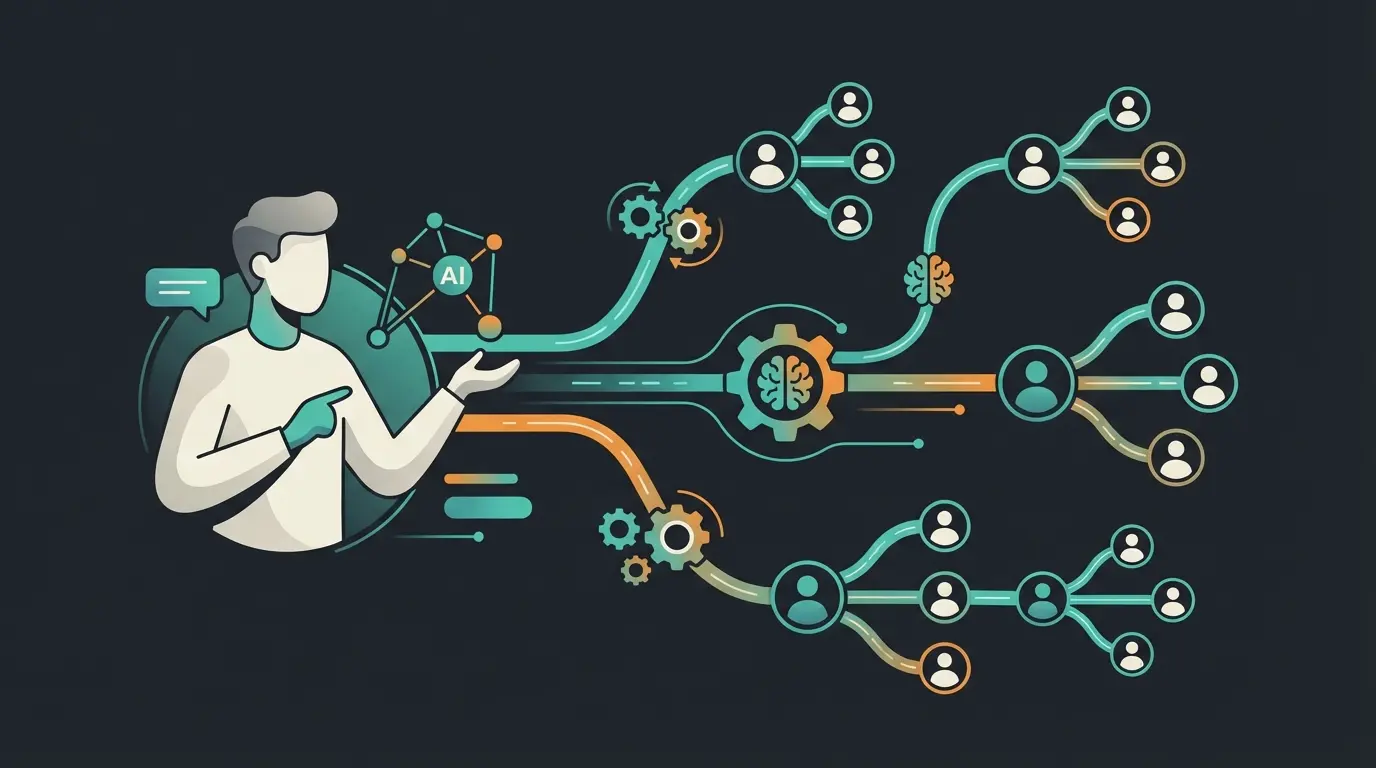
Stop letting your best consultants be the bottleneck. Discover how AI-powered workflow automation can transform your product consulting and drive revenue around the clock.
Start Free TrialReal-World Examples: More Than Just Vacation Requests
To make the potential tangible, let's consider two scenarios. A classic internal example and an advanced external example that shows where the journey is heading.
Example A: The Classic – HR Onboarding (Back-Office)
A new employee starts. In the past, that meant: emails to IT (laptop), to facility management (keys), to accounting (payroll).
Automated Workflow:
- HR enters the employee in Personio
- Workflow starts: Ticket in Jira is created for IT
- Access credentials for Slack and Microsoft 365 are provisioned
- Welcome email with all handbooks is scheduled for sending
Result: The employee is productive on day 1, HR is relieved.
Example B: The Innovation – Automated Product Consulting
An industrial pump manufacturer has a complex portfolio. Customers often don't know which pump suits their viscosity and flow rate requirements.
Problem: Customers call, engineers are overloaded, quotes take 3 days.
Intelligent Workflow:
- Input: Customer describes their problem on the website in natural language (e.g., "I need to pump 500 liters of oil per minute at 80 degrees")
- Analysis (AI Agent): The workflow uses an LLM to extract the technical parameters (Medium: Oil, Volume: 500l/min, Temp: 80°C)
- Validation: The agent determines that pressure is missing. It dynamically asks: "What is the back pressure in the line?"
- Matching: With complete data, the workflow queries the PIM database (Product Information Management)
- Result: The customer immediately receives a recommendation for 2 suitable pumps including data sheets and price indication
- Human-in-the-Loop: In case of uncertainty (e.g., aggressive chemical medium), the workflow seamlessly hands off the case to a human expert, including a summary
This example shows the difference: Data isn't being moved here—value is being created.
Step-by-Step Guide: Getting Started with Intelligent Automation
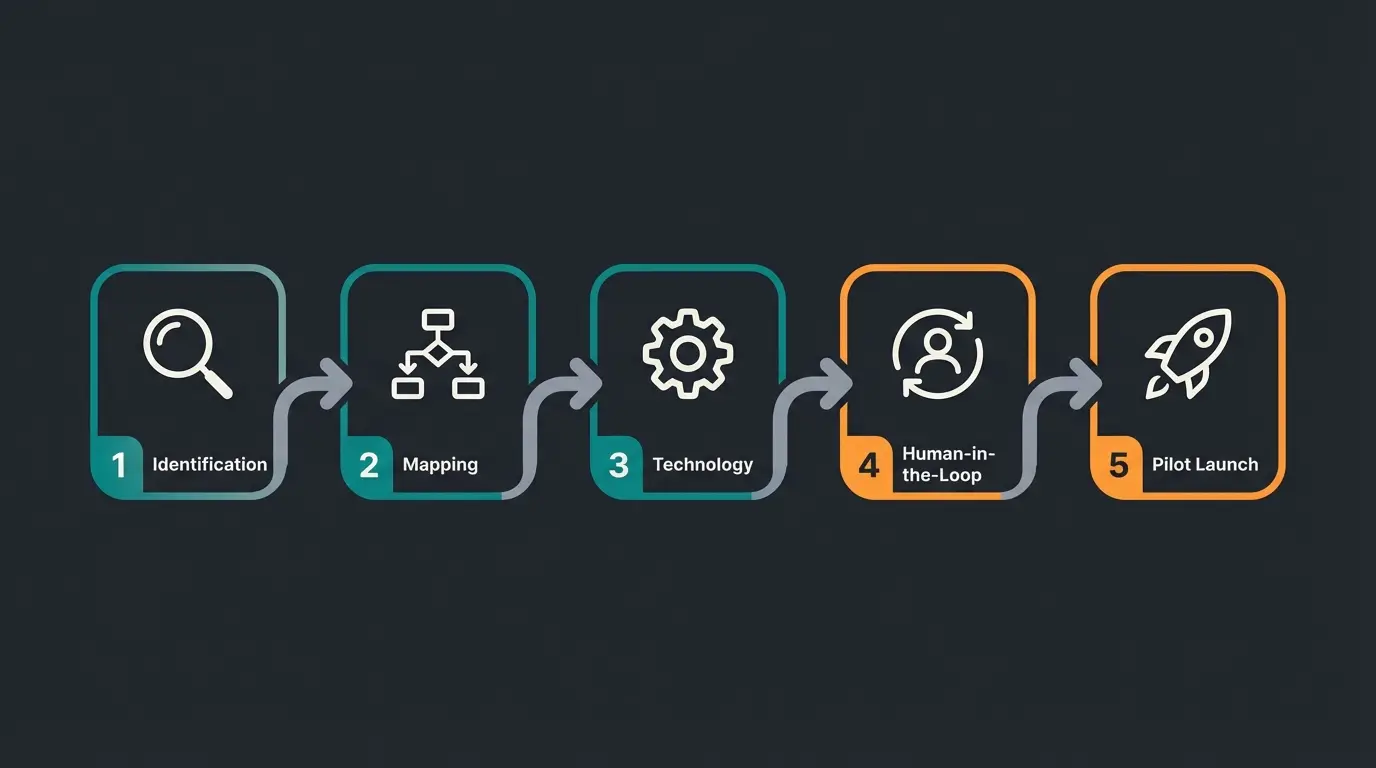
The introduction of automated workflows often fails due to excessive complexity. Proceed iteratively.
Step 1: Identify High-Value Processes
Don't automate what's easy—automate what's valuable.
- Look for processes with high volume and clear rules
- Or (for Level 3): Look for processes where customers have to wait (e.g., quote creation, technical support)
Step 2: Process Mapping (Current State)
Before you buy software, you must understand the process. Visualize the workflow.
- Where are the media breaks?
- Where must a human decide?
- What data is needed?
Step 3: Choose the Right Technology
This is where the wheat is separated from the chaff.
- For simple tasks: Zapier / Make
- For enterprise processes: ServiceNow / Power Automate
- For intelligent consulting: Specialized AI workflow platforms (that can connect LLMs with company data)
Step 4: Human-in-the-Loop Design
Plan for human intervention from the start. Especially with AI-powered workflows, it's important that the system hands off to a human when confidence is low. This builds trust and ensures quality.
Step 5: Pilot and Iterate
Start with a small user group. Measure not only time savings but also result quality (e.g., customer satisfaction, conversion rate).
Tools and Software: What to Look For
The market for workflow software is confusing. Top search results often list generic tools that are unsuitable for specific consulting scenarios.
1. Integration Platforms (iPaaS)
- Examples: Zapier, Make, n8n
- Strength: Connect thousands of apps (Gmail to Trello to Slack)
- Weakness: No built-in intelligence. They only execute what's defined. Poorly suited for complex dialogues.
2. Business Process Management (BPM) & Enterprise
- Examples: ServiceNow, Camunda, Pegasystems
- Strength: Extremely powerful, secure, scalable. Standard in corporations
- Weakness: Very expensive, long implementation times, often "overkill" for mid-market. Focus usually lies on internal IT/administration.
3. AI-Native Workflow Engines (The New Standard)
- Focus: These tools are "AI-First" built. They combine workflow logic with the flexibility of language models (LLMs).
- Important criterion: Chatbot vs. Solution Workflow. A simple chatbot provides answers from an FAQ. That's not automation. A workflow engine executes actions (database queries, calculations, document creation). Make sure your tool is "action-oriented."
Data Privacy & GDPR: The European Perspective
A topic missing from many international guides but essential for the European market: How does AI automation align with GDPR?
Article 22 GDPR: Automated Decisions
The most critical point is Article 22 GDPR. According to Rödl & Partner and Fieldfisher, it states that a person has the right "not to be subject to a decision based solely on automated processing [...] which produces legal effects concerning him or her or similarly significantly affects him or her."
- Relevance: When a workflow automatically rejects a loan application or filters out a job applicant, this article applies.
- Solution: Design workflows so they serve as decision aids, but the final critical decision (or at least the possibility of review) rests with a human. This is called the "human-in-the-loop" principle.
EU AI Act
Since 2024/2025, the EU AI Act is also relevant. As detailed by WLL News and IT-P, it categorizes AI systems by risk.
- High-Risk AI: Systems in HR (applicant selection) or critical infrastructure are subject to strict documentation requirements.
- Transparency: When a customer interacts with an AI workflow, it must be indicated (e.g., with chatbots) that it's a machine.
Conclusion & Outlook: The Future Is Agentic
We stand at a turning point. The era of simple, rigid scripts is ending. The future of workflow automation belongs to intelligent systems that understand, plan, and act.
The trends for 2026 clearly show:
- Agentic AI: AI agents are evolving from assistants to autonomous actors pursuing complex goals
- Democratization: Through "no-code" and natural language, business departments can build their own consulting workflows without waiting for IT
- Competition: Those who use automation only for saving will be overtaken by those who use automation for selling and consulting
Frequently Asked Questions
RPA (Robotic Process Automation) imitates human inputs on the user interface (mouse clicks, typing), often to operate legacy systems. Workflow automation (especially via API) connects systems directly in the background and is usually more stable and faster.
Absolutely. SMBs in particular suffer from the skilled labor shortage. Tools like Zapier or specialized AI solutions often allow entry for just a few hundred euros per month, with immediate ROI.
The goal is not replacement but "augmentation" (enhancement). AI handles the repetitive 80% of inquiries, so your employees can focus on the complex, emotional, or strategic 20% that require human empathy.
Design your workflows with a human-in-the-loop principle—AI provides recommendations, but humans make final decisions on matters with legal implications. Use EU-based providers and ensure transparency about AI involvement.
Start by identifying processes where customers currently wait for expert responses (quotes, technical support, product recommendations). Map the decision logic your experts use, then evaluate AI-native workflow platforms that can connect LLMs with your product data.
Join forward-thinking companies already using AI-powered workflow automation to scale their expertise, reduce response times, and drive revenue 24/7.
Get Started Free