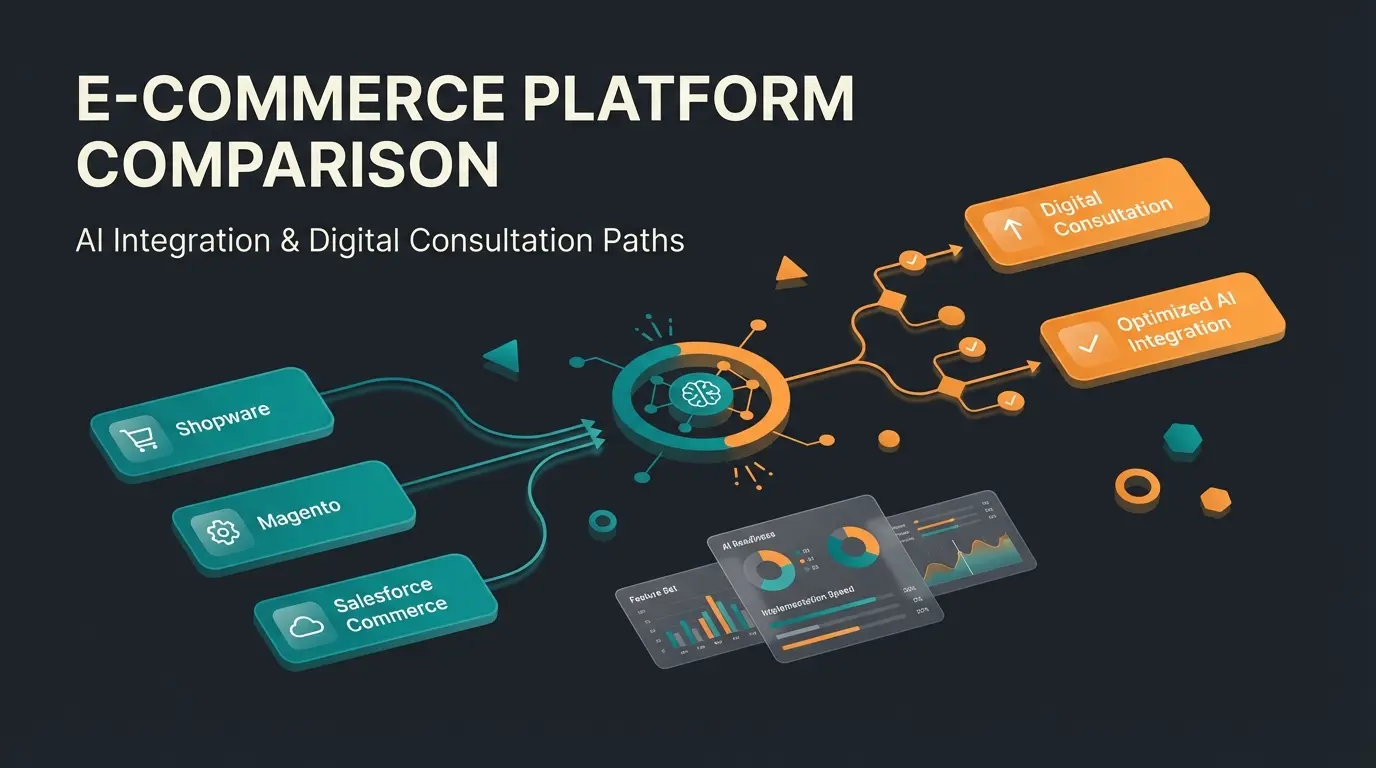
B2B Online Store Guide 2026: Features, Platforms, and Best Practices
Everything you need to build a successful B2B online store. Platform comparison, must-have features, step-by-step implementation, and how AI consultation drives real results.

What is a B2B online store?
Open the analytics dashboard of a mid-sized industrial supplier and you will see it immediately: 60% of their revenue still runs through phone calls, faxes, and email chains. In a market worth $36.16 trillion globally (according to Statista), that manual process is not charming. It is expensive.
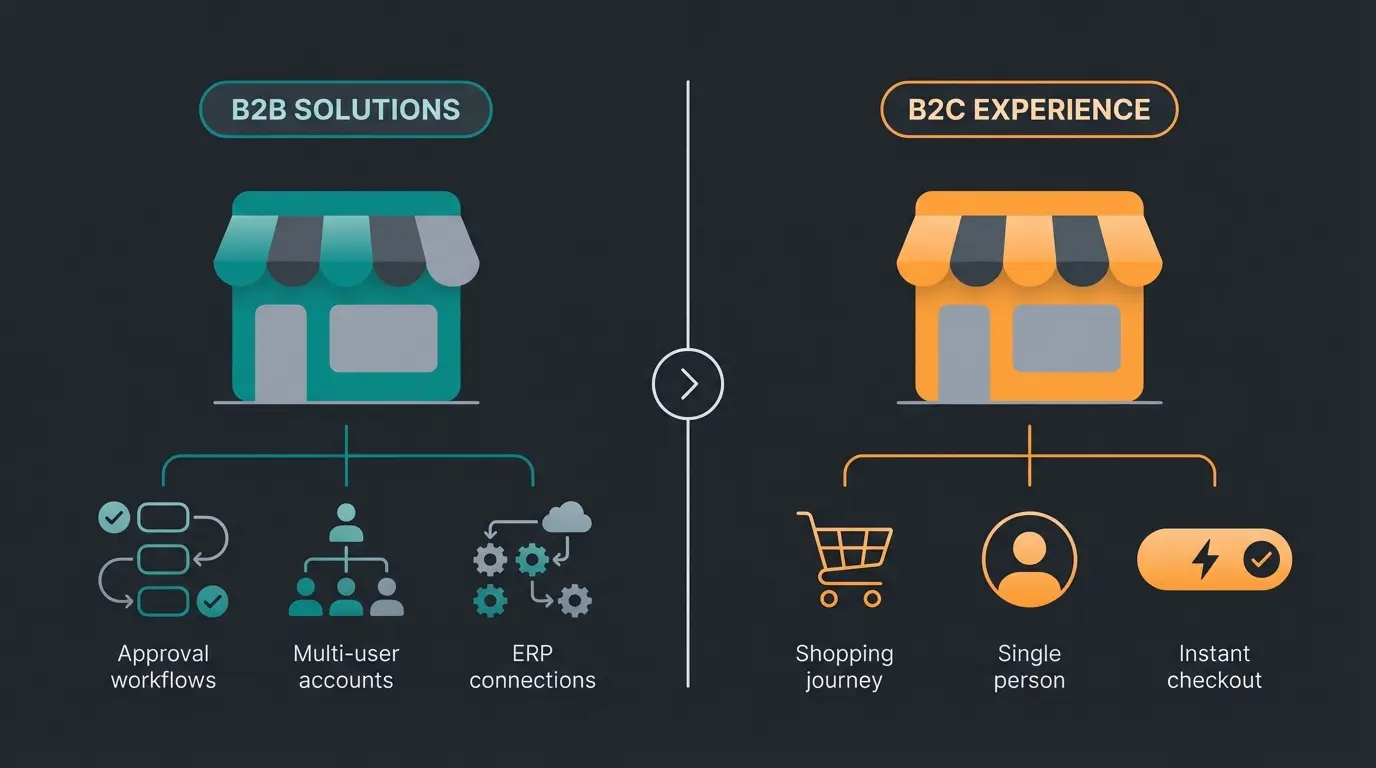
A B2B online store is a digital sales channel designed specifically for business-to-business transactions. Unlike B2C shops, it handles customer-specific pricing, multi-user accounts with role-based permissions, approval workflows for large purchases, and integration with enterprise resource planning (ERP) systems. The buyer is not a consumer browsing for inspiration. The buyer is a procurement manager with a purchase order, a credit limit, and a deadline.
The shift is accelerating. As of 2025, 80% of B2B sales are generated digitally, and 73% of B2B buyers are willing to place orders exceeding $50,000 through self-service channels. For companies still relying on sales reps and PDF catalogs, this is not a trend to monitor. It is a deadline.
The B2B vs B2C differences go far beyond the checkout page. B2B buyers expect negotiated pricing, volume discounts, net payment terms, and the ability to manage multiple users under a single company account. Getting these fundamentals wrong means losing orders to competitors who got them right. If you are evaluating your options across the Shopware ecosystem, our Shopware B2B Guide covers the platform-specific perspective in depth.
B2B vs B2C online store: key differences
| Feature | B2B Online Store | B2C Online Store |
|---|---|---|
| Pricing | Customer-specific, negotiated, volume-based | Uniform, displayed publicly |
| Order process | Approval workflows, purchase orders | Instant checkout, single buyer |
| Payment | Net terms (30/60/90), invoice, credit limits | Credit card, PayPal, instant payment |
| Account structure | Multi-user, roles and permissions | Single user account |
| Login requirement | Mandatory (pricing visibility) | Optional |
| Product presentation | Technical specs, datasheets, bulk quantities | Lifestyle images, reviews, single units |
| Minimum orders | Common (MOQ enforcement) | Rare |
| Reordering | Quick order, saved lists, repeat purchases | Order history only |
| Catalog visibility | Often restricted by customer segment | Public |
The table looks straightforward, but the operational reality is not. Every row represents a different technical requirement, a different user flow, and a different integration point with your backend systems.
Pricing alone is a significant challenge. A B2B pricing engine must evaluate rules in a specific order of precedence: contract price, then customer-specific price, then tier price, then list price. The first matching rule wins. If your platform cannot handle this hierarchy natively, you are building workarounds from day one.
Payment flexibility is equally critical. B2B orders rely on net terms, purchase orders, and credit limits. Your buyers expect to pay via invoice with net-30 for standard orders, use purchase orders for larger procurement cycles, and have their credit limit checked in real time before the order confirms. A checkout that only accepts credit cards will lose you accounts.
Account management in B2B is fundamentally different from B2C. A single company account might have a procurement manager who places orders, a department head who approves them, and a finance team that manages invoices. Role-based permissions, spending limits per user, and approval chains are not premium features. They are table stakes.
For a deeper analysis of how these differences affect platform architecture, read our complete guide on B2B vs B2C differences.
Essential features of a B2B online store
Seven features separate a functional B2B online store from one that actually wins orders. I have seen companies launch with a beautiful frontend and lose their first enterprise account because the store could not handle a simple approval workflow.
| Feature | Priority | Why it matters |
|---|---|---|
| Customer-specific pricing | Must-have | Every B2B buyer expects their negotiated rates |
| Roles and permissions | Must-have | Multiple users per account with different access levels |
| Approval workflows | Must-have | Purchase orders above threshold require manager sign-off |
| Quick order / reorder | Must-have | B2B buyers reorder the same products repeatedly |
| Credit limit management | Must-have | Real-time credit checks prevent payment defaults |
| ERP integration | Must-have | Inventory, pricing, and orders must sync bidirectionally |
| Customer portal / self-service | Must-have | Order tracking, invoices, and account management |
| AI product consultation | Differentiator | Guided selling for complex or technical catalogs |
| Product configurators | Nice-to-have | Custom product builds for manufacturing |
| PunchOut / OCI integration | Nice-to-have | Direct procurement system integration for enterprise buyers |
Customer-specific pricing is non-negotiable. Your ERP holds contract prices, volume discounts, and customer group rates. If the store cannot pull these in real time, your sales team will spend their days correcting orders instead of closing new ones. The pricing hierarchy, contract then customer-specific then tier then list, must be automated end to end.
The B2B customer portal is where the relationship lives after the first order. Self-service access to order history, invoices, delivery tracking, and account management reduces support volume and increases reorder rates. Add quick order functionality and your buyers can reorder their standard products in under 60 seconds.
Where it gets interesting is AI product consultation. For companies with complex or technical catalogs, think industrial components, plant protection products, or specialised tools, an AI employee can guide buyers through product selection the way your best sales rep would. Ask the right questions, understand the use case, recommend the right SKU. Qualimero clients in the home and garden vertical see up to 7x higher conversion rates when AI consultation is active.
Choosing the right platform for your B2B online store
Platform selection is the most consequential decision you will make, and it is the one most companies overthink. The right platform depends on three factors: your market (European, global, or both), your catalog complexity, and your integration requirements.
| Platform | Best for | B2B strengths | Key consideration |
|---|---|---|---|
| Shopware B2B Suite | European mid-market, DACH region | Native B2B features, API-first, deep customisation, strong ecosystem | Higher TCO than SaaS alternatives, requires hosting |
| Shopify Plus | Fast-growing brands, hybrid B2B/B2C | Low TCO, rapid deployment, large app ecosystem | Limited B2B-native features without third-party apps |
| BigCommerce | Multi-channel B2B, headless commerce | Native B2B features out of the box, strong API | Smaller European ecosystem than Shopware |
| Adobe Commerce | Enterprise, complex catalogs | Most comprehensive feature set, deep ERP integration | Highest TCO, complex implementation and maintenance |
For European B2B, the Shopware B2B Suite is the strongest option. Native support for customer-specific pricing, approval workflows, multi-user accounts, and ERP integration comes built in, not bolted on. The API-first architecture means your development team can extend anything without hitting walls. For a detailed feature breakdown, see our upcoming guide on the Shopware B2B Suite [URL PENDING].
If you are comparing multiple platforms in depth, our B2B ecommerce platform comparison covers Shopware, BigCommerce, Adobe Commerce, and Shopify Plus side by side with pricing, features, and real-world performance data.
Shopify Plus carries 36% lower total cost of ownership than Adobe Commerce and 29% lower than Shopware over three years. But TCO is not the full picture. A platform that saves you money upfront but requires custom development for every B2B feature costs more in the long run.
The honest answer: if you sell in Europe, start with Shopware. If you sell globally and want low complexity, consider BigCommerce. If you have enterprise resources and need maximum flexibility, Adobe Commerce delivers. Platform choice is not about which is best overall. It is about which is best for your specific requirements, catalog size, and team.
How to build a B2B online store: step by step
Most B2B store projects fail not because the platform was wrong, but because the requirements were never properly defined. Step one is the most important and the most frequently skipped.
Define your catalog structure, pricing models, customer segments, and integration requirements
Evaluate 2-3 platforms against your actual requirements, not their marketing pages
Design for procurement managers, not consumers. Prioritise efficiency over aesthetics
Connect inventory, pricing, customer data, and order management bidirectionally
Configure net terms, purchase orders, credit limits, and invoice generation
Test with real B2B buyers. Validate pricing rules, approval workflows, and ERP sync
Monitor KPIs, gather buyer feedback, and iterate on the ordering experience
Step 1: Requirements analysis. Map your catalog structure: how many products, how many variants, how complex the pricing. Define your customer segments (wholesalers, distributors, direct accounts) and document every integration point with your existing systems. If you skip this, every subsequent step costs more and takes longer.
Step 2: Platform selection. Evaluate 2-3 platforms against your actual requirements. Request a sandbox environment. Test your specific use cases: can a buyer with a credit limit of EUR 50,000 place an order for EUR 48,000 and get blocked at EUR 52,000? If the platform cannot demonstrate this, move on.
Step 3: Design for B2B. Your buyers are procurement professionals who place orders 20 times a month. They want speed, not animation. A clean B2B ordering process with fast search, saved order templates, and one-click reordering beats a visually impressive storefront every time.
Step 4: ERP/CRM integration. This is the critical path. Connect inventory levels, pricing rules, customer accounts, and order data between your store and your ERP. Real-time sync is the target. Batch sync every 15 minutes is the minimum. Manual sync is not acceptable. For implementation details, the Shopware Documentation covers the API endpoints you will need.
Step 5: Payment setup. Configure B2B invoice payment with net-30, net-60, and net-90 terms. Add purchase order support. Set credit limits per customer and enforce them at checkout. Every payment method your buyers expect but cannot use is a potential lost account.
Steps 6 and 7: Launch and optimise. Invite 5-10 pilot customers to test the store before going live. Watch them place orders. Note where they hesitate, where they call your team, where the process breaks. Fix those friction points before the full launch. Then measure: average order value, reorder rate, support ticket volume, and time to first order.
B2B online store examples and best practices
The best B2B stores share three traits: they eliminate friction in the reorder process, they surface the right product information at the right moment, and they integrate deeply enough with backend systems that the buyer never notices the technology.
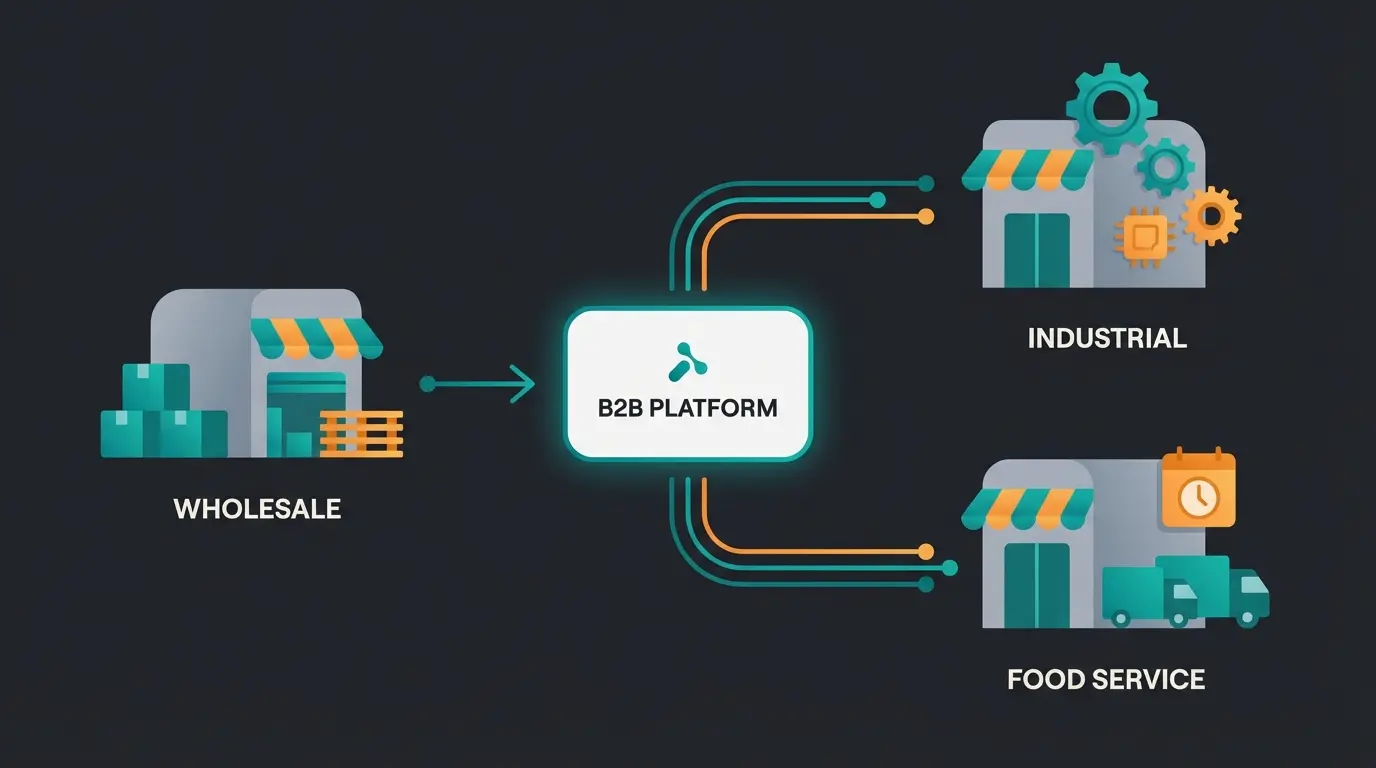
Wholesale distributors are the clearest success story. Companies running wholesale with Shopware have replaced phone-and-fax ordering with self-service portals where buyers place recurring orders in under 60 seconds. The result: fewer errors, faster fulfilment, and sales teams that spend their time on new accounts instead of order entry.
Industrial suppliers with catalogs of 10,000+ SKUs face a different challenge: product discovery. When a buyer needs a specific bolt with a specific thread size in a specific material, search and filtering are not nice features. They are the entire experience. The stores that get this right use faceted search with technical parameters, not marketing categories.
Food and beverage distributors add another layer: order frequency. A restaurant orders from its supplier three times a week. The store must support saved order templates, delivery scheduling, and real-time stock visibility. Any friction in this process and the buyer picks up the phone, which means your digital channel has failed.
As of 2025, across all industries
Through digital self-service channels
Projected through 2030
AI-powered customer consultation in B2B online stores
Here is where most B2B stores leave money on the table. They digitise the ordering process but forget the consultation process. For products that require technical advice, material selection, or configuration, a self-service catalog is not enough. The buyer needs guidance.
AI employees solve this. Not as simple search tools, but as digital team members that understand your product catalog, ask the right questions, and recommend specific products with reasoning. Think of it as guided selling: the AI identifies the buyer's use case, filters through thousands of SKUs, and presents the three options that actually fit.
This is not theoretical. Rasendoktor, a specialist in lawn care products, deployed an AI employee named Hektor through Qualimero and achieved a 16x return on investment. Hektor handles 100% of webchat inquiries, recommending the right product based on lawn type, problem area, and soil conditions. Similarly, Gartenfreunde saw a 7x higher conversion rate after implementing an AI employee that guided buyers through their seasonal product catalog.
For B2B, the impact is even larger. Complex industrial components, spare parts with hundreds of variants, technical products where the wrong choice means a production stop: these are exactly the scenarios where AI consultation outperforms both self-service search and overloaded sales teams.
Your B2B online store brings the traffic. An AI employee converts it. Qualimero's AI employees guide buyers through complex product selections, answer technical questions in real time, and increase average order value by up to 35%.
Book a free demoYour path to a successful B2B online store
Building a B2B online store is no longer a question of whether, but how well. The companies winning in 2026 are not the ones with the biggest budgets. They are the ones that understood their buyers' workflows, chose the right platform for their specific requirements, and invested in the experience after launch.
Start with requirements. Choose a platform that handles B2B natively, not one that needs plugins for every feature. Integrate your ERP from day one. And consider what happens after the buyer lands on your store: can they find the right product without calling your team?
For a platform-specific deep dive, our Shopware B2B Guide is the next step.
See how an AI employee can automate product consultation and increase conversion in your B2B store. Our team walks you through a live demo with your actual product catalog.
Schedule a demoFrequently asked questions
A B2B online store is a digital sales channel designed for business-to-business transactions. It includes features like customer-specific pricing, approval workflows, multi-user accounts, and ERP integration that standard B2C shops do not offer.
Costs vary by platform and complexity. Shopware B2B Suite starts at approximately EUR 2,400 per month (Evolve plan). Total implementation costs including design, ERP integration, and customisation typically range from EUR 30,000 to EUR 150,000 depending on catalog size and requirements.
For European markets, Shopware B2B Suite offers the strongest native B2B features. BigCommerce works well for multi-channel B2B with less development overhead. Adobe Commerce is best for large enterprises requiring deep customisation. The right choice depends on your market, catalog complexity, and budget.
Yes. ERP integration is essential for any B2B store handling customer-specific pricing, inventory management, and invoicing. Without real-time sync between your store and ERP, your team manages two systems manually, leading to pricing errors and slower fulfilment.
A realistic timeline is 3-6 months from requirements analysis to launch. Simple implementations on SaaS platforms can go live in 8-12 weeks. Complex projects with deep ERP integration and custom workflows may take 6-9 months.
Yes, if your B2B customers reorder regularly and your current process relies on phone or email. Even small B2B businesses with 50-100 active accounts can reduce order processing costs by 60-70% with a properly implemented online store.

Lasse is CEO and co-founder of Qualimero. After completing his MBA at WHU and scaling a company to seven-figure revenue, he founded Qualimero to build AI-powered digital employees for e-commerce. His focus: helping businesses measurably improve customer interaction through intelligent automation.