Why Shipping Is More Than Just Logistics
In German e-commerce, shipping is the moment of truth. While many shop owners view the integration of DHL into WooCommerce as a pure necessity – a technical checkbox that needs to be ticked – this is actually one of the biggest levers for your revenue.
The reality in 2025/2026 looks like this: Customers don't abandon purchases because they don't like the product, but because uncertainty prevails. "Will the package arrive before the weekend?", "Is the return shipping complicated?", "Why does shipping cost €4.99?". Understanding these concerns is crucial for implementing effective AI customer service that addresses shipping questions proactively.
This article doesn't just guide you through the technical setup of the DHL WooCommerce interfaces (although we cover that extensively), but shows you a new perspective: How to use shipping data to turn visitors into buyers through AI (Artificial Intelligence). We bridge the gap between the backend (label printing) and the frontend (sales conversation).
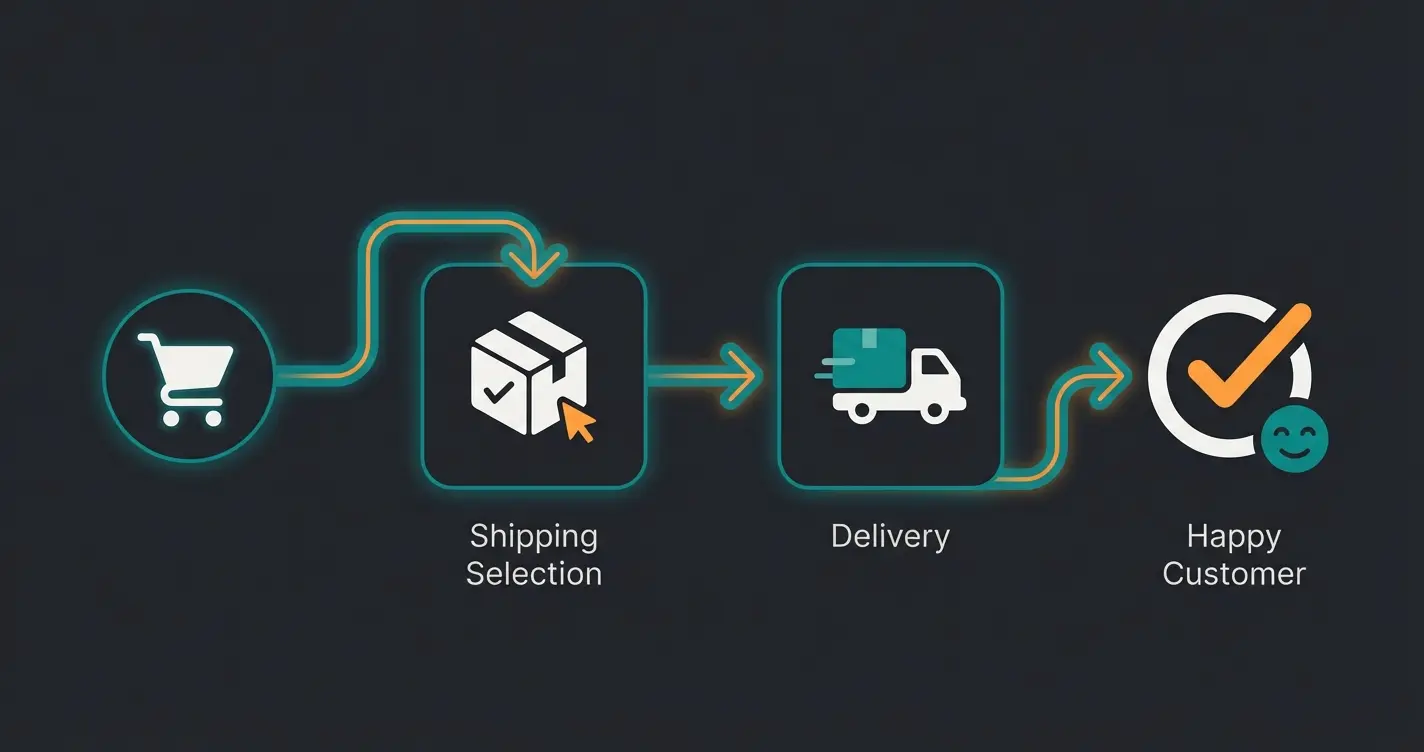
The Technical Foundation: Prerequisites & Plugin Selection
Before we talk about AI strategies, the foundation must be solid. A faulty WooCommerce DHL integration leads to incorrect postage costs, non-printable labels, and frustrated customers. For comprehensive guidance on this topic, check out our detailed woocommerce dhl integration guide.
The Essential Prerequisite: DHL Business Customer Portal
Many beginners try to install plugins without having a valid contract. For a professional integration, you absolutely need access to the DHL Business Customer Portal (Geschäftskundenportal). According to DHL, this is the foundation for all business shipping operations in Germany.
- Contract Conclusion: A business customer contract is worthwhile from approximately 200 shipments per year.
- The EKP (Unified Customer Number): This is your 10-digit base number. Together with the 2-digit procedure number (e.g., `01` for DHL Parcel, `54` for Warenpost/Kleinpaket) and the 2-digit participation number, it forms the billing number.
- API Access Data: You don't need your login password for the portal, but special API user data (often called 'System User'), which must be created in the Business Portal under 'User Management'. As noted by Vendidero, this is a common setup stumbling block.
Top 3 DHL Plugins for WooCommerce Compared
The market for WooCommerce DHL plugins is confusing. Here's an analysis of the three most important solutions for the German market. For a broader overview of shipping solutions, see our guide on shipping plugins logistics.
| Feature | Official DHL for WooCommerce | Germanized Pro | ELEX / Octolize |
|---|---|---|---|
| Focus | Standard solution from DHL | Legal compliance & DE focus | Complex rates & International |
| Cost | Free | Part of Pro (Paid) | Freemium / Premium |
| Label Printing | Yes (Parcel & Kleinpaket) | Yes (Very well integrated) | Yes |
| Returns | Yes (Enclosure & Portal) | Yes (Automated via email) | Yes |
| Special Feature | Official support, solid base | Recommendation for DE: Also solves legal issues (T&C, button solution) | Offers 'Live Rates' and complex logic for international shipping |
| Warenpost/Kleinpaket | Yes (Update required) | Yes | Yes |
Our Recommendation: For 90% of German shops, the combination of Germanized Pro and the integrated DHL interface is the best choice according to WordPress.org plugin reviews. It kills two birds with one stone: legal compliance and shipping logistics. If you need complex international rate calculations (e.g., weight-based live calculation for the USA), go for ELEX or Octolize as recommended by experts at Octolize. Similar plugin considerations apply to other platforms – check our Shopware shipping plugins guide for comparison.
GoGreen: A Must for the German Market
Don't underestimate the psychological impact of the green logo. Studies from E-Commerce Germany show that German consumers increasingly value sustainability, as long as it doesn't cost massively extra or delay delivery. Make sure to activate the 'GoGreen' option in your plugin (often just a checkbox in the settings) to signal CO2-compensated shipping. According to ELEXtensions, this simple setting can significantly boost customer trust.
German Shipping Complexity: DHL Parcel vs. DHL Kleinpaket
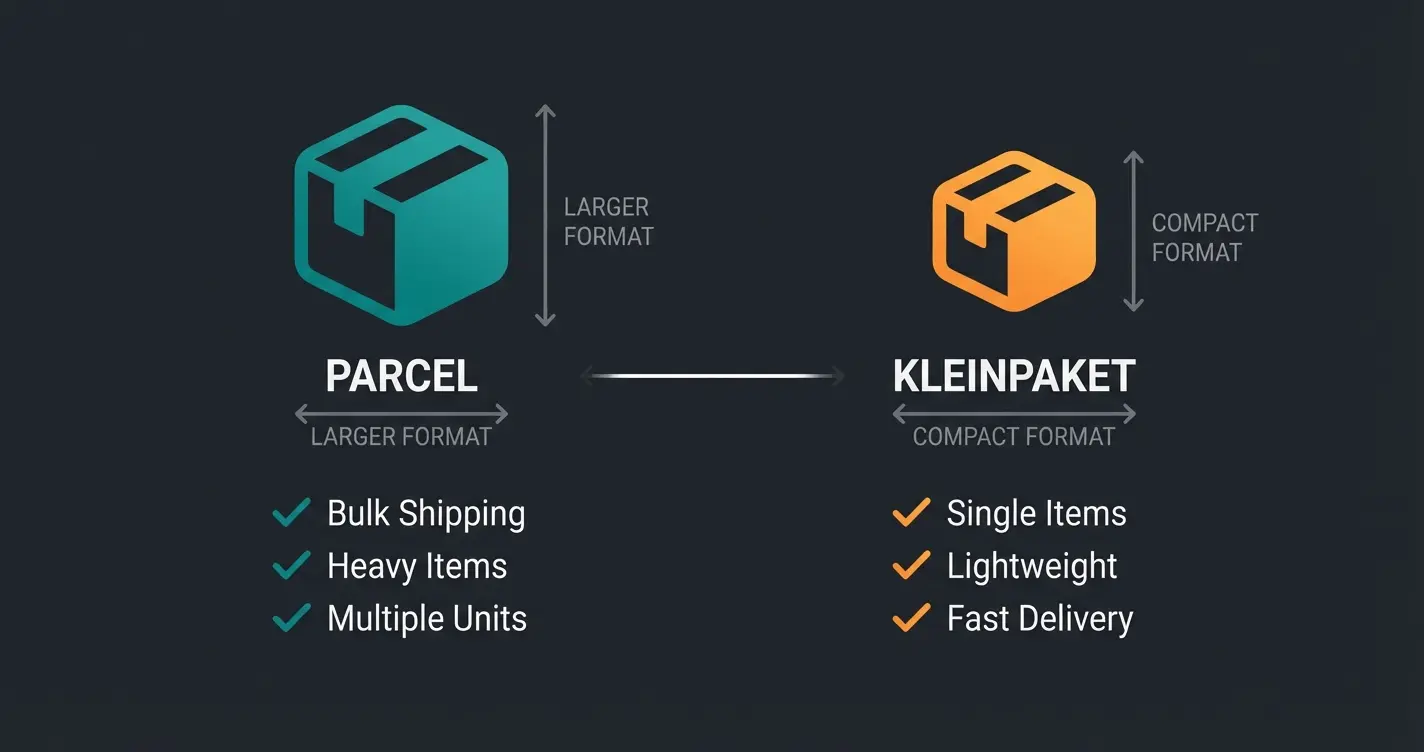
This is where many international plugins and tutorials fail. The German market strictly distinguishes between 'Parcel' and smaller formats. Until 2024, the magic word was 'Warenpost'. Since January 1, 2025, this has fundamentally changed: Warenpost became DHL Kleinpaket according to Shipstage.
Why This Matters for Your WooCommerce Configuration
If you have 'Warenpost' configured as a shipping method in your shop, you need to take action. The DHL Kleinpaket offers better conditions but requires adjustments in mindset and plugin setup. As Miller Becker explains, the new format includes improved liability coverage.
Increased from 5 cm, allowing more product flexibility
New insurance coverage included at no extra cost
Compared to standard DHL Parcel for small items
Comparison: DHL Parcel vs. DHL Kleinpaket (2025)
| Feature | DHL Parcel | DHL Kleinpaket (New from 2025) |
|---|---|---|
| Target Group | All goods > 1kg or large volume | Small goods < 1kg (e.g., T-shirts, cosmetics, accessories) |
| Dimensions (Max) | 120 x 60 x 60 cm | 35.3 x 25 x 8 cm (Height increased from 5 to 8 cm!) |
| Weight | Up to 31.5 kg | Max. 1 kg |
| Liability | Up to €500 included | New: Up to €20 included |
| Tracking | Full tracking | Full tracking (better than old Warenpost) |
| Transit Time | 1-2 business days | Usually 2 business days (E+2) |
| Price | More expensive (from approx. €4-5) | Cheaper (from approx. €3 net) |
Strategic Tip: Use Shipping Classes in WooCommerce. Assign small products (e.g., 'Socks') to the shipping class 'Small Format'. Configure your plugin so that the product 'DHL Kleinpaket' (Procedure 62) is automatically selected for this class. According to HB Marketplace, this saves you often over €1.50 per shipment compared to Parcel – margin you can keep or pass on to the customer as 'Cheap Shipping'.
The Game Changer: AI-Driven Product Consultation
Most shops treat shipping as a post-purchase process (after the purchase). This is a mistake. Shipping information is crucial pre-sales arguments. This is where AI product consultation becomes essential.
Here's where your AI solution comes into play. Instead of leaving the customer alone with a static table ('Shipping costs: see T&C'), you use AI to leverage shipping data as a sales argument.
Scenario Comparison: The Difference Between Bot and Consultant
Understanding this distinction is fundamental to implementing effective AI product consultation that actually drives conversions.
- Scenario A (The Standard Bot): Customer: 'How much is shipping?' Bot: 'Our shipping costs are a flat €4.90 within Germany. Here's the link to the table.' Result: The customer has to click, read, calculate. High abandonment risk.
- Scenario B (Your AI Consultant with DHL Data): Customer: 'I need the gift by Friday for a birthday.' AI (knows inventory & DHL transit times): 'Standard shipping (DHL Parcel) will be tight since it takes about 2 business days. But: If you order by 2 PM and choose DHL Express, it's guaranteed to arrive Thursday. Should I add that to your cart?' Result: Problem solved, Express upsell sold, trust gained.
Why This Approach Works
German customers are security-oriented. 66% state that fast delivery is crucial, but transparency ('When exactly will it arrive?') is often more important than pure speed. An AI that responds contextually eliminates uncertainty. This approach aligns with the broader trends in shopify shipping automation that we're seeing across e-commerce platforms.
Uncertainty about shipping cost, delivery date, or return process
'Will it arrive in time?' 'Why is shipping €4.99?'
Provides contextual, real-time answer with DHL data
Customer receives specific delivery date and proceeds to purchase
Stop losing customers to shipping uncertainty. Our AI consultant uses real-time DHL data to convert hesitant browsers into confident buyers.
Start Your Free TrialIntegrating Logistics Data Into AI Workflows
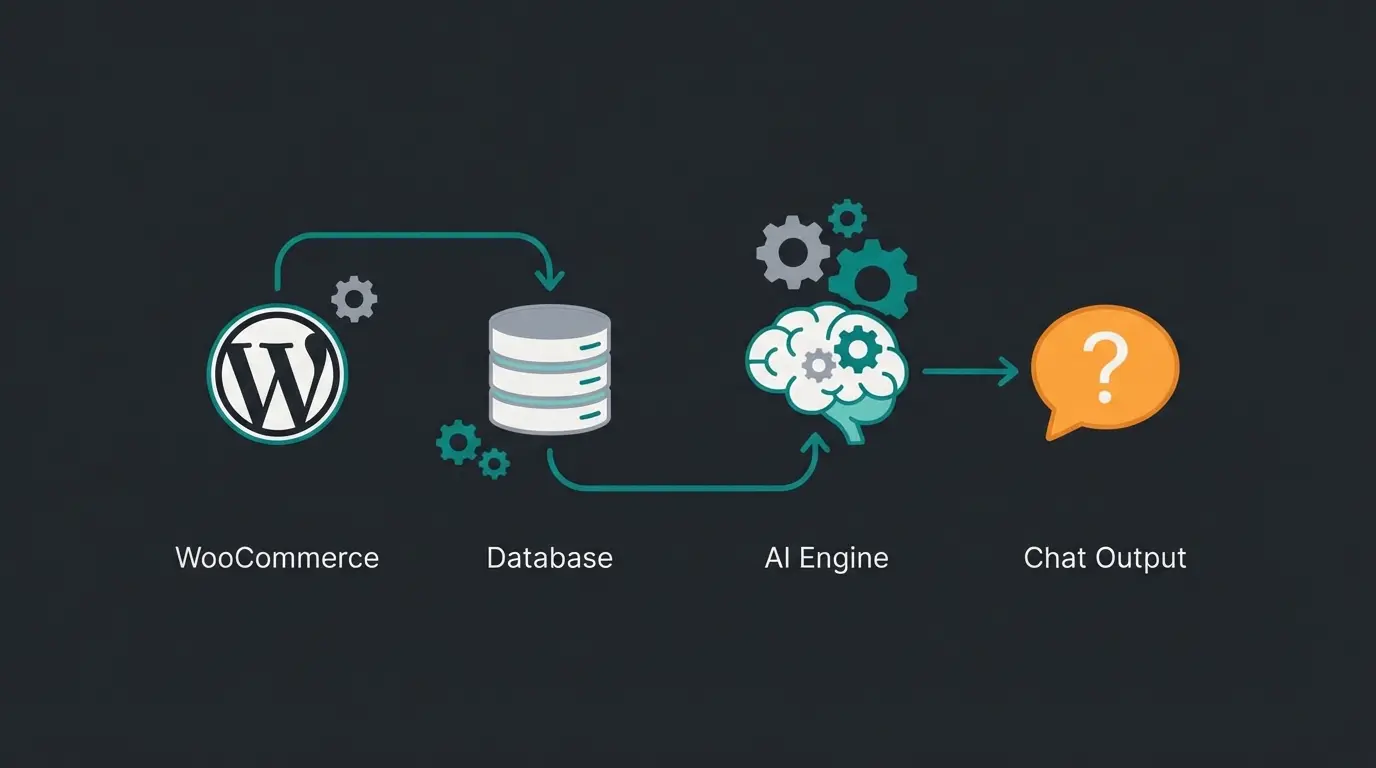
How do you now connect the technical world of DHL for WooCommerce with AI consultation? It's about bringing data that lies dormant in the backend to the forefront. This is similar to how an AI Chatbot E-Commerce solution operates.
Data Points Your AI Should Use
For your AI to advise intelligently, it needs access to the following variables (via API or system prompt):
- Shipping Class Mapping: The AI must know: 'Product A is a DHL Kleinpaket (cheap, 2 days), Product B is a DHL Parcel (fast, insured).'
- Cut-Off Times: 'Orders after 3 PM won't ship until tomorrow.'
- Weekend Logic: DHL delivers on Saturdays, but nothing happens on Sundays. An AI must understand that an order on Saturday evening might not arrive until Tuesday.
- Cost Thresholds: 'Only €5 more until free shipping.'
Proactive Reassurance Instead of Support Tickets
Another use case is 'Pre-Support'. When tracking data shows that a package is stuck in a parcel center, the AI can proactively act when the customer opens the chat:
Customer opens chat. AI: 'Hello! I see you're waiting for your order #12345. According to DHL, there's a small delay at the Feucht parcel center, but it should be delivered tomorrow. Can I help you with anything else?'
This prevents the customer from opening an expensive support ticket. The approach draws from established principles in our DHL integration guide applied across platforms.
Upselling Through Shipping Cost Optimization
Use AI to increase Average Order Value (AOV).
AI: 'Shipping for this single item costs €3.90 as a DHL Kleinpaket. If you also add these matching batteries (€5), we'll cover the shipping completely.'
This sounds trivial, but when offered in a conversation, it converts significantly better than a static bar saying 'X euros more until free shipping'.
Step-by-Step: Setup & Best Practices
To achieve this level of professionalism, follow this path:
Step 1: Basic Setup in WooCommerce
- Install Germanized Pro or DHL for WooCommerce.
- Enter your Business Portal credentials (user, signature, EKP).
- Important: Activate the 'Participation' for DHL Parcel (V01) and DHL Kleinpaket (V62) as detailed by Netresearch.
- Test label printing in 'Sandbox Mode' (test mode) before going live, as recommended by ELEXtensions.
Step 2: Configure Shipping Zones & Classes
- Go to `WooCommerce > Settings > Shipping`.
- Create shipping classes (e.g., 'Small Goods', 'Bulky Items').
- Link these classes to DHL services. Tip: Use plugins like 'Conditional Shipping' from WPGlob if you have complex rules (e.g., 'No Kleinpaket for cart value > €50 due to insurance').
Step 3: 'Feeding' the AI
If you're using a Custom GPT solution or an e-commerce chatbot:
- Create a system prompt that contains your shipping rules. Example: 'You are a shipping expert. We ship with DHL. Kleinpakete take 2-3 days, Parcels 1-2 days. Free shipping from €50. Express costs €12.'
- Connect (if possible) the DHL API or tracking links so the AI can query status.
Closing Content Gaps: What Others Don't Tell You
During research, massive gaps in the top search results were noticed, which we'll close here. Understanding the regulatory landscape, including the AI Act, is also becoming increasingly important for AI implementations.
Gap 1: The 'Warenpost' Trap
Many tutorials still talk about 'Warenpost'. If you sign a contract today (2025), this product no longer exists nationally. It's called DHL Kleinpaket. Look for updates in your plugin if you can't find 'Kleinpaket'. Old API calls (V62WP) will be rejected or need to be migrated to V62KP according to Netresearch.
Gap 2: Packstations in Checkout
A huge conversion killer is the missing selection of Packstations (automated parcel lockers). German customers love Packstations.
Solution: Use a plugin (like Germanized or the official DHL plugin) that integrates a Postnumber validation and a location finder (map) in checkout, as explained by Marketpress. When the customer manually types 'Packstation 123' into the street field, it often leads to errors during label printing. An integrated map solves this. DHL eCommerce provides detailed documentation on proper Packstation addressing.
Gap 3: Returns as Marketing
A return label that lies in the package (enclosed return) increases the return rate, but also trust massively.
Strategy: Use the 'QR Code Return' function. The customer doesn't have to print anything but shows the code at the branch. This is modern, sustainable (no unnecessary printing), and preferred by customers. Plugins like ELEX and Germanized support this according to WordPress.org documentation.
Feature Comparison: Plugin vs. AI Consultant
This comparison table shows exactly where a standard DHL plugin ends and where an intelligent AI logistics consultant begins:
| Function | Standard DHL Plugin | Standard Chatbot | Your AI Logistics Consultant |
|---|---|---|---|
| Print Labels | ✅ Yes | ❌ No | ❌ No (Backend task) |
| 'Where is my package?' | ❌ No (Email only) | ✅ Yes (Standard response) | ✅ Yes (Proactive & Empathetic) |
| Delivery Time Forecast | ❌ Static (e.g., '1-3 days') | ❌ No | ✅ Dynamic ('Arrives by Friday') |
| Upsell to Free Shipping | ❌ No | ❌ No | ✅ Yes ('€5 more for free shipping') |
| Address Validation | ✅ Yes (Technical) | ❌ No | ✅ Yes (Dialogic: 'Do you mean Street X?') |
Conclusion: Technology Is Mandatory, Communication Is Excellence
The integration of DHL into WooCommerce is no longer a purely technical task in 2026. Of course, API keys must work and labels must be printed. But the true competitive advantage arises where you use this logistics data to give customers security.
The new DHL Kleinpaket offers you cheaper rates and better liability – use this margin advantage. Combine this with an AI that doesn't just play 'order status' but actively advises ('Take Express for the birthday'), and you transform a cost factor (shipping) into a revenue driver. This is where WPSocket notes that the real value of integration becomes apparent.
Understanding how different platforms handle shipping can also inform your strategy – LearnWoo provides excellent comparative analysis across e-commerce solutions.
Action Recommendations
- Check immediately if your shop is still running on 'Warenpost' and switch to 'Kleinpaket'.
- Install a plugin that cleanly supports Packstations (e.g., Germanized).
- Start integrating your shipping logic into your chatbot prompts.
Frequently Asked Questions
Yes, WooCommerce itself is free. However, for the DHL connection you need a plugin. The official plugin is free but offers fewer features than the Pro versions of Germanized or ELEX. For most German shops requiring legal compliance, the paid options provide significantly better value.
These are two completely separate contracts and APIs. For Express, you often need a separate plugin (e.g., ELEX DHL Express) or a multi-carrier plugin since billing and label creation work differently. DHL Express guarantees next-day delivery but costs significantly more than standard Parcel shipping.
The most common error is a wrong combination of product and address. Example: A 'DHL Kleinpaket' cannot be addressed to a Packstation if the dimensions don't match or the post number is missing. Expired passwords in the Business Customer Portal are also a common cause – these must be regularly updated in the plugin.
First, update your DHL plugin to the latest version that supports Kleinpaket (V62). Then, update your shipping classes to reference the new product code. Test with a sandbox order before going live. The API procedure number changes from V62WP to V62KP.
Absolutely. Studies show that shipping uncertainty is a top reason for cart abandonment in German e-commerce. An AI that can answer specific questions like 'Will it arrive by Friday?' in real-time removes this friction point and can increase conversion rates by providing the certainty customers need to complete their purchase.
Don't let your DHL integration stay silent in the backend. Give it a voice with our AI-powered product consultation that turns shipping data into sales conversations.
Get Started Free Today
Lasse is CEO and co-founder of Qualimero. After completing his MBA at WHU and scaling a company to seven-figure revenue, he founded Qualimero to build AI-powered digital employees for e-commerce. His focus: helping businesses measurably improve customer interaction through intelligent automation.