Why You Must Automate Shopify Shipping (The Business Case)
E-commerce continues to grow rapidly, and with it, customer expectations. Today's online shoppers expect not just fast delivery, but also transparency and flexibility. For many Shopify merchants, this becomes a bottleneck: when 5 orders per day suddenly become 50 or 500, the manual "copy-paste" system breaks down completely.
If you find yourself manually typing addresses into carrier portals or shuffling CSV files back and forth, you're stuck in the "shipping trap." The solution is clear: automate your Shopify shipping. However, most merchants think of automation as simply faster label printing. In this comprehensive guide, we'll show you why that thinking falls short. We'll explore how to not only accelerate the shipping process but also tackle the real problem – the flood of returns – at its root through AI product consultation before the purchase.
Time Is Margin
A manual shipping process (logging into carrier portals, typing addresses, printing labels, inserting tracking numbers into Shopify) takes an average of 3 to 5 minutes per order. Let's break down the math:
- Manual: 50 orders × 4 minutes = 3.3 hours per day
- Automated: 50 orders × 30 seconds (bulk printing) = 25 minutes per day
Calculated monthly, automation saves you around 60 work hours. That's almost half a full-time position that you can redirect toward marketing or product development. According to CIO.de, return processing costs alone can significantly impact your bottom line.
Hours saved per month with automated shipping vs manual processing
Average processing cost for each returned package in Germany
Automated address transfer eliminates copy-paste mistakes
The Cost of Error Rates
Typos during address transfer lead to undeliverable packages. A return due to incorrect addressing costs you double: outbound shipping, return postage (penalty fees), and re-shipping. In Germany, process costs per return average between 5 and 10 euros – for bulky goods, even up to 20 euros according to Spiegel.de. Automation eliminates transfer errors 100%.
Customer Expectations and Instant Tracking
Customers are demanding. They want to know immediately after purchase: "Where is my package?" An automated solution triggers tracking emails in real-time. Manual processes often delay this information until evening – too late for the security needs of many buyers. This is where AI eliminates waiting times and creates a better customer experience.
Level 1: The Basics – Shopify Shipping Settings
For getting started, the Shopify ecosystem offers solid tools. However, especially for certain markets, there are pitfalls you need to know about.
Shopify Shipping: Native Integration
Shopify offers a native solution with Shopify Shipping. In many regions, Shopify cooperates directly with major carriers like DHL, UPS, and USPS, as detailed on Shopify.com.
- Advantage: You can buy and print labels directly in the Shopify admin area without negotiating external contracts. The rates are often better than standard retail prices.
- Disadvantage: For merchants with high volume (from approximately 200 packages/month), dedicated business customer contracts with carriers are often cheaper than Shopify rates. Additionally, functionality is limited to supported carriers.
Carrier Apps: The Standard Approach
For most merchants with their own business customer contracts, official carrier apps are the first choice. These apps, developed by carriers like DHL, provide direct integration as documented on DHL.de.
Key Functions include:
- Creation of standard and express shipping labels directly from orders
- Automatic transmission of tracking IDs to customers
- Support for international documents (CN22/CN23 customs declarations)
The Carrier Service API Pitfall
Many merchants fall into a trap here. To use certain features (e.g., displaying calculated rates at checkout or selecting preferred delivery days), Shopify requires the so-called Carrier Service API (also called "Carrier Calculated Shipping"), as explained by DHL Shipping App documentation.
- In the Advanced and Shopify Plus plans, this is included.
- In the Basic and Shopify plans, it is not included by default. You must add it for approximately $20/month or switch to annual billing (where it's often included for free) according to Shopify pricing. Without this API, apps that want to display dynamic shipping options at checkout often don't work correctly.
Multi-Carrier Solutions for Scaling Businesses
Once you want to ship not only with one carrier but also with DPD, UPS, or Hermes (e.g., to work around strikes or offer express options), native solutions are no longer sufficient. This is where aggregators come into play. Similar considerations apply when looking at Shopware shipping plugins for other platforms.
| Feature | Native Carrier App | Multi-Carrier (Sendcloud/ShipStation) |
|---|---|---|
| Costs | Free (only shipping costs to carrier) | Monthly base fee + cents per label |
| Carriers | Single carrier only | DHL, DPD, UPS, GLS, FedEx, etc. |
| Flexibility | Medium (focus on standard shipping) | High (automated rules: "If >2kg, then DPD") |
| Returns Portal | Basic function | Professional self-service portal for customers |
| Target Group | Single-carrier users, starters | Multi-channel merchants, scaling businesses |
Level 2: Advanced Automation Workflows
Anyone who wants to truly automate Shopify shipping must think beyond mere printing. Real efficiency comes from "if-then" rules. This is comparable to what Shopware Flow Builder offers for that platform.
Rule-Based Shipping (Routing)
Use apps like Sendcloud or Billbee to implement logic according to Sendcloud documentation:
- Scenario A: "If cart value > $150, automatically ship with carrier including higher insurance."
- Scenario B: "If weight < 1 kg and destination = domestic, use economy mail (cheaper)."
- Scenario C: "If destination = international, automatically create customs declaration (CN23)."
These rules save your warehouse staff decision-making burden and prevent expensive misbookings (e.g., expensive package labels for a small keychain).
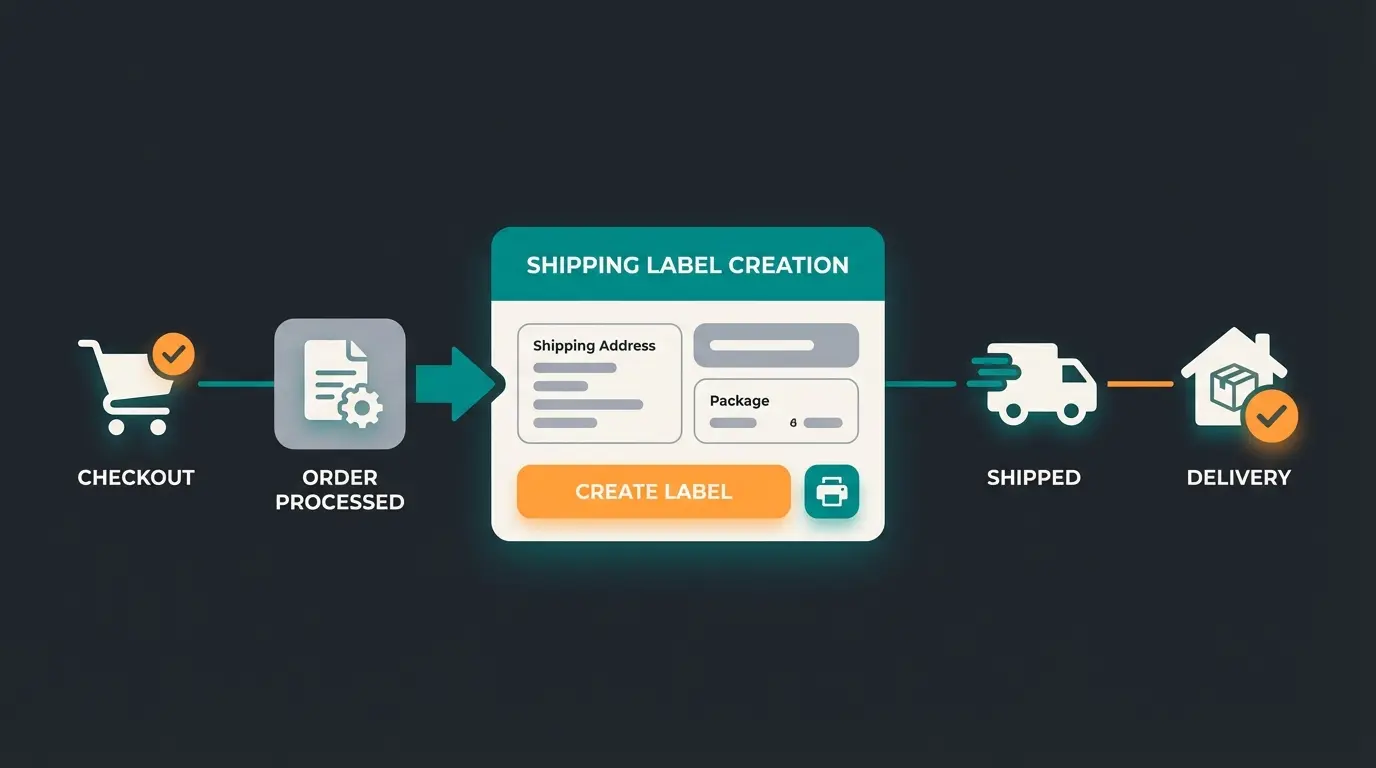
Customer places order and payment is confirmed
System automatically selects carrier based on weight, destination, and value
Shipping label created without manual intervention
Customer receives tracking information in real-time
Package delivered with automatic status updates
Solving Address Validation Problems
A common problem: Shopify doesn't validate addresses strictly enough by default for complex delivery point formats. For specialized solutions, apps like AddressHero can help as detailed on Eshop Guide.
- The Problem: Customers enter pickup point details in the street field but forget required identification numbers. Result: The package is undeliverable and comes back.
- The Solution: Use specialized address validation apps that add selection interfaces at checkout and validate live whether all required fields are filled correctly.
Level 3: The Hidden Lever – Pre-Shipping Automation
Here lies your actual competitive advantage. Most merchants only optimize the process after the order has been placed. However, the most efficient shipping automation is the one that prevents a return from happening in the first place. This is where Shopify automation 2025 strategies become crucial.
The Return Rate Dilemma
In online fashion retail, return rates range between 26% and 50% according to BTE.de. This means: every second package you painstakingly automated for shipping comes back. This causes not only double shipping costs but also value loss and personnel expenses for preparation (ironing, repackaging). The research from EHI.org confirms these concerning statistics.

The Solution: AI-Powered Product Consultation
Instead of only accelerating shipping, you should integrate AI consulting into your shop. This approach is similar to what AI powered product consultation achieves on other platforms.
- How it works: An AI chatbot or interactive quiz flow asks customers targeted questions about their needs before purchase (e.g., "What fit do you prefer?", "What surface are you looking for running shoes for?")
- The effect: The customer doesn't buy "just any" product for viewing (selection order) but the right product.
- The calculation: If you reduce the return rate from 30% to 20% through AI consultation, you save a substantial $1,000 per month at 1,000 orders/month and $10 return costs – without renegotiating shipping rates.
For comprehensive implementation guidance, explore our AI consulting guide which covers integration strategies in detail.
Achievable improvement with AI product consultation
At 1,000 orders/month with $10 return processing cost
Fewer returns to process each month
Discover how AI-powered product consultation can cut your return rates by 30% or more. Start optimizing your shipping costs before the purchase happens.
Start Free TrialLegally Compliant Automation: GDPR and Shipping
Automation means data exchange. In the EU and many other regions, the transfer of customer data to shipping service providers is strictly regulated. This is especially important when considering AI Act compliance for your automation systems.
Email and Phone Number to Carriers?
Many merchants automatically transmit the customer's email address to carriers so they can send package status updates ("Your package arrives tomorrow"). Understanding GDPR implications is crucial according to E-Recht24.de.
- The Legal Situation: According to GDPR and current case law, transferring the email address (and phone number) to third parties is only permitted with explicit consent from the customer as noted by Trusted Shops. Contract fulfillment (Art. 6 Para. 1 lit. b GDPR) only covers the address, not the email for announcements.
- The Risk: Warnings and fines from data protection authorities.
Compliant Solutions
There are two main approaches to handle this legally, as detailed by IT-Recht-Kanzlei:
- Checkbox at Checkout: Add a (not pre-checked) checkbox: "I consent to the transfer of my email to the shipping service provider for package announcements."
- Send Tracking Emails Yourself: This is the safer and more brand-friendly approach. Don't transmit any email to the carrier. Instead, retrieve the tracking ID via API (e.g., via Sendcloud or carrier apps) back into Shopify and send the shipping confirmation including tracking link through your own system (Shopify Email or Klaviyo). This keeps the data with you.
Data Processing Agreements
Don't forget to sign a Data Processing Agreement (DPA) with every tool provider (Sendcloud, Billbee, etc.). Most providers offer this digitally in the backend. Working with AI Chatbots for customer service requires similar compliance considerations.
Decision Guide: Which Solution Fits Your Business?
To help you with your selection, we've created a decision matrix based on business size and needs.
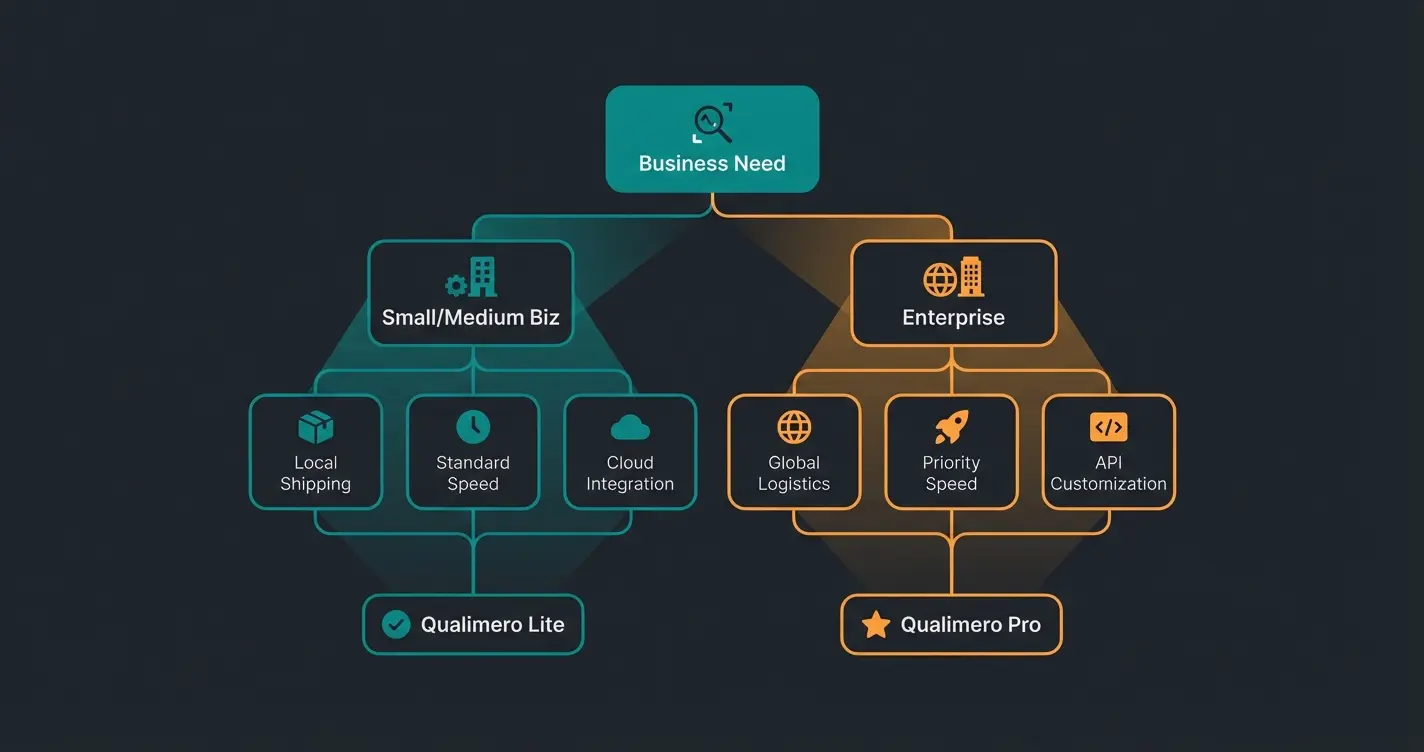
| Criteria | Recommended Solution | Why? |
|---|---|---|
| Starter (< 50 packages/month) | Shopify Shipping (Native) | No fixed costs, immediately ready, good rates for small quantities |
| Growth (50-500 packages/month) | Carrier Apps (Direct Integration) | Use your own contract terms, direct integration, free apps |
| Multi-Channel (Amazon + Shopify) | Billbee / Sendcloud | Centralization of all orders from different channels in one place |
| International / Express | Sendcloud / ShipStation | Access to UPS, FedEx, DPD without own contracts; automated customs docs |
| Returns Focus (Fashion) | AI Consultation + Returns Portal | Combination of returns portal and AI tool for prevention |
For fashion retailers specifically, combining shipping automation with Shopify returns management strategies is essential for profitability.
Step-by-Step Implementation Guide
Here's your roadmap to set up and automate Shopify shipping effectively.
Phase 1: Preparation
- Inventory Assessment: How many packages do you ship? What dimensions? Where to (domestic, international)?
- Contract Review: Is a dedicated business customer contract worthwhile (often yes from approx. 200 packages)? If not, use Shopify Shipping or aggregator rates.
- Hardware: Get a label printer (e.g., Zebra or Brother). Printing on A4 paper and cutting is a time waster.
Phase 2: App Installation and Setup
- Install your chosen app (e.g., official carrier app or Sendcloud).
- Important: Check your Shopify plan. If you want features like preferred delivery or address validation in checkout, contact Shopify Support to enable the Carrier Service API (often free with annual billing) as noted on Zapiet.
- Enter your access credentials (carrier business portal username and password).
- Set up shipping zones in Shopify (Settings -> Shipping and Delivery).
Phase 3: Automation and Testing
- Printer Mapping: Set labels to automatically output in the correct format (e.g., 4×6 inch) as specified by DHL label guidelines.
- Test Order: Place a test order. Check: Is the address correctly transferred? Is the label generated? Does the "customer" (your test email) receive the tracking link?
- Returns Check: Simulate a return. How easy is it for the customer to obtain a label?
A similar structured approach applies when setting up Shopware DHL integration for merchants on that platform.
Conclusion: Smart Shipping, Not Just Shipping
Automating Shopify shipping isn't a one-time technical task but an ongoing process of business optimization.
- Start with the basics: A clean connection to carriers or a multi-carrier service eliminates manual errors.
- Pay attention to regional specifics: Address validation and GDPR compliance are stumbling blocks you can avoid with the right apps and processes (your own tracking emails).
- Ignite the next level: Use AI technology not just in the warehouse but in the store frontend.
The real win lies in prevention: The cheapest shipment is the one that doesn't get returned. By linking automation with intelligent product consultation, you create a logistics system that not only saves costs but delights your customers. Similar to how Shopware returns management optimizes the post-purchase experience, pre-purchase AI consultation prevents problems before they occur.
Start today – your margin will thank you.
Frequently Asked Questions (FAQ)
Official carrier apps are typically free – you only pay shipping costs to the carrier. Multi-carrier apps like Sendcloud often start with a free plan but charge monthly fees starting around $29 for automation rules ("Smart Rules") according to the Shopify App Store.
Theoretically yes, but it leads to many errors. Customers often enter data incorrectly in address fields. An address validation app is strongly recommended for error-free delivery and to reduce return shipping costs.
No. You can print labels even on the Basic plan. Only if you want to display dynamic carrier prices at checkout or let customers select delivery points on a map do you need the Carrier Service API (additional cost on Basic plan).
Based on industry data, AI-powered product consultation can reduce return rates by 10-15 percentage points. For a shop processing 1,000 orders monthly with a 30% return rate and $10 per return cost, reducing returns to 20% saves approximately $1,000 per month.
Under GDPR, you can share delivery addresses for contract fulfillment without additional consent. However, sharing email addresses or phone numbers for tracking notifications requires explicit customer consent. The safest approach is to send tracking emails yourself through Shopify or an email marketing tool.
Join thousands of e-commerce businesses using AI-powered solutions to automate shipping and reduce returns. Start your free trial and see results within days.
Get Started Free
Lasse is CEO and co-founder of Qualimero. After completing his MBA at WHU and scaling a company to seven-figure revenue, he founded Qualimero to build AI-powered digital employees for e-commerce. His focus: helping businesses measurably improve customer interaction through intelligent automation.