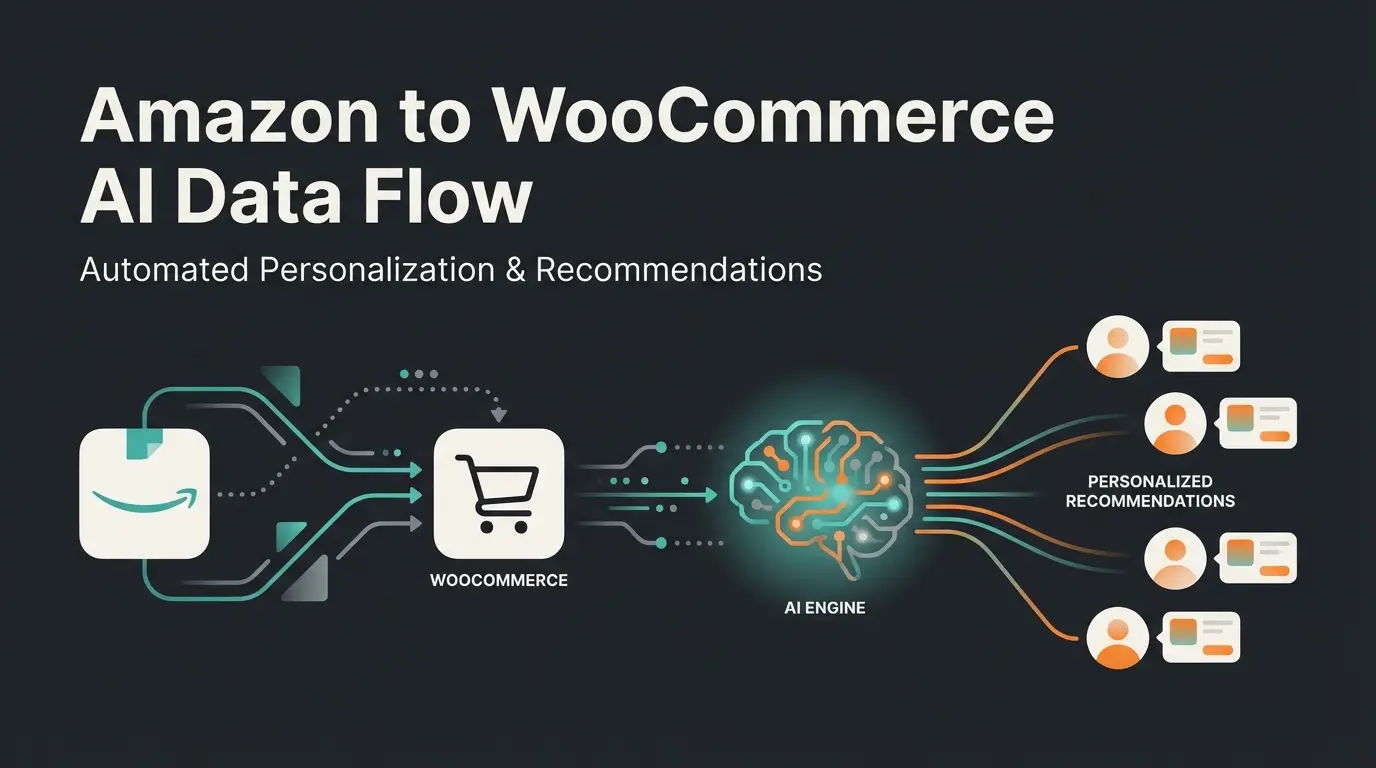
Why Shopware DIY Needs a New Definition in 2025
Anyone searching for Shopware DIY in 2025 typically has one clear goal: maintaining full control over their online store without paying five-figure sums to agencies. The good news? The technical barrier to setting up a Shopware 6 store has never been lower. The Community Edition is powerful, hosting providers are specialized, and the documentation is extensive.
But here's the problem that almost no tutorial addresses: An installed store doesn't sell anything yet.
Most DIY guides end once the logo is uploaded and the first product is created. But for solopreneurs and small teams, this is where the real battle begins. How do you advise 50 customers simultaneously? How do you explain complex products (like bicycles, wines, or technical components) without spending all day answering emails?
In this comprehensive guide, we'll walk you through the entire process: First, we'll cover the technical foundation including hosting and installation following 2025 best practices. Then we'll explore design using Shopping Experiences without code. Finally, we'll show you the game-changer—how to set up an AI-powered product consultation system that maximizes your conversion rate from day one.
Set up proper hosting, install Shopware 6, configure essential plugins
Build your storefront with Shopping Experiences drag-and-drop CMS
Integrate AI sales consultant for automated product recommendations
Legal compliance, checkout testing, and continuous improvement
Phase 1: The Technical Foundation (Must-Have DIY)
Before we can automate anything, the foundation must be solid. A common mistake in the Shopware DIY space is starting with inadequate infrastructure. Shopware 6 is a performance beast, but it's hungry for resources.
Hosting: Why Cheap Solutions Cost You More
Forget shared hosting for €5 per month. Shopware 6 is based on the Symfony framework and requires dedicated resources for fast loading times and background processes (message queues). Especially when we want to integrate AI tools later, latency and RAM become critical factors. According to Qualimero, proper infrastructure planning is essential for AI-ready e-commerce stores.
The 3 Pillars of Shopware Hosting in 2025:
- Performance (NVMe & CPU): Use hosting that offers NVMe SSDs (also for the database!) and dedicated CPU cores. 'Noisy neighbors' on cheap servers will kill your loading times.
- AI-Readiness (RAM & Services): Plan for at least 8 GB RAM (preferably 16 GB), especially if you're using Elasticsearch or Redis. AI processes and vector searches are memory-intensive.
- Specialization: Use managed Shopware hosting providers. These offer pre-configured Nginx servers, Redis, and Elasticsearch right out of the box.
Recommended providers for the DACH region include Timme Hosting, Creoline, Maxcluster, or Profihost. These specialists understand the unique requirements of Shopware 6 and can help you avoid common pitfalls that HostAdvice frequently documents in their hosting reviews.
System Requirements Checklist (2025 Edition)
With the update to Shopware 6.6 and preparations for 6.7, the requirements have become stricter. As confirmed by Shopware's official documentation, make sure your server meets these specifications before starting the installation:
| Component | Minimum Requirement (Shopware 6.6+) | Recommended for DIY & AI Performance |
|---|---|---|
| PHP Version | 8.2 or 8.3 | 8.3 (Performance boost) |
| Database | MySQL 8.0+ / MariaDB 10.11+ | MariaDB 10.11 (LTS Version) |
| Web Server | Apache 2.4 | Nginx (Significantly faster for Shopware) |
| Node.js | Version 20 (LTS) | Version 20 (Required for Admin/Storefront builds) |
| RAM | 4 GB | 8 GB - 16 GB (For Redis/Elasticsearch) |
| Search Index | MySQL (Standard) | Elasticsearch / OpenSearch (Mandatory above 10k products) |
Installation: The Fast Track for DIY Users
For DIY users, there are two paths: The Community Edition Installer (ZIP file) or installation via Composer (command line).
Recommendation: If you're planning for the long term and want to apply updates cleanly, learn the basics of SSH and use the Composer installation. For absolute beginners, the installer is sufficient.
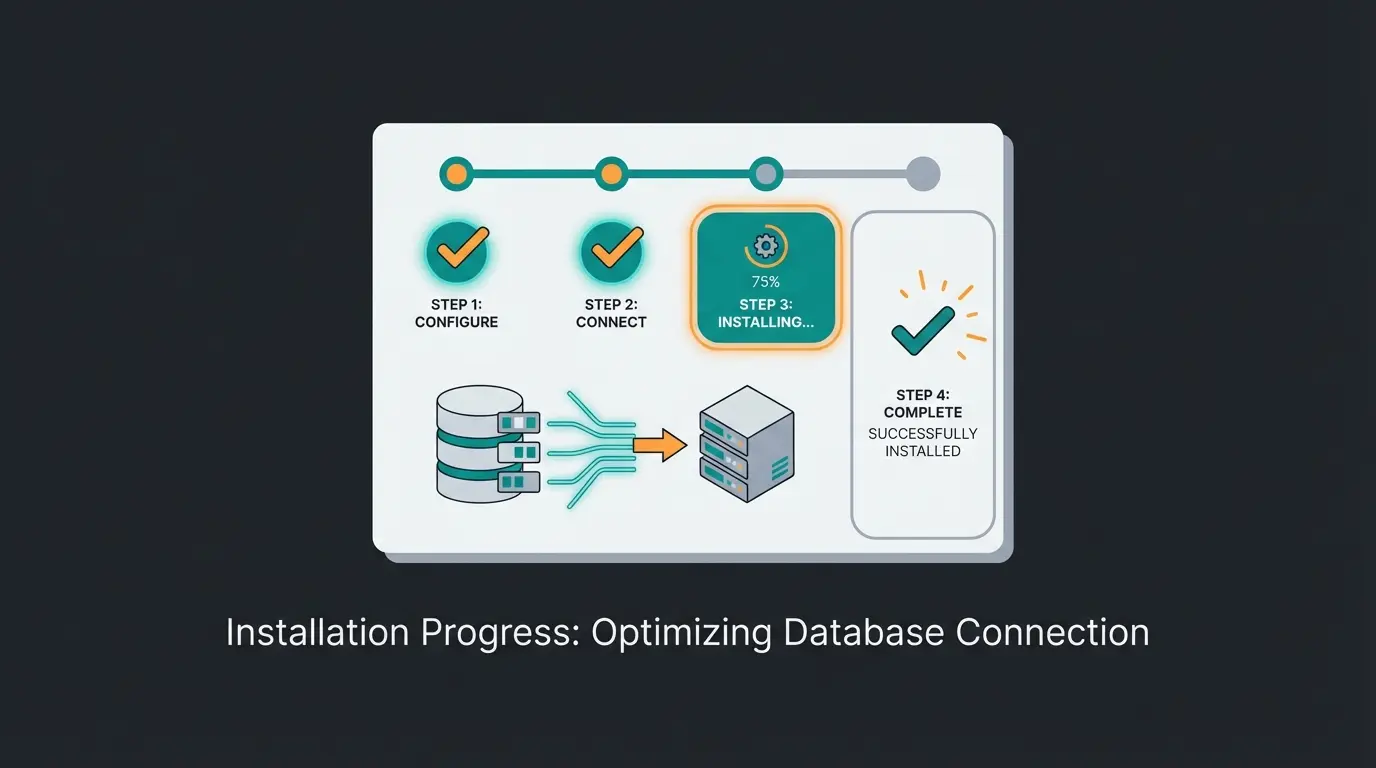
Quick Guide (Installer Method):
- Download: Get the current Shopware 6 Community Edition from shopware.com.
- Upload: Extract the ZIP file and upload the contents via FTP/SFTP to your webspace's main directory.
- Start Installer: Open your domain in the browser. The wizard will guide you through the process.
- Connect Database: Enter the credentials for your empty MySQL/MariaDB database.
- Configuration: Set currency (EUR), language (German or English), and admin user.
Essential Plugins for Launch (Germany Edition)
Before you start designing, you need to make the store legally compliant and fast. Install these plugins immediately after your first login:
- Legal Compliance: Absolutely essential in Germany. Use plugins from IT-Recht Kanzlei or Händlerbund. These automatically synchronize terms and conditions, imprint, and cancellation policy via API. This saves you from legal warnings and manual copy-paste work.
- Cookie Consent: A consent manager (e.g., Cookiebot or Usercentrics) is mandatory for GDPR compliance.
- Language Pack: Install the language pack if not done during installation to ensure all email templates are properly localized.
- Payment Provider: PayPal and Mollie (for credit card, Klarna, Apple Pay) are the standards in the DIY space.
According to IT-Recht Kanzlei, automated legal text synchronization reduces compliance risks by up to 95% for online store operators. This integration is a must-have that Shopware's extension marketplace actively promotes for German market sellers.
Phase 2: Design and Experience (The Visual DIY)
The store is running technically. Now it needs to look good. Shopware 6 offers a powerful tool for this: Shopping Experiences (Erlebniswelten).
Mastering Shopping Experiences
Shopping Experiences is a CMS (Content Management System) seamlessly integrated into the store. You can build landing pages, category pages, and product detail pages using drag and drop without writing a single line of code. As Kennersoft explains in their tutorials, and Hexamain confirms in their design guides, this feature democratizes professional store design.
Here's how to proceed:
- Choose Layout Type: Start under Content > Shopping Experiences. Select 'Shop page' for the homepage or 'Landing page' for promotional pages.
- Use Sections: Build the page in 'sections' (e.g., sidebar layout or full width).
- Blocks & Elements: Drag blocks (text, image, video, product slider) into the sections.
- Data Mapping: This is the most powerful feature. Instead of typing text manually, you can link fields with database content (e.g., 'category name' or 'product description'). This way, the design changes dynamically with the content.
The Beautiful Shell Trap
This is where 90% of DIY users fall into a trap. They spend weeks making the homepage beautiful with large banners and emotional videos. The result looks like a glossy magazine.
The Problem: Beautiful design doesn't answer questions.
When a customer lands on your page with a complex problem (e.g., 'Which e-bike for back pain?'), the most beautiful hero image won't help them. They need consultation. And this is exactly where classic DIY stores fail. This is where Shopware AI features can make a significant difference.
Most tutorials end before addressing actual sales challenges
Buyers with complex needs abandon stores lacking consultation
Modern customers expect instant answers at any time
Modern AI tools need no programming knowledge to implement
Phase 3: The Hidden Challenge—Product Consultation
This is the turning point in your Shopware DIY strategy. Understanding this phase separates successful stores from those that struggle with conversion.
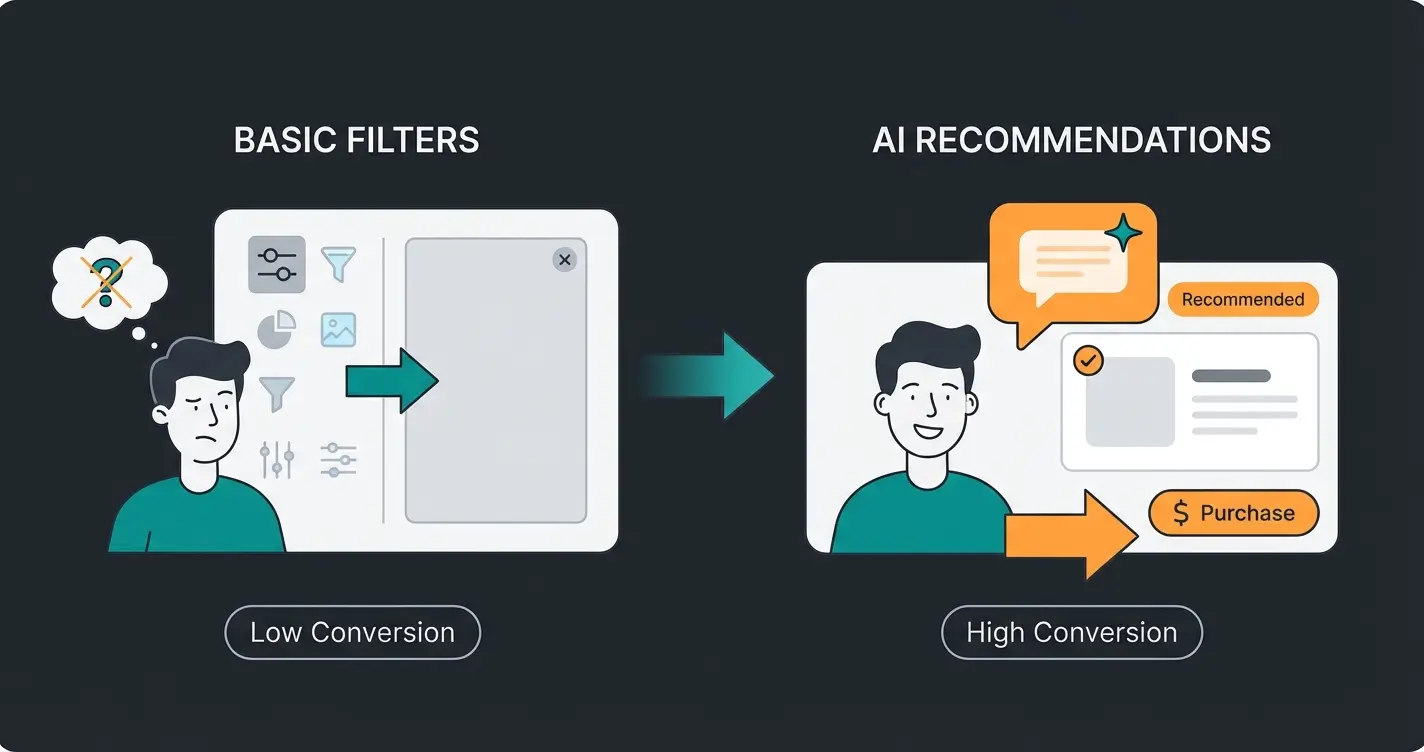
The Limitations of Standard Filters
Shopware comes with built-in filters (price, color, manufacturer, properties). This works great when the customer knows exactly what they want ('Red t-shirt, size L').
But what about consultation-intensive products?
Example: A customer is looking for skincare. They don't know they need 'hyaluronic acid' (technical property). They only know they have 'dry skin in winter' (problem). With standard Shopware, the customer clicks through categories frustratedly, finds nothing, and goes to Amazon or a specialty store.
The Old DIY Approach (Not Scalable)
Until now, solopreneurs had only two options:
- Write massive FAQ pages: Nobody reads them completely.
- Live chat / Phone: You tie yourself to the computer 24/7. As soon as you sleep or go on vacation, revenue drops.
The New DIY Approach: Smart Automation
The solution for 2025 is integrating an AI sales consultant. We're not talking about dumb chatbots that can only answer 'Where is my package?' We're talking about systems that understand your product catalog and act like an experienced salesperson. This is where AI product consultation transforms the entire shopping experience.
Phase 4: Setting Up Your AI Consultant
This is where you differentiate yourself from the competition. Instead of just listing products, you offer Consultative Commerce. And the best part: there are now plugins that enable this through plug-and-play installation.
How an AI Product Consultant Works in Shopware
Modern AI plugins (based on technologies like OpenAI/GPT-4) work differently than old Shopware search:
- Data Synchronization: The plugin reads your products including descriptions and properties.
- Vectorization: The data is converted into a 'vector database.' This means the AI understands context (e.g., that 'back pain when cycling' is often caused by incorrect handlebar height).
- Dialog: The customer asks a question in natural language. The AI doesn't respond with a link list but with an explanation and specific product suggestions.
This approach represents what AI e-commerce transforms look like in practice—moving from passive catalogs to active selling assistants.
Step-by-Step: Installing the AI Consultant Yourself
You don't need to be a programmer to install this. Follow this DIY path:
Step 1: Plugin Selection
Search the Shopware Store for terms like 'AI Product Advisor,' 'AI Copilot,' or 'ChatGPT Assistant.' Make sure the plugin has access to your product data and doesn't just generate text. Look for features like 'Guided Selling,' 'Context-Based Search,' and 'Property Extraction.' A specialized AI Product Consultation solution will offer all these capabilities out of the box.
Step 2: API Connection
Most tools require an API key from OpenAI. Create an account at OpenAI Platform, generate an API key, and enter it in the plugin settings in the Shopware backend.
Step 3: Data Hygiene (The Key to Success)
An AI is only as smart as your data. Use Shopware 'Properties' intensively. Don't just add 'size/color,' but also use cases (e.g., 'Application: Outdoor,' 'Skin Type: Sensitive'). Use the integrated Shopware AI Copilot to automatically extract properties from your product texts. This saves hours of manual work. The Shopware AI product consultation capabilities continue to improve with each platform update.
Step 4: Prompt Engineering (No-Code)
Good plugins allow you to set the 'personality' of the consultant. Use a system prompt like: 'You are a friendly mountain bike expert. Ask the customer about their riding style before recommending a bike. Use informal address.' This is done through simple text fields in the backend. According to EXWE's Shopware development insights, proper prompt engineering can increase conversion rates by 30-50%.
Practical Scenario: The Difference in Action
Here's why the effort is worth it. This comparison shows exactly how AI product consultation beats traditional filtering approaches:
| Feature | Standard Shopware Search/Filter | Your New AI Consultant |
|---|---|---|
| Customer Query | 'Bike for commuting' | 'I'm looking for a bike for my commute, about 10km, sometimes gravel paths.' |
| Response | Shows all bikes (0 filters set). | Asks: 'Do you prefer a sporty or comfortable seating position? Do you need lights & fenders?' |
| Result | Customer overwhelmed by 200 models. | AI recommends the 'Gravel Bike X' with fender set and explains why. |
| Conversion | Low (abandonment). | High (feels like real consultation). |
| Availability | Always the same. | 24/7, infinitely scalable. |
Stop losing customers to complexity. Install an AI sales consultant that works 24/7, understands your products, and converts browsers into buyers—no coding required.
Start Your Free TrialPhase 5: Go-Live Checklist
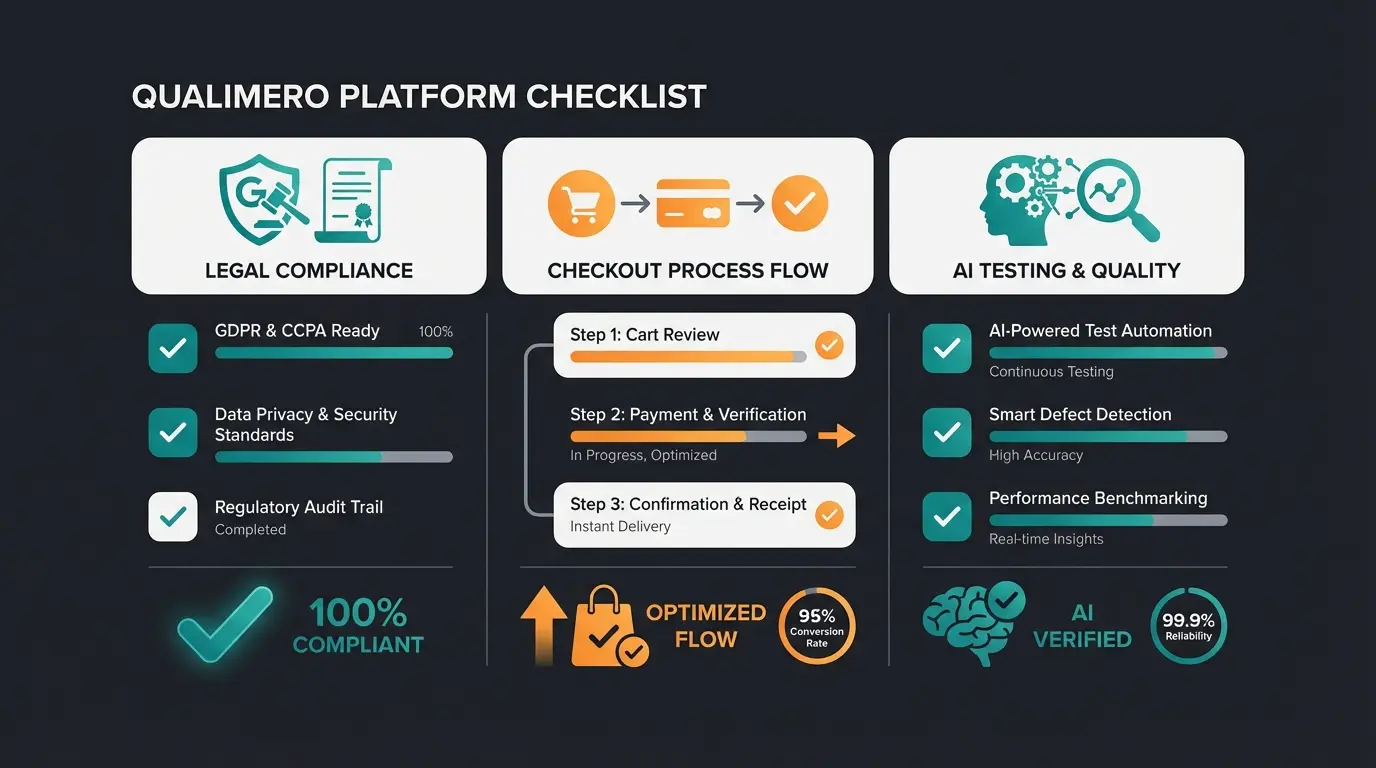
Your store is set up, the design fits, and the AI salesperson is trained. Before you disable maintenance mode, check these points. An AI-powered digital sales consultant only delivers results when the foundation is solid.
Legal Compliance Requirements
- Imprint & Terms: Are the texts current through the API connection (IT-Recht/Händlerbund)?
- Cookie Banner: Does it block scripts before the user consents?
- AI Transparency: Indicate in the chat window that an AI is responding (EU AI Act Compliance).
Checkout Process Verification
- Test Order: Complete an entire order (cart → checkout → payment → email receipt).
- Taxes: Is 19% VAT correctly displayed? (Especially important for shipping to other EU countries: consider the OSS procedure).
AI Stress Testing
Ask your bot 'stupid' questions. What happens when it finds nothing? (It should politely refer to support, not hallucinate). Check the response time—does the bot respond in under 3 seconds? If not, check your hosting (see Phase 1). This quality assurance is essential for AI for pre-sales consultation to work effectively.
The Modern Shopware DIY Technology Stack
Understanding how all components work together is crucial for long-term success. Think of your Shopware DIY setup as a layered architecture where each level builds upon the previous one.
Managed Shopware hosting (Timme/IONOS/Maxcluster) with NVMe storage and dedicated resources
Community Edition with legal plugins, payment providers, and essential extensions
Shopping Experiences CMS, responsive themes, and optimized product presentations
AI product consultant, payment automation, shipping integration, and analytics
This stack visualization shows why AI-powered consultation sits at the top—it's the layer that directly impacts revenue by improving customer experience and conversion rates.
From Question to Cart: The AI Customer Journey
Let's walk through exactly how an AI product consultation transforms the customer experience from frustration to purchase:
- Customer Initiates: A visitor sees the chat widget and types: 'I need a skincare routine for sensitive skin that gets dry in winter.'
- AI Analyzes: The system processes the natural language query, understanding the intent behind 'sensitive' and 'dry in winter' rather than looking for literal keyword matches.
- Contextual Questions: The AI asks clarifying questions: 'Do you have any specific concerns like redness or irritation? What's your current routine?'
- Smart Recommendations: Based on responses, the AI recommends 2-3 specific products with explanations: 'This hyaluronic serum works great for winter dryness, and it's formulated for sensitive skin types.'
- Direct Conversion: The customer can add recommended products directly from the chat interface, reducing friction to purchase.
This journey is what AI product consultation enables—turning passive browsing into active, guided purchasing.
Conclusion: DIY Now Means Smart Orchestration
Shopware DIY in 2025 is a different discipline than it was three years ago. It's no longer about hacking CSS code or manually writing server configurations. The tools are there and easy to use.
The real challenge—and your biggest opportunity—lies in automating consultation.
By building Shopware 6 on a solid hosting foundation and combining it with an AI sales consultant, you create something that was previously reserved for large corporations: A store that doesn't just display products but actively sells—around the clock, completely without staff.
Your Next Step:
Don't start with the design. Start with the question: 'What would my best salesperson ask the customer?' And then build your Shopware store exactly so that the AI can take over this role.
Good luck with your Shopware project!
Frequently Asked Questions About Shopware DIY
Yes, Shopware 6 Community Edition is completely free to download and use. You only pay for optional premium plugins from the store, hosting services, and any third-party integrations you choose to add. This makes it an excellent choice for DIY store owners who want to start without upfront software costs.
For a Shopware 6 store with AI product consultation capabilities, you need at least PHP 8.2 or 8.3, MySQL 8.0+ or MariaDB 10.11+, and a minimum of 8GB RAM (16GB recommended). Nginx is strongly preferred over Apache for better performance. If you plan to use Elasticsearch for search, you'll need additional memory allocation.
Absolutely. Modern AI product consultation plugins for Shopware are designed for plug-and-play installation. You'll need to create an OpenAI API key and configure some settings in the backend, but no coding is required. The most important work is ensuring your product data and properties are well-maintained, which is done through Shopware's standard admin interface.
A basic Shopware 6 installation can be completed in a few hours. Adding design through Shopping Experiences typically takes 1-2 days for a professional-looking storefront. Implementing and training an AI product consultant adds another 1-2 days, including data preparation and testing. Overall, expect 1-2 weeks for a fully functional store with AI consultation capabilities.
Expect to budget for managed Shopware hosting (€30-100/month depending on resources), legal text synchronization service (€15-30/month), and OpenAI API costs for the AI consultant (typically €20-100/month based on usage volume). Premium plugins and themes are usually one-time purchases. Total monthly costs for a small to medium DIY store typically range from €75-250.
Join thousands of successful DIY store owners who've transformed their e-commerce with intelligent product consultation. Get started in minutes, not months.
Get Started Free Today
Lasse is CEO and co-founder of Qualimero. After completing his MBA at WHU and scaling a company to seven-figure revenue, he founded Qualimero to build AI-powered digital employees for e-commerce. His focus: helping businesses measurably improve customer interaction through intelligent automation.