
Why Are You Really Searching for Shopware Help?
Have you ever stopped to ask yourself why you're searching for "Shopware help"? In 90% of cases, the answer is technical: an update failed, maintenance mode is stuck, or a plugin is throwing a 500 error. But while you focus on the technical health of your shop, you might be overlooking your business's biggest "help" problem: your customers are practically screaming for help, and nobody is listening. For more details, see our how to use the Shopware forum. See also our guide on Shopware Support Guide. See also our guide on Shopware support phone options. See also our guide on Shopware 6 support.
In this comprehensive guide for 2025, we're redefining what "Shopware help" truly means. We'll not only cover how to keep your shop running technically (with specific CLI commands and support plans), but also show you how modern AI solutions are revolutionizing "help" for your end customers and can quadruple your conversion rate. According to Shopware, the landscape of e-commerce support has evolved dramatically, and staying competitive requires understanding both dimensions of help. See also our guide on Shopware full service agency.
The Two Faces of Shopware Help
When we talk about help in the e-commerce context, we must consider two completely different perspectives. Neglecting either side inevitably leads to revenue losses.
- Backend Help (Reactive): The shop operator has a technical problem. The goal is stability. This includes server errors, plugin conflicts, update failures, and configuration issues that prevent your shop from functioning properly.
- Frontend Help (Proactive): The customer has a purchasing problem (uncertainty). The goal is revenue. This encompasses product questions, sizing concerns, compatibility inquiries, and any hesitation that prevents a visitor from becoming a buyer.
Most shop operators invest thousands of euros in point 1 while almost completely ignoring point 2. This article bridges that gap, providing you with actionable strategies for both dimensions of Shopware help. Understanding AI customer service automation is crucial for addressing the customer-facing side of this equation.
Average abandonment rate in 2025 according to Baymard Institute
Customers who want immediate responses to their questions
Potential lift with AI-powered chat vs. no chat support
Typical cost for Shopware developers in DACH region
Classic Shopware Help: Technical Support for Admins
Before we dive into revenue-boosting AI strategies, we need to ensure your foundation is solid. If your Shopware 6 shop has technical problems, the following paths are available to you in 2025. Understanding these options is essential before exploring Shopware support automation possibilities.
Official Shopware Support Channels (Rise, Evolve, Beyond)
Shopware has fundamentally restructured its licensing model. The classic editions (Professional/Enterprise) have been replaced by the Rise, Evolve, and Beyond plans. Your access to direct help depends heavily on your booked plan. According to Scope01, understanding these tiers is crucial for planning your support strategy.
| Feature | Community Edition | Rise Plan | Evolve Plan | Beyond Plan |
|---|---|---|---|---|
| Target Audience | Developers / Tech-Savvy | Growing Merchants | Scaling B2B/B2C | Enterprise / Market Leaders |
| Support Type | Community Only (Forum) | Written (Tickets) | Phone & Written | 24/7 VIP Support |
| Response Time | No Guarantee | 8 Hours | 4 Hours | 1 Hour |
| Cost | Free (Open Source) | from €600/month | from €2,400/month | from €6,500/month |
The Community: Forum vs. Stack Overflow
For developers and merchants with technical understanding, the community is the first point of contact. A transformation has occurred here in recent years, and understanding where to find answers can save you hours of frustration.
- The Official Forum: Good for general configuration questions and exchange with other merchants. You'll find discussions about best practices, theme customization, and general shop management here.
- Stack Overflow: Shopware actively encourages developers to post technical questions on Stack Overflow. If you're searching for specific error messages or code snippets, you'll often find answers faster here than in the old forum. The developer community is particularly active for plugin development questions.
Understanding the evolution of conversational AI helps contextualize why community-based support, while valuable, is increasingly being supplemented by automated solutions.
Shopware Agencies: When Does Expert Help Make Sense?
Searching for an agency is often the last resort when your own knowledge reaches its limits. However, quality comes at a price. According to 2HatsLogic, Dolphin Web Solution, and Software Developer India, understanding typical market rates helps you budget appropriately.
- Hourly Rates 2024/2025: In the DACH region (Germany, Austria, Switzerland), you should expect hourly rates between €80 and €150 for experienced Shopware developers. Senior developers or specialized enterprise agencies often charge prices beyond €150.
- Monthly Retainer Contracts: Many agencies offer maintenance contracts ranging from €500 to €2,000 monthly, covering regular updates, security patches, and a certain number of support hours.
- Project-Based Pricing: For larger undertakings like migrations or custom development, expect project quotes that can range from €5,000 for simple implementations to €100,000+ for complex enterprise solutions.
When to Hire an Agency
- For complex migrations (e.g., Shopware 5 to 6) where data integrity is critical
- For individual plugin development requiring custom functionality
- When internal resources for maintenance and updates are lacking
- For performance optimization and scaling infrastructure
- Not for simple configuration questions that can be solved through documentation – that burns budget unnecessarily
First Aid Kit: Troubleshooting for Shopware 6
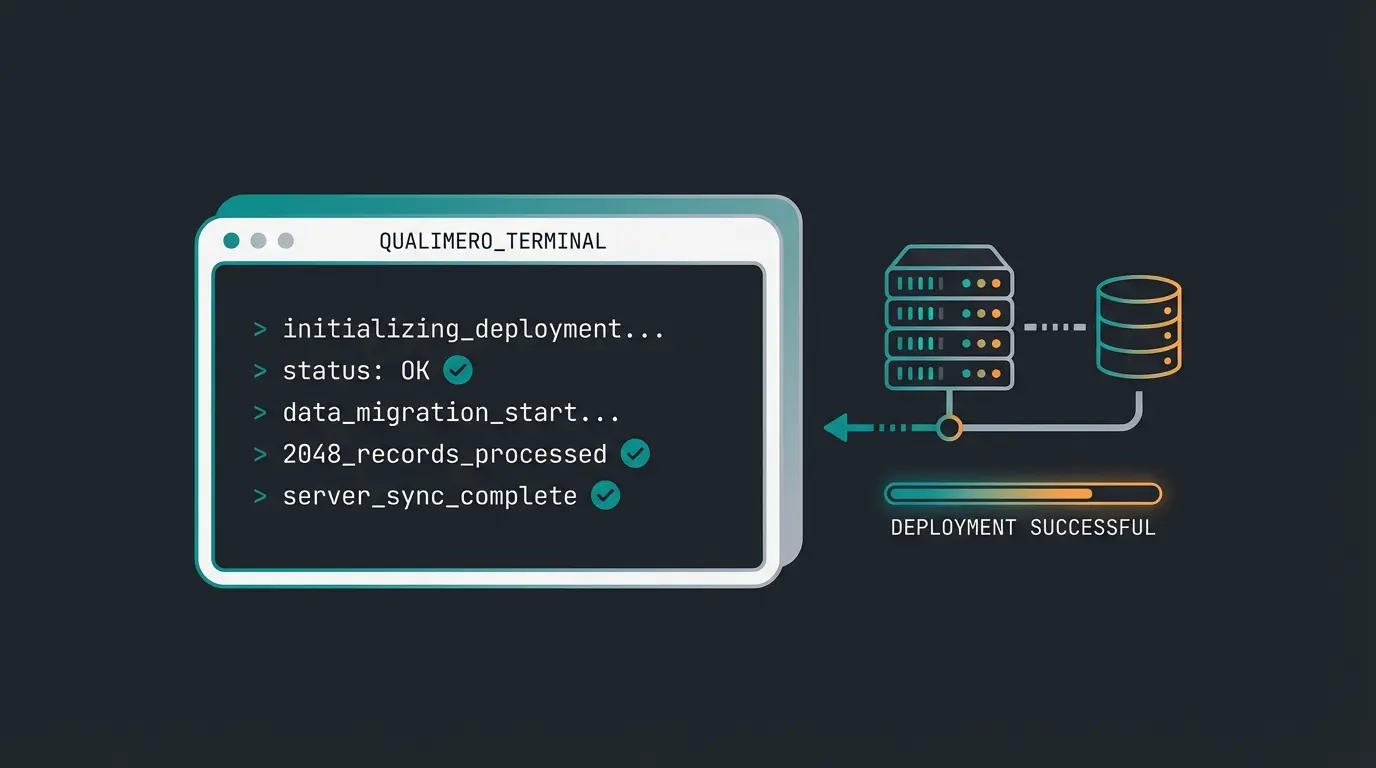
Often you search for "Shopware help" because something is acutely on fire. Here are the solutions for the three most common problems that you can often solve yourself (or with a developer) via CLI (command line) without waiting for support.
Scenario A: Shop Stuck in Maintenance Mode
A classic situation: You started an update, it was interrupted, and now customers only see "Maintenance work." The backend is often no longer accessible. According to Creoline, this is one of the most frequently reported issues.
The Solution: Delete the update folder and manually deactivate the mode via console.
```bash # 1. Delete the temporary update folder (if present) rm -rf files/update/ # 2. Disable maintenance mode for all sales channels php bin/console sales-channel:maintenance:disable --all # 3. Clear cache (for safety) php bin/console cache:clear ```
Scenario B: A Plugin Crashes the Shop (500 Error)
After installing a new plugin, the shop no longer loads. You can't get into the admin panel to deactivate it. This is frustrating but recoverable. As documented by Firebear Studio and Meet Joshi, CLI access provides the solution.
The Solution: Deactivate the plugin via CLI.
```bash # 1. Display list of all plugins (to find the technical name) php bin/console plugin:list # 2. Deactivate the problematic plugin php bin/console plugin:deactivate <PluginName> # Example: php bin/console plugin:deactivate SwagPayPal # 3. Clear cache php bin/console cache:clear ```
Scenario C: Searching Through Logs for Errors
Before calling expensive help, check the logs. Shopware 6 writes detailed error logs that often point directly to the issue. According to Shopware Daily, log analysis is a crucial troubleshooting skill.
- Location: `/var/log/` in your Shopware directory
- Important: Look for entries with "Critical" (400) or "Error" (300). These usually provide the decisive clue to the cause (e.g., "Out of Memory" or missing database fields).
- Pro Tip: Use `tail -f var/log/prod.log` to watch logs in real-time while reproducing the error
The Pivot: Why Technical Help Isn't Enough
We've now covered how to technically rescue your shop. But let's be honest: A technically functional shop doesn't guarantee revenue. This is where most Shopware help guides stop, but it's precisely where the real opportunity begins.
The Hidden Costs of "Bad Help"
While administrators panic when the server is down for 10 minutes, many ignore the fact that customers experience "conversion downtime" daily. This silent revenue killer operates continuously, draining potential sales with every confused visitor who leaves without purchasing.
- The Statistic of Failure: The average cart abandonment rate in 2025 stands at a staggering 70.2% according to Baymard Institute, Kanuka Digital, and Mobiloud. That's nearly three out of four potential buyers walking away.
- The Reasons: Besides shipping costs (48%), missing information and uncertainty are main reasons for abandonment. Customers abandon because they can't find answers to product questions, as documented by Adoric, Oberlo, and Sellers Commerce.
When a customer stands on a product page, asking themselves "Does this replacement part fit my model?" and finds no answer, that's a support failure. They leave the shop. This costs you more money than the monthly fee for Shopware support. Understanding different chatbot types helps you choose the right solution for these customer-facing challenges.
Here we need to redefine the term "Shopware help": Away from pure admin support, toward customer assistance that drives revenue.
While you fix server errors, confused customers leave your shop without buying. Discover how AI product consultation can capture these lost sales and boost conversions by up to 4x.
Get Your Free AI Consultation DemoEvolution of Help: FAQ vs. Chatbot vs. AI Consultant
How do you provide help to your customers? The development in e-commerce has gone through three stages. Where do you stand? Understanding this evolution is key to implementing AI-powered chatbots for customers effectively.
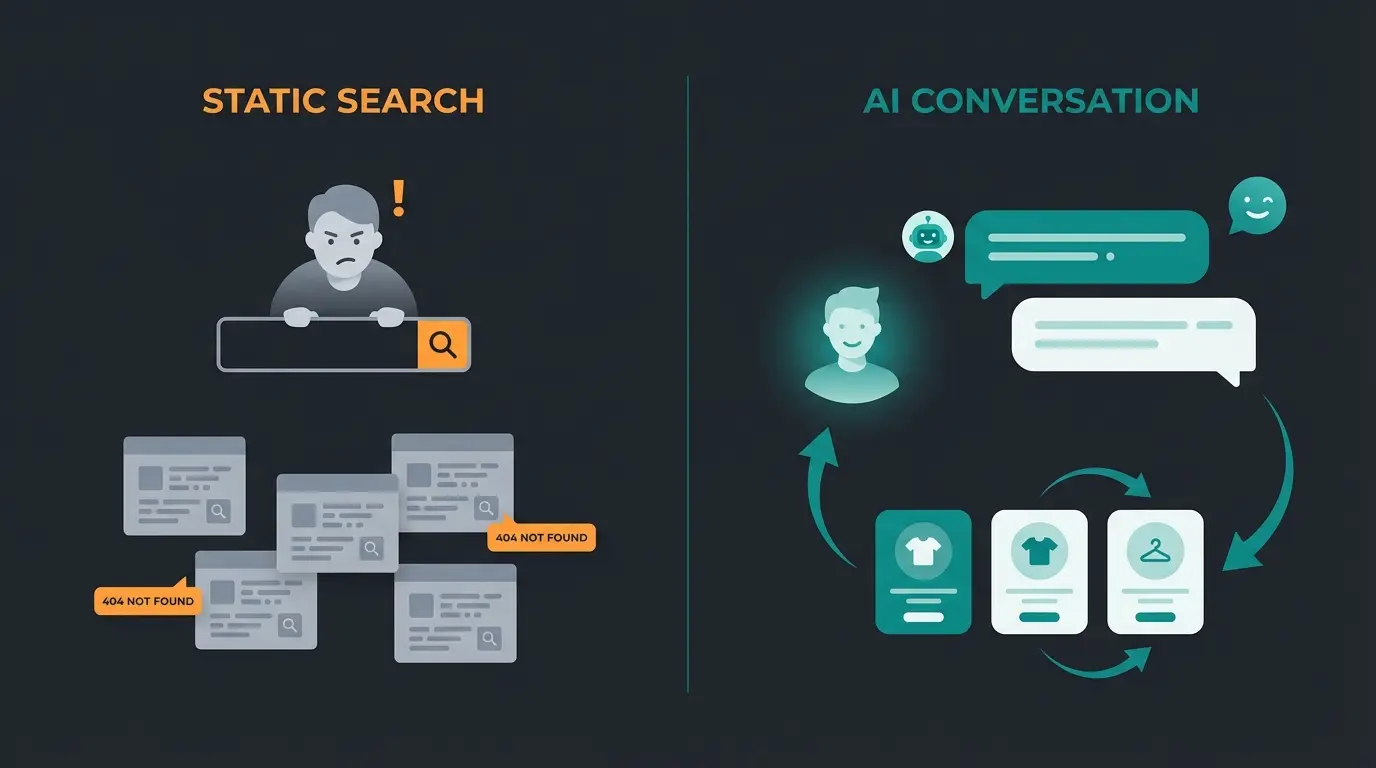
Level 1: The Static Library (FAQ & Search)
The customer must do the work themselves. They have to search through FAQs or read technical data sheets. This approach worked in the early days of e-commerce when customer expectations were lower.
- Problem: Customers are lazy and impatient. 90% expect an immediate answer according to Convin.ai. Anyone who has to search often doesn't buy.
- Reality: FAQ pages have an average engagement rate below 10%. Most visitors never scroll past the first few questions.
- Result: Frustrated customers who bounce to competitors with better support experiences.
Level 2: The Simple Chatbot (Script-Based)
Many shops use simple bots that react to keywords. These were revolutionary five years ago but now fall short of customer expectations.
Customer: "Does the filter fit my coffee machine X?" Bot: "Here are our coffee machines." Problem: Frustration. These bots don't understand context or nuances. The conversational AI business transformation has made these simple bots obsolete.
Level 3: The AI Product Consultant (The 2025 Solution)
This is where modern AI comes into play. An AI consultant (based on LLMs like GPT-4, but specialized) doesn't act like a librarian but like a salesperson. This represents the future of AI product consultation.
Customer: "I'm looking for running shoes, but I mostly run in the forest." AI: "For forest trails, you need shoes with more tread and stability. I recommend Model X or Y, as these have reinforced soles. What shoe size do you normally wear?"
The Impact: Data from HelloRep.ai and Amra and Elma shows that AI-powered chats can increase conversion rates compared to shops without chat by four times (from about 3% to over 12%). This isn't just an improvement—it's a transformation of your business economics.
Customer searches manually through knowledge base. Low engagement, high abandonment.
Keyword-triggered responses. Better than nothing, but frustrating for complex queries.
Context-aware, conversational guidance. Understands intent, recommends products, closes sales.
Anticipates needs before questions arise. Intervenes at hesitation points to prevent abandonment.
Why Shopware Needs Specialized AI (RAG vs. Generic AI)
You might be thinking: "I'll just integrate ChatGPT." That's a dangerous fallacy. A generic AI model doesn't know your prices, your inventory levels, or your specific product attributes. It could recommend products you don't even carry (hallucinations). Understanding AI in e-commerce product consultation requires grasping this distinction.
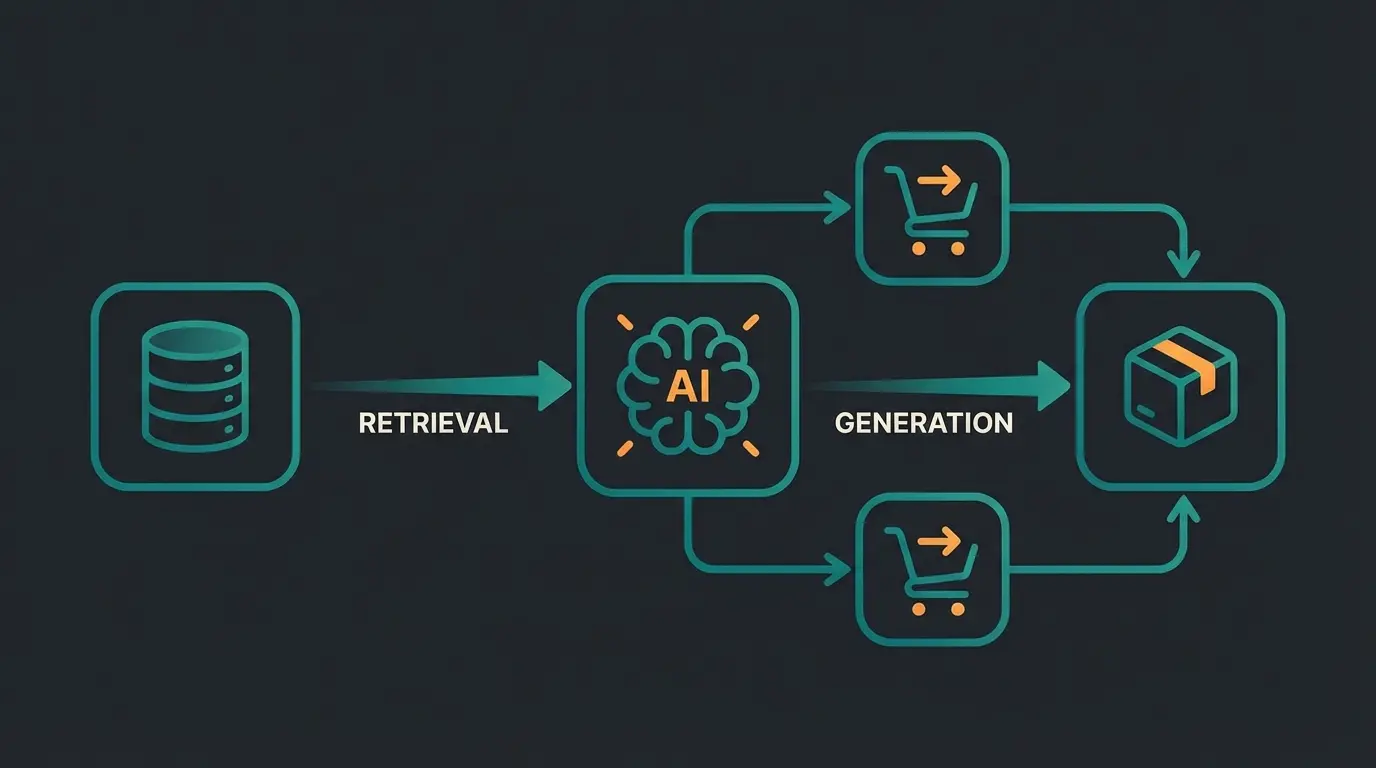
For effective "Shopware help" for customers, you need a technology called RAG (Retrieval-Augmented Generation). According to Bagisto, Aisera, and Meilisearch, this approach is revolutionizing e-commerce AI.
How RAG Works in E-Commerce
Instead of just training the AI with general knowledge, RAG connects the AI's language capabilities with your live data from Shopware. This creates a powerful combination of conversational intelligence and factual accuracy about your specific catalog.
- The Query: Customer asks: "Is the red dress still available in size M?"
- The Retrieval Step: The system searches your Shopware database for the real-time status of the item, checking current inventory, variants, and availability.
- The Generation: The AI formulates the answer: "Yes, the red dress in M is still available 3 times and can arrive at your place tomorrow. Would you like me to add it to your cart?"
Advantages Over Pure Fine-Tuning
As explained by Matillion, understanding the difference between RAG and fine-tuning is crucial for e-commerce applications:
- Timeliness: RAG knows your inventory levels in real-time. Fine-tuning is static and becomes outdated immediately after training.
- Precision: The AI doesn't hallucinate fantasy products because it's bound to your database. Every recommendation is verifiable.
- Cost Efficiency: RAG doesn't require constant model retraining when your catalog changes. Your product updates flow through automatically.
- Compliance: You maintain control over what data the AI accesses, ensuring customer privacy and data protection standards.
The Shopware AI product consultation guide provides deeper insights into implementing these technologies specifically for the Shopware ecosystem.
Strategic Comparison: Who Helps When?
To find the right balance between technical maintenance and revenue growth, this overview helps. It shows when you should use which type of "help" and helps you allocate your support budget effectively.
| Problem / Scenario | Best Solution | Cost Factor | Speed | Goal |
|---|---|---|---|---|
| Server Error 500 | Shopware Agency / Hoster | High (€€€) | Medium (Hours) | Shop Rescue |
| Update Error | CLI / Developer | Medium (€€) | Fast (Minutes) | Stability |
| "Where is my package?" | Simple Chatbot / FAQ | Low (€) | Immediate | Service Relief |
| "Which product fits me?" | AI Product Consultant | Medium (€€) | Immediate | Revenue Growth |
| Checkout Abandonment | Proactive AI Outreach | Medium (€€) | Real-time | Conversion Rescue |
Proactive vs. Reactive Help
The biggest lever lies in proactivity. This is where AI guided selling solutions truly shine, transforming the customer experience from passive to actively supportive.
- Reactive (Old): Wait until the customer writes a ticket (rarely happens, usually they just leave). By the time they reach out, you've likely lost them.
- Proactive (New): The AI recognizes that a customer has been hesitating on the checkout page for 2 minutes and asks: "Are you unsure about shipping costs? Above €50, we deliver free of charge, by the way."
Statistics from Sobot.io show that 67% of customers appreciate proactive updates and help. This is the key to winning back the 70% cart abandoners. The AI online shop consultation guide explores implementation strategies for this proactive approach.
The Support Hierarchy: A New Framework
Traditional thinking places all "help" in one category. A modern framework recognizes three distinct levels, each serving different purposes and requiring different solutions.
Server stability, hosting, security patches. Essential but not revenue-generating. Handled by agencies and Shopware support plans.
Documentation, how-to guides, configuration help. Enables shop functionality. Covered by forums, docs, and basic chatbots.
AI-powered sales consultation, proactive engagement, conversion optimization. Directly drives revenue. Requires specialized AI solutions.
Most businesses invest heavily in the foundation while neglecting the revenue-generating top. The success stories from AI employee implementations in e-commerce demonstrate the transformative impact of prioritizing this top tier.
Implementation Roadmap: Getting Started
Transforming your Shopware help strategy doesn't happen overnight. Here's a practical roadmap for implementation that balances quick wins with long-term transformation.
Phase 1: Audit Your Current State (Week 1-2)
- Analyze your current support tickets: What questions do customers actually ask?
- Review cart abandonment data: At what point do customers leave?
- Assess your technical support: Are you covered for emergencies?
- Document your FAQ effectiveness: What's the engagement rate?
Phase 2: Fill Technical Gaps (Week 2-4)
- Ensure appropriate Shopware plan coverage for your business criticality
- Establish relationships with 1-2 trusted agencies for emergency support
- Learn basic CLI commands for common troubleshooting scenarios
- Set up proper log monitoring and alerting
Phase 3: Deploy Customer-Facing AI (Week 4-8)
- Select an AI solution with proper Shopware/RAG integration
- Configure product data connections for real-time accuracy
- Train the AI on your brand voice and common customer queries
- Implement proactive triggers based on user behavior patterns
Phase 4: Optimize and Scale (Ongoing)
- Monitor conversation analytics for continuous improvement
- A/B test proactive messaging timing and content
- Expand AI capabilities to cover returns, shipping, and post-purchase support
- Integrate learnings back into product descriptions and FAQs
Frequently Asked Questions
The Community Edition is free and open-source, but you receive no official Shopware support—you're dependent on community forums and agencies. Paid plans (Rise from €600/month, Evolve from €2,400/month, Beyond from €6,500/month) include guaranteed response times ranging from 8 hours to 1 hour depending on your tier. For business-critical shops, at least the Rise plan is recommended to ensure professional support when issues arise.
Traditional chatbots are script-based and match keywords to pre-written responses, often frustrating customers with irrelevant answers. AI product consultants use large language models combined with RAG (Retrieval-Augmented Generation) to understand context, access your real-time Shopware product data, and provide personalized recommendations like a skilled salesperson would. They can ask clarifying questions, understand nuances, and guide customers toward purchases.
Essential commands include: 'php bin/console sales-channel:maintenance:disable --all' to exit stuck maintenance mode, 'php bin/console plugin:deactivate <PluginName>' to disable problematic plugins, and 'php bin/console cache:clear' to resolve caching issues. Always have SSH access configured and maintain recent backups before running any CLI commands.
Yes, studies show AI-powered chat can increase conversion rates from approximately 3% to over 12% in e-commerce environments. This dramatic improvement comes from providing instant, accurate answers to product questions, reducing uncertainty that leads to abandonment, and proactively engaging hesitant customers at critical decision points.
Hire agencies for complex technical work: migrations, custom plugin development, server infrastructure issues, and major updates. These require human expertise and hands-on problem-solving. Use AI support for customer-facing needs: product questions, availability checks, sizing guidance, and proactive sales assistance. The key distinction is that agencies solve operational problems while AI drives revenue through customer engagement.
Conclusion: The Future of Shopware Help
In 2025, "Shopware help" no longer means just opening tickets in the admin panel. It means running a holistic support strategy that addresses both technical stability and customer conversion needs.
- Secure the technology: Use the official Shopware plans (Rise/Evolve) for basic security and learn the most important CLI commands for emergencies. Your technical foundation must be solid before you can focus on growth.
- Invest in the customer: Don't rely on customers helping themselves. The days of static FAQs are over. Every unanswered question is a lost sale, and the cumulative impact dwarfs your technical support costs.
- Use AI as leverage: An integrated AI Product Consultant that accesses your Shopware data via RAG isn't a toy—it's your most efficient sales employee. It doesn't sleep, knows every product detail, and transforms questioning visitors into buying customers.
Stop treating customer support as a cost center. Join the shops that are turning every customer question into a conversion opportunity with AI-powered product consultation integrated directly into Shopware.
Start Your Free Trial Today
Lasse is CEO and co-founder of Qualimero. After completing his MBA at WHU and scaling a company to seven-figure revenue, he founded Qualimero to build AI-powered digital employees for e-commerce. His focus: helping businesses measurably improve customer interaction through intelligent automation.