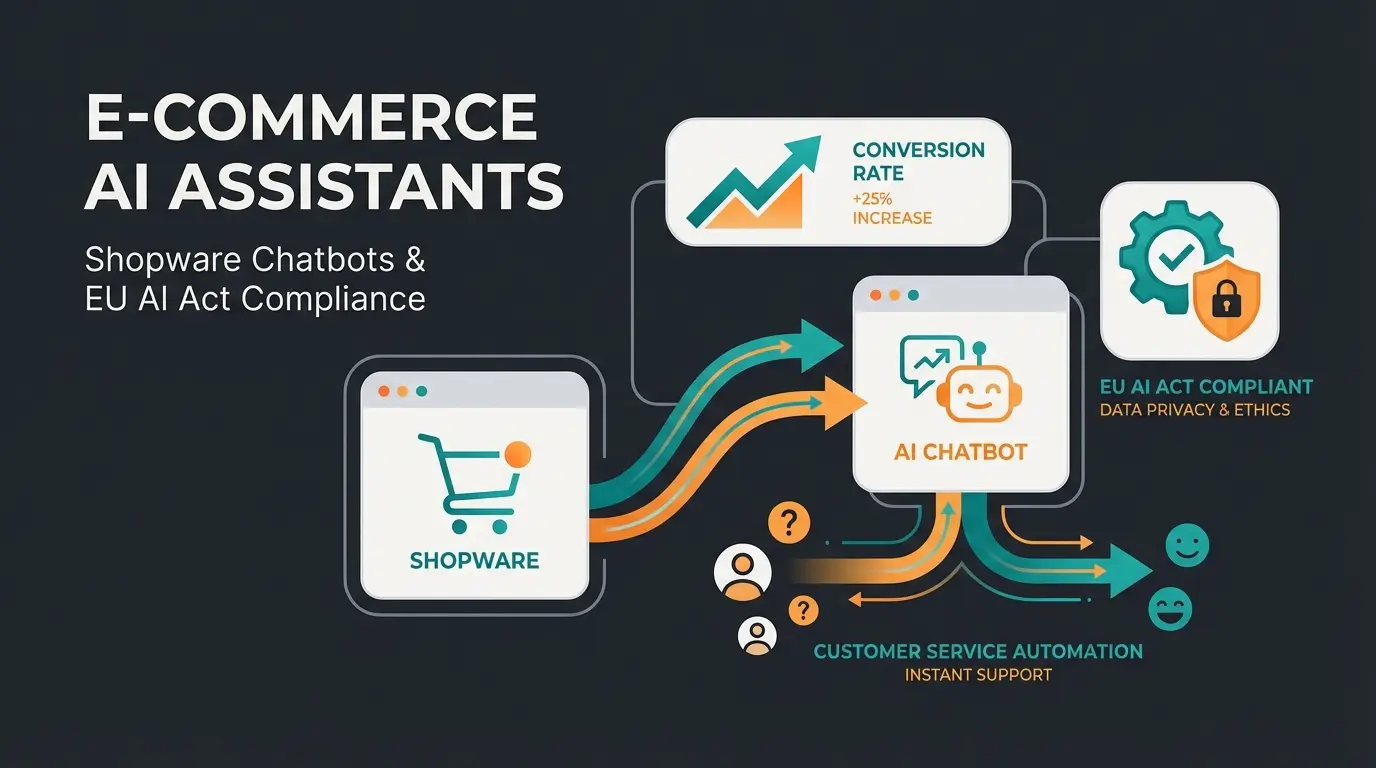
Introduction: Redefining Shopware Support
When shop owners search for "Shopware support," they typically face one of two problems: Either the shop is technically "broken" (a plugin is failing, the Shopware 6 update is causing issues), or the support inbox is overflowing with customer inquiries. For more details, see our Shopware forum and community channels.
The reality for many Shopware merchants in 2025 is sobering: While technical challenges can be solved through agencies, customer service is increasingly becoming the bottleneck for growth. Seasonal peaks like Black Friday or the Christmas shopping season push support teams to their limits. Staff shortages and rising labor costs make scaling with human employees nearly impossible.
But here lies a fundamental misunderstanding: Shopware support is not all the same.
In this comprehensive guide, we strictly differentiate between technical maintenance (the foundation) and customer care (the revenue driver). We'll show you why traditional support models are outdated and how you can automate up to 100% of your recurring inquiries using AI employees—so-called "Digital Workers"—without losing the personal touch.
In this article, you'll learn:
- Why you must separate technical and customer-oriented support
- What traditional support really costs (including hidden expenses)
- How to connect an AI via the Shopware 6 API that doesn't just answer "Where is my package?" but actively sells
Two Faces of Shopware Support: Technical vs. Customer
Before diving into automation, we need to untangle the term "Shopware support." Search results and the market often fail to distinguish sharply here, leading to misguided investment decisions.
1. Technical Support (The Foundation)
This is what most agencies sell as "support." It's about keeping the system running. Without this support, the shop stands still—but it doesn't generate additional revenue. It only prevents revenue loss.
Typical tasks include:
- Updates & Patches: Installing Shopware security updates (especially critical after Shopware 5 EOL in July 2024, as documented by eurosoft.net and Shopware)
- Plugin Compatibility: Ensuring third-party extensions still work after updates
- Hosting & Performance: Server monitoring and caching optimization
- Bug Fixing: Resolving errors in checkout or frontend
Cost Framework: The market for technical Shopware developers is highly competitive. According to software-developer-india.com and dolphinwebsolution.com:
- Agency Hourly Rates (DACH region): €90 – €150
- Freelancers: €70 – €120
- Maintenance Contracts: Often flat rates of €500 – €2,000 per month for guaranteed response times
2. Operational Customer Support (The Growth Driver)
This is where interaction with the end customer takes place. This area is often neglected or runs "on the side," even though it directly impacts conversion rate and customer retention.
Typical tasks include:
- Pre-Sales: Product consultation ("Does spare part X fit device Y?")
- Post-Sales: Status inquiries ("Where is my delivery?"), returns management, complaints
- Service: Invoice requests, address changes
The Problem: While technical issues are often one-time fixes, service inquiries scale linearly with revenue. More orders automatically mean more "Where is my package?" emails. This is exactly where automation comes in—and where solutions like AI-powered customer service become game-changers.
Hosting, updates, security patches - prevents revenue loss
Returns, order status, FAQs - handles standard inquiries
AI sales advice, product recommendations - generates revenue
Why Traditional Support Models No Longer Work
E-commerce has transformed. Customers today expect real-time answers—24/7. Those who respond only on the next business day have often already lost the customer to Amazon.
The 5 Biggest Support Challenges for Shopware Merchants
1. Seasonal Peaks & Scalability: A garden furniture retailer generates 60% of their revenue between March and June. A staff level capable of handling this load is too expensive in winter. Temporary workers often aren't deeply trained in the Shopware system or product data.
2. High Personnel Costs and Turnover: A qualified customer service agent in Germany earns an average of €30,000 to €45,000 gross per year, as reported by Payscale and SalaryExpert. Including payroll taxes and workplace costs, a single employee quickly costs over €50,000 annually.
3. Long Onboarding Times: Shopware shops often have complex catalogs. It takes 2-3 months until a new employee knows which accessories fit which main product. During this time, response quality is inconsistent.
4. Inconsistent Response Quality: Human employees have bad days. An annoyed response on Friday afternoon can cost you a loyal customer. Additionally, knowledge varies: Employee A knows technology, Employee B knows shipping.
5. No True 24/7 Availability: Online shopping happens in the evenings and on weekends. Traditional support is usually unstaffed then. However, studies from eDesk show that a quick pre-purchase response increases conversion probability by up to 65%.
Why Classic Chatbots and Flow Builders Fail
Many Shopware merchants have already tried to automate support—and failed. Why? Because they relied on outdated technology. Understanding the difference between traditional AI chatbots and modern AI employees is crucial.
- Limited Response Options: Classic chatbots are based on "if-then" rules (flow builders). They can only answer what was explicitly programmed. This covers at most 50-60% of standard inquiries.
- The "I didn't understand that" Loop: As soon as a customer phrases a question slightly differently or makes a typo, the bot gives up. This massively frustrates customers.
- High Maintenance Effort: Every new article, every change in shipping conditions must be manually updated in the flow builder.
- No Context Understanding: A basic bot doesn't know that the customer asked about delivery time two minutes ago or that they're a VIP customer.
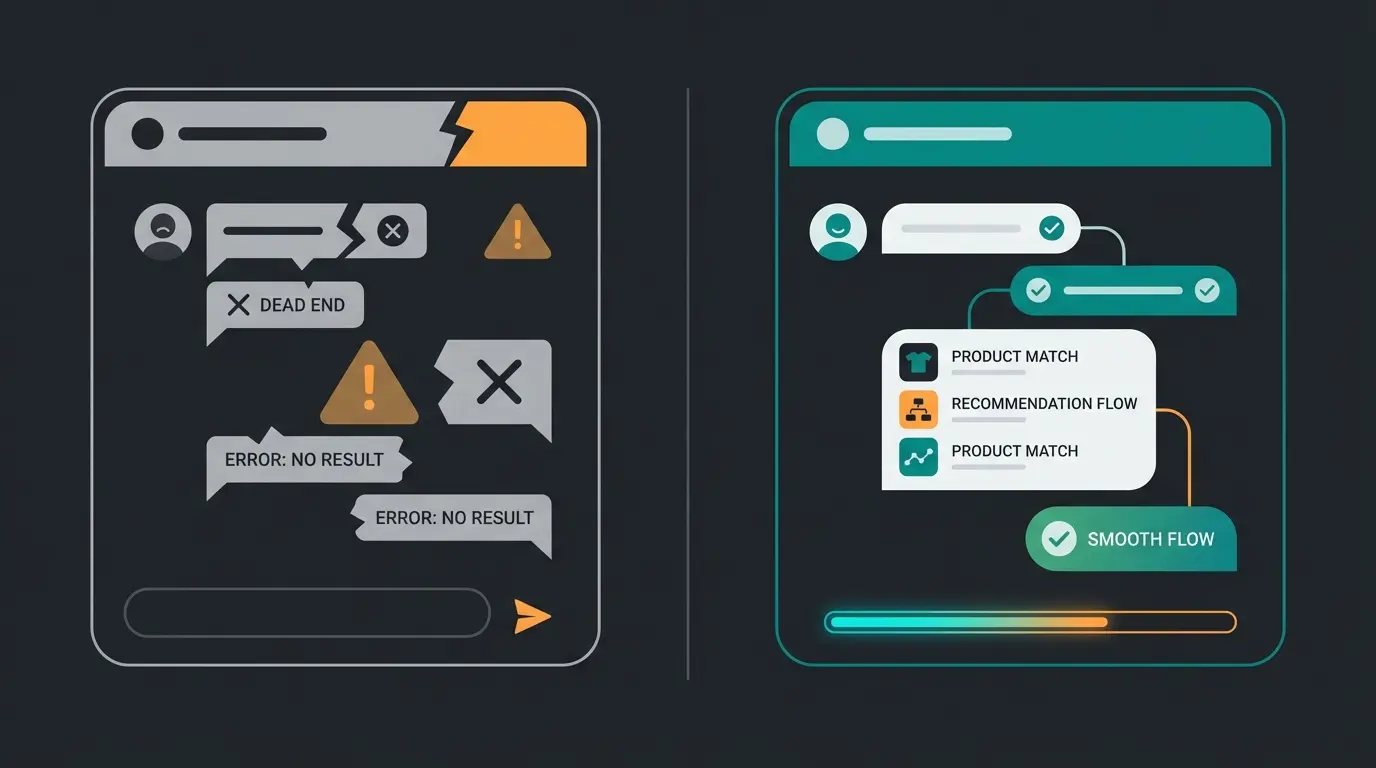
The Future: AI Employees for Shopware Shops
The solution to the support dilemma isn't "more staff" or "a better flow builder," but a new category of software: AI Employees (Digital Workers).
What is an AI Employee (And What It's Not)?
An AI employee (like those from Qualimero) is not a chatbot. It's an AI based on a Large Language Model (similar to GPT-4) but specifically trained for e-commerce processes and your Shopware data. This is what makes Shopware AI integration so powerful.
| Feature | Traditional Chatbot | AI Employee (Qualimero) |
|---|---|---|
| Technology | Static decision trees | Generative AI & NLU (Natural Language Understanding) |
| Setup | Weeks of building flows | Training through data upload (PDFs, URLs, Shopware API) |
| Flexibility | Rigid, breaks on deviations | Flexible, understands context and nuances |
| Knowledge | Only what was programmed | Uses entire product catalog & knowledge base |
| Goal | Deflect tickets | Solve problems & sell |
How AI Employees Learn
The decisive difference lies in the "onboarding." You train an AI employee like a real person, except it takes seconds instead of months:
- Product Knowledge: Through the Shopware API, the AI pulls product descriptions, properties, and variants.
- Company Knowledge: You feed the AI your terms and conditions, shipping policies, and internal manuals.
- Tonality: You define whether the AI uses informal or formal address, whether it uses emojis or stays strictly factual.
- Continuous Learning: The AI analyzes past conversations and improves with every resolved ticket.
7 Advantages of AI Employees Over Traditional Support
When implementing AI customer service solutions, the benefits become immediately apparent:
- Up to 100% Automation: Since the AI understands language and doesn't just scan keywords, it can also resolve complex inquiries that previously required humans.
- True 24/7 Availability: No night shift premiums, no breaks. The AI answers just as precisely at 11:00 PM on Sunday as it does Monday morning.
- Consistent Quality: Every customer receives the same high-quality response—consistent with your brand voice.
- Instant Scaling: When 5,000 inquiries come in simultaneously on Black Friday, the AI scales up instantly. No waiting queues.
- No Onboarding Pain: Knowledge is immediately available. New products in the Shopware backend are instantly in the AI's "head."
- Cross-Channel Memory: The AI knows in chat what the customer previously asked via email (with appropriate CRM integration).
- Massive Cost Savings: Compared to human personnel, costs are often 70-90% lower.
See how AI employees can handle up to 100% of your customer inquiries while reducing costs by 70-90%. Start your free trial today.
Start Free TrialSupport Tasks You Can Automate
With deep integration into Shopware 6, almost all standard processes can be automated. Here are the most important use cases:
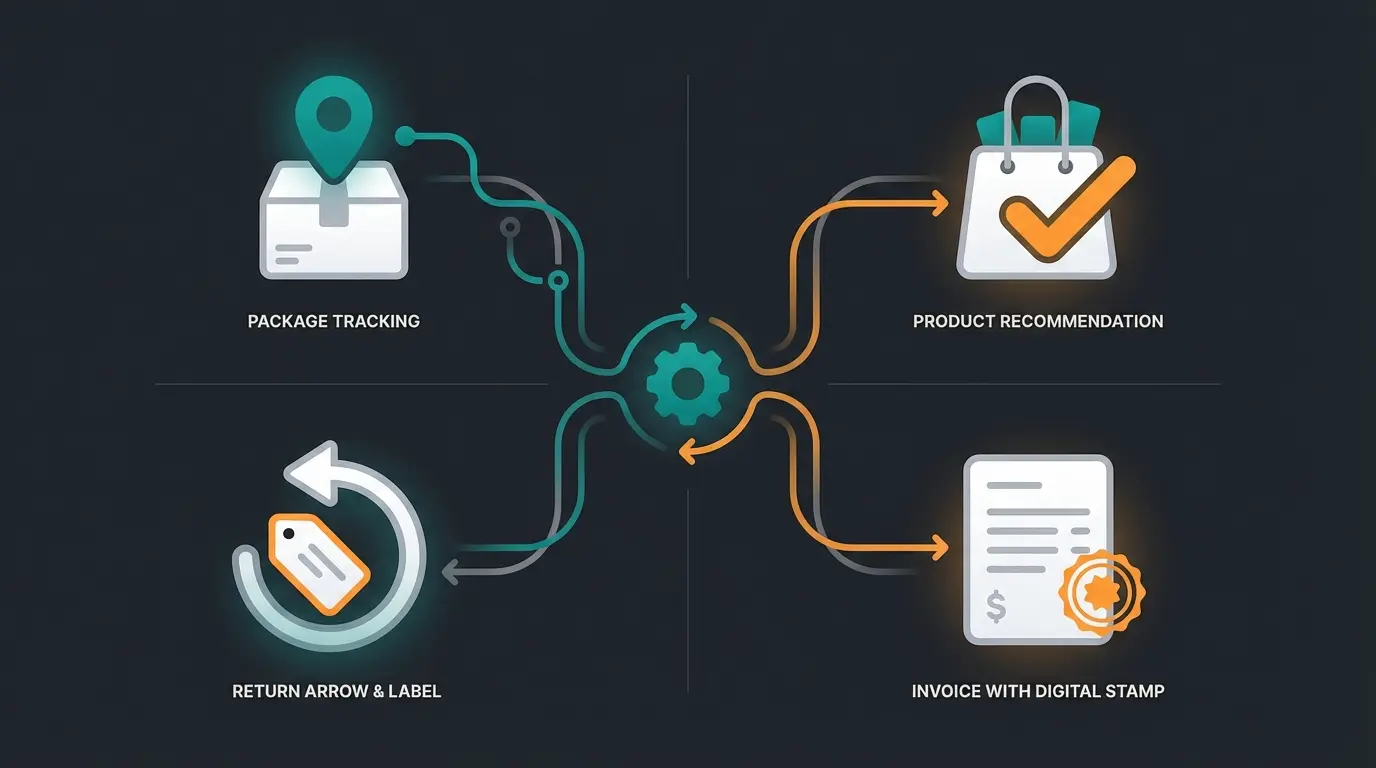
Order Status and Tracking Inquiries (WISMO)
"Where is my order?" (WISMO - Where Is My Order) often accounts for 30-50% of all inquiries.
The AI Solution: The AI identifies the customer (e.g., via email or order number), queries the Shopware API (`/api/search/order`), checks the status and tracking ID with the shipping provider, and gives a precise answer: "Your package left the logistics center in Cologne this morning and should arrive tomorrow. Here's the link..."
Product Questions and Consultation (Pre-Sales)
This is the "hidden champion" of automation. This is where revenue is generated. AI product consultation capabilities make the difference.
Scenario: A customer asks: "Which oil do I need for my chainsaw model X?"
The AI Solution: The AI searches the attributes and cross-selling data in Shopware. It not only responds with the product link but also explains why it fits. This is genuine consultation that increases conversion rates. Solutions like AI product consultation excel in these scenarios.
Returns and Complaints
Scenario: "The pants don't fit, I want to return them."
The AI Solution: The AI checks whether the return period has been observed. Through integrations, it can directly generate the return label and send it via email or query the reason for the return to improve your data quality.
Payment and Invoice Questions
Scenario: "I need the invoice for order #12345."
The AI Solution: The AI accesses the document repository in Shopware, generates the PDF, and sends it to the customer—fully automatically.
Account and Profile Questions
Password resets, address changes after ordering (as long as not yet shipped), or questions about loyalty points can be completely resolved without human intervention.
How to Implement Automated Support in Shopware
Introducing AI support is no longer a months-long IT project. Modern solutions use "no-code" or "low-code" approaches.
Step 1: Analyze Your Most Frequent Inquiries
Before you automate, you need to know what your customers are asking.
- Export the tickets from the last 3 months from your helpdesk (Zendesk, Freshdesk, Greyhound).
- Categorize them: WISMO, Product Consultation, Return, Complaint, Other.
- Tip: Usually, the top 5 categories account for 80% of the volume (Pareto principle). Focus on those.
Step 2: Choose the Right Solution
When selecting AI software, pay attention to the following criteria:
- Shopware Integration: Is there a ready-made plugin or simple API connection?
- Data Privacy (GDPR): Is data processed in Europe? (Essential for European shops).
- Multichannel: Can the AI handle email, chat, and WhatsApp simultaneously?
- Pre-Sales Capabilities: Can the AI actually consult or just sort tickets?
Step 3: Train the AI Employee (The Setup)
Here you connect your Shopware system with the AI.
- Product Feed: Pass your product catalog (XML/CSV or API) so the AI knows your products.
- Knowledge Base: Upload FAQs, shipping conditions, and return policies.
- Persona: Give your AI a name (e.g., "Lisa from Support") and a personality.
For inspiration on effective AI employee personas, see how the AI Employee 'Kira' transformed customer service for a garden supply company.
Step 4: Connect Channels
- Live Chat: Integrate the chat widget into your Shopware frontend (usually just a JavaScript snippet in the theme).
- Email: Forward your support email address (support@yourshop.com) to the AI. The AI drafts responses or sends them directly.
- WhatsApp Business: Connect your WhatsApp account for direct customer contact on smartphones.
Step 5: Measure and Optimize
After go-live comes optimization. Important KPIs are:
- Automation Rate: What percentage of inquiries does the AI resolve without humans? (Goal: >60% in the first month, >80% later).
- CSAT (Customer Satisfaction): How do customers rate the chat?
- Response Time: This should now be under 1 minute.
Export and categorize tickets from last 3 months to identify top 5 categories
Evaluate for Shopware integration, GDPR compliance, multichannel, and pre-sales capabilities
Connect product catalog, upload knowledge base, define persona and tonality
Integrate live chat, email forwarding, and WhatsApp Business
Track automation rate, CSAT, and response time for continuous improvement
Shopware-Specific Integrations & Technology
For the tech-savvy shop managers: How does this work "under the hood"? Shopware 6 offers ideal prerequisites thanks to its API-first architecture.
Shopware 6 Admin API Connection
Technically, the AI acts as an external app that communicates via the Admin API.
- Authentication: The AI uses OAuth 2.0 to securely connect to your shop, as documented in Stoplight and Webkul.
- Read Access: It reads orders (`order`), products (`product`), and customers (`customer`).
- Write Access: Advanced AIs can also modify data, e.g., add a note to an order ("Customer complained about delivery time") or change the status.
For more details on the technical implementation, the Stoplight API documentation provides comprehensive guidance for developers building custom integrations.
ERP Integration for Complete Automation
Often the true inventory data or tracking information isn't in Shopware but in the ERP (Pickware, JTL, Xentral, SAP).
- A good AI solution can either connect directly to the ERP or uses Shopware as the "single source of truth" when the ERP cleanly syncs data back to the shop.
- Example: When Pickware sets the status to "Shipped," the AI knows this immediately through the sync to Shopware.
Multi-Channel with 360° Customer Memory
The goal is a "unified inbox." Whether the customer writes through the contact form in the Shopware footer, by direct email, or via WhatsApp—the AI recognizes the customer by email address or phone number and immediately has the last order from Shopware ready. This is where guided selling approaches truly shine.
Success Stories: Shopware Merchants with Automated Support
What does this look like in practice? Here are three examples from real implementations.
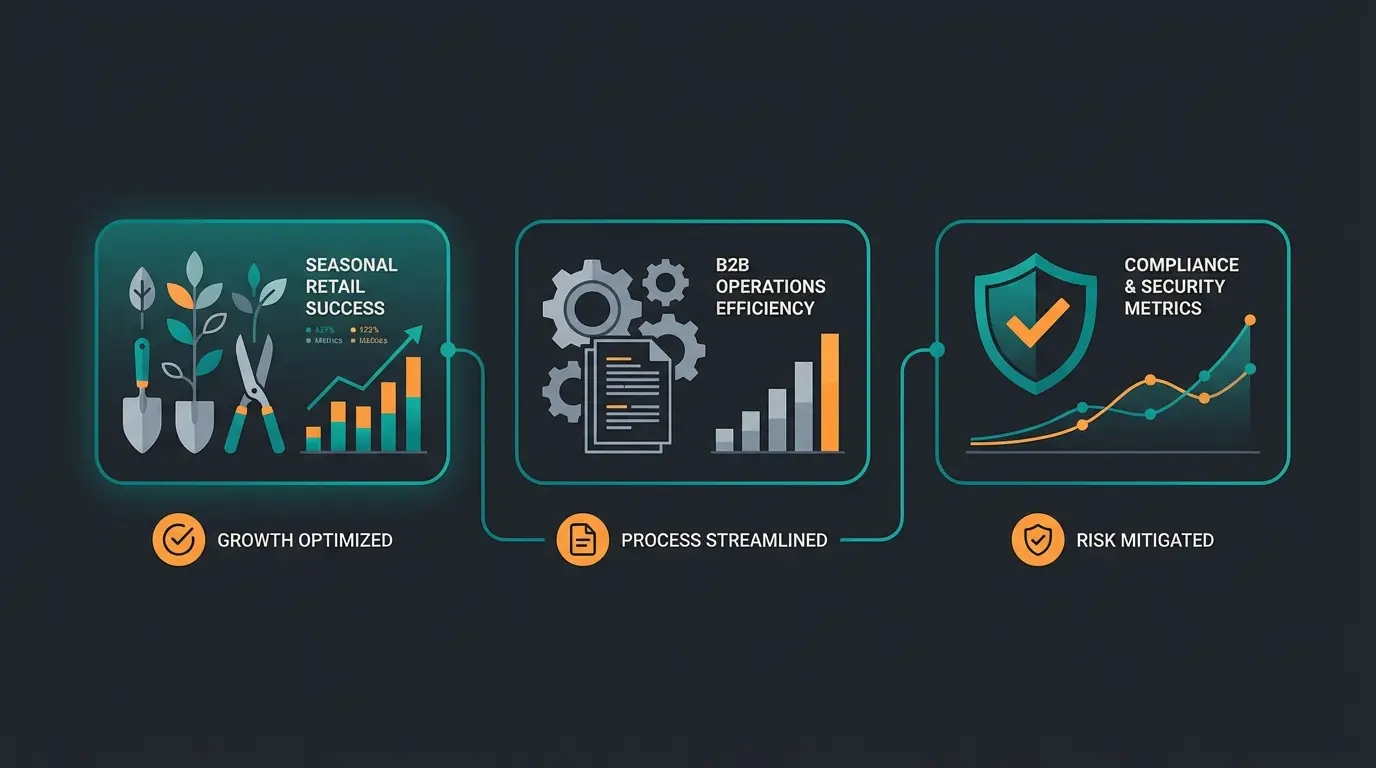
Case Study 1: The Home & Garden Shop (Seasonal Peak)
- Initial Situation: Extreme seasonal business in spring. 5 support employees were completely overwhelmed in March/April, response times rose to 4 days.
- Solution: Deployment of an AI employee for product consultation ("Which cover fits?") and status questions.
- Result: 90% of standard inquiries were resolved immediately. Human employees could focus on complex complaints. The average order value increased by 30% because the AI recommended matching accessories.
Case Study 2: Technical B2B Shop
- Initial Situation: Highly complex products (machine parts). Customers often called to verify technical compatibility. Expensive engineers had to provide support.
- Solution: Training the AI with technical data sheets and PDF manuals.
- Result: The AI could answer 70% of technical "first-aid" questions. Response time dropped from 24h to under 30 seconds. Engineers were relieved.
Case Study 3: Plant Protection Retailer (Compliance)
- Initial Situation: Strictly regulated market. Consultation can only make certain statements. Seasonal workers often made mistakes.
- Solution: AI employee with strict "guardrails" (safety rules) and compliance knowledge.
- Result: 100% legally compliant consultation. The AI refers to experts or emergency numbers for critical questions (e.g., poisoning) but provides perfect advice for standard applications ("How much fertilizer?").
You can explore similar success stories with KI Mitarbeiterin Flora who handles complex horticultural consulting with precision.
Cost-Benefit Analysis: Is Automation Worth It?
Let's look at the numbers.
Investment vs. Savings
Traditional Approach (Human):
- 1 Support Employee (Full-time): approx. €45,000/year (employer gross)
- Capacity: approx. 60-80 tickets per day
- Availability: 8 hours/day, 5 days/week (minus vacation/illness)
- Cost per Ticket: approx. €2.50 - €4.00
Automated Approach (AI - e.g., Qualimero):
- Costs: Monthly license fee (often in the mid three-figure range) + setup
- Capacity: Unlimited
- Availability: 24/7/365
- Cost per Ticket: Often under €0.50
ROI Calculator: Your Individual Savings Potential
Rule of thumb: If you have more than 300 tickets per month, an AI solution usually pays for itself in the first month.
- With 1,000 tickets/month and €3 cost per manual ticket = €3,000 in costs
- With AI (80% automation) = Only 200 manual tickets = €600 personnel costs + AI license
- Savings: Quickly over €1,500 per month
Including payroll taxes and workplace expenses per employee
Typical savings when implementing AI employee solutions
Compared to €2.50-4.00 for human-handled tickets
No night shifts, no vacations, consistent quality always
Hidden Benefits You Shouldn't Forget
- Opportunity Costs: What does a customer who abandons because they don't get an answer cost you?
- Employee Satisfaction: Your team doesn't have to answer "Where is my package?" 100 times a day anymore but can focus on real problems. This reduces burnout rates.
The broader implications of AI e-commerce extend far beyond simple cost savings—they fundamentally transform how businesses operate.
Comparing Types of Shopware Support Solutions
To help you visualize where different support solutions fit, here's a comprehensive comparison:
| Feature | Technical Agency | Helpdesk Software | AI Product Consultant |
|---|---|---|---|
| Fixes Bugs? | ✓ Yes | ✗ No | ✗ No |
| Updates Plugins? | ✓ Yes | ✗ No | ✗ No |
| Advises Customers? | ✗ No | Limited FAQ | ✓ Expert-Level |
| Increases Conversion? | ✗ No | ✗ No | ✓ Yes (Pre-Sales) |
| 24/7 Availability? | ✗ Emergency Only | ✗ No | ✓ Always |
| Understands Context? | ✓ Human | ✗ No | ✓ AI-Powered |
| Scales Instantly? | ✗ No | ✗ No | ✓ Unlimited |
| Cost per Inquiry? | €90-150/hour | €1-3 | <€0.50 |
Frequently Asked Questions About Support Automation
No. On the contrary. Since the AI responds immediately and knows the context, customers often feel better served than with a late standard email. Additionally, a "Human Handover" (transfer to humans) is always possible. When the AI can't help further, it seamlessly transfers the chat to an employee.
Good AI systems recognize their limits. When a customer becomes very emotional or asks a question that isn't in the knowledge base, the system escalates the ticket to your team—including a summary of the conversation so far.
Yes, if you use European providers. Make sure the servers are in the EU and a Data Processing Agreement (DPA) is signed. Shopware itself is "Made in Germany," and your support solution should have the same standard.
The technical setup (connection to Shopware) often takes less than an hour. The "training" (uploading data and fine-tuning responses) typically takes a few days to 1-2 weeks until everything runs perfectly.
Yes, when properly trained with technical documentation, data sheets, and product manuals. The AI can answer complex compatibility questions, recommend suitable accessories, and explain technical specifications—just like a well-trained human consultant.
Conclusion: Now is the Right Time for Automated Support
E-commerce isn't getting easier. Customer expectations are rising while the labor market is depleted. Those still trying to solve support problems purely through "more personnel" will face margin problems in the long term.
Automating Shopware support is no longer future music today but a necessary step toward professionalization. With AI employees, you achieve the balance: reduce costs (through automation of standard questions) while simultaneously increasing revenue (through 24/7 product consultation).
Don't wait until the next seasonal peak paralyzes your support.
Test Qualimero and create your first AI employee who knows your products and loves your customers. Handle up to 100% of inquiries automatically while increasing conversion rates.
Request Free Demo Now
Lasse is CEO and co-founder of Qualimero. After completing his MBA at WHU and scaling a company to seven-figure revenue, he founded Qualimero to build AI-powered digital employees for e-commerce. His focus: helping businesses measurably improve customer interaction through intelligent automation.