Introduction: Why Most Shops Are Using Intercom Wrong
When you think of Intercom, you probably think of customer support. You think of tickets, of "Where is my order?" (WISMO) queries, and frustrated support staff sending copy-paste responses. If that's your perspective, you're leaving money on the table.
In 2025, the e-commerce landscape has fundamentally shifted. The Intercom Shopify integration is no longer just a ticket deflection tool. When properly configured, it becomes your most powerful sales channel—an AI sales consultant that's available 24/7, knows your entire product catalog by heart, and proactively engages customers before they even realize they have a question.
This comprehensive guide for the European and US markets shows you not just how to technically set up the integration. We'll show you how to make the strategic shift from reactive support to proactive selling—and how to do it while maintaining full compliance with data protection regulations. Whether you're looking to optimize customer service or transform it into a genuine revenue driver, this guide covers everything you need to know.
Part 1: The Basics – How Intercom Shopify Integration Works
Before we dive into AI strategies, we need to understand the foundation. The Intercom Shopify integration is the bridge between your shop system (transaction data) and your communication platform (conversation data). Understanding this data flow is essential for leveraging modern AI sales consultants effectively.
What Exactly Gets Synchronized?
The integration isn't a one-way street. It enables bidirectional data flow that's essential for modern e-commerce strategies.
1. From Shopify to Intercom (Context for the Agent/AI):
As soon as a customer opens the chat, Intercom doesn't just see an anonymous visitor. Thanks to the synchronization, according to eesel.ai and Intercom's documentation, you can see:
- Order History: What has the customer purchased? (Lifetime Value)
- Current Order Status: Is the package still in transit?
- Customer Attributes: Last visit, number of orders, tags (e.g., 'VIP', 'Enterprise Customer')
- Shopping Cart Contents: What's currently in the cart? (Critical for abandonment campaigns)
2. From Intercom to Shopify (Actions in Chat):
Your agents (or the Fin AI bot) no longer need to leave the chat to solve problems. According to Intercom's help center, the following actions can be triggered directly in the inbox:
- Refunds: Issue complete refunds directly (partial refunds are reportedly on the roadmap)
- Address Changes: Correct delivery addresses before the package ships
- Duplicate Orders: For quick reorders
- Cancel Orders: Immediate cancellation for accidental purchases
Intercom automatically pulls customer context from Shopify
Order history, LTV, cart contents, and customer tags flow to Intercom
Full context enables personalized, informed responses
Refunds, address changes, and order modifications happen directly in chat
Technical Setup in 3 Steps
The installation is simple, but the devil is in the details (especially with permissions).
Step 1: App Installation — Go to the Shopify App Store and search for "Intercom." Click "Add App." Alternatively, start from the Intercom App Store.
Step 2: Authentication — You'll be prompted to link your Shopify store with your Intercom workspace. Important for European customers: Make sure you select the correct Intercom workspace (ideally the one hosted in the EU—see Part 4 of this article).
Step 3: Messenger Activation — After installation, the Intercom script is automatically injected into your Shopify theme. You now need to specify in the Intercom settings who can see the Messenger (e.g., "All Visitors" or "Only Logged-in Customers").
Part 2: Beyond 'Where Is My Package?' – The AI Sales Consultant
This is where the wheat separates from the chaff. 90% of shops use the Intercom Shopify integration only for support. We use it for sales. This approach aligns with the future of AI chatbots that go far beyond simple FAQ responses.
The Problem: The 'Dumb' Bot vs. Fin AI
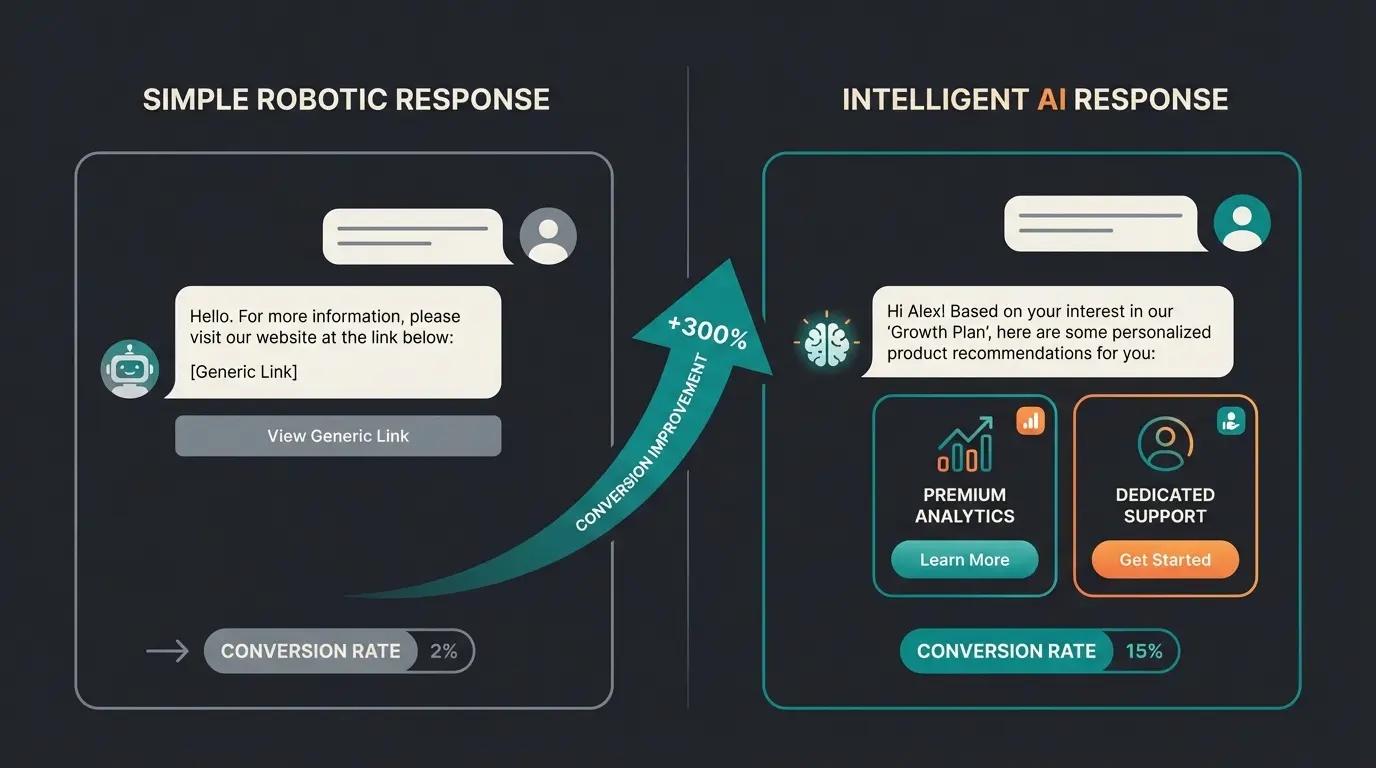
Classic chatbots (decision trees) operate on the principle: If customer clicks X, show answer Y. That's frustrating and rigid.
Intercom's Fin AI, on the other hand, uses Large Language Models (LLMs) to understand your entire help center content and (via integration) your product data. According to GPTBots.ai and Fin.ai, this represents a fundamental shift in how AI employees can support your business operations.
Strategy: Proactive Sales Consultation Instead of Reactive Support
Imagine you run an outdoor equipment shop.
Scenario A (Standard Support Bot):
- Customer: "Do you have hiking boots?"
- Bot: "Here's a link to our 'Shoes' category."
- Result: Customer has to search themselves, high abandonment rate.
Scenario B (AI Sales Consultant with Shopify Data):
- Customer: "I'm looking for shoes for a hike in the Alps in November."
- AI (Fin): "For alpine tours in late fall, I recommend waterproof boots with high ankle support. Based on our inventory, Model X and Model Y are available in your usual size. Would you like me to explain the differences?"
- Result: Consultation, trust, direct path to cart.
How to Set This Up (Content Gap Closed)
To achieve this, you need to feed Intercom not just FAQs, but use "Custom Objects" and "Product Events." According to Omnisend, tracking product views is essential for this functionality.
- Define Triggers: Use the "Viewed Product" event in Shopify as a trigger
- Create Rule Sets: Set up conditional logic based on customer behavior
Example Rule Configuration:
- IF customer views product category "Premium Coffee Machines"
- AND time on page > 30 seconds
- AND cart value = 0
- THEN send message: "Need help choosing the right grinder for your espresso machine?"
This approach to proactive Guided Selling transforms passive browsing into active purchase assistance.
Comparison: Support Bot vs. Sales AI
| Feature | Classic Support Bot | AI Sales Consultant (Fin + Shopify) |
|---|---|---|
| Goal | Ticket avoidance (Deflection) | Conversion & AOV increase |
| Data Source | Static FAQs | Real-time Shopify data & product catalog |
| Interaction | Reactive (waits for questions) | Proactive (recognizes hesitation/interest) |
| Context | Knows only current question | Knows purchase history & preferences |
| Tone of Voice | Robotic / Standardized | Customizable to brand voice |
This comparison highlights why investing in AI Product Consultation solutions delivers significantly higher ROI than traditional support chatbots.
Part 3: The European Perspective – GDPR, Hosting & Legal Notice
For e-commerce managers in Europe, this is often the most important section. US software like Intercom often triggers skepticism regarding GDPR (General Data Protection Regulation). Here's the current status for 2025 and how to use the Intercom Shopify integration in a legally compliant way.
1. Data Residency: EU Hosting Is Mandatory
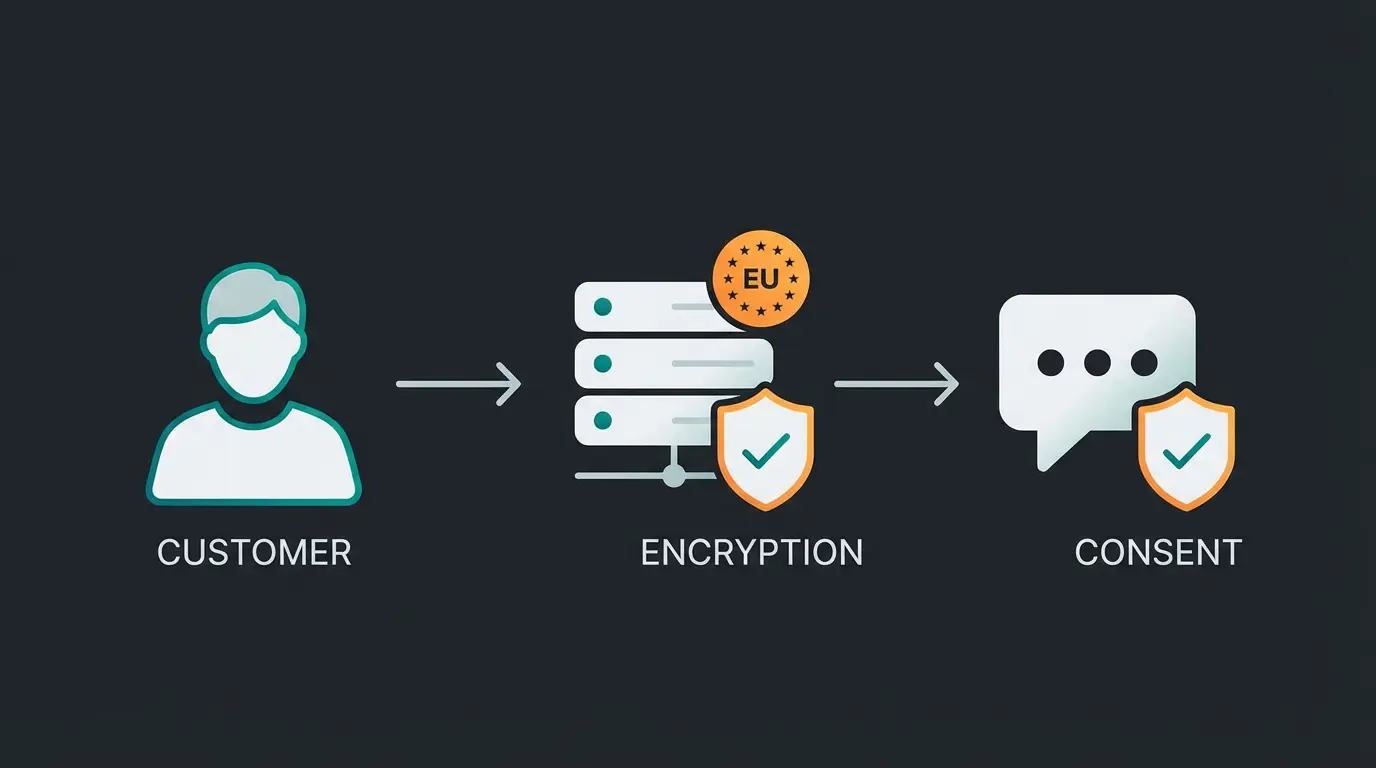
Intercom now offers genuine Regional Data Hosting. This means you can (and should!) choose a workspace whose data never leaves the EU.
- Location: Data is hosted on AWS servers in Dublin, Ireland (eu-west-1) according to Intercom's data hosting documentation
- Important: You cannot simply migrate an existing US workspace. If you're still on a US server, you need to open a new workspace in the "Europe" region and manually transfer data or set up fresh, as noted by Fin.ai's migration guide
- Detection: Check your URL. If it shows `app.eu.intercom.com`, you're safe. If it only shows `app.intercom.com`, your data is in the USA
Dublin, Ireland data center for European workspaces
Customer data never leaves EU jurisdiction
No data transfer to US servers with EU workspace
2. Consent Management (Cookie Banner)
In Europe, the Intercom Messenger (and thus its cookies) must not load before the user consents via the cookie banner (e.g., Usercentrics, Cookiebot). The standard installation of the Shopify app often ignores this. You need to manually adjust the script.
Solution Path:
Don't use the automatic "one-click" installation for the Messenger. Instead, add the code snippet manually to your `theme.liquid` and wrap it with your consent tool's logic. According to Usercentrics documentation and Mapp's consent guide, this is the recommended approach.
3. Legal Notice Requirements in Chat
A common compliance issue: The chatbot appears as an independent communication channel. Therefore, the legal notice (Impressum) or a link to it must be easily accessible within the chat widget.
Tip: In the Intercom Messenger under "Home" -> "Apps," add a link or short text block with a link to your legal notice and privacy policy. This is essential for European merchants and builds trust with privacy-conscious customers, as noted by Globeria Datenschutz.
Part 4: Bot Traffic Management – An Underestimated Problem
E-commerce shops often suffer from bot traffic (e.g., from server farms). A "dumb" chatbot would try to greet every one of these bots, which distorts your statistics and (with volume-based pricing) incurs costs.
The Solution:
Intercom's Fin AI and the Shopify integration allow you to set filters:
- Configure Intercom so the Messenger only displays for visitors showing real browser behavior (e.g., "Time on Page > 5 seconds" or "Scrolled 50%")
- Bots usually don't execute JavaScript or scroll like humans
- This simple hurdle saves you money on AI resolutions
This intelligent filtering is one reason why Shopify chatbot apps that leverage AI significantly outperform basic rule-based alternatives.
See how AI-powered customer consultation can increase your conversion rates while reducing support costs. Our platform integrates seamlessly with your existing Shopify infrastructure.
Start Your Free TrialPart 5: ROI & Cost Analysis – Is It Worth It?
Intercom's pricing is often opaque. Let's break down the costs of the Intercom Shopify integration for a typical mid-sized merchant.
The Cost Structure (As of 2025)
According to Cloudstride's pricing analysis and eesel.ai's cost breakdown:
- Shopify App: Free (the connection itself costs nothing)
- Intercom Base Plan: You need at least the "Essential" plan, better "Advanced" for automations — Essential: approx. $39 per seat/month, Advanced: approx. $99 per seat/month
- Fin AI Agent: This is the variable cost factor — Price: $0.99 per 'Resolution' (successfully resolved inquiry) — Note: There's often a minimum of 50 resolutions ($49.50) charged even if you don't use them
The ROI Calculation
Is it worth it? Let's compare it to human support.
- Human Cost: A support ticket (including labor costs, technology, office space) costs approximately $5.00 to $8.00 per handling
- AI Cost: A resolution costs $0.99 (approx. €0.95)
Savings:
If Fin AI intercepts just 30% of your "Where is my package?" inquiries, you save approximately $1,200 to $2,100 per 1,000 tickets—every month.
Additional Revenue (The Consultant Angle):
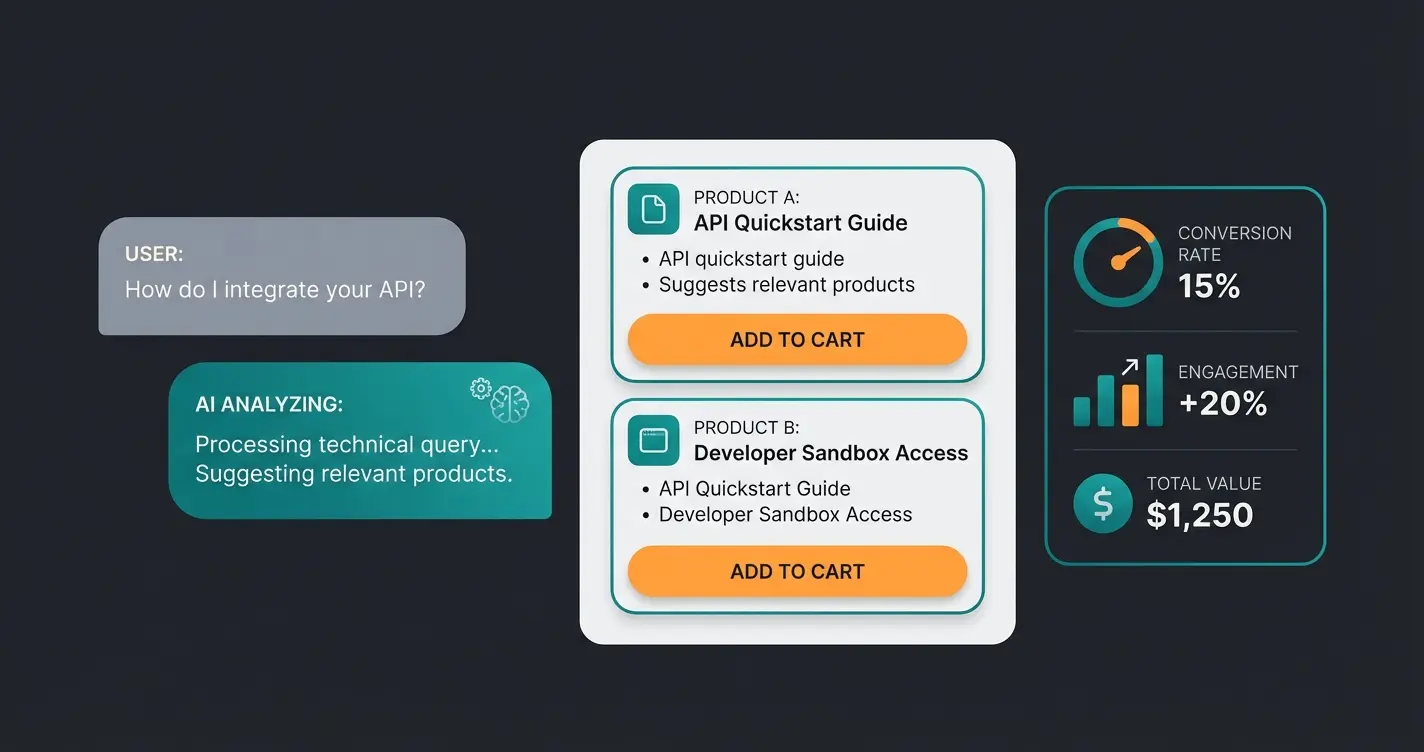
If the AI consultant achieves just 1% more conversion through proactive outreach among 1,000 visitors (with an average cart value of $50), that's $500 additional revenue without ad spend.
Fin AI charges only for successfully resolved inquiries
Including labor, technology, and overhead costs
Average savings when AI handles routine inquiries
From 1% conversion increase via proactive AI consultation
Understanding these economics is crucial for any AI Chatbot for E-Commerce implementation decision.
Part 6: Limitations – When to Be Cautious
No tool is perfect. To keep this article honest and valuable, here are the current limitations of the Intercom Shopify integration:
- No Partial Refunds: Currently, you can only refund complete orders through the inbox. If a customer buys 3 items and wants to keep one, you still need to switch to the Shopify backend, as confirmed by eesel.ai's integration review
- Complex B2B Pricing: If you use Shopify Plus with complex B2B price lists or individual discounts, Fin AI often cannot correctly display these in chat, as the API usually pulls standard prices
- Weekly Knowledge Base Sync: Fin AI learns from your help center articles. If you change an article, it can take up to a week for the AI to apply the new knowledge unless you manually trigger the sync
For businesses with complex product consultation needs that exceed Intercom's capabilities, exploring dedicated Intercom software alternatives or complementary solutions may be worthwhile.
Part 7: Advanced Strategies for Maximum Impact
Beyond the basics, several advanced strategies can maximize your return on the Intercom Shopify integration.
Multilingual Support for Global Markets
If you operate in multiple markets, multilingual AI chatbots become essential. Intercom's Fin AI supports multiple languages, but you need to configure language detection properly and ensure your knowledge base content is translated appropriately.
Integration with Conversational Commerce
The most successful implementations treat the integration as part of a broader AI Chatbots strategy for conversational commerce. This means:
- Using chat data to inform product recommendations across all channels
- Connecting chat insights with email marketing automations
- Building customer profiles that improve over time
- Creating seamless handoffs between AI and human agents
FAQ – Frequently Asked Questions
Yes, when correctly configured. You must use an EU workspace (Dublin), sign a Data Processing Agreement (DPA) with Intercom, and place the Messenger behind your cookie consent banner (Usercentrics/Cookiebot). Make sure your workspace URL shows app.eu.intercom.com to confirm EU hosting.
Yes, the integration synchronizes cart status in real-time. This enables support agents to provide upselling opportunities or specifically help with checkout problems. The AI can also use this information for proactive engagement.
Yes, Intercom supports 'Multi-Store Support.' You can connect multiple Shopify instances (e.g., US, UK, DE) with a single Intercom workspace and see in the inbox which store the inquiry is coming from.
Using the AI costs $0.99 per successfully resolved inquiry (Resolution). No costs are incurred if the AI has to hand over the conversation to a human. There's typically a minimum of 50 resolutions ($49.50) charged monthly.
When properly implemented with lazy loading and consent management, the impact is minimal. The script is lightweight and loads asynchronously. However, improper implementation without consent gating can add to initial page load time.
Conclusion: The Path to Autonomous E-Commerce
The Intercom Shopify integration in 2025 is far more than a plugin. It's a strategic decision. Anyone who uses it only to process tickets is using a Ferrari to drive to the mailbox.
The true value lies in the combination of data transparency (Shopify) and intelligent communication (Intercom Fin). By training the AI as a sales consultant while simultaneously adhering to strict data protection standards, you build a competitive advantage that pure "price dumpers" cannot copy: Excellent service with full scalability.
Your Next Steps:
- Check if your Intercom workspace is hosted in the EU
- Activate the Shopify app in Intercom
- Define your first 3 "Proactive Messages" based on product views
- Set up proper consent management for GDPR compliance
- Monitor your resolution costs and conversion lift metrics
Join hundreds of e-commerce brands using AI-powered consultation to increase conversions and reduce support costs. Get started with a personalized demo today.
Get Your Free Demo
Lasse is CEO and co-founder of Qualimero. After completing his MBA at WHU and scaling a company to seven-figure revenue, he founded Qualimero to build AI-powered digital employees for e-commerce. His focus: helping businesses measurably improve customer interaction through intelligent automation.