E-Commerce Never Sleeps—Neither Should Your Automation
E-commerce never sleeps. While you rest, customers browse your store, add products to their carts, and—ideally—complete purchases. But what happens in between? Who sends the order confirmation? Who notifies the warehouse about express shipping? And who helps the customer at 2 AM who can't figure out which product is right for them?
This is where two worlds collide: The process-oriented automation of the Shopware Flow Builder and the intelligent interaction of modern AI solutions. Understanding when to use each—and how to combine them—separates thriving online stores from those drowning in manual tasks and missed sales opportunities.
In this comprehensive guide, we'll dive deep into the Shopware Flow Builder. We'll clarify how to revolutionize your backend processes, where the technical limitations lie (including Rise vs. Evolve vs. Beyond editions), and why you need more than just "if-then" rules for genuine customer consultation. Whether you're exploring Shopware AI solutions for the first time or looking to optimize existing workflows, this guide covers everything you need to know.
What is the Shopware Flow Builder?
The Shopware Flow Builder is a powerful no-code automation tool integrated directly into the core of Shopware 6. Introduced with version 6.4.6.0, it enables online merchants to automate complex business processes without writing a single line of code. According to Brainstreamtechnolabs, this democratization of automation logic has transformed how store operators manage their workflows.
In the past, implementing custom processes—like sending special emails to B2B customers or notifying warehouses about bulk orders—often required purchasing expensive plugins or hiring developers. The Flow Builder gives store operators control back by providing a visual interface where events (triggers) can be linked with actions. This represents a significant shift toward accessible automation as noted by Scope01.
Core Benefits at a Glance
- No-Code Approach: Configuration via drag-and-drop and selection menus—no developer required
- Real-Time Responsiveness: Immediate reaction to events like 'Order Placed' or 'Customer Registered'
- Seamless Integration: Works hand-in-hand with Rule Builder and third-party apps (via Webhooks)
- Scalability: Functions equally well for small shops and enterprise solutions, though certain features are edition-dependent
- Cost Efficiency: Reduces dependency on custom development for standard automation tasks
The Architecture of Automation: Triggers, Rules & Actions
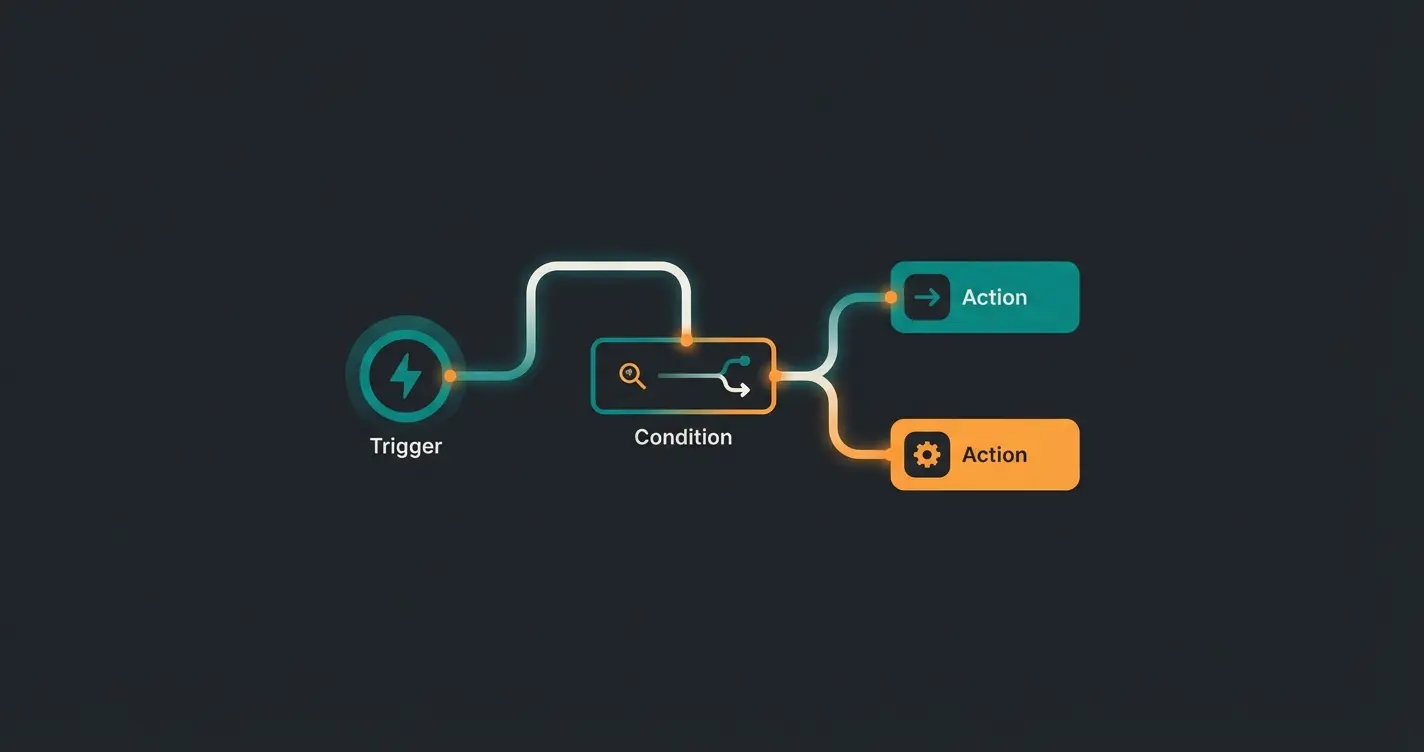
To master the Flow Builder, you must understand the underlying principle. Every flow is based on a simple but powerful triad: Trigger + Condition + Action. This fundamental architecture, as documented by Bay20, forms the backbone of all Shopware automation.
An event occurs in your shop that starts the flow—like an order being placed or a customer registering
The Rule Builder checks if criteria are met—like customer group or cart value thresholds
Shopware executes the configured response—sending emails, setting tags, or triggering webhooks
1. The Trigger (The Initiator)
Everything begins with an event. The trigger is the signal that Shopware waits for. Without a trigger, there is no flow. Common examples include `checkout.order.placed` (order submitted), `customer.register` (customer registered), and `state_enter.order_transaction.state.paid` (payment status changes to 'Paid').
Recent Developments: Since Shopware 6.5.3.0, triggers from third-party apps (such as newsletter tools) can also initiate flows, as confirmed in the official Shopware documentation. This significantly expands integration possibilities for sophisticated Shopware customer support workflows.
2. The Condition (The Decision / Rule Builder)
This is where the flow determines whether to continue or how to branch. The Flow Builder leverages the Rule Builder for this purpose. The logic asks questions like: 'Is the customer in the VIP group?' or 'Is the cart value greater than €500?'
Branching Capability: You can create 'True' and 'False' paths. If the condition is met, path A executes; if not, path B runs (or the flow stops entirely). This binary logic is powerful for deterministic processes but, as we'll explore later, becomes problematic for complex customer consultation scenarios.
3. The Action (The Execution)
This represents the outcome of the process—what should Shopware do when the trigger fires and the condition is satisfied?
- Internal Actions: Send emails, set tags (e.g., 'High-Risk Customer'), change order status, generate documents (invoices/delivery notes)
- External Actions: Send webhooks to ERP systems or trigger Slack notifications (Note: Webhooks are often tied to higher plans—see the Editions section below)
Flow Builder vs. Rule Builder: The Critical Difference
A common misconception among Shopware newcomers is confusing the Flow Builder with the Rule Builder. Both tools are closely interlinked but serve completely different purposes. Understanding this distinction is crucial for effective automation architecture, as explained by Rhiem Intermedia.
| Feature | Shopware Rule Builder | Shopware Flow Builder |
|---|---|---|
| Primary Function | Defines states and rules | Defines workflows and processes |
| Core Question | Is this condition true? | What should happen when X occurs? |
| Example | Customer is from Switzerland AND cart > €100 | WHEN order is placed, THEN send email |
| Timing | Context-based (evaluated during checkout) | Event-based (reacts to occurrences) |
| Output | True / False | Action (Email, Tag, Webhook) |
The Synergy: The Rule Builder is the 'legislator' that defines what constitutes a VIP customer. The Flow Builder is the 'executive' that actually sends the thank-you email to that VIP customer. According to the official Shopware documentation, without the Rule Builder, the Flow Builder would be 'blind' to context; without the Flow Builder, the Rule Builder would remain powerless.
Step-by-Step Guide: Creating Your First Flow
Let's transform theory into practice. We'll create a simple flow: 'Tag Customers with High Order Value as VIP.' This practical exercise demonstrates the core workflow you'll use for most backend automation scenarios.
Prerequisite: You've already created a rule 'Cart Value > €500' in the Rule Builder.
The Setup Process in 5 Steps
- Navigate: Go to Settings > Flow Builder in the Shopware Admin panel
- Create: Click Add Flow in the upper right corner
- Configure General Settings: Name: 'VIP Tagging for Orders Over €500' | Priority: 1 (determines sequence if multiple flows share the same trigger) | Active: Enable the toggle
- Build the Flow (Visual Editor): Select trigger: search for `checkout.order.placed` | Add condition: click the '+' symbol, choose 'Condition', and select your Rule Builder rule 'Cart Value > €500' | Define action (True path): click '+' in the green 'True' path, select 'Add Action' | Choose action: select 'Add Tag' | Configure: choose entity 'Customer' and type the tag 'VIP'
- Save: Click Save. From now on, every customer ordering over €500 will be automatically tagged
Editions Check: Community vs. Rise vs. Evolve vs. Beyond
Here's where the devil lies in the details. While the Flow Builder is fundamentally included in all Shopware 6 versions (including the free Community Edition), powerful features are locked behind paywalls of the commercial plans (Rise, Evolve, Beyond). This is critical information, as detailed in the Shopware pricing documentation.
Basic triggers, conditions, and internal actions available in free version
External system integration requires Evolve plan or higher
Time-based triggers like 'wait 7 days' exclusive to Beyond plan
Community Edition (CE) & Rise Plan
- Availability: The Flow Builder is included
- Functionality: All internal actions available (emails, tags, status changes, document generation)
- Limitation: No Webhooks. You cannot natively send data from Flow Builder to Zapier, Slack, or your ERP without purchasing additional plugins or custom development
Evolve Plan
Webhooks Unlocked: Starting with Evolve, 'Webhook Actions' become available. This is essential for true enterprise automation, connecting Shopware with external systems and enabling comprehensive AI Customer Service integrations.
Beyond Plan
Delayed Actions: This feature is exclusive to the Beyond plan (or available through plugins). What it enables: 'Wait 7 days after shipping, THEN send review request.' Without Beyond, all actions fire immediately, according to information from the Shopware Store.
Top 3 Use Cases for Flow Builder (Backend Focus)
The Flow Builder excels particularly at operational processes that run deterministically (If A, then B). Let's examine the most valuable implementations for backend automation.
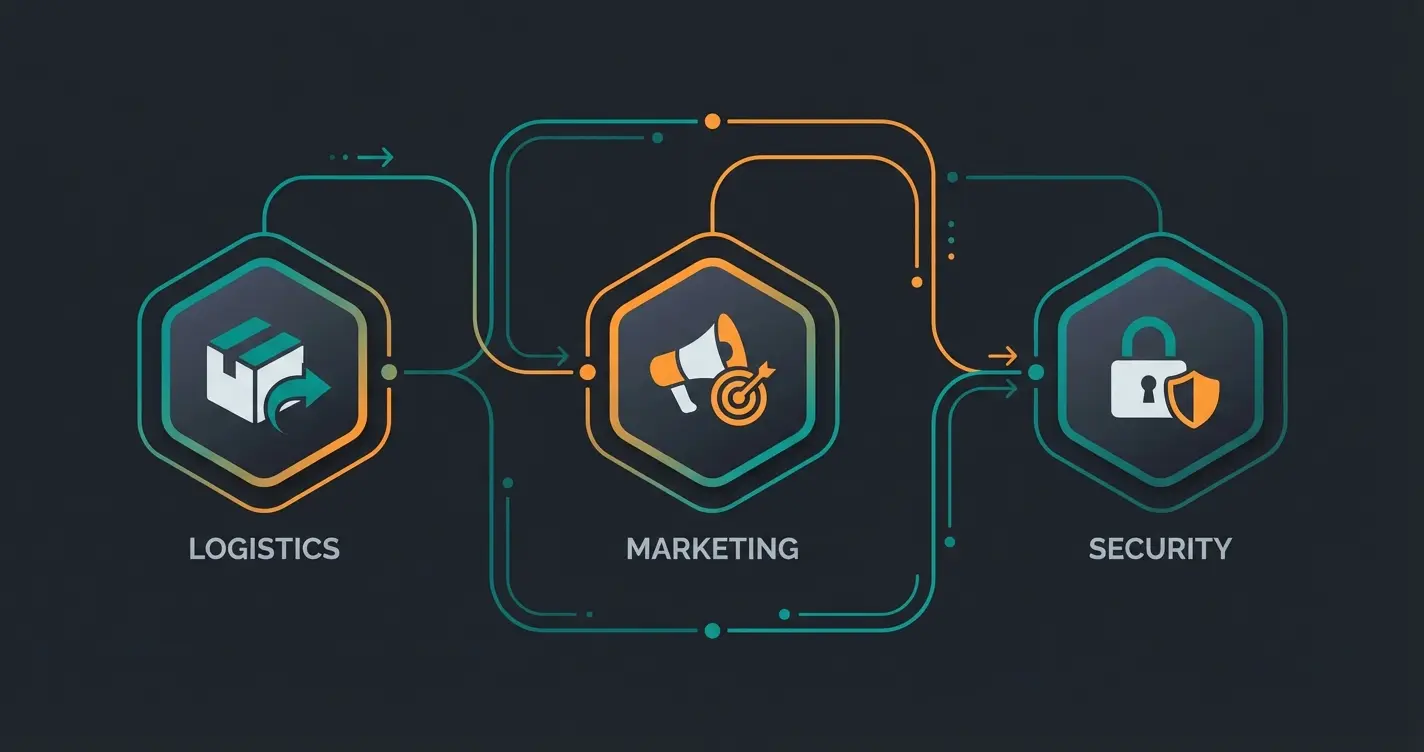
1. Logistics & Fulfillment Optimization
Scenario: A customer orders with 'Express Shipping' selected.
Flow Configuration: Trigger `checkout.order.placed` → Condition 'Shipping method is Express' → Action 'Send email to warehouse' (Subject: ATTENTION EXPRESS) + Action 'Set tag: Priority Shipping'.
Business Value: Prevents urgent orders from getting lost in standard processing. This integration enhances Conversational AI implementations by ensuring fulfillment matches the promises made during customer interactions.
2. Marketing Automation (Post-Purchase)
Scenario: A customer purchases a product from the brand 'Adidas'.
Flow Configuration: Trigger `checkout.order.placed` → Condition 'Order contains manufacturer Adidas' → Action 'Set tag: Adidas-Fan'.
Business Value: Enables targeted newsletter campaigns for Adidas products to precisely this audience segment. This segmentation powers more effective AI Selling strategies by building detailed customer profiles.
3. Internal Risk Management
Scenario: An order with payment method 'Invoice' arrives from an IP address in a high-risk country, or the cart value is unusually high.
Flow Configuration: Trigger `checkout.order.placed` → Condition 'Payment method Invoice AND Country X' → Action 'Set status to Manual Review' + Action 'Slack notification to accounting via Webhook'.
Business Value: Protects against payment defaults before goods leave the warehouse. Combined with intelligent AI product consultation, you can verify customer intent during the sales process itself.
See how AI-powered consultation complements Flow Builder to create a complete customer experience—from first question to final delivery.
Start Free TrialThe 'Complexity Trap': Why You Can't Program a Salesperson
Up to this point, the Flow Builder has proven itself a fantastic tool. But many merchants now attempt to use it for frontend consultation—and fail spectacularly. This is where the fundamental limitations of rule-based automation become painfully clear.
The Scenario: Building a 'Gift Finder'
Imagine you want to build a flow that helps customers find the right gift. The logic seems straightforward:
- Question 1: For whom? (Man/Woman/Child)
- Question 2: Occasion? (Birthday/Wedding/Christmas)
- Question 3: Budget? (<€20 / €20-50 / >€50)
The Problem: Exponential Explosion
To map this in Flow Builder (or Rule Builder), you'd need to build a path for every possible combination. Man + Birthday + <€20 = Product A. Man + Birthday + >€50 = Product B. Woman + Wedding + €20-50 = Product C. And so on...
You end up with a 'spider web' of hundreds of conditions. The problems compound rapidly:
- Maintenance Nightmare: When Product A sells out or you introduce a new brand, you must manually edit the flow. Every. Single. Time.
- Rigid Logic: When a customer searches for something that doesn't exactly fit your rules (e.g., 'A gift for my athletic uncle who loves cooking'), the logic breaks down. The Flow Builder understands no context—only hard database fields.
- Poor User Experience: The interaction feels robotic. If the user doesn't fit exact rules, they hit dead ends and abandon the experience.
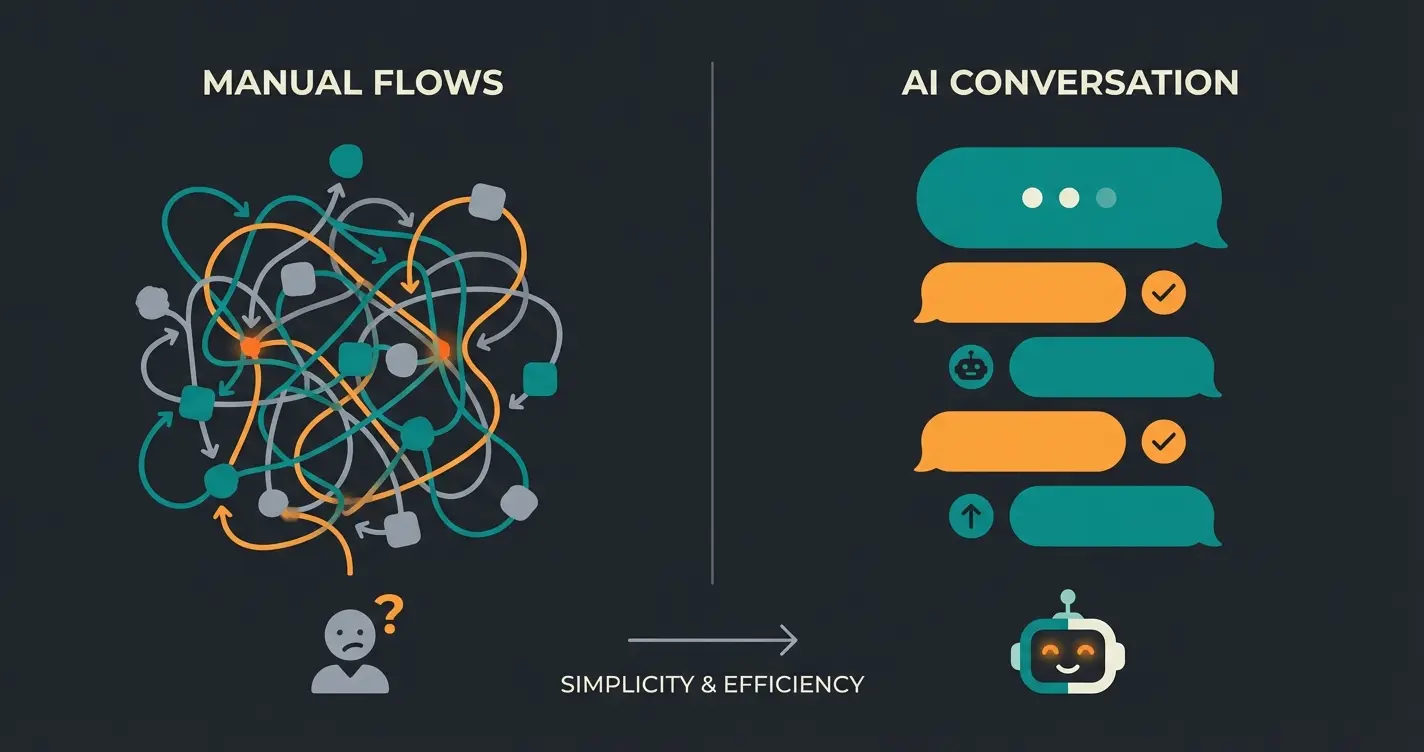
The Verdict: The Flow Builder is perfect for logistics (deterministic), but unsuitable for consultation (probabilistic). For true customer engagement, you need AI expert consultants that understand nuance and context.
The Solution: Hybrid Model of Flow Builder & AI
To bridge the gap between rigid process automation and flexible customer consultation, modern e-commerce strategies require a hybrid approach. This is where combining deterministic automation with intelligent conversation creates unprecedented value.
The Role of AI (Conversational AI)
Instead of building static paths, you use an AI solution for customer interaction. An AI understands natural language ('I need running shoes for muddy forest trails') and dynamically matches this query with your product catalog—no manual rule configuration required.
- No Rules Needed: The AI doesn't need to be programmed that 'mud' belongs to 'trail shoes'; it 'knows' through semantic understanding (Vector Search)
- Automatic Updates: When you add new trail shoes to Shopware, the AI recognizes them immediately without flow adjustments
- Natural Conversation: Customers engage in dialogue rather than clicking through rigid multiple-choice trees
- Context Understanding: AI grasps intent behind queries, not just keyword matches
This capability transforms customer service through AI Chatbots customer service, handling complex inquiries that would require impossible flow configurations. Real-world results like this AI product consultation success story demonstrate the practical impact.
The 'Better Together' Model
Leverage the strengths of both systems by assigning them to their optimal use cases:
- Pre-Purchase (Consultation): AI takes over. The customer chats, receives advice, and adds products to their cart. The AI handles AI-powered product consultation that adapts to each unique query.
- Post-Purchase (Execution): Flow Builder takes over. Once the order is placed (`checkout.order.placed`), Flow Builder handles invoicing, shipping notifications, and internal alerts.
Comparison: Static Flows vs. AI Consultation
| Feature | Shopware Flow Builder (Manual) | AI Solution (Consultation) |
|---|---|---|
| Setup | Manual rule and path creation | Plug & Play (product feed integration) |
| Maintenance | High (every new product requires updates) | Low (auto-sync with catalog) |
| Customer Experience | Rigid (multiple choice, dead ends) | Natural (free text, dialogue) |
| Understanding | Keywords & database fields (Is Category = X) | Intent & context (understands 'mud' = 'trail') |
| Scalability | Linear (more products = more rules) | Automatic (AI adapts to catalog changes) |
| Best For | Operations & Logistics | Sales & Conversion |
This hybrid approach aligns with modern AI consulting e-commerce best practices. By letting each technology handle what it does best, you maximize both operational efficiency and sales conversion.
Real-World Implementation: Bringing It All Together
Understanding the theory is valuable, but seeing how these systems integrate in practice reveals their true power. Here's how a typical customer journey flows through the hybrid model:
Customer asks AI: 'What hiking boots work for wet conditions?' AI uses semantic understanding to match products
AI engages in dialogue, asking about terrain, budget, and preferences—adapting recommendations dynamically
Customer adds AI-recommended products to cart and completes checkout
Trigger fires: checkout.order.placed—Flow Builder takes control of all backend processes
Flow Builder sends confirmation email, notifies warehouse, sets customer tags, and schedules review request
This integration creates seamless experiences where AI product consultation handles the complex, nuanced pre-sale interactions while Flow Builder ensures flawless post-purchase execution.
FAQ: Common Questions About Shopware Flow Builder
Yes and No. The basic version is included in the free Community Edition. However, advanced features like Webhooks (for external integrations) are only available from the Evolve Plan onwards, and delayed actions often require the Beyond Plan or paid plugins. Always verify your edition's capabilities before planning complex automations.
No. Flow Builder can automate transactional emails (e.g., 'We received your return'), but it cannot answer individual customer questions ('Does this seat cover fit my 2010 Golf?'). For unique queries and personalized consultation, you need an AI solution or human staff. The best approach combines AI-powered consultation with Flow Builder execution.
Caution is required with time-delayed flows. If a flow is waiting (e.g., 7 days) and you change the flow's logic during this period, it can affect waiting processes or reset them entirely, depending on the exact technical implementation and version. As referenced in YouTube tutorials, always pause flows before major modifications.
Yes, Shopware provides options to export flows and import them into other shops. This is particularly useful for agencies deploying standard automations across multiple clients. Export includes the flow structure, conditions, and actions, though Rule Builder rules referenced must exist in the target system.
Built-in triggers cover standard Shopware events (orders, customers, payments). Since Shopware 6.5.3.0, third-party apps can register custom triggers, expanding automation possibilities. This enables integrations with newsletter tools, inventory systems, and custom plugins to initiate flows based on external events.
Conclusion: Strategic Automation for Modern E-Commerce
The Shopware Flow Builder is an indispensable tool for every Shopware merchant. It frees you from repetitive administrative tasks and ensures your backend processes run as precisely as a Swiss watch. Anyone still manually sending invoices or maintaining VIP customer lists in Excel spreadsheets is wasting valuable resources that could drive growth.
However: Don't be tempted to misuse Flow Builder for tasks it wasn't designed for. It's not a salesperson. It cannot understand nuances or provide genuine consultation. The 'Complexity Trap' of trying to build product finders through branching rules leads only to maintenance nightmares and frustrated customers.
The Strategic Recommendation
- Use the Flow Builder to scale your Operations (logistics, accounting, CRM data maintenance, internal notifications)
- Use AI solutions to scale your Sales (product consultation, gift finders, customer support, personalized recommendations)
- Integrate both systems for a hybrid approach where AI handles pre-purchase complexity and Flow Builder manages post-purchase execution
Stop building complex flowcharts for customer conversations that will change tomorrow anyway. Instead, start having real conversations. The combination of intelligent AI consultation and reliable process automation represents the future of e-commerce—and that future is available today.
Stop building impossible flow charts for customer conversations. Start having intelligent, natural dialogues that convert browsers into buyers—while Flow Builder handles the rest.
Request Your Free Demo
Lasse is CEO and co-founder of Qualimero. After completing his MBA at WHU and scaling a company to seven-figure revenue, he founded Qualimero to build AI-powered digital employees for e-commerce. His focus: helping businesses measurably improve customer interaction through intelligent automation.