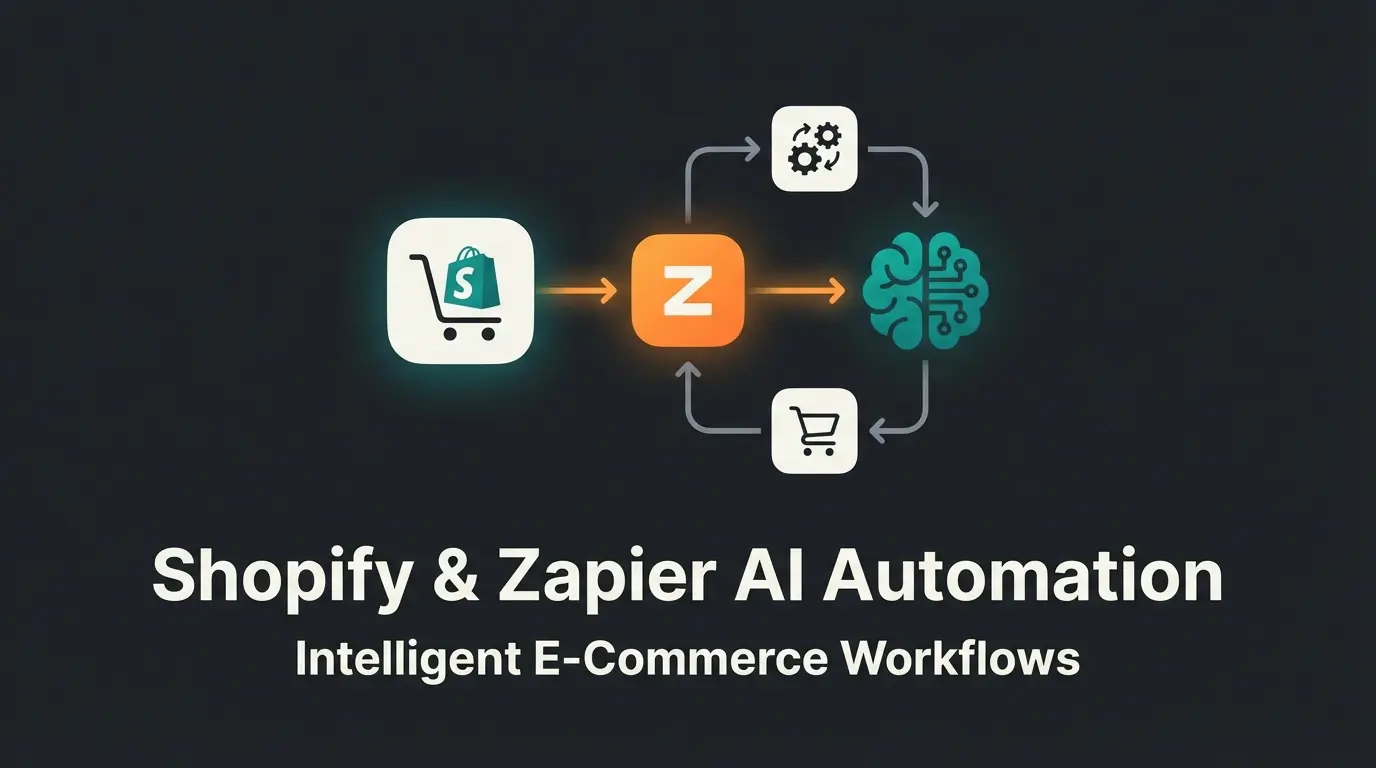
Introduction: From Administrator to Automated Salesperson
When you search for Zapier WooCommerce integration, you typically find tutorials showing you how to copy accounting data into a Google spreadsheet. That's useful, yes. But it's yesterday's thinking.
In 2026, automation is no longer just about saving time on administration (though that remains important). It's about making money. Most store owners use Zapier as 'digital glue' to push data from point A to point B. But the real revolution lies in combining WooCommerce, Zapier, and Artificial Intelligence (AI). Imagine your store not only processing orders but actively consulting customers, generating upsells, and segmenting buyers based on their chat behavior—completely automatically.
In this guide, we leave behind superficial how-to tutorials. We're building an international e-commerce stack that's privacy-compliant, integrates tools like Lexoffice and Brevo, and transforms your shop into an intelligent sales assistant. As AI employees are revolutionizing the workplace, your WooCommerce store can benefit from these same principles of intelligent automation.
What You'll Learn in This Article
- Why most US-focused guides can be problematic for international shops (keywords: data privacy and local tools)
- How to build an internationally compliant stack: Lexoffice, Brevo, and WooCommerce
- The strategy: How to use AI to transform customer preferences into sales
- The true costs of automation (plugin + SaaS + API)
- 5 concrete 'Zaps' you can copy immediately
Part 1: The International E-Commerce Stack
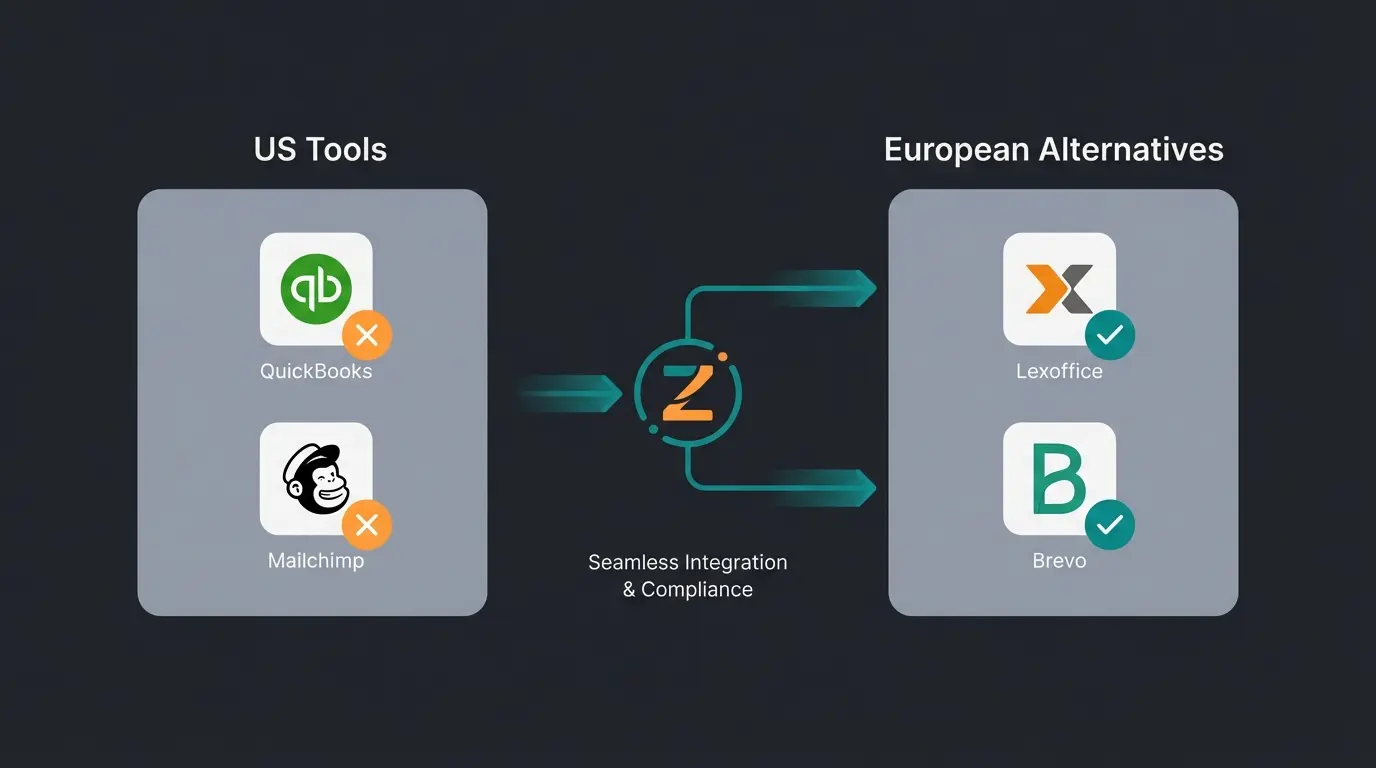
Anyone searching for WooCommerce Zapier often lands on tutorials presenting QuickBooks, Mailchimp, or Slack as standard solutions. For store owners operating in privacy-conscious markets like Europe, this is often useless or legally problematic.
The Problem with US-Centric Tools
- Data Privacy (GDPR): Pushing customer data (PII - Personally Identifiable Information) via Zapier to US servers requires strict Data Processing Agreements and transparency.
- Local Relevance: QuickBooks won't help you with tax compliance in many countries. You need locally compliant invoicing solutions.
- Costs: Many US tools are more expensive and bill in dollars, which introduces currency fluctuation risks.
The Solution: A Compatible International Stack
We replace US standards with local champions that communicate excellently with Zapier. When comparing platforms, understanding the differences matters—check out our Shopware vs WooCommerce comparison for more insights on platform selection.
Compatibility Table: US vs. International Alternatives
| Function | Popular US Tool | Best Alternative | Zapier Status | Special Feature |
|---|---|---|---|---|
| Accounting | QuickBooks / Xero | Lexoffice | ✅ Officially Supported | Enables receipt upload and contact creation via Zapier |
| Accounting | FreshBooks | SevDesk | ⚠️ No Native App | Requires webhooks or Make (formerly Integromat) |
| Email / CRM | Mailchimp | Brevo (formerly Sendinblue) | ✅ Excellent | European servers, deep integration (DOI, transactional emails) |
| HR / Team | Deel / Gusto | Personio | ✅ Officially Supported | Important for employee onboarding at growing shops |
| Legal Texts | Termly | IT-Recht Kanzlei / Händlerbund | ❌ Manual | Usually solved via plugin, not relevant via Zapier |
Part 2: The Technical Foundation (The Must-Haves)
Before we unleash the AI magic, we need to lay the groundwork. A Zapier WooCommerce integration doesn't work 'out of the box' with a free WordPress installation.
The Cost of Connection ('The Cost of Glue')
Many tutorials hide the total costs. Automation isn't free. Here's the reality for a professional shop, as explained by Kinsta in their comprehensive guide:
Official plugin from WooCommerce.com providing secure webhooks
Free plan doesn't allow multi-step Zaps and is limited to 100 tasks
Optional but necessary for the 'consultant' strategy
The price to 'hire' an automated employee
Installing the Official Plugin
Why the $59 plugin and not a free alternative? Free plugins often work unreliably or use polling (Zapier asks every 15 minutes 'Is there anything new?'). The official plugin uses webhooks. This means: as soon as an order comes in, it's sent to Zapier in real-time (instant), as confirmed by WooCommerce's official documentation.
Step-by-Step Setup
- Purchase the plugin on WooCommerce.com and download the `.zip` file.
- In WordPress, go to Plugins > Add New > Upload Plugin.
- Activate the plugin.
- Navigate to WooCommerce > Settings > Zapier.
- You don't need to configure anything here! The plugin simply waits for you to start a 'trigger' in Zapier. Zapier will prompt you to log in with your WooCommerce account when creating your first Zap.
Part 3: Advanced Strategy – The AI Product Consultant
Here we leave the standard paths. Most shops use Zapier only reactively: Customer buys -> Send invoice. We want to be proactive: Customer shows interest -> AI analyzes -> Send targeted offer.
This is where AI product consultation providers become game-changers for e-commerce businesses looking to scale their personalized customer interactions.
The Concept: From Support Bot to Sales Consultant
Imagine you sell running shoes. The old way: Customer buys shoes -> Zapier sends 'Thank you' email. The new way (AI): Customer chats with an AI bot on your site ('I run marathons but have knee problems'). The AI recognizes the problem, Zapier tags the customer in the CRM, and Brevo sends an email with 'The Top 3 Shoes for Knee-Friendly Marathon Training.' This represents how AI chatbots are transforming conversational commerce.
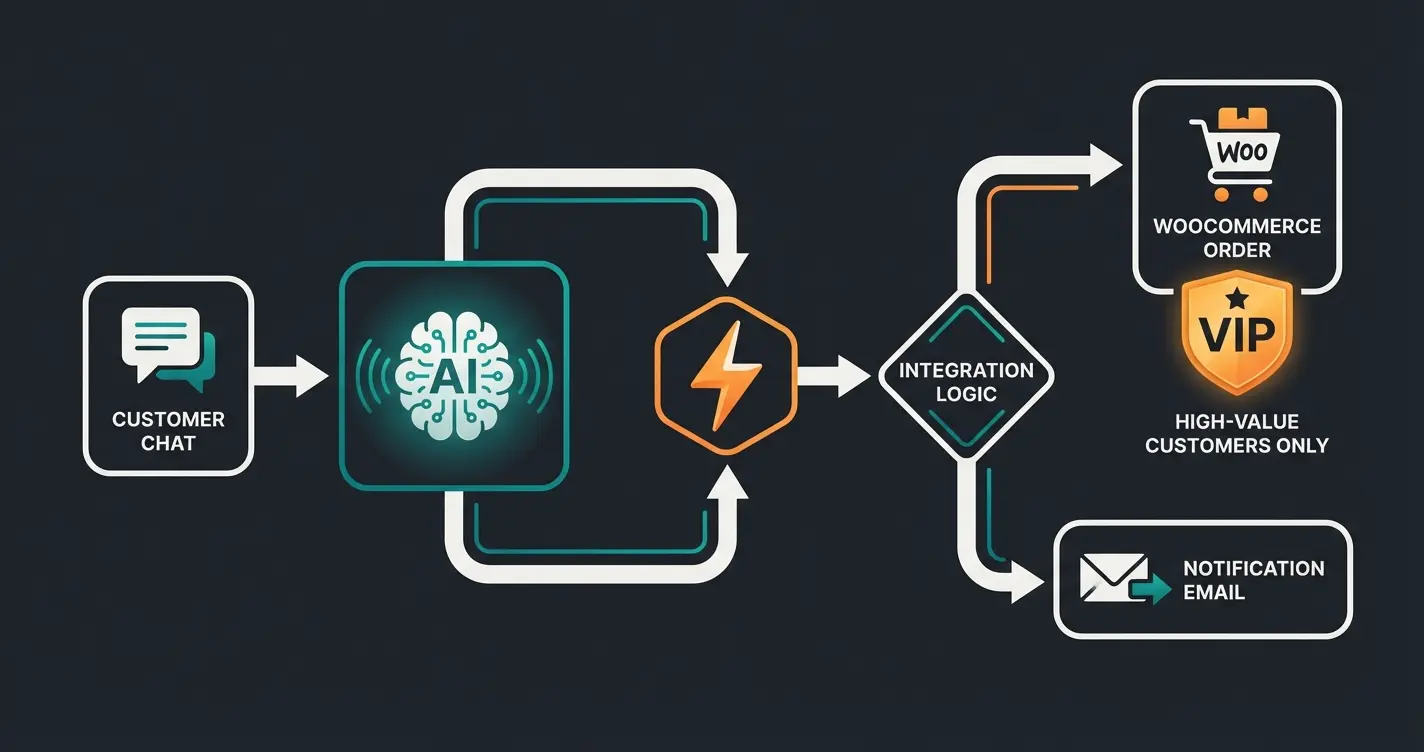
The Workflow: 'Intelligent Routing'
We use Zapier not just as a data pipeline, but as a decision center. Understanding this approach is essential as conversational AI evolves and transforms business operations.
Customer chats with your AI tool (e.g., via Chatbase or Custom GPT on the website)
Chat completed / Lead captured triggers Zapier workflow
Zapier's 'Extract Structured Data' (OpenAI Integration) identifies: Interest (Marathon), Problem (Knee pain), Budget (High)
Path A: Budget >$200 → Slack notification to sales team. Path B: Standard → Update WooCommerce Customer Meta & Send Brevo Campaign
Customer receives hyper-personalized email instead of generic newsletter
Why this works: You use the OpenAI Integration in Zapier (specifically the 'Extract Structured Data' or 'Analyze Text' action), as detailed on Zapier's AI documentation. You feed the unstructured chat text into Zapier, and the AI returns clean variables that you can use in WooCommerce or Brevo.
Stop using automation just for admin tasks. Discover how AI-powered product consultation can turn website visitors into loyal customers with personalized recommendations.
Start Your Free TrialPart 4: 5 'Smart Sales' Zaps to Copy (Including International Stack)
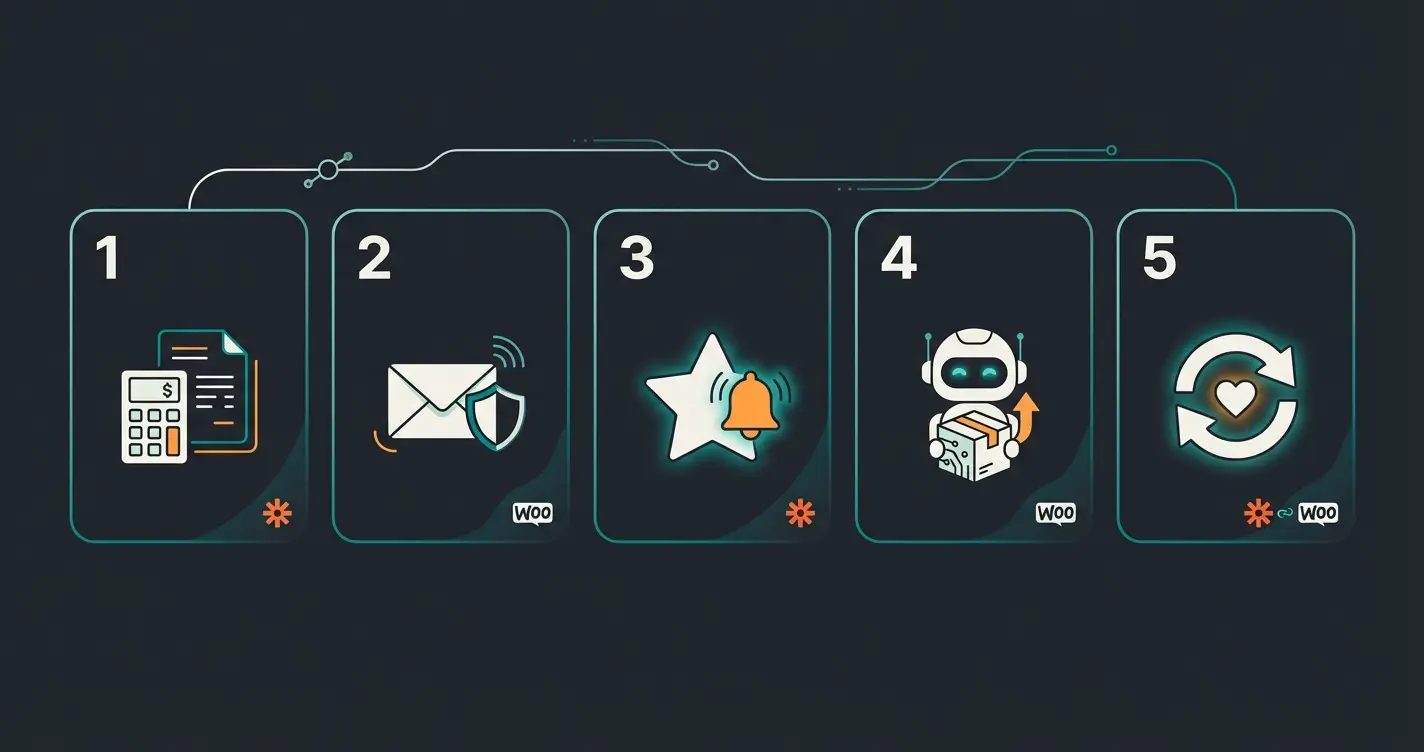
Here are five concrete recipes you can implement immediately with your Zapier WooCommerce integration. We deliberately use internationally compatible tools.
Zap 1: The Accounting Automation (Lexoffice)
Goal: Never manually type invoices again. According to Zapier's Lexoffice integration page, this setup is straightforward:
- Trigger: WooCommerce – New Order (Status: Processing)
- Action 1 (Formatter): Format text (e.g., adjust date or clean SKUs)
- Action 2 (Lexoffice): Upload Document or Create Invoice
- Note: The Lexoffice Zapier app primarily supports receipt uploads. For creating actual outgoing invoices, many pros use the API or specialized plugins. Via Zapier, you can upload the receipt (order PDF) so accounting is prepared.
- Value: Saves approximately 5-10 minutes per order
Zap 2: The Privacy-Compliant Newsletter Build (Brevo)
Goal: Increase customer loyalty without legal risk. The Brevo integration with Zapier makes this seamless. This is especially important for businesses understanding AI consulting in e-commerce.
- Trigger: WooCommerce – New Customer
- Filter: Only if checkbox 'Subscribe to newsletter' = True (important for GDPR!)
- Action (Brevo): Add or Update Contact
- Important: Don't immediately set the status in Brevo to 'Subscribed.' Instead, trigger the Double-Opt-In (DOI) workflow in Brevo. This is mandatory in many jurisdictions. Zapier only passes the data; Brevo handles the legally compliant confirmation.
Zap 3: The 'High-Value' Alert (Sales Team)
Goal: Immediately provide personal attention to VIP customers. This exemplifies how AI Customer Service automation can work alongside human teams:
- Trigger: WooCommerce – New Order
- Filter: 'Total' (order total) Greater than 500.00
- Action (Slack/Teams): Send Channel Message
- Message: '🚨 New VIP Customer! [Name] just ordered for [Amount]. Please send a personal thank-you video.'
- Effect: Massively increases repeat purchase rate (Customer Lifetime Value) through the 'wow effect'
Zap 4: The AI Product Advisor (Post-Purchase)
Goal: Reduce return rates through better product explanation. This is where AI-powered e-commerce consultation truly shines:
- Trigger: WooCommerce – New Order
- Delay: Wait for 7 Days (until the package has arrived)
- Action (OpenAI): Create Completion (or 'Conversation')
- Prompt: 'Write a short, friendly email to [First Name]. They purchased [Product Name]. Give them 3 pro tips for using this specific product.'
- Action (Gmail/Brevo): Send Email
- Value: The customer feels cared for. The tips prevent usage errors and thus returns
Zap 5: Reactivating Inactive Customers (Win-Back)
Goal: Wake up sleepers. Understanding the full potential here requires knowing how AI Chatbot technology in E-Commerce can re-engage customers:
- Trigger: WooCommerce – Order Status Changed (to 'Completed')
- Action (Brevo): Update Contact Attribute 'Last_Purchase_Date'
- Logic (in Brevo, not Zapier): If 'Last_Purchase_Date' > 90 days ago -> Send 'We miss you' discount coupon
- Why Zapier? WooCommerce doesn't always send this data cleanly to external CRMs. Zapier ensures the date is synchronized in real-time
Part 5: Troubleshooting and Common Errors
Even the best Zapier WooCommerce integration can hiccup sometimes. Here are the most common stumbling blocks and how to solve them, based on troubleshooting guides from Cloudways.
1. Webhook Errors ('Resource not found')
If you get errors when testing the Zap, it's often due to permalinks in WordPress.
2. JSON Errors with Special Characters
Special characters (umlauts, accented letters, special symbols) can cause problems in JSON data streams if encoding isn't correct.
3. Timeout with Large Data Volumes
Zapier only waits a certain time for a response. If your shop is extremely slow, the Zap will abort.
4. Cost Trap: 'Tasks'
A common mistake: Building a Zap that fires on every order change (e.g., status change from 'Pending' to 'Processing' to 'Completed'). That consumes 3 tasks per order.
Part 6: Cost-Benefit Calculator
Is the effort worth it? Let's do the math. This analysis aligns with insights from Lindy AI on automation ROI:
Scenario: A shop with 100 orders per month.
Manual Work vs. Zapier Automation
| Approach | Time Investment | Monthly Cost | Annual Savings |
|---|---|---|---|
| Manual Processing | ~5 min per order = 8.3 hours/month | ~$415/month (at $50/hour) | $0 |
| Zapier Automated | ~0 hours/month | ~$38/month total | $4,524/year |
Manual breakdown: Create invoice, copy address to Brevo, notify team. Time investment: approximately 5 minutes per order = 500 minutes = 8.3 hours/month. At a $50 hourly rate: $415/month.
Automated (Zapier) breakdown: WooCommerce Plugin: ~$5/month (prorated). Zapier Starter: ~$28/month. OpenAI API: ~$5/month. Total costs: ~$38/month.
Result: You save $377 per month and gain back a full workday. The investment in your Zapier WooCommerce integration often pays for itself in the first week.
Platform Considerations: WooCommerce vs. Alternatives
Before diving deep into automation, it's worth considering whether WooCommerce is the right platform for your needs. Our comprehensive WooCommerce vs Shopify comparison can help you make an informed decision about which platform best suits your automation goals.
WooCommerce's open-source nature and extensive plugin ecosystem make it particularly well-suited for complex automation workflows. The flexibility to add custom webhooks and integrate with tools like Shopware automation with Flow Builder concepts can be adapted to WooCommerce environments.
Frequently Asked Questions
For professional use, yes. The $59/year official plugin provides real-time webhooks instead of polling (checking every 15 minutes). This means instant automation triggers when orders come in, which is crucial for time-sensitive workflows like inventory updates or VIP customer alerts. Free alternatives exist but often lack reliability for high-volume stores.
Zapier can be GDPR compliant when properly configured. You need Data Processing Agreements (DPAs) in place, and you should be transparent in your privacy policy about data transfers. For maximum compliance, consider using European-based tools like Brevo (servers in EU) for email marketing and Lexoffice for accounting, rather than US-centric alternatives.
A store with 100 orders/month using 3-4 automated workflows typically consumes 300-500 tasks monthly. The Starter plan (100 tasks) is often insufficient; most stores need the Professional plan. Pro tip: Use filters to prevent unnecessary task consumption by only triggering on specific order statuses.
Absolutely. Zapier's native OpenAI integration includes actions like 'Extract Structured Data' and 'Create Completion' that require zero coding. You simply write prompts in plain language, and the AI returns structured data you can use in subsequent workflow steps. This enables powerful personalization without technical expertise.
Uncanny Automator is the leading WordPress-native alternative that keeps all automation within your server (great for privacy). However, it's limited to WordPress ecosystem integrations. For cross-platform workflows involving external tools like Lexoffice, Brevo, or Slack, Zapier remains the more powerful and flexible choice despite the cost.
Conclusion: The Future Belongs to Automated Shops
The question is no longer whether you connect WooCommerce with Zapier, but how deep you go. Most of your competitors use Zapier only to push addresses into Excel lists. That's your opportunity.
By using internationally compliant tools (Lexoffice, Brevo), you stay legally secure. By integrating AI workflows, you transform your shop from a passive catalog into an active sales consultant. To truly unlock AI in e-commerce, combining automation platforms with intelligent consultation is the path forward.
Your Next Steps
- Purchase the official WooCommerce Zapier Plugin ($59)
- Create accounts with Lexoffice and Brevo (if you don't have them)
- Build your first 'Smart Sales Zap' (e.g., the AI Product Advisor)
Automation isn't magic. It's the lever that makes small shops big. Start using that lever today.
Transform your WooCommerce store with intelligent automation. Our AI product consultation solution integrates seamlessly with Zapier to turn every customer interaction into a personalized sales opportunity.
Get Started Free
Lasse is CEO and co-founder of Qualimero. After completing his MBA at WHU and scaling a company to seven-figure revenue, he founded Qualimero to build AI-powered digital employees for e-commerce. His focus: helping businesses measurably improve customer interaction through intelligent automation.