Why Basic Admin Automation No Longer Cuts It
Do you feel like your Shopify store is running, but you're constantly leaving money on the table?
Most e-commerce operators use automation tools like Zapier merely to "keep the lights on." They automate invoices, sync email lists, or send Slack notifications to the team. That's important, yes. But it's backend work. It saves time, but it doesn't generate direct revenue.
In this comprehensive guide, we're flipping the script. We'll show you not just how to technically set up the Shopify Zapier integration cleanly, but how to make the leap from pure administration to active sales promotion.
We're living in 2026. Standard autoresponders are no longer enough. E-commerce conversion rates worldwide are stagnating between 2% and 4%, according to SpeedCommerce and weDevs. To reach the remaining 96% of visitors, you need smarter systems. We'll show you how to connect Shopify with Zapier to build AI-powered sales consultation that works for you 24/7—proactively, personalized, and revenue-oriented.
The modern approach to Shopify automation 2025 goes far beyond simple order notifications. It's about creating intelligent workflows that actively drive conversions and revenue.
Visitors who leave without purchasing due to lack of engagement
Typical e-commerce conversion rate globally
Current automation content focuses only on post-sale admin tasks
What is Zapier? A Quick Explanation
For all beginners: Zapier is the glue of the internet. It's an automation tool that connects apps that normally don't talk to each other.
- Trigger: Something happens in App A (e.g., "New customer in Shopify")
- Action: Zapier automatically executes a command in App B (e.g., "Send SMS via Twilio")
Most people use this for logistics. We're going to use it to generate revenue. This builds on the automation capabilities within the broader Shopify ecosystem, taking them further with Zapier's external connectivity.
The Basics: How to Connect Shopify with Zapier
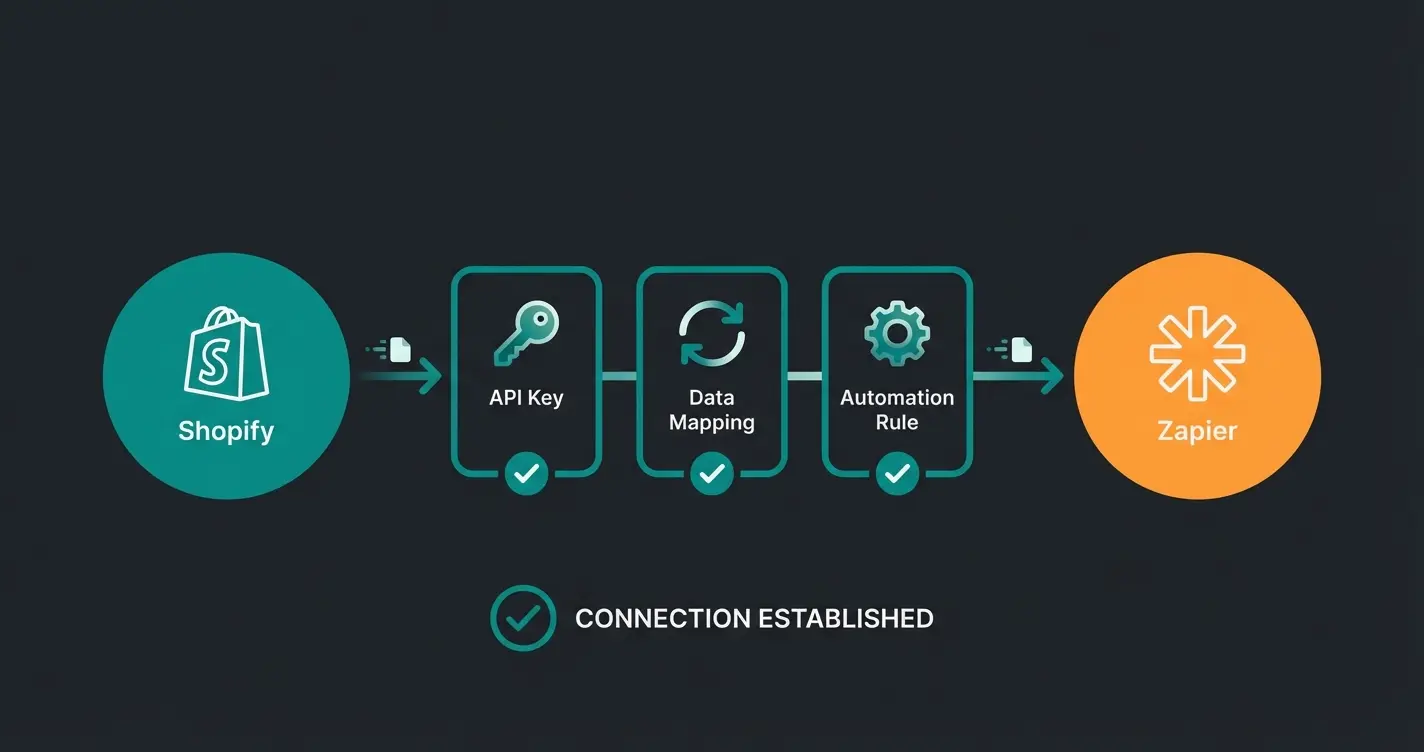
Before we get to the advanced AI strategies, we need to lay the foundation. The Shopify Zapier integration works through the Shopify API, and while the setup is technically simple, it requires care to avoid data errors.
Step-by-Step Setup Guide
Step 1: Prepare Your Accounts
Make sure you have admin access to your Shopify store and are logged into your Zapier account.
Step 2: Establish the Connection
- Go to "My Apps" in Zapier
- Search for "Shopify" and click "Connect"
- You'll be asked for your Shopify username. Caution: This is not your email address, but the part before `.myshopify.com` in your URL (e.g., if your URL is `my-awesome-shop.myshopify.com`, the username is `my-awesome-shop`) as explained in Zapier's documentation
Step 3: Grant Permissions
A popup from Shopify will open. Confirm the installation of the Zapier app in your store. This is necessary so Zapier can access orders, customer data, and products.
Step 4: Create Your First Test Zap
- Select as Trigger: "New Order"
- Click "Test Trigger". Zapier will now pull the data from the last order in your shop
- Pro Tip: If your shop is brand new, create a test order in Shopify so Zapier has real data to work with, as recommended by Hastewire
With that, the connection is established. Now data can flow.
The Classics: 3 Standard Automations for Every Store
To connect Shopify with Zapier and immediately save time, you should know these three "bread-and-butter" automations. They're particularly relevant for any e-commerce operation looking to streamline their backend.
A. Accounting: Automated Invoice Management
Accounting is pain point number one for most merchants. Here's how to automate it:
Lexoffice Integration:
Lexoffice offers an excellent, direct integration via Zapier according to Zapier's integration page.
- Trigger: Shopify "New Paid Order"
- Action: Lexoffice "Upload Document" or "Create Invoice"
- Benefit: Receipts automatically land where your accountant needs them
SevDesk (Watch Out for This Pitfall!)
Many users desperately search for the SevDesk app in Zapier. The reality is: SevDesk has (as of 2025/2026) no official, native Zapier integration according to Zapier's app directory and SevDesk's official site.
B. Team Notifications: Motivation & Support
Nothing motivates a small team more than the sound of revenue.
- The Zap: Shopify "New Order" → Filter (Value > $100) → Slack "Channel Message"
- Why: Celebrate big wins. At the same time, you can alert support teams when an order has "Fraud Risk" status to immediately stop shipping
This type of automated sales consultation keeps your team informed and ready to act on high-priority situations.
C. Marketing Sync: Stay Compliant
Connect Shopify with your email tool (Klaviyo, ActiveCampaign, Brevo).
- The Zap: Shopify "New Customer" → Filter (Marketing Consent = True) → Email Tool "Add Subscriber"
- Important: Pay close attention to only transfer customers who have agreed to marketing ("Accepts Marketing" field in Shopify) to stay compliant with data protection regulations
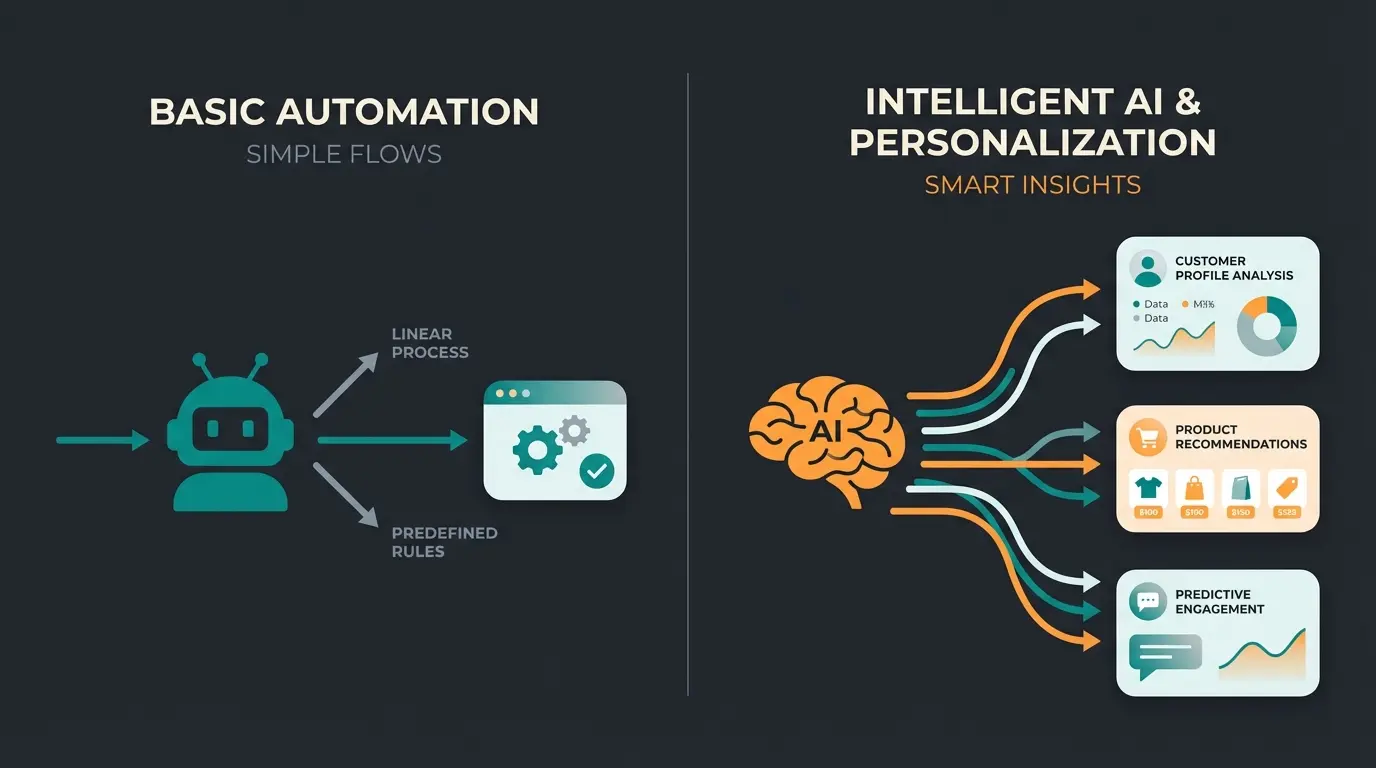
The Strategic Shift: From Dumb Bots to AI Consultants
Up to this point, we've talked about administration. Now we're getting to your competitive advantage.
Most shops use automation reactively:
- Customer buys → Send invoice
- Customer asks → Chatbot responds with standard text
The problem? Standard bots are "dumb." They don't know the context. They don't know that the customer just spent 5 minutes looking at red sneakers before asking a question about "shipping times."
This is where AI-powered product consultants make the crucial difference. They understand context and can proactively guide customers toward the right purchase decision.
The Revenue First Strategy
We use Zapier and AI (e.g., OpenAI/ChatGPT) to simulate proactive sales consultation. Imagine having a top salesperson in the store who observes every customer, analyzes their wishes, and then discreetly hands them the perfect product. That's exactly what we're building digitally now.
| Feature | Standard Auto-Responder | AI Sales Consultant via Zapier |
|---|---|---|
| Trigger | Static (e.g., "cart abandonment") | Behavior-based (e.g., "quiz answers") |
| Content | Template ("Here's your 10% code") | Hyper-personalized ("Based on your skin type...") |
| Goal | Admin / Recovery | Consultation & Upsell |
| Data Basis | Only order status | Customer preferences & product knowledge |
The concept of AI product consultation transforms how online stores interact with potential customers, moving from reactive support to proactive selling.
Deep Dive: Building Your AI Sales Consultation via Zapier
This is the core of this article. We're building a workflow that connects Shopify, Zapier, and OpenAI to automatically send personalized product recommendations.
The Scenario: A customer fills out a "product finder quiz" (e.g., via Typeform or a Shopify Quiz App) in your shop but doesn't buy immediately.
Customer fills out product quiz with preferences (skin type, budget, style)
Typeform/Quiz submission triggers the automation workflow
OpenAI analyzes preferences against your product inventory
AI generates custom recommendation email sent to customer
Step 1: The Trigger (Customer Input)
Instead of waiting until someone buys, we use interest as the trigger.
- App: Typeform (or your quiz app)
- Event: "New Entry"
- Data: The customer indicates: "I have dry skin, don't like oils, and my budget is $50."
Step 2: The Analysis (The AI Brain)
Here comes the magic. We don't just forward this data, we have it analyzed using AI by Zapier or the ChatGPT integration as shown on YouTube tutorials.
- App: ChatGPT (OpenAI) or "AI by Zapier"
- Event: "Conversation" or "Send Prompt"
This approach to AI customer service goes beyond simple FAQ responses to deliver genuine value and drive conversions.
Step 3: The Action (The Revenue)
The AI returns the finished email text. Zapier now sends this.
- App: Gmail, Outlook, or your newsletter tool (e.g., Klaviyo)
- Event: "Send Email" / "Create Campaign"
- Content: Insert the AI-generated text
The Result: The customer doesn't receive generic advertising, but an email that addresses exactly their problem ("Hey Julia, I saw you're struggling with dry skin but don't like oils. Check out our Hydro-Gel, it's water-based...").
Why This Works: It imitates human consultation. It closes the gap between the anonymous online shop and the specialty store. This is the essence of AI product consultation that drives real results.
Transform your Shopify store with intelligent automation that actively sells for you 24/7. Our AI-powered solution connects seamlessly with Zapier.
Start Your Free TrialAdvanced Use Cases for Sales Automation
Beyond the quiz example, there are other ways you can use Zapier Shopify integrations to increase revenue.
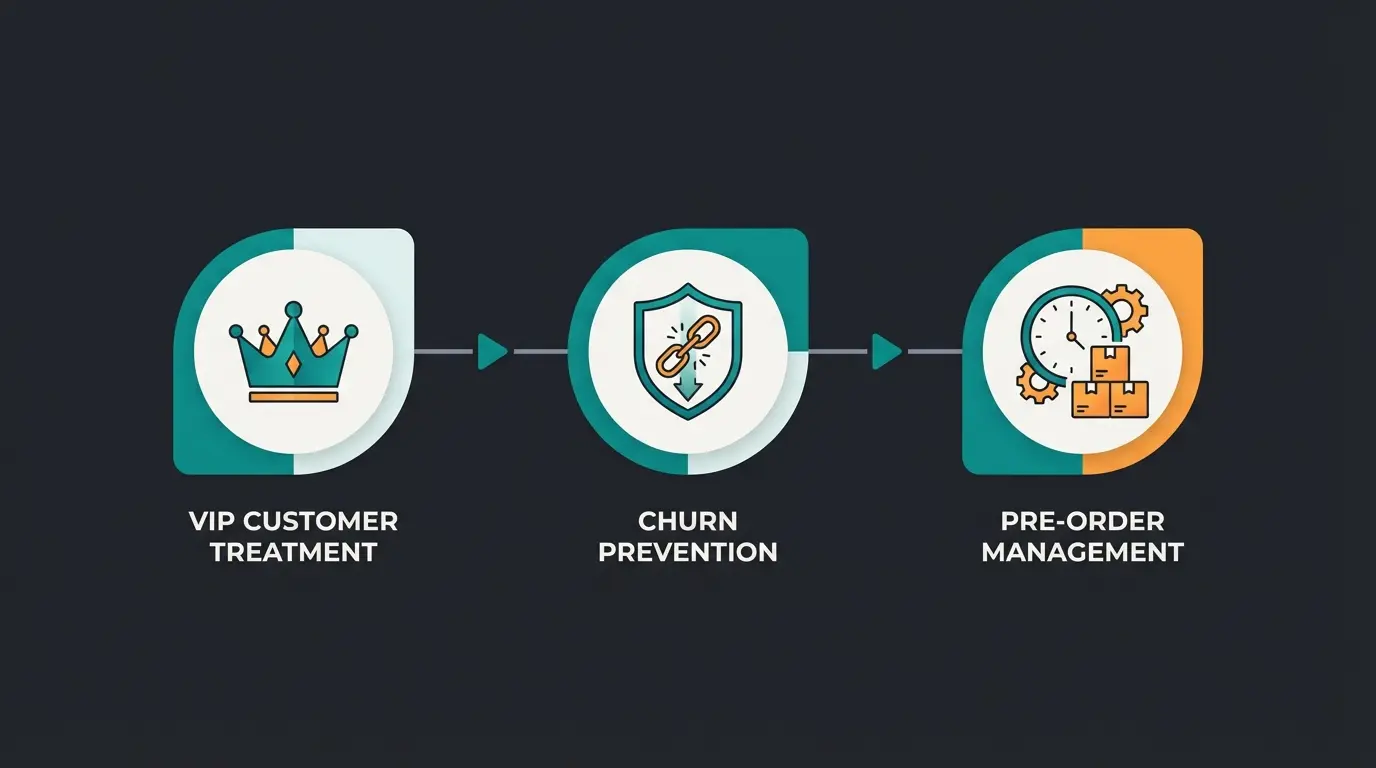
A. VIP Treatment for High Spenders
Customer retention is cheaper than new customer acquisition.
- Trigger: Shopify "New Paid Order"
- Filter: Customer's "Total Sales" > $500 (Lifetime Value)
- Action (AI): Have the AI write a personal "thank you text" based on the purchased products
- Action (Output): Send this text to a tool like Bonjoro (for video messages) or create a task for the founder to write a handwritten card
Effect: The customer feels extremely valued. This level of AI guided selling creates lasting customer relationships.
B. Intelligent Churn Prevention
A bad review can be deadly. Respond immediately and empathetically.
- Trigger: New review (e.g., via Yotpo or Judge.me integration)
- Filter: Stars < 3
- Action (AI): "Analyze the complaint text. Draft an apology email that addresses the specific criticism point and offers a solution."
- Action (Team): Send this draft as a "Draft" to your support team in Slack or Zendesk
Advantage: Your support doesn't have to start from scratch but only needs to approve the AI suggestion. This saves time and de-escalates situations faster, as noted by ModelGate. AI sales agents can handle these situations with remarkable empathy and efficiency.
C. Pre-Order Management with Real-Time Data
If you sell products that are often sold out (e.g., limited drops):
- Trigger: Shopify "Product Variant Updated" (inventory falls to 0)
- Action: Zapier automatically sets the product to "Pre-Order" in an app like PreProduct or changes the template in the shop to collect email signups as demonstrated in various YouTube tutorials
Shopify Flow vs. Zapier: When to Use What
Since 2024/2025, Shopify Flow is available for almost all Shopify plans (Basic, Shopify, Advanced, Plus) according to Shopify's official documentation. Many merchants wonder: "Do I even need Zapier anymore?"
The answer is: Yes, you need both. Here's the distinction:
Shopify Flow
- Strength: Everything that happens within Shopify
- Examples: Tag customers ("VIP"), cancel orders based on risk, hide inventory
- Cost: Included in Shopify plan
- Limitation: Can only communicate with difficulty with apps that are not in the Shopify App Store
Zapier
- Strength: The connection to the outside world
- Examples: Send data to Google Sheets, SMS via Twilio, AI analysis via OpenAI, connection to non-native CRMs or project management tools (Trello, Asana)
- Cost: Monthly fee (for premium apps like Shopify)
- Advantage: Connects over 6,000+ apps, independent of the Shopify ecosystem
| Criteria | Shopify Flow | Zapier |
|---|---|---|
| Best For | Internal store logic | External app connections |
| Price | Included in plan | Paid subscription |
| App Ecosystem | Shopify App Store only | 6,000+ apps |
| AI Integration | Limited | Full OpenAI/ChatGPT support |
| Complexity | Simple workflows | Complex multi-step automations |
Bottom Line: Use Shopify Flow for internal logic (tags, risk management) and Zapier for external communication and complex AI workflows. This combination powers the AI e-commerce transforms that leading stores are implementing today.
Top German-Friendly Apps to Connect
For stores operating in the DACH region, these connections are particularly valuable:
- Lexoffice - Automated invoice creation and document management
- Personio - HR workflows triggered by store performance
- Slack/Microsoft Teams - Real-time team notifications
- Klaviyo/Brevo - GDPR-compliant marketing automation
- OpenAI - AI-powered customer consultation and content generation
Understanding how AI product consultation integrates with these tools creates a powerful ecosystem for your store.
Conclusion: The Future is Automated
The question is no longer whether you should connect Shopify with Zapier, but how deep you go.
Your Implementation Roadmap
- Start with the basics: Make sure your accounting and team notifications are running. This creates the time freedom you need.
- Take the step to AI: Implement one AI-powered sales workflow (like the quiz example). Test it. You'll see that interaction rates are significantly higher than with standard emails.
- Think in "Revenue": Every automation should ultimately either save time massively or directly increase revenue.
The tools are there. Zapier, Shopify, and AI are more accessible today than ever before. Use this technological advantage before your competition does.
Frequently Asked Questions
No, Shopify is classified as a "Premium App" in Zapier, which means you need a paid Zapier plan to use Shopify triggers and actions. However, the ROI from automated sales workflows typically far exceeds the subscription cost.
SevDesk doesn't have a native Zapier integration as of 2025/2026. Workarounds include using the Email Parser to send invoices to SevDesk's inbox, using webhooks for custom integrations, or using third-party connector apps like Eshop Guide.
Shopify Flow handles automations within the Shopify ecosystem (tagging customers, managing inventory, risk assessment), while Zapier connects Shopify to 6,000+ external apps including AI tools like OpenAI. Most stores benefit from using both for comprehensive automation.
Connect a quiz tool (like Typeform) as your trigger, send customer responses to OpenAI/ChatGPT for analysis against your product catalog, then automatically send the AI-generated personalized recommendation via email. This creates a scalable personal shopping experience.
The most impactful revenue-generating automations include: AI-powered product quiz follow-ups, VIP customer recognition and personalized outreach, intelligent churn prevention based on review sentiment, and pre-order automation for out-of-stock items.
Stop leaving money on the table. Build intelligent sales workflows that convert browsers into buyers 24/7 with our AI product consultation solution.
Get Started Today
Lasse is CEO and co-founder of Qualimero. After completing his MBA at WHU and scaling a company to seven-figure revenue, he founded Qualimero to build AI-powered digital employees for e-commerce. His focus: helping businesses measurably improve customer interaction through intelligent automation.