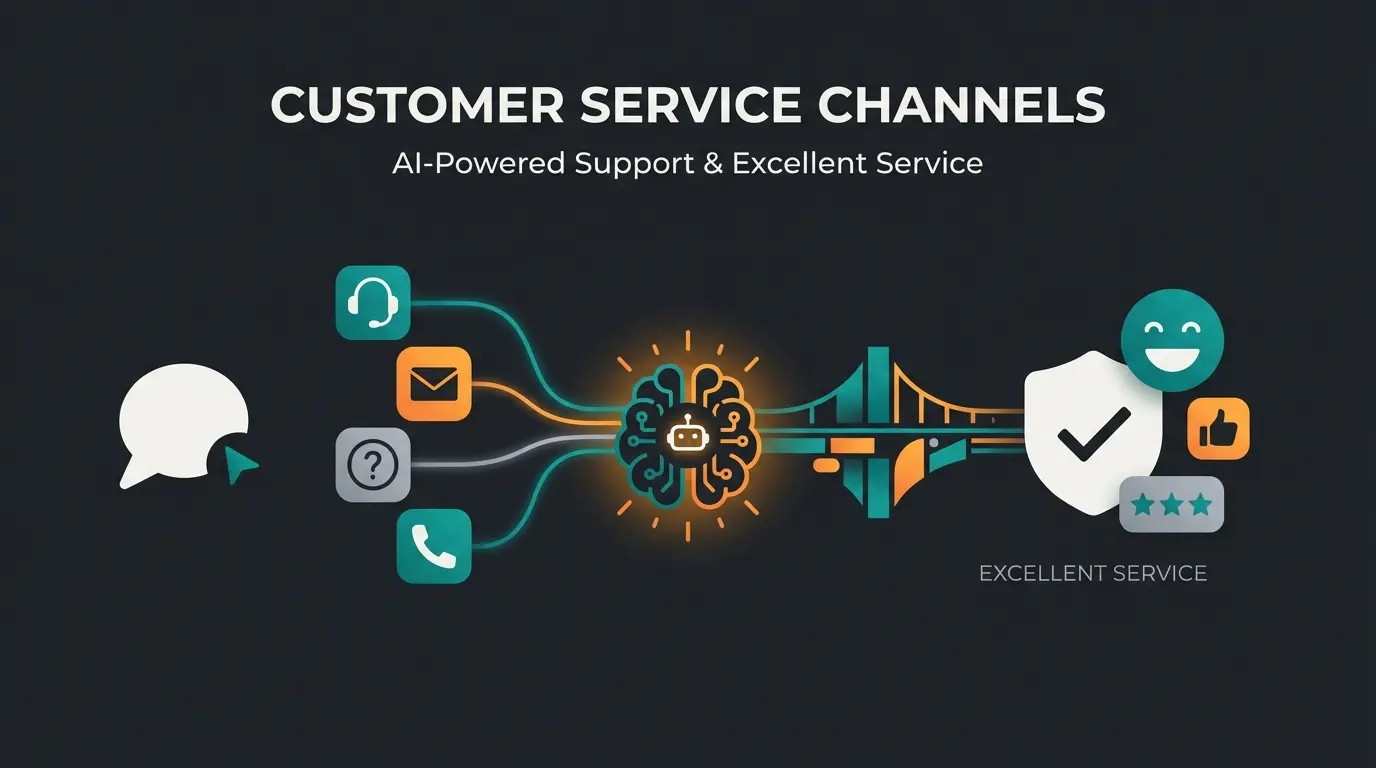
Introduction: Why We Need to Redefine Support
When you search for "Shopware customer support" as an online merchant, you're probably dealing with a technical problem right now. Maybe a plugin stopped working after updating to Shopware 6.6, the checkout is malfunctioning, or you urgently need help with server configuration. That's the classic definition of support: getting help so your shop runs properly.
But there's a second, often neglected side that goes beyond technical operations and directly determines your revenue: giving help so the customer buys.
In this comprehensive guide, we cover both sides. Part 1 is your technical lifeline: We explain in detail how to get official support from Shopware, what the Rise, Evolve, and Beyond plans really offer, and when you need an agency. Part 2 is your growth engine: We show how to transform your own customer support from reactive "ticket processing" to proactive, AI-driven sales consultation that drastically reduces cart abandonment. This transformation is closely related to how you can automate Shopware support effectively.
Part 1: Getting Technical Help – Navigating Shopware Support
For your e-commerce business to thrive, the technical foundation must be solid. Shopware offers a tiered support model that depends heavily on which edition you're using.
The Foundation: Support for the Community Edition (CE)
The Shopware Community Edition is the free open-source core of the system. It offers enormous flexibility but comes with a big "but": there's no direct manufacturer support. According to Zwei GmbH, Solution25, and BSSCommerce, Community Edition users must rely on alternative support channels.
If you're using the CE and encounter a problem, you depend on the following channels:
- The Community Forum: Developers and merchants help each other here.
- Slack Channels: For quick, informal questions to the developer community.
- Stack Overflow: For specific code problems.
- Documentation: The Shopware Docs are extensive but require time to learn.
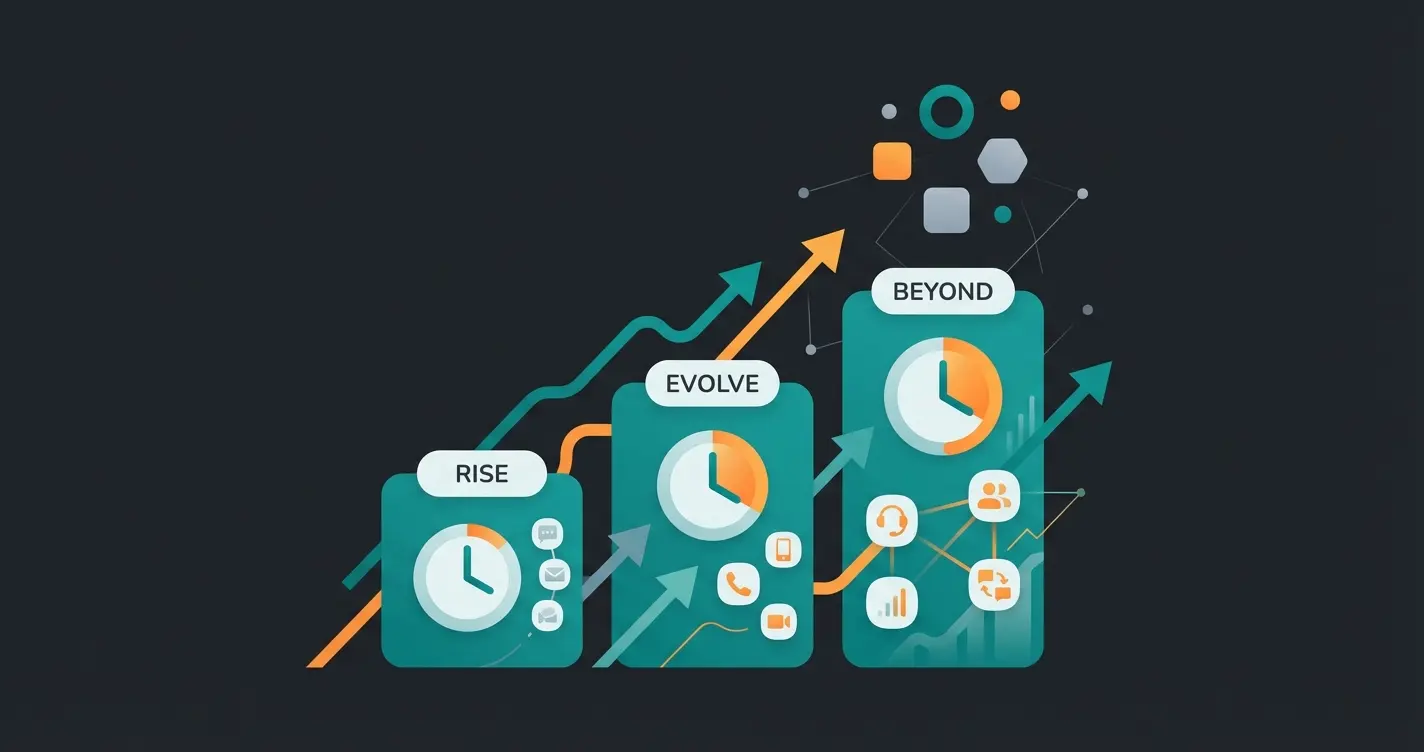
Commercial Plans: Rise, Evolve, and Beyond Compared
With the transition from the old license models (away from Professional/Enterprise to Rise/Evolve/Beyond), Shopware has also restructured support levels. The key difference is often the response time and availability. Understanding these tiers is essential when leveraging Shopware AI capabilities.
Here's the detailed comparison of official support services according to Shopware's official documentation:
| Feature | Shopware Rise | Shopware Evolve | Shopware Beyond |
|---|---|---|---|
| Target Group | Growing merchants | Established B2B/B2C merchants | Market leaders & Enterprise |
| Availability | 9:00 AM – 5:00 PM (Mon-Fri) | 7:00 AM – 7:00 PM (Mon-Fri) | 24/7 (Around the clock) |
| Response Time (SLA) | Max. 8 hours | Max. 4 hours | Max. 1 hour |
| Contact Methods | Written (Ticket) | Written + Phone (Callback) | Written + Phone + Account Manager |
| Developer Support | No | No | Yes (Written) |
| Onboarding | Digital / Self-Service | Digital | Personal Onboarding |
Analysis for Your Strategy
- Rise is suitable when technical outages are annoying but not existential threats (e.g., if you can wait overnight).
- Evolve is the standard for professional shops that need to cover longer business hours and prefer phone contact.
- Beyond is mandatory for high-volume merchants. When the server crashes at 3 AM on Black Friday, the 1-hour response time is worth its weight in gold.
How to Create a Support Ticket Correctly
Many merchants lose valuable time because tickets are incomplete and require follow-up questions. Whether for the Shopware Core or a plugin—the process runs centrally through the Shopware Account (account.shopware.com). According to Lenz eBusiness, Bay20, and Shopware's support documentation, following these steps ensures faster resolution.
Step-by-Step Guide for Ticket Creation
Sign in to the Merchant Area at account.shopware.com
Go to Support and click on Request support
Choose the shop experiencing the issue
Select Shopware Support for core issues or Plugin Support for extensions
Include exact Shopware version, steps to reproduce, and temporary access credentials in the Sensitive Data section
When Do You Need an Agency Instead of Shopware?
Official Shopware customer support helps when the software has a bug. It does not help when you:
- Want a custom design
- Need a plugin specifically adapted to your requirements
- Have errors caused by your own programming
For these cases, Shopware agencies are indispensable. According to Atloss, Bow Agentur, and Onacy, many agencies offer maintenance contracts (SLAs) that are often more flexible than manufacturer support since they know your individual code.
Part 2: Turning the Tables – From Help-Seeker to Solution Provider
Now that your technical foundation is secure, we need to talk about the real problem. A technically perfect shop generates no revenue if customers leave without buying.
Here we shift perspective: Shopware customer support doesn't just mean that you get help, but that you provide help to your customers. This is where modern AI customer service solutions become transformative.
The 18-Billion-Dollar Problem: Cart Abandonment
The statistics for 2024/2025 are alarming: the average cart abandonment rate in e-commerce is nearly 70% according to SellersCommerce and Cloudways. On mobile devices, this figure climbs to as high as 85% according to Adoric.
Nearly 7 out of 10 shoppers abandon their cart before purchase
Even higher abandonment on mobile devices
Massive revenue loss across e-commerce industry
Why Do Customers Abandon?
Besides shipping costs, one of the main reasons is uncertainty:
- "Does this replacement part really fit my model?"
- "How does the size run?"
- "Is the material weatherproof?"
When a customer has these questions, they're looking for support. If they don't find it immediately, they're gone. This is precisely where AI chatbots for customer service excel at providing instant answers.
Reactive vs. Proactive: Why Ticket Systems Kill Revenue
Most Shopware merchants use classic support tools: a contact form, an email address (support@...), or a ticket system like Zendesk. This is reactive support.
The Problem with Reactive Support in the Sales Process
- Time Delay: The customer asks a question and waits. The average response time in email support is often over 12 hours. By then, the customer has long since bought from Amazon or a competitor.
- Friction: Filling out a form is work. Many customers would rather abandon than enter their data and wait for an email.
- Costs: Every ticket costs human labor time. If you're asked 100 times a day "Where's my package?", that ties up resources that are missing for real consultation.
The Solution: Proactive Support
Proactive support means giving the customer the answer before they bounce in frustration or open a ticket. According to Trengo, Uptain, and Krauss GmbH, this approach dramatically improves customer satisfaction and conversion rates. In brick-and-mortar retail, this is the salesperson who approaches you: "Can I help you find the right size?" In e-commerce, this role was missing until now—but conversational AI solutions are changing that.
Discover how AI-powered product consultation can reduce cart abandonment and boost conversions in your Shopware store.
Start Your Free TrialPart 3: The New Era – AI-Powered Product Consultation
This is where the technological revolution comes into play, going far beyond simple "chatbots." We're talking about AI Agents and Consultative Sales AI, which represent a fundamental shift in how AI transforms e-commerce.
Why Standard Chatbots Fail
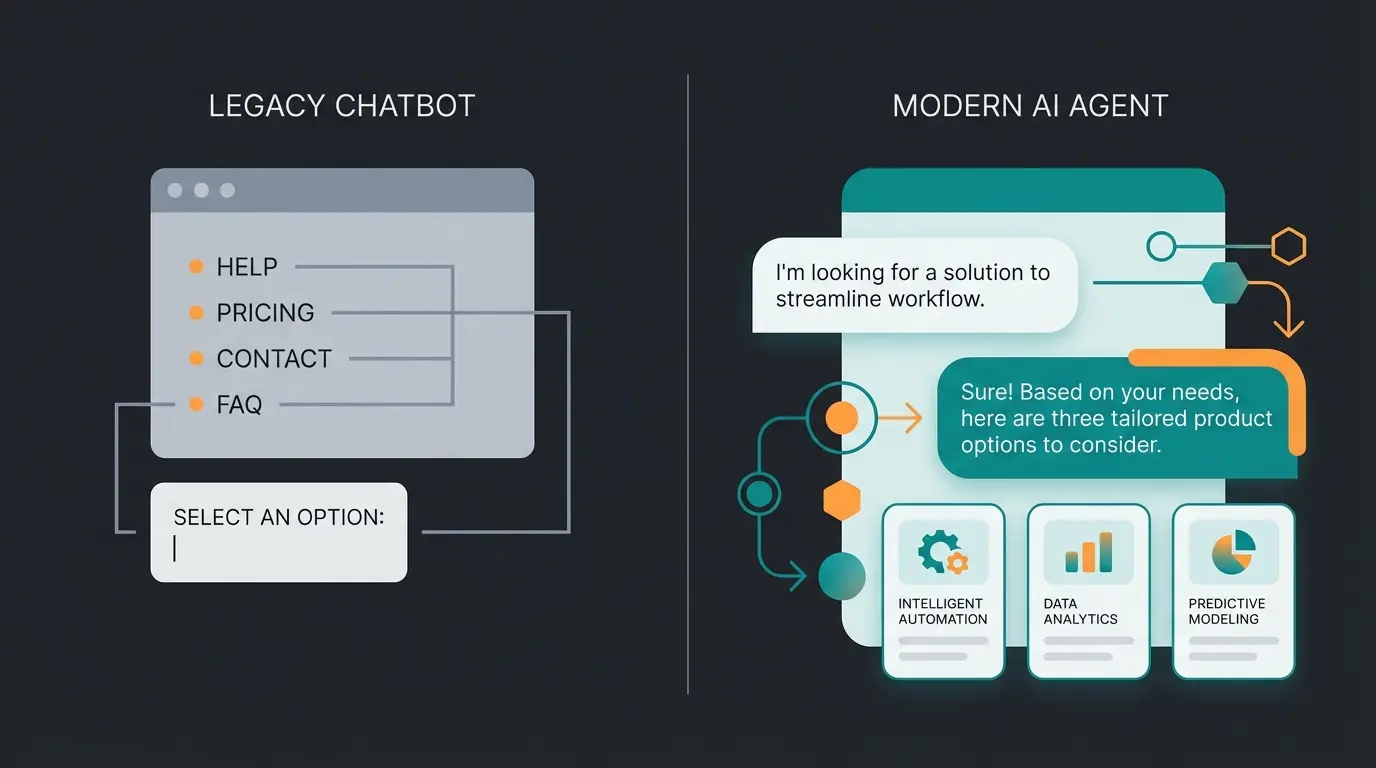
Many merchants have tried chatbots and were disappointed. The first generation (rule-based) could only process rigid paths ("Press 1 for shipping"). They were glorified FAQs and often led to frustration according to Cases Media. They couldn't consult. Understanding the difference between chatbots and conversational AI is crucial for making the right choice.
How AI Agents Revolutionize Shopware Customer Support
Modern AI solutions (based on LLMs like GPT-4, but trained on your shop data) understand context. They integrate deeply into Shopware and use your product data, attributes, and descriptions as a knowledge base.
A Practical Example
- Customer: "I'm looking for a mountain bike for my 10-year-old son, max $500."
- Old Chatbot: "Here's a link to our 'Bicycles' category." (Useless)
- AI Agent: "For a 10-year-old, I recommend a frame size of about 24 inches. Within your budget up to $500, I've found the 'Speedster Junior' and 'MountainPro 24' models. The 'Speedster' is slightly lighter, which is often easier for children to handle. Shall I show you the details?" (Sales-promoting)
This level of intelligent consultation is what makes AI product consultation providers so valuable for modern e-commerce operations.
The Benefits for Shopware Merchants
Integrating such an AI solution into your Shopware shop offers measurable benefits backed by current studies:
1. 24/7 Availability Without Staffing Costs
Customers shop in the evenings and on weekends—exactly when your office support isn't staffed. An AI responds immediately, even on Sunday evening at 10 PM. According to VanChat, studies show that 64% of customers expect round-the-clock availability.
2. Dramatic Increase in Conversion Rates
When customers receive instant answers, they're more likely to buy. Research from HelloRep AI, Dashly, and Medium reveals compelling statistics:
AI chats can quadruple conversion rates compared to shops without chat
In some industries, chatbots achieve conversion rates up to 70%
Customers who interacted with AI spend more on repeat visits
AI agents can handle inquiries without human intervention
3. Relief for Human Support Teams
By having AI intercept repetitive questions ("What's the return status?", "Is this available in red?"), your team is relieved. This creates space for your staff to function as digital product consultants for complex cases while AI handles routine inquiries.
- AI agents can resolve up to 93% of customer inquiries without human intervention
- Response time is reduced by up to 90%
- This lowers service costs by approximately 30%
Comparison: Human vs. Classic Bot vs. AI Consultant
To illustrate where the journey is heading, a direct comparison of support methods in a Shopware environment is worthwhile. This comparison helps understand how AI-guided selling differs from traditional approaches.
| Criterion | Human Agent | Classic Chatbot (Rule-based) | AI Consultant (GenAI) |
|---|---|---|---|
| Availability | Limited (Office hours) | 24/7 | 24/7 |
| Cost per Contact | High (Salary, Training) | Low | Very Low |
| Response Quality | Excellent (Empathy) | Low (Rigid) | High (Context-aware) |
| Scalability | Difficult (Staff shortage) | Easy | Unlimited |
| Consultation Ability | Yes (Sales conversation) | No (Info only) | Yes (Data-driven advice) |
| Setup in Shopware | No integration needed | Simple plugin install | Deep data integration |
| Goal | Solve problems | Avoid tickets | Generate revenue |
The Three Levels of Shopware Support
Understanding where different support types fit in your overall e-commerce strategy is crucial. Think of it as a support pyramid that builds upon itself:
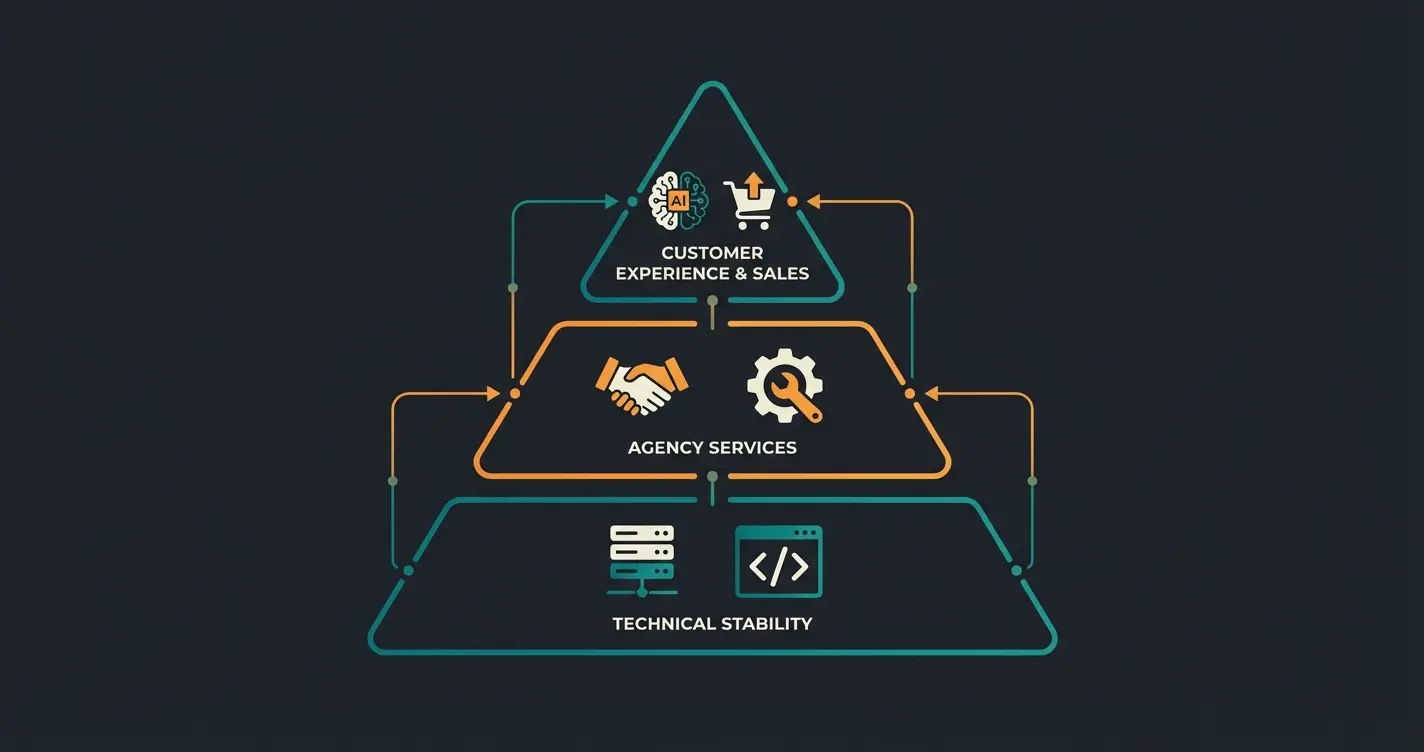
Level 1: Technical Stability (Foundation)
This is Shopware's official support—ensuring your shop runs properly. Without this foundation, nothing else matters. Choose your plan (Rise, Evolve, Beyond) based on your risk tolerance and business hours.
Level 2: Customization & Maintenance (Middle Tier)
Agencies handle what Shopware support won't: custom development, individual plugin modifications, and ongoing maintenance. They know your specific implementation.
Level 3: Customer Experience & Sales (Top Tier)
This is where AI consultation lives—transforming support from a cost center into a revenue generator. Real-world examples like the AI product consultation success story at Rasendoktor demonstrate the measurable impact on conversions and customer satisfaction.
Practical Implementation: Integrating Next-Gen Support
How do you get from theory to practice? Here's a roadmap for Shopware merchants looking to implement what essentially functions as an AI employee for their customer service operations.
Step 1: Ensure Data Quality
An AI is only as smart as the data you feed it. In Shopware 6, this means: maintain your Properties and Custom Fields cleanly. If the AI needs to know which cable fits which device, that information must be stored in the product data.
Step 2: Choose the Right AI Solution
There are now various plugins in the Shopware Store. When selecting, pay attention not just to "chat" functions, but to "consultation" capabilities:
- Can the AI access live inventory?
- Can it compare products?
- Does it learn from past interactions?
- Is it GDPR-compliant (server location)?
Step 3: Run a Hybrid Model
Don't start with 100% automation. Use a hybrid model. The AI handles first contact. When it doesn't know the answer or the customer becomes emotional (complaint), there should be seamless handoff to a human agent (via Zendesk, Freshdesk, or Shopware integration). This is often called "Human-in-the-Loop."
Step 4: Measure and Optimize
Use the analytics features. Where does the AI fail? Which products are most frequently asked about? This data is invaluable—not just for support, but also for your purchasing and product development.
Shopware Support Matrix: Who to Contact for What
To quickly answer "Who do I call for X?", here's a comprehensive support matrix:
| Support Source | Use Case | Cost | Availability |
|---|---|---|---|
| Shopware Official | Core bugs, technical failures | Included in plan | Varies by plan (business hours to 24/7) |
| Shopware Agency | Custom development, individual code issues | Hourly or retainer | Business hours (flexible with SLA) |
| Plugin Developer | Third-party extension issues | Usually free (support period) | Varies by developer |
| AI Consultation Tool | Product questions, sales support | Subscription-based | 24/7 automated |
Conclusion: Support Is Not a Cost Center—It's Your Biggest Lever
The term "Shopware customer support" has evolved. Of course, you must ensure you get help from Shopware in an emergency (Part 1 of this guide). Check your plan (Rise/Evolve/Beyond) and make sure your SLAs match your business risk.
But the real opportunity lies in how you use support. In a time when advertising costs (ads) are rising and competition is getting fiercer, the conversion rate is the most important lever. By replacing reactive waiting times with proactive, AI-driven consultation, you close the gap between "visitor" and "buyer."
Action Plan
- Audit: Check your current Shopware support plan. Are you covered for emergencies?
- Analyze: Look at your ticket systems. How many inquiries are pure product questions ("Does X fit Y?")?
- Act: Test an AI solution for product consultation. Start small, measure the conversion rate, then scale.
The best support is the kind that requires no ticket at all—but leads directly to a purchase.
Frequently Asked Questions (FAQ)
You can reach official support through your Shopware Account (account.shopware.com) under "Merchant" > "Support." Depending on your booked plan (Rise, Evolve, Beyond), you can create tickets or request a callback. Community Edition users don't have access to direct manufacturer support.
Support is included in the commercial plans. Shopware Rise starts at approximately €600/month (including 8-hour response time). Shopware Evolve starts at approximately €2,400/month (including 4-hour response time & phone). Shopware Beyond starts at approximately €6,500/month (including 1-hour response time & 24/7 support). Prices may vary based on GMV (revenue).
Yes, Shopware 6 is predestined for AI integrations due to its "API-first" architecture. There are specialized providers and plugins that read product data from Shopware and use it to intelligently advise customers in chat, rather than just giving standard answers.
Shopware Support handles errors in the core system. Plugin Support is provided by the respective extension manufacturer. When you buy a plugin in the Shopware Store, support technically runs through the same ticket system in your account, but processing is done by the third-party partner.
For merchants with high sales volume: Yes. The main advantage of Beyond is 24/7 support with 1-hour response time. If your shop goes down on a Saturday evening and you'd have to wait until Monday morning (as in the Rise plan), the revenue loss can quickly exceed the additional plan costs.
Join leading e-commerce brands using AI-powered product consultation to boost conversions and delight customers around the clock.
Get Started Free
Lasse is CEO and co-founder of Qualimero. After completing his MBA at WHU and scaling a company to seven-figure revenue, he founded Qualimero to build AI-powered digital employees for e-commerce. His focus: helping businesses measurably improve customer interaction through intelligent automation.