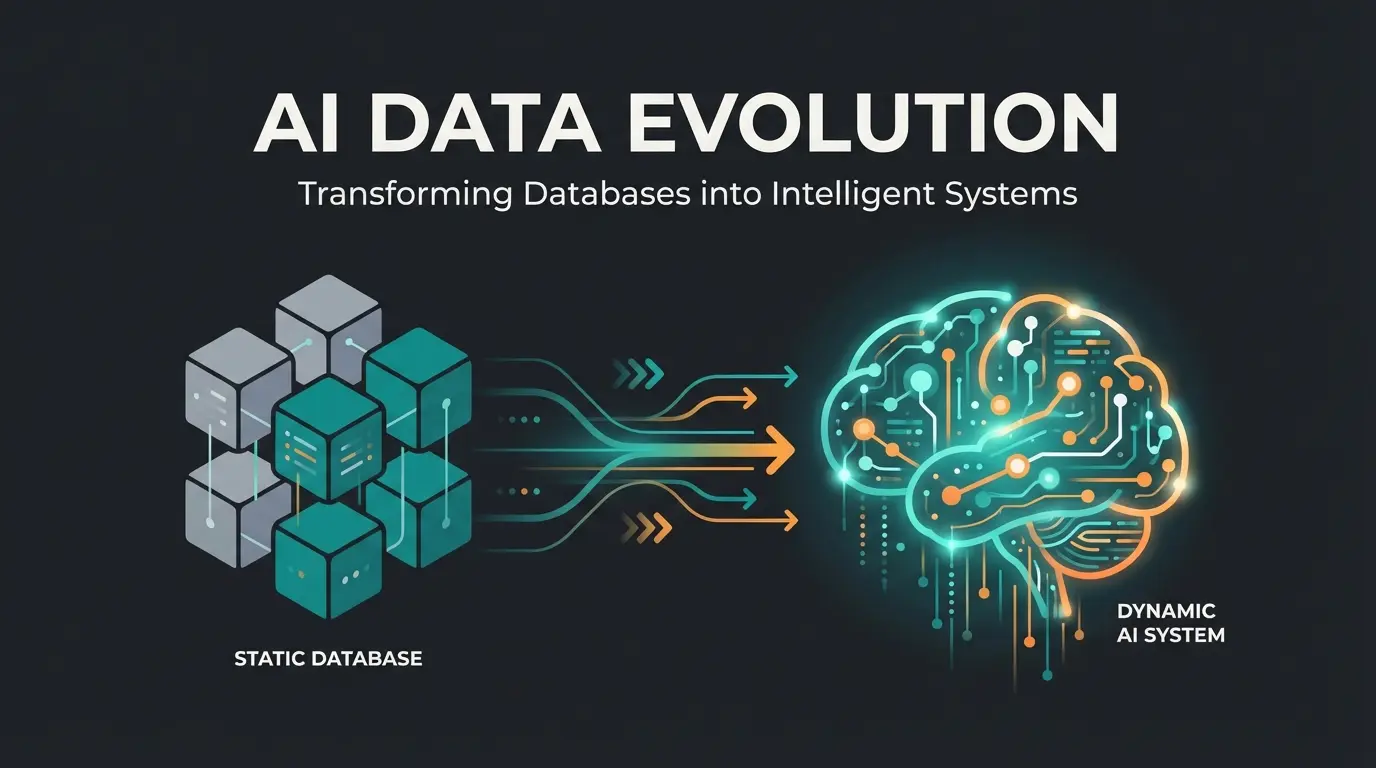
Introduction: Why ERP Projects Still Fail in 2026
The implementation of an Enterprise Resource Planning (ERP) system is often compared to open-heart surgery on a company. It is far more than just installing new software; it is a fundamental intervention in the organization's DNA. When successful, an ERP implementation leads to more efficient processes, data transparency, and scalability. When it fails, massive financial losses and operational standstills loom on the horizon.
But why do so many of these projects still fail even in 2026? The answer often lies in outdated change management methods and rigid training concepts that ignore the reality of human learning curves. According to Gartner, the statistics remain alarming year after year, with failure rates consistently hovering between 55% and 75%.
This guide not only walks you through the classic phases of an ERP project but also demonstrates how modern technologies—particularly Artificial Intelligence (AI)—are revolutionizing the way companies support their employees through this transformation. Companies leveraging AI-driven solutions are discovering entirely new approaches to the age-old challenges of enterprise software adoption.
What is ERP Implementation? Definition & Scope
An ERP implementation (or ERP deployment) refers to the entire process of integrating Enterprise Resource Planning software into a company. The goal is to eliminate isolated data islands (silos) and unite all business-critical processes—from procurement through production to sales and accounting—in a central system.
It is crucial to understand that this is primarily an organizational project and only secondarily an IT project. The software is merely the tool; the actual transformation takes place in the work methods and minds of employees. As noted by Xentral, the human factor determines success far more than technical specifications.
Think of it as a corporate culture transplant rather than a simple software installation. Every department, every workflow, and every employee interaction with data will fundamentally change. This is why proper preparation and support structures—including modern tools like AI-powered customer service—are essential for success.
Cloud vs. On-Premise: The First Strategic Crossroads
Before the process begins, the deployment decision often stands at the forefront. This choice impacts everything from initial costs to long-term flexibility and maintenance requirements.
- Cloud ERP: The software is rented as a service (SaaS). Advantages include lower entry costs, rapid scalability, and automatic updates from the provider. According to Haufe X360, cloud solutions have become the preferred choice for agile businesses.
- On-Premise ERP: The software is purchased and operated on your own servers. This offers maximum control and data sovereignty but requires high initial investments (CapEx) and dedicated IT resources for maintenance and security, as explained by Alphaplan.
| Factor | Cloud ERP | On-Premise ERP |
|---|---|---|
| Initial Investment | Low (OpEx model) | High (CapEx model) |
| Scalability | Rapid and flexible | Requires planning and hardware |
| Updates | Automatic from provider | Manual, requires IT resources |
| Data Control | Provider-managed | Full company control |
| Typical Cost | €50-250 per user/month | €50,000-200,000+ initial + 18-22% annual maintenance |
ERP Implementation Process: The 6 Classic Phases
Although agile methods (like Scrum) are increasingly making inroads, the broad framework of an ERP project typically follows a proven phase model. However, success lies in the details of each phase. Understanding these ERP implementation phases is essential for proper planning and resource allocation.
Define SMART goals, assemble project team, create requirements specification
Screen vendors, conduct workshops, create technical specification
Blueprint creation, fit-gap analysis, process redesign
System configuration, data cleansing and migration
User Acceptance Testing, end-user training programs
System launch, hypercare phase, ongoing optimization
Phase 1: Preparation & Goal Setting (Project Setup)
The most common mistake happens before the project even officially starts: unclear goals. Without precise objectives, you cannot measure success or hold anyone accountable for outcomes.
- Define SMART Goals: What exactly should be improved? (e.g., 'Reduce inventory levels by 20% within 12 months'). Vague goals like 'improve efficiency' lead to vague results.
- Assemble the Project Team: An ERP project must not be a pure IT project. It requires key users from all departments who understand the business processes intimately.
- Create the Requirements Specification (Lastenheft): Here the company defines what it needs. It is the customer's 'wish list' and describes the current state as well as target processes. As ABAS ERP emphasizes, this document becomes your insurance policy.
Phase 2: Selection & System Analysis
Based on the requirements specification, vendors are screened and evaluated. This phase requires disciplined evaluation to avoid being swayed by flashy presentations rather than substantive fit.
- Longlist & Shortlist: Reduce the vendors to 3-5 candidates based on initial criteria matching.
- Workshops & Demos: Do not accept standard demos. Demand the demonstration of your specific critical processes ('use cases'). According to ERP Planner, this is where many companies make their first critical mistake.
- Technical Specification (Pflichtenheft): The chosen vendor now creates the technical specification. It is the answer to the requirements specification and describes in technical detail how the requirements will be implemented, as detailed by Agolution.
Phase 3: Conception & Design (Blueprinting)
Here the 'blueprint' of the system is created. This phase determines how well the software will fit your actual business operations.
- Fit-Gap Analysis: Where does the software standard fit the processes, and where are there gaps (Gaps)?
- Process Redesign: A golden principle states: Adapt the processes to the software, not the other way around. Every customization increases complexity and makes later updates more difficult. According to Xentral, excessive customization is one of the leading causes of project failure and budget overruns.
Phase 4: Implementation & Data Migration
The technical realization begins in earnest. This is where the theoretical planning meets the reality of your existing data and systems.
- System Configuration: Configuration of the modules according to the technical specification.
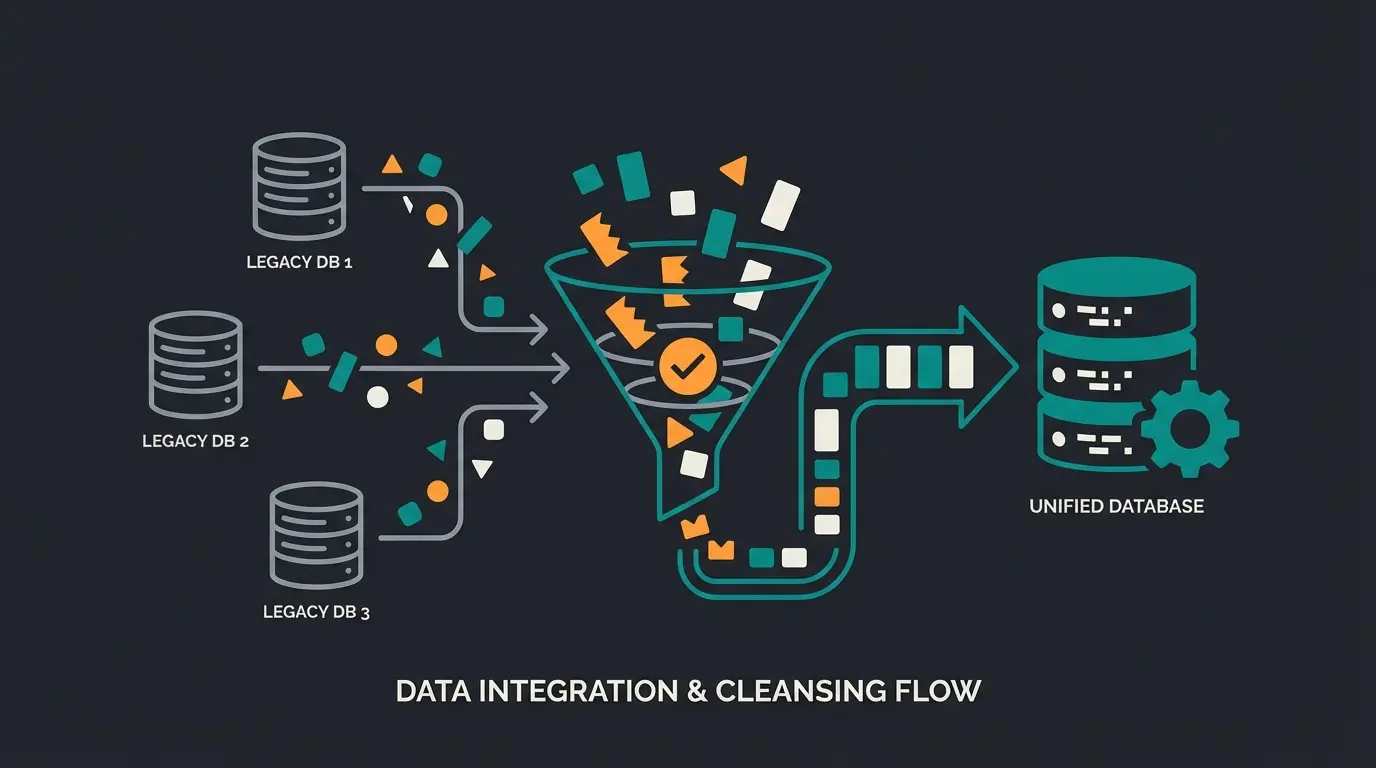
- Data Migration: This is often the most time-consuming part. 'Garbage in, garbage out'—poor data quality from legacy systems can immediately render the new ERP useless. Data must be cleaned, deduplicated, and formatted. Werkbank Digital notes that data migration typically takes 3-4 times longer than initially planned.
Phase 5: Training & Testing (User Acceptance)
This is often where victory or defeat is decided. The best-configured system in the world fails if users cannot or will not use it properly.
- User Acceptance Testing (UAT): Key users test the system thoroughly against real-world scenarios.
- End-User Training: Traditionally, this involves multi-day block training sessions in classroom settings.
This is precisely where modern AI solutions come into play. Rather than relying solely on one-time training that fades from memory, companies are deploying AI product consultation tools that provide on-demand support exactly when users need it. The success story of AI Employee 'Kira' demonstrates how AI can transform user adoption rates.
Phase 6: Go-Live & Support (Rollout)
Day X arrives. The legacy system is shut down (or placed in read-only mode). This is the moment of truth for your entire ERP rollout strategy.
- Hypercare Phase: Intensive support in the first weeks is essential. This typically means extended hours, dedicated support staff, and rapid response to issues.
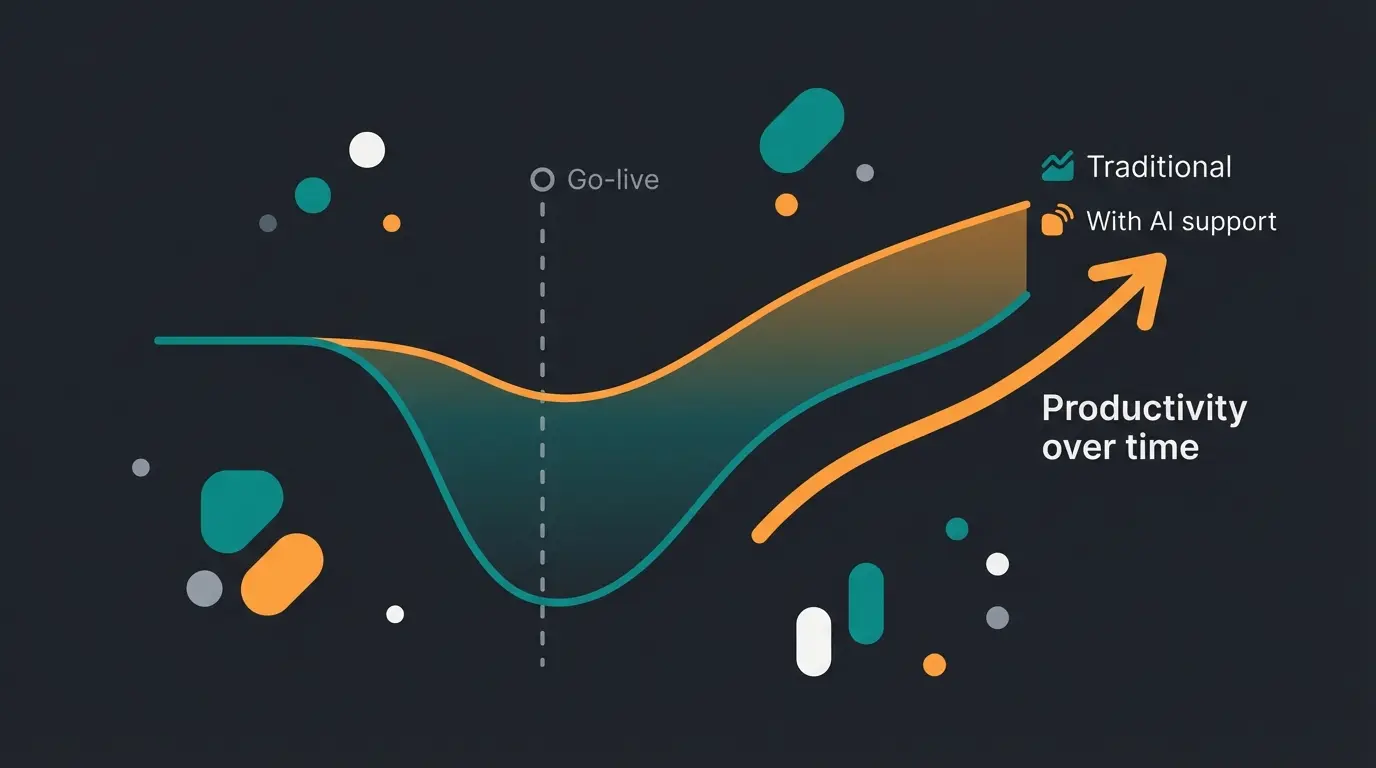
- The 'Valley of Despair': After go-live, productivity almost always drops initially as employees struggle with the new system. According to Gray Matter Blog and L10 Perform, this productivity dip is inevitable but manageable. The goal is to keep this valley as shallow and short as possible.
Why 70% of All ERP Projects Fail (And How to Prevent It)
The statistics are alarming and consistent. Gartner and other analysts put the rate of projects that miss their targets (time, budget, or functionality) at 55% to 75%. Even major corporations are not immune—Xledger reports that Lidl abandoned an SAP project after 7 years and €500 million in costs. As documented by Rand Group, these failures share common patterns.
Projects that miss their original objectives
Training content forgotten within 24 hours
Longer than initially planned
Abandoned after 7 years of development
The Most Common Reasons for Failure
- Employee Resistance (Change Management): People are creatures of habit. When the added value is not communicated, fear and blocking attitudes arise. Cobus Concept emphasizes that resistance is natural but must be actively managed.
- Unclear Requirements: When the requirements specification is vague, the result will disappoint. As Open Next explains, ambiguity at the start compounds into chaos at the end.
- Lack of Management Commitment: When executive leadership only delegates the project to IT and does not actively champion it, the authority for conflict resolution is missing. ERP.de notes this as a primary failure factor.
- Underestimating Data Migration: Data cleansing often takes 3-4 times longer than planned, derailing timelines and budgets.
The Human Factor: Change Management Reimagined
Most guides recommend 'more communication.' But emails and town hall meetings are not enough. The main problem is uncertainty in the moment of action. According to Gestion CE, psychological safety during transition is as important as technical training.
When a warehouse employee stands in front of the new interface and does not know what to click, frustration builds. They do not consult the 200-page PDF manual. They ask a colleague (who might also know it wrong) or develop 'workarounds' that bypass the system entirely. This is where tools like AI Paul demonstrate their value—providing instant, accurate answers when employees need them most.
The Problem with Traditional Support Methods
- Manuals: Simply do not get read. Studies show that less than 10% of employees ever open documentation.
- Key Users: Often overloaded with their regular duties and not always available when questions arise.
- Helpdesk: Long wait times for trivial questions create frustration and workflow interruptions.
See how AI-powered consultation tools are helping companies cut their 'Valley of Despair' in half while boosting user adoption rates by over 40%.
Explore AI SolutionsSuccess Factors: Modern Tools Instead of Old Methods
To increase the success rate, companies must leverage modern technologies that support the 'human element.' The combination of solid project management and intelligent support tools creates a foundation for sustainable success.
1. AI-Driven Project Support (The Game Changer)
Imagine eliminating the human bottleneck in support. Modern ERP implementations are utilizing AI-powered product consultants to provide instant, consistent answers around the clock. The experience of KI-Mitarbeiterin Flora shows how this works in practice.
Intelligent Dialogue Instead of Static FAQs: An AI trained on the complete blueprint, process descriptions, and training material can answer questions in natural language. Unlike static documentation, the AI understands context and can provide personalized guidance.
Democratization of Knowledge: Instead of waiting for expensive consultant hours, all project participants receive consistent answers around the clock. This prevents the 'telephone game' effect where information gets distorted as it passes from person to person. Companies like those featured in our Social Media Inquiries success story have seen dramatic improvements in information accuracy.
Onboarding 2.0: Since knowledge is available 'on demand,' not everything needs to be learned in advance (and then forgotten). This directly counteracts the forgetting curve by providing context-aware help exactly when users are stuck in the new interface. The AI Product Consultation approach represents this new paradigm.
Traditional Support vs. AI-Powered Consultation
| Feature | Traditional Approach | AI-Powered Approach |
|---|---|---|
| Knowledge Source | PDF manuals, intranet, key users | Interactive chatbot / AI assistant |
| Availability | Business hours (dependent on people) | 24/7 instant response |
| Learning Curve | Steep (learn everything at once) | Flat (learn in the moment of need) |
| Currency | Documents quickly become outdated | AI accesses live knowledge base |
| Frustration Factor | High (waiting for answers) | Low (immediate resolution) |
| Consistency | Varies by person asked | Uniform, accurate information |
| Cost per Query | High (human time) | Minimal (automated) |
The impact on Cost per Lead and overall project ROI becomes clear when you calculate the time saved across hundreds or thousands of daily user questions during the critical post-go-live period.
2. Clean Data as Foundation
Invest early in data mining tools or AI scripts that detect duplicates in your master data before they are migrated to the new system. A new ERP with old, bad data is just a faster way to make wrong decisions. Data quality should be treated as a parallel workstream that begins months before the technical implementation.
3. Agile Project Management
Instead of a rigid waterfall model (everything only becomes visible at the end), successful projects use hybrid models that allow for continuous feedback and adjustment.
- Sprints: Implement and test in short cycles (e.g., 2-4 weeks). This surfaces problems early when they are still cheap to fix.
- Early Feedback: Let key users work with prototypes during implementation, not just during UAT. According to Ultra Consultants, early user involvement dramatically increases acceptance rates.
The Valley of Despair: Understanding Post-Go-Live Reality
Every ERP implementation experiences a productivity dip after go-live. This phenomenon, known as the 'Valley of Despair,' is so predictable that experienced project managers plan for it. The question is not whether it will happen, but how deep and long it will be.
With traditional support methods, the valley can extend for weeks or even months as employees struggle to adapt. AI Chat solutions have demonstrated the ability to significantly reduce both the depth and duration of this productivity dip. When users can get instant answers to their questions, they spend less time frustrated and more time productive.
The difference is measurable: companies using AI-powered support during their ERP rollout report reaching pre-implementation productivity levels 40-60% faster than those relying solely on traditional support methods.
Costs and Duration of ERP Implementation
A blanket statement would be irresponsible, but benchmarks help with orientation. Understanding these ranges helps set realistic expectations for budget and timeline planning.
How Long Does It Take?
Duration depends massively on company size and complexity. Xledger and Ultra Consultants provide the following benchmarks:
- Small Businesses (SMB): 3 to 9 months for standard implementations
- Medium-Sized Enterprises: 6 to 18 months depending on complexity
- Large Corporations: 18 to 36+ months (Warning example: Lidl abandoned an SAP project after 7 years and €500 million in costs)
What Does It Cost?
Costs consist of licenses, services (implementation), and internal time. Each category can vary significantly based on your choices and circumstances.
- Rule of Thumb: Service costs (consulting, customization) often amount to 2-3 times the license costs. This ratio can increase with extensive customization requirements.
- Cloud ERP: Approximately €50 to €250 per user/month. Advantage: Low initial costs, costs are operating expenses (OpEx).
- On-Premise: High one-time payment (e.g., €50,000 - €200,000 for mid-sized companies) + annual maintenance (approximately 18-22% of license value). Hardware replacement and IT personnel must also be factored in as hidden costs, as noted by YouTube educational resources and Xentral.
ERP Implementation Checklist: Are You Ready?
Before you give the starting signal, check these points. Each unchecked item represents a potential risk factor that could derail your project.
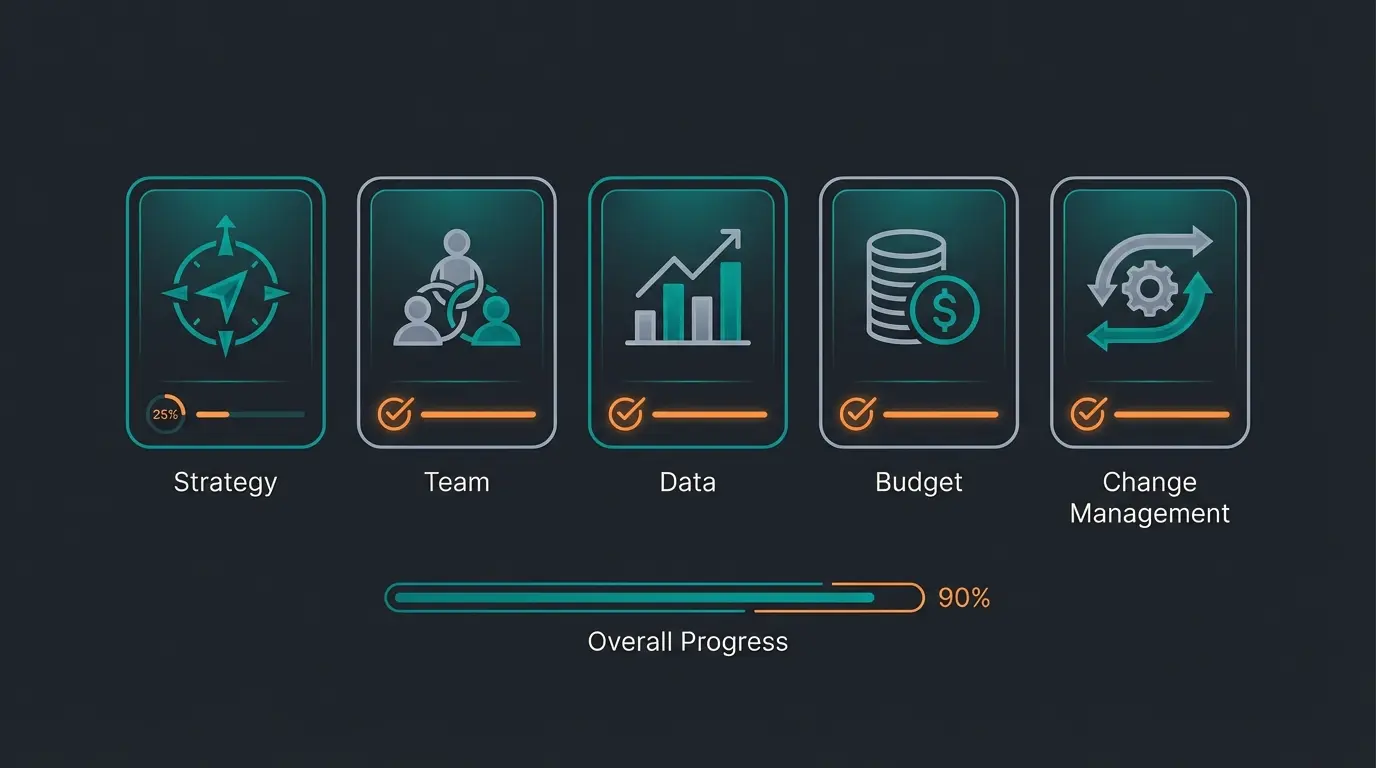
- Strategy: Are the goals SMART-defined and aligned with the business strategy?
- Team: Do you have a dedicated project manager and key users who are partially released from daily operations for the project?
- Processes: Have you documented your current processes and identified optimization potential?
- Data: Have you begun cleansing master data? Is there a data governance plan?
- Budget: Have you planned a buffer of approximately 20% for the unexpected?
- Change Management: Do you have a plan for how to bring the workforce along? (Tip: Consider AI support through solutions like AI lead generation for stakeholder engagement)
- Management: Does executive leadership visibly stand behind the project?
- Support Infrastructure: Have you planned for 24/7 support capabilities during go-live?
Conclusion: The Future of ERP Implementation is Hybrid
The implementation of an ERP system remains one of the greatest challenges for companies even in 2026. The technology of the software itself is rarely the problem today—cloud solutions are mature, secure, and powerful.
The real hurdle remains the human being and their natural resistance to change, as well as the cognitive limit to absorbing new knowledge under pressure. This is where the great opportunity of artificial intelligence lies. It does not replace the human consultant in strategic process planning, but it is the missing puzzle piece in ERP change management and user support.
By providing your employees with an intelligent, always-available assistant, you take the fear out of change. You flatten the 'forgetting curve' and drastically shorten the path through the 'Valley of Despair' after go-live. Companies that want to hire an AI employee for their transformation projects are discovering significant advantages in adoption rates and time-to-value.
Successful ERP projects of the future combine excellent software, empathetic leadership, and intelligent AI support tools. The question is no longer whether to use AI in your implementation, but how quickly you can deploy it.
Frequently Asked Questions (FAQ)
For small and medium-sized enterprises (SMEs), you should plan for 6 to 12 months. For complex corporate structures, the project can take 18 to 36 months. The timeline depends heavily on the scope of customization, data migration complexity, and organizational readiness for change.
The biggest risks are poor data quality, inadequate change management (employee resistance), unclear goal definitions, and scope creep during the project duration. According to Gartner, 55-75% of projects fail to meet their original objectives, primarily due to these human and organizational factors rather than technical issues.
The requirements specification is your insurance policy. It defines exactly what you expect from the system. Without a detailed requirements specification, the vendor cannot be held liable if functions are missing or processes do not run as desired. It creates accountability and measurable success criteria.
AI-powered consultation tools provide 24/7 instant answers to user questions, counteracting the forgetting curve from one-time training sessions. They democratize access to project knowledge, ensure consistent information across all stakeholders, and significantly reduce the post-go-live productivity dip known as the 'Valley of Despair.'
Cloud ERP is rented as a service (SaaS) with lower initial costs, automatic updates, and rapid scalability. On-Premise ERP is purchased and operated on your own servers, offering maximum control and data sovereignty but requiring higher upfront investment and dedicated IT resources for maintenance.
Discover how AI-powered support tools can cut your implementation time, boost user adoption, and ensure your ERP project succeeds where 70% fail. Book a free consultation today.
Book Free Consultation