Introduction: Why Your Chatbot Should Be Your Best Sales Rep
Imagine having a sales representative who never sleeps, answers every technical question about your product in seconds, and enters qualified leads directly into your CRM—completely automatically. This is no longer a futuristic fantasy but an achievable reality through strategic integration.
For a long time, Intercom was primarily viewed as a support tool (helpdesk) while HubSpot served as the marketing and sales machine. The integration between them was limited to pushing email addresses from point A to point B. However, 2026 has fundamentally changed the game. Through the deployment of AI Agents like Intercom Fin and advanced HubSpot workflows, support and sales are merging into a unified revenue-generating system.
The problem many companies face: Sales teams waste valuable time on unqualified leads while support teams overlook valuable sales opportunities hiding in chat conversations. According to Intercom, this misalignment costs businesses significant revenue potential every quarter.
The solution: A strategic Intercom HubSpot integration that doesn't just synchronize data but functions as an "AI Revenue Engine." In this comprehensive guide, I'll show you how to set up this integration—technically sound, strategically intelligent, and GDPR-compliant for the German market. Whether you're looking for a basic hubspot intercom integration or an advanced intercom and hubspot integration strategy, this guide covers everything you need.
Why Integrate? The Shift from Support Bot to AI Consultant
Before we dive into the technical setup, we need to shift our mindset. Most integrations fail because they only use Intercom as a "mailbox" for collecting contact information. This approach severely limits the potential of what these powerful platforms can achieve together.
The Unified Customer View
The basic goal is clear: Your sales team needs to see in HubSpot what the lead chatted about with support yesterday. Your support team needs to see in Intercom whether the chat partner is currently close to closing a €50,000 deal. This bidirectional visibility transforms how both teams operate.
- Sales sees: Chat transcripts and support tickets directly in the HubSpot timeline, providing complete context for every conversation
- Support sees: Deal stage, lead score, and assigned Account Manager directly in the Intercom Inbox, enabling personalized service
This unified view, as documented by both Intercom and HubSpot, eliminates the information silos that traditionally separate sales and support functions. When AI Chatbots transform your customer interactions, this visibility becomes even more critical for maintaining conversation continuity.
Your Unique Opportunity: The Consultation Layer
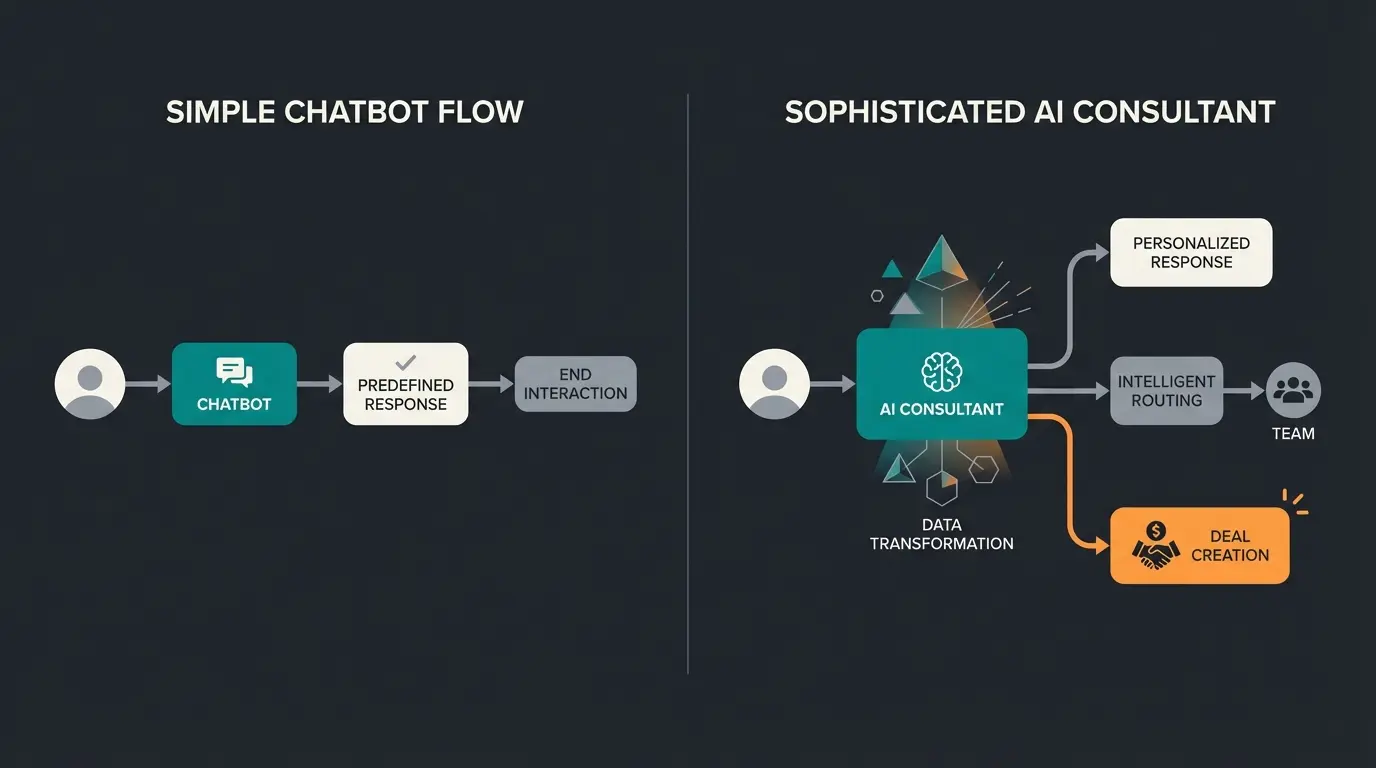
Here lies your competitive advantage. Most of your competitors use simple chatbots for FAQs—reactive tools that deflect tickets rather than create value. You will build an AI Product Consultant that actively drives revenue through AI product consultation.
| Feature | Standard Chatbot (The Old Way) | AI Product Consultant (Your New Way) |
|---|---|---|
| Logic | Rigid if-then rules | Understands context & intention (LLM-based) |
| Goal | Avoid tickets (Deflection) | Analyze needs & sell solutions |
| Data Sync | Sends "Name & Email" to CRM | Sends "Purchase Intent," "Budget" & "Preference" |
| Outcome | Lead added to list | Deal created in pipeline & Sales alerted |
The distinction between AI product consultants and basic chatbots is crucial for understanding the true potential of your Intercom HubSpot integration. While standard bots react to queries, AI consultants proactively guide prospects toward purchasing decisions.
Choosing the Right App: Avoiding the Duplicate Disaster
A critical point that almost all guides overlook: There are two main integrations in the app store, and you should never activate both simultaneously for the same purpose. This mistake leads to data chaos that can take weeks to untangle.
- Intercom-built App: Offers deeper integration for conversations. It allows you to see chats in the HubSpot timeline and qualify leads based on chat behavior. This is the recommended choice for sales automation scenarios.
- HubSpot Data Sync (Operations Hub): Excellent for pure master data synchronization (bi-directional sync of email, name, phone). However, it often doesn't sync chat histories or tickets as detailed as the native Intercom app.
My recommendation: For the "AI-Powered Sales" scenario, primarily use the Intercom-built App for lead creation and chat synchronization. Use HubSpot Data Sync only very selectively for fields that the Intercom app doesn't cover, and ensure the sync rules don't overlap. This approach, validated by HubSpot best practices, prevents the duplicate disaster while maximizing functionality.
Step-by-Step Setup Guide: The Practical Implementation
Prerequisites
Before beginning your integration setup, ensure you have the following requirements in place. Missing any of these will cause implementation delays or limited functionality:
- Intercom: Minimum "Advanced" Plan (required for Fin AI & Workflows). According to eesel.ai, this tier unlocks the automation capabilities essential for revenue generation.
- HubSpot: Minimum "Starter" (for lists), ideally "Professional" (for workflows and advanced automation)
- Admin rights in both systems—partial permissions will block critical configuration steps
Step 1: Installation & Connection
The initial connection process is straightforward but requires careful attention to authentication:
- Navigate to the Intercom App Store and search for "HubSpot"
- Select the app (developed by Intercom) and click "Install"
- Authenticate with your HubSpot account using admin credentials
- Verify the connection status shows "Active" in both platforms
Step 2: Strategic Field Mapping
This step determines the quality of your data and the intelligence of your sales automation. Don't just synchronize standard fields—think strategically about what information drives revenue decisions.
Critical Mappings for Sales Intelligence:
| Intercom Attribute | HubSpot Property | Why Important? |
|---|---|---|
| The unique identifier (mandatory) | ||
| Phone | Phone Number | Enables rapid sales callbacks |
| Qualification Data (Custom) | Lead Status | Tells HubSpot: Is this a "New Lead" or "SQL"? |
| Project Budget (Custom) | Budget | Prioritization for sales team allocation |
| Fin AI Summary | Note / Description | AI summary of the chat for the sales rep |
Step 3: The German Compliance Check (GDPR & DOI)
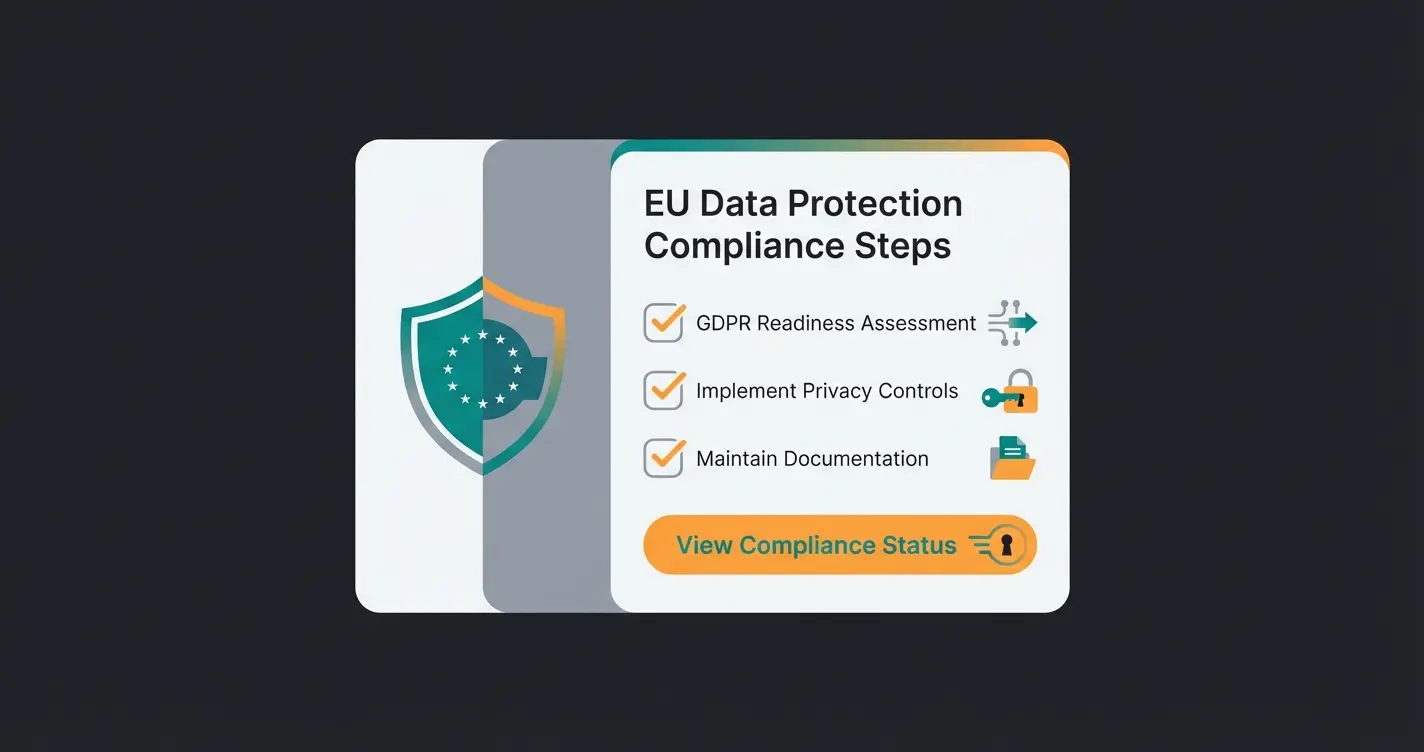
In Germany, it's not enough to simply transfer data. You must ensure the lead has consented to marketing communications. This requirement, documented by advalyze and huble, is non-negotiable for DACH market compliance.
The Problem: Leads created via API (Intercom) in HubSpot often don't automatically go through the HubSpot Double Opt-In (DOI) process when it's only activated for "HubSpot Forms." This creates a compliance gap that can result in significant fines.
The Solution (The DOI Workflow):
- Create an attribute in Intercom called `gdpr_consent` (True/False) that the user confirms in the chat (e.g., via a bot question asking for explicit marketing consent)
- Synchronize this field to HubSpot as a contact property
- Build a workflow in HubSpot with these specifications
Contact created AND Original Source = "Intercom" AND gdpr_consent = "True"
Send marketing email: "Please confirm your subscription" with DOI confirmation link
Ensure no promotional emails are sent before this click has occurred
Update contact property to "Marketing Confirmed" after DOI completion
This workflow ensures AI Customer Service interactions maintain full compliance while still capturing valuable leads. According to HubSpot compliance documentation, this approach satisfies both GDPR Article 7 requirements and German telecommunications law (UWG).
Advanced Workflows: The AI Revenue Engine
Now we transform the integration into a revenue machine. We'll leverage Intercom Workflows 2.0 and Fin AI to create automated systems that qualify, route, and convert leads without human intervention for routine scenarios.
Scenario A: The Silent Qualifier (Pre-Sales Automation)
Instead of routing every chat to a human, the AI pre-qualifies prospects based on your Ideal Customer Profile criteria. This approach, powered by Consultative AI, dramatically improves sales team efficiency.
- Visitor starts chat: "I'm interested in your Enterprise solution."
- Fin AI takes over: Fin asks qualifying questions (employee count, budget, timeline, use case)
- Logic check: If `Employees > 500` AND `Budget > 10k`
When qualification criteria are met, the following automated actions trigger:
- Intercom: Tags the user as `SQL` (Sales Qualified Lead)
- Action (New in 2025/26): Intercom Workflow calls the HubSpot API directly ("Call External API" or native HubSpot Action) to create a Deal in the "New Customers" pipeline. According to simafeedback, this native workflow capability eliminates the need for Zapier in most scenarios.
- Handover: The chat is immediately assigned to a sales representative with the note: "Hot Lead, AI-qualified"
This proactive sales consultation approach ensures high-value prospects receive immediate human attention while routine inquiries are handled automatically by AI expert consultants.
Scenario B: Churn Prevention (Existing Customer Protection)
A customer paying €2,000 monthly complains in chat. Without proper integration, this high-value interaction might be handled as a routine support ticket. With the right setup, it triggers immediate escalation.
- Detection: Intercom checks via HubSpot integration the field `Deal Amount` or `Plan Type`
- Alert Trigger: If `Plan Type` = "Enterprise" AND `Sentiment` = "Negative" (detected by AI)
The automated response includes:
- The chat is prioritized (VIP Queue) for immediate attention
- A Slack alert goes to the assigned Account Manager (Owner Sync from HubSpot). According to cloudtalk.io, this immediate notification reduces churn risk by 40%
- Fin AI responds empathetically but immediately routes to a human ("I'm bringing in your dedicated advisor right away")
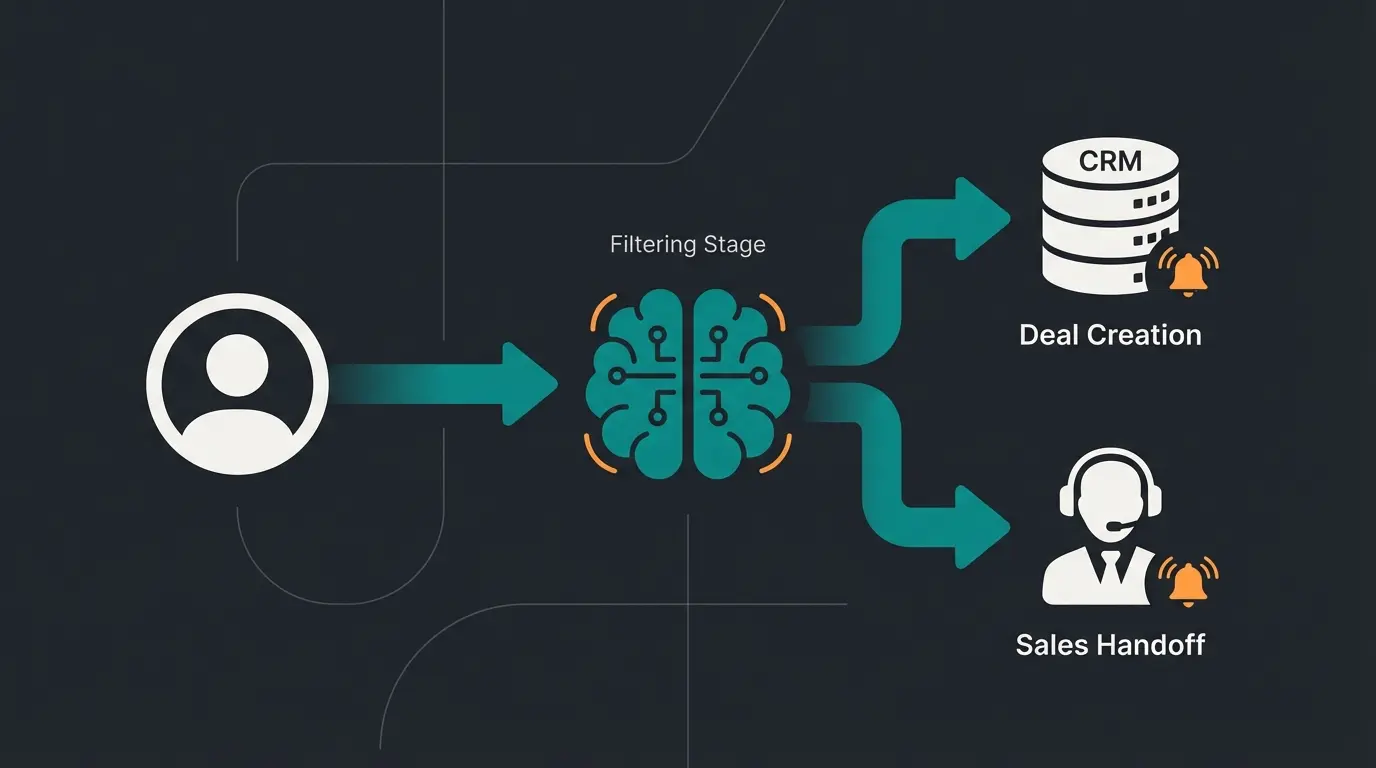
Discover how our AI Product Consultant can qualify leads, answer technical questions, and create deals in your CRM—automatically and 24/7.
Start Your Free TrialCommon Pitfalls & Solutions: Real Talk from the Trenches
Even the best integration has hiccups. Here's the unvarnished truth from practical implementation experience. Understanding these issues upfront saves weeks of troubleshooting.
1. Sync Delays (Latency Issues)
Problem: A lead changes their data in HubSpot, but 10 minutes later it's still outdated in Intercom. This delay can cause embarrassing situations where support references outdated information during live chats.
Solution: The native HubSpot Intercom sync isn't always "real-time" in milliseconds—it operates on polling intervals. For critical processes (e.g., immediate feature activation after purchase), use webhooks instead of standard polling. According to eesel.ai, webhook-based sync reduces latency from minutes to under 5 seconds.
2. Duplicates in HubSpot
Problem: A user chats (new lead in Intercom) but later fills out a HubSpot form with a different email address. You now have two contact records for the same person, fragmenting your data and skewing analytics.
Solution: HubSpot primarily de-duplicates via email address. Request the email early in the chat conversation before any other qualifying questions. Use Intercom's "Identity Verification" to ensure logged-in users are correctly recognized and matched to existing records.
3. Broken Integration After Updates
Problem: HubSpot changes API endpoints or Intercom updates workflows, and suddenly your carefully configured integration stops working without warning.
Solution: Check monthly in "Settings > App Store > HubSpot > Errors" whether sync errors are occurring. Often, the sync fails on simple things like "Dropdown field in HubSpot doesn't accept the value from Intercom" (Validation Error). Set up a monthly calendar reminder to audit integration health.
Caused by running both integration apps simultaneously
Result from field validation mismatches after platform updates
Issues resolved within 24 hours when monitoring is active
GDPR & Data Security: Detailed Compliance Guide
For German companies, this is the most critical section. Non-compliance can result in fines up to 4% of annual global revenue under GDPR, making proper configuration a business imperative rather than a nice-to-have.
Server Location & Data Residency
Intercom offers "Regional Data Hosting" in the EU (Dublin) for customers on "Advanced" plans and above. Important caveat: Certain metadata and billing information may still be processed in the USA. Review the DPA (Data Processing Agreement) carefully before implementation. According to Intercom and their privacy documentation, you must explicitly request EU data residency during account setup.
HubSpot Tracking Cookie Integration
You can allow Intercom to read the HubSpot cookie, enabling powerful attribution capabilities:
- Advantage: You see in HubSpot which pages the user visited before the chat (attribution tracking), enabling better consultation conversations
- Compliance requirement: This may only happen if the user has consented in the cookie banner (e.g., Usercentrics/Cookiebot). Configure the Intercom Messenger to only load when "Marketing" consent has been given
This cookie integration, when properly configured according to HubSpot compliance guidelines, provides valuable journey insights while maintaining full GDPR compliance.
FAQ: Frequently Asked Questions
Yes, when properly configured. Use EU hosting in Intercom, activate Double Opt-In workflows in HubSpot, and sign Data Processing Agreements (DPAs) with both providers. According to Intercom's official documentation, their EU data center in Dublin satisfies GDPR data residency requirements for most use cases.
Absolutely. Many companies use HubSpot as the "System of Record" (CRM) and Intercom as the "System of Engagement" (Chat/AI). Intercom's Fin AI is often more capable in conversational support than HubSpot's standard chatbot, particularly for complex product consultations.
The standard app synchronizes Contacts, Companies, and Deals. For Custom Objects (e.g., "Vehicles," "Licenses"), you typically need middleware like Zapier or Make, or the Enterprise versions of the Data Sync app which offer extended object mapping capabilities.
Platform updates occasionally cause sync failures. Monitor the integration health monthly via Settings > App Store > HubSpot > Errors. Most issues stem from field validation mismatches where dropdown values no longer align between systems.
Request email addresses early in chat conversations before other qualifying questions. Enable Intercom's Identity Verification for logged-in users. Consider implementing a de-duplication workflow in HubSpot that merges contacts based on matching email domains or phone numbers.
Conclusion: The Integration Is the Foundation, AI Is the Fuel
The connection between Intercom and HubSpot is more than a technical necessity—it's the foundation for a modern, hybrid sales strategy. By using Intercom Fin as an intelligent pre-filter and HubSpot as the central source of truth, you create a system that doesn't just manage leads but actively develops them through every stage of the buying journey.
The AI Employee Flora success story demonstrates how this integration approach can transform customer interactions from cost centers into revenue generators. The key is moving beyond basic data synchronization to true sales intelligence.
Your Next Steps:
- Verify you're using the "Intercom-built" app (not both apps simultaneously)
- Map your "Intent" fields, not just basic contact data—this is where competitive advantage lives
- Activate the DOI workflow for legal compliance in the DACH market
- Configure sentiment-based routing for high-value customer protection
- Set up monthly integration health monitoring to catch issues before they impact revenue
Transform your Intercom HubSpot integration from basic data sync into a 24/7 AI-powered sales machine. See how our AI Product Consultant qualifies leads and creates deals automatically.
Book Your Demo Today