Why Standard Bots Fail (And How to Build Better)
When you think of "Intercom bots," you probably imagine "Fin" or simple decision trees asking users: "Do you have a problem with your invoice?" That's excellent for support—it reduces ticket volume and helps customers quickly.
But if you're selling a complex B2B product, a support bot simply isn't enough. A potential customer doesn't ask "How do I reset my password?" Instead, they're asking "Is your API plan compatible with my enterprise architecture?" or "Which of your three packages works best for a team of 5 developers?"
This is where standard integrations fail. They don't have access to your external product database, they don't understand the user's context deeply enough (e.g., "Budget: High"), and they simply cannot "consult." According to Intercom's official documentation, their platform offers extensive API capabilities—but most implementations barely scratch the surface.
In this article, we're leaving the well-trodden paths of standard Intercom API documentation. We're not building support automation. We're using the Intercom API to develop an AI product consultant—an agent that reads user context from your CRM, queries your external product database, generates informed sales-oriented responses, and seamlessly hands off to human experts when needed. This approach aligns perfectly with modern AI product consultation strategies that transform how businesses engage with customers.
Prerequisites & EU Data Privacy Compliance
Before we write a single line of code, we need to discuss infrastructure. If you're reading this article from Germany or the EU, this section is the most important one for your compliance department. Understanding these fundamentals is crucial whether you're implementing AI Customer Service or building advanced sales tools.
Authentication: Access Tokens vs. OAuth
To communicate with the Intercom API, you need authentication. According to Merge.dev's integration guide, there are two primary methods:
- Access Tokens (Standard): Ideal for internal integrations that only manage your own workspace. You can find these in the Developer Hub under "Authentication."
- OAuth: Required when building an app that other Intercom users will install in their workspaces (e.g., when building a SaaS solution that integrates with Intercom). Endgrate's documentation provides excellent resources for OAuth implementation patterns.
For our internal "product consultant," an Access Token is usually sufficient.
Critical for DACH Region: The Base URL (EU vs. US)
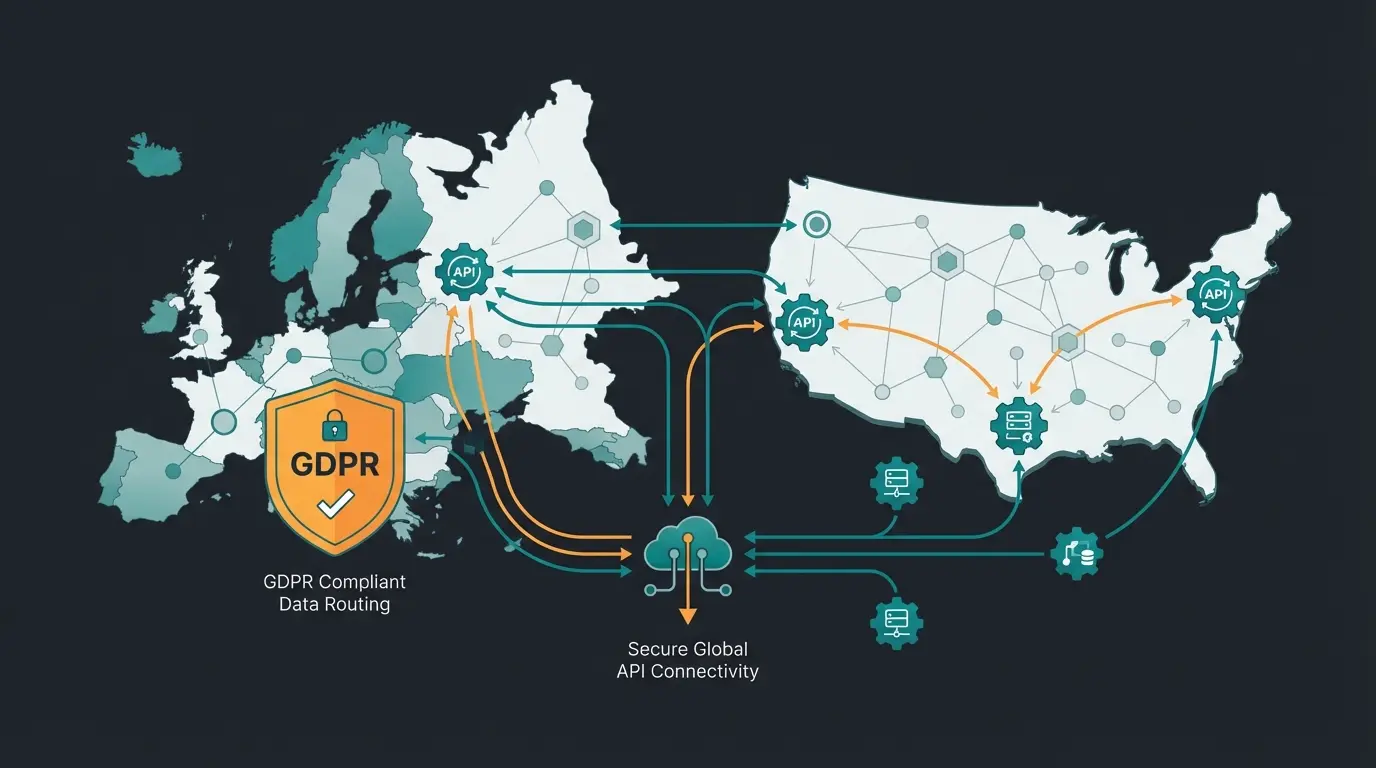
Most tutorials online (and even parts of the official Intercom API docs) default to US servers. However, if your Intercom workspace is hosted in Europe (which should be standard for German companies due to GDPR requirements), requests to api.intercom.io often don't work correctly or route data unnecessarily.
You must explicitly target the EU endpoint. Here's the overview of Base URLs you need to configure in your API client:
| Region | Hosting Location | Base URL (API Endpoint) | Important For |
|---|---|---|---|
| US | USA | https://api.intercom.io | Standard / International Accounts |
| EU | Europe (Ireland/Frankfurt) | https://api.eu.intercom.io | German/EU Companies (GDPR) |
| AU | Australia | https://api.au.intercom.io | APAC Region |
The 3 Core Endpoints for Real Consultation
The Intercom API documentation lists dozens of endpoints. For an intelligent consultant bot, however, we primarily need three specific areas. We'll ignore "Articles" or "Tags" for now and focus on the "brain" of the conversation. This targeted approach is similar to how Shopware API automation focuses on specific endpoints for maximum efficiency.
A. The Conversations API (The "Ear")
This is where we listen. When a user asks a question, we use this endpoint to retrieve the text and metadata. According to Intercom's Conversations API reference, pay special attention to the source.body field—this contains the user's actual question.
New in 2024/2025: Intercom has added metadata for AI agents. The ai_agent_participated field indicates whether "Fin" or another bot was already involved in the conversation, enabling smarter routing decisions.
B. The Contacts API & Custom Attributes (The "Memory")
This is the key to differentiating between a "dumb" bot and a consultant. A consultant knows who they're talking to. Through the Contacts API, we retrieve not just the name, but more importantly the Custom Attributes (user-defined attributes). As Stack Overflow discussions confirm, proper attribute management is essential for personalization.
Imagine you've already collected the following data about your lead (e.g., during sign-up or through enrichment tools):
- industry: "Logistics"
- team_size: "50+"
- budget_tier: "Enterprise"
When the user asks: "Which product do you recommend?", your AI bot can read these attributes and respond: "For logistics companies of your size, we recommend the Enterprise Plan because it provides the necessary API limits." Without this API call, the response would just be a generic "We have three plans...". This contextual awareness is what separates basic AI chatbots from true AI product consultants.
C. The Admin / Reply API (The "Mouth")
To respond, we act as Admin. We can send replies either as public messages or as "Whispers" (internal notes) if we want to brief a human employee first. According to Intercom's Reply API documentation, this flexibility enables sophisticated handoff workflows.
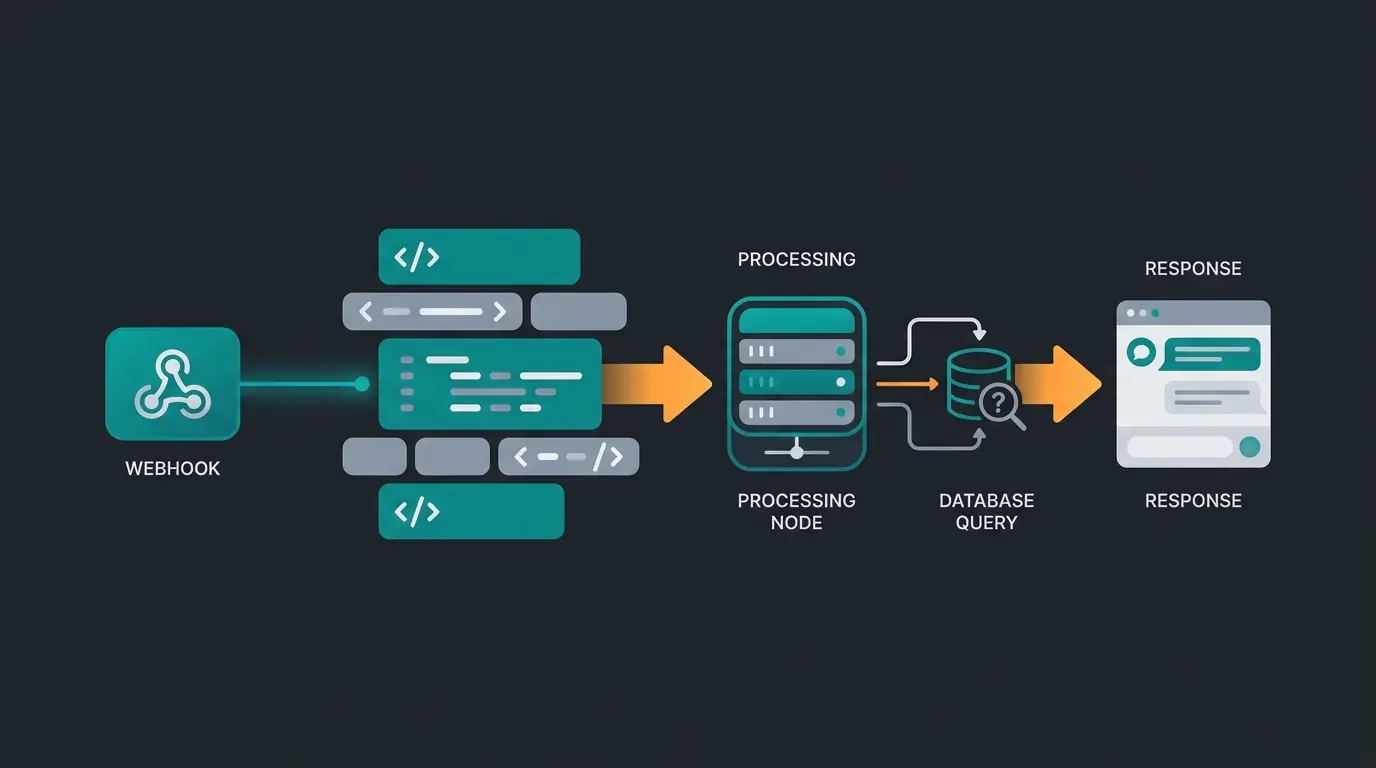
Customer asks: "Do you have the X200 model in stock?"
Intercom sends conversation.user.created event to your server
Fetch user attributes (VIP status?) + Query product database for X200
LLM combines question, inventory status, and VIP status into response
Server sends consultation-grade answer back via Intercom API
The "Brain" Architecture: Building the Logic
Let's put theory into practice. We're building an architecture that injects external intelligence directly into the Intercom chat. This represents the evolution of conversational AI from simple rule-based responses to truly intelligent interactions.
The Workflow Explained
The consultation flow works through five interconnected stages. First, a trigger occurs when the user writes in the chat with a product question. Then, Intercom sends a conversation.user.created event to your server via webhook. Your server performs enrichment by calling the Intercom API to fetch user attributes and checking your database for inventory status. AI processing follows, where an LLM like GPT-4 combines the question, inventory data, and user status into a personalized response. Finally, your server sends the response back to the user via the Intercom API.
Python Code Example
This example shows the basic framework of a "Consultant Bot" that uses EU endpoints and incorporates context. We're using requests for maximum transparency, although SDKs are available. Based on Rollout's Intercom integration guide, this approach provides the most control over API interactions:
```python import requests import json # Configuration for German/EU customers REGION = "EU" BASE_URL = "https://api.eu.intercom.io" if REGION == "EU" else "https://api.intercom.io" TOKEN = "YOUR_ACCESS_TOKEN" HEADERS = { "Authorization": f"Bearer {TOKEN}", "Accept": "application/json", "Content-Type": "application/json", "Intercom-Version": "2.14" # Always check for current version! } def handle_webhook(webhook_data): """ Called when Intercom sends a webhook. """ conversation_id = webhook_data['data']['item']['id'] user_id = webhook_data['data']['item']['source']['author']['id'] user_message = webhook_data['data']['item']['source']['body'] # 1. Load context (Who is the customer?) user_context = get_user_context(user_id) # 2. External logic / AI (This is where the magic happens) consultant_reply = generate_ai_response(user_message, user_context) # 3. Send response send_reply(conversation_id, consultant_reply) def get_user_context(intercom_user_id): """ Fetches Custom Attributes via Contacts API """ url = f"{BASE_URL}/contacts/{intercom_user_id}" response = requests.get(url, headers=HEADERS) if response.status_code == 200: data = response.json() attributes = data.get('custom_attributes', {}) return attributes return {} def generate_ai_response(message, context): """ Here you would integrate your OpenAI/LLM logic. Example logic based on attributes. """ industry = context.get('industry', 'Unknown') if "price" in message.lower() and industry == "StartUp": return "We offer special discounts for startups. Would you like to schedule a call?" elif "price" in message.lower(): return "Our enterprise pricing is volume-based. Here's the overview..." return "I'm checking that for you in our database..." def send_reply(conversation_id, text_body): """ Sends the response as Admin back into the chat """ url = f"{BASE_URL}/conversations/{conversation_id}/reply" payload = { "message_type": "comment", "type": "admin", "admin_id": "YOUR_ADMIN_ID", "body": text_body } response = requests.post(url, headers=HEADERS, json=payload) if response.status_code != 200: print(f"Error sending reply: {response.text}") ```
Note: This is a simplified example. In production, you'll need error handling and async processing.
Our AI solution is pre-trained for product consultation and integrates seamlessly with Intercom—including all best practices covered in this guide.
Start Free TrialAdvanced Strategy: Intelligent Human Handoff
A pure AI bot is risky. When a customer is frustrated or a purchase decision ("High Intent") is imminent, a human must take over. Most bots fail here and leave customers stuck in a loop. Understanding proper handoff is essential for any Intercom chatbot implementation.
When to Hand Off?
Your AI should analyze the "Sentiment Score" (mood) of the message:
- Negative Sentiment: Customer is angry → Escalate immediately to support team
- High Intent: Customer asks about "contract" or "quote" → Escalate immediately to sales team
This intelligent routing is fundamental to AI selling strategies that maximize conversion while maintaining customer satisfaction.
Technical Implementation
We use the /conversations/{id}/parts endpoint or the specific Assign endpoint to assign the conversation to a team or admin. According to Intercom's conversation management documentation, the API call for assignment looks like this:
```json POST https://api.eu.intercom.io/conversations/{conversation_id}/parts { "message_type": "assignment", "type": "admin", "admin_id": "CURRENT_ADMIN_ID", "assignee_id": "TARGET_ADMIN_ID_OR_TEAM_ID", "body": "AI Handoff: Customer showing high purchase intent. Please take over." } ```
This capability transforms your bot from a simple FAQ responder into a true AI sales representative that knows when to engage humans for maximum impact.
Pitfalls & Limitations (What the Docs Often Hide)
Even experienced developers stumble over these quirks of the Intercom API. Understanding these limitations is crucial whether you're building for Intercom or exploring other platforms like the WhatsApp Business API.
1. Rate Limiting: The "10-Second Rule"
The Intercom API docs often state a limit of 1,000 requests per minute. That sounds like a lot. But beware: Intercom often distributes this across 10-second windows (approximately 166 requests per 10 seconds). According to Intercom's rate limiting documentation, this granular approach prevents burst traffic.
- The Problem: A burst of traffic (e.g., a newsletter goes out, 500 people respond simultaneously) can immediately block your bot (HTTP 429).
- The Solution: Implement "Exponential Backoff" in your code. Check the X-RateLimit-Remaining header on every response to see how much "budget" you have left. Rollout's API guide provides excellent patterns for handling this.
2. HTML Formatting: Less Is More
You want your product consultant to send beautiful "Product Cards" with buttons and images? Here the API sets limits. Intercom supports limited HTML/CSS in API messages. According to Intercom's message formatting guide:
- Allowed: h1, h2, b, i, a, img, ul/li
- Not Allowed: style, class, div with complex layouts, script, forms
Workaround: Use clean Markdown-like HTML or send images (img) that already contain the text/price to generate visually appealing responses. According to Intercom's styling documentation, inline styles are often removed or ignored.
3. "Ghost" Conversations
When you initiate a message from Admin to User (Outbound), Intercom sometimes creates a message that isn't immediately visible in the Admin's inbox until the user responds. To work around this and make the conversation immediately visible as a "Ticket," there are parameters like create_conversation_without_contact_reply: true. However, as Intercom's conversation creation docs warn, these should be used with caution and may change in newer API versions.
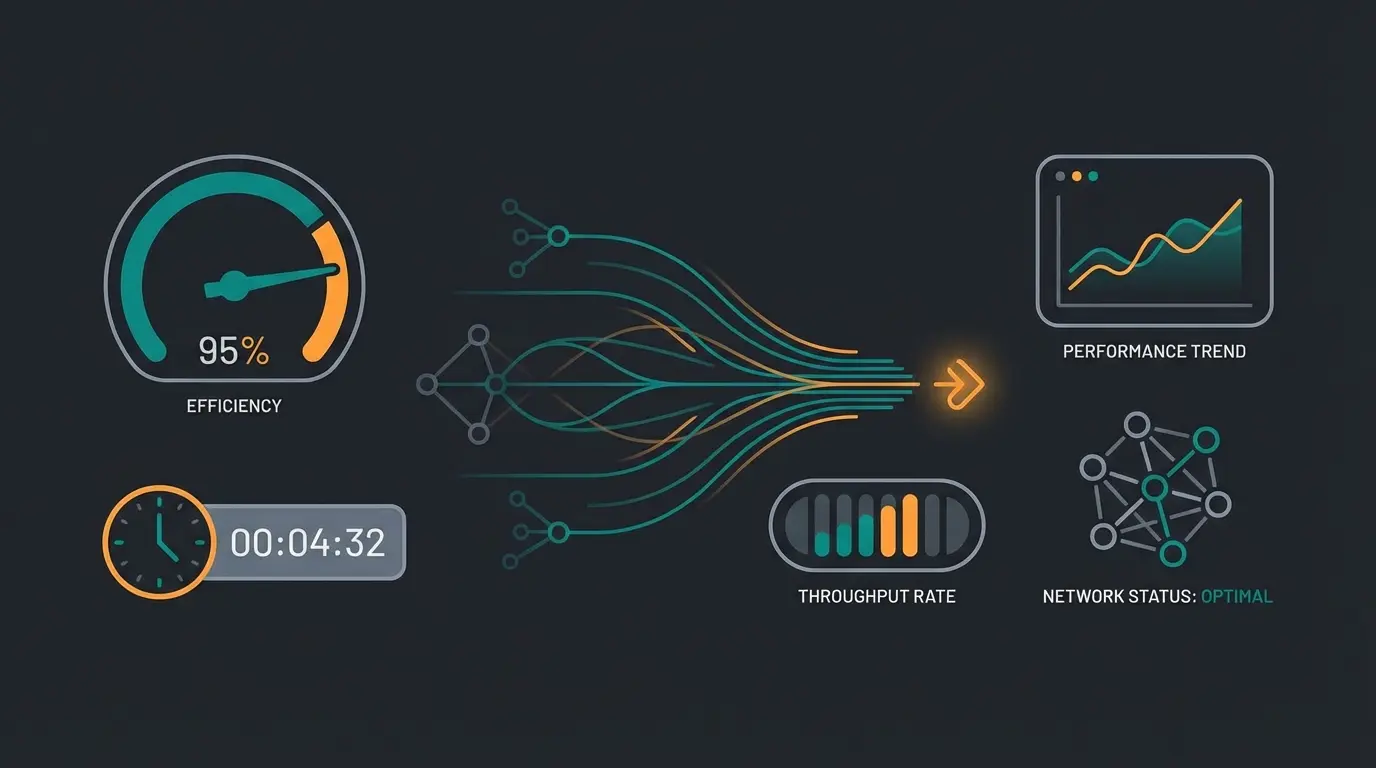
Standard rate limit for API calls
Effective burst limit to prevent blocking
Typical API response latency for EU endpoints
Understanding Intercom Pricing Impact
When building custom API integrations, it's important to understand how your implementation affects costs. The Intercom API itself is included in your plan, but the volume of conversations and the features you use can significantly impact your bill. For a detailed breakdown, check our comprehensive guide on Intercom pricing to understand the true cost of resolutions and consultations.
Key considerations when budgeting for API usage include conversation volume (each AI-initiated conversation counts toward your quota), the need for custom integrations versus using built-in features, and whether you need EU hosting for GDPR compliance (which may affect pricing tiers). Understanding these factors early helps you design an architecture that scales cost-effectively.
Beyond FAQ Bots: The Consultation Advantage
The real power of the Intercom API emerges when you combine it with intelligent AI product consultation capabilities. Instead of just deflecting support tickets, you're actively guiding customers toward purchase decisions.
Consider this scenario: A customer asks about product compatibility. A standard bot might link to a help article. But an AI product consultant fetches the customer's industry (Logistics), their team size (50+), their current tech stack (from custom attributes), and then queries your compatibility database to provide a specific, confident answer that addresses their exact situation.
This approach transforms customer service from a cost center into a revenue generator—the core principle behind effective AI selling strategies.
Conclusion: Build Consultants, Not Answering Machines
The Intercom API is far more than a tool for data synchronization. It's the interface to bring your proprietary data and modern AI logic directly into customer dialogue.
By using the EU endpoint for compliance, loading Custom Attributes for context, and defining intelligent handoff rules, you transform the Intercom Messenger from a pure support channel into an automated sales channel.
Next Steps
- Check your current API token: Are you using OAuth or Access Tokens?
- Test custom_attributes retrieval: Try fetching attributes for a test user
- Sketch your Consultation Flow: What data does your AI need to give a truly good answer?
- Review EU compliance: Ensure you're using api.eu.intercom.io if hosting in Europe
Fin is Intercom's built-in AI that excels at support automation but offers limited customization. A custom AI consultant built via the API can access your external databases, apply custom business logic, and provide product recommendations based on proprietary data—transforming support into sales.
Yes. If your Intercom workspace is EU-hosted (recommended for German/EU companies), you must use https://api.eu.intercom.io instead of the standard US endpoint. Using the wrong endpoint can cause requests to fail or route data improperly.
Implement Exponential Backoff in your code and monitor the X-RateLimit-Remaining header. The effective limit is about 166 requests per 10 seconds, not just 1,000 per minute. Queue non-urgent requests during traffic spikes.
Limited. Intercom allows basic HTML tags (h1, h2, b, i, a, img, ul/li) but strips style attributes, div layouts, and scripts. For visually rich recommendations, use pre-designed images or keep formatting minimal.
Implement sentiment analysis and intent detection. Hand off immediately when detecting negative sentiment (frustrated customers) or high purchase intent (mentions of contracts, quotes, or pricing negotiations). Use the assignment API to route to the appropriate team.
Don't have the resources to build this logic yourself? Our AI solution is specifically trained for product consultation and integrates seamlessly with Intercom—including all the best practices described here.
Get Started Today
Kevin is CTO and co-founder of Qualimero. As an AI architect with over 15 years of experience as CTO and CPO in the tech industry, he designs the AI systems that automate tens of thousands of customer interactions daily for Qualimero's clients — reliably, securely, and at scale.