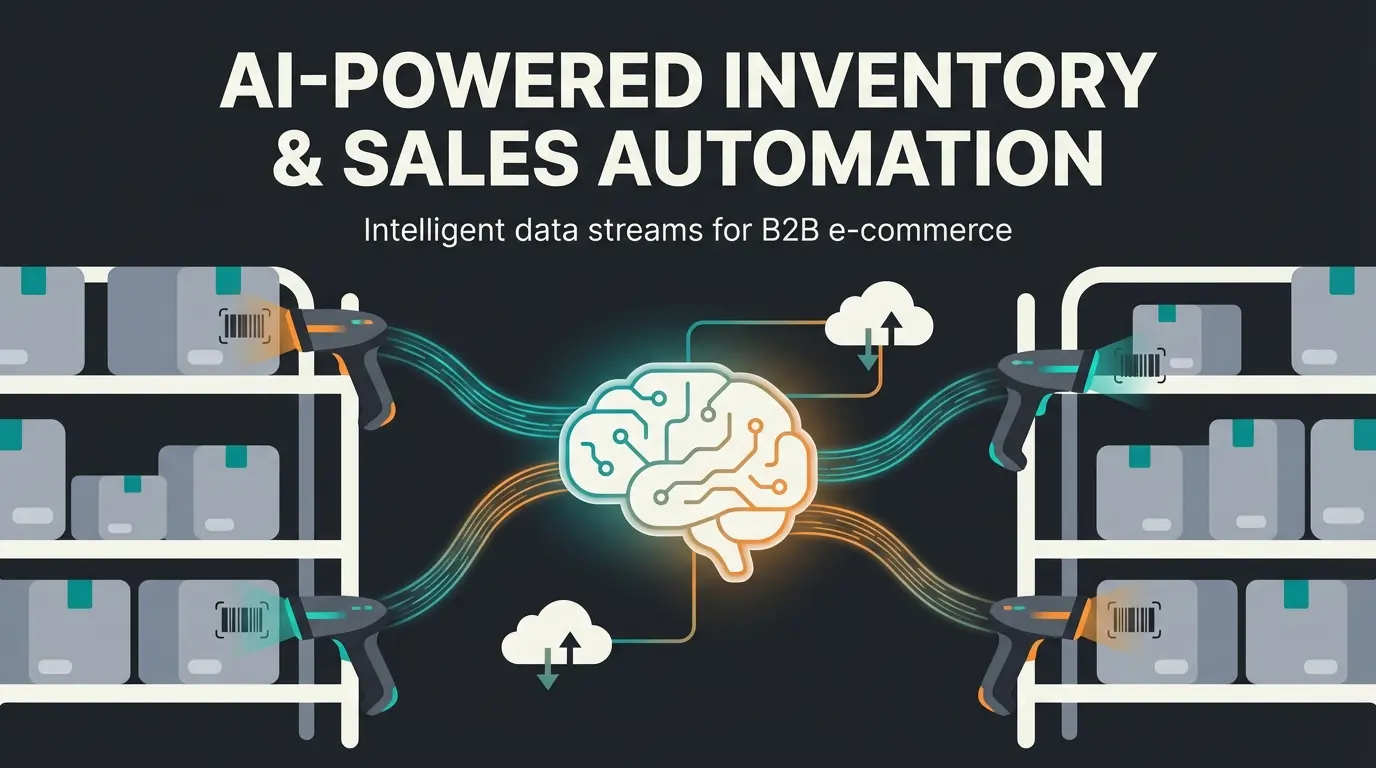
Shopware API Automation: Why the Standard Falls Short
When you search for "Shopware API automation" today, you'll find almost exclusively technical guides for developers or agency websites promising to connect your inventory management system (WaWi) to your shop. Don't get me wrong: a clean synchronization between your ERP and Shopware 6 is the backbone of every e-commerce business. If your stock levels are incorrect, you're selling products you don't have. That's fatal.
But here's the truth: An ERP integration has never convinced a customer to click "Buy."
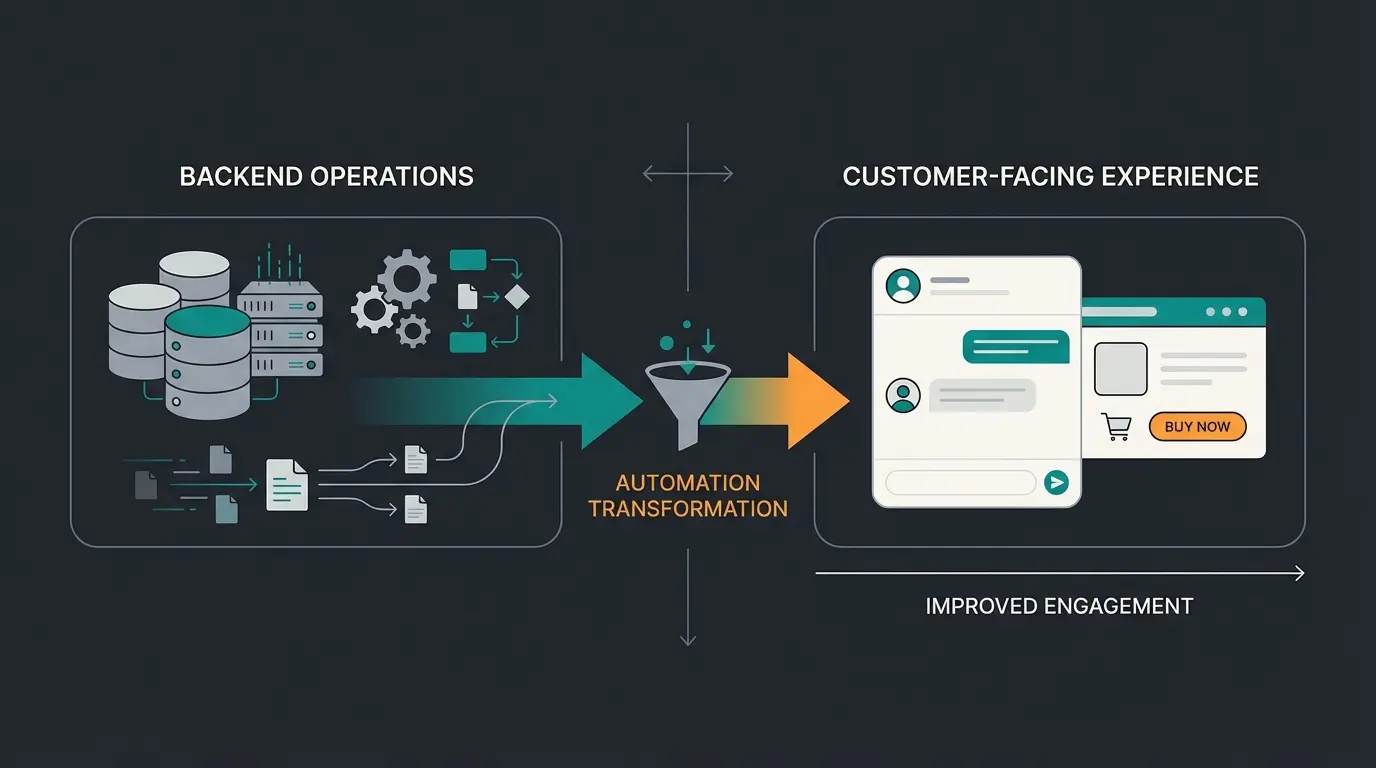
We're at a turning point in e-commerce. Classic automation (backend processes) has become standard. The competitive advantage now lies in frontend automation. While your competitors celebrate that invoices are automatically sent via email, you can use the Shopware API to solve online retail's biggest problem: the lack of consultation.
Studies from McKinsey show that 71% of consumers expect personalized interactions and become frustrated when these are absent. Even more dramatic is the phenomenon of "choice paralysis": when customers are confronted with too many options, almost 70% abandon their purchase according to research from Rokt. This represents a massive opportunity for merchants who implement Conversational AI solutions effectively.
This is where Shopware API Automation 2.0 comes into play. By using the API not just as a data pipeline for accounting, but as the "brain" for an AI agent, we transform the static shop into a dynamic sales floor. The integration of AI chatbots powered by real-time product data represents the future of e-commerce customer experience.
Consumers expecting personalized shopping interactions
Customers abandoning purchases due to choice overload
Around-the-clock consultation without staffing costs
The Fundamentals: What the Shopware API Delivers
Before we dive into the AI strategy, we need to briefly understand the tools. Shopware 6 follows a strict API-first approach as documented by API Conference and DevM. This means: everything you can click in the admin area, and everything the customer sees in the frontend, happens through interfaces.
For our automation strategy, two areas are crucial that are often confused:
1. The Admin API (The Backend Brain)
This is the area that 90% of agencies focus on.
- Function: Management of products, orders, customers, and system configurations.
- Users: ERP systems, PIM (Product Information Management), accounting software.
- Authentication: OAuth 2.0 (high security due to full access) as explained by 2HatsLogic and Stoplight.
- Classic Use Case: "When an order comes in, send the data to accounting software."
2. The Store API (The Frontend Salesperson)
This is where the untapped potential for your AI automation lies.
- Function: Controls everything the customer sees—product search, shopping cart, checkout, categories.
- Users: Single Page Applications (SPAs), Mobile Apps, and AI Agents.
- Special Feature: It's designed for high performance and "customer-facing interactions" as detailed in the Shopware documentation. It provides context (e.g., "What currency is the customer currently using?").
Understanding this distinction is fundamental for implementing effective Shopware AI solutions that actually improve customer experience rather than just backend efficiency.
Top 3 Classic Use Cases (Status Quo)
To understand why we need to take a step further, let's briefly look at what's currently being sold under "Shopware API automation." These processes are necessary, but they are pure cost savers, not revenue drivers.
1. ERP and Inventory Synchronization
The classic. Via the Admin API, stock levels and prices are synchronized every 5 to 15 minutes.
- Advantage: No overselling, less manual effort.
- Disadvantage: Passive. The customer notices nothing, except that the stock display is accurate.
2. Repricing and Marketplace Integration
Tools read your purchase prices via the API, scan Amazon/eBay, and automatically adjust your selling prices in Shopware.
- Advantage: Competitiveness.
- Disadvantage: Often leads to a "race to the bottom" (price war) if no intelligent strategy is behind it.
3. Newsletter Automation
A customer makes a purchase, the API sends a signal to tools like Klaviyo or Brevo, and the customer enters a "post-purchase sequence."
- Advantage: Customer retention.
- Disadvantage: It happens after the purchase. The API doesn't help here to move the undecided visitor to make a purchase.
Interim Conclusion: These automations are "hygiene factors." They must work. But to grow in 2025, you need to use the API to automate the shopping experience during the decision phase. This is where AI Customer Service solutions create real differentiation.
The New Era: Intelligent Product Consultation via API
Here we leave the path of standard documentation. The biggest gap in e-commerce is the lack of real-time consultation.
Shopware does offer native AI features ("AI Copilot"), but these focus heavily on making work easier for the merchant (e.g., generating product texts, summarizing reviews, or image keywords) according to Shopware's official documentation. This helps you in the backend, but it doesn't help the customer standing in front of 50 different bicycle saddles not knowing which one fits.
The Concept: The API-Controlled AI Sales Consultant
Imagine you have an AI agent (based on LLMs like GPT-4 or Claude) that wasn't trained with static text blocks, but is live connected to your Shopware Store API. This approach to AI product consultation represents a fundamental shift in e-commerce customer engagement.
The Scenario
A customer visits your outdoor equipment shop. They're looking for a sleeping bag but are overwhelmed.
Without API automation: The customer uses filters ("down", "up to -10 degrees"). They get 12 results. They still don't know which one is best for them. They leave the shop (choice paralysis).
With API Automation 2.0:
- Customer asks in chat: "I'm planning a trip to Norway in October, I get cold easily. Which sleeping bag do I need?"
- AI Analysis: The AI understands "Norway October" = cold, "get cold easily" = comfort temperature needs buffer.
- API Call: The AI sends a search query to the Shopware Store API in the background. It filters by attributes (maintained in Shopware), checks stock levels (Stock API), and sorts by reviews.
- Response: "For Norway in October, I recommend the Model X. It has a comfort temperature of -15 degrees, which is ideal if you get cold easily. Plus, it's currently in stock and weighs only 1.2kg."
Why This Is Revolutionary
You're not automating data transfer here, but the cognitive work of a salesperson.
- Dynamics: Change the price or stock in Shopware, and the AI knows it immediately because it pulls the data fresh via the API with every request (RAG architecture) as explained by K2View.
- Context: The AI can do cross-selling ("This pairs well with sleeping mat Y") by retrieving the product `associations` via the API according to Stoplight documentation.
This level of intelligent consultation is what distinguishes modern AI Agents from traditional rule-based chatbots. The AI Employee Flora demonstrates how this works in practice for real e-commerce businesses.
See how API-connected AI agents can provide 24/7 product consultation and boost your conversion rates. Start your free trial today.
Start Free TrialDeep Dive: How the API Delivers Knowledge to AI
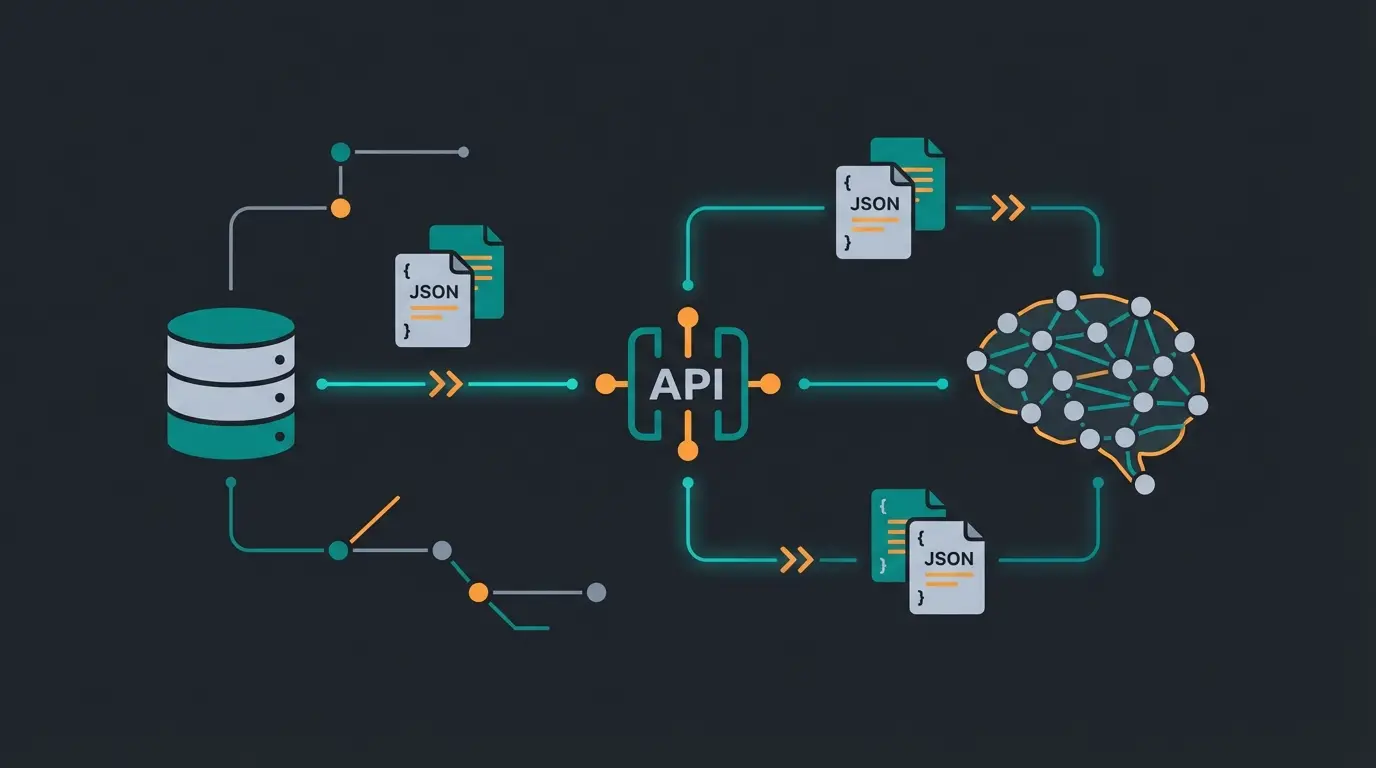
For the technicians and marketing managers who want to understand how this works "under the hood": We use an architecture called RAG (Retrieval-Augmented Generation) as documented by ESeom and Medium.
Language models (LLMs) like to hallucinate. If you ask them "What does product XY cost?", they guess. But if we connect them to the Shopware API, we force them to use facts.
The Technical Process (Simplified)
Customer asks: "Show me red sneakers under $100"
AI recognizes it needs data and generates an API request for Shopware
Filtered query sent to Shopware with price range and color attributes
JSON object returned with 3 matching products including images and details
Natural language answer: "I found these three red sneakers within your budget..."
Here's what the actual API request looks like:
```json POST /store-api/product-listing/{categoryId} { "filter": [ { "type": "equals", "field": "color", "value": "red" }, { "type": "range", "field": "price", "parameters": { "lt": 100 } } ], "associations": { "media": {}, "manufacturer": {} } } ```
Note: Via `associations` we load images and manufacturer information directly as detailed in the [Stoplight API reference](https://stoplight.io).
Why Shopware 6 Excels Here
Shopware 6 delivers extremely structured data via the Store API. The Properties (attributes) are particularly valuable. If you properly maintain your product properties (size, material, weight, technical specs) in Shopware, the AI can use these attributes to conduct highly complex consultation conversations according to Talk Commerce. This is essential for implementing effective Shopware AI product consultation.
Shopware Digital Sales Rooms vs. AI Automation
Perhaps you're thinking now: "But doesn't Shopware have Digital Sales Rooms (DSR) for exactly this?"
That's correct, but there's a crucial difference that affects how you approach Shopware customer support.
| Feature | Shopware Digital Sales Rooms | AI-API Automation |
|---|---|---|
| Actor | Human salesperson (video call) | AI Agent (chat/voice) |
| Availability | Business hours (9am-5pm) | 24/7/365 |
| Scalability | Limited by staff | Infinitely scalable |
| Costs | High (personnel costs) | Low (API & token costs) |
| Target Group | High-ticket B2B, complex deals | B2C & B2B, initial consultation, filtering |
| Technology | Video streaming & co-browsing | LLM & Store API |
The Verdict: DSR is a fantastic tool for B2B closing. When it comes to selling industrial machinery for $50,000, you want a human in the video call. But for the customer searching for a replacement part on Sunday evening or wanting to know which dog food is suitable for their puppy, AI automation via API is the superior solution. It handles the 90% of inquiries that don't require human intervention—a perfect application for chatbot integration.
Comparison: Backend vs. Sales Automation
To visualize the difference once more—here's your "Blue Ocean" opportunity:
| Characteristic | Classic API Automation (Competition) | AI Sales Automation (Your Opportunity) |
|---|---|---|
| Focus | Cost saving (efficiency) | Revenue growth (conversion) |
| Direction | Shopware ↔ ERP (backend) | Shopware ↔ Customer (frontend) |
| API Usage | Admin API / Sync API | Store API (Sales Channel) |
| Data Flow | Static (stock, prices) | Dynamic (context, consultation, cross-selling) |
| User Experience | Invisible to customer | Interactive and personalized |
| Example | Send order #123 to logistics | Customer seeks gift for wife → AI suggests bestsellers |
This shift from backend to frontend automation represents the core opportunity in KI E-Commerce today. The merchants who recognize this transition will gain significant competitive advantage.
Guide: First Steps Toward AI Integration
How do you implement this? You don't need to be a senior developer to understand the strategy, but you need a plan.
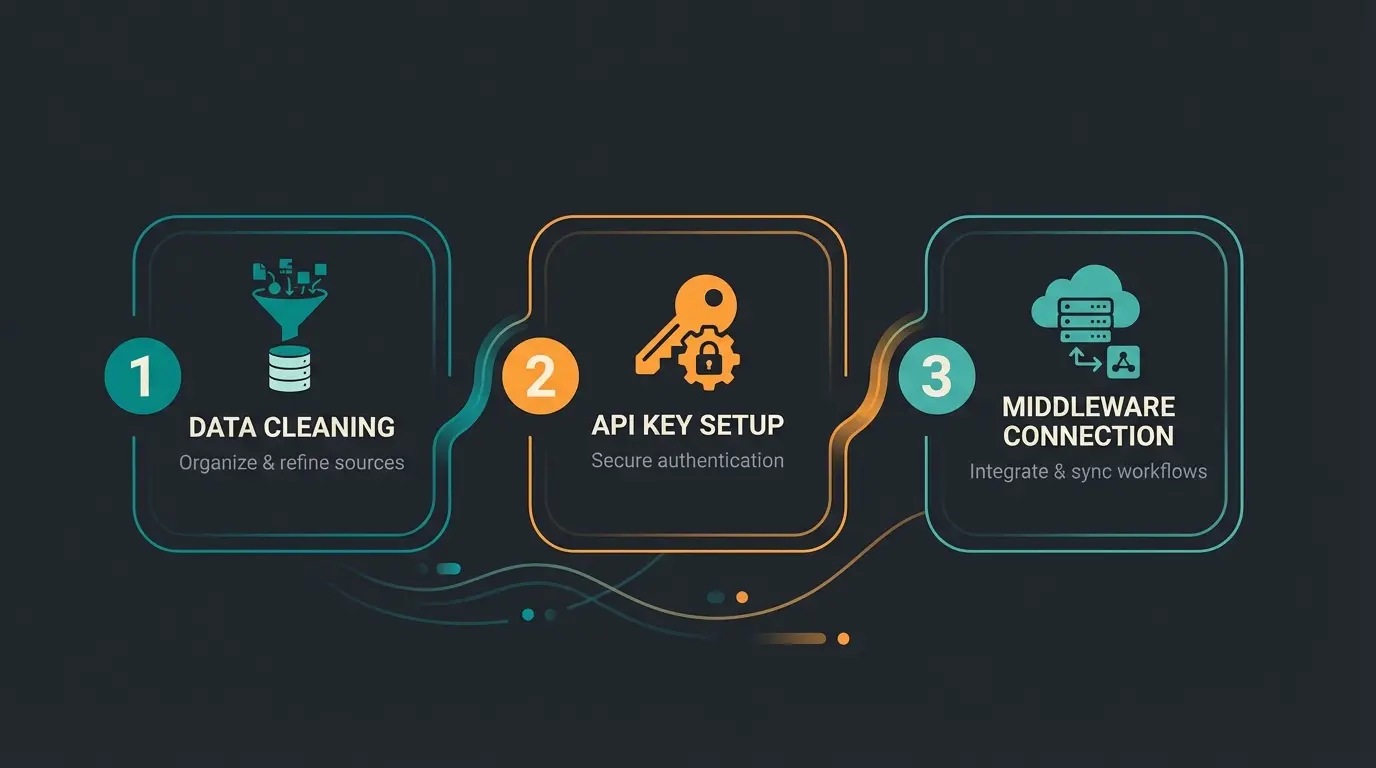
Step 1: Data Hygiene in Shopware (Garbage In, Garbage Out)
Your AI is only as smart as your data.
- Maintain properties: Use the Shopware AI Copilot to generate product properties from descriptions according to Shopware. If the API doesn't know that the shirt is "wrinkle-free," the AI can't recommend it.
- Set up variants cleanly: Ensure that variants (size/color) are logically linked.
Step 2: Set Up API Access
You don't need full admin access for the bot.
- Go to your Sales Channel in Shopware Admin.
- Scroll to "API Access".
- Copy the API Access Key.
- Important: This key is publicly safe. It only allows read access and orders, but no deletion of products according to Shopware's security documentation.
Step 3: The Middleware (The Brain)
You cannot program the bot directly in Shopware (except as a plugin). You need external logic (e.g., Python script, n8n workflow, or a specialized AI platform).
- This middleware receives the chat message.
- It decides: "Do I need product information?"
- It fires the request to the Shopware Store API.
- It returns the answer.
Conclusion: Automation Must Generate Revenue
The era in which "Shopware API automation" only meant that stocks are pushed back and forth between two databases is coming to an end. These processes are now commodity—standard that everyone has.
The real leverage lies in using the API to radically improve the shopping experience. By connecting the Shopware Store API with modern AI, you create a sales consultant that:
- Never sleeps.
- Knows your entire product range including all technical details by heart.
- Actively guides customers through the jungle of options and thus reduces abandonment rates.
Don't wait until Shopware fully rolls out these features natively. The interfaces are there. The data is there. Start now with Automation 2.0 and transform your shop from a silent shelf into an active consultant.
Frequently Asked Questions
The Admin API is designed for backend operations like managing products, orders, and system configurations—typically used by ERP systems with OAuth 2.0 authentication. The Store API is built for customer-facing interactions, powering the frontend experience including product search, cart, and checkout. For AI sales agents, the Store API is essential because it provides the same real-time data customers see, including current prices and availability.
AI automation via the Shopware API is best suited for handling the 80-90% of routine inquiries that don't require human judgment—product recommendations, availability checks, and basic questions. For complex B2B negotiations, complaints, or high-value deals, human interaction remains valuable. The ideal setup uses AI to filter and handle standard queries while escalating complex cases to human agents.
Your AI is only as good as your Shopware product data. Essential requirements include: properly maintained product properties (size, material, technical specs), clean variant structures, accurate stock levels, and well-organized category hierarchies. Use Shopware's AI Copilot to help generate and standardize product attributes from descriptions.
RAG (Retrieval-Augmented Generation) forces the AI to base its answers on actual data from your Shopware Store API rather than guessing. When a customer asks about a product, the AI queries the API in real-time to retrieve current prices, stock levels, and attributes before generating a response. This ensures accuracy and eliminates the common problem of AI making up product details.
Unlike Digital Sales Rooms that require ongoing personnel costs, AI automation primarily involves API usage costs (minimal with Shopware's Store API), AI token costs (varies by provider and volume), and initial setup/middleware development. For most merchants, the cost per customer interaction is significantly lower than human-handled consultations while providing 24/7 availability.
Join leading Shopware merchants who've transformed their shops with AI-powered product consultation. Get personalized guidance for your implementation.
Schedule Your Demo
Lasse is CEO and co-founder of Qualimero. After completing his MBA at WHU and scaling a company to seven-figure revenue, he founded Qualimero to build AI-powered digital employees for e-commerce. His focus: helping businesses measurably improve customer interaction through intelligent automation.