Why WhatsApp Will Be Your Best Salesperson in 2025
For years, WhatsApp in the business context was primarily viewed as a reactive support channel. A customer has a problem, writes to support, and a ticket gets resolved. But 2025 marks a paradigm shift. Through the technological maturity of the WhatsApp Cloud API and the integration of advanced AI models, the messenger is transforming from a cost center into a profit center.
While many businesses still hesitate to move their communication to the cloud—often driven by uncertainties regarding GDPR—facts are now creating realities: the old On-Premise solution is being actively retired by Meta according to Facebook's official documentation. Those who want to stay competitive must migrate.
However, this article isn't a technical obituary for old systems. It's a strategic guide. We'll show you how to use the Meta WhatsApp Cloud API not just to receive messages, but to build an AI sales force that advises, sells, and maintains strict data protection standards around the clock. For businesses already leveraging AI chatbots in e-commerce, this represents the natural evolution of customer engagement.
What Exactly Is the WhatsApp Cloud API?
Unlike the regular WhatsApp Business App (for small businesses) or the old On-Premise API (which had to be hosted on your own servers), the WhatsApp Cloud API is Meta's hosted version of the interface. It allows businesses to connect WhatsApp to their CRM systems, shop software, or AI agents without maintaining their own server infrastructure. It's the gateway to scaling—from 100 to millions of messages per day.
This cloud-based approach aligns perfectly with modern Shopware cloud hosting strategies, enabling seamless integration between your e-commerce platform and messaging infrastructure.
Peer-to-peer messaging for personal use
Basic tools for small businesses, limited automation
Complex server setup, high maintenance, legacy system
Meta-hosted, instant scaling, AI integration ready
Cloud API vs. On-Premise: The Tech Check
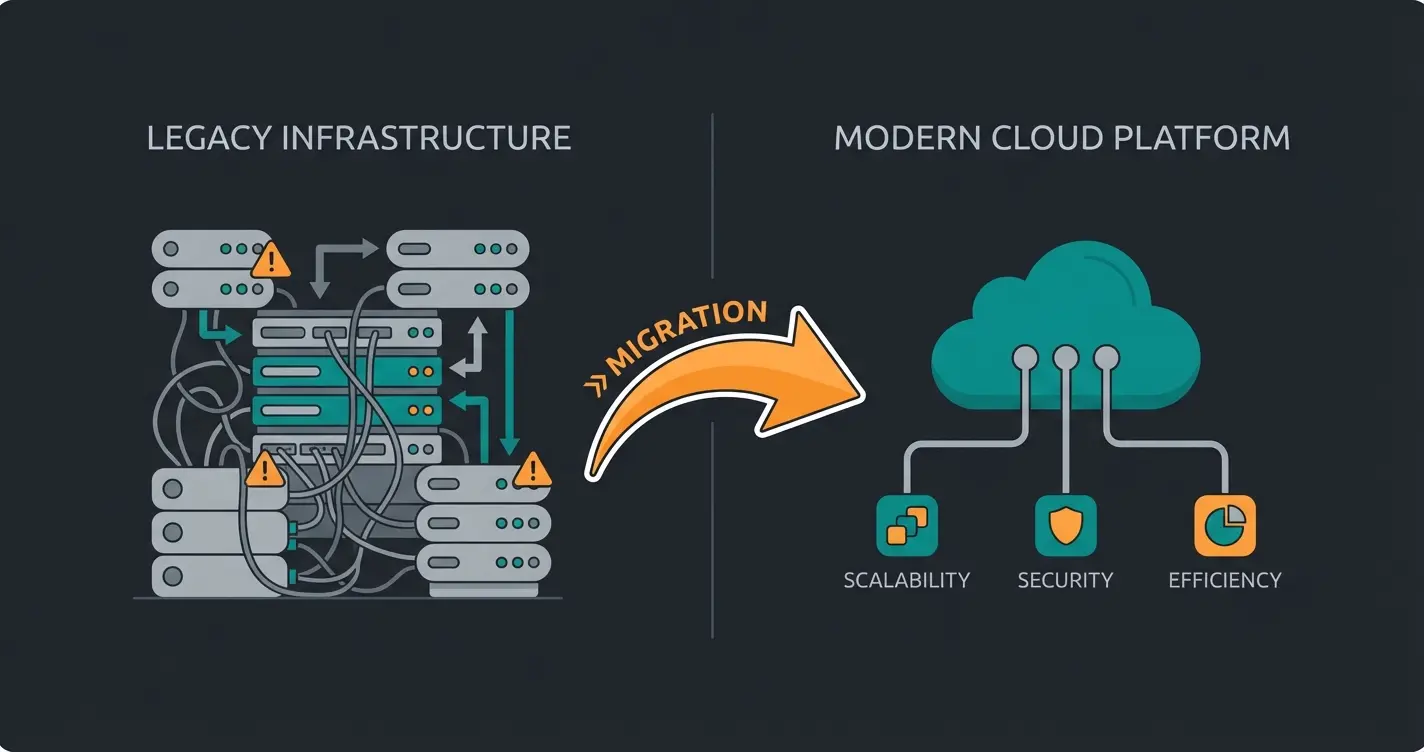
Many IT departments held onto the On-Premise API for a long time, assuming that "own servers" were automatically more secure. But reality has changed. Meta has officially announced the complete shutdown of the On-Premise API by October 2025, as confirmed by WCAPI.io. Since July 2024, no new On-Premise access can even be created.
The switch to Cloud API WhatsApp is therefore no longer optional—it's mandatory. But this is actually good news, as the following comparison shows:
| Feature | On-Premise API (Legacy) | WhatsApp Cloud API |
|---|---|---|
| Hosting | On own servers or with BSP (expensive & complex) | Hosted by Meta (Cloud) |
| Setup Time | Days to weeks | Minutes (via Meta Business Manager) |
| Maintenance Costs | High (servers, updates, Docker containers) | Zero (updates happen automatically) |
| Scalability | Limited by own hardware | Automatic (up to 1000 messages/second) |
| New Features | Delayed (manual updates required) | Immediately available (e.g., new button types) |
| Future-Proofing | End of Life: October 2025 | The standard for the future |
The Common Misconception: On-Premise Is Safer
A frequent argument for On-Premise was data control. But technically speaking, the On-Premise solution was never completely decoupled from the Meta network—messages still had to be delivered. The WhatsApp Cloud API uses state-of-the-art encryption (Signal Protocol) for both "Data in Transit" and "Data at Rest."
According to Fyno.io's technical analysis, the Cloud API actually eliminates security risks that arise from outdated, unpatched local servers. For businesses, the switch means fewer IT headaches, higher speed, and access to features essential for modern AI sales strategies.
The Elephant in the Room: GDPR, Hosting & Servers
The most important question for every business leader and data protection officer is: "Is the WhatsApp Cloud API legally usable?"
The short answer: Yes, but only with the right configuration.
The WhatsApp Cloud runs on Meta servers. For a long time, the main problem was that these servers were primarily located in the USA. However, this has fundamentally changed to meet the requirements of European regulations. Understanding these requirements is essential, especially when considering GDPR compliance for AI chatbots.
1. Data Residency and Local Storage
Meta has responded to EU pressure. There are now options for Local Storage, where businesses can specify that message data (Data at Rest) is stored in the EU, as documented by Clickatell and Vonage.
- Location: For European customers, data is primarily processed and stored in EU data centers (often referenced as Frankfurt or Ireland in the context of BSPs).
- Configuration: This doesn't always happen automatically. When setting up through Business Solution Providers (BSPs) like Chatarmin, Twilio, or Respond.io, the server location "EU/Germany" often must be explicitly selected.
2. The Role of Middleware (Your AI Layer)
To be 100% certain, many businesses use an architecture where a "middleware" (e.g., your AI platform or a BSP) sits between the customer and the Meta Cloud.
- How it works: Before sensitive customer data (like contract numbers) is sent to the Cloud API, it can be pseudonymized.
- Deletion periods: Meta stores messages in the Cloud API only temporarily for delivery (typically 30 days if not delivered), as noted by Meta's documentation. A GDPR-compliant BSP often deletes metadata immediately after processing or stores it exclusively on servers within the relevant jurisdiction.
User initiates conversation via WhatsApp
Data processed and pseudonymized on compliant infrastructure
End-to-end encrypted transmission
Insights and analytics with GDPR compliance
3. Data Protection Checklist
To legally deploy the Meta WhatsApp Cloud API, you need:
- Data Processing Agreement (DPA): Complete this with your BSP or directly with Meta (via Business Terms).
- Consent (Opt-In): GDPR requires explicit opt-in before you message the customer. The "WhatsApp button on the website" principle is often not sufficient. Use double opt-in procedures.
- Privacy Policy: Update your privacy policy to include the passage "Communication via WhatsApp Business Cloud API."
Pricing 2025: The Strategic Budget Shift
Until mid-2025, pricing was based on a "24-hour conversation window." Once paid, you could write almost unlimited messages for 24 hours. This is changing radically.
Starting July 1, 2025 (with transition phases from April 2025), Meta is restructuring the model worldwide, as reported by AISensy and Omnichat.
The New Model: Per-Template vs. Per-Message
Instead of paying for an entire conversation, you'll pay more granularly:
- Marketing Templates: Billed per message. Consequence: "Spray and pray" marketing (newsletters to 10,000 contacts) becomes more expensive and must be more precise. Every "ping" costs.
- Utility Templates (Service Messages): The good news: Utility templates are free when sent within an open 24-hour service window. Meaning: If the customer writes first (e.g., asks a question), you can send order confirmations or status updates for free.
- Service Messages (Free Text): Responses to customer inquiries (within 24h) generally remain free of Meta fees (depending on BSP model).
This pricing evolution is also detailed by Gallabox, showing how businesses can optimize their messaging strategies.
Per-message pricing makes mass broadcasts significantly more expensive
Free when customer initiates the conversation first
Time frame for free responses after customer contact
Strategic Analysis for 2025
This pricing change is a clear signal from Meta: Away from spam, toward interaction.
- Losers: Businesses that use WhatsApp only as a one-way advertising channel ("Here's our new flyer").
- Winners: Businesses that focus on inbound consultation. When you get the customer to contact you ("What shoe size do I need?"), the service window opens. Within this window, you (or your AI) can now advise intensively and even send utility messages without costs exploding.
This shift toward interactive engagement aligns perfectly with modern AI customer service approaches that prioritize meaningful conversations over broadcast messaging.
Don't wait for the October 2025 deadline. Start building your AI-powered consultation engine today and turn every WhatsApp conversation into a sales opportunity.
Get Started FreeBeyond Chatbots: AI Product Consultation
Most search results discuss "support automation" or "FAQ bots." That's 2020 thinking. With the WhatsApp Cloud API and modern LLMs (Large Language Models) like GPT-4o or Claude 3.5 connected via API, a new category emerges: The AI Product Consultant.
Why a FAQ Bot Is No Longer Enough
A classic chatbot waits for keywords:
- Customer: "Pants broken."
- Bot: "Here's our return address."
This saves costs but generates no revenue. Understanding the limitations of traditional automation is crucial when exploring WhatsApp bot solutions for e-commerce.
The AI Consultant Approach
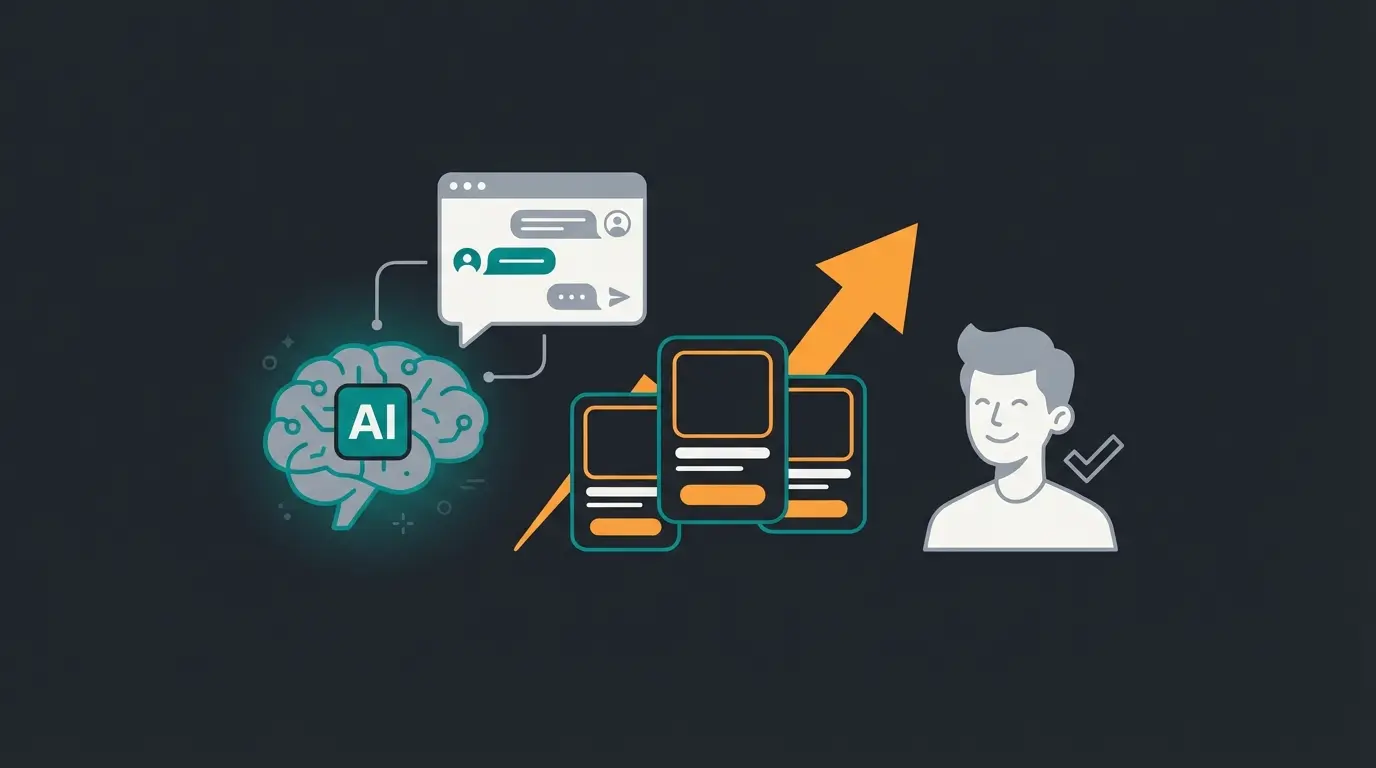
An AI agent connected via the Cloud API understands context and has a sales goal:
- Customer: "I'm looking for running shoes, but I have knee pain."
- AI Consultant: "I'm sorry to hear that. With knee problems, cushioning is especially important. Do you run more on asphalt or in the forest? I can then recommend the 'CloudStratus' or 'TrailMaster' model."
This represents the evolution from basic AI chatbot functionality to sophisticated sales-driven consultation.
| Feature | Standard Chatbot | AI Product Consultant |
|---|---|---|
| Context Window | Single message only | Full conversation history |
| Primary Goal | Deflection & ticket reduction | Lead qualification & sales |
| Complexity Level | Keyword matching | Contextual reasoning |
| Response Style | Scripted answers | Dynamic, personalized advice |
| Revenue Impact | Cost savings only | Direct revenue generation |
The Advantages of AI-Powered Consultation
- Instant gratification: The customer doesn't have to wait for an email. Consultation happens in real-time—AI eliminates waiting times completely.
- Higher conversion: Through in-chat consultation, purchase probability increases massively. Modern AI product consultation providers report conversion lifts of 30-50%.
- Data isolation: The AI runs on your infrastructure (or your BSP's). Only the finished text is sent to WhatsApp. Meta does not train its models with your business data when you use the API correctly (unlike private use).
Use Case: The Consultation-First Funnel
Instead of running ads that lead to a landing page ("Buy now!"), you run ads that lead to a WhatsApp chat ("Get personalized advice!").
- Since the customer starts the chat, the service window is open.
- The AI qualifies the lead (budget, needs, timeline)—contributing to better AI sales forecasting.
- Only when the customer is ready to buy is a checkout link sent (Utility/Marketing).
- Result: Higher ROI, since you only send expensive marketing templates to qualified leads.
This approach represents the future of WhatsApp AI bot product consultation, where every conversation is an opportunity for intelligent engagement.
How to Start: Setting Up the Cloud API
Getting started with the WhatsApp Cloud API is easier than ever today, but requires care to avoid later suspensions.
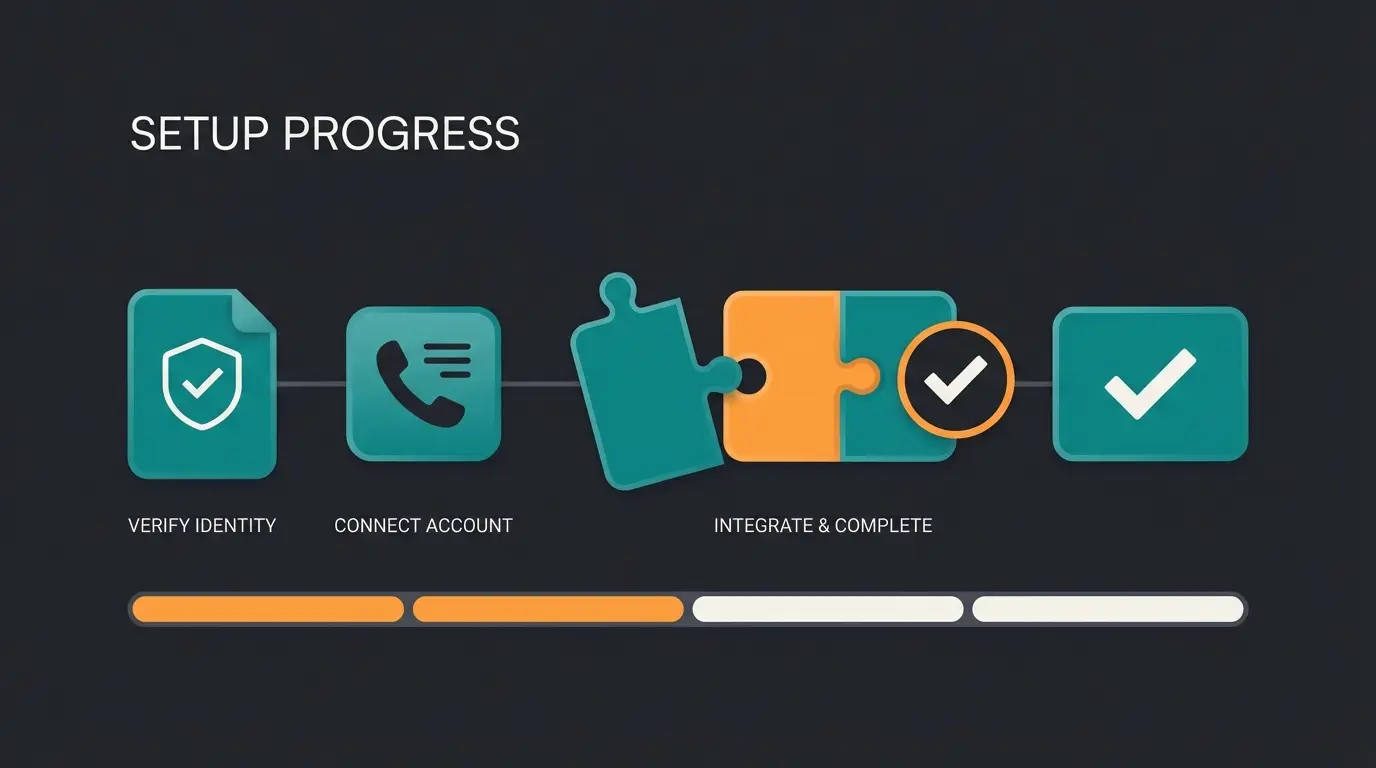
Step 1: Meta Business Manager Verification
Before you write a line of code or book a BSP: Get your paperwork in order.
Your business must be verified in Meta Business Manager (commercial register extract, address, website). Without this "green checkmark," message limits (throughput) are severely restricted (often only 250 conversations/day), as noted in Meta's throughput documentation.
Step 2: Choosing Your Access Method (Direct vs. BSP)
You have two paths:
- Direct via Meta (For Developers): Free (only Meta fees). Requires own servers for webhooks and logic. No support for problems. Recommendation: Only for tech startups with their own dev teams.
- Via Business Solution Provider (For Mid-Market): Providers like Chatarmin, Twilio, or Respond.io. Offer ready-made user interfaces (inbox, flow builder). Handle GDPR hosting settings. Recommendation: The standard path for businesses seeking legal certainty.
For businesses already using platforms like Shopware, understanding the WhatsApp Business API costs and setup helps in making informed decisions about the right approach.
Step 3: Connect Number & Dock Intelligence
Connect the API now with your "intelligence." This can be a simple CRM (HubSpot) or a custom AI solution that responds to Cloud API webhooks via Python/Node.js.
Step 4: Warm-up Phase
Don't immediately start with 10,000 messages. WhatsApp monitors your number's "Quality Rating."
- Days 1-3: Internal tests.
- Days 4-7: Small group of loyal customers.
- If the block rate stays low, Meta automatically increases your limits (Tier 1: 1k, Tier 2: 10k, Tier 3: 100k, Tier 4: Unlimited).
Complete Meta Business Manager verification with official documents
Choose between direct API access or BSP partner
Register a fresh phone number for WhatsApp Business
Connect your CRM, AI systems, and automation workflows
Gradually increase volume while maintaining quality rating
Conclusion: Your Decision-Maker Checklist
The WhatsApp Cloud API in 2025 is no longer just a technical upgrade—it's a strategic necessity. The end of the On-Premise API forces action, but the new opportunities in AI sales and the adjusted pricing model offer enormous chances for those who understand WhatsApp as a performance channel.
Your To-Do List for Today
- Check status quo: Are you still using the WhatsApp Business App on a phone? -> Risk! Migrate immediately. Using On-Premise? -> Planning! Schedule migration by Q2 2025.
- Clarify GDPR setup: Check with your provider the server location of data (Data at Rest).
- Define use case: Identify a product or service that's consultation-intensive and pilot an AI consultant instead of a simple newsletter.
Transform WhatsApp from a silent support inbox into your best salesperson. The technology is ready—are you?
FAQ: Common Questions About WhatsApp Cloud API
Yes, when configured correctly. Meta offers EU data hosting options, and when using certified BSP partners with proper data processing agreements, the Cloud API meets GDPR requirements. The key is ensuring Data at Rest is stored in EU data centers (Frankfurt or Ireland) and implementing proper opt-in procedures.
When using the Cloud API, Meta acts as a data processor. According to Meta's business terms, data is not used for training consumer AI models or ad targeting—this is a significant difference from the personal app where data usage policies differ.
Starting October 2025, the On-Premise API will no longer function. Your messages will not be delivered. A switch is unavoidable, and businesses should plan migration by Q2 2025 at the latest.
Generally, it's cheaper to operate since no server costs are incurred. Pure message prices are identical, but maintenance costs are eliminated. Through the new 2025 pricing with an inbound focus strategy, additional costs can even be saved.
The Cloud API supports automatic scaling up to 1000 messages per second. After completing the warm-up phase and achieving good quality ratings, Meta automatically increases your tier limits from 1k to 10k to 100k and eventually unlimited conversations.
Join forward-thinking businesses already using AI-powered WhatsApp consultation to close more sales, reduce support costs, and deliver exceptional customer experiences—all while staying GDPR compliant.
Start Your Free Trial
Lasse is CEO and co-founder of Qualimero. After completing his MBA at WHU and scaling a company to seven-figure revenue, he founded Qualimero to build AI-powered digital employees for e-commerce. His focus: helping businesses measurably improve customer interaction through intelligent automation.