Introduction: Why Live Chat Is More Than Password Resets
When you think about Intercom live chat, what comes to mind first? Probably that friendly little chat icon in the bottom right corner of countless SaaS websites. Probably customer support, ticket deflection, and getting support requests off your plate as quickly as possible.
That's the status quo. But in 2025, it's no longer enough.
The market for Intercom website chat and conversational marketing has changed dramatically. Customers—especially in demanding markets like Germany, Austria, and Switzerland—no longer accept dumb bots that trap them in endless loops. They expect consultation. They expect the chat to be not just a "digital mailbox" but a digital sales consultant that can answer complex product questions contextually. As AI Chatbots transforming customer interactions become the norm, businesses must adapt or fall behind.
In this article, we take an unsparing look at the Intercom ecosystem in 2025. We analyze not just the features and the (often opaque) pricing, but close the gap that most "Ultimate Guides" leave open: How do you transform Intercom from a pure cost center (support) into a revenue driver (consultative sales)?
We examine the GDPR pitfalls, the hidden costs of "Fin AI," and show you how to strategically use Intercom chat to not just close tickets but close deals.
What Is Intercom Live Chat? The Essentials
Before we dive into advanced strategies, we need to understand the foundation. Intercom is no longer a simple chat plugin but a comprehensive "Customer Service Suite." To use the tool effectively, you must understand the distinction between what the customer sees and what your team sees.
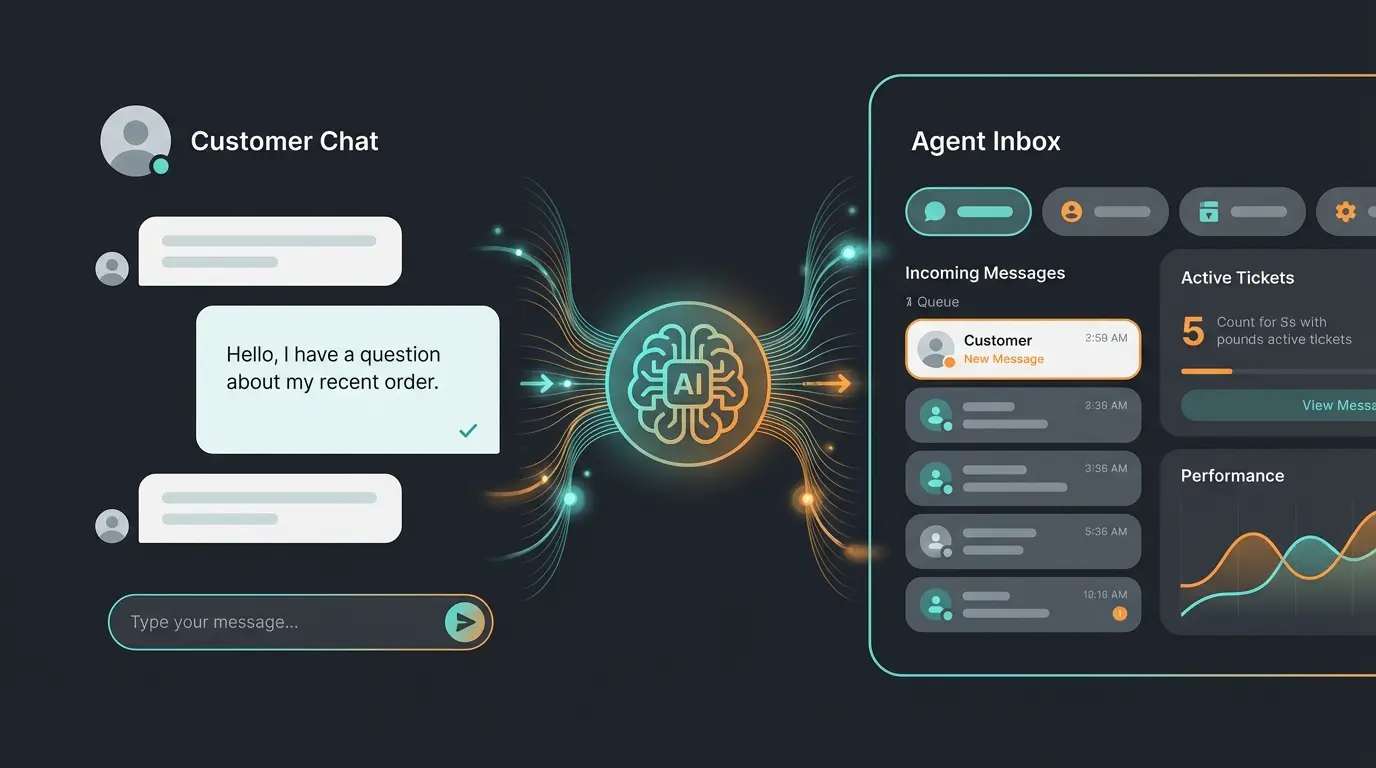
1. The Messenger (Frontend)
This is the heart of the Intercom live chat experience for your users. In 2025, the Messenger is far more than a text field. It's a fully functional mini-app interface.
- Omnichannel Capability: The Messenger integrates not just web chat but syncs seamlessly with emails, WhatsApp, and social media. According to Vendr, this integration is one of the platform's strongest features.
- Self-Service: Customers can search help center articles directly in the chat window without leaving the page.
- Apps & Integrations: Users can perform actions (e.g., book an appointment or check order status) without speaking to a human.
2. The Inbox (Backend)
This is where your team spends their time. The Inbox is designed to prevent chaos.
- Shared Inbox: All channels (email, chat, social) converge here.
- Tickets vs. Chats: Intercom strictly distinguishes between fleeting chats (quick questions) and tickets (complex issues requiring tracking). As noted by Reddit users, this distinction is crucial for workflow management.
- Copilot (Agent Assist): An AI assistant for your employees that writes summaries and suggests responses.
3. Fin AI (The Gamechanger?)
"Fin" is Intercom's answer to ChatGPT. It's an AI bot based on the GPT-4 model (and other LLMs) that "reads" your support articles to automatically generate answers.
- How It Works: Fin uses a RAG framework (Retrieval-Augmented Generation). It (mostly) doesn't hallucinate but only responds based on information you provide in your Help Center. Eesel.ai provides detailed analysis of this architecture.
- The Promise: Intercom advertises an automatic resolution rate of up to 50% or more.
The European Perspective: Privacy, GDPR & Expectations
If you deploy Intercom chat in Germany, Austria, or Switzerland, you'll encounter hurdles often ignored in US-centric guides. Chatbot acceptance here rises and falls with two factors: Trust (data privacy) and Competence. Understanding the EU AI Act requirements is essential for compliant deployment.
1. Intercom and GDPR: A Minefield?
The question "Is Intercom GDPR compliant?" is complex. Here's the current state for 2025:
- EU Data Hosting (Dublin): Intercom now offers "Regional Data Hosting" in the EU (AWS servers in Dublin). This is a massive step forward according to Intercom's official documentation.
- The Catch (Billing & Admin): Even if you use EU hosting, certain data (billing information, your team's admin data) is still processed in the USA.
- No Migration for Existing Customers: This is the most important point many overlook. If you already have an Intercom workspace on US servers, you cannot simply move it to Europe. You must open a completely new workspace and migrate manually (including loss of chat history).
- Consent Manager: Since Intercom sets cookies and transfers data (potentially to the USA), integration into your cookie consent banner (e.g., Usercentrics or Cookiebot) is mandatory. The chat may only load after the user has consented, as Legalweb.io explains.
2. German User Expectations for AI
German users are more skeptical of "support bots" than US users. A bot that says "Hey there! How can I help?" in English and then loops "I don't understand" is a conversion killer in the DACH region.
- Precision Over Personality: While US bots are often tuned for "friendliness," German users expect precise, technically correct answers.
- Transparency: It must be immediately clear whether you're speaking with an AI or a human. Fin AI does this by default, which is good for transparency.
Cookie consent must be obtained before loading chat widgets
Dublin-based servers now available for GDPR compliance
No automatic migration from US to EU servers for existing workspaces
The Limitation: Support Bots vs. Consultative AI
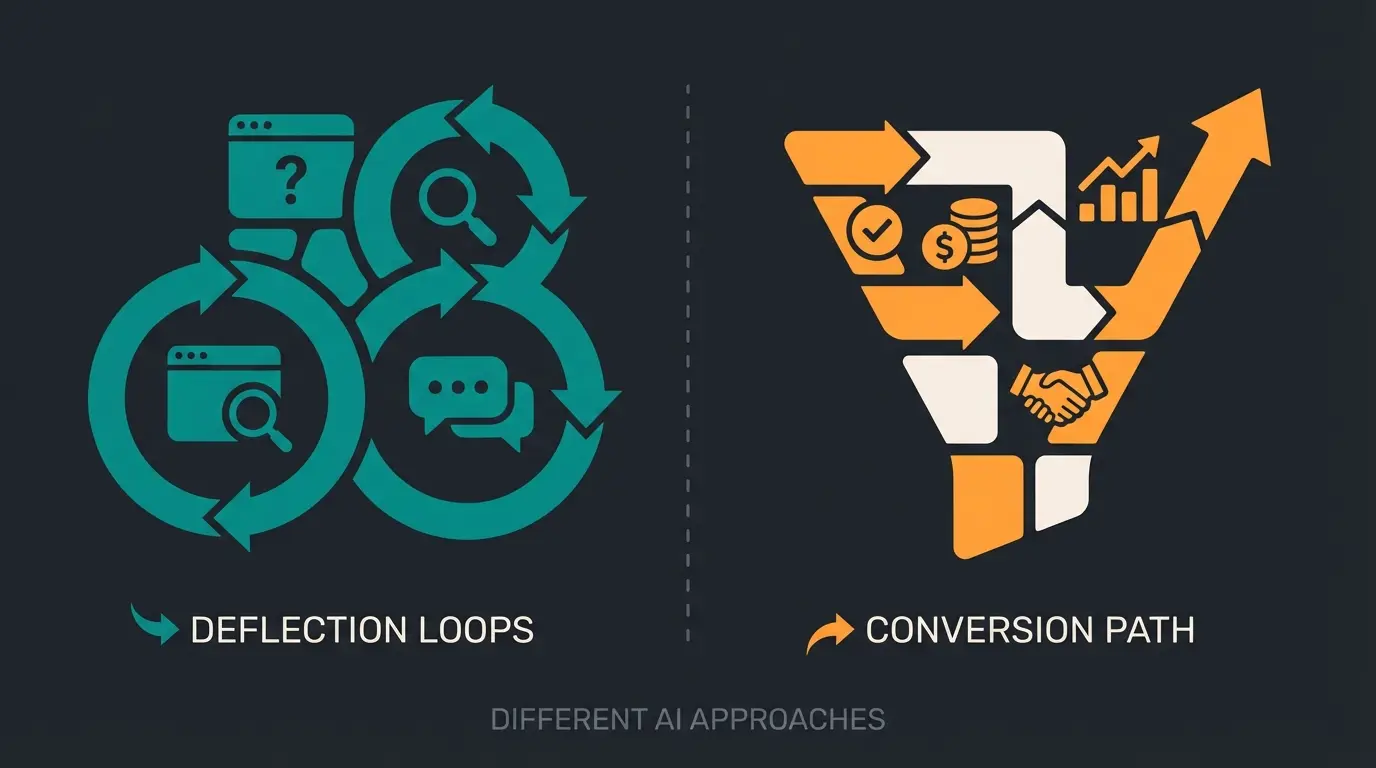
Here lies the core problem for companies that want to grow. Most Intercom live chat implementations are pure support machines. They're trained to reduce costs (deflection), not generate revenue (conversion). As Conversational AI evolves, the gap between basic support and intelligent consultation becomes increasingly apparent.
The "Deflection Trap" Problem
Intercom's Fin AI is fantastic at answering questions whose answer is static in a help article (e.g., "How do I change my billing address?").
But what happens with a pre-sales question like: "I have a team of 50 people and we use Salesforce. Which plan fits us best and how long does integration take?"
A standard support bot will probably throw three links at you to articles about "Pricing," "Salesforce," and "Team Management." It doesn't advise. It distributes information. This is where AI Product Consultation solutions make all the difference.
Comparison: Support Bot vs. AI Product Consultant
To illustrate the difference, we've created this table. If you want to use Intercom for sales, you need to switch from the left to the right mode.
| Feature | Standard Support Bot | AI Product Consultant |
|---|---|---|
| Primary Goal | Ticket Deflection: Prevent users from bothering humans | Conversion & Qualification: Guide users to purchase or demo |
| Knowledge Source | Static FAQs and help center articles | Dynamic product knowledge, sales arguments, competitive comparisons |
| Interaction Style | Reactive: Waits for questions, delivers answers | Proactive & Inquisitive: Asks follow-up questions to understand context |
| Success Metric | Resolution Rate (Was the ticket closed?) | Pipeline Generated (Was a lead qualified?) |
| Handling Complexity | Refers to links ("Read this article") | Synthesizes answers ("For 50 users I recommend Plan X because...") |
The Gap: Intercom's Fin is "out of the box" a support bot. To make it a consultant, you need to feed and configure it differently—or integrate specialized tools. Understanding the types of chatbots guide helps clarify these distinctions.
Using Intercom for True Product Consultation
You want your Intercom website chat to sell. How do you achieve that technically and strategically within the Intercom platform? Here's the battle plan for 2025, where AI employees are evolving to handle increasingly complex tasks.
1. Use "Custom Answers" for Sales Questions
Don't rely on generic AI answers from help articles for critical sales questions (pricing, competitor comparison).
- Tip: Define "Custom Answers" in Fin. When someone asks about "prices" or "discount," write an answer that psychologically sells rather than just showing a table.
- Example: Instead of "Here's our price list," have the bot ask: "That depends on your requirements. Are you looking for a solution for a sole proprietorship or a team?"
2. Workflows Instead of Static Greetings
The standard greeting "Hi, how can I help?" is deadly in sales. Use Intercom's Visual Workflow Builder.
- Context Triggers: When a user is on the `/pricing` page and stays there for more than 30 seconds, trigger a specific chat: "Unsure which plan fits? Should I briefly explain the difference between Pro and Enterprise?"
- Qualification: Build in buttons (e.g., "I'm an agency" vs. "I'm an e-commerce shop"). Depending on the click, route the lead to different sales staff or provide different AI answers. Cloudstride.io offers detailed guidance on these configurations.
3. The "Human Handoff" Strategy
A "Consultant Bot" must know when it's overwhelmed.
- High-Value Leads: Configure Intercom so that with certain signals (e.g., user comes from a LinkedIn ad, company size > 100 employees), the bot is immediately bypassed or only collects the email and then directly alerts a Senior Sales Agent (via Slack integration or round-robin assignment).
4. Integration of External Data (Advanced)
Intercom allows the integration of CRM data (Salesforce, HubSpot) via apps and API. Cloudtalk.io provides excellent resources on these integrations.
- Scenario: An existing lead comes to the website. Intercom recognizes them. Instead of "Hello, stranger" the chat says: "Hello Stefan, thanks for the call last week. Do you have any questions about the proposal I sent you?" – This is the moment when chat switches from support to relationship building.
Slow response times, limited availability, high costs per interaction
Frustrating loops, rigid decision trees, "I don't understand" responses
Good for FAQs, ticket deflection, basic automation capabilities
Context understanding, proactive selling, personalized recommendations
Stop deflecting tickets and start closing deals. Discover how AI-powered product consultation can turn your website visitors into qualified leads.
Start Your Free TrialPricing & Real Talk: What Does It Actually Cost?
Intercom's pricing is notorious for being complex and often more expensive than expected. Many users complain about "hidden costs" according to discussions on Reddit. Here's the unvarnished truth for your 2025 budget planning.
The Base Plans (Per "Seat")
Intercom charges per agent who has access to the Inbox.
- Essential: approx. $39/month per seat (Basic support, Shared Inbox)
- Advanced: approx. $99/month per seat (Important automations and workflows start here)
- Expert: approx. $139/month per seat (Enterprise features, security tools)
These figures align with what SaaSgenie.ai reports in their comprehensive pricing analysis.
The "Hidden" Costs (Add-ons & Usage)
This is where costs often explode.
1. Fin AI Agent: Costs $0.99 per Resolution.
- Example calculation: If you have 2,000 support requests per month and Fin resolves 50% of them (1,000), you pay an additional $990 per month. Eesel.ai provides detailed cost breakdowns.
- Attention: A "Resolution" is defined as an answer after which the customer leaves the chat or says "Thanks."
2. Proactive Support Plus (Product Tours): Want to use the cool "Product Tours" (guided click-through instructions)? That often costs extra, e.g., from $99/month as an add-on.
3. WhatsApp & SMS: These channels cost extra on a usage basis.
Price Conclusion
Intercom is not a budget tool. For a team of 5 support staff + Fin AI + Product Tours, you'll quickly reach $1,500 - $2,000 per month as SaaSPricePulse.com confirms. You're paying for UI quality and the ecosystem, but you must calculate the ROI (Return on Investment) precisely.
| Cost Component | Monthly Cost | Annual Impact |
|---|---|---|
| 5 Advanced Seats | $495 | $5,940 |
| Fin AI (1,000 resolutions) | $990 | $11,880 |
| Product Tours Add-on | $99 | $1,188 |
| WhatsApp Integration | ~$50-200 | ~$600-2,400 |
| Total Estimate | $1,634-1,784 | $19,608-21,408 |
Installation & Integration (Quick Overview)
The technical barrier is low, which is what makes Intercom so popular. For AI Customer Service implementation, proper setup is crucial.
1. Web Installation
- Copy the JavaScript snippet from the settings
- Insert it before the closing `</body>` tag of your website
- Alternatively: Use the official WordPress plugin or Google Tag Manager as Reddit discussions recommend
2. Mobile Apps (iOS/Android)
- Intercom offers SDKs for iOS and Android. This allows you to natively integrate the chat into your mobile app.
- Important: Push notifications must be configured separately (Firebase for Android, APNs for iOS) according to Intercom's official guide.
3. Identity Verification (Security)
Definitely activate "Identity Verification" (HMAC). This prevents someone from impersonating another user by simply changing the email address in the code. An absolute must for SaaS products!
Alternatives & The Future of Chat
Is Intercom live chat without alternatives? No. Depending on your focus, there are strong competitors. When evaluating options, consider how KI-Produktberatung outperforms standard chat solutions for revenue generation.
1. HubSpot Service Hub
- Better for: Teams that want to deeply integrate sales and marketing. If your CRM is already HubSpot, HubSpot Chat often makes more sense since data integration is native and free, as BlueTweak.com explains.
2. Crisp
- Better for: Bootstrapped startups and small teams. Crisp offers 80% of Intercom's features for a fraction of the price (flat-rate pricing instead of pay-per-resolution).
3. Zendesk
- Better for: Classic enterprise support centers that need ticket numbers and strict SLAs. Intercom is "conversational," Zendesk is "transactional" as DevOpsSchool.com analyzes.
4. User.com / Gist
- Better for: Marketing automation power users looking for an all-in-one solution that's cheaper than Intercom.
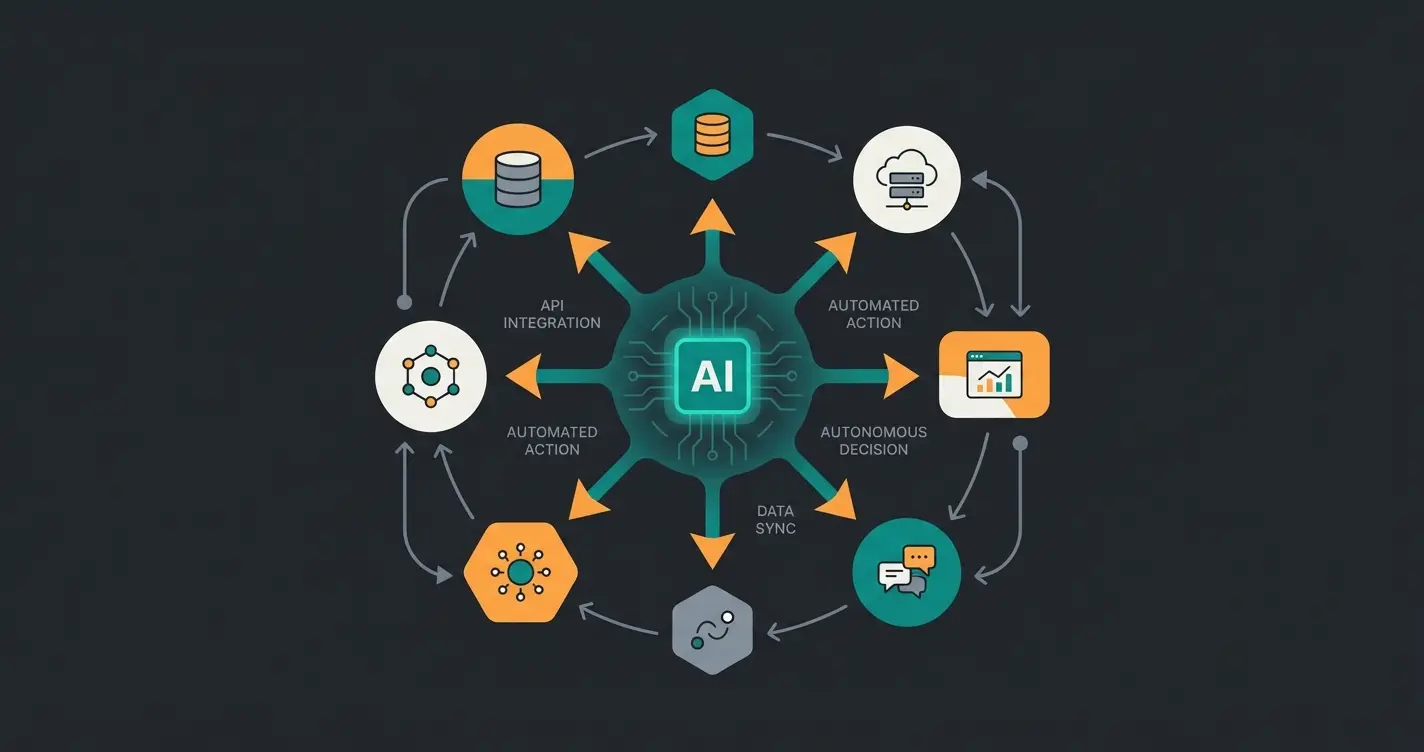
The Future: Agentic AI
We're moving away from "chatbots" toward "AI Agents." Intercom's Fin is the first step. The future belongs to bots that don't just answer but act (e.g., "Change my plan to Pro" -> The bot performs the upgrade in the backend via API autonomously). Intercom is working hard on these integrations. For Shopware 6 chatbots, this evolution represents exciting opportunities for e-commerce integration.
Conclusion: Digital Receptionist or Sales Star?
Intercom live chat in 2025 is still the gold standard for UX and design in the chat space. But it's an expensive tool.
If you only install Intercom to "be reachable," you're burning money. The true value lies in the transformation to a product consultant:
- Use Fin AI not just for deflection, but train it with sales knowledge.
- Invest time in proactive workflows that pick up users on pricing pages.
- Keep an eye on cost per resolution and compare it to the cost of a human agent.
For European companies: Clarify the hosting (Dublin) and consent cleanly before going live. Then Intercom can be the lever that transforms your website from a brochure into a sales machine. See how AI Product Consultation delivers real results for businesses making this transformation.
Bonus: GDPR Checklist for Your Intercom Launch
Before deploying Intercom in Europe, ensure you've addressed these critical compliance requirements:
- Hosting Region: Did you select "Europe (Dublin)" when creating the workspace? (Cannot be changed afterwards!)
- DPA (Data Processing Agreement): Have you accepted/signed Intercom's Data Processing Addendum? Intercom's DPA is available for download.
- Cookie Consent: Is the Intercom Messenger only loaded after the user has consented in the cookie banner?
- Privacy Policy: Have you listed Intercom in your privacy policy (purpose, legal basis, mention USA data transfer despite EU hosting due to sub-processors)?
- IP Anonymization: Check if you need to/can mask IP addresses before they're sent to Intercom (technically often difficult, so consent is the safer route).
Frequently Asked Questions
Intercom offers EU data hosting in Dublin, which is a significant step toward GDPR compliance. However, some data (billing, admin) still processes through US servers. You must select EU hosting when creating your workspace—it cannot be changed later. Additionally, you need proper cookie consent integration and must update your privacy policy to include Intercom as a data processor.
Intercom pricing starts at $39/seat/month for Essential, $99 for Advanced, and $139 for Expert plans. However, the real costs come from add-ons: Fin AI charges $0.99 per resolution (potentially $1,000+/month), Product Tours cost $99/month extra, and WhatsApp/SMS are usage-based. A realistic budget for a team of 5 with AI features is $1,500-$2,000 monthly.
Yes, but it requires strategic configuration. Out-of-the-box, Intercom's Fin AI is optimized for support ticket deflection. To use it for sales consultation, you need to: create custom answers for sales questions, build proactive workflows that trigger on pricing pages, configure intelligent human handoff rules for high-value leads, and integrate CRM data for personalized interactions.
Crisp offers 80% of Intercom's features at a fraction of the cost with flat-rate pricing—ideal for bootstrapped startups. HubSpot Service Hub works best if you're already using HubSpot CRM since integration is native and free. Zendesk suits traditional enterprise support with strict SLA requirements. User.com and Gist are good for marketing automation-heavy use cases at lower price points.
Fin AI uses RAG (Retrieval-Augmented Generation) to answer questions based solely on your Help Center content, reducing hallucinations. Unlike generic ChatGPT, Fin is specifically trained for support deflection with built-in transparency (customers know they're talking to AI). However, Fin excels at FAQ-style support rather than complex consultative selling—for the latter, you need custom configuration or specialized AI consultation tools.
Move beyond basic support deflection. See how AI-powered product consultation can qualify leads, answer complex questions, and drive revenue while you sleep.
Get Started Free
Lasse is CEO and co-founder of Qualimero. After completing his MBA at WHU and scaling a company to seven-figure revenue, he founded Qualimero to build AI-powered digital employees for e-commerce. His focus: helping businesses measurably improve customer interaction through intelligent automation.