Why Your Best Salesperson Outperforms Your Online Store
Have you ever wondered why your best in-store salesperson achieves a 30% conversion rate while your Shopware store stagnates at 2%? The answer rarely lies with the product or the price. It lies with consultation. In physical retail, a salesperson approaches the customer, asks about their needs ("Are you running on asphalt or trails?"), and recommends exactly the one shoe that fits. In e-commerce, however, we leave customers alone with 5,000 items, complex filters, and technical data sheets.
The year 2025 marks a turning point in e-commerce. The era of simple "support bots" that merely check shipping status or link to FAQ articles is ending. In their place emerges a new generation: The AI-powered product consultant. Understanding this shift is essential for any merchant exploring Shopware AI product consultation strategies.
In this comprehensive guide, you'll learn how to transform your Shopware 6 store from a passive sales floor into an active consultation space. We'll analyze the technological evolution from simple plugins to RAG-based AI agents, illuminate the role of the native Shopware Copilot, and show you how to generate real additional revenue in a privacy-compliant manner (GDPR).
The Evolution: From Annoying Bot to Digital Top Seller
When merchants hear the word "chatbot," many still think of rigid selection menus and frustrated customers hammering "Speak to agent!" into their keyboards. But the technology has changed radically. To understand where the opportunity lies, we need to distinguish between the three developmental stages of chatbots in the Shopware ecosystem. Modern Conversational AI has evolved far beyond simple decision trees.
The 3 Levels of Shopware Chatbots
To outpace the competition, you need to understand that most shops are still stuck on Level 1 or 2. The competitive advantage ("Blue Ocean") lies at Level 3.
| Feature | Level 1: Rule-Based Bot | Level 2: Generic AI Bot | Level 3: Product Consultant (Your Goal) |
|---|---|---|---|
| Technology | Rigid decision trees (If/Then), buttons | Generic LLMs (e.g., ChatGPT wrapper), standard plugins | RAG (Retrieval-Augmented Generation) with Shopware data connection |
| Knowledge | Limited to pre-programmed paths | General knowledge + uploaded FAQs/PDFs | Real-time access to product data, inventory, attributes & customer history |
| Primary Goal | Navigation & simple FAQs | Reduce support tickets (Reactive) | Conversion & upselling (Proactive) |
| User Experience | "Press 1 for shipping." Frustratingly rigid. | "Here's a link to return policies." Helpful but doesn't sell. | "For forest trails, I recommend the TrailMaster 3000 with reinforced sole. Shall I add size 42 to your cart?" |
| Setup Effort | High (Manual scripting) | Medium (Install plugin, upload PDFs) | Medium-High (API integration, prompt engineering) |
| ROI Focus | Cost savings (Support) | Cost savings (Support) | Revenue generation (AOV & Conversion) |
Why Level 3 makes the difference: According to HelloRep.ai, customers supported by AI chatbots complete their purchases up to 47% faster. Even more impressive: companies that strategically deploy AI chatbots in marketing report revenue increases of up to 67% as documented by Cases Media. It's no longer about avoiding support tickets—it's about taking the undecided visitor by the hand.
Customers complete purchases faster with AI chatbot support
Companies report significant revenue growth with strategic AI deployment
Customers who interact with chatbots vs. 3.1% without interaction
Why Product Consultation Is the Hidden Revenue Driver
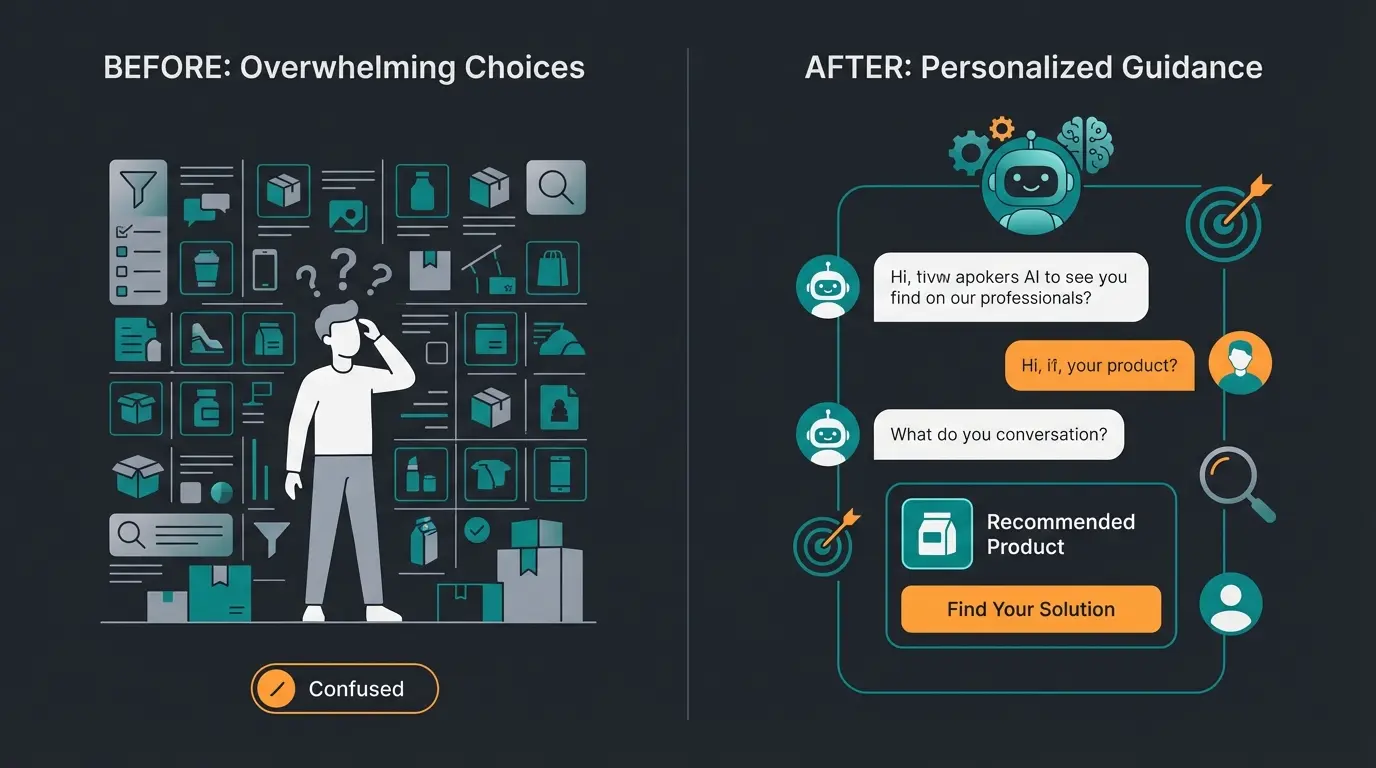
The biggest problem in modern e-commerce is the Paradox of Choice. Customers abandon purchases not because they can't find anything, but because they're overwhelmed by selection and afraid of making the wrong decision. This is where effective AI Product Consultation becomes a game-changer.
Scenario: The Difference Between Search and Consultation
Imagine a customer searching for running shoes in your Shopware store.
Without AI Consultant (Classic Search): The customer types "waterproof running shoes" into the search bar. They receive 45 results. Now they must independently set filters (size, color, brand), read product descriptions, and compare. If they're uncertain ("Does this shoe also fit wide feet?"), they leave the shop to Google reviews—and often end up at Amazon or your competitor.
With Shopware Chatbot (Level 3): The bot recognizes that the customer is lingering on the category page and proactively opens:
The result: The customer feels understood and advised. Purchase probability increases massively. Studies by Amra and Elma confirm that 12.3% of customers convert after a chatbot interaction, compared to only 3.1% without interaction. This demonstrates the power of intelligent AI consulting in e-commerce.
Shopware Copilot vs. Custom Chatbot: What Do You Need?
A common misconception among Shopware merchants is confusing Shopware's own "AI Copilot" with a customer-facing chatbot. To choose the right strategy, we need to clearly separate these two concepts. Understanding both tools is essential for implementing effective Shopware Service solutions.
1. The Shopware AI Copilot (Backend & Content)
Shopware has integrated powerful features directly into the core with the AI Copilot (available from version 6.7 in Rise, Evolve, Beyond plans) as detailed by Atwix.
What the Copilot can do:
- Content Creation: Creates product descriptions, translates reviews, and generates content for Shopping Experiences (Erlebniswelten)
- Image Analysis: The "Image Keyword Assistant" analyzes uploaded images and automatically assigns SEO keywords
- Summaries: Creates summaries from long product reviews for the detail page
- Checkout Messages: Generates personalized messages after purchase completion as noted by Brainstream Technolabs
- Export Assistant: Enables database queries via natural language in the admin area (e.g., "Show all orders from yesterday") according to Shopware documentation
The Limitation: The Shopware Copilot is primarily a productivity tool for the merchant (backend) or generates static content. It is not a dialogue-capable agent that chats live with your end customer and conducts sales conversations.
2. The Custom Sales Bot (Frontend & RAG)
This is where your external solution comes in (whether a custom development or a specialized SaaS solution connected via API). A well-implemented Chatbot AI solution can transform your customer interactions.
What the Sales Bot can do:
- Conducts real dialogues in the frontend
- Uses your specific product data for answers
- Can trigger actions (fill shopping cart, create support ticket)
Conclusion: You need both. Use the Shopware Copilot to perfect your data quality (descriptions, keywords) so your Sales Bot (Level 3) can provide excellent consultation based on this high-quality data foundation.
See how AI-powered product consultation can boost your conversion rates by up to 67%. Get a personalized demo with your own product data.
Start Your Free TrialTechnical Deep Dive: How RAG Prevents Hallucinations
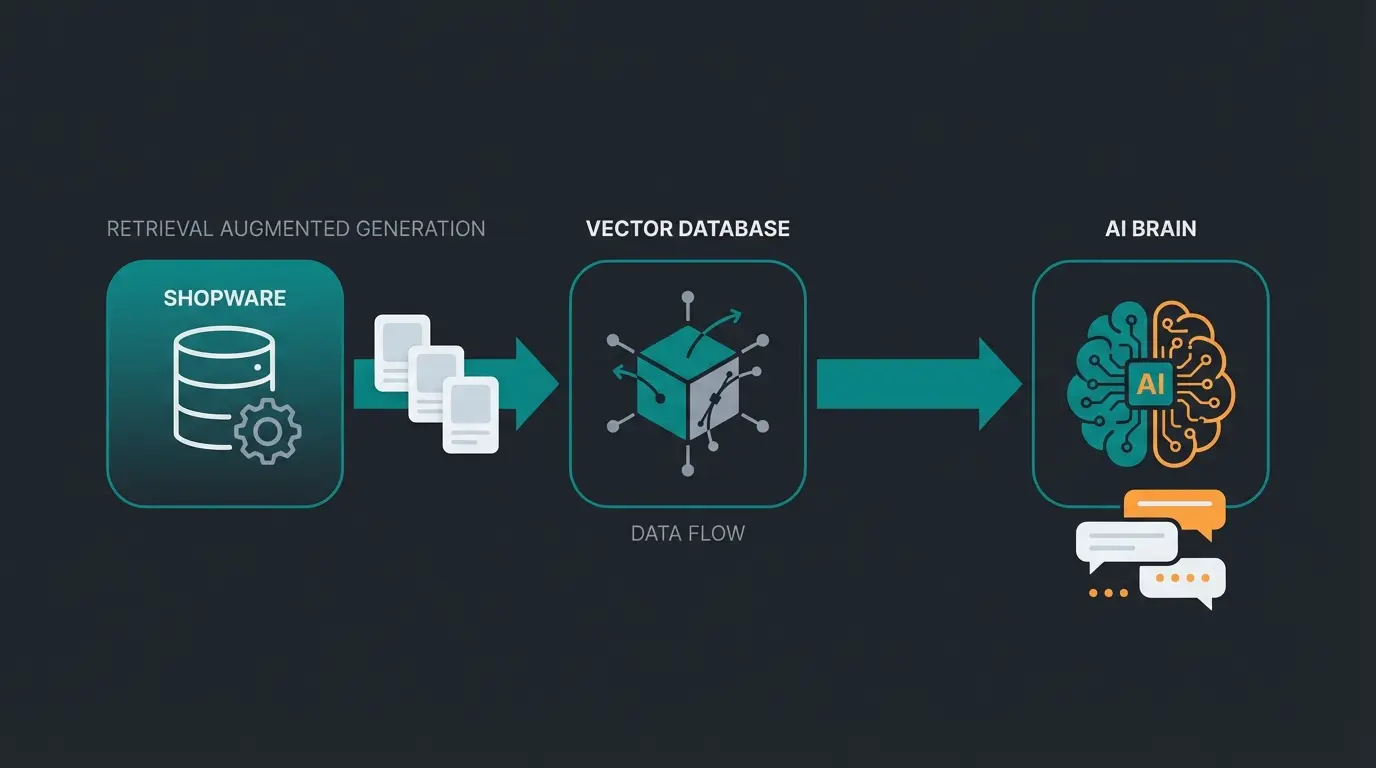
One of the biggest obstacles for merchants is the fear that AI will "talk nonsense" (hallucinations)—like quoting a price of €10 for a €100 product. The solution is RAG (Retrieval-Augmented Generation). This technology is fundamental to building reliable AI Chatbots.
RAG Simply Explained: The Cheat Sheet for AI
Imagine sending a very eloquent speaker (the language model, e.g., GPT-4) into an exam about your shop. Without preparation, they'll guess and make things up. RAG is the process where you lay the textbook (your product data) open in front of this speaker before they answer.
The Technical Workflow in Shopware
Customer asks: 'Which bike fits someone 5'11" tall?'
System searches your vector database containing all Shopware products, properties (frame height, height recommendations), and guides
System finds relevant products and attaches their technical data to the original question
AI formulates a friendly, fluent response based exclusively on the retrieved facts
The retrieval process works by searching not the "world knowledge" of ChatGPT, but your vector database. This database contains all your Shopware products, properties (frame height, body height recommendation), and instructions that were previously synchronized as explained by AI SDK documentation and Leanware.
During augmentation, the system finds the relevant products (e.g., "Bike A" and "Bike B") and their technical data. It attaches this information to the customer's original question with an internal prompt like: "The customer asks about bikes for 5'11". Use ONLY the following found product data to respond: [Data from Bike A, Data from Bike B]."
The AI then formulates a friendly, fluent response based exclusively on the facts it just received as described by Scribd resources.
Why this is essential for Shopware: Through RAG, you ensure that the bot correctly reports prices, stock levels, and technical attributes (Properties). When a product is set to "inactive" in Shopware, the retrieval process no longer finds it, and the bot no longer recommends it. That's the difference from static FAQ bots.
Implementation Guide: 5 Steps to Your Sales Bot
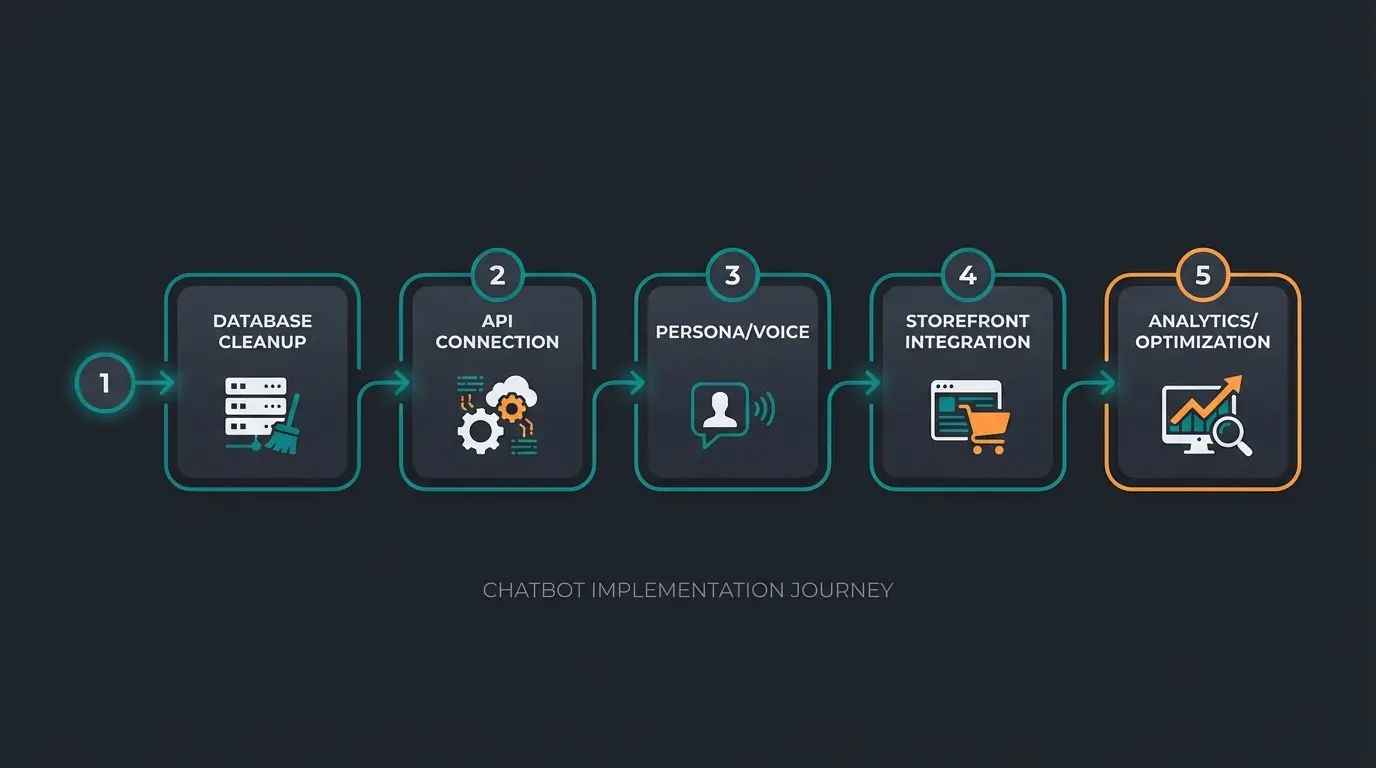
How do you actually implement this? Here's a roadmap for integrating a Level 3 bot into Shopware 6. This process aligns with best practices for AI product consultation implementation.
Step 1: Clean Up Data Foundation (Shopware Admin)
An AI is only as smart as the data it reads.
- Maintain Properties cleanly (size, color, material, use case)
- Use the Shopware Copilot to generate missing product descriptions
- Structure your Shopping Experiences so texts are logically constructed
Step 2: Technical Connection (API & Webhooks)
Use the Shopware 6 API to send your product catalog to the bot's vector database.
- Sync: A cron job should regularly (e.g., hourly) transmit product changes to the bot
- Flow Builder: Use the Shopware Flow Builder as documented by Shopware and Solution25 to trigger events
Example: When a customer asks about order status in chat, the bot can retrieve the status via API. Example: When the bot identifies a "High Value Lead," the Flow Builder can send an email to your sales team or set a tag on the customer ("VIP Potential") as noted by Brainstream Technolabs.
Step 3: Define Persona and Tone-of-Voice
A bot for skateboard accessories must speak differently than a bot for medical devices.
- System Prompt: Define: "You are a helpful expert for [niche]. You answer briefly, concisely, and use informal address."
- Guardrails: Establish what the bot cannot do (e.g., discuss politics or invent discounts)
Step 4: Integration into the Storefront
The bot shouldn't just be a floating icon in the bottom right corner.
- Integrate the bot into your Shopping Experiences
- Use it as a replacement for the classic contact form (Plugins like "Contact to AI Chatbot Support" demonstrate this approach according to Shopware Store)
Step 5: Test and Optimize
Start with a "soft launch." Analyze the chat logs:
- Where does the customer drop off?
- Which questions couldn't the bot answer (Content Gap)?
- Use these insights to further improve your Shopware product data
This iterative approach mirrors best practices in AI Customer Service implementation across industries.
The German Market: GDPR, EU AI Act, and Trust
For German shop operators, legal security is often the biggest obstacle. But with the right strategy, compliance becomes a trust booster. This is particularly important when implementing Shopware customer support solutions.
1. The EU AI Act (AI Regulation)
Since 2024/2025, the EU AI Act has taken effect. For chatbots in e-commerce, the category "Limited Risk" usually applies as documented by GetTalkative, Qualimero, and the official EU documentation.
- Transparency Obligation: You must inform users that they're interacting with AI. A notice like "I'm your virtual assistant" is mandatory according to Leafworks
- Labeling: AI-generated content must be recognizable as such
2. GDPR and Server Location
Many US solutions are problematic for European compliance.
- Hosting: Ensure that the vector database and bot hosting are located in the EU (ideally Germany)
- Data Processing Agreement: Sign DPA contracts with the bot provider
- No Personal Data in Training: Ensure that customer data from chat is not used to train the provider's general AI model as emphasized by Eesel.ai
3. Human in the Loop
Both law and common sense require an escalation option. The customer must always have the ability to switch to a human employee ("Human Handover") as noted by EU-Startups. This builds trust and prevents frustration in dead-end situations.
ROI Calculation: Is the Investment Worth It?
Let's break down the cost-benefit analysis for implementing AI Cross-Selling capabilities through intelligent chatbots.
Costs
- Setup & Integration (One-time)
- Monthly SaaS fees (often usage-based)
Benefits (Measurable)
1. Reduce Support Costs: According to Fullview, a human interaction costs on average about $6.00, while an AI interaction costs about $0.50. If the bot intercepts 70% of standard inquiries ("Where's my package?", "How do I return this?"), you save massive personnel resources as confirmed by NorthOne.
2. Cart Recovery: Proactive bots can rescue 18-35% of abandoned carts by offering help or incentives at the right moment according to Agentive AIQ.
3. Conversion Rate Uplift: Through consultation as described above, conversion rates increase significantly (benchmarks indicate 20-30% increase in e-commerce through AI).
4. 24/7 Availability: 64% of customers expect round-the-clock service. A bot sells even on Sunday at 11 PM when your team is sleeping.
Human vs AI interaction cost savings
Abandoned carts rescued by proactive bots
Standard inquiries handled automatically
Customers expecting 24/7 service availability
Example Calculation
A shop with 10,000 visitors/month and 2% conversion rate (200 sales at €100 = €20,000 revenue).
- Through AI consultation, conversion increases to 2.5%
- = 250 sales (+50 sales)
- = €5,000 additional revenue per month
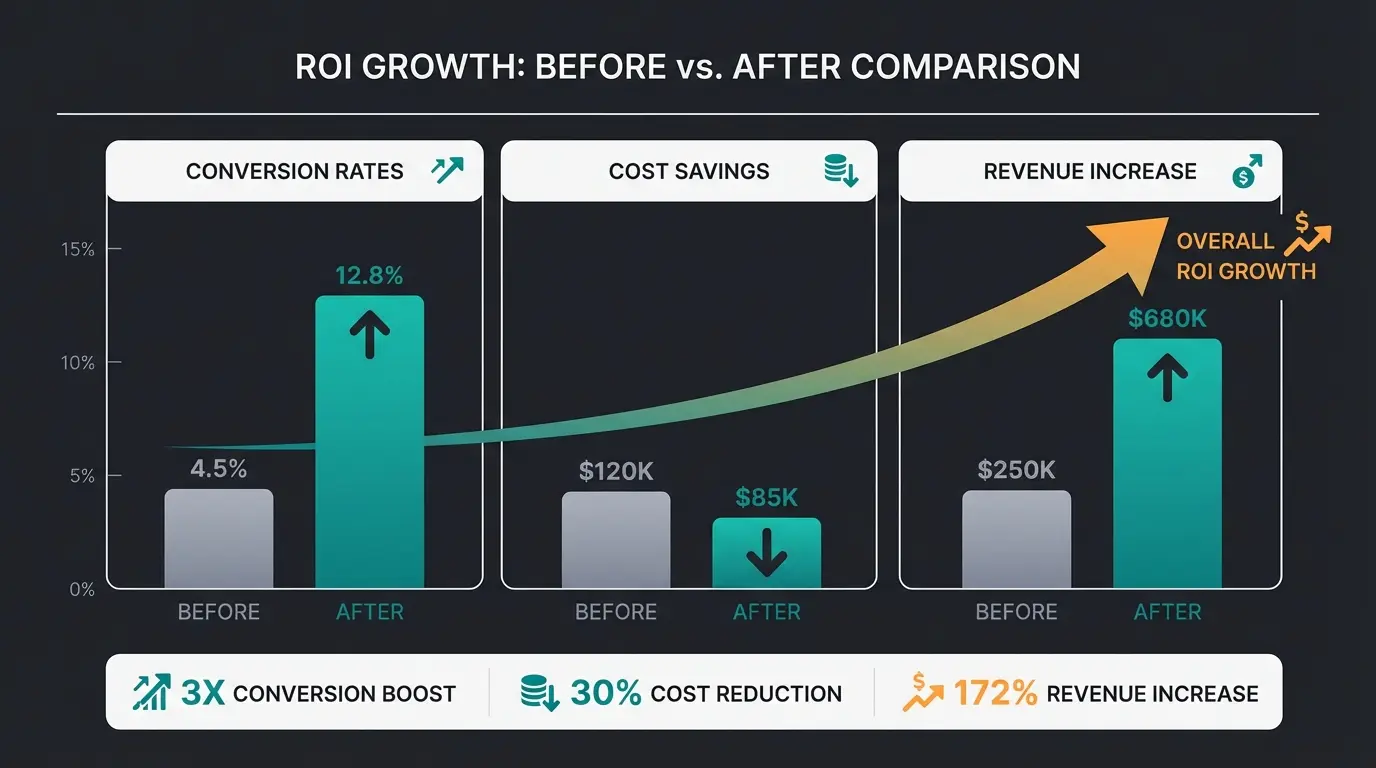
The costs for the bot are usually a fraction of this profit. The market for AI in e-commerce is growing rapidly—projections from Master of Code see growth to $15.5 billion by 2028.
Conclusion: Start Now Before Your Competition Does
The market for AI in e-commerce is growing rapidly—projections see growth to $15.5 billion by 2028 according to CXO Today. Those who still rely on static FAQ pages and slow email tickets are losing ground to a customer base that expects immediacy and personalization. Forward-thinking merchants are already leveraging AI consultants to stay ahead.
A Shopware chatbot at "Level 3" is more than a technical toy. It's your most scalable employee. It knows every product detail, is never sick, speaks 20 languages fluently, and is always friendly.
Action Recommendations
- Analyze your most frequent support inquiries (Support Bot Potential)
- Identify your most consultation-intensive products (Sales Bot Potential)
- Start a pilot project with a RAG-capable solution that communicates natively with Shopware
Want to see what a "Digital Sales Associate" looks like with your own Shopware data?
Frequently Asked Questions
Shopware AI Copilot is a backend productivity tool that helps merchants create content, analyze images, and generate product descriptions. A customer-facing chatbot (Level 3) is a frontend solution that conducts real-time conversations with customers, provides personalized product recommendations, and can trigger actions like adding items to cart. You need both: Copilot improves your data quality, while the sales bot uses that data to convert visitors.
RAG (Retrieval-Augmented Generation) works by grounding the AI's responses in your actual Shopware product data. Instead of relying on general knowledge, the system searches your synchronized product catalog, retrieves relevant items with accurate prices and specifications, and only then generates a response. If a product is deactivated in Shopware, the retrieval process won't find it, ensuring the bot never recommends unavailable items.
Yes, if implemented correctly. Key requirements include: hosting the solution on EU (preferably German) servers, signing Data Processing Agreements (DPA) with providers, ensuring customer data isn't used to train external AI models, providing transparency notices that users are interacting with AI, and maintaining a 'Human Handover' option for escalation. These compliance measures can actually become trust-building differentiators with German customers.
Typical ROI metrics include: reducing support costs by up to 70% (from ~$6 per human interaction to ~$0.50 for AI), recovering 18-35% of abandoned carts, and increasing conversion rates by 20-30%. For a shop with 10,000 monthly visitors at 2% conversion, boosting to 2.5% conversion means 50 additional sales—potentially €5,000+ in monthly revenue that far exceeds chatbot costs.
Implementation typically takes 2-4 weeks depending on your data quality. The process involves: cleaning your Shopware product data and properties (1 week), setting up API connections and sync jobs (1 week), defining persona and tone-of-voice with prompt engineering (3-5 days), integrating into your storefront (2-3 days), and testing/optimization (ongoing). Starting with clean product data significantly accelerates the timeline.
Join leading Shopware merchants who've increased conversions by up to 67% with AI-powered product consultation. Start your free trial and see your digital sales associate in action.
Get Started Free
Lasse is CEO and co-founder of Qualimero. After completing his MBA at WHU and scaling a company to seven-figure revenue, he founded Qualimero to build AI-powered digital employees for e-commerce. His focus: helping businesses measurably improve customer interaction through intelligent automation.