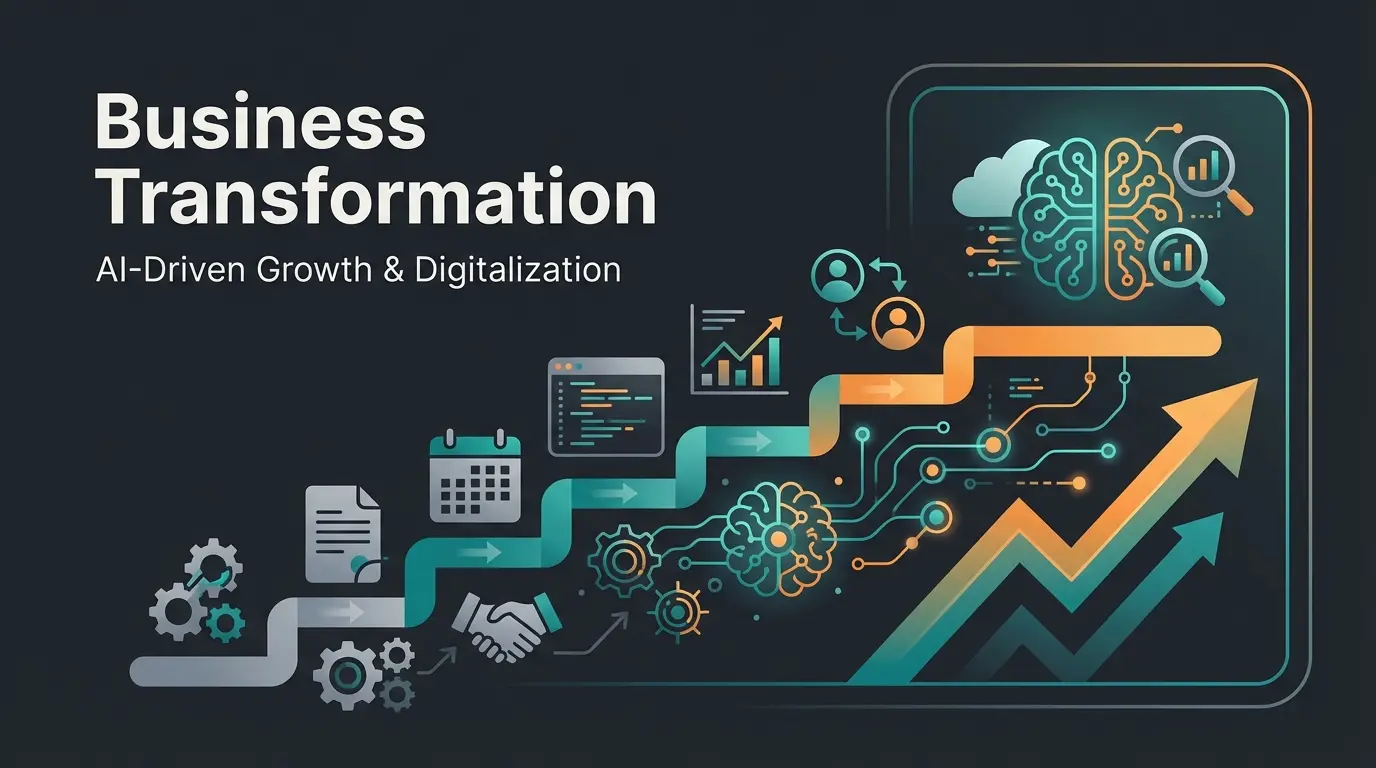
Introduction: Why the 'Paperless Office' Often Remains a Lie
For over three decades, we've been promised the paperless office. Yet when we take an honest look into German offices today, we often see this picture: Instead of file folders, we now have overcrowded digital folder structures on network drives. We haven't eliminated the chaos—we've simply digitized it.
The classic narrative always went like this: 'Scan everything, save space, and find everything faster.' While that's partially true, it falls woefully short for the demands of 2026. A scanned PDF gathering dust in a subfolder is hardly more valuable than paper in the basement—it's 'dead knowledge.' According to Bitkom, the digital transformation of offices is accelerating, but many businesses are stuck in this intermediate phase.
This article isn't your ordinary 'how to operate a scanner' guide. We'll show you how to digitize your office while taking the crucial next step: transforming a passive digital archive into an active, AI-powered knowledge manager. We connect the legal necessity (e-invoicing, GoBD compliance) with technological opportunity (AI & RAG) to achieve real competitive advantages. Modern AI employees can revolutionize how your team accesses and utilizes company knowledge.
I. Fundamentals & Current State: Where Do We Stand in 2026?
Before we discuss Artificial Intelligence, we need to clarify the foundation. What does a paperless office mean today, and why is it no longer optional but mandatory?
Definition: What Is a Paperless Office?
A paperless office describes work environments where the use of physical paper has been replaced by digital documents and processes. This encompasses not just document management (filing) but the entire workflow—from creation through editing to archiving and digital signatures.
The Hard Facts: Germany Is Catching Up
Germany was long considered the 'paper world champion.' But pressure is mounting. The Bitkom Digital Office Index 2024 shows clearly that the shift is accelerating across all industries and company sizes. According to Bitkom Research, the adoption rates have nearly doubled in recent years.
German companies working entirely without paper (nearly doubled since 2022)
Companies working mostly without paper in daily operations
Combined total of businesses embracing digital-first workflows
Only a minority still clings to purely paper-based processes. The trend is unstoppable, driven by efficiency demands and the ongoing skilled labor shortage that makes automation essential.
The Top 3 Classic Advantages
Those who want to work paperlessly today typically do so for three reasons:
- Cost Efficiency: Printing costs, toner, paper, and especially expensive rental space for archives are eliminated. Companies report savings of 40-60% on document-related expenses.
- Searchability: Thanks to OCR (text recognition), documents can be found via keywords—a massive time gain compared to leafing through files. What once took hours now takes seconds.
- Remote Work & Home Office: Without a digital office, hybrid work is impossible. If you're working from home, you can't just pop down to the filing cabinet in the company basement.
These advantages form the baseline, but forward-thinking companies are discovering that AI-powered customer service and intelligent document systems can multiply these benefits exponentially.
II. The Legal Framework: E-Invoicing and GoBD (2024/2025 Update)
For German companies, legal compliance is the biggest hurdle when implementing a DMS. There are massive changes you need to know about that will fundamentally alter how businesses handle documents.
1. Mandatory E-Invoicing from 2025
The Growth Opportunities Act (Wachstumschancengesetz) has created facts on the ground. From January 1, 2025, all domestic companies in the B2B sector must be able to receive electronic invoices. This isn't optional—it's the law. According to the German Chamber of Commerce (IHK), preparation should begin immediately.
The formats required are XRechnung or the hybrid format ZUGFeRD, as detailed by Sage and WKO. The consequence is clear: Anyone who doesn't digitize their office now will simply be unable to conduct B2B business from 2025. According to Kassensichv.net, the technical requirements are specific and non-negotiable.
2. GoBD Update 2024: More Flexibility
The 'Principles for the Proper Management and Storage of Books...' (GoBD) are the regulatory framework of the tax administration. The new version from March 2024 (effective April 1, 2024) brings some relief, as noted by KMLZ and the IHK Munich:
- Mobile Scanning: Photographing receipts with smartphones (and processing in the cloud) is now explicitly recognized, provided image quality is sufficient
- Cloud Services: Using cloud DMS is legally secure as long as data processing occurs in the EU or corresponding agreements exist
- Simplified Documentation: Requirements for procedural documentation have been streamlined for smaller businesses
Conclusion on Legality: A modern DMS (Document Management System) often automatically provides more legal security than any paper folder, as it technically enforces logging and immutability (audit security). This is where AI lead generation tools can also help by ensuring all customer interactions are properly documented.
III. The Missing Link: From 'Digital Graveyard' to AI Consultant
Here's where the wheat separates from the chaff. Most guides end with your documents stored in a DMS. But that's only Step 1. The real transformation begins when you activate that stored knowledge.
The 'Dead Data' Trap
Imagine you've digitized 5,000 technical data sheets, 200 manuals, and 10 years of email history. Sounds impressive, right? But consider these two scenarios:
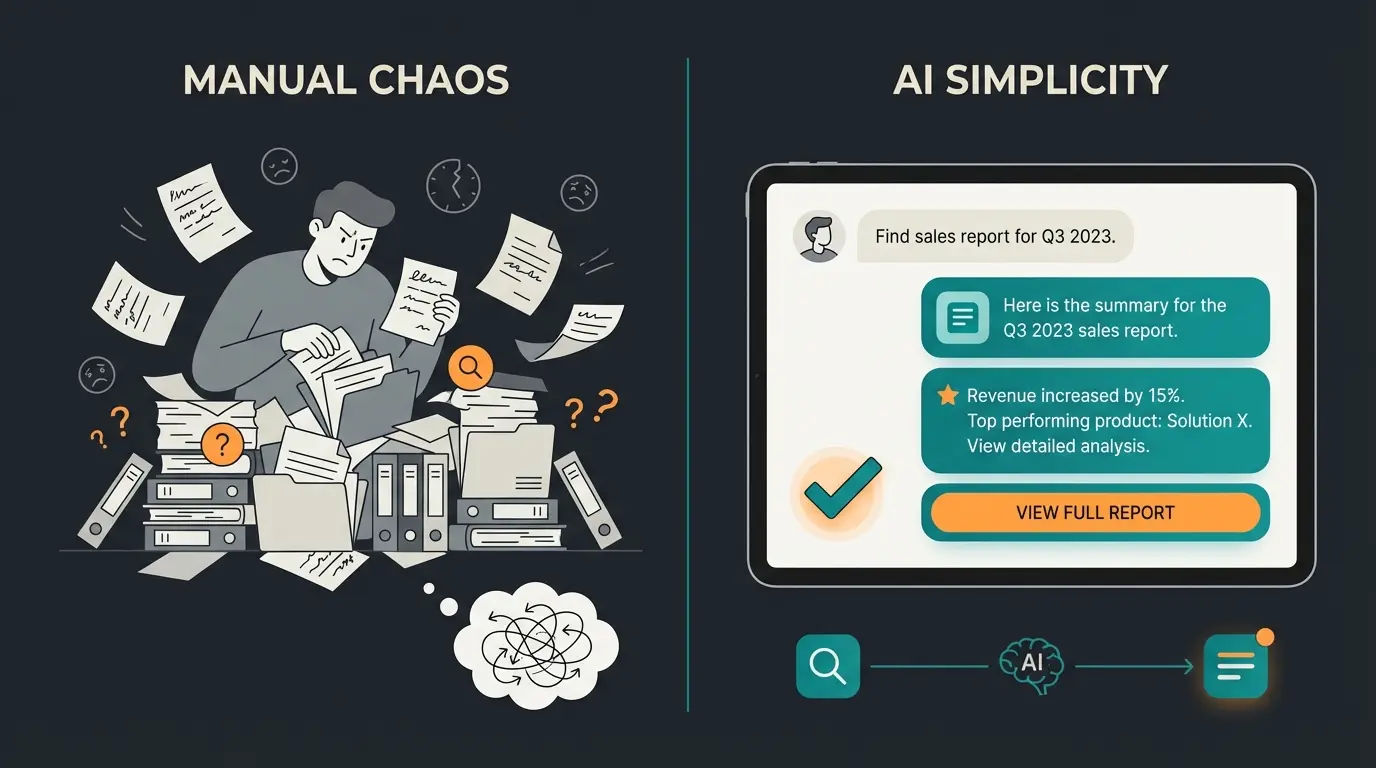
Scenario A (Classic DMS): A sales rep searches for specific technical info for a customer. They type in a keyword, receive 50 PDF results, and must now open each document and search through it (CTRL+F). This costs time and nerves—often 15-30 minutes per query.
Scenario B (AI-Powered Office): The sales rep asks the system via chat: 'What is the maximum operating temperature of our Model X-200 and how does it differ from its predecessor?' The AI answers in seconds with precise information and source citations. Companies using AI product consultation are already experiencing this transformation.
The Technology: RAG (Retrieval Augmented Generation)
This is where modern AI comes into play. Unlike simple chatbots (like ChatGPT in its basic version) that only have their training knowledge, RAG uses your own company data as a knowledge base. According to research from IT-Daily and Adlib Software, this represents a fundamental shift in how businesses can leverage their documentation.
The DMS 'reads' your PDFs, Word files, and scans, processing all text content
It understands the context (not just keywords) and creates semantic relationships
When a question is asked, the AI finds exactly the relevant text passages
The AI formulates a precise answer for the user and cites the source
This is the paradigm shift: The paperless office no longer serves just archiving (the past) but active knowledge work (the future). You transform dead paper into a 24/7 available expert. As DataNucleus explains, this technology is becoming increasingly accessible for businesses of all sizes.
Real-world examples demonstrate this power: AI Employee Kira handles complex product questions instantly by accessing the company's complete knowledge base. Similarly, AI Assistant Sophie provides immediate, accurate responses to customer inquiries that would previously require extensive manual research.
Stop searching through endless files. Let AI employees access your complete company knowledge instantly and provide accurate answers 24/7.
Start Your Free TrialIV. Step-by-Step Implementation Guide with AI Focus
How do you implement this concretely? Here's the roadmap for 2026 that goes beyond basic digitization.
Step 1: Inventory & 'Knowledge Inventory'
Before you buy the first scanner, analyze your documents carefully. Not all documents are created equal, and your strategy should reflect this:
- Transaction Documents: Invoices, delivery notes. (Goal: Full automation through e-invoicing/OCR). These are high-volume, low-complexity items.
- Knowledge Documents: Manuals, product descriptions, protocols, contracts. (Goal: AI activation). These contain the expertise that differentiates your business.
- Compliance Documents: Contracts, certifications, audit trails. (Goal: Secure, searchable archiving with proper retention policies).
Pro Tip: Identify the 'pain points.' Where do employees spend the longest searching for information? These areas offer the highest ROI for AI implementation. Companies that have implemented product consultation automated report dramatic reductions in search time.
Step 2: Hardware & Scanning (The Bridge)
Even in the AI age, paper must first become digital. The quality of this conversion directly impacts AI effectiveness:
- Hardware: For home offices, good document scanner apps often suffice. For offices, dedicated feed scanners (e.g., Fujitsu fi-series or Brother ADS-series) are recommended, scanning directly to network folders or cloud targets.
- OCR is Mandatory: Ensure every scan is automatically converted to searchable text via OCR (Optical Character Recognition). Without a text layer, the document is 'blind' to the AI.
- Quality Standards: Aim for 300 DPI minimum, proper alignment, and consistent naming conventions from the start.
Step 3: Implementing the Right DMS (Single Source of Truth)
Choose a system that's open for integrations. The DMS market has evolved significantly, with options ranging from enterprise solutions to SMB-friendly platforms:
- Avoid isolated solutions. The DMS must communicate with your ERP (e.g., SAP, Datev) and your email client seamlessly.
- Pay attention to API interfaces. If you want to connect an AI solution later, the DMS must be able to output data in a structured way.
- Consider cloud-native solutions for easier scalability and remote access capabilities.
- Evaluate compliance features—automatic versioning, audit trails, and retention management should be standard.
Step 4: The AI Activation (Your Competitive Advantage)
This is the step that 90% of companies still forget—and where the real transformation happens:
- Connect your document pool with an Enterprise Search or an AI Assistant Solution that understands context, not just keywords.
- Don't train the system (the LLM handles that)—instead 'feed' it through Context Engineering, curating what knowledge matters most.
- Use Case Example: Customer support no longer needs to browse through folders but receives answer suggestions directly from technical documentation stored in the DMS.
The AI product consultation case study demonstrates how businesses transform their documentation into instant customer support capabilities. Similarly, AI Employee Theresa shows how complex product knowledge becomes instantly accessible.
Step 5: Team Training & Culture Change
A paperless office never fails due to technology—it always fails due to people. Cultural transformation is essential:
- Address the fear of AI directly ('It doesn't replace you—it takes away the tedious search work and lets you focus on high-value tasks').
- Establish a 'Digital First' rule: Documents are created digitally and only printed in absolute emergencies.
- Create internal champions who can demonstrate the benefits and support colleagues.
- Celebrate wins—share time savings and success stories across the organization.
V. Tools & Tech Stack: What You Actually Need
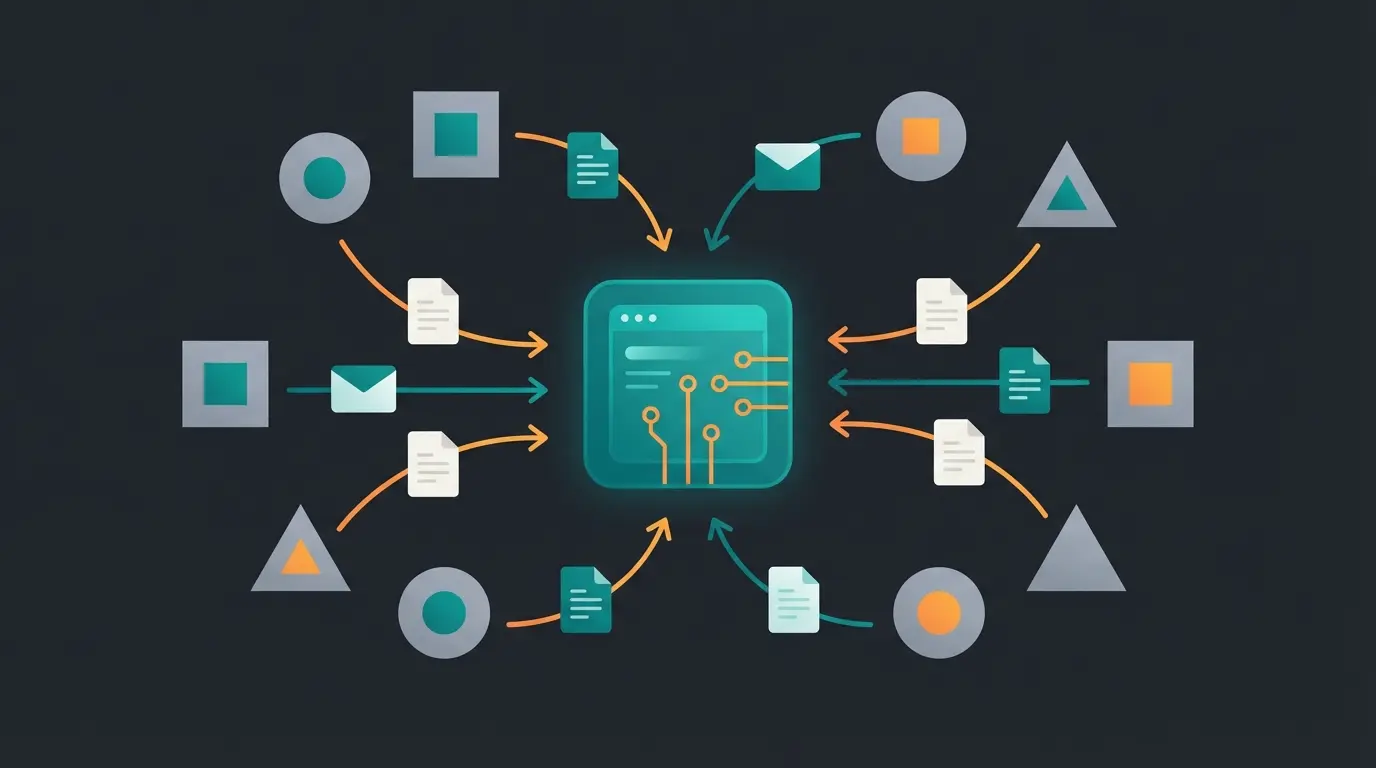
The market is confusing with hundreds of options. Here's a categorization to simplify your selection process and ensure you choose solutions that work together.
1. Classic DMS Providers (The Storage Layer)
These tools excel at compliance, workflows, and archiving. They form the foundation of your digital office:
- DocuWare / ELO / Amagno: The market leaders in the German mid-market. Strong in invoice approvals and GoBD conformity. According to Amagno and DocuWare, they're continuously adding AI capabilities.
- ecoDMS: A cost-effective entry-level solution, often suitable for smaller businesses starting their digital journey.
- Microsoft SharePoint: Often already available in organizations, but without customization usually just a 'better file explorer' rather than a true DMS.
2. AI & Knowledge Layer (The Intelligence)
These tools sit on top of storage or integrate with it, adding the crucial intelligence layer:
- Modern AI Assistants: Specialized software that accesses your data via RAG. They often offer chat interfaces ('Chat with your Docs') that feel natural to use.
- Integrated AI: Many DMS providers (like DocuWare or Easy Software) are slowly retrofitting AI functions, often starting with invoice data extraction (Intelligent Document Processing - IDP). According to Easy Software, these capabilities are rapidly maturing.
For businesses handling significant social media inquiries, the combination of AI assistants with proper document management creates a powerful support ecosystem.
3. Hardware Essentials
- Scanners: Fujitsu ScanSnap (classic choice for individuals and small teams), Brother ADS-series (excellent for high-volume departmental scanning).
- Mobile Solutions: Adobe Scan, Microsoft Lens (for field service and sales teams who need to capture documents on the go).
VI. Comparison: Classic DMS vs. AI Knowledge Management
Why the step to 'Office 2.0' is worthwhile becomes clear in this direct comparison. The differences are substantial:
| Feature | Classic Paperless Office (DMS) | AI-Powered Knowledge Management (Office 2.0) |
|---|---|---|
| Primary Goal | Store & Retrieve | Understand & Answer |
| Search Method | Keywords & Metadata | Semantic Search (Natural Language) |
| Output | List of PDF Documents | Concrete Answer / Summary with Sources |
| Data Status | Passive ('Dead Knowledge') | Active ('Digital Employee') |
| Time Spent Searching | High (Documents must be read manually) | Minimal (Answer is generated instantly) |
| Invoice Processing | Rule-based / Templates | AI Recognition without Templates (IDP) |
| Learning Capability | Static rules only | Improves with usage patterns |
| User Experience | Technical, requires training | Conversational, intuitive |
The AI Chat implementation demonstrates how this transformation looks in practice, with users able to access complex information through simple conversational queries.
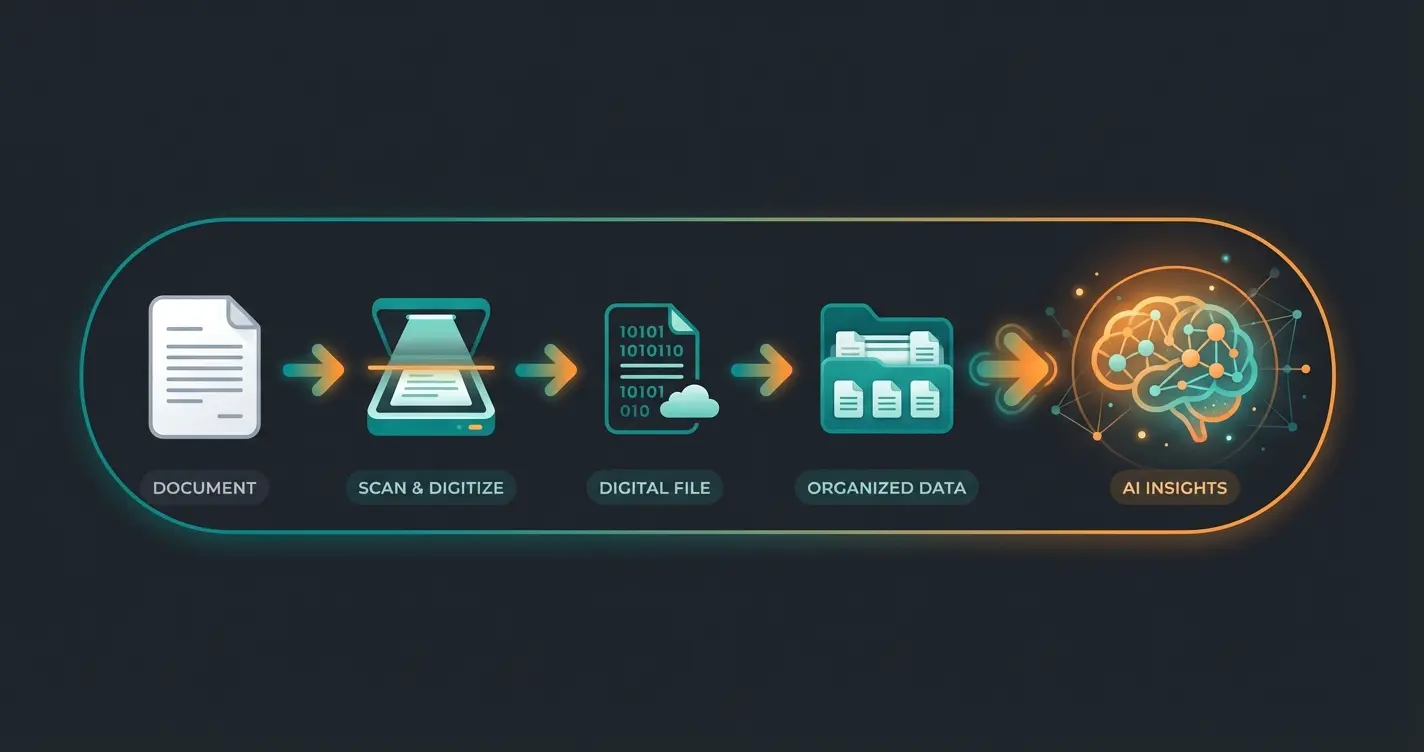
The Document Lifecycle: From Paper to AI Expert
Understanding the complete journey of a document helps visualize why each step matters. Most competitors stop at 'Searchable PDF'—you need to see the full picture:
Original document exists only in physical form—searchable only by manual effort
Document converted to image format—stored but not text-searchable
Text layer added—keyword searchable but context-blind
Metadata, versioning, and access controls applied—organized but passive
Semantic understanding enables natural language queries and instant answers
VII. Checklist: Is Your Content 'AI-Ready'?
Before you unleash an AI on your data, check these points. An AI is only as smart as the data it reads ('Garbage In, Garbage Out'). This assessment helps identify gaps before implementation:
- ☐ OCR Quality: Are all old scans searchable? (Test: Can you select and copy text in the PDF? If not, reprocessing is needed)
- ☐ File Names & Metadata: Do documents have descriptive names? (e.g., '2024-03-Invoice-Telekom.pdf' instead of 'Scan001.pdf'). This helps the AI with context.
- ☐ Data Cleanup: Have outdated documents (e.g., price lists from 2015) been archived or deleted? Otherwise, the AI gives incorrect information that could damage customer relationships.
- ☐ Access Rights: Is it clear who can see what? (The AI shouldn't reveal executive salaries to an intern just because they're stored in the DMS).
- ☐ Structural Consistency: Are similar document types formatted consistently? Inconsistent structures make AI extraction less reliable.
- ☐ Language Quality: Are documents free of excessive abbreviations or jargon that might confuse AI interpretation?
Organizations that want to schedule a demo can get a personalized assessment of their AI readiness and understand exactly what preparation steps would maximize their implementation success.
Conclusion: The Future Isn't Just Paperless—It's Intelligent
The paperless office is no longer a vision in 2026—it's a business necessity. The e-invoicing mandate forces companies to act, and GoBD provides the legal framework. But the regulatory push is just the beginning of what's possible.
However, anyone who merely converts 'paper to PDF' is jumping too short. The real revolution lies in activating your company data. By linking your document management with AI technologies, you create a competitive advantage that goes far beyond saved printing costs: You make your entire company's knowledge available to every employee in fractions of a second.
Don't just start a digitization project today. Start building your central company brain. The businesses that understand this distinction will lead their markets in the coming years, while those who stop at basic digitization will find themselves increasingly disadvantaged.
Frequently Asked Questions
Yes, absolutely. Through GoBD compliance and recognition of electronic signatures (eIDAS regulation), almost all documents can be managed digitally. Exceptions are very few documents (e.g., notarial certifications, employment terminations that often still require written form). A properly configured DMS actually provides better audit trails and compliance documentation than paper systems.
Cloud solutions often start at €20-50 per user per month. Additional costs include setup and training, typically ranging from €5,000-€25,000 for SMBs depending on complexity. The ROI (Return on Investment) typically occurs through time savings in searching within 6-12 months. Companies report 30-50% reduction in time spent locating documents.
If you've been creating invoices in Word/Excel: Yes. You need software that can create and receive e-invoices (XML format). Pure PDF generators are no longer sufficient. Most modern accounting software providers are updating their systems—check with your vendor about their e-invoicing roadmap.
Traditional search finds documents containing specific keywords you type. AI-powered search understands the meaning behind your question, finds relevant information across multiple documents, and synthesizes a direct answer with source citations. It's the difference between getting a list of 50 files to read versus getting the specific answer you need.
Start with high-value knowledge documents that employees frequently search: product specifications, technical manuals, policy documents, and customer FAQs. Transaction documents like invoices benefit from automation but don't typically need AI consultation capabilities. Focus on documents where search time currently creates bottlenecks.
Join forward-thinking businesses that have already made the leap from digital archives to intelligent knowledge management. Start your free trial and experience the future of document intelligence.
Get Started Free Today