Shopware 6 Forum: How to Get Community Support (Complete Guide)
Learn how to use the Shopware 6 forum effectively. Compare Forum vs Discord vs GitHub, get tips for faster answers, and know when professional support is better.

Every Shopware merchant hits a wall eventually. A plugin breaks after an update, a template does not render correctly, or the checkout flow stops working at 11pm on a Friday. The first instinct is usually to search for answers, and in the Shopware ecosystem, the community forum is where most of those searches end up. For a broader view of all available Shopware support options, start there.
The Shopware community forum: overview and structure
The Shopware community forum lives at the Official Shopware Forum and runs on Discourse. It has been the primary hub for merchant-to-merchant support for years, following a straightforward principle: shop owners help shop owners.
Registration is free and anonymous. You do not need to link your Shopware account or verify a license. Create an account, pick a username, and start posting. The forum is primarily German-language, but English posts are accepted and regularly answered, especially in the dedicated Shopware 6 English category.
The forum is organized into broad categories: Shopware 6 (German), Shopware 6 (English), Shopware 5 (German), plugins and extensions, and a general discussion area. Each category has subcategories for specific topics like theming, API, performance, and configuration. For a complete Shopware community overview, see our dedicated guide.

Activity levels vary by category. The Shopware 6 German section is by far the most active, with dozens of new threads per week. The English section is smaller but growing as Shopware expands internationally.
One thing worth noting: Shopware employees occasionally respond to threads, but this is not an official support channel. Response times depend entirely on community volunteers. For some questions, you get an answer within hours. For niche plugin conflicts or edge-case bugs, you might wait days or get no answer at all.
Shopware 6 forum: key categories and popular topics
The Shopware 6 section covers the full spectrum of merchant and developer questions. The most discussed topics fall into a few predictable clusters.
Theme customization and Storefront changes dominate. Merchants trying to adjust layouts, modify CMS elements, or override default templates generate the highest volume of threads. Close behind: plugin compatibility questions after updates, especially around major Shopware releases.
API and integration topics have grown significantly. As more merchants connect ERP systems, PIM tools, and third-party services, the forum has become a go-to resource for troubleshooting REST API and Admin API issues.
Performance optimization is a recurring theme. Questions about caching, Elasticsearch configuration, and server requirements appear regularly, particularly from merchants scaling beyond a few hundred products.
How to ask the perfect forum question
The difference between a question that gets three answers in an hour and one that gets ignored for a week is almost always in how it is written.
Start with a descriptive title. 'Help, my shop is broken' tells the community nothing. 'Shopware 6.6.4: Checkout fails with CSRF token error after PHP 8.3 update' tells them everything they need to know before clicking.
Use the exact build number (e.g. 6.6.4.0), not just 'Shopware 6'. Include PHP version and server environment.
Copy the full error message or relevant log output. Screenshots help for visual issues.
This prevents duplicate suggestions and shows the community you did your homework.
Use the right category (Shopware 6 English vs German) and add relevant tags (API, theme, plugin).
If you find the answer yourself, share it. Mark the solution so future users benefit.
Common mistakes that kill your chances of getting help: posting in the wrong language category, including no version information, or asking multiple unrelated questions in one thread.
And if you solve your own problem after posting, come back and share the solution. The forum runs on reciprocity. Every answered thread helps the next merchant who hits the same issue.
Forum vs Discord vs GitHub: support channels compared
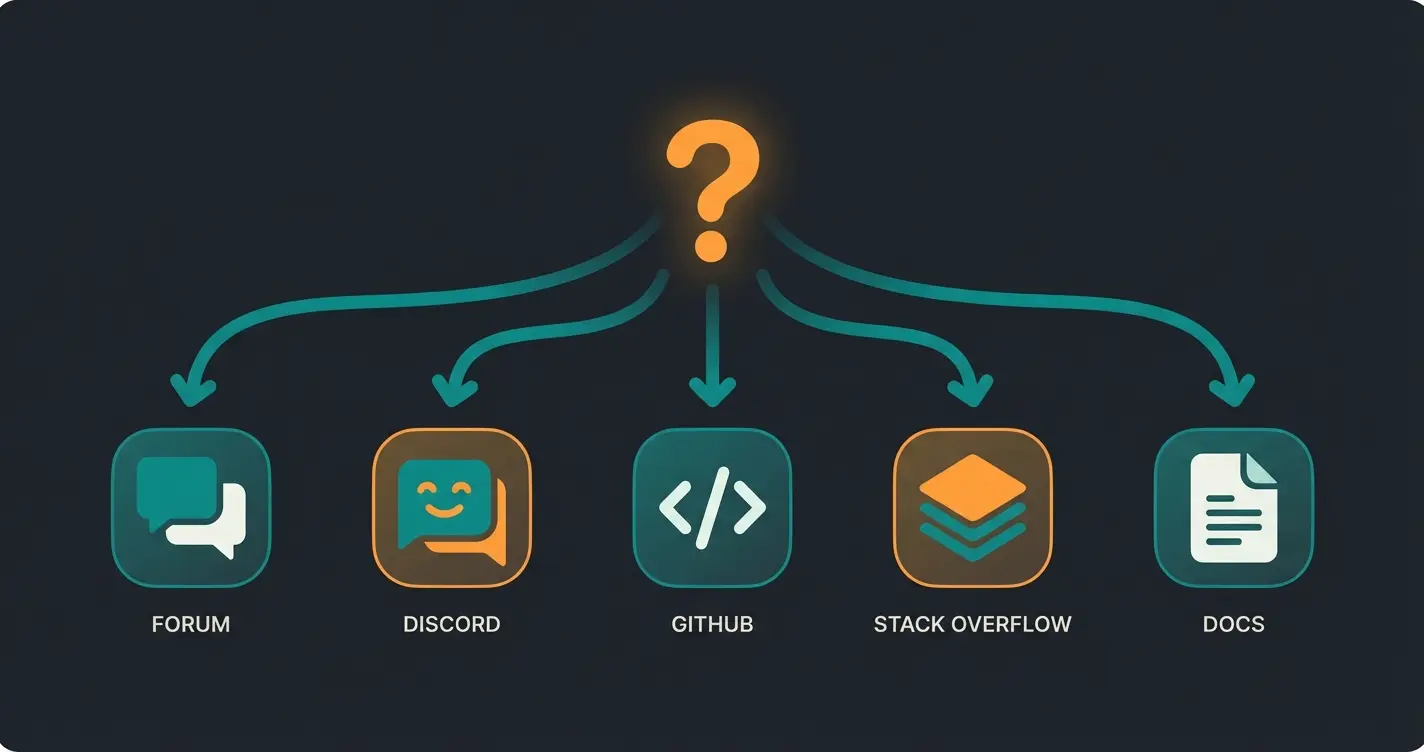
The Shopware community forum is not your only option. Shopware maintains several support channels, each suited to different types of questions. Choosing the right one saves time and gets you better answers.
| Channel | Best for | Response time | Audience | Key strength |
|---|---|---|---|---|
| Forum | General questions, troubleshooting | Hours to days | Merchants and developers | Searchable archive, structured threads |
| Discord | Real-time developer chat | Minutes to hours | Primarily developers | Fast, conversational, tag-based channels |
| GitHub | Bug reports, feature requests | Days to weeks | Developers | Direct link to codebase, official triaging |
| Stack Overflow | Code-level issues | Varies | Developers | Globally indexed, voting system |
| Official Docs | Self-service reference | Immediate | Everyone | Always available, authoritative |
Shopware moved its community chat from Slack to Discord in mid-2025. If you are looking for the old Slack workspace, it no longer exists. Join the Discord server at chat.shopware.com instead. Discord uses forum-style channels and tags, with #shopware-development serving as the main hub for technical discussions.
The forum remains the best choice for questions that benefit from a permanent, searchable record. If your question involves screenshots, error logs, or step-by-step reproduction, the forum's threaded format works better than Discord's chat flow.
For Shopware 6 support options beyond the community, including official maintenance contracts, our detailed guide covers the full landscape. For a broader overview of all available Shopware help resources, we have mapped every channel.
GitHub is where you report bugs and request features. The Shopware GitHub Repository uses Discussions for RFCs and proposals. If you found a reproducible bug with clear steps, this is where it belongs. The Shopware Developer Documentation is the reference layer underneath all of this.
One pattern I see regularly: a merchant posts a question on Discord, gets a quick answer, and the solution is lost within 48 hours. The same question appears on the forum two weeks later from someone else. If you get a good answer on Discord, consider posting a summary on the forum. Future merchants will thank you.
When a Shopware agency is the better choice
Community support works well for general questions and well-documented issues. It has clear limits.
Complex custom plugin development, urgent production outages, security vulnerabilities, and migration projects all fall outside what a community forum can reliably solve. When your checkout is broken and every hour costs revenue, waiting for a volunteer to answer your forum post is not a realistic strategy.
For these situations, professional support is the better investment. You can automate your support workflows to handle routine customer questions while your team focuses on the technical issues that actually require expertise. If you need immediate help, Shopware phone support options exist for critical situations.
More traffic only matters if visitors get the help they need. A KI-Mitarbeiter advises your Shopware customers in real-time, answering product questions and guiding purchase decisions. Our clients see up to +35% higher cart values and +60% checkout rates.
Book a demoShopware 5 forum: what changes after end of support?
Shopware 5 reached end of life in July 2024. No more official security patches, no more feature updates. The forum section for Shopware 5 still exists, but activity is declining steadily.
Existing threads remain searchable, and that archive still has value for merchants who have not yet migrated. But new questions in the Shopware 5 category get fewer responses each month as community knowledge shifts entirely to Shopware 6.
For merchants still running Shopware 5, the forum is no longer a reliable support channel. Third-party providers like safefive offer paid long-term support, but the recommended path forward is migration. For a full breakdown of timelines and implications, see our guide on Shopware 5 end of life.
Tips for getting faster answers in the Shopware forum
- Post during European business hours (9am-5pm CET). The community is overwhelmingly DACH-based, and response times outside these hours drop significantly.
- Build reputation by answering others. Active contributors get faster responses because the community recognizes their usernames and effort.
- Use correct tags and categories. A Shopware 6 question posted in the general section gets less visibility than one in the dedicated Shopware 6 category.
- Follow up on your own threads. If a suggested solution did not work, say so with details. If it worked, mark it as solved.
- Keep one question per thread. Multi-part questions confuse respondents and reduce your chance of getting a complete answer.
- Reference documentation links. It shows you did your homework and helps others understand your starting point.
The merchants who get the most out of the forum are the ones who treat it as a two-way exchange. Answer when you can, share solutions when you find them, be specific about your setup. The community remembers consistent contributors.
Conclusion: using the forum as your first stop for help
The Shopware community forum is the best starting point for most support questions. It is free, searchable, and backed by years of accumulated knowledge from thousands of merchants and developers.
Match your problem to the right channel. General questions go to the forum. Real-time developer issues go to Discord. Bugs go to GitHub. And when community help is not enough, professional support fills the gap. For the complete picture of all options, see our Shopware Support Guide.
Community support keeps your store running. A KI-Mitarbeiter turns your visitors into customers with real-time product advice, cross-selling, and guided checkout. Qualimero clients average 16x ROI.
See it in actionFAQ: Shopware forum
Yes. Registration and participation are completely free. You do not need a Shopware license or paid plan to post questions or contribute answers.
Response times vary by topic and category. Common questions in the Shopware 6 German section typically get answers within a few hours. Niche or complex issues may take days, and some questions receive no response at all.
Yes. The forum has a dedicated Shopware 6 English category. English posts are accepted and regularly answered, though the majority of activity is in German.
Both. The forum serves merchants with configuration and usage questions as well as developers working on plugins, themes, and API integrations. Some categories lean more technical, but merchant-focused questions are welcome.
Shopware moved its community chat from Slack to Discord in mid-2025. The Slack workspace no longer exists. You can join the Discord server at chat.shopware.com for real-time developer conversations.

Lasse is CEO and co-founder of Qualimero. After completing his MBA at WHU and scaling a company to seven-figure revenue, he founded Qualimero to build AI-powered digital employees for e-commerce. His focus: helping businesses measurably improve customer interaction through intelligent automation.