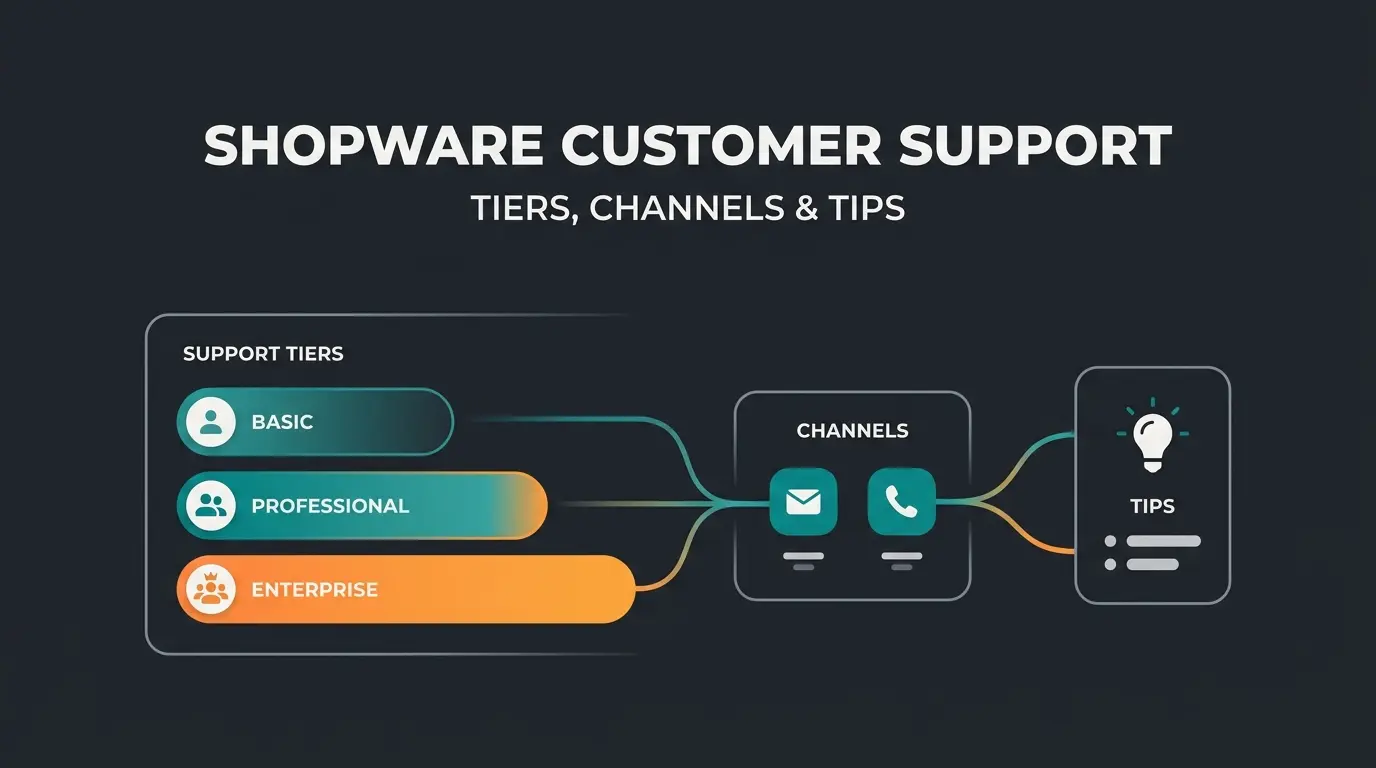
Shopware support: all options at a glance
Every Shopware merchant eventually hits a problem that needs outside help. A plugin breaks after an update, the checkout stops processing payments, or customers flood your inbox with questions your team cannot keep up with. The question is not whether you need support, but which channel matches the problem. For a full overview, see our complete Shopware guide.
There are five main Shopware service channels available in 2026, and most merchants only know one or two of them. That knowledge gap costs real time and money. Official Shopware support, agency retainers, freelancers, community forums, and AI-powered automation each cover different territory. Understanding what each channel does, what it costs, and where it falls short is the first step toward building a Shopware customer support strategy that actually works for your shop size and budget.
The table below breaks down each option by cost, response time, scope, and limitations. Use it as a decision framework before committing budget to any single channel. The cost figures are based on current market rates across the DACH region as of early 2026.
| Support channel | Cost | Response time | Best for | Limitations |
|---|---|---|---|---|
| Official Shopware support | Included from Rise edition | 4-24 hours (weekdays) | Platform bugs, licence issues, core updates | No custom code, no third-party plugins, no weekends |
| Agency retainer | From EUR 500/month | 1-4 hours (SLA-backed) | Individual shop issues, strategy, updates, emergencies | Ongoing cost, potential vendor lock-in |
| Freelancer | EUR 50-150/hour | Variable (hours to days) | Targeted technical tasks, one-off fixes | No 24/7 coverage, no SLA, no strategic guidance |
| Community (Discord, forum) | Free | Unpredictable | General questions, known issues, best practices | No guarantees, no accountability, no emergency support |
| AI automation | From EUR 49/month | Instant (24/7) | Recurring customer queries, product advice, order status | Complex edge cases require human escalation |
The smartest approach for most mid-sized shops is a combination of channels. A typical setup uses official support for platform issues, an agency for strategic maintenance, and AI automation for day-to-day customer service. That covers every scenario without overspending on any single channel. A shop doing EUR 30,000 in monthly revenue might spend EUR 600 on the Rise licence, EUR 500 on a lightweight agency retainer, and EUR 49 on AI customer support, totalling EUR 1,149/month for comprehensive coverage.
Official Shopware support: what is included?
Shopware's official support is tied directly to your licence edition, and the differences are significant. Many merchants open tickets expecting help with custom plugin conflicts or theme issues, only to have them rejected. Understanding what each tier actually covers prevents wasted time and misplaced expectations. You can reach the official team through the Shopware contact page or through the ticket system in your Shopware account.
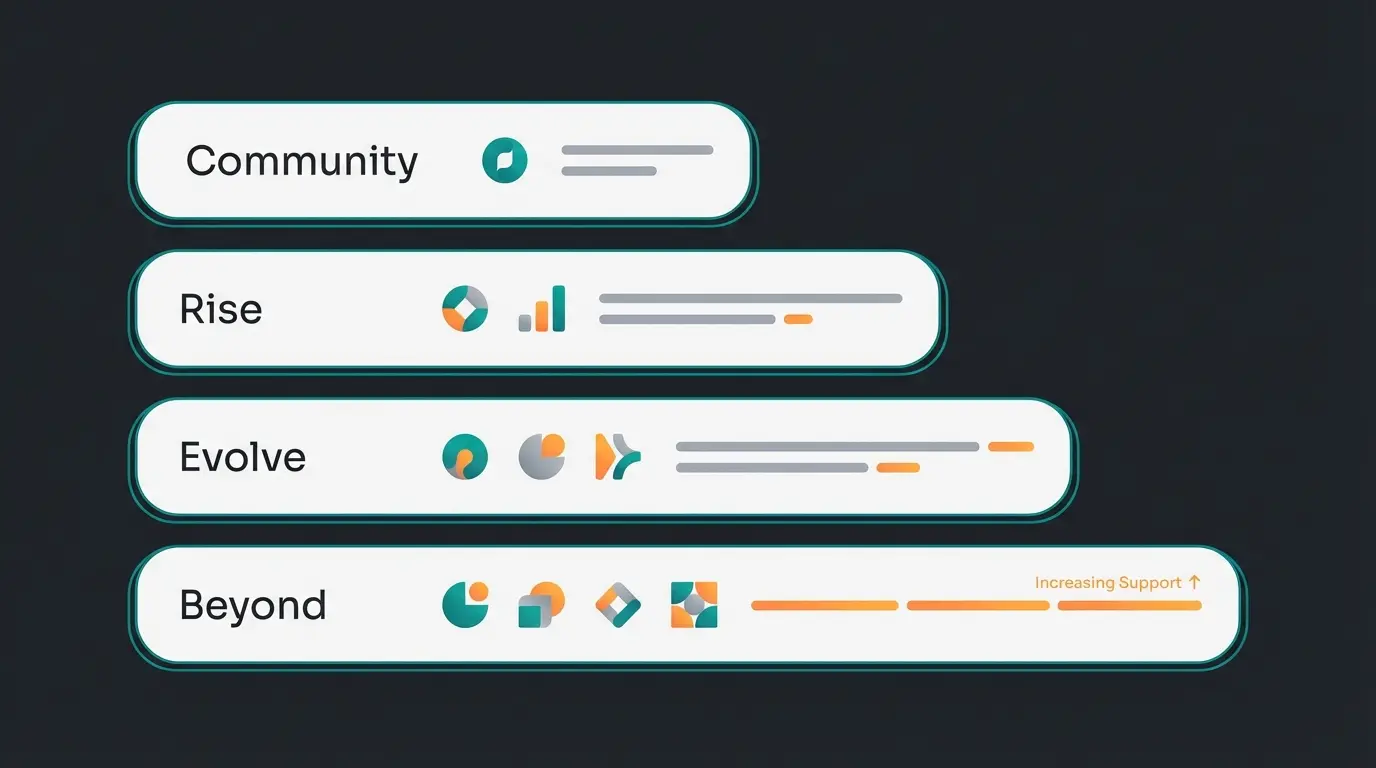
Community Edition is free and includes no direct support whatsoever. You rely entirely on documentation, the forum, and your own troubleshooting skills. This works for technically skilled developers running small projects, but becomes a bottleneck when critical issues arise during peak sales periods.
Rise (EUR 600/month) is the entry point for official support. You get access to the ticket system (Shopware Support Phone options vary by tier) with response times of approximately 8 hours on weekdays. The scope covers platform bugs, licence questions, and core software issues, but nothing related to your individual shop configuration.
Evolve (EUR 2,400/month) adds a guaranteed 24-hour response window and B2B components including individual price lists, budgets, and representative functions. The support scope remains focused on the platform, but the faster response and additional features make this the sweet spot for growing B2B shops.
Beyond (EUR 6,500/month) provides the most comprehensive official support: priority handling with response times as low as 4 hours for critical issues, a dedicated account manager, strategic consulting, and early access to new features. For complex, high-revenue shops that depend on rapid issue resolution, Beyond is the only edition that delivers true enterprise-grade platform support. For the full comparison, see our Shopware 6 support deep dive.
- Ticket system: Accessible via your Shopware account, tickets are processed by priority level
- Response times: Community: none | Rise: ~8h | Evolve: 24h | Beyond: 4h for critical issues
- Covered: Platform bugs, security vulnerabilities, licence questions, core software update problems
- Not covered: Third-party plugin conflicts, custom code, theme issues, performance optimization
- Languages: German and English
- Availability: Weekdays only, no weekend or holiday support hours
Shopware 5 support end: what to do now
The Shopware 5 end-of-life is official. No security updates, no bug fixes, no official support. If you are still running a Shopware 5 shop in 2026, you are operating on borrowed time, and the risks compound with every month you delay.
The EOL timeline is clear: since mid-2024, no new features have been released. Since the end of 2024, only critical security patches were provided. As of 2026, even that has stopped entirely. Every newly discovered vulnerability stays open, turning your shop into a potential target for attacks. According to endoflife.date, Shopware 5.5 (the last major release) reached end-of-life in July 2024.
The consequences extend beyond security. Payment providers like PayPal, Klarna, and Stripe are discontinuing support for Shopware 5 plugins one by one. When your payment integration breaks, revenue stops, overnight. Plugin developers have stopped investing in Shopware 5 compatibility entirely. The ecosystem has moved on.
Migration to Shopware 6 is not a simple update. It is a rebuild. Existing licences do not transfer because Shopware 6 was developed from scratch, meaning Shopware 5 plugins are incompatible and templates need to be recreated. Depending on shop complexity, migration takes 4 to 12 weeks and requires careful planning. The third-party vendor safefive offers commercial long-term support for Shopware 5, providing security patches for at least 5 more years. That buys time, but it does not solve the underlying problem. Read the full migration path in our Shopware 5 end of life guide.
Agency support: ongoing maintenance and SLAs
For most Shopware shops, agency support is the most important channel for day-to-day operations. Checking Shopware Reviews before committing to any partner is always worthwhile. While official support only covers platform-level issues, a Shopware full-service agency handles everything specific to your individual shop: plugin conflicts, theme customizations, performance optimization, update management, and strategic development planning.
Agency pricing typically follows one of three models: monthly retainers, hourly packages, or project-based billing. Each has trade-offs that depend on your shop's size and needs. A retainer gives you predictable costs and guaranteed SLA response times, which matters when your shop generates significant daily revenue. Hourly packages offer flexibility but can be exhausted quickly during emergencies. Project-based billing works for one-off tasks but provides no ongoing coverage when unexpected issues arise.
| Feature | Retainer model | Hourly package | Project-based |
|---|---|---|---|
| Monthly cost | EUR 500-3,000 fixed | EUR 80-150/hour | Per scope |
| Response time | 1-4 hours (SLA) | Next business day | Individually agreed |
| Updates and maintenance | Included | Billed separately | Not included |
| Strategic consulting | Often included | Billed separately | Not included |
| Emergency support | 24/7 possible | Surcharge applies | Not included |
| Best for | Shops above EUR 50k/month revenue | Smaller shops with occasional needs | One-off projects or migrations |
When evaluating agencies, check whether they are a certified Shopware partner (see our [Shopware Full-Service Agency](/blog/shopware-consulting) comparison), which ensures they meet Shopware's quality and training standards. Ask for references in your specific industry. Clarify whether support extends beyond business hours, because shop problems do not respect office schedules, especially during Black Friday, holiday sales, or campaign launches. Most importantly, ensure you retain access to all passwords, repositories, and hosting credentials. Vendor lock-in is one of the biggest risks in e-commerce. For honest user experiences with agencies, check Shopware reviews before committing to a long-term contract.
A practical alternative to a full agency retainer is working with a specialized Shopware freelancer. Freelancers are often more affordable (EUR 50-150/hour) and can handle targeted technical tasks effectively. The trade-off: no SLAs, no emergency support, and no strategic guidance. For shops with limited budgets and occasional technical needs, a freelancer combined with community support can be a viable interim solution.
Community support: forum, Slack, and open source
Shopware's open-source roots mean a large, active community of developers and merchants sharing solutions daily. For general questions and known issues, community support is often the fastest and cheapest option. The Shopware 6 forum and the broader community ecosystem deserve a place in every merchant's support toolkit, even if they should never be your only resource.
The key community channels in 2026:
- [Shopware Community Forum](https://forum.shopware.com/): The oldest and most comprehensive channel with years of accumulated solutions. Search before posting, as most common problems have already been solved with detailed answers
- Discord (replacing Slack): Shopware's community moved from Slack to Discord in 2025 because Slack's free plan deleted messages after 90 days, destroying the knowledge base. Discord now hosts over 8,000 developers with active channels for development, plugins, and general questions. Shopware employees participate regularly
- GitHub: For reproducible bugs and feature requests against the core software. The Shopware core team typically responds within days. This is the right channel for actual software defects, not configuration questions
- Stack Overflow: For specific developer questions. Use the 'shopware6' tag for better visibility. Response quality is generally high but volume is lower than the forum
- Community events: Meetups, hackathons, and the annual Shopware Community Day conference offer networking, knowledge sharing, and direct access to the Shopware team
The limitations are obvious and worth stating plainly: no guaranteed responses, no SLAs, no accountability. For critical shop issues that need resolution within hours, community support is not a reliable channel. A question posted on a Friday evening might not get a useful answer until Monday. Use community resources as a supplement and a research tool, not as your primary support lifeline.
Automating support: AI employees for Shopware shops
AI employees cover the part of support Shopware itself does not: the questions your customers ask. Product advice, shipping status, returns. They read your live product data, answer in under five seconds, and work at 11pm on a Sunday. As of Q3 2026 this is the only support channel that grows without adding headcount.
That split is the part merchants get wrong. Official support, an agency, and the forum solve problems with your shop. Customer support inside the shop solves problems for your buyers. Two entirely different categories, constantly thrown into the same bucket.
That is where AI employees earn their place in the stack. Up to 80% of recurring customer inquiries get resolved without anyone on your team touching them, and that number is what decides whether the setup effort pays off at all.
One distinction decides whether this works or fails. Level one is the static FAQ page: it answers exactly the questions somebody wrote down in advance, and nothing else. Level two is a rule-based dialogue system that follows predefined paths and gives up the moment a customer phrases something unexpectedly. Level three is an AI employee that understands context and pulls its answers live from the Shopware catalogue: properties, variants, stock levels, categories. Change an attribute in the backend, and the answer in the next customer conversation changes with it. Nobody maintains an answer library.
Bolting a generic language model onto your shop does not get you there. A model trained on the open web does not know your stock levels, your prices, or which variant you actually carry, so it fills the gap with something plausible. The grounding step, querying your live catalogue before the answer is generated, is the entire difference between a product advisor and a confident guess. That is also what lets the system tell whether a customer needs lawn fertiliser for sandy soil or heavy clay.
Proactive advice is the part that moves the numbers. An AI employee does not wait to be asked. It knows your assortment, reads the need out of the conversation, and recommends fitting products the way a trained sales advisor does on a shop floor. That lifts satisfaction, conversion rate, and average cart value at once. Qualimero clients report a +35% increase in cart value and a +60% increase in checkout completion on average.
Handled without manual intervention, support effort down 40%
The pattern is not limited to mid-sized retailers. According to Klarna, its AI assistant took over two-thirds of all customer service chats in its first month, ran 2.3 million conversations across 23 markets and 35 languages, and did what the company described as "the equivalent work of 700 full-time agents". Average resolution time dropped from 11 minutes to under 2. Klarna put the profit effect for 2024 at 40 million US dollars.
The second half of that story belongs here too. In 2025 Klarna started hiring human agents back because service quality had slipped, with its CEO conceding the company had pushed automation "too far" (CX Dive). Strip the humans out completely and you pay for it somewhere else. Complex technical cases, special requests, and genuinely angry customers still belong with a person. The split that holds up in practice: the AI employee takes the recurring 80%, your team takes the 20% where judgement decides the outcome.
Integration into your Shopware shop is technically straightforward, as our Shopware Support Automation guide explains. The AI connects via API to your product data, shipping rules, and order system. No changes to your theme or checkout process are required. Most implementations go live within 3 to 5 days. What that looks like on the service side is spelled out on our AI customer service page.
Common Shopware problems and how to fix them
Most Shopware support issues fall into three categories: technical shop errors, customer-facing problems like order tracking and account access, and return processing failures. Here is how to diagnose and fix each without opening a support ticket. Everything below is the Shopware help you can apply yourself, worked through in the order a support engineer would use.
- White screen after update: Clear the cache via CLI with `bin/console cache:clear`. If that fails, manually delete the `var/cache` folder and retry
- Plugin conflict after installation: Deactivate all third-party plugins, then reactivate one by one to identify the culprit. Check log files under `var/log` for specific error messages
- Checkout not working: Verify payment plugin version and compatibility. Outdated payment plugins after a Shopware update are the single most common cause of checkout failures
- Slow page speed: Enable HTTP caching and Varnish. Compress images. Deactivate plugins you are not actively using. Each inactive plugin still adds overhead
- Emails not sending: Check SMTP settings under Settings > System > Mailer in the admin panel. Send a test email. Check the recipient's spam folder before assuming the configuration is broken
- Products not showing in frontend: Check visibility in category assignment. The product must be assigned to a sales channel category and set to active status
- Search returns no results: Rebuild the search index via CLI with `bin/console dal:refresh:index`. Check Elasticsearch connection if configured
- Admin not loading or showing errors: Clear browser cache and cookies. Rebuild the admin with `bin/console bundle:dump` and `bin/build-administration.sh`
Beyond technical shop errors, three types of customer-facing issues generate the most support volume: order status confusion, account access failures, and returns processing. According to Gorgias, "Where is my order?" queries account for roughly 30% of all e-commerce support tickets. Handling these correctly inside Shopware prevents unnecessary escalations.
Order status issues
Delayed order status updates are typically caused by webhook misconfigurations between Shopware and your payment provider. Check Settings > System > Event Actions in the admin panel and verify that the webhook URL matches your current domain with a valid SSL certificate. If status notification emails stop sending, confirm the mail template for the specific status transition exists and is active under Settings > Shop > Email Templates.
To manually correct a stuck order status, navigate to Orders in the admin panel, select the order, and update the status dropdown. Shopware logs every status change, making this safe and reversible. If bulk orders are stuck in a pending state after a payment plugin update, clearing the message queue with `bin/console messenger:consume` often resolves the backlog.
Customer account problems
Login failures usually trace back to an expired session cookie, a corrupted customer record, or a misconfigured sales channel assignment. Have the customer clear cookies and retry first. If the problem persists, check whether their account is assigned to the correct sales channel under Customers in the admin panel.
Password reset emails depend on functional SMTP settings (see the troubleshooting list above). Guest checkout accounts cannot log in by design. If a customer placed a guest order and now wants account access, they need to register with the same email address. Shopware does not automatically merge guest and registered accounts, so order history from guest purchases will not appear in the new account.
Returns and refund processing
Shopware 6 does not include a built-in RMA (Return Merchandise Authorization) system. Most merchants handle returns through third-party plugins or their ERP system. For refund workflows, navigate to the order in the admin panel, create a credit note, and process the refund through your payment provider. Partial returns require manual adjustment of the credit amount.
Configure your return policy under Settings > Shop > Basic Information, where customers can view it in their account area. For shops processing more than 50 returns per month, automating the refund workflow through an ERP integration or an AI employee significantly reduces manual processing time and error rates.
- Create a full backup (files and database)
- Document your Shopware version and PHP version
- Note the exact error message (screenshot or log entry)
- Check log files: `var/log/prod-[date].log`
- Deactivate all third-party plugins as a test
- Clear cache (admin panel and CLI)
- Reproduce the problem with the default theme
- Check browser console for JavaScript errors
- If unresolved: open a ticket with all collected information
Frequently asked questions about Shopware support
You reach official support through the Shopware account at account.shopware.com, where you can create tickets and track existing requests. Phone callbacks are available for Evolve and Beyond customers during weekday business hours (Monday to Friday, 8:00-17:00 CEST). Rise users have basic ticket access, while Community Edition users have no direct support.
Official support is included in Rise (EUR 600/month), Evolve (EUR 2,400/month), and Beyond (EUR 6,500/month) licence fees. The Community Edition is free but includes no support. Agency retainers start at EUR 500/month or EUR 80-150/hour. AI-powered customer support starts at EUR 49/month.
No. Official Shopware 5 support ended entirely in 2026. No security updates, no bug fixes, no patches. The third-party vendor safefive offers commercial long-term support for merchants who cannot migrate immediately, but the urgent recommendation is to migrate to Shopware 6 as soon as possible.
Response times depend on your edition. Rise users receive responses within approximately 8 hours. Evolve customers get a guaranteed 24-hour response. Beyond customers have priority handling with up to 4-hour response times for critical issues. Official support is unavailable on weekends and holidays.
Yes, and very effectively. AI employees can automatically answer recurring customer inquiries about products, shipping, returns, and order status, reducing your support workload by up to 80%. Technical shop problems still require human expertise, but customer-facing support is where AI delivers the highest ROI, with clients reporting up to 16x return on investment.
It depends on your shop size and technical capabilities. For shops above EUR 50,000 monthly revenue, an agency retainer is typically worth the investment for SLA-backed response times and strategic guidance. Smaller shops can combine freelancer support with community resources and AI automation for customer service.
Official Shopware support does not operate on weekends. Your options are an agency contract with 24/7 emergency SLA, basic troubleshooting skills within your team (see the checklist above), or restoring from a recent backup. Having a current backup is the single most important safeguard against extended weekend downtime.
A rule-based system follows predefined paths and breaks the moment a customer phrases something unexpectedly. An AI employee understands context and pulls its answers live from your Shopware catalogue, including variants and stock levels. At Rasendoktor that setup handles 100% of web-chat inquiries automatically, at a 16x return on investment.
Conclusion: finding the right support mix
There is no single perfect Shopware support channel. The right strategy is always a mix of channels, matched to your shop size, budget, and technical capabilities. A shop doing EUR 100,000 in monthly revenue needs a different support setup than a startup doing EUR 5,000.
The most important insight from testing and deploying across dozens of Shopware shops: separate technical shop support from customer support. For technical problems, you need a combination of official support, an agency, and community resources. For customer support, the questions your buyers ask about products, shipping, and returns, AI automation is the most efficient solution in 2026. It works around the clock, scales without additional headcount, and improves the shopping experience simultaneously.
Start with an inventory: What support requests do you receive most frequently? How much time and money do you currently invest in support? Where are the biggest bottlenecks? With those answers, you can build the support mix that keeps your shop running reliably and your customers coming back.
Share of recurring inquiries handled by AI employees without human intervention
Range from Beyond (4h critical) to Evolve (24h standard)
Monthly minimum for SLA-backed agency support in the DACH region
More traffic is only half the equation. An AI employee turns visitors into buyers, advising your customers 24/7 on products, shipping, and returns. Qualimero clients see a 7x conversion increase on average.
Book a free demo
Kevin is CTO and co-founder of Qualimero. As an AI architect with over 15 years of experience as CTO and CPO in the tech industry, he designs the AI systems that automate tens of thousands of customer interactions daily for Qualimero's clients — reliably, securely, and at scale.