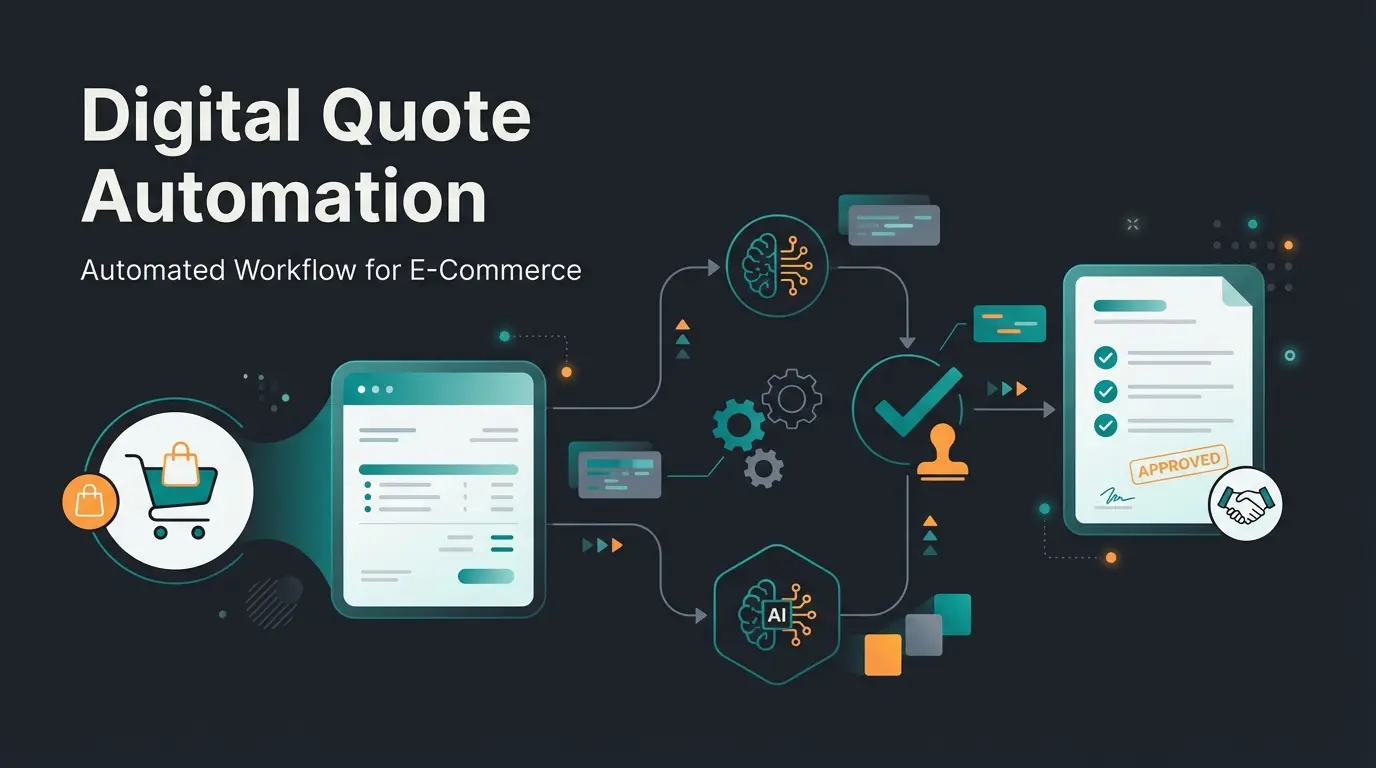
Why Your CRM Data Must Do More Than Send Newsletters
In the e-commerce world, the phrase 'data is the new gold' has become a worn-out cliché. But if we're honest about the current landscape of Shopware CRM integrations, most merchants treat their data more like scrap metal: collected, stored in large containers (the CRM), and rarely retrieved for actual use.
The reality in most Shopware 6 stores looks like this: A customer makes a purchase, and the data gets transferred via plugin to HubSpot, Salesforce, or Greyhound. There it sits. Maybe it triggers an automated 'thank you' email or lands in a segmentation list for the next Black Friday newsletter. This is passive data usage at its finest—and it's leaving money on the table.
But what happens when that customer returns to your site two weeks later? In 99% of cases, the store treats them like a complete stranger. They see the same homepage, the same bestsellers, and the same banners as every other visitor. This represents your massive growth opportunity.
We're standing at the threshold of a new era: the transition from pure data synchronization to Intelligence Activation. Imagine your Shopware CRM integration not just storing data, but transmitting it in real-time to an AI agent that greets the customer: 'Hello Thomas, great to see you again! How did you like the running shoes you bought last month? I have the matching socks here that are currently on sale.'
This article isn't a technical manual for plugin installation. It's a strategic guide on how to design your CRM landscape so it doesn't just manage data—it actively sells. With the right AI product consultation approach, you can transform passive archives into revenue-generating engines.
The Status Quo: Why Standard Integrations Leave Money Behind
To understand why the new AI approach is so revolutionary, we need to briefly analyze how Shopware CRM integrations traditionally function. Analysis of current top search results reveals a clear picture: it's almost always about administration, rarely about active selling.
The 'Dead Archive' Trap
Most agencies and plugin manufacturers sell integrations with the promise of a '360-degree customer view.' That sounds impressive, but in practice it often means the support agent can see what the customer ordered in the backend. According to Greyhound Software, this helps with complaints, but it doesn't sell a single new product.
The data flows in a one-way street: First, a customer orders in Shopware. Then a connector pushes data to the CRM. Finally, the CRM archives data for reporting or newsletters. The customer never benefits from this during their actual shopping experience.
The Latency Problem
Classic marketing automation (via Klaviyo or HubSpot) often reacts with delay. The customer leaves the store, and then they receive an email. As noted by Shopware's official marketplace, the conversion rate of emails is decent, but the conversion rate of direct engagement while the customer is purchase-ready in the store is potentially many times higher.
The Missed Personalization Opportunity
Customers expect personalized experiences and become frustrated when they're absent
Companies using AI-powered personalization can boost revenue by up to 40%
Percentage of browsing visitors who don't buy—ignored by standard CRM integration
Studies for 2025 from Salesso show that 71% of customers expect personalized experiences and are frustrated when these are missing. Even more important: according to HelloRep.ai, companies using AI-powered personalization can increase their revenue by up to 40%. A standard integration that only synchronizes address data cannot unlock this potential. This is where AI Customer Service solutions become essential.
Top CRM Systems for Shopware 6: The AI Readiness Check
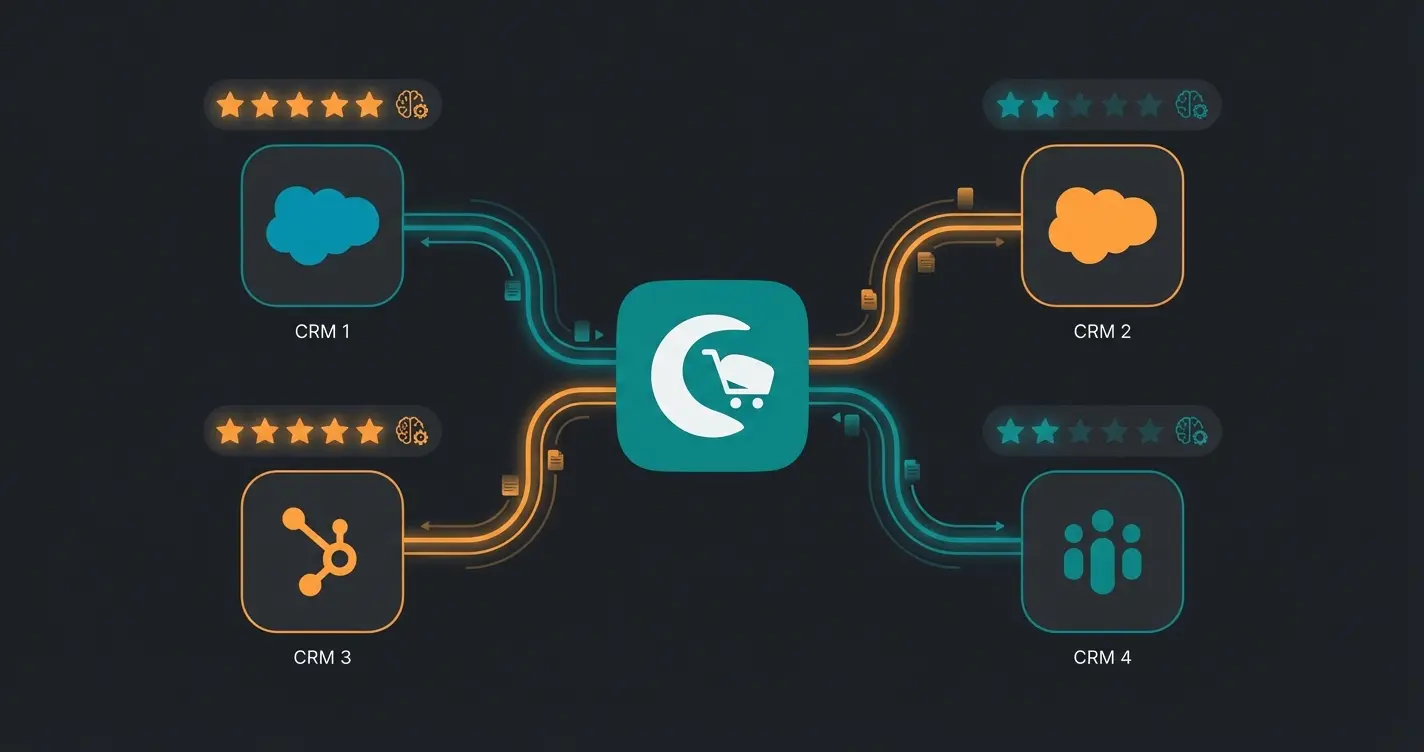
Not every CRM is equally suited to serve as the 'brain' for an AI sales consultant. We've analyzed the most popular systems in the DACH region—not just by their standard features, but by their value for an active sales strategy. Understanding which system pairs best with Shopware 6 chatbots is crucial for maximizing your investment.
HubSpot: The Marketing Giant
HubSpot is often the first choice for inbound marketing. The integration with Shopware is well-covered through various plugins, as detailed by EXWE and Shopware's extension store. Standard usage includes synchronization of contacts, deals (orders), and newsletter signups, plus email flows for cart abandonment.
AI Potential (High): HubSpot stores extremely detailed behavioral data—which pages were visited, which emails were opened. An AI agent can query via API whether the customer is in 'Sales Qualified Lead' status and proactively offer them a discount code in the Shopware frontend to close the deal.
Salesforce: The Enterprise Solution
For large merchants, Salesforce is often the default choice. The integration is more complex and typically runs through middleware like APIcenter or custom interfaces. According to Firebear Studio, standard usage includes deep B2B customer management, complex pricing, and multi-channel support.
AI Potential (Very High): Salesforce Einstein (its own AI) is powerful but often trapped in the backend. A Shopware AI can access B2B contract conditions stored in Salesforce and suggest to the buyer in the shop: 'You still have 10% budget open for this quarter—would you like to replenish your standard supplies now?'
Greyhound & Zendesk: The Support Specialists
Greyhound is extremely popular in the German Shopware ecosystem because it perfectly connects communication and order data, as shown at Greyhound Software. Zendesk is the international standard. The primary use is a ticket system where support sees what the customer ordered in the Shopware store.
AI Potential (Medium to High): The treasure here lies in unstructured data. The customer contacted support three months ago about a fit question ('Does Brand X run small?'). When they now enter the store, an AI Chatbot for E-Commerce can use this info: 'Note: You asked last time—for this model we recommend one size larger.' That's service that delights.
Weclapp & Pickware: The ERP Hybrids
The boundaries between ERP and CRM often blur. Weclapp and Pickware are deeply integrated into Shopware, as explained by weclapp.com and Storetown Media. Standard usage covers inventory management, stock levels, and invoicing.
AI Potential (Logistics Focus): The AI doesn't just check customer preferences but also real-time inventory levels from weclapp. 'I see you like red sneakers. We only have 2 pairs left in your size in stock—shall I reserve one?' This combines AI sales assistants with real-time inventory intelligence.
Technical Integration Methods: How Data Reaches the AI
To move from passive data storage to active consultation, we need to rethink the architecture of Shopware CRM integration. There are three main paths, each with distinct advantages for different use cases.
Method A: The Classic Plugin Approach (The Standard)
You install a plugin from the Shopware Store (e.g., 'HubSpot Integration' or 'Greyhound Connect'). The advantage is quick setup—often 'Plug & Play'—and it's cost-effective, typically €20-100/month. The disadvantage is rigidity: data is often synchronized only in intervals (cron jobs). For real-time AI consultation, this is often too slow. Best suited for reporting, email marketing, and basic support.
Method B: Middleware & iPaaS (The Flexible)
Services like Zapier, Make, or APIcenter sit between Shopware and the CRM. You can manipulate and filter data before it's sent. You can define triggers (e.g., 'When customer reaches VIP status, send Slack message to Sales'). The downside is it requires technical understanding, and costs scale with data volume. This approach is ideal for complex workflows and B2B processes.
Method C: The 'AI Layer' (The Future)
This is where it gets exciting. This is the approach that sets you apart from the competition. Instead of connecting Shopware and CRM directly, you use an AI layer (an 'AI Agent' or 'Copilot') that accesses both systems. This is where Conversational AI truly shines.
Customer engages with Shopware frontend via chat widget, voice, or dynamic content
AI agent queries CRM in real-time via API: 'Who is this? What do they prefer?'
AI agent queries Shopware in real-time: 'Which products match and are available?'
Hyper-personalized recommendation delivered in milliseconds to the customer
The architecture works beautifully: The customer interacts with the Shopware frontend. The AI Layer queries the CRM in real-time via API ('Who is this? What do they like?'). Simultaneously, the AI Layer queries Shopware ('Which products match and are available?'). The result is a hyper-personalized recommendation in fractions of a second.
Use Case: Intelligent Consultation in Practice
Let's illustrate the difference between a standard integration and an AI-powered solution with a concrete example. This comparison shows why the AI Employee Flora approach transforms customer experience.
Scenario: Customer 'Max' visits your outdoor store. He bought a tent 6 months ago (data in CRM) and clicked the newsletter about 'Winter Camping' 2 days ago (data in HubSpot Marketing Hub).
Scenario A: Standard Shopware CRM Integration
The shop displays 'Bestsellers of the Week' on the homepage (grilling accessories, because it's summer). The chatbot is rule-based and asks: 'How can I help? Choose: 1. Shipping status, 2. Return.' Max has to search manually. He finds nothing about winter camping on the homepage. He bounces. The CRM action comes 2 hours later: HubSpot sends a 'Cart Abandonment' email (if he added something). Too late.
Scenario B: AI-Powered Integration (Active Sales)
The shop recognizes Max via cookie or login. The AI Layer pulls from CRM: 'Bought tent' plus 'Interest in winter camping.' It pulls from Shopware: 'Matching winter sleeping bag for tent model X is in stock.' A subtle chat window or dynamic banner opens: 'Hey Max, planning a winter trip with your [Tent Model]? We just got the matching down sleeping bag that fits perfectly in your tent.' Max feels understood. Relevance is 100%. Purchase probability increases massively.
| Feature | Standard CRM Integration (Passive) | AI-Enhanced Integration (Active) |
|---|---|---|
| Data Usage | Historical reporting ('What was purchased?') | Real-time context ('What's needed now?') |
| Customer Interaction | Post-purchase (email after buying) | Live shopping (advice during visit) |
| Objective | Administration & Retention | Conversion & Upselling |
| Technology | Batch sync / Cron jobs | Real-time API calls / Vector search |
| Role of CRM | Data cemetery | Fuel for the AI |
This transformation from passive to active represents the core opportunity in modern e-commerce. With AI Chatbots connected to your CRM, every visitor receives the personal attention that previously required a dedicated sales team.
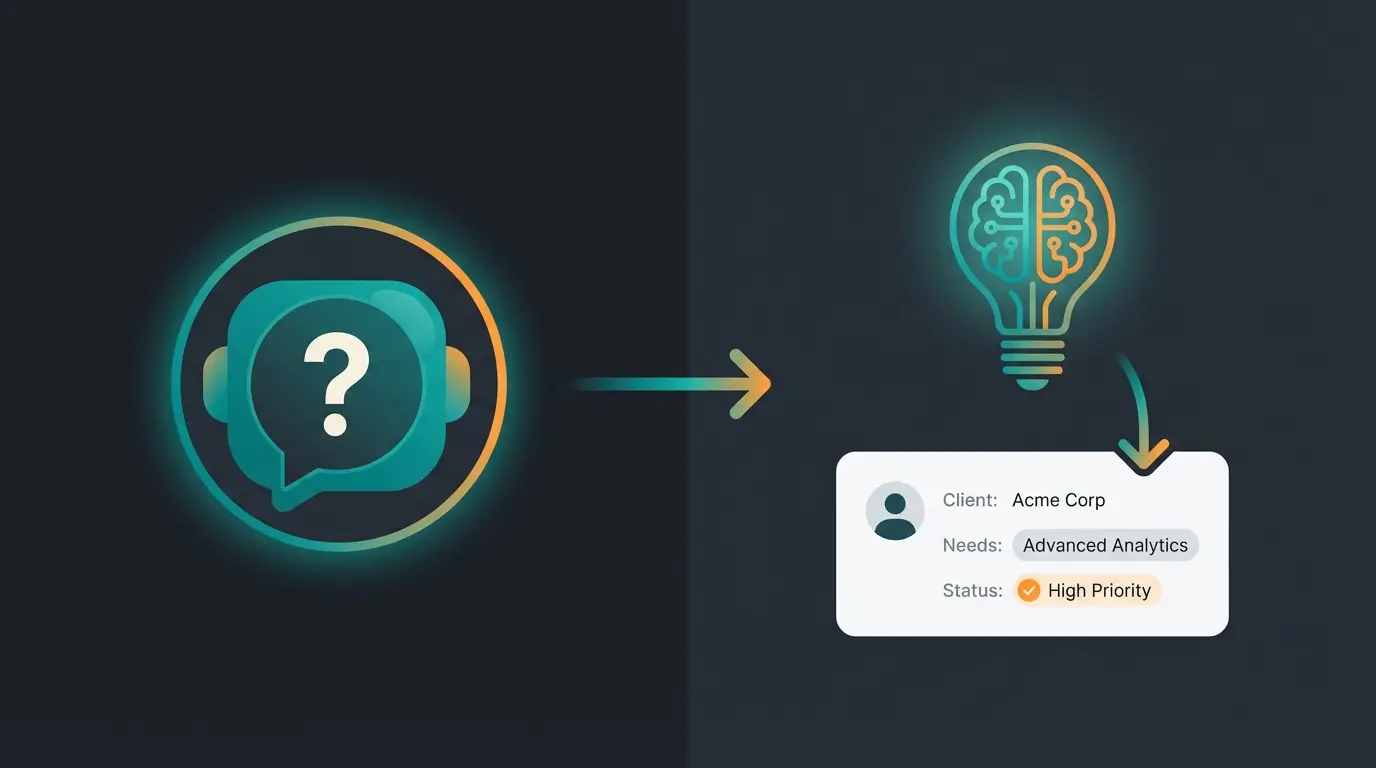
See how our AI turns your CRM data into active product consultation. Stop storing data and start selling with it.
Book Your DemoStep-by-Step: Planning Your AI-CRM Strategy
The leap to AI consultation sounds complex but is achievable with the right planning. Here's your roadmap for implementing an intelligent AI Chatbot for E-Commerce that leverages your CRM data effectively.
Step 1: Data Hygiene (Garbage In, Garbage Out)
Before you unleash an AI on your CRM, you need to clean up. Duplicates in Salesforce or outdated contacts in HubSpot confuse the AI and lead to embarrassing personalization failures.
- Use deduplication tools to eliminate duplicate customer records
- Ensure fields like 'Last Purchase Date' or 'Preferences' are cleanly mapped between Shopware and CRM
- Standardize data formats across systems (date formats, currency, product IDs)
- Remove inactive contacts that haven't engaged in 24+ months
- Verify email addresses and contact information accuracy
Step 2: Define the Consultation Logic
What should the AI do? Should it reduce support costs (Greyhound integration)? Should it increase cart value (cross-selling)? Should it help B2B customers with reordering? Start with one use case, such as 'Product recommendations based on purchase history.' This focused approach aligns with best practices for Shopware alternatives in 2025.
Step 3: Choose the Right Middleware or Connector
Don't rely solely on standard plugins if they don't offer API endpoints for real-time queries. Check solutions like APIcenter or Synesty that allow flexible data flows. Look at new AI tools that sit on top of Shopware (e.g., specialized chatbots or personalization engines like Nosto or Clerk.io that often bring AI approaches built-in).
Step 4: Privacy Compliance (GDPR/Data Protection)
Essential in Germany and across Europe. When an AI pulls data from the CRM to address the customer in the store, this must happen in compliance with data protection regulations. As emphasized by Shopware's compliance documentation, using EU server locations is critical.
- Ensure the customer has consented to tracking and data processing (Consent Manager)
- Use server locations in the EU (many German CRMs like Greyhound or weclapp score points here)
- Document data flows for audit purposes
- Implement data minimization principles—only access what's needed for the recommendation
- Provide clear opt-out mechanisms for personalized experiences
The AI Data Flow: Visualizing the Architecture
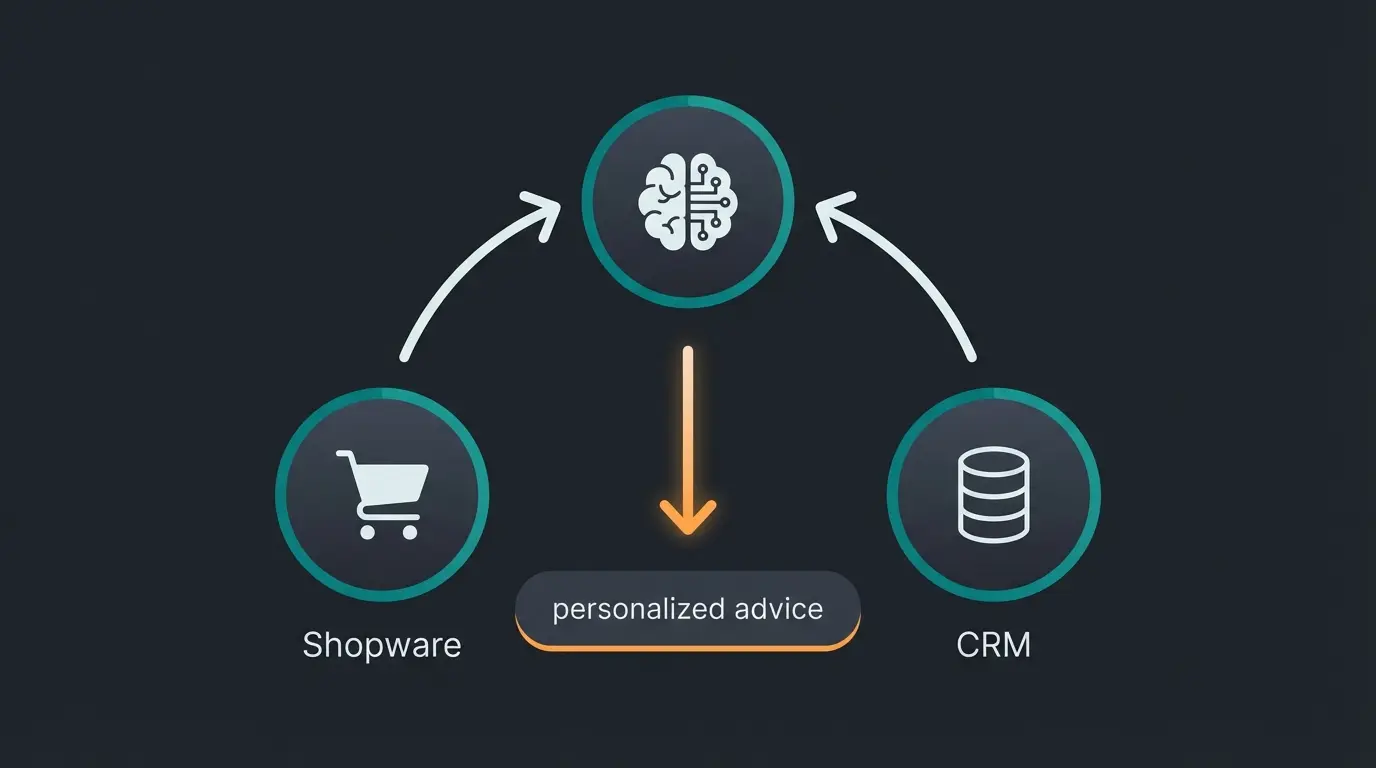
Understanding how the three core systems work together is essential for successful implementation. The AI consultant sits at the intersection of your e-commerce platform and customer data, creating personalized experiences in real-time.
Shopware 6 provides the foundation: product data, specifications, pricing, current inventory levels, and the customer's active shopping cart. This is the 'what can we sell' component that AI product consultation relies on for accurate recommendations.
Your CRM (whether HubSpot, Salesforce, or Greyhound) provides the customer context: purchase history, support tickets, stated preferences, email engagement, and segmentation data. This is the 'who are we selling to' component.
The AI Consultant combines both data streams in milliseconds to generate personalized advice. It understands context ('winter camping interest'), matches it with available products ('down sleeping bag in stock'), and delivers relevant recommendations before the customer even thinks to search.
Conclusion: Stop Storing, Start Selling
The era of pure data hoarding is over. A Shopware CRM integration in 2025 is no longer just an IT task—it's a strategic marketing instrument that directly impacts revenue.
The market leaders of tomorrow won't be those with the largest CRM. They'll be those who build the bridge between Data (CRM) and Experience (Shopware) fastest. While your competitors are still busy synchronizing address data, you can deploy an AI-powered strategy that provides a personal sales consultant for every single visitor.
Summary of Benefits
- Higher Conversion: Through relevant engagement at the right moment—when the customer is actively shopping, not hours later via email
- Better Customer Loyalty: Customers feel valued and understood when your store remembers their preferences and anticipates their needs
- Operational Efficiency: The AI handles consultation that previously happened manually or not at all, freeing your team for complex cases
- Competitive Advantage: While others treat CRM as an archive, you're using it as a real-time sales engine
Your next step is clear: Analyze your current integration. Is it just a data container? If yes, it's time for an upgrade to an active, intelligent solution. The technology exists today—the question is whether you'll implement it before your competitors do.
FAQ: Shopware CRM Integration Questions Answered
It depends on your goal. For inbound marketing, HubSpot leads the field with excellent behavioral tracking and automation. For complex B2B sales, Salesforce offers unmatched depth. For excellent customer support and ticket management, Greyhound is the German standard. For a combination of ERP and CRM, weclapp is a strong German solution. The key is matching the CRM's strengths to your AI consultation goals.
For standard plugins from the Shopware Store, usually not—you typically just need API keys. For the 'AI Layer' strategy described here or complex middleware connections, help from a specialized agency or integration partner is often advisable. Many solutions offer no-code configuration for basic setups, with developer access for advanced customization.
Shopware (no hyphen) is an e-commerce platform from Germany used by thousands of online stores. Shop-Ware (with hyphen) is software for auto repair shops from the USA. The confusion happens often in Google searches because the names are nearly identical—always look for the hyphen to distinguish them.
It shouldn't replace them—it should scale them. A human salesperson can't personally advise 5,000 visitors simultaneously. An AI fed with CRM data can do exactly that—and seamlessly hands off to human support for complex problems. Think of it as giving every visitor the quality of consultation that previously only VIP customers received.
Basic plugin integration takes 1-2 days. Middleware setup with custom workflows typically requires 2-4 weeks. Full AI Layer implementation with CRM integration, testing, and optimization usually takes 6-12 weeks depending on complexity. Starting with a focused use case (like product recommendations) accelerates time-to-value.
Don't just store customer data—use it to sell. Our AI solution transforms your Shopware CRM integration into a revenue-generating powerhouse.
Start Your Free Trial