Quick Help: Essential Phone Numbers and Contacts
Before we dive deep into the details of support plans, here are the most important contact points for a quick overview. When you're searching for "Shopware support phone," you likely don't have time to waste scrolling through endless documentation.
The Official Shopware Hotline
For general inquiries, sales questions, and administrative topics (not for direct technical support with bugs):
Important: When you dial this number, you'll typically reach the sales or general support team. If you have a technical problem (e.g., "My plugin XY is causing a 500 error"), they will most likely ask you to create a ticket through your Shopware Account. There is no direct "dial-through technician" who will immediately debug code for you, unless you have the highest enterprise plan. According to Shopware, this structure ensures proper ticket tracking and prioritization.
This distinction between the general hotline and technical support often confuses merchants who expect immediate technical assistance. The reality is that Shopware's support infrastructure is designed around a ticket-based system, with phone support serving primarily as a callback mechanism for technical issues.
Emergency Checklist: Before You Call
To save time and ensure efficient handling of your case, have the following information ready before reaching out:
- Your Shopware ID: You can find this in your Shopware Account dashboard
- The affected shop domain: Which URL is experiencing the issue?
- Your Subscription ID: Which plan are you using (Rise, Evolve, Beyond)?
- Error description: Screenshots, log files (from the `/var/log` directory), and steps to reproduce the issue
Having this information prepared can significantly reduce the time to resolution. Support technicians can begin investigating immediately rather than spending the first portion of your callback gathering basic information.
Shopware Support Plans Compared: Who Gets Phone Support?
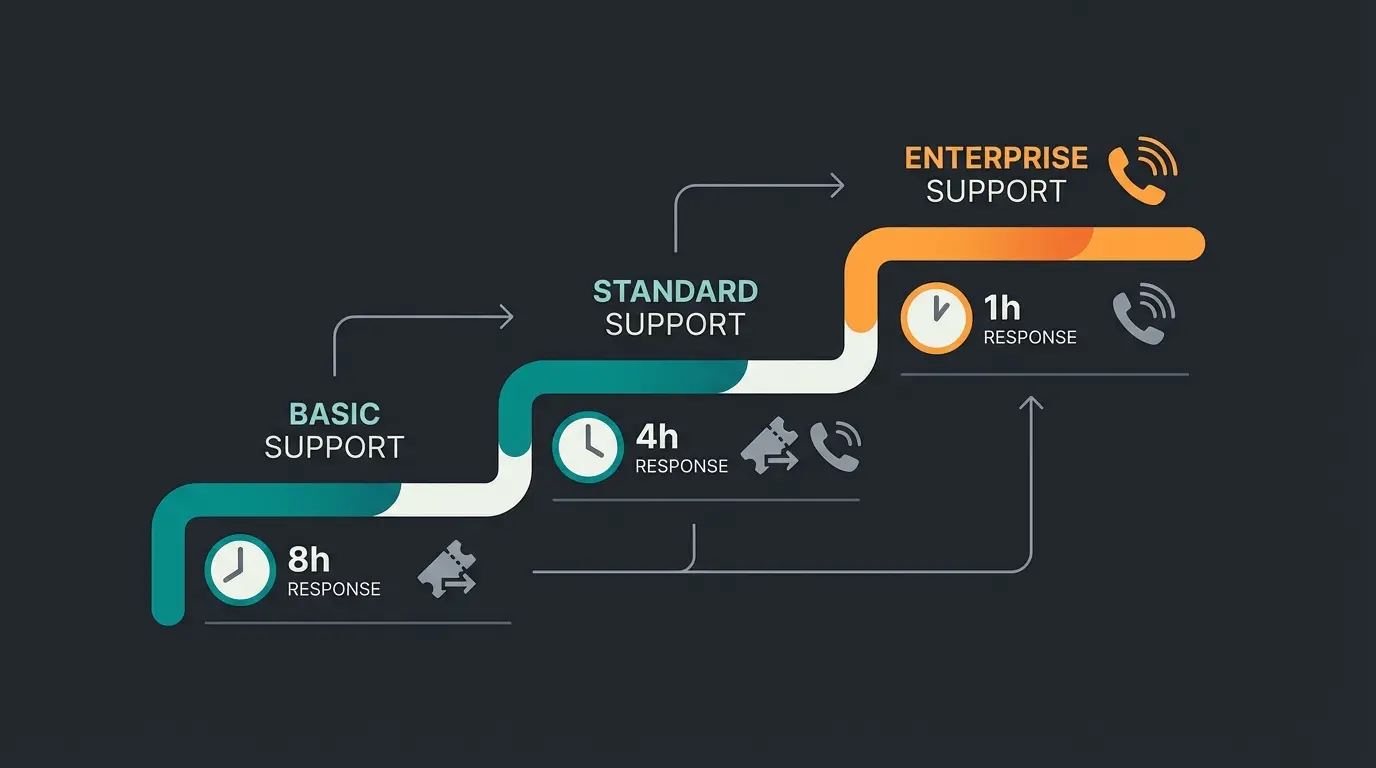
Shopware has transitioned its licensing model from the old "Editions" (Professional, Enterprise) to the new plans: Rise, Evolve, and Beyond. Your eligibility for phone support depends heavily on which of these plans you've subscribed to.
Here's the hard truth about response times and channels that many merchants don't fully understand until they're in a crisis situation:
| Feature | Shopware Rise | Shopware Evolve | Shopware Beyond | Community Edition |
|---|---|---|---|---|
| Target Audience | Growing merchants | Scaling businesses | Enterprise / Corporations | Beginners / Devs |
| Price (starting) | €600 / month | €2,400 / month | €6,500 / month | Free |
| Response Time | 8 hours | 4 hours | 1 hour | None |
| Phone Support | Callback only | Callback | 24/7 Priority Support | No |
| Availability | Mon-Fri, 9-17 | Mon-Fri, 7-19 | 24/7 | - |
| Support Channel | Ticket system | Ticket + Phone | Ticket + Phone + Account Manager | Forum / Discord |
This data is based on current Shopware pricing pages and official documentation. Understanding these differences is crucial for setting realistic expectations during critical situations.
Analysis of the Plans
Shopware Rise
This is the entry-level plan for commercial customers who are moving beyond the Community Edition.
The Problem: While you're entitled to support, the response time can be up to 8 business hours. If your shop goes down on Monday morning at 09:00, you might not receive a first response until 17:00 the same day. For businesses with significant daily revenue, this waiting period can translate into substantial financial losses.
Phone Support: There is no direct technical phone support. You must create a ticket and can request a callback, which will occur within the response time window. This callback-based system often surprises merchants who expect to dial a number and immediately speak with a technician.
Shopware Evolve
This is where things get more interesting for professional merchants with higher support requirements.
The Advantage: The response time is halved to 4 hours. Additionally, service hours are extended (07:00 to 19:00), giving you more coverage during business hours and early morning/late evening periods.
Phone Support: The process is still primarily ticket-based, but prioritization is higher. You'll find that callbacks come faster and technicians are often better prepared because of the ticket information you've provided.
Shopware Beyond
The "all-inclusive" plan designed for enterprises that cannot afford downtime.
The Advantage: 1-hour response time and 24/7 availability. This is the only plan that provides true around-the-clock support, including weekends and holidays.
Phone Support: Here you have the best chances of actually speaking quickly with a technically proficient person. Additionally, you have a personal Account Manager who knows your business and can advocate on your behalf. For mission-critical operations, this investment often pays for itself during a single major incident.
Step-by-Step Guide: How to Request a Technical Callback
Many users desperately search for a direct dial-through to technical support. This doesn't exist publicly in that form. The path to a conversation inevitably leads through the Shopware Account system.
Follow this step-by-step guide to find the "hidden" callback button, as documented in Shopware's official support pages:
Go to account.shopware.com and log in with your Shopware ID credentials
Click on the 'Merchant' section in your dashboard—this is your central hub for all shop licenses
Find and click 'Support' in the menu to see an overview of your existing tickets
Click the 'Request Support' button in the upper right corner
Choose the affected shop and select between 'Shopware Support' (core issues) or 'Extension Support' (plugin problems)
If your plan allows, select 'Phone Support' or 'Request Callback' and provide your phone number
Important Notes About the Callback Process
When selecting the support type in step 5, keep in mind that if the problem is caused by a third-party plugin, Shopware often cannot help you. You'll need to contact the plugin manufacturer directly. This is a common point of frustration for merchants who expect comprehensive support regardless of the issue's source.
The callback system, while sometimes frustrating, actually serves a purpose. It allows technicians to review your issue, check your system configuration, and potentially identify the problem before the call. This often leads to faster resolution times than a cold call would provide.
No Response? Alternatives to the Official Hotline
What do you do if you're using the Community Edition or the wait time for official support is too long? Here are your best options for getting help when the standard channels aren't meeting your needs.
For Community Edition Users: Discord Instead of Slack
For years, Slack was the place for the Shopware community. That has changed. Shopware is migrating its community activities to Discord, as announced on Shopware's blog.
Why the change? Slack deletes messages in the Free Plan after 90 days. Valuable knowledge was being lost. Discord offers a permanent archive and better forum structures, making it easier to search for solutions to common problems.
Where to find it? Search for the official Shopware Community Discord Server. The invite link is typically available on Shopware's official website and community pages.
What to expect: Help for self-help from other developers and merchants. No guaranteed response times, but often faster peer support than you might expect. Many experienced developers actively monitor the channels and enjoy helping others.
Shopware Agencies (The "Fire Department")
If your shop is offline and you're losing money, waiting is not an option. Many certified Shopware agencies offer emergency support services.
Costs: Expect hourly rates between €100 and €150 (net). For emergencies (weekends/nights), there's often a 50-100% surcharge. While expensive, this is often cheaper than the revenue lost during extended downtime.
- Ad-hoc support: You call, pay immediately, help comes immediately
- Maintenance contract (Retainer): You pay monthly (e.g., €300 - €1,500) and have guaranteed response times from the agency
According to agencies like WebiProg and HQ GmbH, the retainer model is often more cost-effective for businesses that experience regular technical challenges or have complex customizations that require specialized knowledge.
Well-known providers: Search for "Shopware Emergency Support." Agencies like WebiProg, HQ GmbH, or Netgrade position themselves strongly in this space. Look for certified Shopware partners with proven emergency response capabilities.
The Official Forum
At `forum.shopware.com`, you'll find thousands of resolved threads covering virtually every issue imaginable. Before opening a ticket, copy your error message into the forum's search bar. Often, the problem has already been solved, and you can implement the fix immediately without waiting for support.
The forum is particularly valuable for common issues, plugin conflicts, and configuration questions. Many solutions include detailed step-by-step instructions that you can follow without technical expertise.
The Strategic Pivot: While You Wait, Who Helps Your Customers?
Now we come to the crucial point for your business that most merchants overlook when dealing with technical support issues.
You invest significant time and money (e.g., €2,400/month for the Evolve plan) to ensure your shop runs technically. You search for "Shopware support phone" because you want to solve a technical problem as quickly as possible.
But ask yourself this question: While you're waiting 4 to 8 hours for a callback from Shopware to fix a backend error—who is taking care of the customers who are in your shop right now and have questions about your products?
The Imbalance in Support Priorities
Most e-commerce operators focus 90% on technical support (keeping the shop running) and neglect pre-sales support (helping customers buy). This imbalance represents a significant missed opportunity for revenue generation.
Scenario: A customer visits your shop. They're interested in an expensive product but are unsure about the size or compatibility with their existing setup.
Reality: They can't find an immediate answer. They write an email (response time: 24 hours) or call (hotline busy or outside business hours).
Result: They abandon the purchase and buy from a competitor or Amazon, where they feel more confident about their decision.
This scenario plays out thousands of times daily across e-commerce stores worldwide. Each abandoned cart represents lost revenue that could have been captured with better real-time customer assistance. Implementing AI customer service solutions can dramatically reduce these lost opportunities.
Average rate when product questions go unanswered
Typical delay that drives customers to competitors
Shoppers who want immediate answers before purchasing
The Solution: Automated Product Consultation Through AI
Just as you wish Shopware would immediately answer the phone, your customers wish that you would be there for them instantly. This is where AI Product Consultation comes into play.
Instead of just closing technical gaps, we close the consultation gap. While you're handling backend issues, your AI is actively engaging with customers, answering their questions, and guiding them toward purchase decisions.
What AI Product Consultation Does Differently Than a "Chatbot"
Conventional AI chatbots are often glorified FAQ search engines ("What are the shipping costs?"). Our AI solution functions as a digital sales consultant that understands context and customer needs:
- Contextual Understanding: The AI understands not just keywords but customer needs and preferences. Customer: "I'm looking for a mountain bike for beginners, but I have back problems." AI: Recommends specific models with appropriate geometry and suspension, instead of just listing all bicycles.
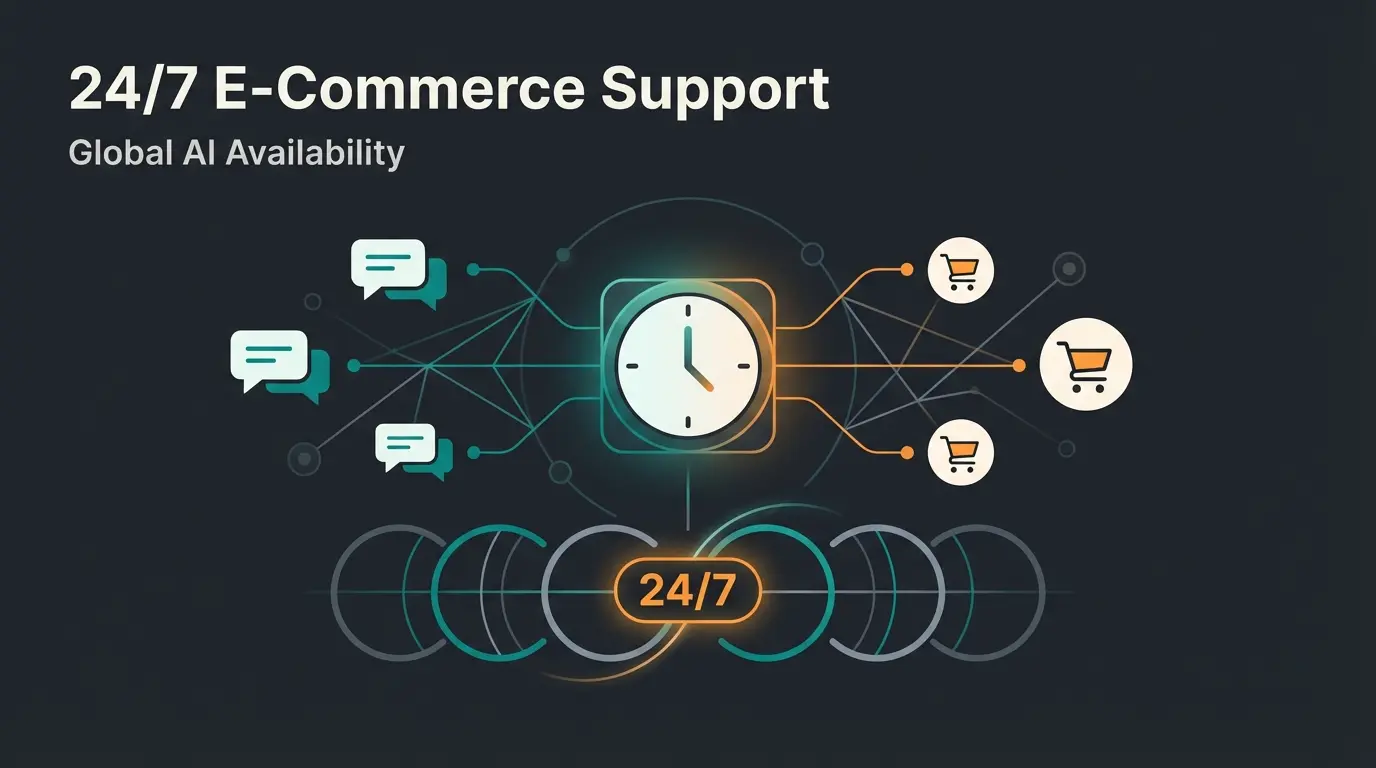
- 24/7 Availability: While your technical support sleeps (or waits for Shopware), the AI actively continues selling and assisting customers.
- Team Relief: By having the AI handle standard and consultation questions, you drastically reduce ticket volume in your own customer support, freeing your team for complex issues.
Understanding AI in customer service fundamentals shows that businesses can reduce support costs by 40-60% while improving customer satisfaction scores. The technology has matured significantly, moving beyond simple rule-based responses to sophisticated natural language understanding.
The integration of Shopware AI capabilities allows you to create seamless customer experiences that operate around the clock. Whether customers visit at 3 AM or during peak shopping hours, they receive consistent, helpful guidance through their purchasing journey.
Automate your customer consultation with AI and serve shoppers 24/7 while you handle technical issues. Reduce support tickets by 60% and increase conversions.
Try AI Consultation FreeDecision Tree: Who Should I Call and When?
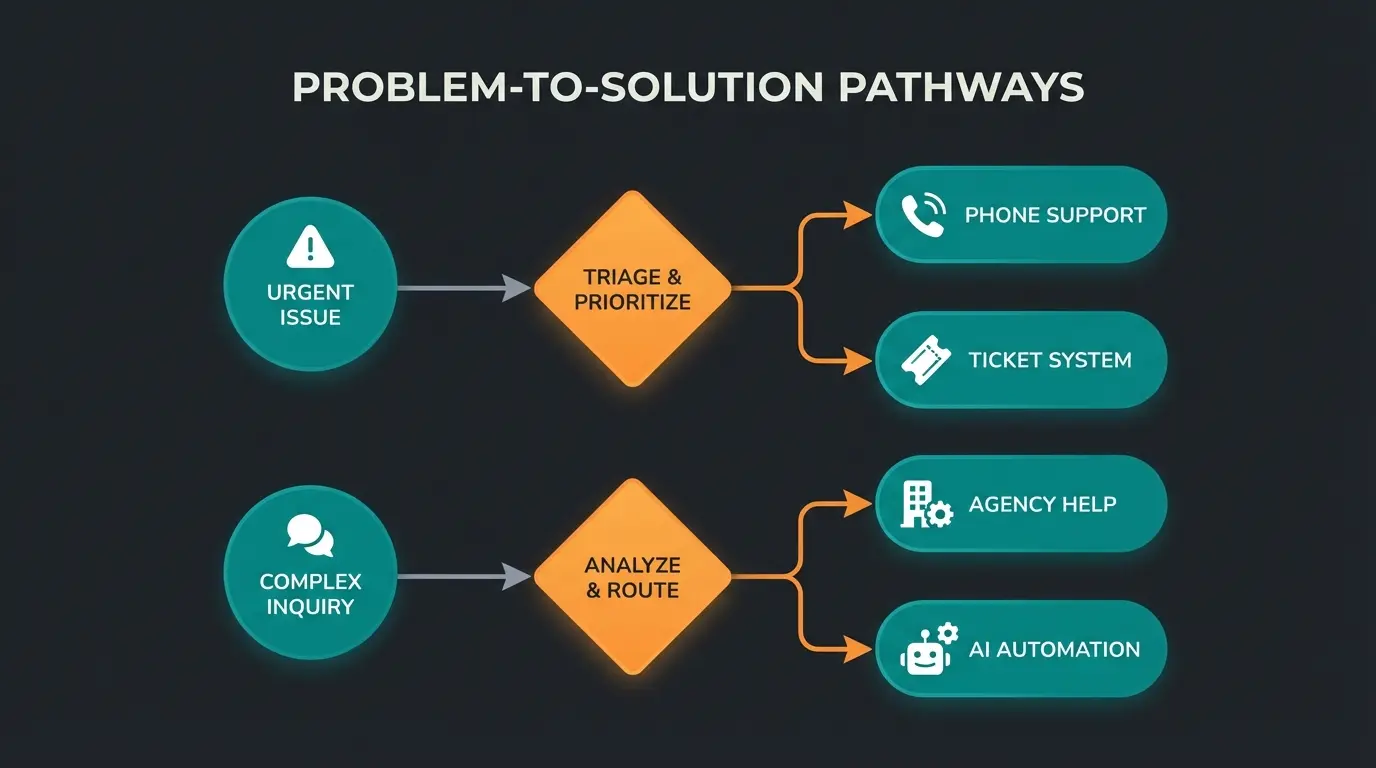
To make the decision easier in your daily operations, use this simple decision tree. Print it out and hang it where your team can see it for quick reference during emergencies.
White screen or 500 error? If YES and you have Beyond Plan: Create Priority 1 ticket + call Shopware 24/7. If NO Beyond Plan: Call your partner agency emergency line.
Cart or checkout not working? Create Shopware support ticket and request callback through your account portal.
Check the plugin manufacturer in the Store. Contact the plugin developer directly—not Shopware! They cannot help with third-party code.
This is where your AI should step in. If you don't have one yet, you're losing revenue with every unanswered question.
This decision framework helps you route issues to the right support channel immediately, reducing resolution time and minimizing the impact on your business operations.
Comparing Support Options: Official vs Agency vs AI
When evaluating your support strategy, it's important to understand how different options compare in terms of cost, speed, and best use cases. This comparison helps you build a comprehensive support ecosystem rather than relying on a single solution.
| Service | Cost | Response Time | Best For |
|---|---|---|---|
| Official Shopware Support | €600-6,500/month (plan-based) | 1-8 hours | Core bugs, license issues, official documentation |
| Shopware Agency | €100-150/hour (emergency rates higher) | Immediate to 1 hour | Shop-down emergencies, custom code issues, urgent fixes |
| AI Product Consultation | Flat monthly fee | Instant (0 seconds) | Customer questions, product recommendations, 24/7 sales support |
The most successful Shopware merchants combine all three options: official support for core issues, an agency relationship for emergencies, and AI employees for customer-facing automation. This layered approach ensures you're never caught without a solution.
Investing in conversational AI technology represents a fundamental shift from reactive to proactive customer service. Rather than waiting for problems to escalate, AI systems engage customers at the moment of need.
FAQ: Common Questions About Shopware Support Phone
Here we answer the most pressing questions circulating online, based on current data and merchant experiences.
No, not for technical support. The number 00 800 746 7626 0 is toll-free but only intended for sales and general questions. Technical support always requires a valid subscription (Rise, Evolve, or Beyond). Community Edition users have no phone support access and must use the forum or Discord community.
It depends on your plan. Rise: Within 8 business hours. Evolve: Within 4 business hours. Beyond: Within 1 hour (24/7). Note that these are response times—the actual resolution of the problem may take longer depending on complexity.
Partially. Official support covers the Shopware Core only. If you or your agency have customized the code (custom themes, custom plugins), Shopware support will often decline to help or refer you to 'Developer Support,' which is only available in writing and has longer response times.
Only if you've subscribed to the Beyond Plan (starting at approximately €6,500/month). All other plans (Rise, Evolve) offer support only Monday through Friday. For weekend emergencies, you'll need an external agency with emergency support services.
While waiting for technical support, ensure your customers aren't also waiting. Implement AI-powered customer service to handle product questions and support inquiries automatically. This maintains sales momentum even during technical difficulties.
Automating Your Customer Support: A Practical Approach
While this article focuses on reaching Shopware's support, the larger strategic question is how to minimize your dependency on any external support while maximizing customer satisfaction. Automating Shopware support processes can dramatically improve your operational efficiency.
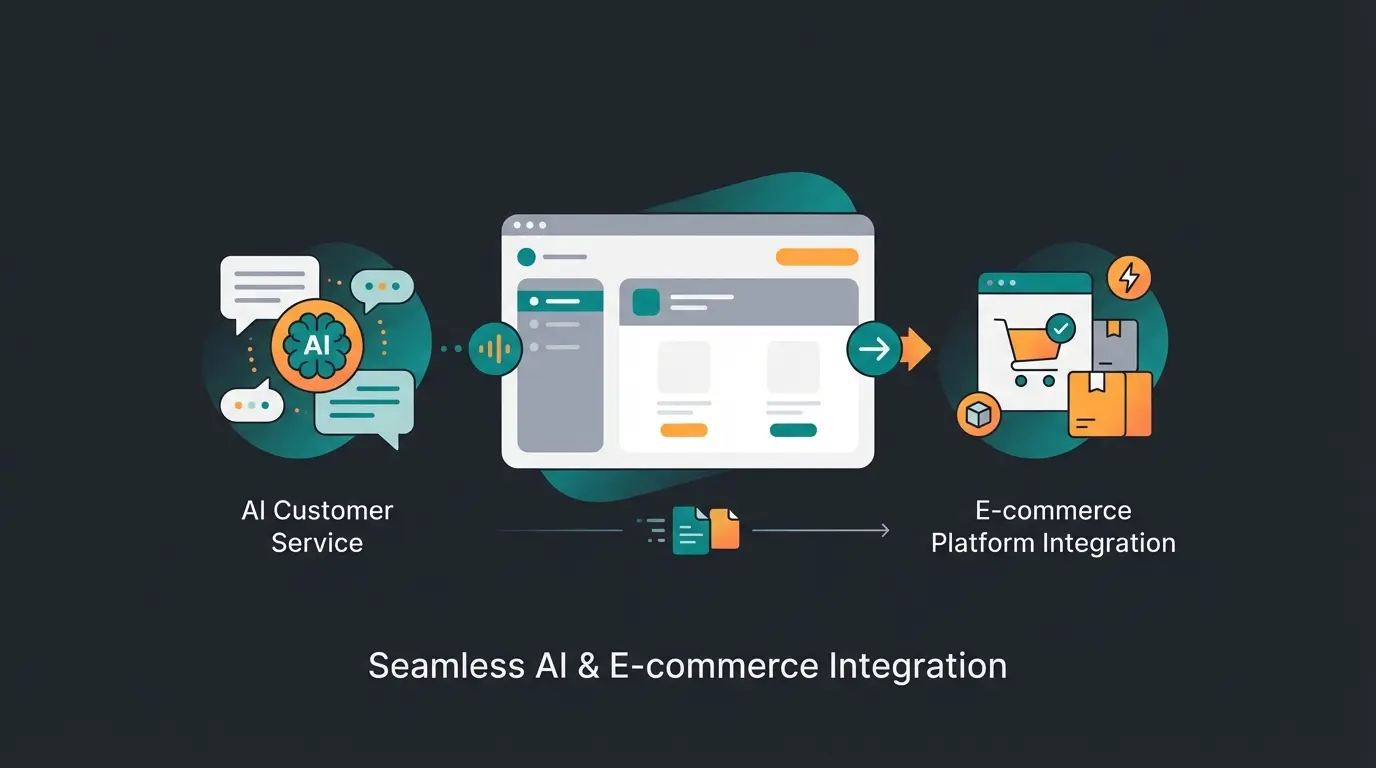
Modern AI customer service solutions integrate directly with Shopware, accessing your product catalog, inventory levels, and customer data to provide personalized assistance. This goes far beyond simple chatbot functionality.
Consider how AI consultants are transforming the e-commerce landscape. They don't just answer questions—they guide customers through complex purchasing decisions, recommend complementary products, and handle post-purchase inquiries, all without human intervention.
The integration of KI E-Commerce solutions represents the next evolution in online retail. Merchants who adopt these technologies early gain significant competitive advantages in customer experience and operational efficiency.
Conclusion: Don't Wait for Solutions—Automate Your Success
The search for "Shopware support phone" is often a sign of stress. Something isn't working, and you need help immediately. We've provided you with all the information you need to navigate Shopware's support system effectively.
Summary of contact options:
- Sales/General: 00 800 746 7626 0
- Technical Support (Rise/Evolve): Create ticket in Account → Request callback
- Emergency (without Beyond Plan): Call external agency
But while you master the technical hurdles of shop operations, you must not forget the most important thing: your customers.
A technically perfect shop generates no revenue if customers don't feel advised and supported. Use the time you save through efficient support management and invest in automating your customer consultation. Every hour you spend waiting for Shopware support is an hour your AI could be converting visitors into buyers.
The merchants who thrive in today's competitive e-commerce landscape are those who understand that technical operations and customer experience must both be optimized. One without the other leads to either a broken shop or an empty cart.
Would you like to see how you can reduce customer support inquiries by 60% while increasing your conversion rate? Try our AI Product Consultation and be there for your customers—instantly and always.
Start Free Trial Now