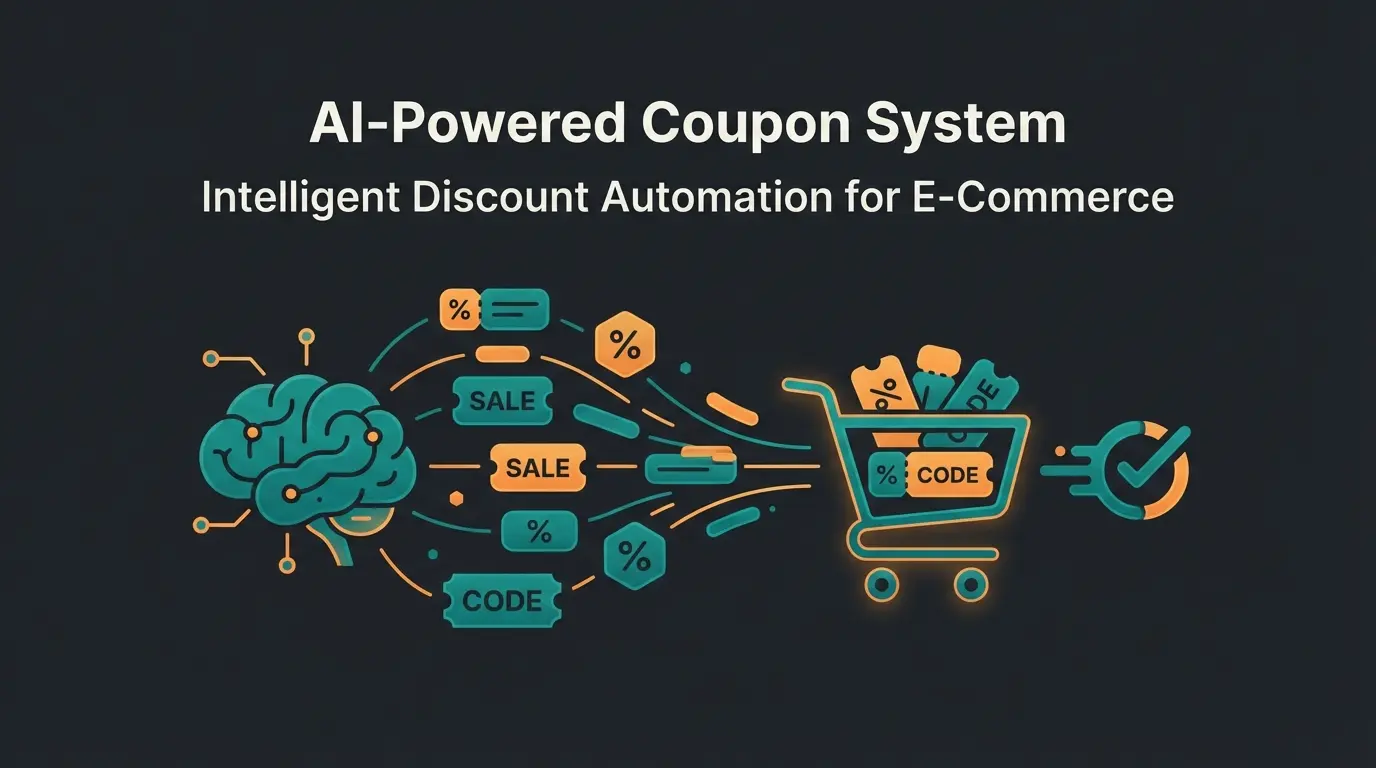
Introduction: Why Most Membership Sites Fail (And Yours Won't)
Imagine building a house, locking all the doors and windows, and charging admission just for people to look inside. Once they're in, they find... a few dusty PDFs and a video collection. That's the status quo for most WooCommerce membership areas.
The problem? Static content wears out. Once a user has read the PDF or watched the video, the perceived value of your membership drops to zero. The result: High cancellation rates after the first 1-2 months. According to webtoffee.com, membership plugins primarily regulate access rights, but the real challenge lies in keeping members engaged long-term.
If you're searching for a WooCommerce membership plugin in 2025, you can't just look for a "bouncer" that locks content. You need a "concierge." This fundamental shift in thinking separates thriving membership businesses from those struggling with constant churn.
In this comprehensive guide, we don't just analyze the best plugins for your WooCommerce membership area based on current data and prices for 2025. We go a crucial step further: We show you how to transform a passive archive into an active advisor through AI integration—creating a membership that nobody wants to cancel. If you're considering the broader platform question, our detailed Shopware vs WooCommerce comparison provides essential insights for your decision-making process.
Part 1: The Strategy – Membership vs. Subscription (A Costly Misunderstanding)
Before we buy software, we need to clear up a fundamental misunderstanding that often becomes expensive in the WooCommerce world. There's a technical and conceptual difference between "Membership" (access rights) and "Subscription" (billing).
The Difference in the WooCommerce Ecosystem
Many beginners purchase a WooCommerce membership plugin and wonder why recurring payments aren't being collected. This confusion stems from the separate functions these plugins serve.
- WooCommerce Memberships (The Permission): This plugin manages access rights. It says: "User A can see Product B because they belong to Group C." It does not handle billing. As restrictcontentpro.com explains, access restriction and payment processing are fundamentally separate concerns.
- WooCommerce Subscriptions (The Billing): This plugin handles the money. It says: "Charge €29 from User A's credit card every month."
The Reality: For a functioning WooCommerce membership shop, you need both plugins in 90% of cases (or an all-in-one plugin that handles both). This often doubles the calculated costs. According to cozmoslabs.com, the combined cost of official plugins often exceeds $400 per year. For a comprehensive understanding of subscription models, check out our WooCommerce subscriptions guide.
Part 2: Best WooCommerce Membership Plugins 2025 Compared
Based on current market analyses, prices, and features, we've evaluated the top solutions for the DACH region (Germany, Austria, Switzerland) and international markets. Understanding these options is crucial for making an informed decision that balances functionality, compliance, and budget.
Comparison Table: Market Leaders at a Glance
| Feature | WooCommerce Memberships | MemberPress | Paid Memberships Pro | ThriveCart / Digistore24 |
|---|---|---|---|---|
| Type | Native Extension | All-in-One Plugin | Freemium Plugin | External Payment Provider |
| Price (approx.) | $199/year (+$239 for Subscriptions) | from $179/year (Basic) | Free (Core) / from $297 (Plus) | One-time $495 (ThriveCart) / % fee (Digistore) |
| LMS (Courses) | Needs extra plugin (e.g., Sensei) | Included (MemberPress Courses) | Add-on available | Included (ThriveCart Learn) |
| German Legal Compliance | High (with Germanized) | Medium (adaptation needed) | Medium (adaptation needed) | Very High (Reseller model) |
| Best For | Shops mixing physical products & content | Pure course providers & content sites | Developers & budget starters | Tax simplification (bureaucracy) |
| AI Integration Potential | Moderate | Moderate | High (flexible architecture) | Limited |
1. WooCommerce Memberships (The Native Solution)
This is the "official" solution. It integrates seamlessly into your existing shop system. Being developed by the same team that builds WooCommerce, compatibility issues are virtually non-existent.
- Perfect Integration: Members can receive discounts on physical products (e.g., "Gold members get 10% off everything")
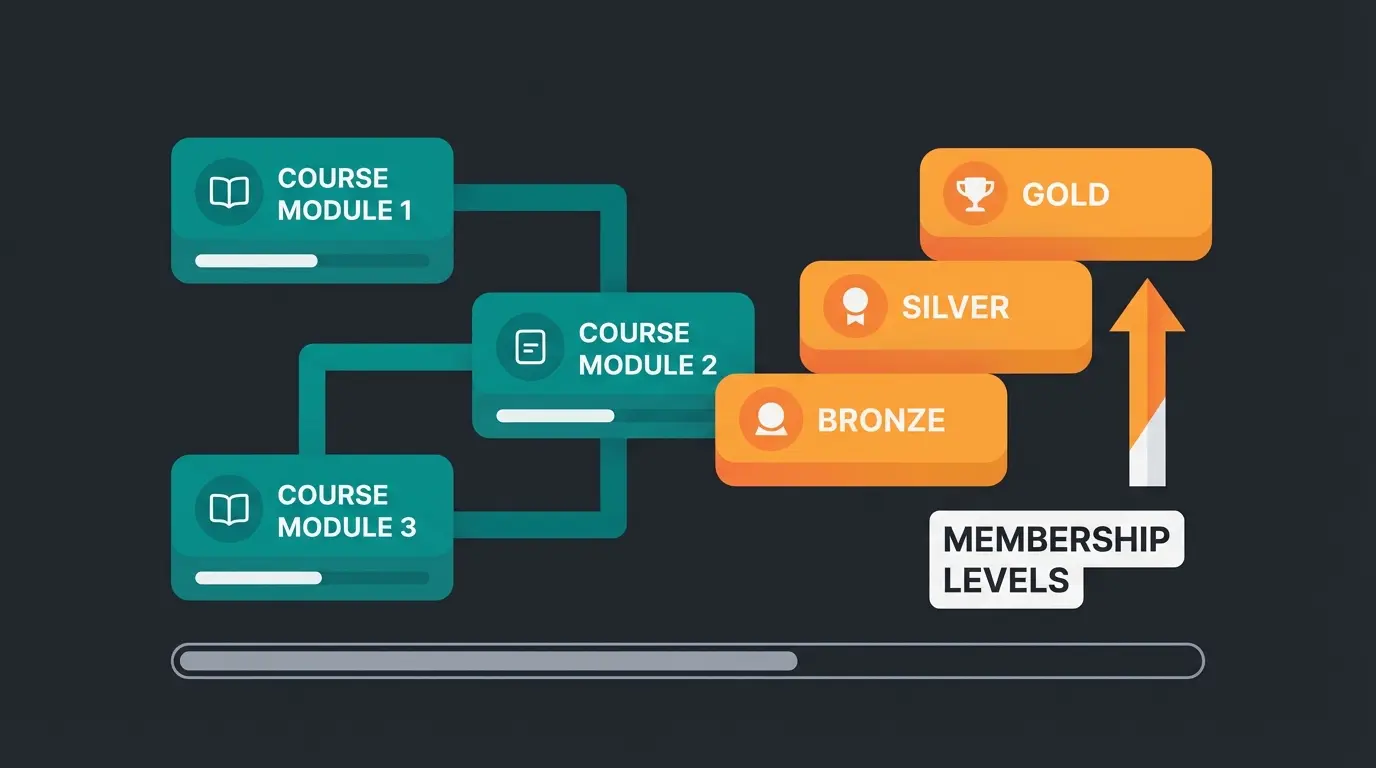
- Drip Content: Content can be released on a time-delayed basis, keeping members engaged over longer periods
- Compatibility: Guaranteed to work with most themes and plugins without conflicts
However, there are significant drawbacks to consider before investing:
- Cost Trap: You need WooCommerce Subscriptions ($239/year) additionally to accept recurring payments. The total system quickly costs over €450/year
- No Real LMS: For courses, you need another plugin like Sensei or LearnDash, adding more complexity and cost
- Limited Consultation Features: Out of the box, there's no way to provide interactive member support or personalized guidance
Verdict: Ideal for e-commerce shops that want to offer an additional membership (like Amazon Prime) alongside their regular product offerings. If you're selling primarily physical products and want to add a loyalty program, this is your best bet.
2. MemberPress (The Feature Powerhouse)
MemberPress is considered the gold standard for WordPress memberships worldwide. It's the go-to choice for serious content creators and course developers.
- All-in-One: It includes its own LMS (MemberPress Courses) at no extra cost, as noted by oddjar.com. You can build courses without buying LearnDash, saving hundreds in additional licensing fees.
- Paywall Power: Very powerful rules for locking individual posts, categories, or files with granular control
- Stable Payment Integration: Reliable Stripe and PayPal connections with minimal configuration required
- Community Features: Built-in forums and community tools for member engagement
The downsides are primarily financial and design-related:
- Price: According to isitwp.com, it starts at approximately $179, but the Pro version (for more features) runs at $399/year
- Design: The standard forms are functional but often not very attractive. CSS knowledge is helpful for customization
- Learning Curve: The extensive feature set can be overwhelming for beginners
Verdict: The best choice for pure info products and online courses if the budget is available. Perfect for coaches, consultants, and educators who need professional course delivery.
3. Paid Memberships Pro (The Value Champion)
Paid Memberships Pro is unique because the base version is free and open source. This makes it an excellent starting point for businesses testing the membership model.
- Free Entry: The core version can already accept payments (Stripe/PayPal) and lock content—no credit card required to start
- Flexibility: There are over 60 add-ons. You install only what you need, keeping your site lean and fast
- Variable Pricing: Users can choose their own price (donation model)—a feature that paidmembershipspro.com highlights as a unique differentiator
- Developer Friendly: Extensive hooks and filters for custom development
However, there are limitations to consider:
- Design: The backend feels somewhat more technical than MemberPress, with less visual polish
- Support: For premium support and certain "Plus" add-ons, you'll need to pay (from $297/year) according to wpkube.com
- Documentation: While comprehensive, it can be overwhelming for non-technical users
Verdict: Perfect for developers and startups who want to keep costs low and aren't afraid of some configuration. The modular approach means you only pay for what you actually use.
4. The "Outsourcing" Strategy: ThriveCart or Digistore24
For the German market, this is often the smartest choice. Here, you use WooCommerce only for display, but processing runs externally. This approach dramatically simplifies compliance and tax handling.
Why This Is Brilliant:
- Taxes & Invoices: Providers like Digistore24 act as "resellers." You don't have to write invoices to end customers. Digistore handles the correct VAT collection in all EU countries (MOSS procedure)
- ThriveCart: Offers a lifetime license (one-time approx. $495) and has integrated its own membership area with "ThriveCart Learn" as noted by christopherbuschor.com and launchmanagerin.de
- Reduced Legal Risk: The external provider handles compliance, reducing your liability exposure significantly
Disadvantage: The data is partially stored externally, and the integration into WooCommerce is less "deep" than with native plugins. This can limit customization options and create a somewhat fragmented user experience.
Combined WooCommerce Memberships + Subscriptions
Paid Memberships Pro ecosystem
ThriveCart lifetime license with Learn
Shops requiring membership + subscriptions
Part 3: The "Germanized" Factor – Legal Compliance in Germany
A WooCommerce membership area in Germany is subject to strict rules. Most US plugins completely ignore these requirements. If you make mistakes here, legal warnings and fines threaten your business. This section is critical for anyone operating in the DACH region.
1. The Cancellation Button (Mandatory Since July 2022)
The "Fair Consumer Contracts Act" (§ 312k BGB) requires that contracts concluded online can also be terminated online—and easily. This regulation, detailed by mll-news.com and ihk.de, fundamentally changed how membership sites must operate in Germany.
The Rule: There must be a button ("Cancel contracts here") that leads to a confirmation page. This must be possible without login if the user enters their data for identification. The process must be as simple as the sign-up process.
The Risk: If this button is missing, the customer can cancel the contract at any time without notice. Additionally, competitors or consumer protection centers can issue legal warnings. The fines can be substantial and reputation damage significant.
The Solution:
- With WooCommerce Subscriptions, you often need additional plugins or themes that prominently place this button in the "My Account" area AND in the footer
- Digistore24 and ThriveCart usually have these functions integrated, as they legally act as the seller, taking this compliance burden off your shoulders
- Consider using specialized German compliance plugins that automatically generate the required cancellation workflow
2. GDPR & Server Location
Membership data is sensitive. Processing it incorrectly can result in significant fines under GDPR regulations. Here's what you need to know:
- If you use US plugins (like MemberPress), ensure that no unnecessary data is transferred to US servers (e.g., through integrated email marketing tools) without a Data Processing Agreement (DPA) in place
- Deactivate Google Fonts in the backend of membership plugins if they are loaded, as this constitutes data transfer to US servers
- Consider hosting your entire membership infrastructure on EU-based servers to minimize compliance complexity
- Document all data processing activities as required by Article 30 of GDPR
3. GDPR Checklist for Membership Sites
Ensure registration requires confirmed email verification before membership activates
Host all membership data on European servers with GDPR-compliant providers
Place prominent cancellation link in footer and account area per §312k BGB
Have Data Processing Agreement with all third-party service providers
Implement proper cookie consent mechanism before loading tracking scripts
Use 'Order with payment obligation' instead of generic 'Sign up' text
This checklist is highly shareable and addresses the legal concerns that many German shop owners have. Implementing these requirements not only protects you legally but also builds trust with your members.
Part 4: The Missing Ingredient – Engagement Through AI Consultation
Here we leave the path of standard tutorials. Most of your competitors sell "access to information." The problem: Information is almost free today (thanks to Google & ChatGPT). Anyone can find basic answers to most questions within seconds.
What is valuable? Personalized answers tailored to specific situations. The Strategy: Transform your membership area from a library into a consultation center. This is where AI product consultation becomes your competitive advantage, creating value that static content simply cannot match.
The Concept: The AI Concierge
Instead of a member wading through 50 hours of video material to find an answer, your membership area offers a chatbot trained on your content. This fundamentally changes the value proposition from "access to information" to "instant problem-solving."
Scenario B2B Shop: A craftsman is a member of your shop for construction parts. He asks the bot: "Which sealant do I need for pump model X in sub-zero temperatures?" The bot immediately responds with the link to the product and the instructions from your protected area. No searching, no waiting—instant expertise. For more on B2B applications, explore our guide on WooCommerce B2B plugins.
Scenario Coaching: A course participant asks: "How do I apply Module 3 to my situation as a single parent?" The AI gives a personalized answer based on your teaching methodology, adapting your general content to their specific circumstances.
This approach leverages the power of Conversational AI to create a fundamentally different membership experience. The integration of AI Chatbots transforms passive content consumption into active problem-solving dialogues.
The Tool: AI Engine for WordPress
The plugin of choice for this strategy is AI Engine (by Jordy Meow), as documented by wordpress.com and wordpress.org.
- Function: It allows you to create a chatbot and "feed" it with your own data (PDFs, website content, product descriptions) through embeddings. This creates a knowledge base specific to your business
- Integration: You can embed this chatbot via shortcode directly into the protected area ("My Account" or Dashboard). The implementation is straightforward and doesn't require coding expertise
- Customization: The bot's personality, response style, and knowledge boundaries can all be configured to match your brand voice
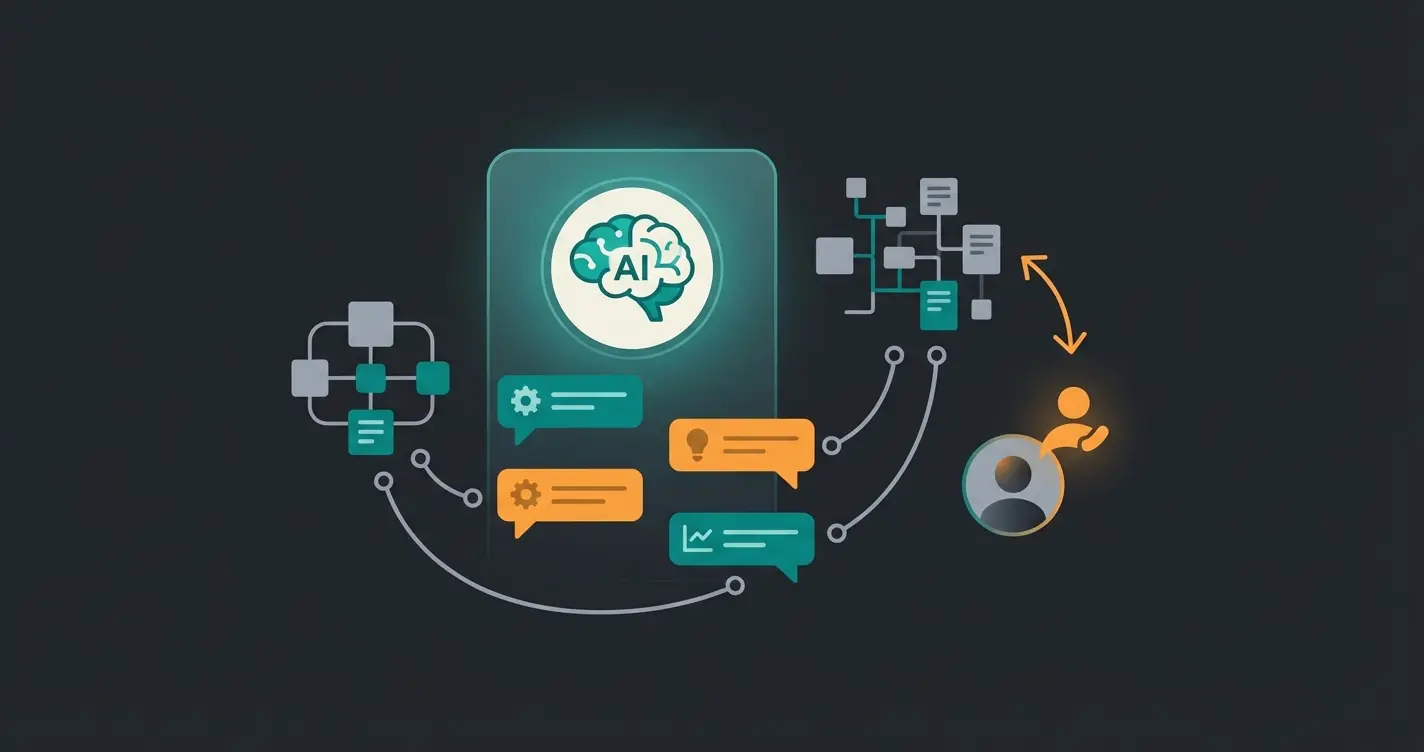
Discover how AI-powered product consultation can turn your static membership content into an interactive problem-solving experience that members never want to leave.
Start Your AI JourneyPart 5: Step-by-Step Guide – The "Consulting-First" Membership Area
Here's how to technically build this system. We use Paid Memberships Pro (because of the free base) and AI Engine as our example stack. This combination offers the best value for businesses starting their AI membership journey.
Step 1: The Foundation (Restriction)
First, we establish the basic membership infrastructure:
- Install Paid Memberships Pro (free in the WordPress repository)
- Go to Memberships > Settings > Levels and create a level "Premium Member"
- Set the price (e.g., €29/month) and configure the billing cycle
- Connect your payment processor (Stripe recommended for EU compliance)
- Go to your pages/posts. In the right sidebar, you'll now find the "Require Membership" box. Check "Premium Member" for all content you want to protect
Step 2: Building the AI Intelligence
Now we add the AI layer that transforms your membership from a content library into a consultation platform:
- Install AI Engine (Free version works for the start, Pro recommended for embeddings and advanced features)
- Get an API key from OpenAI (costs vary based on usage, typically $10-50/month for small memberships)
- Train the Knowledge (Embeddings): Go to AI Engine > Embeddings
- Upload your course PDFs or index your protected WordPress pages. This creates a "vector index"—the brain of your bot
- Configure the Chatbot: Go to AI Engine > Chatbots and create a new bot
- Give it a persona: "You are a helpful expert for [your topic]. Use only the knowledge from the context provided. Be concise and actionable."
- Activate your created index in the "AI Search" or "Context" tab
This integration with an AI product finder approach allows members to instantly locate relevant products or content based on their specific needs, dramatically improving the user experience.
Step 3: Integration into the Membership Area
Now we connect the AI chatbot to your protected membership space:
- Copy the chatbot shortcode (e.g., `[mwai_chat context="true"]`)
- Create a new page "Member Dashboard" or edit the WooCommerce "My Account" page (via hooks or Elementor)
- Insert the shortcode in a prominent position—ideally above the fold so members see it immediately
- Important: Use the restriction settings from Step 1 to ensure that only logged-in premium members can see this page (and thus the chatbot)
- Test the experience thoroughly with a test account before launching
Step 4: The Value Check
Now you're no longer selling "access to videos," but "24/7 expert consultation." This fundamental shift justifies premium pricing and dramatically reduces churn.
- Feature: Chatbot with access to your entire knowledge base
- Benefit: Instant problem-solving instead of hours of research
- Price Justification: A consultant costs €150/hour. Your AI membership costs €49/month. A "no-brainer" for the customer
- Retention Impact: Members who get personalized answers stay longer because the value is continuous, not finite
For businesses looking to maximize this approach, our AI consultation guide provides additional strategies for implementing AI-driven customer experiences. You can also transform your entire store into an AI-powered sales consultant.
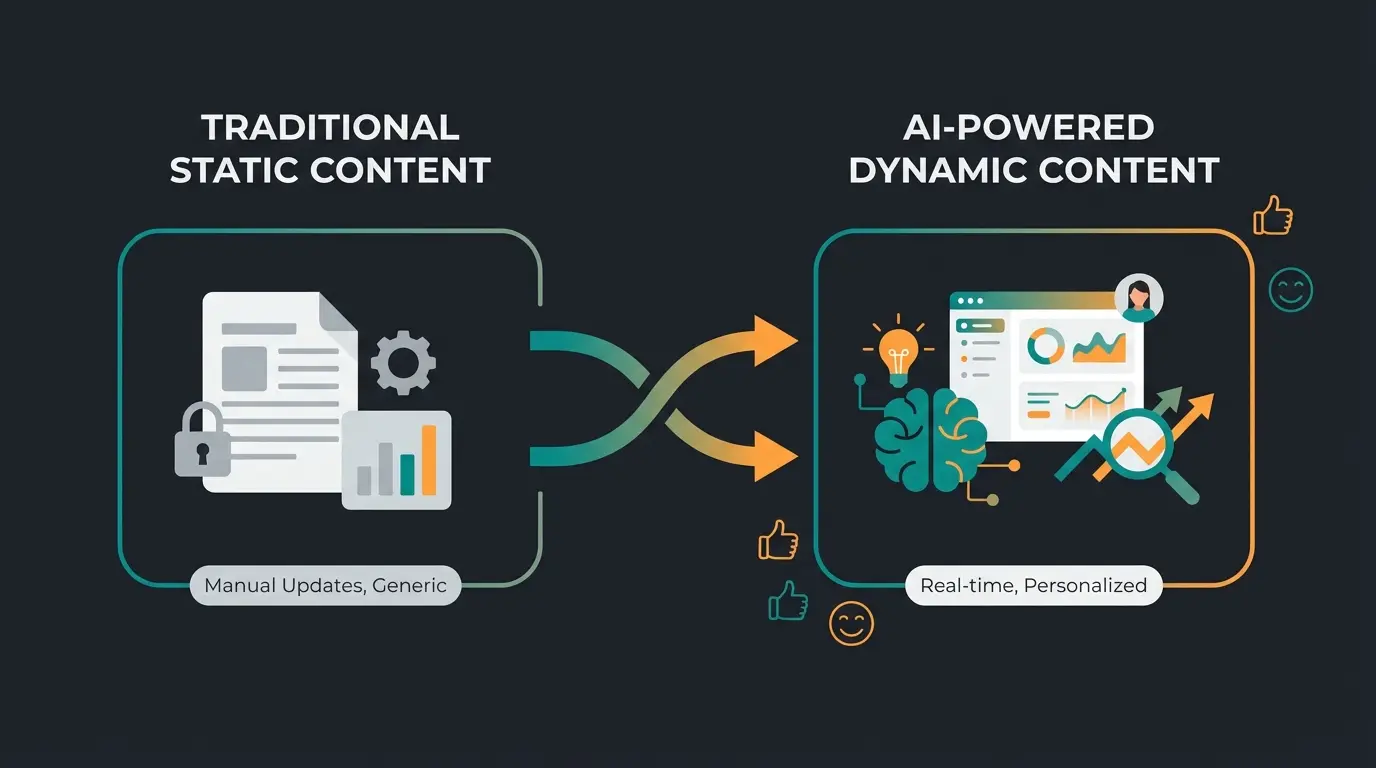
The Member Journey: Traditional vs. AI-Enhanced
Understanding the fundamental difference in member experience helps justify the investment in AI integration. Let's visualize both pathways to see why AI membership sites outperform traditional ones.
Member gains access to locked content library
Passive consumption of static content over days or weeks
No new value perceived, cancellation becomes likely
Member gains access to AI-powered consultation
Gets personalized answer instantly, feels valued
Every new question = new value, retention increases
Part 6: Feature vs. Benefit Matrix (For Your Sales Page)
Use this table to explain the value of AI integration to your customers. This framework helps justify premium pricing and differentiates your offering from competitors. It's also valuable for AI consulting in e-commerce implementations.
| Feature | Traditional Benefit | AI-Enhanced Benefit (Your USP) |
|---|---|---|
| Protected Content | Customer can read exclusive information at their own pace | AI analyzes information and provides concrete action recommendations tailored to their situation |
| Forum / Community | Exchange with others (often slow, inconsistent quality) | Instant feedback from the bot based on community best practices, available 24/7 |
| Drip Content | Customer stays longer to see everything unfold | AI recommends the next relevant module based on the user's current questions and progress |
| Search Function | Finds documents with keywords (requires knowing what to search for) | Answers complex questions ("How do I do X when Y happens?") directly with context-aware responses |
| Support | Email responses within 24-48 hours (frustrating wait times) | Instant responses any time of day, with escalation to human support for complex issues |
This differentiation is especially powerful when combined with multilingual AI chatbots that can serve international membership bases in their native languages, dramatically expanding your potential market reach.
Consultation Potential Assessment by Plugin
When evaluating membership plugins, consider not just their current features but their potential for AI integration. This forward-thinking approach ensures your technology stack can evolve with emerging consultation capabilities.
| Plugin | Consultation Potential | Integration Notes |
|---|---|---|
| WooCommerce Memberships | Moderate | Good hook system for custom integrations, requires developer involvement |
| MemberPress | Moderate | Clean shortcode support, may need custom page templates for optimal chatbot placement |
| Paid Memberships Pro | High | Open architecture, excellent for custom AI implementations, extensive documentation |
| ThriveCart Learn | Limited | Closed ecosystem, external embedding possible but less seamless |
| Digistore24 | Limited | Separate platform, would require redirect-based integration |
The flexibility to add AI consultation features should be a key factor in your plugin selection. The investment in a more extensible platform pays dividends as AI capabilities continue to advance. An AI chatbot for E-Commerce can extend your consultation capabilities across multiple channels beyond your membership area.
Conclusion: Build Bridges, Not Walls
The market for WooCommerce membership plugins is saturated in 2025 with tools that hide content. But customers don't like paying for locked doors. They pay for results. The shops that thrive are those that recognize membership as a service, not a barrier.
Here are our recommendations based on different priorities:
- If you have a small budget: Start with Paid Memberships Pro and invest the saved money in AI integration. The free core version provides everything you need to validate your membership concept
- If you're selling courses: Go for MemberPress or ThriveCart to offer a professional LMS feeling. The built-in course features justify the premium pricing
- If you prioritize legal compliance: Pay close attention to the cancellation button and consider using resellers like Digistore24. The reduced compliance burden can save thousands in potential legal fees
The winner in 2025 isn't the shop with the most locked PDFs, but the shop that leads its members to success fastest. The combination of WooCommerce membership and AI consultation is your key to this future.
Start today: Install a test plugin, load your FAQs into AI Engine, and experience for yourself how your static content transforms into a living advisor. The investment of a few hours in setup can fundamentally transform your membership business.
Frequently Asked Questions
Paid Memberships Pro offers the most comprehensive free version available. You can create unlimited membership levels and accept payments via Stripe or PayPal without paying anything. Restrict Content also has a free version but is more limited in functionality. For most businesses starting out, Paid Memberships Pro provides the best balance of features and flexibility without initial investment.
It depends on your plugin choice. If you use the official "WooCommerce Memberships" plugin: Yes, you need Subscriptions for recurring payments—they're separate purchases that work together. If you use MemberPress or Paid Memberships Pro: No, these have their own subscription engines integrated, saving you the additional cost and complexity.
No plugin is 100% compliant by default. You must always: 1) Sign a Data Processing Agreement with your host, 2) Load Google Fonts locally instead of from Google servers, 3) Set up the cancellation button per German law, 4) Add privacy checkboxes during registration. The plugin provides the framework, but compliance configuration is your responsibility.
Absolutely. A "product advisor bot" in the membership area can help B2B customers find compatible spare parts, explain assembly instructions interactively, or recommend products based on their specific projects. This is particularly valuable for technical products where members need guidance navigating complex compatibility requirements or application scenarios.
Initial setup with AI Engine Pro runs about $49 one-time. Ongoing OpenAI API costs typically range from $10-50 per month for small to medium memberships, depending on query volume. The ROI is substantial: if AI consultation prevents even 2-3 monthly cancellations at $29 each, it pays for itself multiple times over while improving member satisfaction.
Stop losing members to content fatigue. Implement AI-powered consultation that delivers personalized value with every interaction. Join innovative membership site owners who've reduced churn by up to 40%.
Get Started with AI
Lasse is CEO and co-founder of Qualimero. After completing his MBA at WHU and scaling a company to seven-figure revenue, he founded Qualimero to build AI-powered digital employees for e-commerce. His focus: helping businesses measurably improve customer interaction through intelligent automation.