Why Shipping Costs Kill Conversions
Have you ever wondered why customers abandon their shopping carts just before completing a purchase? The answer often lies not in the product price, but in the shipping conditions. Current statistics for 2024 and 2025 show that nearly 70% of all online shopping carts are abandoned—and the primary reason is unexpected or unclear shipping costs according to cloudways.com and sellerscommerce.com.
WooCommerce shipping is far more than just a logistical necessity; it's a decisive lever for your conversion rate. While most guides limit themselves to showing you where to click in the backend, this article goes deeper. We not only cover the technical setup for the German market but also show you how to strategically use WooCommerce shipping costs and—as an absolute innovation—how to deploy Artificial Intelligence (AI) to proactively clarify shipping questions before they become purchase obstacles.
Shopping carts abandoned due to shipping-related issues
Customers leave when shipping costs appear too late
Abandon due to unclear or long delivery estimates
Achievable with strategic free shipping thresholds
In this comprehensive guide, you'll learn how to set up shipping in WooCommerce in a legally compliant manner for Germany (including WooCommerce shipping plugin recommendations), how to master complex scenarios like mixed carts (freight + parcel), why the new WooCommerce Checkout Block changes your strategy, and how to use AI Chatbots to solve shipping questions in real-time and increase revenue.
The Basics: Setting Up WooCommerce Shipping in 4 Steps
Before we dive into advanced strategies, the foundation must be solid. An incorrect configuration leads not only to purchase abandonments but, in the worst case, to legal warnings or financial losses due to incorrectly calculated postage costs.
Step 1: Define Shipping Zones (Your Shop's Geography)
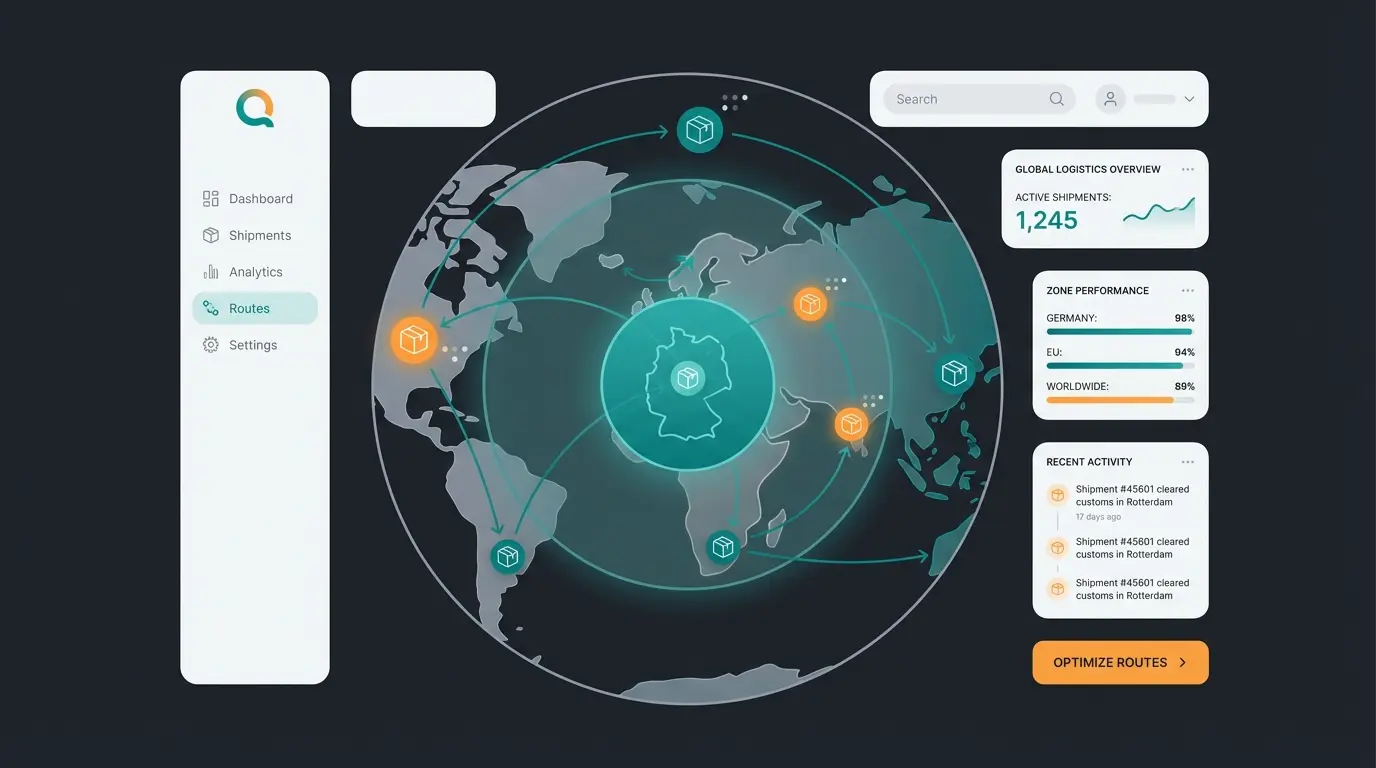
The concept of shipping zones is the heart of WooCommerce. Think of zones as geographic areas for which the same rules apply. WooCommerce checks the customer's address from top to bottom through your list and applies the first matching zone. This hierarchical logic is crucial—if you place your "Worldwide" zone at the top, it will always trigger, and your specific "Germany" zone will never be reached according to insights from brumm-digital.de and marketpress.de.
Recommended structure for German shops:
- Zone 1: Germany - Region: Germany | Methods: Flat rate (DHL/Hermes), Free shipping (from X €), Local pickup | Tax: Standard rate (19%) or reduced, depending on product
- Zone 2: EU (European Union) - Region: Austria, France, etc. | Methods: Flat rate (higher price) | Important: Note the delivery thresholds and OSS procedure (One-Stop-Shop) for VAT
- Zone 3: Worldwide (Rest of the World) - Region: All countries not in Zone 1 or 2 | Methods: Flat rate (International) or real-time calculation via Carrier API (e.g., DHL Express, UPS)
Step 2: Choose Shipping Methods and Strategies
Within each zone, you define how shipping is handled. This is where the purchase decision is often made. Understanding the psychology behind each method is crucial for maximizing conversions.
- Flat Rate Shipping: The classic approach. Simple to understand but often inflexible. Best for shops with uniform product sizes and weights.
- Free Shipping: A powerful marketing tool. Strategy tip: Set the threshold for free shipping approximately 15-20% above your average order value (AOV) to motivate customers to add another product.
- Local Pickup: Ideal for local businesses (Click & Collect). With the new WooCommerce Blocks, this can now be placed even more prominently in checkout according to woocommerce.com.
Step 3: Use Shipping Classes for Complex Products
Not all products are created equal. A 50kg oak table cannot be shipped at the same price as a USB stick. This is where shipping classes come into play. They allow you to create logical groupings that trigger different pricing rules based on product characteristics as explained by bluehost.com.
- Application: Create classes like 'Bulky goods,' 'Refrigerated items,' or 'Letter shipping'
- Logic: These classes are assigned directly to products. In the 'Flat Rate' settings, you can then define surcharges (e.g., `10.00 € * [qty]` for bulky goods)
- Best Practice: Consider creating a 'Standard' class as your baseline, then add specialty classes for exceptions
Step 4: Legal Compliance in Germany
A WooCommerce shipping plugin for legal compliance is indispensable in Germany. Without these extensions, you risk legal warnings, as standard WooCommerce often doesn't correctly display important information such as delivery times on the product or the correct VAT calculation on shipping costs (ancillary service follows the main service).
| Feature | Germanized (Vendidero) | German Market (MarketPress) |
|---|---|---|
| Focus | Deep integration into WooCommerce Core, very modular | Complete solution incl. invoice creation & B2B features |
| Shipping Features | Exact delivery time calculation, 'Small business' regulation | Integration of return labels, interfaces to Lexware etc. |
| Costs | Free basic version available, Pro for automation | Premium plugin, no free version |
| Recommendation | Ideal for beginners and developers who need flexibility | Ideal for agencies and shops looking for an 'all-in-one' solution |
According to wpteam.io, Germanized remains the most popular choice for German-speaking markets. For broader insights on how AI consultation boosts your WooCommerce strategy, consider integrating smart solutions alongside your compliance plugins.
Advanced Strategies: Beyond Standard Settings
The standard settings suffice for simple shops. But what happens when you have mixed carts or need dynamic pricing? This is where the wheat separates from the chaff, and where strategic thinking about shipping can dramatically impact your bottom line.
The Mixed Basket Problem (Complex Cart Scenarios)
A customer orders a sofa (freight) and a care product (parcel). This is one of the most common yet poorly handled scenarios in e-commerce shipping.
- Standard WooCommerce: Often simply adds the costs or takes the more expensive class, but doesn't transparently show the customer why shipping is so expensive
- The Solution: Order Splitting or Advanced Shipping Packages. Plugins like YITH WooCommerce Multiple Shipping or Advanced Shipping Packages allow you to logically separate the shopping cart
- Result: The customer sees in checkout: 'Parcel shipping: €4.90' AND 'Freight: €49.00'. This creates transparency and acceptance
This transparency principle is crucial according to research from woocommerce.com and insights shared by octolize.com. When customers understand what they're paying for, they're far more likely to complete their purchase.
Table Rate Shipping: The King of Calculation
When 'Flat Rate' isn't enough, you need Table Rate Shipping (table-based shipping). This enables rules like progressive pricing based on weight, quantity, or cart value—offering the flexibility that complex product catalogs demand.
- 0-5 kg = €4.90
- 5-10 kg = €6.90
- From 10 kg = €1.00 per additional kg
Top plugins for this purpose:
- Flexible Shipping (Octolize): Very powerful, now even offers AI assistance for configuration (more on that later). According to octolize.com, their AI assistant can interpret natural language commands like 'Create a rule for €5 shipping under 1kg, then €1 per kg after that.'
- WooCommerce Table Rate Shipping: The official plugin, very stable but paid according to woocommerce.com.
WooCommerce Blocks: The New Checkout Standard (2025)
Since WooCommerce 8.3, 'Cart & Checkout Blocks' are the standard. The old shortcode system `[woocommerce_checkout]` is being phased out. This represents a fundamental shift in how WooCommerce handles the checkout experience, bringing better performance and mobile optimization.
- Challenge: Not all WooCommerce shipping plugins are compatible with the new Blocks
- Solution: When choosing plugins, strictly ensure 'Blocks Compatibility.' Plugins like Fluid Checkout or Germanized have already adapted their compatibility to correctly display delivery times and checkboxes in the new Block checkout as noted by octolize.com and woocommerce.com
- Advantage: The Block checkout is faster, more mobile-friendly, and demonstrably leads to higher conversion rates according to wpexperts.io
Shipping address is captured at checkout or estimated via IP/postcode
WooCommerce checks zones top-to-bottom until address matches
Products are evaluated for assigned shipping classes
Applicable shipping methods calculate their rates
Valid methods shown to customer in priority order
The Game Changer: AI & Product Consultation in Shipping
Here lies your opportunity to stand out from the competition. While most shops use static tables, you can leverage AI (Artificial Intelligence) to transform shipping from a cost factor into a service experience. This represents a paradigm shift in how e-commerce handles customer concerns about delivery.
Why AI in Shipping Matters
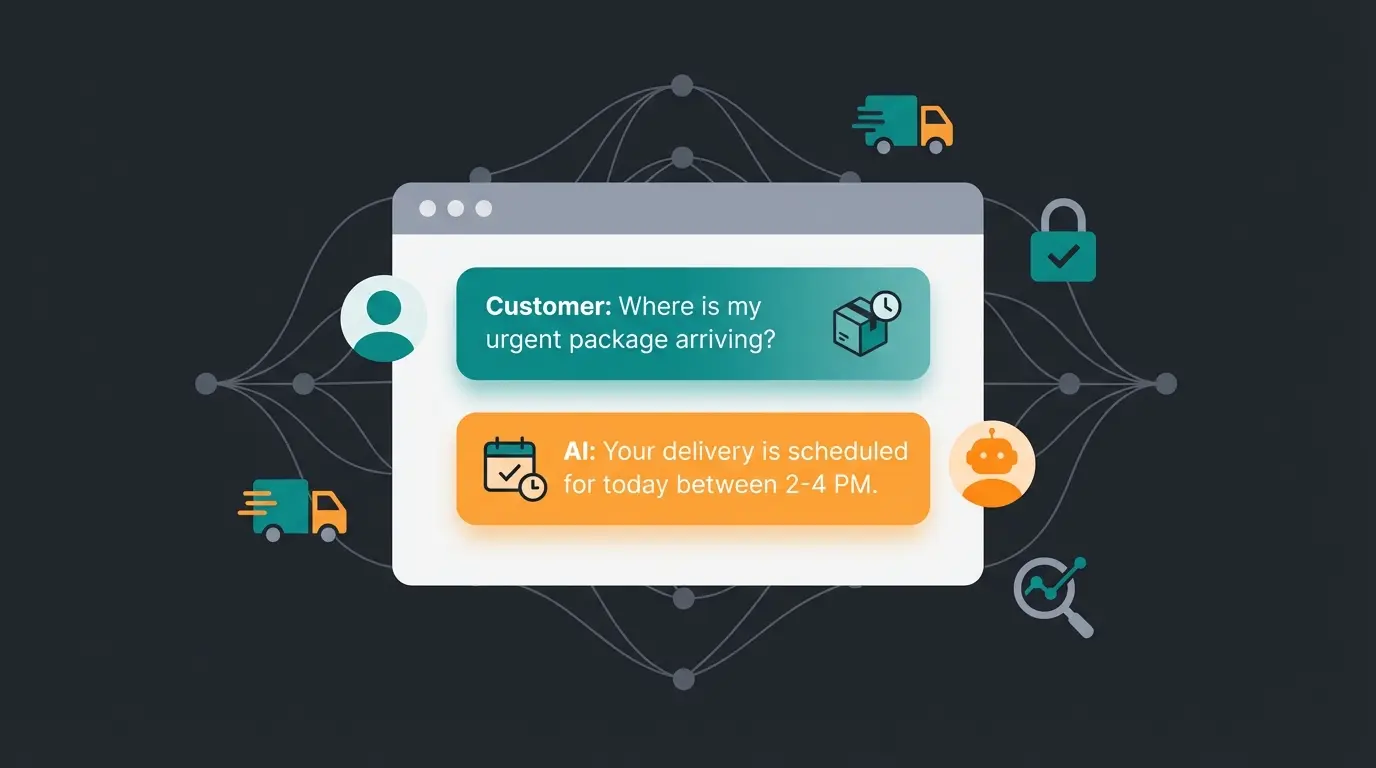
Customers often have specific questions that a static 'Shipping & Delivery' page doesn't answer. Questions like 'Will the gift arrive before Saturday?' or 'What does shipping cost if I take 50sqm of tiles instead of 10sqm?' require dynamic, real-time responses that static content simply cannot provide.
Traditional shipping setups are reactive—they wait for the customer to reach checkout, then potentially shock them with unexpected costs. AI product consultation takes a proactive approach, addressing shipping concerns throughout the customer journey before they become barriers to purchase.
The AI Shipping Consultant Approach
Imagine integrating an AI chatbot (based on OpenAI/ChatGPT or specialized e-commerce bots like WoowBot or Manifest AI) that has access to your shipping data. This isn't science fiction—it's the cutting edge of e-commerce optimization in 2025.
This uses real-time data (time, carrier API) and massively reduces purchase anxiety according to insights from wordpress.org and automation capabilities highlighted by n8n.io.
Here, the AI acts as a sales consultant performing upselling through shipping incentives as discussed by amio.io. This kind of AI product finder capability transforms shipping from a pain point into a sales opportunity.
Implementing the AI Strategy
To successfully integrate AI into your shipping strategy, follow this structured approach that builds on your existing WooCommerce infrastructure:
- Create the data foundation: Use plugins like Flexible Shipping PRO that make their logic accessible via API or use AI assistants for configuration according to octolize.com
- Integrate a chatbot: Tools like WoowBot or Tidio can be deeply integrated into WooCommerce and trained to answer shipping questions based on your FAQ and live data
- Leverage psychology: Let the AI actively promote 'Free Shipping Thresholds' ('You're only €12 away from free shipping!')
- Connect to carrier APIs: Real-time data from DHL, UPS, or regional carriers enables accurate delivery predictions
Understanding the fundamentals of AI customer service will help you maximize the effectiveness of your shipping-focused AI implementation.
| Feature | Standard Plugin | AI Consultation Solution |
|---|---|---|
| Calculates shipping cost | Yes | Yes |
| Answers user questions in real-time | No | Yes |
| Suggests cheaper alternatives | No | Yes |
| Handles 'what if' scenarios | No | Yes |
| Proactive threshold reminders | No | Yes |
| Learns from customer behavior | No | Yes |
Stop losing sales to shipping confusion. Our AI consultation solution answers customer questions in real-time, reduces cart abandonment, and increases average order value.
Start Your Free TrialTop WooCommerce Shipping Plugins (2025 Edition)
Based on the analysis of current market leaders and technological trends, these are the indispensable tools for a competitive WooCommerce shipping setup.
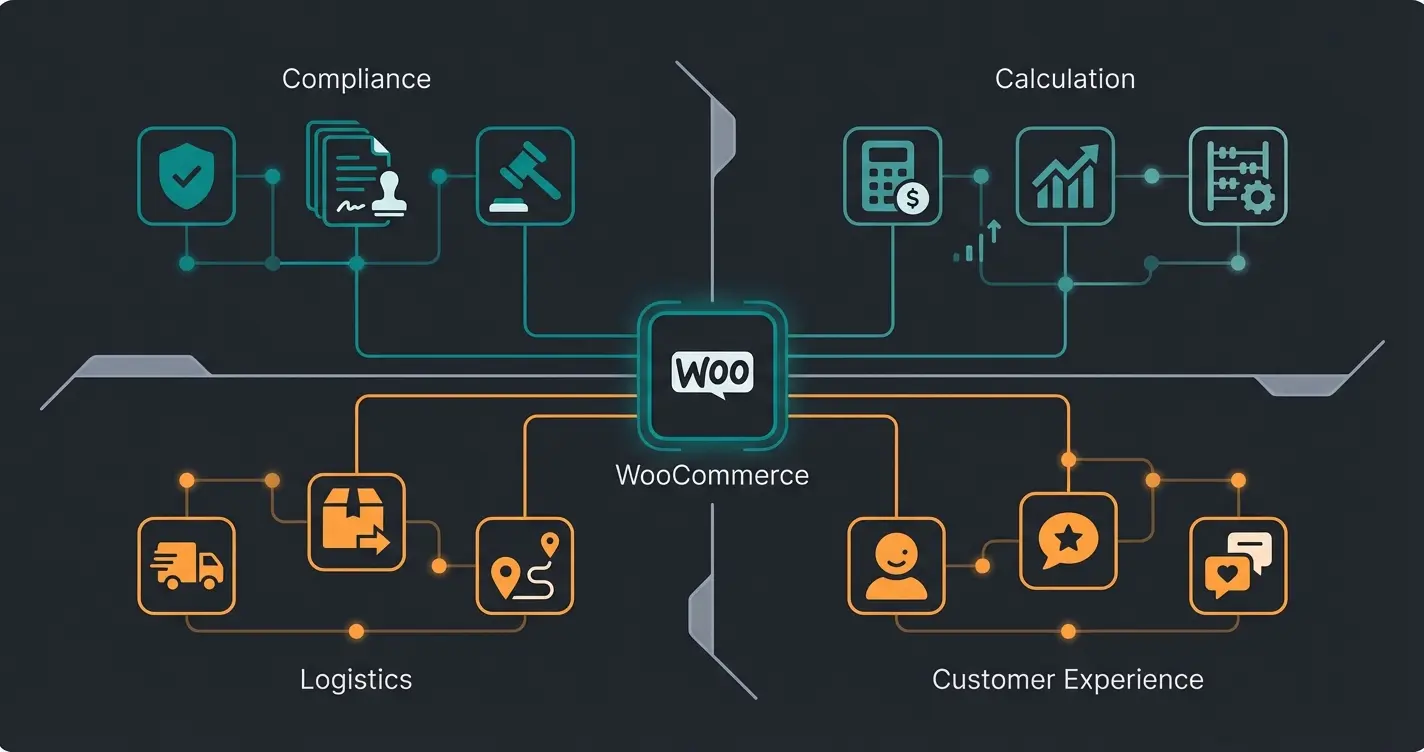
For Legal Compliance & Basics (Must-Have)
- Germanized for WooCommerce: The standard for German shops. Offers legally compliant checkboxes, delivery times, and email attachments. Compatible with Blocks according to wordpress.org.
- German Market: The strong alternative, especially if you need invoicing directly in the shop. Reviewed thoroughly by aweos.de and netz-gaenger.de.
For Complex Calculations (Logic)
- Flexible Shipping (Octolize): The most powerful tool for weight-, price-, or quantity-based shipping. Now includes an AI Assistant that helps you configure complex shipping rules via text input (e.g., 'Create a rule for €5 shipping under 1kg, then €1 per kg after that').
- WooCommerce Advanced Shipping: Ideal for conditional logic (e.g., 'Only show shipping method X if product Y is in the cart') according to learnwoo.com.
For Logistics & Label Printing (Post-Purchase)
- Sendcloud / ShipStation: These tools connect your shop directly with DHL, DPD, UPS, etc. They automate label printing and tracking. Significant time savings in the warehouse and professional tracking emails according to outvio.com and wpengine.com.
For Customer Experience (Frontend & AI)
- Free Shipping Label / Progress Bar: Visualizes in the cart how much is still needed for free shipping. A simple tweak with a big effect on AOV (Average Order Value) according to wordpress.org and pluginsforwp.com.
- WoowBot / ChatBot for WooCommerce: Allows customers to query order status ('Where is my package?') directly in chat without contacting support.
For shops using Shopware instead of WooCommerce, similar principles apply—learn how AI consultation boosts conversions on that platform as well.
Closing Content Gaps: What Competitors Miss
Our analysis of search results revealed that many guides ignore important aspects. Here are the solutions for these 'blind spots' that can give you a competitive edge.
The Psychology of Shipping Costs (Conversion Strategy)
Shipping costs are pain points. Understanding and addressing this psychology is crucial for conversion optimization.
- Strategy: Don't hide costs until the last step (checkout). This leads to 'Sticker Shock' and abandonment.
- Solution: Use a 'Shipping Cost Calculator' directly on the product page or in the mini-cart. Plugins like WooCommerce Shipping Calculator on Product Page create transparency.
- Framing: Don't call it 'Shipping costs: €5.00,' but 'Shipping & packaging flat rate' or offer 'Premium Shipping' (faster) as an anchor price so standard shipping seems cheap.
The AI Employee case study demonstrates how intelligent automation transforms customer interactions around shipping inquiries into conversion opportunities.
Handling Returns Proactively
Many customers don't order because the return policy is unclear. This creates unnecessary friction that AI-powered solutions can address.
Debugging: When Shipping Doesn't Display
A common problem often missing from guides: 'Why don't I see my shipping method?' This troubleshooting knowledge can save hours of frustration.
Debugging Checklist:
- Zone Priority: WooCommerce processes zones from top to bottom. If 'Worldwide' is at the top, it always triggers, and the specific 'Germany' zone is never reached. Always move specific zones to the top!
- Product Weight: Have you set up weight-based shipping but forgotten to enter the weight in the product? Then the costs are often €0 or the method is hidden.
- Debug Mode: Enable 'Debug Mode' in the shipping settings to see which zone WooCommerce selects for the current cart.
- Shipping Class Assignment: Verify that products have the correct shipping classes assigned, especially for new products.
For broader e-commerce AI strategies, the AI Product Consultation success story shows how intelligent assistants transform the entire customer journey, not just shipping.
2025 Checkout Experience: Classic vs. Blocks
Understanding the visual and functional differences between the classic WooCommerce checkout and the new Block-based checkout is essential for making informed decisions about your shipping display strategy.
| Aspect | Classic Checkout | Block Checkout (2025+) |
|---|---|---|
| Speed | Standard page load | Significantly faster, progressive loading |
| Mobile Experience | Adequate | Optimized for mobile-first |
| Shipping Display | Basic list format | Enhanced visual hierarchy |
| Plugin Compatibility | Universal | Requires Block compatibility |
| Customization | Template overrides | Block editor flexibility |
| Conversion Rate | Baseline | 10-15% improvement reported |
Conclusion: From Cost Factor to Competitive Advantage
WooCommerce shipping in 2025 is more than just sending packages. It's an interplay of technical precision (zones & classes), legal compliance (Germanized), and modern customer communication (AI & Blocks).
While your competition still maintains static tables, you can personalize the shopping experience through the use of AI-powered chatbots and dynamic shipping rules, minimizing cart abandonment. The investment in intelligent shipping solutions pays dividends through reduced support tickets, increased conversions, and higher average order values.
For shops looking to implement advanced AI product consultation, the shipping conversation is just one piece of a comprehensive AI strategy that touches every customer interaction.
Optimize your shipping process not just for logistics, but for the customer—your revenue will thank you.
FAQ: Common Questions About WooCommerce Shipping
For simple rules, the internal function is sufficient. For weight-based rules, the free version of Flexible Shipping is very popular. For legal compliance in Germany, Germanized (Free) is the standard. Each serves different needs, so evaluate based on your specific requirements.
Go to WooCommerce > Settings > Shipping > [Your Zone]. Add the 'Free Shipping' method and under 'Free shipping requires...' select the option 'Minimum order amount.' Enter the amount there (e.g., 50). Consider setting this threshold 15-20% above your current AOV to encourage larger orders.
Usually this is because the customer's address cannot be assigned to any zone, or the products are missing dimensions/weights needed for calculation. Use the 'Shipping Debug Mode' under Shipping > Shipping Options to find the error. Also check your zone priority—specific zones must be listed above general ones.
Yes, use shipping classes for this. Assign classes like 'Small' and 'Large' to products and set different costs for these classes in the shipping method (e.g., Flat Rate). This allows granular control over pricing based on product characteristics.
AI chatbots can answer shipping questions in real-time before checkout (reducing abandonment), calculate complex freight costs instantly, suggest free shipping threshold upsells, and handle 'when will it arrive' queries with dynamic carrier data. This transforms shipping from a conversion barrier into a sales tool.
Join innovative e-commerce brands using AI to transform shipping conversations into conversions. Reduce cart abandonment, increase AOV, and deliver exceptional customer experiences.
Get Started Free
Kevin is CTO and co-founder of Qualimero. As an AI architect with over 15 years of experience as CTO and CPO in the tech industry, he designs the AI systems that automate tens of thousands of customer interactions daily for Qualimero's clients — reliably, securely, and at scale.