WooCommerce Variations: Complete Guide + AI Strategies for More Sales
Master WooCommerce variations setup, avoid legal pitfalls, fix performance issues, and boost conversions with AI-powered guided selling strategies.

Introduction: Why Variations Are Both a Blessing and a Curse
Imagine standing in a supermarket in front of a shelf with 50 different types of jam. Do you grab one immediately? Probably not. You're overwhelmed. This phenomenon is called "Choice Overload" (the paradox of choice), as documented by The Decision Lab.
This is exactly the problem many store owners unknowingly import into their WooCommerce shop. They create a WooCommerce variable product with dozens of options—colors, sizes, materials—and leave customers alone with endless dropdown menus.
But variations are necessary. They're the backbone of almost every online store that sells more than just digital downloads. The challenge isn't in creating WooCommerce variations (that's the easy part), but in presenting them so customers buy instead of bouncing. Similar principles apply when working with Shopware variants setup and management.
In this ultimate guide, you'll learn:
- The Technical Foundation: How to set up variations cleanly and manage attributes correctly.
- Legal Compliance: What you absolutely must pay attention to in Germany (base prices, price ranges).
- Performance Optimization: Why your shop slows down after 30 variations and how to fix it.
- The Revolution: How to integrate an AI-powered purchase consultation instead of boring lists that makes your sales explode.
Part 1: The Basics – Understanding Attributes vs. Variations
Before we start clicking, we need to understand the fundamentals. A common mistake among beginners is confusing attributes and variations. If you get this wrong, your database will become unnecessarily bloated later, as explained by 20i and WP Experts.
Decision Guide: Attribute or Variation?
| Feature | Attribute (Property) | Variation (Sales Item) |
|---|---|---|
| Definition | Describes the product (data sheet). | Is the physical product in stock. |
| Example | "Material: Cotton", "Color: Blue" | "T-Shirt Blue, Size M" |
| Function | Used for filtering and comparing. | Has its own price, inventory & SKU. |
| Customer | Reads it in the description. | Puts it in the shopping cart. |
| Rule of Thumb | Does the price or stock not change? → Attribute. | Do I need to know how many are available? → Variation. |
Part 2: Step-by-Step – Creating WooCommerce Variations
Here's the most efficient way to set up a WooCommerce variable product without wasting time. This approach works seamlessly whether you're managing a small catalog or scaling with WooCommerce plugins for AI consultation.
Step 1: Define the Product
- Go to Products > Add New.
- Scroll down to the "Product Data" box.
- In the dropdown, select Variable product instead of "Simple product". Note: The regular price field disappears here because prices are now set at the variation level.
As documented by VilaTheme and WooCommerce official documentation, this is the foundation for all variable products.
Step 2: Add Attributes
For WooCommerce to generate variations, it needs ingredients (attributes).
- Click on the Attributes tab on the left.
- Select a global attribute (e.g., "Size") and click "Add".
- Choose the values (e.g., S, M, L).
- IMPORTANT: Check the box for "Used for variations". Without this checkbox, nothing will happen in the next step.
This critical step is confirmed by both WooCommerce and Neil Matthews.
Step 3: Generate Variations
Now the magic happens. Instead of manually creating each combination:
- Switch to the Variations tab.
- Select from the dropdown: "Create variations from all attributes".
- Click "Go". Example: If you have 2 colors and 3 sizes, WooCommerce automatically creates 6 variations (2×3).
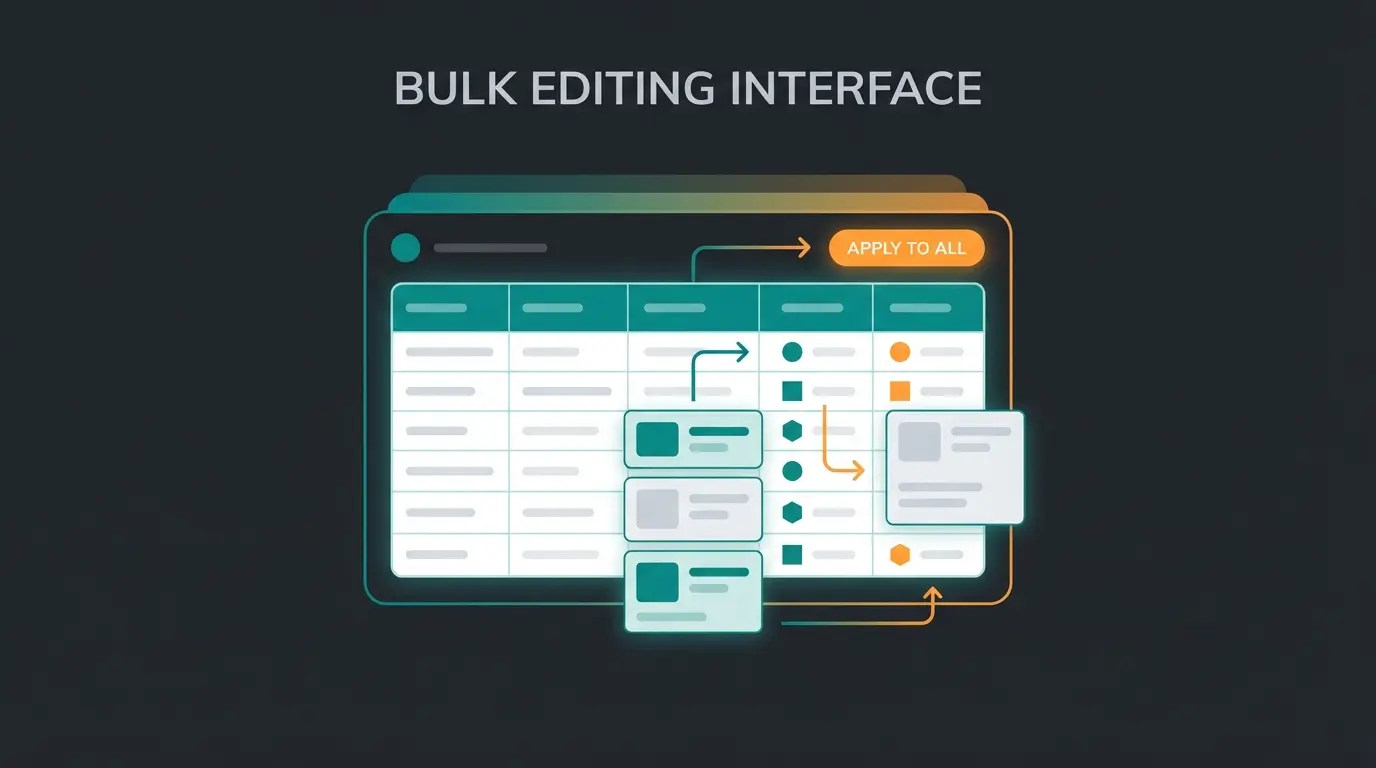
Step 4: Data Management (Bulk Edit)
You don't need to open each variation individually to enter the price.
- Use the dropdown menu at the top of the Variations tab.
- Select "Set regular prices" (under "Prices").
- Enter a value (e.g., $29.99) and click OK. All variations now cost $29.99.
- Repeat this for inventory if all variations are managed the same way.
Part 3: Warning – Variations Under German Legal Requirements
Most English-language tutorials completely ignore this point, but for shops in the DACH region, it can be existentially threatening: The Price Indication Regulation (PAngV).
The Base Price Problem
Do you sell products by weight or volume (e.g., shampoo, pet food, paints)? Then you must display the base price (e.g., "$10.00 / 1 liter").
The Problem: Standard WooCommerce is weak here. When a customer switches from the 500ml bottle to the 1-liter bottle, WooCommerce often updates the final price but not always correctly the base price or unit, as documented by Vendidero.
The Solution: You absolutely need a plugin like Germanized for WooCommerce or German Market.
- Dynamic Calculation: These plugins ensure that when selecting the "500ml" variation, "Base price: $20 / 1 liter" immediately appears.
- Unit Management: You can define: Variation A = 0.5 units (liter), Variation B = 1.0 units (liter).
The "From" Price Trap
If your variations have different prices (Size S = $10, Size XXL = $15), you can't simply write "$10" on the category page. It must be clear to the customer that it could be more expensive.
- Correct: "from $10.00" or "$10.00 – $15.00".
- Plugins like Germanized automate the "from {price}" format to remain legally compliant.
Ensure base price updates dynamically when variation changes (e.g., €2.00 / 100ml)
Show VAT included/excluded status per variation if different rates apply
Display accurate delivery estimates for each variation option
Use 'from €X' or 'X – Y' format when variation prices differ
Part 4: Performance Killer – When Your Shop Slows Down
Have you ever wondered why your product with 100 variations loads so slowly?
The "30 Variations" Threshold (AJAX Threshold)
WooCommerce has a built-in brake. By default, WooCommerce preloads all data into the browser for up to 30 variations. This makes switching images and prices lightning fast.
Once you have 31 or more variations, WooCommerce stops preloading. Instead, with every customer click (e.g., switching from "Blue" to "Red"), a request is sent to the server (AJAX) to check: "Is Red in Size M in stock?" This behavior is documented on GitHub and TechPrimeWeb.
The Consequences:
- The customer sees a loading delay with every click.
- Grayed-out (unavailable) options are only shown as "not available" after the click – extremely frustrating for the user, as noted in the WooCommerce documentation.
Solution: Increase the Threshold
If you have a good server, you can raise this limit so everything runs smoothly even with 100 variations. Add this code to your `functions.php` or a code snippet plugin:
```php /** Increases the limit for preloading variations to 150 / function custom_wc_ajax_variation_threshold( $qty, $product ) { return 150; } add_filter( 'woocommerce_ajax_variation_threshold', 'custom_wc_ajax_variation_threshold', 10, 2 ); ```
Part 5: The UX Dilemma – When Dropdowns Kill Sales
We come to the strategically most important part. Most shops lose customers not because the price is too high, but because the selection is too complicated. Understanding AI e-commerce consultation strategies becomes crucial here.
The Matrix Problem
Imagine you sell technical components (screws).
- Attribute 1: Length (20 options)
- Attribute 2: Diameter (10 options)
- Attribute 3: Material (5 options)
- Result: 1,000 variations.
A dropdown menu here is the death of conversion. The customer has to guess which combination exists. If they click "Length 50mm" and "Diameter 2mm," often this appears: "This combination is not available." After the third failed attempt, the customer is gone.
The Evolution of Display Methods
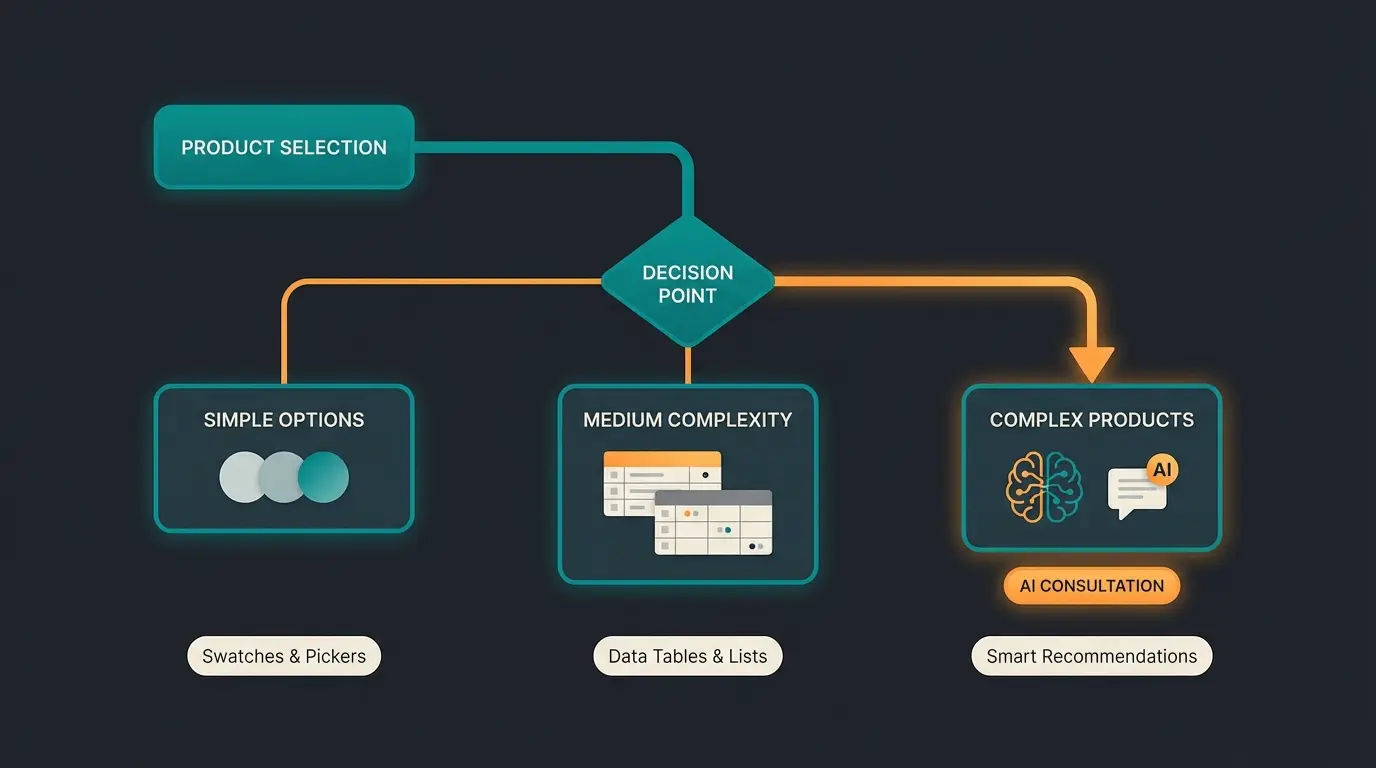
Here's a decision matrix (Decision Matrix) for which format you should use:
| Number of Variations | Complexity | Recommended Solution | Plugin Type |
|---|---|---|---|
| < 10 | Low (T-shirts) | Swatches (Color fields, images) | Variation Swatches |
| 10 - 50 | Medium (Spare parts) | Tables (List view) | Product Table |
| 50+ / Requires explanation | High (Tech, Skincare, Gifts) | AI Guided Selling (Purchase advisor) | Quiz / Advisor |
Part 6: The Future – AI Consultation Instead of Product Filters
Here's your chance to overtake the competition. While others are still trying to display huge tables on mobile, market leaders are betting on Guided Selling. This represents the core of AI guided selling revolution.
Why Filters Often Fail
Filters assume the customer knows the solution.
- Filter: "Show me laptops with 16GB RAM and i7 processor."
- Reality: The customer often doesn't know what they need. They only know: "I want to edit videos."
This insight aligns with what research from UCLA has found about consumer decision-making.
The Solution: The Digital Sales Consultant (AI Quiz)
Instead of throwing 50 variations at the customer's feet, you use a plugin that acts like a salesperson. This approach is documented by RevenueHunt and represents the future of AI product finder technology.
The Scenario:
- The customer lands on the "Running Shoes" page.
- Instead of seeing 100 shoes, a quiz starts: "Where do you usually run?" (Forest / Street / Treadmill).
- Question 2: "Do you have foot problems?" (No / Flat feet / High arch).
- Result: The system shows exactly the one variation that fits.
The Advantages:
- Reduced Returns: Because the customer buys the right product, not just any one.
- Higher Conversion: Decision paralysis is eliminated.
- Data Gold: You learn what your customers are really looking for (Zero-Party Data).
Recommended Tools for This Approach
For this approach, there are specialized solutions that go far beyond normal variations. Many successful stores also leverage AI product consultation providers for advanced implementations.
- Bluebarry (AI Product Finder): This tool specializes in complex catalogs. It syncs with your WooCommerce products and uses AI to generate questions and match products. It's ideal for premium brands that want to simulate the shopping experience of a specialty store, as detailed on Bluebarry.ai and WordPress.org.
- RevenueHunt (Product Recommendation Quiz): A strong "Personal Shopper" for WooCommerce. It integrates well and offers solid logic connections to guide customers through the jungle of variations, as documented on WooCommerce Marketplace.
- Advisor Quiz: Well suited for filtering content and products based on answers. It works more like a classic filter disguised as a question, available on CodeCanyon and documented at CMoreira.net.
Stop losing customers to dropdown confusion. Our AI-powered consultation guides shoppers to the perfect variation in seconds, increasing conversions and reducing returns.
Start Your Free TrialPart 7: Top 3 WooCommerce Variation Plugins for Management
Apart from AI, there are "must-have" plugins that make the daily handling of variations easier. For a comprehensive overview, check our guide on AI product consultant solutions.
1. Variation Swatches for WooCommerce
Transforms the ugly default dropdowns into beautiful buttons, color fields, or small preview images.
- Benefit: The customer immediately sees all colors without having to click.
- Cost: Free version available, Pro version for dual-color etc.
2. WooCommerce Bulk Edit (BEAR)
If you have 500 variations and want to increase the price by 10%, you don't want to do that manually.
- Benefit: Mass editing of prices, inventory, and attributes in an Excel-like table directly in WordPress.
3. Germanized for WooCommerce
As mentioned in Part 3: Indispensable for the German market.
- Benefit: Legal compliance for base prices, delivery times per variation, and checkboxes at checkout.
These plugins complement the strategies used in Shopping Experiences AI consultation when building comprehensive e-commerce solutions.
Default limit before server requests per click
Variations where admin management becomes noticeably sluggish
Of existing content covers identical basic setup instructions
Potential increase with AI-guided product selection
Implementing Variations Across Different Store Types
The approach to WooCommerce variations differs significantly based on your business model. Understanding these nuances is crucial for optimizing your product pages, similar to Shopware product page optimization strategies.
B2C vs B2B Variation Strategies
Consumer-facing stores typically deal with aesthetic variations (colors, sizes), while B2B shops handle technical specifications (voltages, dimensions, certifications). The comparison principles outlined in Shopware B2B vs B2C analysis apply equally to WooCommerce implementations.
For B2B scenarios, consider implementing quantity-based pricing tiers within variations, bulk ordering interfaces, and customer-specific pricing rules. These requirements often exceed what standard WooCommerce offers out of the box.
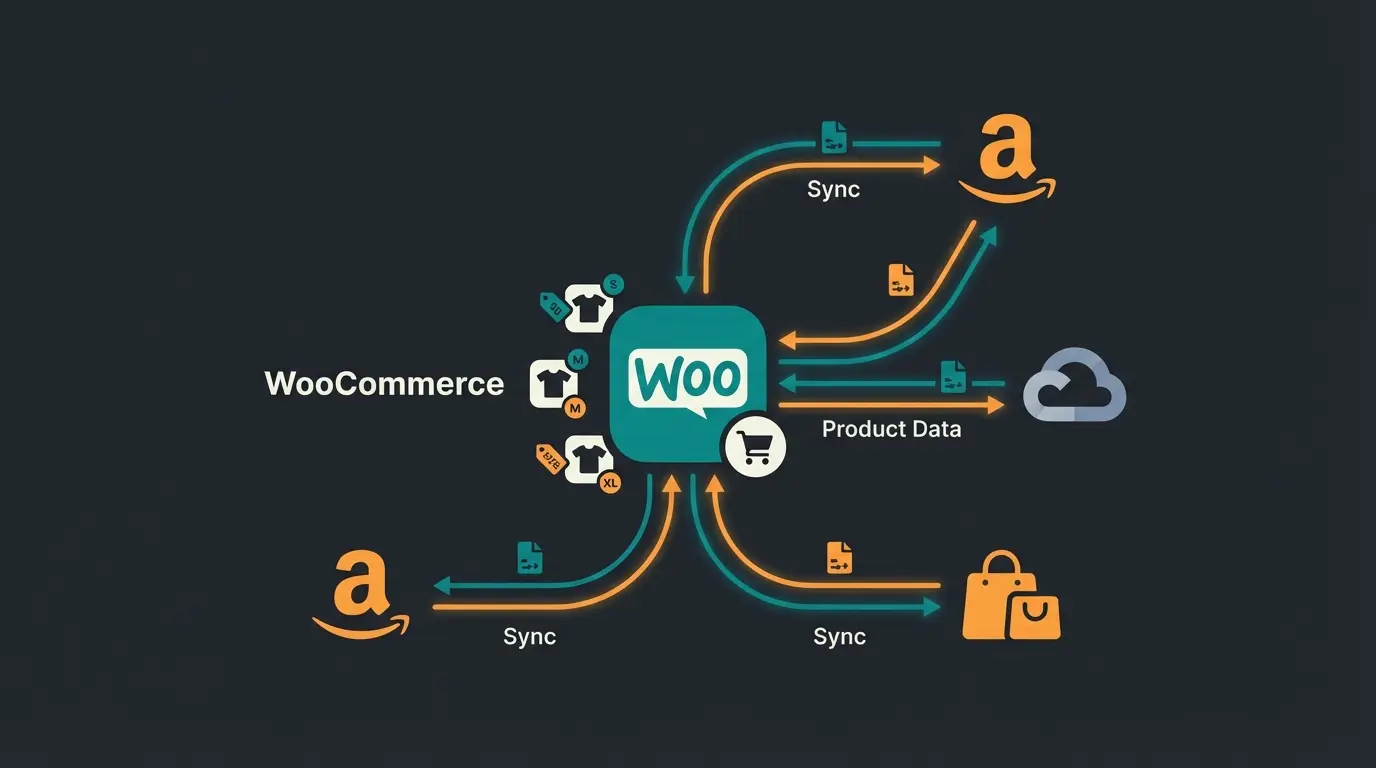
Multi-Channel Considerations
When selling across multiple channels, variation management becomes exponentially complex. Your WooCommerce variations must sync accurately with marketplaces, each with their own variation requirements. Strategic approaches covered in multi-channel AI consultation can help navigate these challenges.
Working with Professional E-Commerce Partners
Complex variation setups often benefit from professional implementation. Whether you're working with a Shopware e-commerce agency or WooCommerce specialists, understanding the technical foundations covered in this guide helps you communicate requirements effectively and evaluate proposed solutions.
Key questions to ask potential partners include their experience with high-variation catalogs, performance optimization strategies, and integration capabilities with AI consultation tools.
FAQ: Common Questions About WooCommerce Variations
Technically, there's no hard limit, but from around 50 variations per product, performance suffers without adjustments (see Part 4). From 200 variations, backend management becomes very sluggish ("soft limit"), as discussed in various Reddit threads.
Yes! In the Variations tab, you can assign an image to each individual variation. When the customer selects the variation (e.g., "Blue"), the main product image automatically switches.
This usually has three reasons: 1) You haven't set a price for the variation (variations without prices are hidden). 2) The variation is "out of stock". 3) You forgot to check "Used for variations" in the Attributes tab.
A simple product has one price and one SKU (e.g., "A book"). A variable product is a container for multiple "sub-products" (variations) that can each have their own prices and inventory (e.g., "T-shirt in S, M, L").
For complex products where customers don't know exactly what they need (technical parts, skincare, supplements), standard dropdowns fail. Implement AI-powered guided selling that asks qualifying questions and recommends the perfect variation based on customer needs rather than forcing them to understand technical specifications.
Conclusion: From Administrator to Sales Expert
Creating WooCommerce variations isn't rocket science technically. The true art lies in hiding the complexity from the customer.
- Level 1: You use clean attributes and observe German legal requirements (base prices).
- Level 2: You optimize performance (AJAX threshold) and use swatches for better visuals.
- Level 3 (Pro): You recognize that customers need help with complex variations and integrate an AI-powered consultation that guides the customer by hand.
Check your products with the most variations today: Are they easy to buy or are you forcing your customers to play "dropdown bingo"? The answer to that question determines tomorrow's revenue.
Join hundreds of e-commerce stores using AI-powered consultation to guide customers through complex product variations. Increase conversions, reduce returns, and collect valuable customer insights.
Get Started Free
Kevin is CTO and co-founder of Qualimero. As an AI architect with over 15 years of experience as CTO and CPO in the tech industry, he designs the AI systems that automate tens of thousands of customer interactions daily for Qualimero's clients — reliably, securely, and at scale.