Why Standard Product Pages No Longer Suffice in 2025
E-commerce in Germany stands at a turning point in 2025. While online retail revenues are showing slight growth again after a period of stagnation, with positive projections for 2025 according to retail-news.de and bevh.org, many shop owners face a harsh reality: traffic is becoming more expensive, and user attention spans are shrinking.
The average conversion rate (CVR) in German e-commerce currently sits at only about 2.01% to 2.24% as reported by ecommercenews.eu, uptain.de, and digital-magazin.de. In reverse, this means: nearly 98 out of 100 visitors leave your Shopware store without making a purchase.
German e-commerce conversion benchmark
Without making a purchase
Of total e-commerce traffic
vs 2.17% on desktop devices
Most retailers respond with classic measures: they optimize images, refine texts, and adjust prices. But this is often no longer enough today. If you want to optimize your Shopware product page, you need to rethink your approach. It's no longer just about displaying products (like in a printed catalog), but actively selling them. Understanding how AI transforms static rules into dynamic selling mechanisms is key to this transformation.
This guide shows you not only the technical essentials in Shopware 6 but also leads you into the next era of e-commerce: the transformation of the product page from a passive information sheet to an interactive sales consultant powered by AI.
The Catalog Problem in Modern E-Commerce
Most Shopware installations are technically excellent but suffer from a conceptual legacy problem: they merely digitize the classic mail-order catalog. The customer sees an image, a price, and a static description. The problem with this approach is its passivity. The shop waits for the customer to independently find the information, understand the technical data, and make the mental transfer ("Does this replacement part fit my device?").
This passive approach fundamentally conflicts with how modern consumers expect to shop. They're accustomed to instant answers from voice assistants, personalized recommendations from streaming services, and immediate support from messaging apps. A static product page feels outdated by comparison.
The Mobile Gap: A Critical Challenge
Adding to this is the changed user behavior. In Germany, 60% to 70% of traffic is now generated via mobile devices according to ecommercenews.eu and sqmagazine.co.uk. Yet the conversion rate on smartphones significantly lags behind desktop (approximately 1.91% mobile vs. 2.17% desktop).
On the small smartphone display, "searching and reading" long product descriptions is tedious. Customers who don't immediately find an answer bounce. A standard product page that leaves users alone with walls of text is a conversion killer in 2025. This is where AI-driven consultation becomes essential for bridging the mobile experience gap.
The Goal: From Information to Consultation
To significantly push the conversion rate above the 2% mark, we must redefine the product page. It can no longer be a "silent shelf." It must take on the role of an active salesperson who approaches the customer, anticipates questions, and eliminates uncertainties. This shift from passive information display to active consultation represents the fundamental evolution needed in e-commerce today.
Technical Essentials: Foundation for Shopware 6 Success
Before we turn to innovative AI strategies, the homework must be done. Google and your users don't forgive technical deficiencies. When you optimize your Shopware product page, these three pillars form the foundation. Without solid technical performance, even the most sophisticated consultation features will fail to convert visitors.
Performance is King: Minimizing Load Times
Load time is the strongest lever for conversion. Studies from fleexy.dev show that even a delay of one second can reduce the conversion rate by 7%. If loading takes longer than 3 seconds, over 53% of mobile users immediately bounce, as confirmed by research from Shopify.
Here's how to optimize performance in Shopware 6:
- Image Compression (WebP & AVIF): Use modern image formats. Shopware 6 now supports native WebP generation. Ensure your thumbnails in media settings are configured to prioritize WebP. For older versions or extended features (like AVIF), plugins such as "FroshWebP" or commercial CDN solutions provide help according to Shopware documentation. Tip: Make sure product images aren't uploaded unnecessarily large. A 4000px wide image has no place on a product page.
- Lazy Loading: Images that aren't immediately in the visible area ("Above the Fold") should only load when the user scrolls. Since Shopware 6.6, native lazy loading (`loading="lazy"`) is supported by default in many storefront locations (e.g., product sliders, cross-selling) as noted in Shopware release notes. Check in your theme whether this is active.
- HTTP/2 and Caching: Use Shopware's HTTP cache intensively. For high-traffic pages, using Varnish or Redis as a cache layer is highly recommended to keep server response times (TTFB) under 200ms.
Mobile First: The Thumb Zone Decides
Since over 70% of purchase decisions are initiated on mobile devices, the design must be optimized for the thumb. This isn't just about responsive design—it's about designing specifically for how users interact with their smartphones.
- Sticky "Add to Cart": When the user scrolls down on smartphone to read the description, the buy button often disappears. A "sticky footer" that fixes the price and cart button at the bottom of the screen can noticeably increase conversion rate.
- Readability: Font sizes under 16px are hard to read on modern smartphones. Use sufficient line spacing (1.5em) and ensure adequate contrast between text and background.
- Touch Targets: Buttons and links must be large enough to hit accurately with the thumb (at least 44x44 pixels). This is especially important for variant selectors and quantity inputs.
SEO Fundamentals: Getting Found
The best product page is useless if it's not found. Shopware offers strong built-in tools for SEO optimization:
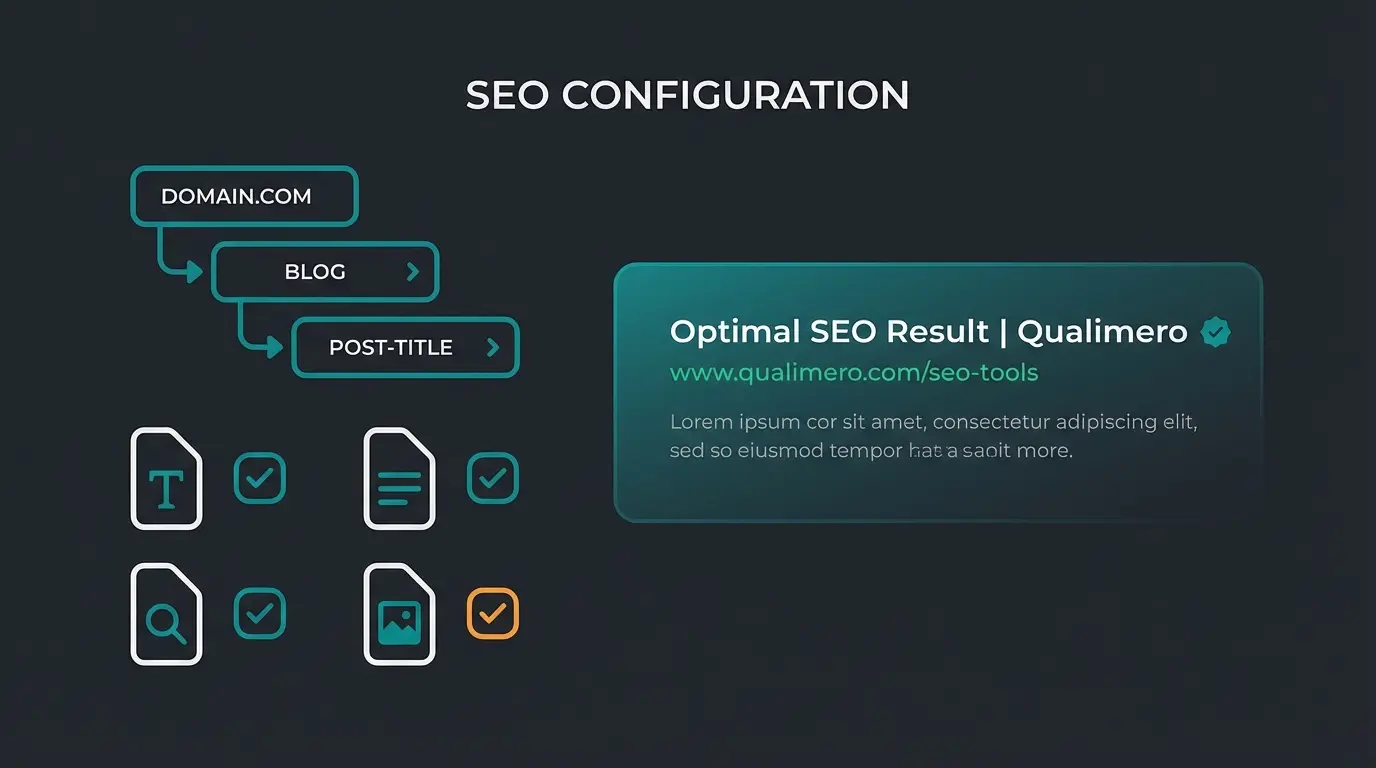
- SEO URLs (SEF): Configure the SEO URL templates in Shopware settings to be descriptive (e.g., `{{ product.translated.name }}`). Avoid IDs in the URL where possible.
- Meta Data: Use inheritance. If you don't maintain a specific meta description, Shopware should automatically pull a meaningful excerpt from the product description. Even better: Use the Shopware AI Copilot to automatically generate SEO-optimized meta data according to itdelight.io. For more advanced automation, explore Shopware AI features.
- Rich Snippets: Shopware 6 outputs structured data (Schema.org) for products by default. This ensures price and availability appear directly in Google search results. Check this regularly in Google Search Console's testing tool.
Design and UX: Using Shopping Experiences Effectively
Shopware 6 offers a powerful tool with "Shopping Experiences" (Erlebniswelten) to individually design product pages. Use this to break out of the standard grid and create memorable shopping experiences that differentiate your store from competitors.
High-Quality Visuals: More Than Just a Photo
The product image is the most important sales factor. Since the customer cannot touch the product, images must fill this gap. This is especially critical when implementing AI-powered product consultation as visual context enhances AI recommendations.
- Galleries & Zoom: Offer high-resolution images from various angles. The zoom function must work intuitively (also on mobile). Consider implementing hover-zoom on desktop and pinch-zoom on mobile.
- Video Integration: Moving images increase dwell time and trust. A short video showing the product in use can reduce returns as the customer develops more realistic expectations. Embed videos via Shopping Experiences elements (YouTube/Vimeo or self-hosted for privacy compliance).
- 360-Degree Views: Especially for technical devices or fashion, a rotatable view helps enormously. This feature alone can reduce return rates by helping customers better understand product dimensions and details.
The Above the Fold Area: First Impressions Matter
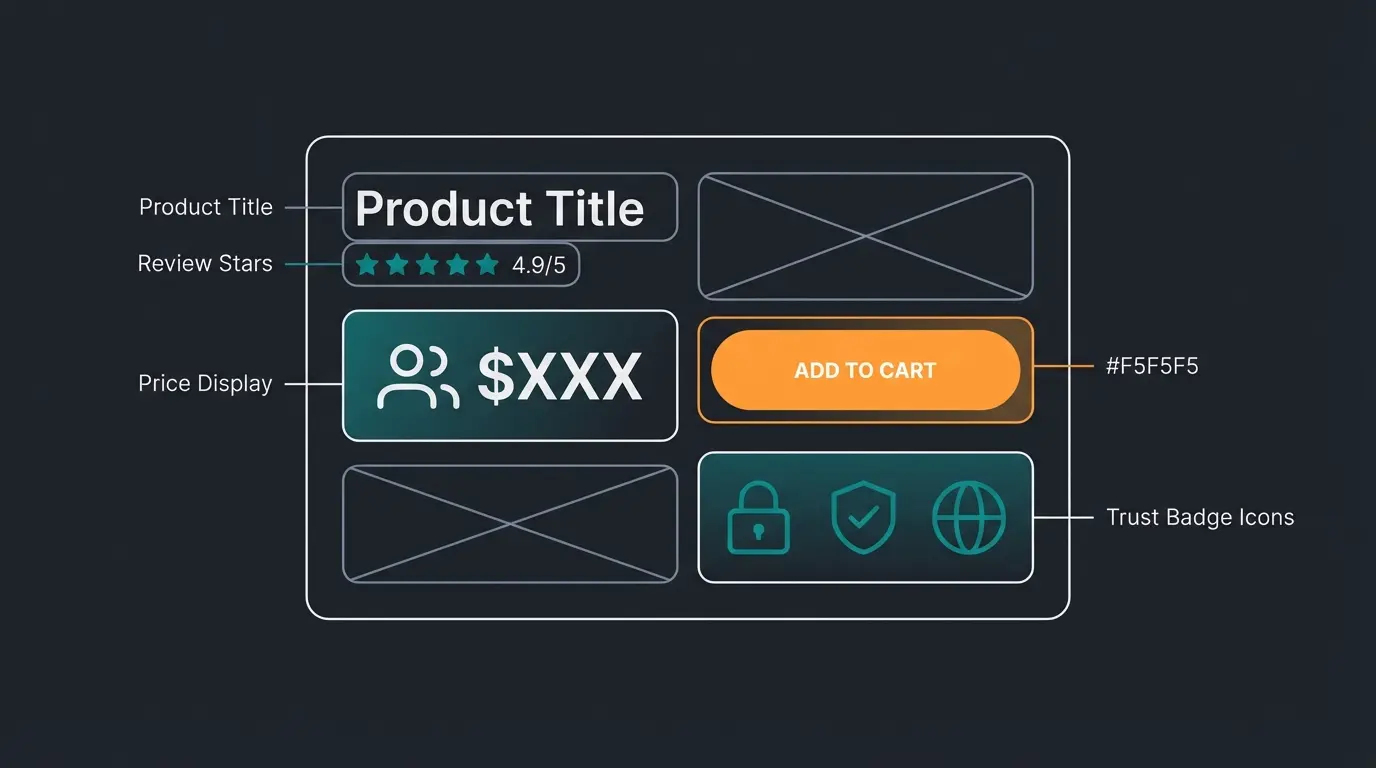
The area the user sees without scrolling ("Above the Fold") decides between abandonment and interest. The following elements must be placed here:
- Meaningful product title (H1) that includes key product attributes
- Price (large and clear), including any sale or comparison pricing
- Availability & Delivery Time (creates trust and urgency)
- Call-to-Action (CTA): The "Add to Cart" button must stand out in color (contrast color to shop design)
- Trust Elements: A small logo (e.g., "Trusted Shops" or "30-day return policy") directly next to the price reduces purchase hesitation
Building Trust: Integrating Social Proof
Customers trust other customers more than your advertising copy. This psychological principle makes reviews and social proof essential conversion drivers.
- Reviews: Integrate review systems (Shopware native or plugins like Trusted Shops/Kiyoh). Display star ratings prominently and make it easy for customers to filter reviews.
- AI Summaries: A new feature of the Shopware AI Copilot is the summarization of reviews as detailed on Shopware.com. Instead of the customer having to read 50 reviews, the AI generates a summary: "Customers particularly praise the craftsmanship and fast delivery, but sometimes criticize the tight fit." This saves the customer time and creates massive transparency.
The Game Changer: Active Product Consultation Over Text
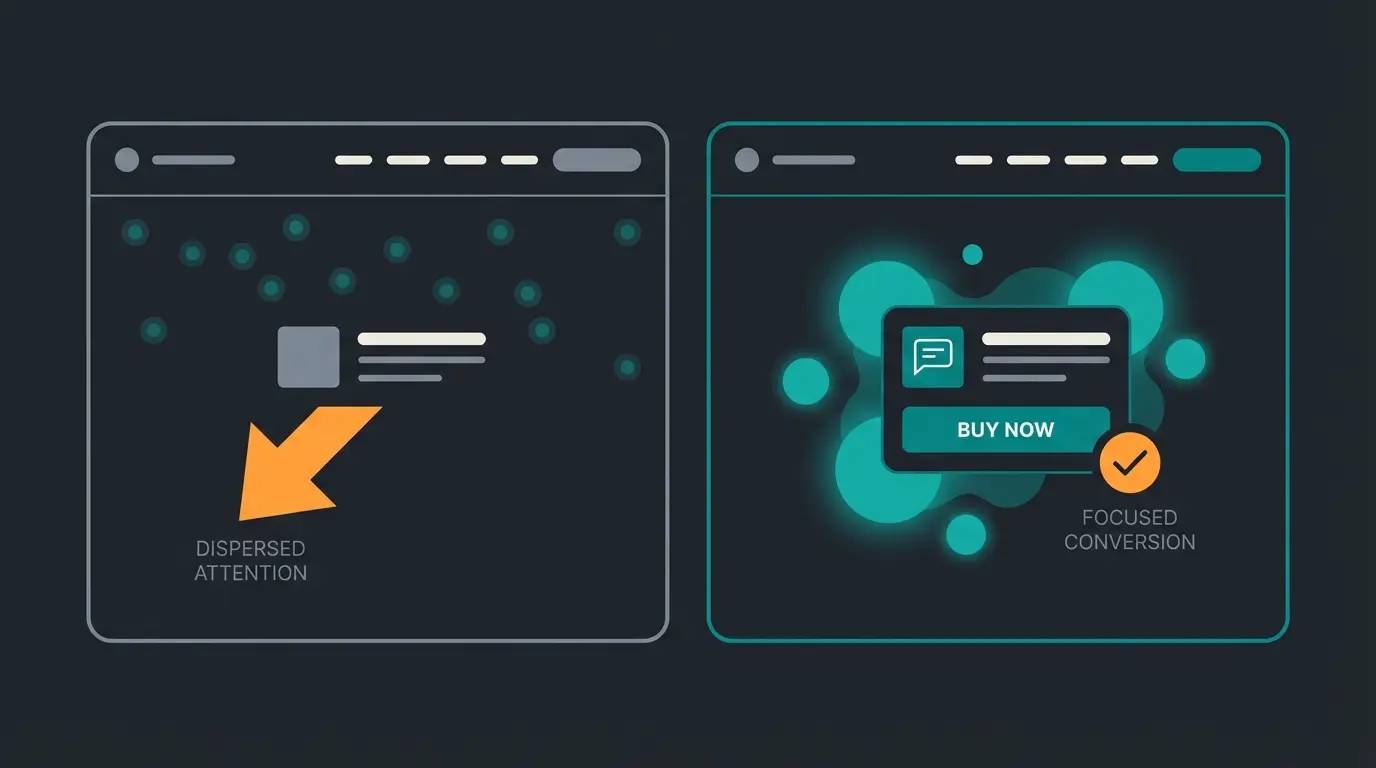
Here's where the wheat separates from the chaff. While the points mentioned above are "mandatory," active consultation is the "bonus" that leaves competitors behind. This approach fundamentally changes how customers interact with your product pages, transforming passive browsing into active engagement.
The Problem of Zero-Click Abandonment
Many customers leave a product page not because the product is bad, but because they have a specific question whose answer they can't immediately find in the text. Consider these common scenarios:
- Example: "Does this bike rack fit my VW Golf V?"
- Reality: The information might be in line 40 of the description or in the PDF data sheet. The customer searches for 10 seconds, doesn't find it, and goes back to Google.
- Result: Lost sale, wasted advertising spend, and a customer who may never return
This "zero-click" abandonment represents one of the largest conversion leaks in e-commerce today. Traditional solutions like better search or expanded FAQs only partially address this issue because they still require the customer to take action. Understanding KI E-Commerce principles helps identify where these friction points occur in your customer journey.
Why FAQ Bots Fall Short
Classic chatbots or FAQ sections are often frustrating. They're based on rigid scripts ("If keyword X, then show answer Y"). They don't understand context and cannot truly consult. They're passive signposts, not salespeople. When comparing Shopware 6 chatbots to modern AI solutions, the difference in capability becomes starkly apparent.
The limitations of traditional chatbots include:
- No context awareness: They can't connect product specifications to customer needs
- Limited vocabulary: They only recognize pre-programmed keywords and phrases
- No learning capability: They repeat the same mistakes without improvement
- Frustrating fallbacks: When they don't understand, they default to generic responses
- No sales intelligence: They can't identify upsell or cross-sell opportunities
AI as a Digital Salesperson on the Product Page
The future of Shopware product pages lies in integrating Large Language Models (LLMs) and agent systems that directly access product data. This represents a fundamental shift from reactive FAQ systems to active product consultation that anticipates and addresses customer needs.
How AI-Powered Consultation Works
Imagine a chat window on the product page that isn't called "Support" but "Product Advisor." This isn't just branding—it reflects a fundamentally different approach to customer interaction. The implementation of AI Product Consultation follows a sophisticated architecture:
- Context Understanding: The AI knows exactly the product the customer is viewing (attributes, description, reviews, data sheets). It doesn't just pattern-match keywords; it understands the product's purpose, limitations, and ideal use cases.
- Active Approach: Instead of waiting, the AI can (after a certain dwell time) ask: "Are you unsure if size L fits? Based on reviews, this model runs slightly small." This proactive engagement catches hesitant customers before they bounce.
- Cross-Selling: When the customer asks: "Do I need batteries for this?", the AI doesn't just answer Yes/No but places the matching battery pack directly as a suggestion in the chat. This contextual recommendation feels helpful rather than pushy.
The AI Selling revolutionizing approach goes beyond simple Q&A. Modern AI consultants can guide customers through complex decision trees, compare products based on stated needs, and even identify when a different product might better serve the customer—building trust even if it means a lower-priced recommendation.
The Benefits: Why AI Consultation Converts
- Higher Conversion: Uncertainties are eliminated in real-time, removing the primary barrier to purchase
- Fewer Returns: When the AI clarifies that the replacement part doesn't fit, a wrong order is prevented, saving logistics costs and customer frustration
- Support Relief: Recurring questions ("How do I wash this?") are automatically answered but in a personal, conversational manner that feels human
- Data Collection: Every conversation provides insights into customer concerns, common questions, and product gaps
- 24/7 Availability: Unlike human sales staff, AI consultation never sleeps, takes breaks, or has off days
| Feature | Standard Shopware Page (Passive) | AI-Optimized Page (Active) |
|---|---|---|
| Information Flow | Customer must read and search | AI delivers answers on demand |
| Search Function | Filters & keywords only | Natural language ("Show me something red for winter") |
| Consultation | Static size tables | "Customers your size usually buy L" |
| Cross-Selling | "Others also bought..." (static) | Context-based recommendation in conversation |
| Customer Engagement | Hope they find what they need | Proactively guide to purchase |
| Goal | Provide information | Close the sale |
Connect AI to product database, reviews, and specifications
AI learns product relationships, compatibility rules, and common questions
Install consultation interface on product pages with strategic placement
Configure engagement rules based on user behavior signals
Analyze conversations to improve responses and identify product gaps
Stop losing 98% of your visitors to passive product displays. Qualimero's AI consultation turns browsers into buyers by answering questions instantly and guiding customers to confident purchases.
Start Your Free AI Consultation TrialBest Practices for Specific Industries
Optimizing a Shopware product page looks different depending on the industry. Here are specific approaches that address the unique challenges and opportunities in each vertical. Building an AI-powered consultation hub requires understanding these industry-specific nuances.
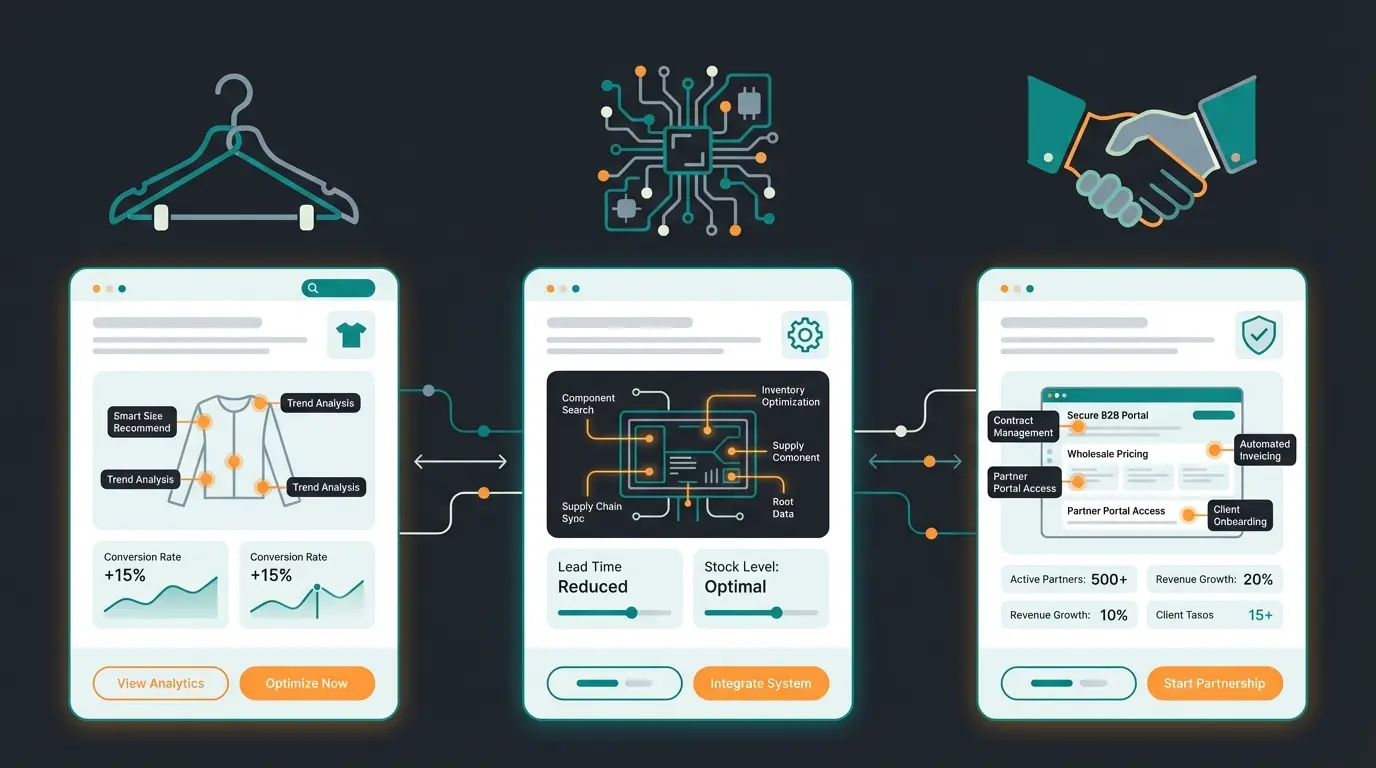
Fashion and Apparel: Solving the Fit Problem
In fashion, the return rate is the biggest challenge. The core problem—"Will this fit me?"—drives a significant portion of returns and purchase hesitation. Implementing AI consulting in e-commerce specifically addresses these fit-related concerns.
- Problem: "Does this fit me?" represents the single largest barrier to fashion e-commerce conversion
- Solution: Use AI tools for size consultation. Shopware offers functions via the AI Copilot for summarizing fit reviews, aggregating feedback from customers of similar builds
- Visuals: Use Shopware Shopping Experiences for "Shop the Look" elements where customers can purchase the complete outfit on the product page
- Advanced Features: Consider integrating virtual try-on tools or size recommendation algorithms that learn from return data
Technology and Electronics: Managing Complexity
Here it's about compatibility and technical specifications. The information overload paradox is real: customers need detailed specs to make informed decisions, but too much information causes analysis paralysis.
- Problem: Information overload and compatibility anxiety prevent confident purchasing
- Solution: Structured data sheets are mandatory. Use Shopware "Properties" intensively to generate comparable tables across product lines
- AI Application: An AI consultant can excel here: "Is this cable compatible with iPhone 15?" -> "Yes, since iPhone 15 has a USB-C port, this cable fits perfectly." The AI can even proactively warn about incompatibilities
- Comparison Tools: Build comparison features that let customers evaluate specs side-by-side
B2B Commerce: Complex Sales Made Simple
In the B2B sector, prices are often individual and products require explanation. The sales cycle is longer, multiple stakeholders are involved, and the need for expert consultation is even higher than in B2C.
Shopware Feature: Digital Sales Rooms (DSR)
For complex B2B products, even AI often isn't enough. Here Shopware offers with "Digital Sales Rooms" a killer application as documented on Shopware.com. For detailed implementation guidance, see their B2B documentation and feature overview.
- A sales representative can start a "co-browsing" session, live guide the customer through the catalog on the product page, mark products, and grant individual discounts in real-time
- Strategy: Integrate a button on the product page "Request Live Consultation" that leads directly to a Digital Sales Room. This combines the scalability of the shop with the closing power of human sales
- Hybrid Approach: Use AI for initial qualification and common questions, escalating to human sales reps for complex negotiations
The Anatomy of a High-Converting Shopware Page
Understanding where to place each element on your product page is crucial for maximizing conversions. Based on heat map analysis and conversion research, here's the optimal structure for a Shopware product page that combines traditional best practices with modern AI consultation. This directly supports your Shopware AI implementation strategy.
Product image gallery, title, price, availability, primary CTA button, and key trust badges
AI consultation widget, variant selector, quantity input, and shipping information
Detailed description, specifications table, and compatibility information
Customer reviews with AI summary, Q&A section, and user-generated content
Related products, frequently bought together, and secondary CTA with incentive
The key insight from conversion research is that the AI consultation widget should be placed in the "Decision Support Zone"—not buried at the bottom or hidden in a corner. This positioning acknowledges that customers often have questions right when they're evaluating whether to purchase, and immediate access to answers dramatically improves conversion rates.
Implementation Checklist for Your Optimization
Before launching your optimized product pages, work through this comprehensive checklist to ensure all elements are properly configured and tested:
- Performance Check: Google PageSpeed Insights Score > 90 (Mobile)?
- Images: Are all images in WebP format and compressed appropriately?
- Mobile UX: Is the "Add to Cart" button always reachable on mobile without scrolling?
- Content: Are meta data and descriptions maintained (possibly via AI Copilot)?
- Trust: Are reviews visible and summarized for quick scanning?
- Innovation: Have you implemented a strategy for active consultation (AI or DSR)?
- Analytics: Are you tracking consultation interactions and their impact on conversion?
- A/B Testing: Do you have tests running to continuously optimize placement and messaging?
Frequently Asked Questions
Based on industry benchmarks, implementing AI-powered product consultation typically improves conversion rates by 15-35% depending on your product category and current baseline. Fashion and electronics see the highest improvements due to the complexity of purchase decisions. The key factors are proper placement of the consultation widget, quality of product data fed to the AI, and proactive engagement triggers.
Traditional chatbots rely on rigid decision trees and keyword matching—they can only answer questions they've been explicitly programmed for. AI product consultation uses Large Language Models that understand context, can interpret natural language questions, and reason about product attributes dynamically. This means they can answer questions about compatibility, use cases, and comparisons that were never specifically programmed.
Most AI consultation solutions offer Shopware 6 plugins or JavaScript widgets that can be added without modifying core Shopware code. The integration typically involves connecting to your product data via the Shopware API, configuring the widget placement in your theme, and setting up proactive engagement rules. Implementation usually takes 2-4 weeks depending on catalog complexity.
AI consultation is designed to handle repetitive product questions and buying guidance—the questions that represent 60-80% of support volume. Complex issues, complaints, and edge cases should still route to human support. The best implementations use AI as the first line of engagement, with seamless handoff to human agents when needed. This actually improves human support quality by letting them focus on complex cases.
At minimum, you need comprehensive product descriptions, specifications/attributes, and pricing. For best results, also include customer reviews, compatibility information, usage guidelines, and FAQ content. The AI performs significantly better when it has access to structured data (Shopware Properties) rather than just free-text descriptions.
Conclusion: The Future of Product Pages is Interactive
If you want to optimize your Shopware product page in 2025, you can't stop at load times and beautiful images. The technical foundation (WebP, caching, mobile first) is the entry ticket to even be in the game. These basics are necessary but no longer sufficient for competitive advantage.
The victory in competition is decided through user experience and consultation. The shops that will dominate the next decade are those that successfully bridge the gap between e-commerce convenience and in-store expertise.
- Use Shopware's built-in tools: Shopping Experiences for storytelling and the AI Copilot for efficient content creation and review summaries provide immediate wins without custom development.
- Close the consultation gap: Transform your shop from a silent catalog into an active advisor. Whether through intelligent AI agents in the B2C sector or Digital Sales Rooms in the B2B sector, active engagement beats passive information display every time.
- Measure and iterate: Implement proper analytics to track how consultation impacts conversion, average order value, and return rates. Use these insights to continuously optimize.
The technology is here. Shopware 6 provides the foundation. Now it's up to you to flip the switch from "displaying" to "selling." The merchants who embrace active consultation today will build significant competitive moats as AI technology continues to advance. The question isn't whether to implement AI consultation, but how quickly you can get started.
Join leading e-commerce brands using Qualimero's AI consultation to break through the 2% conversion ceiling. Our Shopware-optimized solution integrates seamlessly and starts delivering results within weeks.
Schedule Your Free Strategy Session
Lasse is CEO and co-founder of Qualimero. After completing his MBA at WHU and scaling a company to seven-figure revenue, he founded Qualimero to build AI-powered digital employees for e-commerce. His focus: helping businesses measurably improve customer interaction through intelligent automation.