WooCommerce Product Page Customization: From Default to AI Sales Advisor
Learn how to customize your WooCommerce product page with hooks, page builders & AI integration. Complete 2025 guide with legal compliance tips.

Why the Default Layout Is Costing You Real Money
When you install a WooCommerce shop, you get a solid foundation: image on the left, price and "Add to Cart" button on the right, description below. This works technically just fine. But in 2025, "works" is no longer enough. The e-commerce market is saturated, and user attention spans are dropping dramatically.
Most shop owners who want to customize their WooCommerce product page primarily think about colors, fonts, or moving elements around. That's important, but it's only half the equation. The real problem with a standard product page isn't its appearance – it's its passivity.
Imagine a customer standing in a physical store in front of a complex product. They have a specific question: "Does this replacement part also fit the 2019 model?" On a standard WooCommerce page, they have to painstakingly search for this answer in long text walls or browse through the "Additional Information" tab. If they can't find the answer within seconds, they're gone. A salesperson in the store would have answered the question immediately.
In this guide, I'll show you not only how to visually polish your WooCommerce product design and technically edit it via hooks, but how to transform your product page into an intelligent sales advisor. We're closing the gap between static design and dynamic AI interaction. This approach is similar to how you can optimize Shopware product pages for maximum conversion.
Standard WooCommerce pages typically convert at only 2-3%
According to Retainful, 71% of shoppers desire generative AI in the purchasing process
Personalized product recommendations can boost conversions by up to 22.66% as reported by Madgicx
Part 1: The Basics – Visual Customization (No-Code & Builders)
Before we dive deep into technical customization and AI integration, we need to cover the fundamentals. For many shop owners, using page builders is the first step to edit the WooCommerce product page without writing a single line of code.
The Customizer and Standard Options
WooCommerce offers only limited options out of the box. Through Appearance > Customizer > WooCommerce, you can often only change basic settings like image widths or the number of products per row. This is rarely sufficient for professional branding.
Using Page Builders (Elementor, Divi & Co.)
Analysis of top search results shows that tools like Elementor Pro or SeedProd dominate the market, as documented by Merchmetric and Ecomposer. These tools replace the standard template (`single-product.php`) with a visually created layout.
- Drag & Drop: Elements can be freely positioned anywhere on the page
- Templates: Pre-made designs save significant development time
- No Code: Ideal for beginners and non-technical shop owners
Strategic Recommendation: Use page builders if you need to start quickly and have no budget for development. However, if you're aiming for maximum performance and individuality, the hook method (Part 2) is the more professional approach. Understanding SEO for product pages is essential regardless of which method you choose.
Part 2: The Pro Method – Structural Customization with Hooks
Anyone who truly wants to understand how to customize a WooCommerce product page must understand the hook system. Hooks are "anchor points" in the code where you can insert, remove, or move content without damaging WooCommerce's core files. This is essential for update safety.
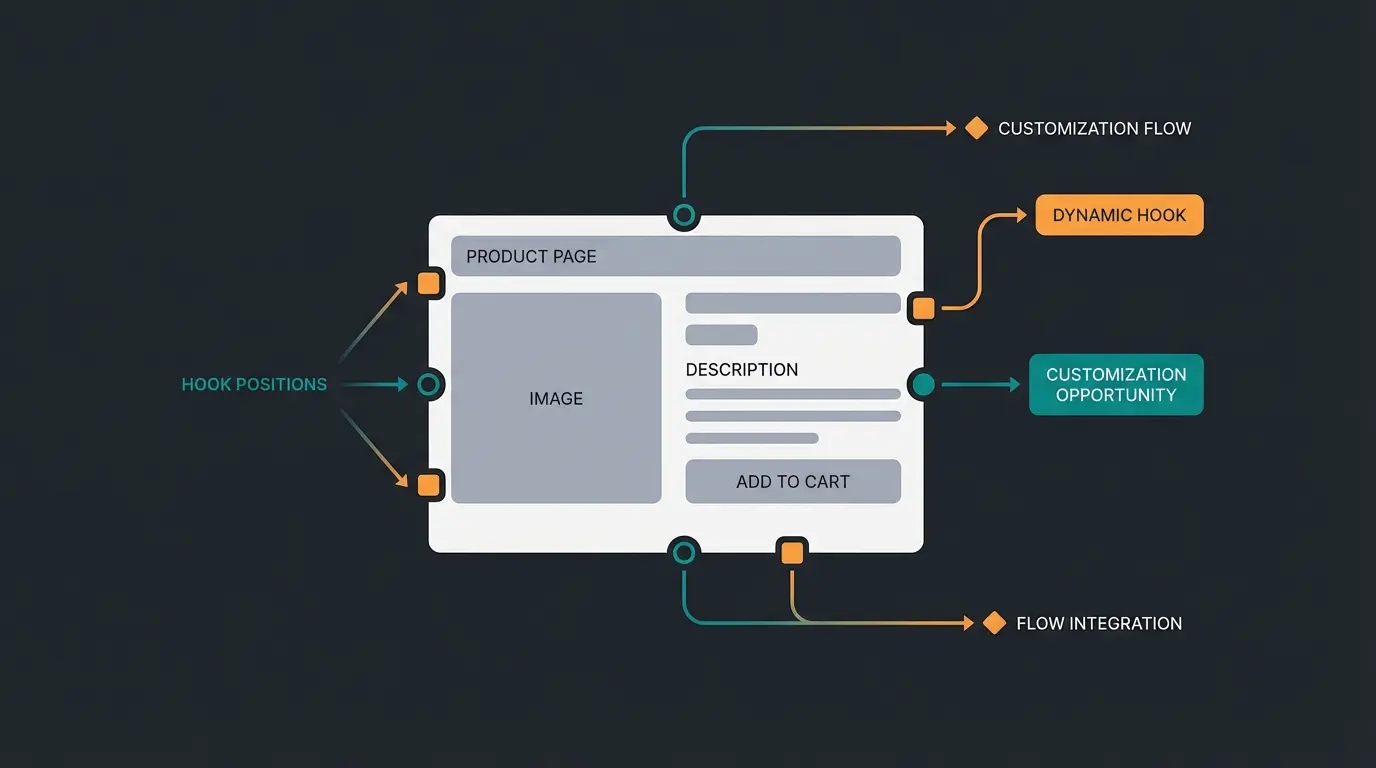
Visual Hook Guide: Where Is Everything Located?
The `content-single-product.php` file is the heart of your product page. It's packed with `do_action` calls. Here's an overview of the most important hooks you need to know, as detailed by PluginRepublic, StoreCustomizer, and AbleRabbit:
1. `woocommerce_before_single_product_summary` - Position: Left column (desktop), usually at the top. Content: This is where product images and sale badges are located by default. Use Case: Insert videos or 360-degree views before the images.
2. `woocommerce_single_product_summary` - Position: Right column (desktop), next to the image. Content: Title, price, short description, meta data, cart button. Important: This is the most crucial area for conversion optimization.
3. `woocommerce_after_single_product_summary` - Position: Below the main information (full width). Content: Tabs (description, reviews), related products, upsells.
4. `woocommerce_before_add_to_cart_button` - Position: Directly before the buy button. Use Case: The perfect place for trust elements (e.g., "Ships within 24h") or – as we'll see later – for AI advisors.
Practical Example: Moving Elements via functions.php
A classic scenario: You want to move the price below the short description instead of having it directly under the title. To do this, you first need to "unhook" the price (`remove_action`) and then "hook" it in the new location (`add_action`).
Add the following code to your child theme's `functions.php` (or use a plugin like "Code Snippets"):
```php // 1. Remove price from standard position (Priority 10) remove_action( 'woocommerce_single_product_summary', 'woocommerce_template_single_price', 10 ); // 2. Add price at new position (e.g., after short description, which is usually Priority 20) add_action( 'woocommerce_single_product_summary', 'woocommerce_template_single_price', 25 ); ```
Why Priorities Matter: The number at the end (e.g., `10` or `25`) determines the order. The higher the number, the further down the element appears. As explained by ArrowDesign, the default priorities are: Title: 5, Rating: 10, Price: 10, Short Description: 20, Cart Button: 30, Meta Data (SKU, Category): 40. By playing with these numbers, you can completely reorganize your product page's information architecture to optimize the reading flow.
Part 3: The Revolution – From Static to Intelligent (AI Integration)
Here's where the wheat separates from the chaff. While most tutorials stop at Part 2, this is where the future of e-commerce begins. A static page, no matter how beautiful, cannot respond to the individual context of the user. This is where AI e-commerce solutions come into play.
The "Information Gap" Problem
Customers don't buy when they're uncertain. Questions like "Does this T-shirt run large?", "Is this cable compatible with my 2018 Mac?", or "Is this material suitable for allergy sufferers?" plague potential buyers constantly. When this information is hidden in flowing text, customers often can't find it.
Studies show that personalized product recommendations and context-based answers can increase conversion rates by up to 22.66%. Customers today expect immediate answers – 71% of shoppers want generative AI in the purchasing process. This is why implementing AI product consultation has become essential for modern e-commerce.
The Solution: The AI Product Advisor (On-Page AI)
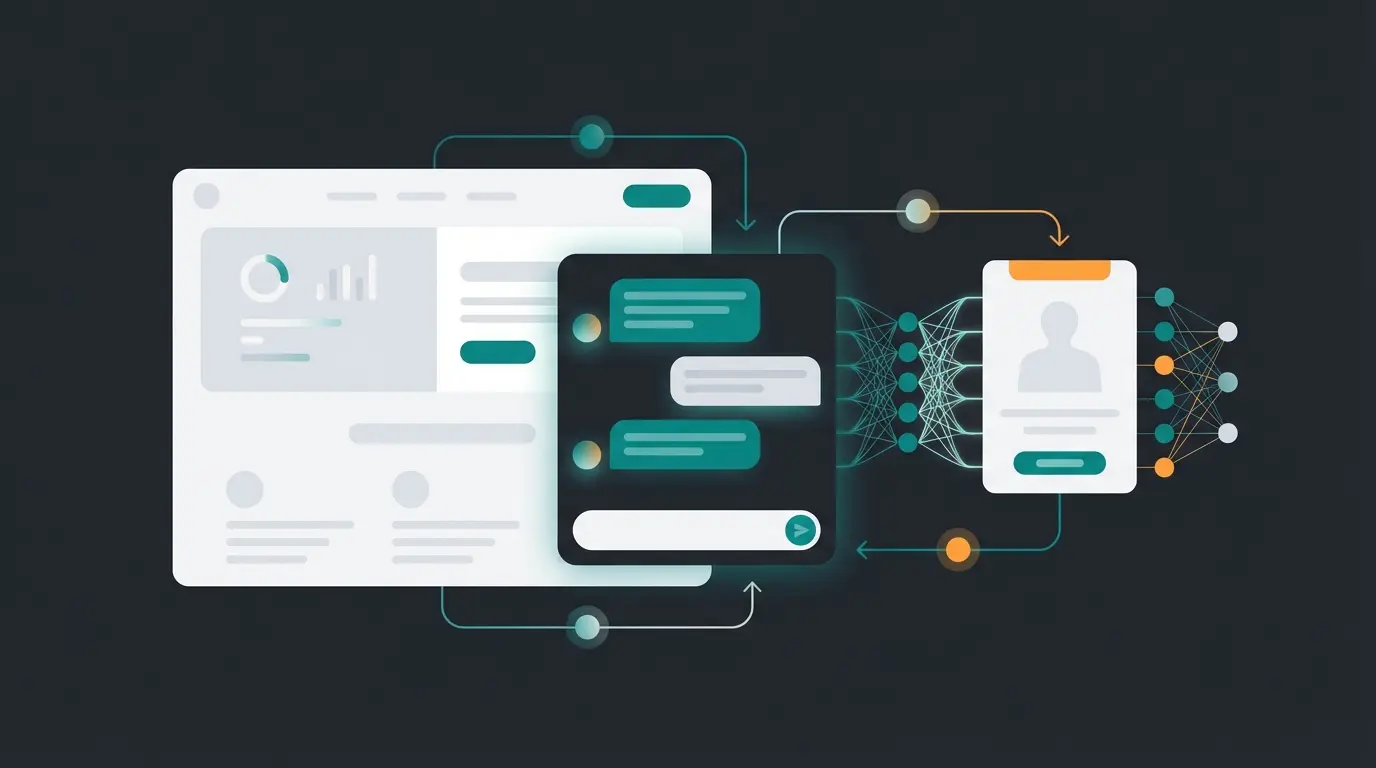
Instead of sending customers to an FAQ page, we integrate intelligence directly on the product page. We're not talking about an annoying chatbot in the bottom right corner, but an embedded AI element specifically trained on the displayed product.
How Does This Work Technically?
Modern plugins like StoreAgent or Minami AI use Large Language Models (LLMs) like GPT-4 to analyze your product data (description, attributes, reviews), as documented by Minami.ai and StoreAgent.ai.
Integration Strategy: First, the plugin indexes your product descriptions, technical data sheets, and even PDF attachments. For placement, use the hook `woocommerce_after_short_description` or `woocommerce_before_add_to_cart_form`. The function creates an input field "Question about the product?" that appears directly above the buy button.
AI Tools for WooCommerce (2025 Overview)
| Tool | Focus | Special Feature | Ideal For |
|---|---|---|---|
| StoreAgent | Content & Chat | Trained on your specific product data, no API key hassle for users | SMBs wanting to automate support |
| Minami AI | Full Service Agent | Can perform actions (e.g., initiate returns), not just chat | Larger shops with high support volume |
| WoowBot | Shopping Assistant | Classic chatbot, helps find products and recover carts | Shops with large catalogs |
The "Lost Sales" argument is crucial: Don't argue with "technology," argue with revenue. A beautiful page (design) keeps visitors on site. An intelligent page (AI) gets visitors to buy. When you customize your WooCommerce product page, the goal should always be reducing purchase abandonment. This is similar to implementing an AI product finder that guides customers to the right products.
Stop losing customers to unanswered questions. Our AI product consultation solution answers complex queries instantly, reducing support tickets and boosting conversions.
Start Your Free TrialPart 4: Legal Compliance & Trust (International Focus)
Anyone selling in Europe or targeting German-speaking markets (DACH region) must be extremely careful when customizing product pages. A wrong hook that removes VAT display can mean legal trouble and fines.
1. Don't Hide Mandatory Information
When rebuilding the layout, the following elements must never be removed or hidden, according to MarketPress and ZBeratung:
- Final Price: Must include VAT
- VAT Notice: "incl. VAT" (linked or direct)
- Shipping Costs Link: "plus shipping costs"
- Delivery Time: Must be specific (e.g., "2-3 business days", not "soon")
- Unit Price: For measurable goods (liters, kilograms), the unit price must be in immediate proximity to the final price
2. European Accessibility Act (EAA) – Deadline June 2025
From June 28, 2025, the European Accessibility Act comes into force. It obligates almost all online shop operators (exception: micro-enterprises) to make their shops accessible, as explained by Winning-Solutions, Revier, and Eye-Able.
What does this mean for your product page?
- Contrasts: When adjusting colors ("WooCommerce product design"), text and background must have a contrast ratio of at least 4.5:1 (WCAG AA Standard)
- Keyboard Operability: The "Add to Cart" button and all selection fields (size/color) must be operable without a mouse
- Alt Texts: Product images need descriptive alternative texts for screen readers
- Error Messages: If a customer forgets to select a size, the error message must be clear and text-based, not just a red border
Action Required: Check your customized design now. According to OMR, E-Recht24, and Webtronix, those who wait until June 2025 risk fines and cease-and-desist letters from competitors or associations. If you're exploring Shopware alternatives, accessibility compliance should be a key consideration.
Use hooks (remove_action) to remove unnecessary elements and move trust elements directly under the buy button
Use CSS for refinements – larger prices, action colors for buttons while maintaining accessibility contrast
Install an AI plugin, let it index your products, and place the widget between short description and variant selection
Ensure sticky add-to-cart button and accessible AI consultation on mobile devices
Part 5: Step-by-Step Integration Guide
Let's summarize. How do you proceed to elevate your product page from "standard" to "high-end 2025"?
Step 1: Clean Up (The Foundation)
Use hooks (`remove_action`) to remove unnecessary elements. Do you really need the "Meta" line with SKU and categories directly under the button? Often this just distracts. Move trust elements (payment method icons) directly under the "Buy" button (`woocommerce_after_add_to_cart_button`). Understanding these fundamentals is similar to how AI Chatbots can streamline customer interactions.
Step 2: Visual Polishing (The Design)
Use CSS for refinements instead of loading a page builder for everything. For example: Make the price larger and bolder. Give the "Buy" button a color that stands out from the rest of the page (action color), but pay attention to EAA contrast requirements. These design principles align with best practices for AI consultation interfaces.
Step 3: The Intelligence Injection (The Upgrade)
Install an AI plugin (e.g., StoreAgent as documented by Visser). Connect it to your shop. Let the AI index your products. Place the widget via shortcode or hook (`woocommerce_single_product_summary`, priority 25) between short description and variant selection. Test: Ask the AI questions that a critical customer would ask. This approach is similar to implementing an AI product consultant for your store.
Step 4: The Mobile Check
70-80% of traffic comes from mobile devices. Is the "Buy" button on the smartphone "sticky" at the bottom of the screen? (Sticky add-to-cart significantly increases conversions.) Does the AI consultation not disappear behind a tiny icon on mobile, but remain accessible? This is where AI product consultation truly shines – providing instant answers regardless of device.
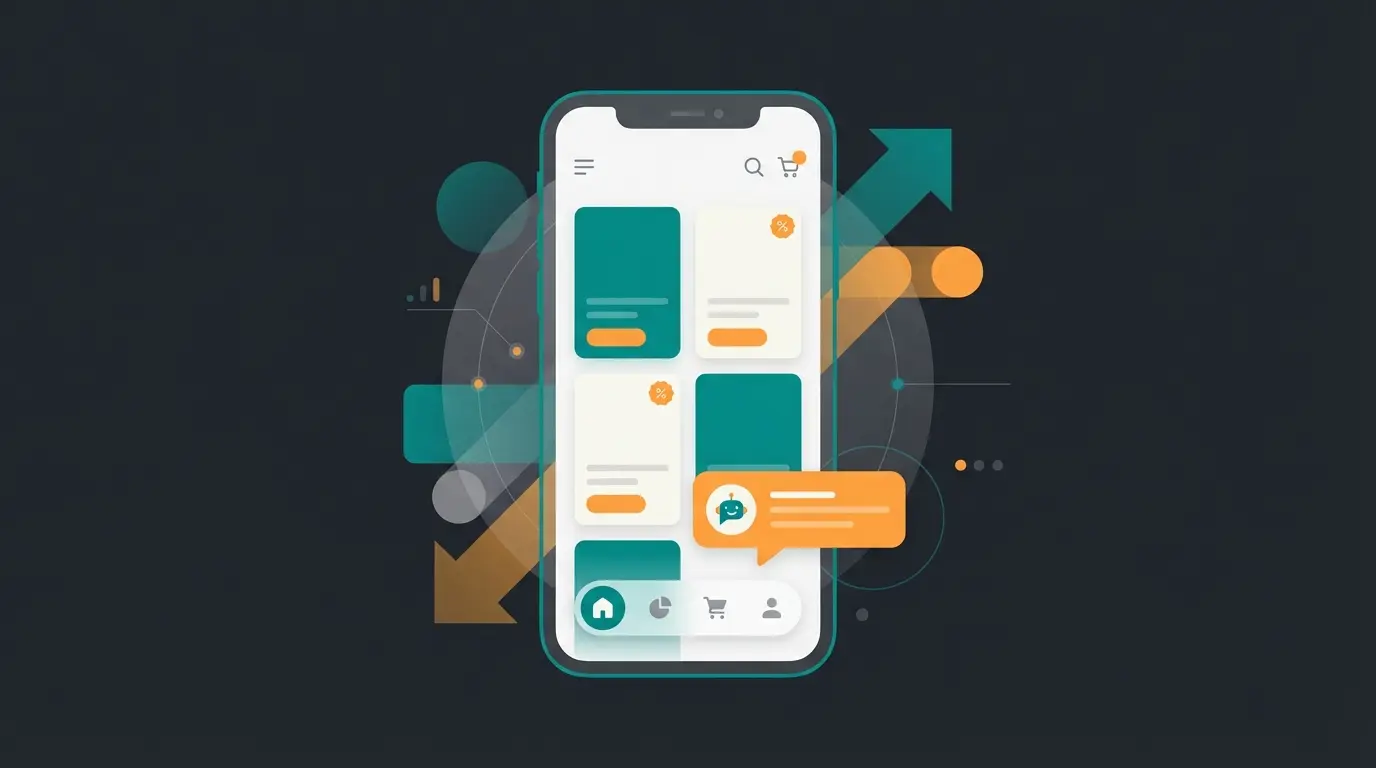
Comparison: Standard vs. AI-Enhanced Product Pages
To understand the transformative potential of intelligent customization, let's compare the three levels of product page sophistication that determine your competitive position:
| Feature | Standard WooCommerce | Visual Page Builder | AI-Enhanced Page |
|---|---|---|---|
| Setup Time | Immediate | 2-4 hours | 4-8 hours |
| User Experience | Basic, static | Visually appealing, static | Dynamic, personalized |
| Conversion Potential | Low (2-3%) | Medium (3-5%) | High (5-8%+) |
| Support Load | High – many questions | Medium – some questions | Low – AI handles queries |
| Customer Satisfaction | Varies | Improved | Significantly improved |
| Competitive Advantage | None | Minimal | Substantial |
The data speaks clearly: while visual improvements help, the real conversion gains come from addressing customer questions in real-time. Integrating AI consultation capabilities into your product pages creates a measurable competitive advantage.
The Anatomy of a High-Converting Product Page
Understanding where to place each element is crucial for maximizing conversions. Based on extensive research and testing, here are the key components every optimized product page should include:
- High-Quality Image Gallery (Visual) – Multiple angles, zoom capability, and lifestyle shots that help customers visualize the product
- Clear Price & Tax Information (Legal/Trust) – Prominently displayed with all required legal notices for your market
- AI Consultant Widget (The "Brain") – Positioned above the add-to-cart button to answer questions before purchase hesitation sets in
- Social Proof Elements (Psychology) – Reviews, ratings, and trust badges that validate the purchase decision
- Sticky Add-to-Cart (Mobile UX) – Ensures the purchase action is always accessible on mobile devices
This structure ensures visitors can quickly find information, get their specific questions answered, and complete their purchase with confidence. When implementing AI product consultation, placement matters as much as functionality.
Conclusion: Design Is Mandatory, Intelligence Is the Differentiator
The question today is no longer whether you should customize your WooCommerce product page, but how deep you should go.
- Level 1 (Design) ensures your shop looks professional and builds initial trust
- Level 2 (Hooks) provides optimal information architecture and performance that search engines reward
- Level 3 (AI) ensures questions are answered and doubts are eliminated – and that's exactly what generates revenue
In 2025, the shop that wins isn't the one with the prettiest layout, but the one that helps customers make purchase decisions fastest and most precisely. Use the time until the EAA deadline in June 2025 to make your shop not only legally compliant but also intelligent.
Start today: Review your `content-single-product.php`, install an AI test plugin, and transform your product page from a silent shelf into an active sales advisor. The investment in proper WooCommerce product page customization pays dividends through higher conversions, reduced support costs, and improved customer satisfaction.
FAQ: Common Questions About Product Page Customization
Yes, with page builders like Elementor or the WordPress Site Editor (Full Site Editing). However, for deep functional changes or performance optimization, hooks (PHP) are better suited. The right approach depends on your technical comfort level and specific requirements.
If you make changes directly in the plugin files: Yes. That's why you must always use a child theme and save customizations in that child theme's `functions.php` or use a plugin like "Code Snippets" to keep your modifications update-safe.
There are free entry-level plugins available. Professional solutions like StoreAgent or Minami cost monthly fees, as noted by WCVendors, but these often pay for themselves quickly through increased conversion rates and reduced support costs.
From June 2025, fines up to 100,000 euros and cease-and-desist letters are possible. Additionally, you're excluding approximately 10-15% of the population (people with disabilities) as potential customers – a significant market segment you don't want to lose.
Track key metrics including conversion rate, time on page, bounce rate, and support ticket volume. A/B testing different layouts and AI placement positions helps identify what works best for your specific audience and product types.
Don't just edit your pages – upgrade them. Transform visitors into buyers with intelligent product consultation that answers questions instantly and drives conversions.
Get Started Free Today
Kevin is CTO and co-founder of Qualimero. As an AI architect with over 15 years of experience as CTO and CPO in the tech industry, he designs the AI systems that automate tens of thousands of customer interactions daily for Qualimero's clients — reliably, securely, and at scale.