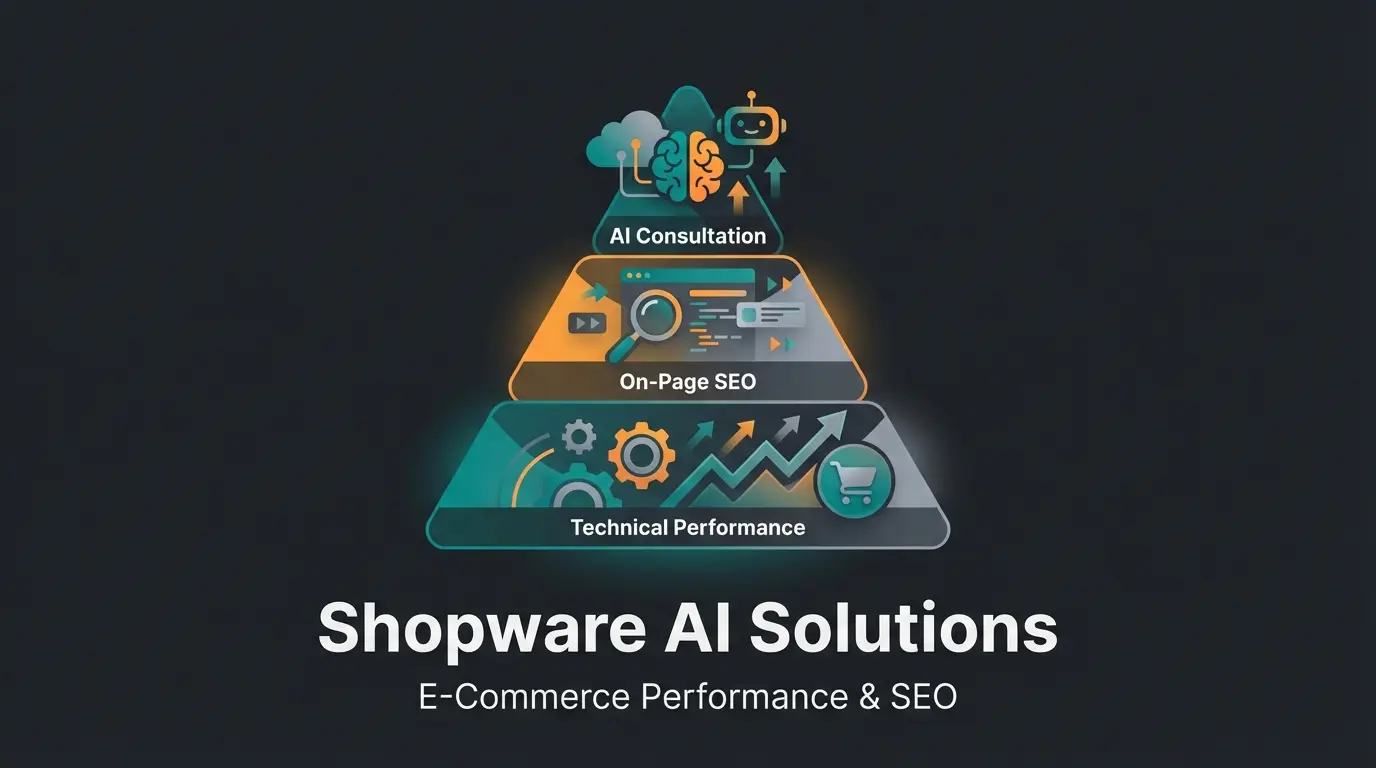
Why Technical Perfection Alone Won't Cut It Anymore
If you're running an online store on Shopware 6, you're already using one of the most technologically advanced e-commerce systems on the market. But the reality in search results often looks different: despite a clean codebase and modern frontend, many Shopware SEO product pages stagnate on page 2 or 3 of Google.
Analysis of the current search landscape reveals a clear pattern: most guides focus exclusively on configuration—where do I click in the backend to enter a meta title? What's the Twig variable for the URL? These are important basics, so-called "hygiene factors." But in 2025, being technically clean simply isn't enough anymore.
Google has changed the rules through updates like the "Helpful Content Update." According to Shopware, the page with the most keywords in the alt tag no longer wins—the page that best answers the user's questions does.
This article bridges the gap between technical configuration and content excellence. We'll guide you through the necessary technical settings in Shopware 6, but more importantly, we'll show you how to transform your product pages from mere data sheets into digital sales consultants—scalably and efficiently through the use of Artificial Intelligence (AI). With AI product consultation, you can take your Shopware store to the next level.
Part 1: Technical Basics in Shopware 6 (Checklist)
Before we dive into content strategy, we need to ensure the foundation is solid. Shopware 6 offers excellent "out of the box" SEO features that must be configured correctly. If this foundation isn't right, even the best content won't rank.
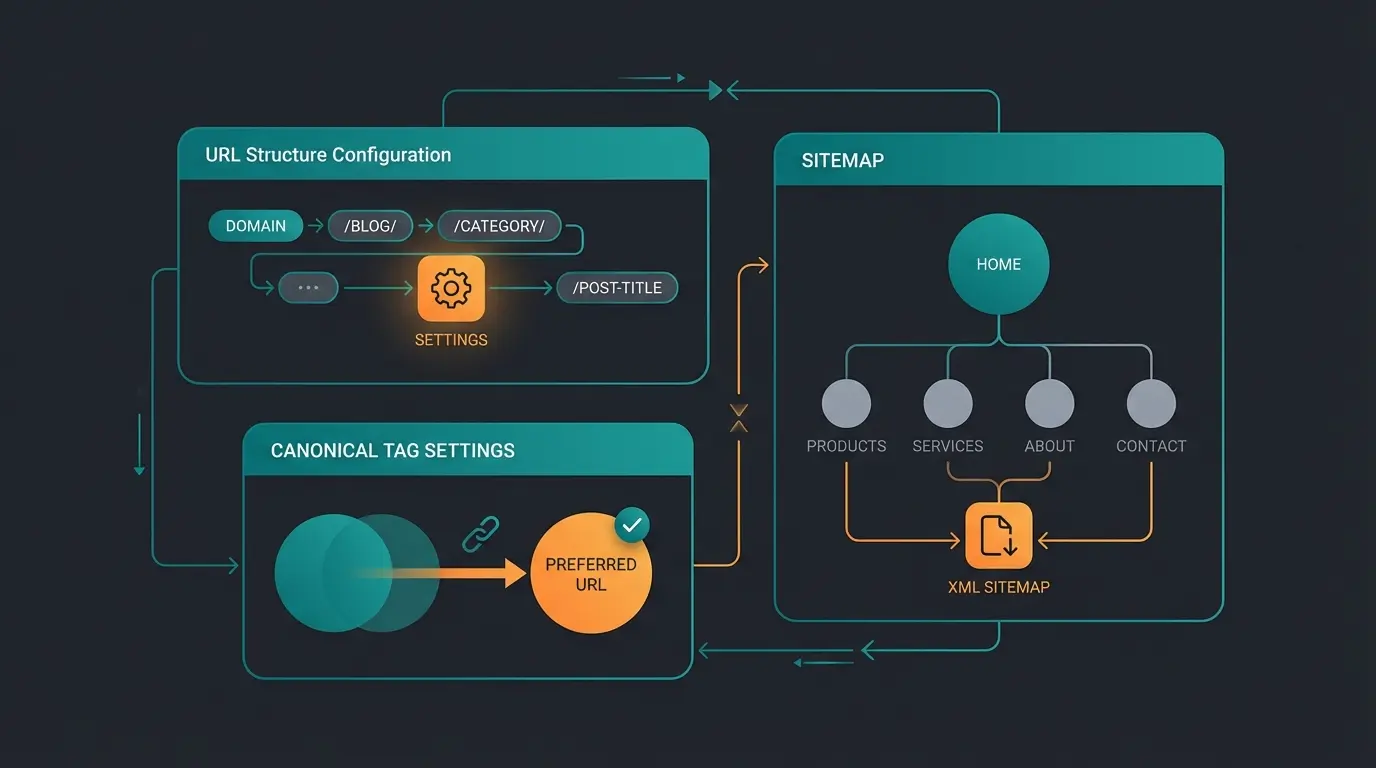
1. Configuring SEO URL Templates Correctly
One of the biggest levers for Shopware SEO product pages is URL structure. By default, Shopware generates URLs that sometimes aren't optimal for specific markets or niches.
The Standard Path: In Shopware, you'll find these settings under Settings > Shop > SEO. According to Firebear Studio, the default setting for product pages is often: `{{ product.translated.name }}/{{ product.productNumber }}`
Why This Can Be Problematic: The product number (SKU) often has no semantic value for users or Google. A "speaking URL" is better.
Recommended Best Practice: Use categories or manufacturers in the path to support siloing, but keep the URL as short as possible.
- Option A (Classic): `{{ product.translated.name }}` (Caution: duplicates possible with identical names)
- Option B (With Manufacturer): `{{ product.manufacturer.translated.name }}/{{ product.translated.name }}`
- Option C (With Main Category): `{{ product.mainCategory.category.translated.name }}/{{ product.translated.name }}`
Important Twig Variables for Your Templates: Here are the key variables you can enter directly into the template field, as documented by Bay20:
| Variable | Description | Example Output |
|---|---|---|
| {{ product.translated.name }} | The translated product name | /running-shoe-xyz |
| {{ product.productNumber }} | The article number (SKU) | /SW10001 |
| {{ product.manufacturer.translated.name }} | Manufacturer name | /adidas |
| {{ product.ean }} | EAN code (rarely used for URLs) | /400000000 |
2. Solving the Canonical Tag Dilemma with Variants
A common problem with Shopware SEO product pages is handling variants (e.g., size S, M, L or color Red, Blue). By default, Shopware creates a separate URL for each variant.
The Problem: If you have a t-shirt in 5 sizes and 3 colors, you get 15 URLs with nearly identical content (duplicate content). According to Wolf of SEO, Google doesn't know which version to rank and often devalues all of them.
The Solution in Shopware 6: Shopware offers the "Main Variant" setting in the product's SEO tab or canonical URL configuration.
- Canonical URL to Main Product: As Area-Net explains, it's essential that all variants that don't differ in content (e.g., sizes) point to a "main variant" via canonical tag.
- Plugin Solution: Unfortunately, the standard function in Shopware is often limited since you can only choose a specific variant as canonical, not the abstract "parent product." Many SEO experts use plugins like "Canonical URLs for Variants" to ensure that, for example, `/t-shirt-blue-l` and `/t-shirt-blue-m` both point to `/t-shirt-blue`, as discussed on GitHub.
3. Sitemaps and NoIndex Strategies
Not every product belongs in Google's index. B-stock items, pure accessory spare parts without search volume, or internal test products should be excluded to conserve "crawl budget."
Excluding Products from the Sitemap: Shopware 6 automatically generates the `sitemap.xml`. To exclude individual products, there's no simple checkbox in the standard product settings.
- Solution via Configuration: According to Stack Overflow and Shopware documentation, you can exclude specific IDs in the `z-sitemap.yaml` (in the `config/packages/` folder).
- Solution via Custom Field & Template: A more elegant approach is to create a custom field "NoIndex" and query it in the theme to set the meta robots tag to `noindex`.
4. Rich Snippets and Structured Data
For your products to shine in search results with price, availability, and stars, you need structured data (Schema.org).
Status Quo: According to Solution25, Shopware 6 already delivers structured data for `Product` and `Offer` by default. This is good, but often not detailed enough.
Optimization Potential: Ensure your reviews are correctly passed through as `AggregateRating`. Use plugins or customize the Twig template `meta.html.twig` to explicitly pass missing data like `brand`, `sku`, or `gtin` if they're missing from the standard output, as detailed in the Shopware documentation.
Part 2: Why Standard Product Texts Don't Cut It Anymore
Now that the technical homework is done, we come to the core problem of many shops. Most Shopware SEO product pages suffer from one of the following symptoms:
- Manufacturer Texts: The text was copied 1:1 from the supplier. The result: duplicate content, since 50 other shops use the same text.
- Data Deserts: The page consists only of a table with technical specifications (weight, dimensions, material).
- Uninspired SEO Texts: Texts that were obviously written only to include the keyword "buy running shoes" 15 times but offer no reading value.
The "Content Gap" Analysis
Analysis of top search results shows that Google prefers pages that offer real consultation. The algorithm now understands "User Intent."
- User Question: "Which running shoe provides the best cushioning for overweight runners?"
- Standard Shop: Lists 50 shoes with the filter "Cushioning: High".
- Ranking Winner: Has a product description or section that explains: "Thanks to Cloudfoam technology, this model is particularly suitable for runners over 200 lbs, as it relieves joint stress..."
This is the difference between selling and consulting. To optimize Shopware product pages effectively, you need to understand this fundamental shift.
Product pages using manufacturer descriptions that appear on 50+ other sites
Consultation-driven pages convert significantly better than data-sheet pages
Average bounce rate on product pages without personalized consultation
Part 3: The Gamechanger – Consultation as SEO Lever
To achieve top rankings for Shopware SEO product pages in 2025, we need to rethink the product page. It's no longer just a shelf space—it's a digital sales consultant.
The "Consultation SEO" Concept
Consultation SEO means we answer the questions a customer would ask in a store directly on the product page. This has three massive advantages for SEO:
- Long-Tail Rankings: You automatically rank for specific questions ("hiking boots for wide feet").
- Dwell Time: Those who read and find answers stay longer. A strong signal to Google.
- Conversion Rate: Those who receive good advice are more likely to buy.
This is where AI-powered product consultation becomes a true game-changer for modern e-commerce.
How AI Bridges the Gap
The problem until now: It's impossible to manually write high-quality consultation texts for 5,000 products. This is where Artificial Intelligence comes in—not as a dumb text generator, but as an analysis and structuring tool.
Shopware has already taken first steps with the AI Copilot, as Communicode reports. Features like review summaries or image property generation are helpful. But for true SEO dominance, we need to go deeper with Shopware AI.
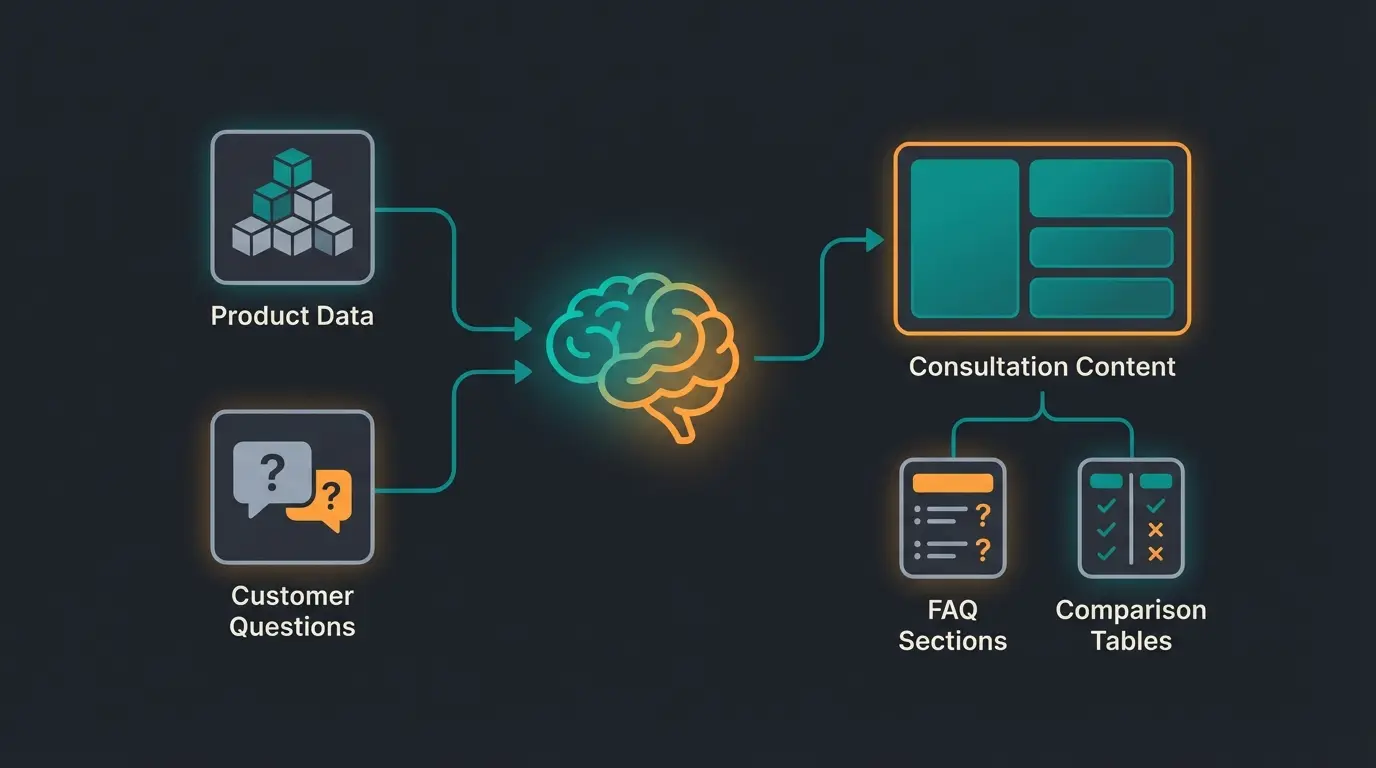
Strategy: The AI-Supported Consultation Process
Instead of simply asking AI to "Write a product description for X," we use a multi-step process:
- Input Analysis: AI analyzes the data sheet AND (very importantly) existing customer reviews or questions from support.
- Pain Point Identification: AI determines: "Customers often ask whether this tent is storm-proof."
- Content Creation: AI generates a specific paragraph on "Storm Resistance and Wind Stability" for the product page.
Standard SEO vs. Consultation-Driven SEO: Comparison
Understanding the difference between traditional and consultation-driven approaches is crucial for implementing effective strategies with Shopware 6 chatbots:
| Aspect | Standard Shopware SEO | Consultation-Driven SEO |
|---|---|---|
| Product Description | Static manufacturer text | Dynamic Q&A and advice content |
| Keyword Strategy | Keywords in title only | Intent matching throughout content |
| User Engagement | Passive product listing | Active customer consultation |
| Scalability | Manual effort for each product | AI-automated at scale |
| SEO Signals | Basic on-page factors | Dwell time, low bounce rate |
| Conversion Impact | Relies on price/features | Builds trust through advice |
Stop losing customers to generic product descriptions. Our AI consultation solution creates unique, helpful content at scale—improving rankings and conversions simultaneously.
Start Free TrialPart 4: Best Practices for Shopware Product Pages (AI Approach)
How do we implement this concretely in Shopware 6? Here are three specific modules you should integrate on your product pages using AI-driven product consultation.
1. Dynamic FAQ Sections (Schema.org Optimized)
Nothing signals more relevance to Google than a direct answer to a search query.
Implementation: Add a section "Frequently Asked Questions About This Product" on the product page.
- Content: Use AI (e.g., ChatGPT or Shopware AI integrations) to generate 3-5 relevant questions & answers based on product data. Example: "Is this battery compatible with Model XY?"
- Technical: These FAQs should exist not only as text but as Structured Data (FAQPage) in the source code, as detailed on MetaManager.
- Shopware Integration: According to Google's guidelines, use custom fields for "Question 1", "Answer 1", etc., and integrate them in the Twig template.
2. AI-Generated Comparison Tables
Customers love comparisons. "Is the Pro model better than the Basic model?"
Implementation: Create a comparison table that compares the current product with the next better and cheaper models.
- Shopware: This can be controlled via the "Cross-Selling" function, but presentation should be editorial.
- AI Usage: Have AI work out the differences ("Differences from predecessor") and save them in a text custom field.
This approach works exceptionally well when combined with AI-powered Guided Selling to help customers make informed decisions.
3. Target Group-Specific Messaging
A product can be relevant to different target groups in different ways.
- Example Laptop:
- For Gamers: "Graphics performance and refresh rate"
- For Students: "Battery life and weight"
Use Shopping Experiences in Shopware to create modular text blocks. If you know a product is in the "Gaming" category, display the gaming-focused text block more prominently. The AI consultation bridge helps adapt messaging for different customer segments.
Clean, keyword-rich URLs using Twig templates with product name and category
Unique meta titles and descriptions generated at scale through AI
AI-generated advice sections addressing specific customer pain points
Schema.org optimized Q&A based on real customer queries
AI-summarized reviews highlighting key product benefits
Part 5: Technical Implementation with Custom Fields
How do we get this new content ("consultation layer") cleanly into Shopware without hacking the core? The answer lies in combining Custom Fields and Twig customizations.
Step 1: Creating Custom Fields
Go to Settings > System > Custom Fields. According to Folio3, create a new set "SEO Content Extension" and assign it to the "Products" entity.
Create fields like:
- `custom_product_faq` (Type: Text area/HTML)
- `custom_product_usps` (Type: Text area)
- `custom_seo_advice` (Type: Text area - for the "consultant paragraph")
Step 2: Data Maintenance (AI Scaling)
This is where scaling comes in. Instead of filling these fields manually, use the Shopware API or import/export tools.
- Export your product data (name, description, properties).
- Feed an AI (via API or batch processing) with the prompt: "Create 3 FAQ questions and a consultation paragraph for the following product that focuses on benefits."
- Import the generated texts into the corresponding custom fields.
This process becomes even more powerful when integrated with AI sales assistants that continuously learn from customer interactions.
Step 3: Frontend Output (Twig)
Now this data must be displayed in the shop. Edit your product detail page template (usually `page/product-detail/index.html.twig` or similar in your theme).
Example code for outputting a custom field:
```twig {% if page.product.translated.customFields.custom_seo_advice %} <div class="product-detail-advice-box"> <h3>Our Expert Assessment</h3> <div class="advice-content"> {{ page.product.translated.customFields.custom_seo_advice|raw }} </div> </div> {% endif %} ```
Explanation: According to Stack Overflow and Shopware documentation, `page.product.translated.customFields` accesses the translated custom fields. `custom_seo_advice` is the technical name of your field. `|raw` renders HTML (important if AI provides formatting like bold text).
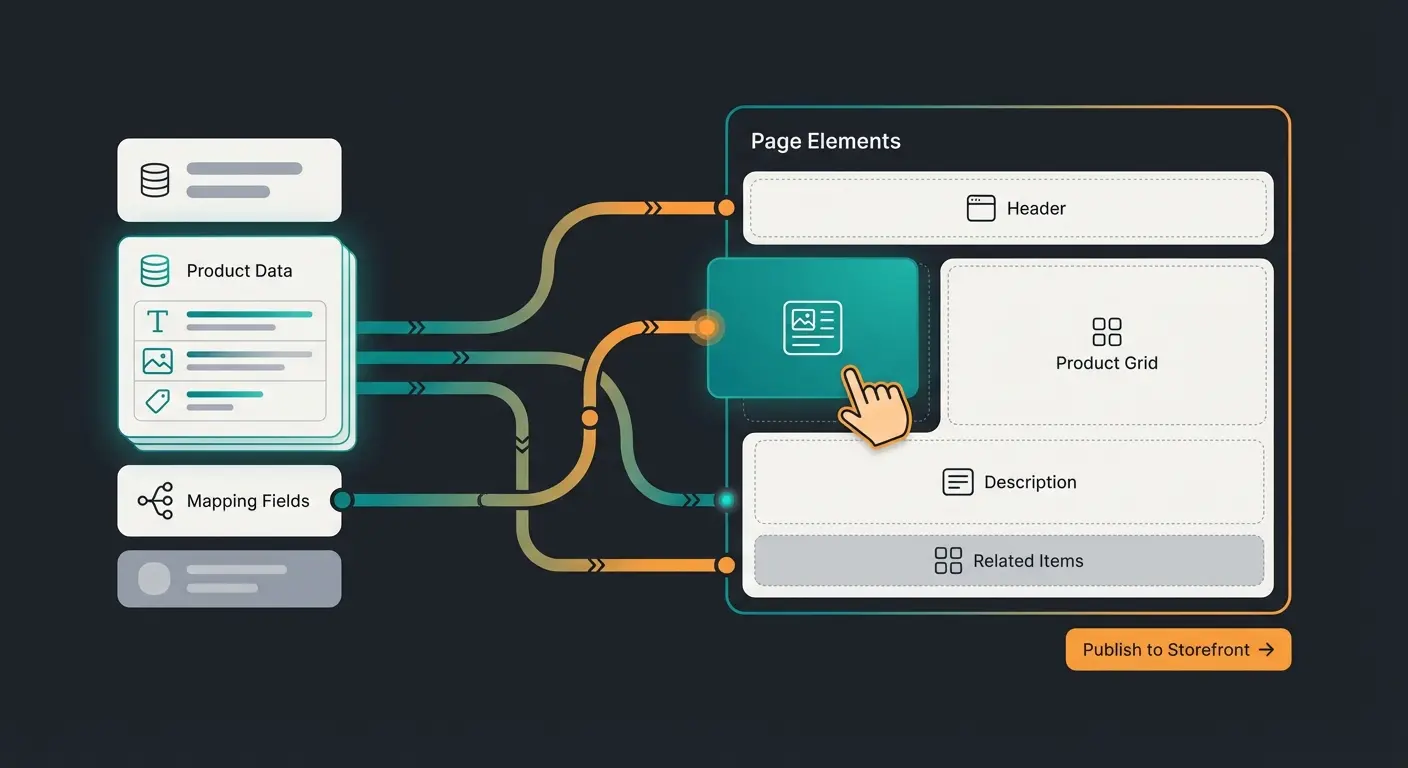
Step 4: Integration into Shopping Experiences
Since newer Shopware versions (especially from 6.5/6.6), custom fields can also be mapped directly in Shopping Experiences.
- Open the product page layout in Shopping Experiences.
- Add a text element.
- Click the "Data Mapping" icon (the small database icon).
- Select `Product > Custom Fields > Your_Field_Name`, as ThemeWare documents.
This allows you to design the layout visually without writing a single line of code. Combined with AI product consultation, you create truly dynamic product experiences.
Part 6: Monitoring and Optimization
SEO is not a one-time project. After enriching your Shopware SEO product pages with consultation content, you need to measure results. The AI consultation boosts your ability to track and improve performance over time.
What to Monitor:
- Google Search Console: Filter by pages you've optimized. Are impressions increasing for long-tail keywords (questions)?
- Dwell Time: Check in your analytics tool whether "Time on Page" is increasing.
- Internal Search: Use Shopware's search term analysis, as Shopware recommends. What are users searching for but not finding? That's perfect input for the next round of AI content.
Don't Forget Image SEO
The Shopware AI Copilot now offers an Image Keyword Assistant, as Brainstream Technolabs reports. This analyzes images and automatically assigns keywords.
Consultation-Driven Content Examples
Let's look at practical examples of how AI transforms generic product content into consultation gold. This is where AI product consultation truly shines:
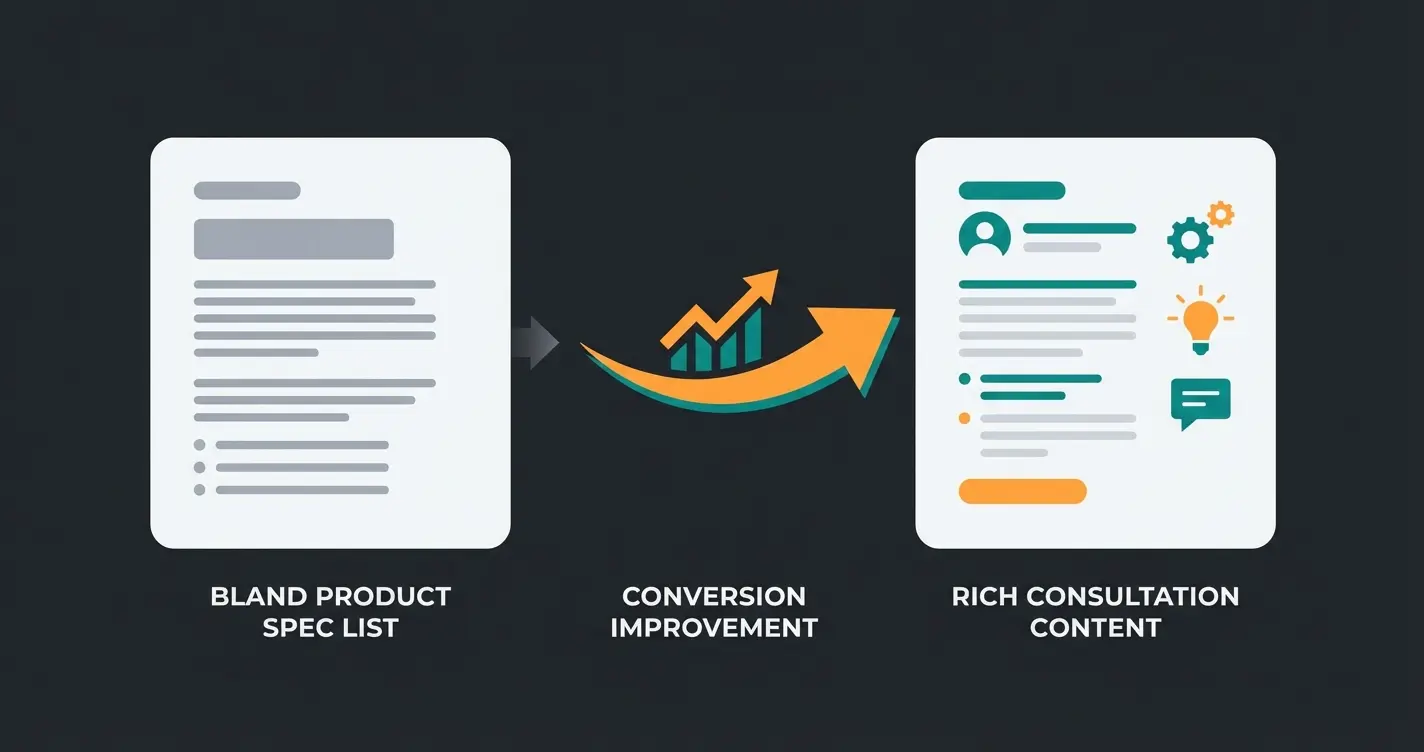
Before: Generic Product Description
"Running shoe XYZ. Features: Cushioned sole, breathable mesh upper, rubber outsole. Available in sizes 7-12."
After: Consultation-Enriched Description
"The XYZ running shoe is designed for runners who need superior joint protection. Its CloudFoam technology distributes impact forces evenly—making it ideal for runners over 200 lbs who typically experience knee pain during longer runs. The breathable mesh upper prevents overheating during summer runs, while the high-grip rubber outsole maintains traction on wet surfaces. Perfect for: distance runners, heavier athletes, those recovering from joint injuries."
The second version naturally ranks for long-tail queries like "running shoes for heavy runners" or "joint-friendly running shoes" while providing genuine value to the reader. This approach is central to AI product consultation.
Frequently Asked Questions
AI consultation content goes beyond simple text generation. It analyzes customer behavior, support queries, and reviews to identify specific questions and pain points—then creates targeted content that addresses those needs. Regular AI descriptions just reword specifications; consultation content actually advises and guides purchase decisions.
Google doesn't penalize AI content specifically—it penalizes unhelpful content regardless of how it was created. The key is using AI to create genuinely useful, unique consultation content that helps users make decisions. Automatically generated filler text will hurt rankings, but AI-powered consultation that answers real questions improves them.
Most shops see initial improvements in long-tail keyword rankings within 4-8 weeks. Dwell time improvements are often visible within 2-3 weeks through analytics. Full impact on core keywords typically takes 3-6 months as Google reindexes and reassesses page quality.
Yes, modern Shopware 6 versions allow custom field integration through the Shopping Experiences visual editor without code. However, for automated AI content integration at scale, some technical setup or plugin solutions are recommended.
Shops implementing consultation-driven SEO typically see 15-40% increases in organic traffic and 20-35% improvements in conversion rates. The combination of better rankings and improved user experience creates compounding returns.
Join hundreds of Shopware stores already using AI consultation to dominate search rankings and convert more visitors into customers. See the difference consultation-driven SEO makes.
Get Started NowConclusion: Technical Basics Are a Must, Consultation Is the Art
The analysis of search results for Shopware SEO product pages shows clearly: most shops are still struggling with technical basics. If you have URL templates, canonicals, and sitemaps under control, you're "just" on par with the competition.
The true competitive advantage comes from transforming your product pages into consultation hubs.
- Away from: "Here are the technical specifications."
- Towards: "Here's the answer to your question about whether this product fits your needs."
Through intelligent use of Shopware features like Custom Fields and Shopping Experiences, combined with the scalability of AI content, you can enrich thousands of products with unique, helpful content. This is the key to not just ranking in modern SEO, but actually selling.
Start today: Take your top 10 products, manually create an "Expert Consultation Box" via custom field, and measure the effect after 4 weeks. The results will convince you. As documented by EXWE, proper canonical tag implementation combined with consultation content creates a powerful SEO foundation that drives sustainable organic growth.

Lasse is CEO and co-founder of Qualimero. After completing his MBA at WHU and scaling a company to seven-figure revenue, he founded Qualimero to build AI-powered digital employees for e-commerce. His focus: helping businesses measurably improve customer interaction through intelligent automation.