Why Category Pages Are Your Most Important SEO Asset
If you run an online store, you know this reality: the homepage is for branding, product pages are for selling—but category pages are for traffic. For search terms like "buy running shoes," "organic coffee," or "washing machine spare parts," almost exclusively category pages rank. They serve as the gateway for users who don't yet know which specific product they want but have a clear purchase intent.
However, the reality in many Shopware stores looks quite different: carelessly arranged product tiles followed by a massive text block at the bottom of the page ("What are running shoes?") that nobody reads. The result? High bounce rates and stagnating rankings.
In this comprehensive guide for 2025, I'll show you not only how to perfectly configure the technical basics in Shopware 6. We'll go a crucial step further by bridging the gap between technical SEO and genuine user experience. You'll discover why Conversational AI (AI-powered consultation) is the underestimated lever for dominating Google rankings through excellent user signals. For a complete technical foundation, check out our Shopware SEO guide that covers all the basics you need.
Technical Basics in Shopware 6: The Foundation
Before we discuss AI and user experience, the homework must be done. Shopware 6 offers excellent SEO features out of the box, but they must be configured correctly. A mistake here can result in Google not indexing your pages at all.
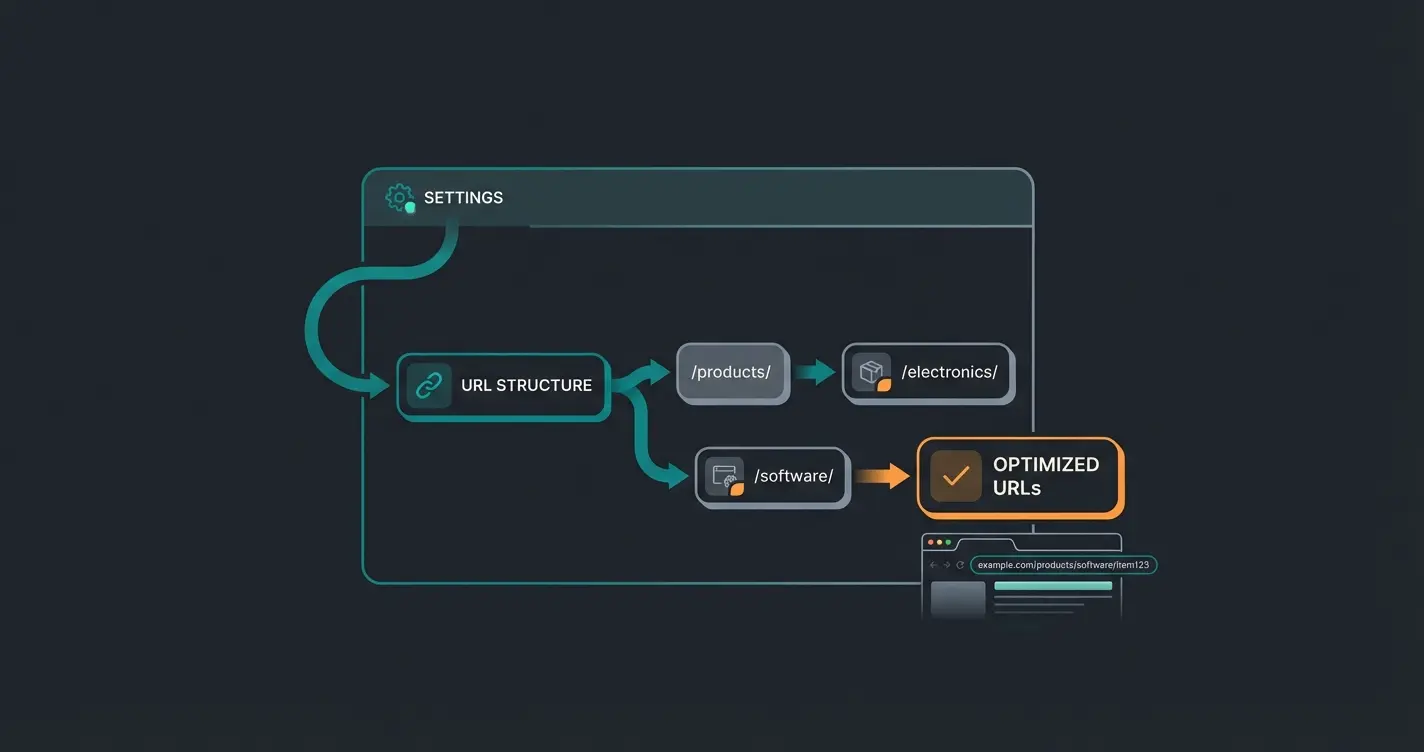
URL Structure & SEO Router: Building the Perfect URL
In Shopware 6, URLs are generated dynamically. The heart of this is the SEO Router. A "speaking" URL is an important ranking factor and increases the click-through rate (CTR) in search results. Understanding Shopware 6 URL structure is essential for any serious SEO effort.
Here's how to do it right: Navigate in the Shopware Admin to Settings > Shop > SEO. Here you'll find the "SEO URL Templates." For category pages, you should choose a structure that reflects the hierarchy but isn't nested too deeply.
Recommended Twig Template for Categories:
```twig {% for part in category.seoBreadcrumb %}{{ part }}/{% endfor %} ```
This template uses the breadcrumb path (e.g., `your-shop.com/men/shoes/sneakers`).
Important variables for your templates:
- `{{ category.translated.name }}`: The translated name of the category
- `{{ category.id }}`: The technical ID (avoid this in the URL if possible)
- `{{ category.customFields.your_field }}`: If you maintain special keywords in custom fields, as explained by Firebear Studio
Meta Title & Description: Optimizing for Click-Through Rate
The meta title remains one of the strongest direct ranking factors. In Shopware 6, you'll find these settings directly in the category under the SEO tab.
Best Practices for 2025:
- Title: Keyword at the beginning. Use brackets or numbers for more attention. Bad: "Sneakers - MyShop.com" | Good: "Men's Sneakers | Top Brands & Sale | MyShop"
- Description: This is your "sales text" in Google results. If you leave this empty, Shopware often pulls the category description text, which is often cut off and looks unprofessional
Shopware Tip: You can also use variables here to generate titles dynamically if you have thousands of categories. However, manual maintenance for top categories is always superior.
Canonical Tags & Pagination: The Duplicate Content Problem
A huge problem in e-commerce is filters. When a user filters by "Color: Red" and "Size: 42," a new URL is often created (e.g., `?color=red&size=42`). To Google, this looks like a copy of the main category. This is called duplicate content, as explained by Wolf of SEO.
The Solution in Shopware: Shopware 6 sets canonical tags by default. This means the filtered page tells Google: "I'm just a copy, the original page is `.../sneakers`."
- Check: Look at the source code of your category page. Search for `<link rel="canonical" href="..." />`. This must point to the unfiltered main category.
- Pagination: For pages 2, 3, 4 of a category (`?p=2`), handling is more complex. Shopware usually solves this correctly by canonicalizing follow-up pages to themselves or the main page (depending on SEO strategy). What's important is that Google can crawl these pages to find all products, as noted by webneo.de.
Content Strategy: Using Shopping Experiences Correctly
Shopware 6 has integrated a powerful CMS tool with Shopping Experiences (Erlebniswelten). For SEO, this is both a blessing and a curse. A blessing because you can freely place content. A curse because many stores ruin performance (loading time) with overly complex layouts.
Content Above the Fold: First Impressions Matter
The old rule was: products at the top, text at the bottom. This only works to a limited extent today. Google wants to see that the page is relevant as soon as it loads. This approach aligns with AI-powered product consultation strategies that prioritize immediate user engagement.
Strategy: Use Shopping Experiences to insert a short, concise text block above the product listing element.
- Length: 50-100 words
- Content: What's this about? What's the unique selling proposition (USP)?
- Technical: Use an H1 heading that contains the main keyword
Content Below the Fold: Helpful Instead of Text Desert
The classic "SEO text" at the bottom of the page is often written only for the bot. Google's "Helpful Content Update" increasingly penalizes such content when it provides no added value.
Better Approach: Instead of flowing text, create an FAQ section or a buying guide at the end of the category. This type of AI-powered consultation approach helps users make informed decisions.
- Use the "Accordion" element in Shopping Experiences. This saves space and users can click on the questions that interest them
- Structure with H2 and H3 headings
- Link internally to matching blog articles or subcategories
Main keyword in a clear, compelling headline above all content
50-100 words explaining the category value proposition
Prominent placement for interactive product guidance
Clean, filterable product listing with optimized images
Helpful content at bottom addressing common questions
The Biggest SEO Problem: User Experience on Category Pages
You've optimized the URLs and written texts. Why doesn't the page still rank at position 1? Often it comes down to user signals. Understanding how AI-driven product consultation impacts these signals is crucial for modern SEO success.
The Paradox of Choice and Bounce Rate
Imagine a user searches for "running shoes." They land on your Shopware category and see 400 products.
- Reaction: Overwhelm
- Action: They leave the page (bounce) and click on the next Google result
- Signal to Google: "This page wasn't helpful." -> Ranking drops
According to Digital Trainee, dwell time is increasingly important as Google refines its understanding of user satisfaction. Research from MonsterInsights confirms that bounce rate remains a critical user engagement metric.
The Filter Dilemma
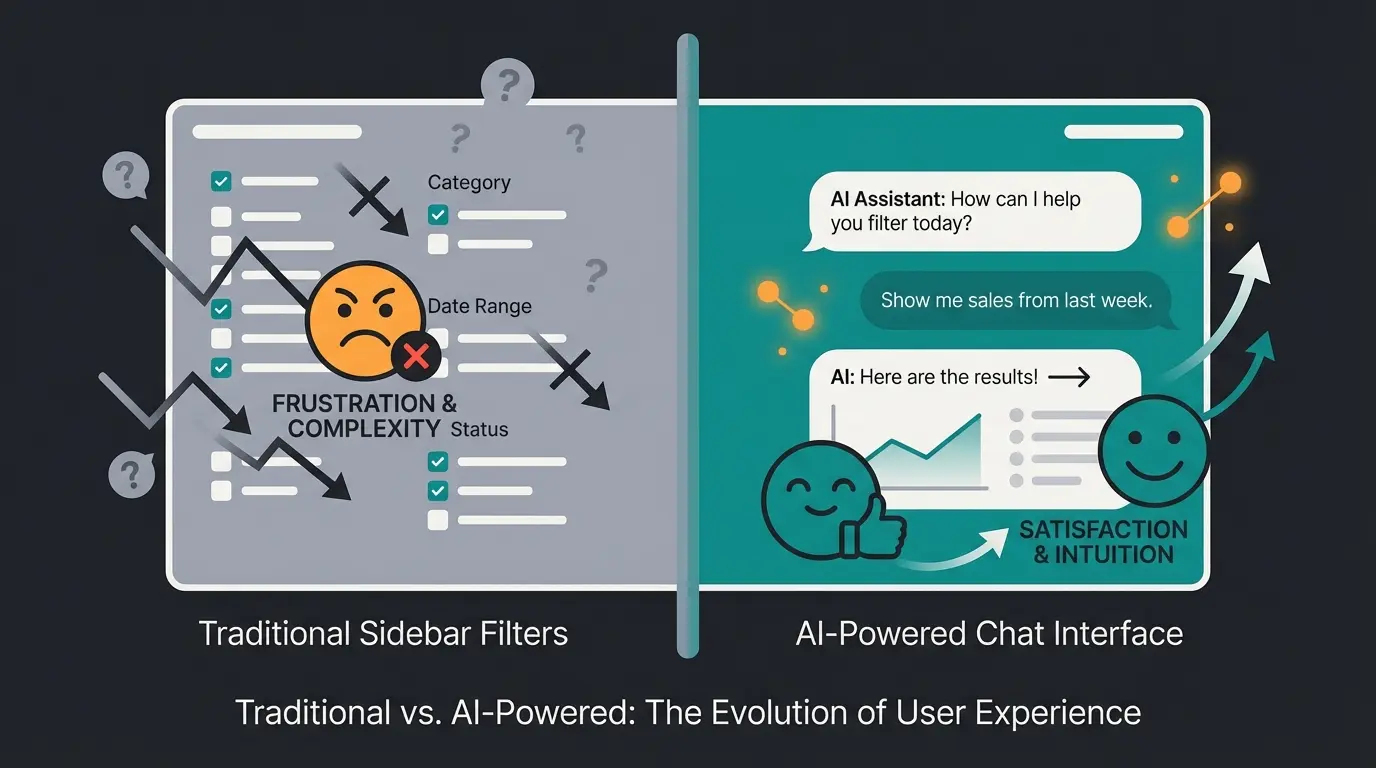
Classic filters (facets) in the sidebar are technically necessary but often UX poison.
- Mobile: On smartphones, filters are often hidden or cumbersome to use
- Complexity: Users often don't know if they need "Gore-Tex" or "Sympatex"—they just know the shoe should be waterproof
- Zero Results: Too many filters often lead to "No products found"
This is where classic SEO and UX measures reach their limits. We need a solution that takes the user by the hand. This is precisely where AI-powered sales consultants can make a transformative difference.
The Gamechanger: AI Product Consultation as SEO Lever
Here we enter the territory that most of your competitors ignore. While everyone talks about "AI for text creation" (Generative AI for product descriptions), the real SEO gold lies in Conversational AI (Interactive AI). Exploring the full AI capabilities available in modern e-commerce platforms reveals significant opportunities for differentiation.
Why Google Loves Engagement
Google has massively shifted its algorithms toward user satisfaction. Ranking factors for 2025 explicitly include signals like:
- Dwell Time: How long does the user stay on the page?
- Return-to-SERP Rate: Does the user immediately return to Google (bad) or stay in the shop (good)?
Conversational Commerce: Interaction Instead of Just Consumption
Instead of leaving the user alone with 400 products, you integrate an AI Shopping Assistant directly on the category page. This isn't a dumb chatbot with predefined paths, but an LLM-powered AI (like GPT-4, but trained on your product data). Our comprehensive AI product consultation guide explains how this technology works in detail.
The Scenario:
- User lands on "Running Shoes"
- Instead of filtering, the AI asks (in a widget): "Are you looking for shoes for asphalt or forest trails?"
- User: "More forest, and they should be waterproof."
- AI: "Got it. I recommend trail running shoes with a membrane. Here are the top 3 models for you..."
| Feature | Standard SEO Approach | Engagement SEO with AI | SEO Impact |
|---|---|---|---|
| Content | Static text at bottom | Interactive AI advice | Higher relevance signals |
| Bounce Rate | High (40-60%) | Reduced by ~30% | Google sees user satisfaction |
| User Journey | Click through filters | Natural conversation | Increased time on page |
| Product Discovery | Manual navigation | Guided recommendations | Better conversion path |
The SEO Impact: Data & Facts
The use of such systems has measurable effects on SEO-relevant metrics. According to research from Arena.im, interactive elements significantly impact user engagement metrics.
Users stay longer when guided by AI consultation
Personalized guidance leads to confident purchases
Conversational commerce growth rate through 2025
Consumers prefer chatbots for quick product answers
Studies from HelloRep.ai and ClickPost demonstrate that AI-powered consultation can increase conversion rates by up to 400%. The conversational commerce market is growing at over 25% CAGR according to Fullview.io. Research from Firework confirms that over 70% of consumers prefer chatbots for quick answers.
Zero-Click Navigation & Crawl Budget
Another technical advantage: AI consultation can suggest products without the user having to click through deep subcategory trees.
- This saves crawl budget since you don't need to create an indexable subcategory for every micro-combination (e.g., "Red running shoes size 42 waterproof")
- The AI handles filtering dynamically ("Zero-Click Navigation")
For businesses looking to implement these strategies, our AI integration guide provides step-by-step implementation instructions tailored for Shopware environments.
Stop losing customers to choice overload. Our AI shopping assistant increases dwell time, reduces bounce rates, and boosts conversions by up to 400%.
Start Your Free TrialStep-by-Step Checklist: Shopware Category SEO
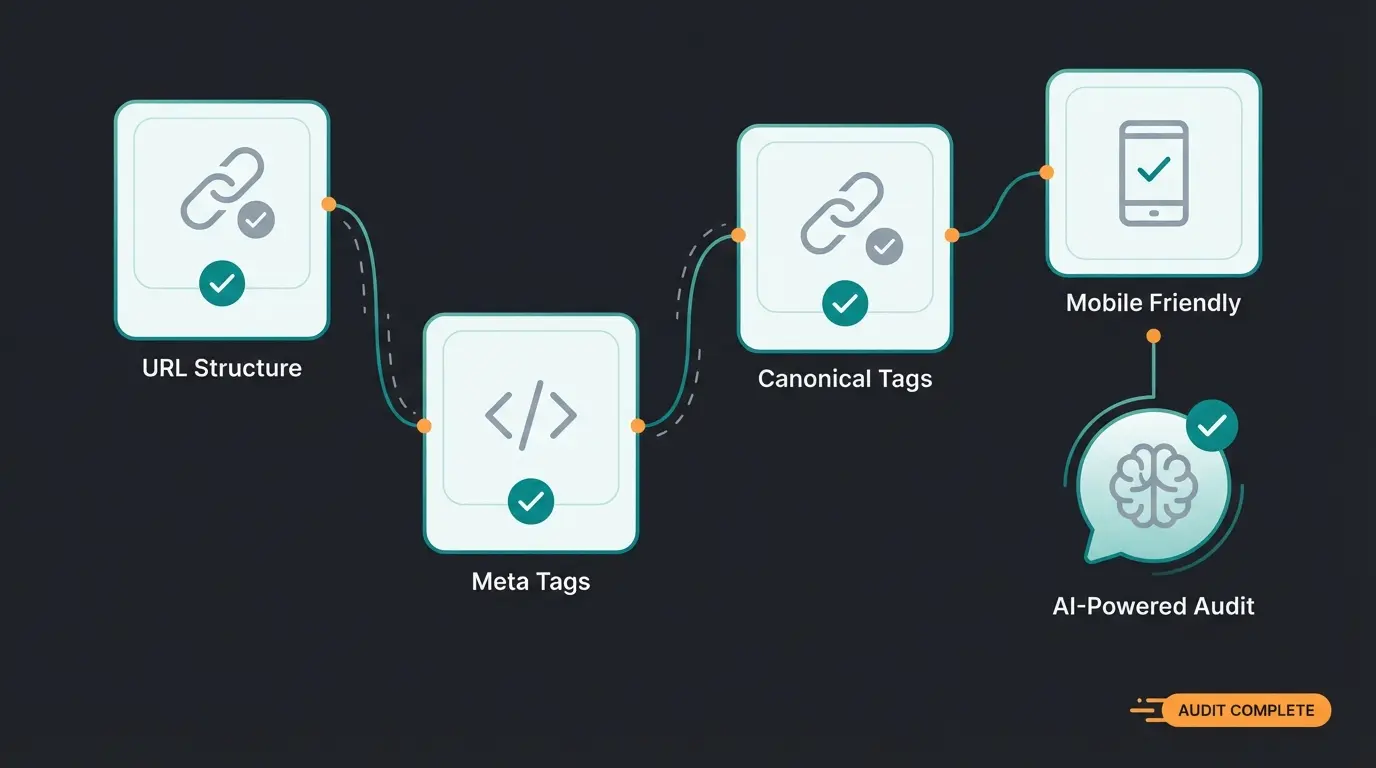
Use this list to audit your category pages and ensure nothing is overlooked:
- URL Check: Are URLs speaking (`/category/product`) and free of IDs? Was the indexer (`dal:refresh:index`) run after changes?
- Meta Data: Do all main categories have an individual title and a click-strong description?
- Canonical Tags: Do filtered URLs point via canonical to the main category?
- H-Structure: Is there exactly one H1 (category name or headline in Shopping Experience)? Are subheadings (H2, H3) logically set?
- Content Placement: Is there a short introduction "Above the Fold"? Are detailed contents (FAQ) placed "Below the Fold"?
- Image SEO: Do images in Shopping Experiences have alt tags? (Maintain in Shopware Media Management!)
- Engagement Booster: Do you offer interactive help (AI Chat / Advisor) to reduce bounce rate?
- Mobile UX: Is the Shopping Experience readable on smartphone? Do filters (or AI chat) work smoothly on mobile?
Implementing AI sales assistants as part of your category page strategy can address multiple items on this checklist simultaneously, particularly the engagement and mobile UX considerations.
Advanced Strategies: Data-Driven Content Optimization
One often-overlooked benefit of AI product consultation is the data generation aspect. Every conversation your AI has with customers generates unique insights that can be used to further optimize your category pages.
Mining Conversation Data for SEO Gold
When users interact with your AI assistant, they reveal:
- The actual language they use to describe their needs (valuable for keyword research)
- Common pain points and objections (content opportunities)
- Product attributes that matter most (filter prioritization)
- Questions that your current content doesn't answer (content gaps)
This approach to AI-powered content marketing creates a virtuous cycle where user interactions continuously improve your SEO strategy.
Implementing Feedback Loops
Set up systems to regularly analyze AI conversation patterns:
- Export weekly conversation summaries
- Identify recurring questions and themes
- Update FAQ sections with real customer language
- Adjust meta descriptions to match user search intent
- Refine product categorization based on user mental models
Conclusion: SEO in 2025 Is More Than Keywords
Anyone who wants to rank for "Shopware category page SEO" in 2025 cannot stop at meta tags and URL structures. These technical homework assignments are the foundation—nothing works without them. But they're no longer a differentiator since Shopware 6 already handles these functions very well.
The true competitive advantage lies in user experience. Google is getting better at recognizing whether a user truly finds what they need on your category page or whether they frustratedly return to search.
The strategy for the future:
- Perfect the technical: Use the Shopware SEO Router and Shopping Experiences optimally
- Lead with content: Answer questions instead of just stuffing keywords
- Delight through interaction: Rely on AI product consultation to bridge the gap between silent catalog and real sales conversation
This way, you optimize not just for the Google bot, but for the human. And that's exactly what the algorithm ultimately rewards.
Further Resources & Tools
To continue improving your Shopware category page SEO, leverage these resources:
- Google Search Console: Regularly check the "Indexing" report for your category pages
- Shopware Docs: Official documentation on SEO settings
- AI Tools: Evaluate conversational commerce solutions that integrate seamlessly into Shopware 6
Frequently Asked Questions
In Shopware 6, meta tags are edited directly in the category settings under the SEO tab. Navigate to Catalogs > Categories, select your category, and click on the SEO tab to find fields for meta title and meta description. For bulk editing, consider using the Shopware Admin API or third-party SEO plugins.
Shopware 6 handles this through canonical tags by default. Filtered pages (with URL parameters like ?color=red) automatically include a canonical tag pointing to the main category URL. You should verify this by checking the source code of your filtered pages. If canonicals aren't working correctly, check your theme settings or contact your hosting provider.
For above-the-fold content, aim for 50-100 words that quickly establish relevance. For below-the-fold content (FAQ sections or buying guides), 300-500 words of genuinely helpful content performs well. Avoid the outdated practice of adding 1000+ word walls of text that nobody reads—Google's Helpful Content Update penalizes this approach.
AI consultation improves SEO through better user signals. When visitors engage with an AI assistant, they spend more time on the page (increased dwell time), are less likely to return to Google (lower bounce rate), and often convert at higher rates. Google interprets these signals as indicators of a high-quality, helpful page, which positively influences rankings.
Absolutely, and you should. Mobile-optimized AI chat widgets often perform better than traditional filter navigation on smartphones. The conversational interface is more intuitive for mobile users than clicking through small filter checkboxes. Ensure your AI widget is responsive and loads quickly to maintain good Core Web Vitals scores.
Join forward-thinking Shopware merchants who are already using AI consultation to dominate search rankings and convert more visitors into customers.
Get Started Today
Lasse is CEO and co-founder of Qualimero. After completing his MBA at WHU and scaling a company to seven-figure revenue, he founded Qualimero to build AI-powered digital employees for e-commerce. His focus: helping businesses measurably improve customer interaction through intelligent automation.