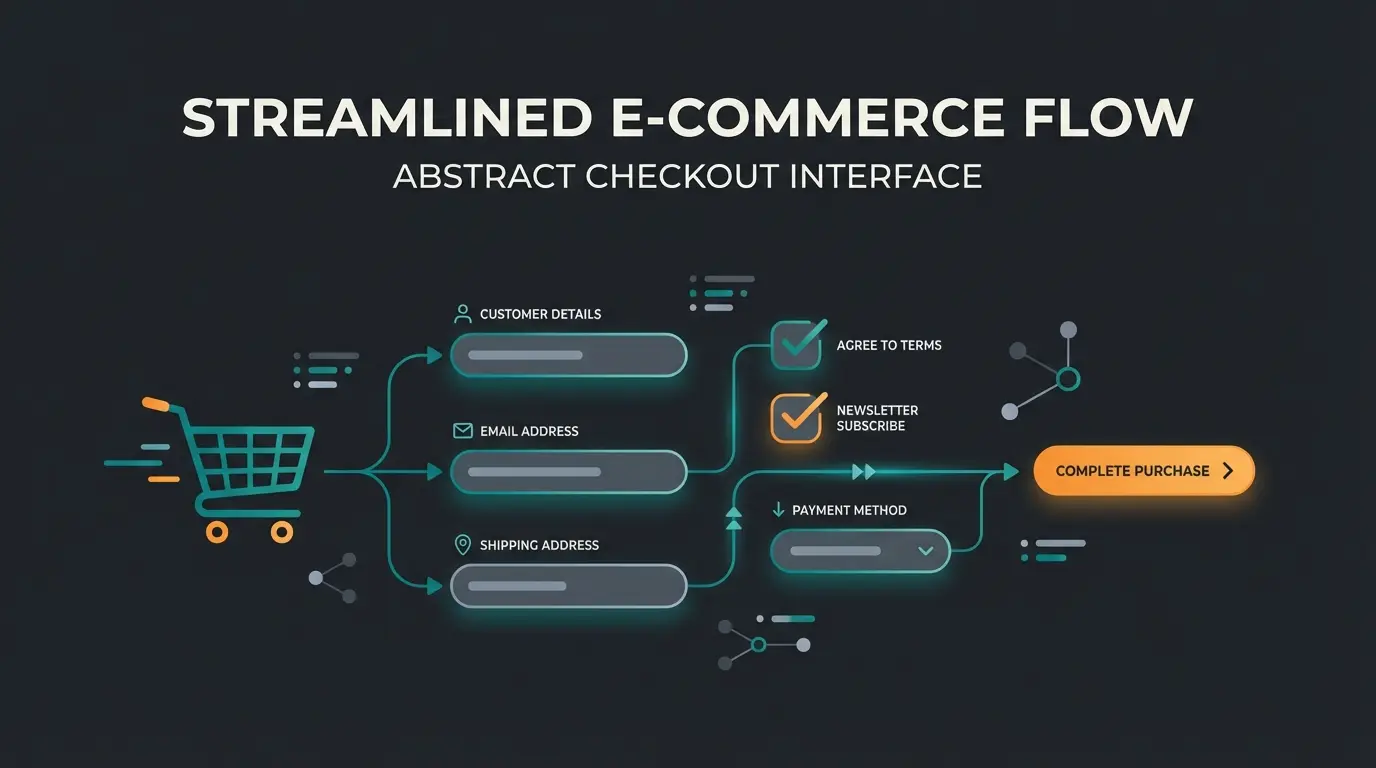
Why 7 Out of 10 Customers Abandon Their Carts
Have you ever wondered why 7 out of 10 visitors leave your store even though they already have products in their cart? It's every store owner's nightmare: You've invested in traffic, the customer has shown interest, the product is in the cart – and then nothing happens. The customer is gone.
According to absatzwirtschaft.de, cart abandonment rates in Germany reached a staggering 71.4% in the first half of 2024 and rose to over 72% in the second half according to uptain.de. Similar rates plague US and international markets.
The e-commerce industry's standard answer for years has been: "The checkout needs to be faster." The result is solutions like the WooCommerce one page checkout or direct checkout. The idea is simple: fewer clicks, fewer loading times, fewer drop-offs. But speed is only half the equation.
In this comprehensive guide for 2025, we go one crucial step further. We examine not only the technical side (plugins, setup, speed) but also close a critical gap that most guides ignore: psychological friction. We'll show you how to build a legally compliant one page checkout and combine it with AI-powered sales consulting to resolve your customers' pre-purchase anxiety at the last second.
Average abandonment rate in first half of 2024
Users who abandon when forced to create an account
Abandonment due to complicated checkout flow
Cart abandonments happening on smartphones
One Page Checkout vs Direct Checkout: What Do You Need?
Before diving deep, we need to clarify the terminology. In the WooCommerce world, "one page checkout," "direct checkout," and "express checkout" are often used interchangeably, although they technically solve different problems. Understanding these differences is essential when comparing AI ecommerce platforms.
What is WooCommerce One Page Checkout?
With a true WooCommerce one page checkout, product selection and the checkout form are displayed on the same page. Customers can add or remove products and pay directly without reloading the page.
- Best scenario: Landing pages for specific marketing campaigns, selling few products, donation forms, or events
- Goal: Maximum reduction of click paths
- Key advantage: Everything visible at once, no navigation required
What is WooCommerce Direct Checkout?
WooCommerce direct checkout (or "Skip Cart") means the classic shopping cart step is skipped. When the customer clicks "Add to Cart," they are immediately redirected to the checkout page.
- Best scenario: Shops with single purchases (customers usually buy only one product), impulse purchases
- Goal: Acceleration of the standard process
- Key advantage: Reduces steps from product page to payment
What is WooCommerce Express Checkout?
This typically refers to buttons from payment providers (Apple Pay, Google Pay, PayPal Express) placed directly on the product page.
- Best scenario: Mobile shoppers who want quick transactions
- Goal: Completely bypass login and data entry by using wallet-stored data
- Key advantage: Leverages existing payment credentials for instant checkout
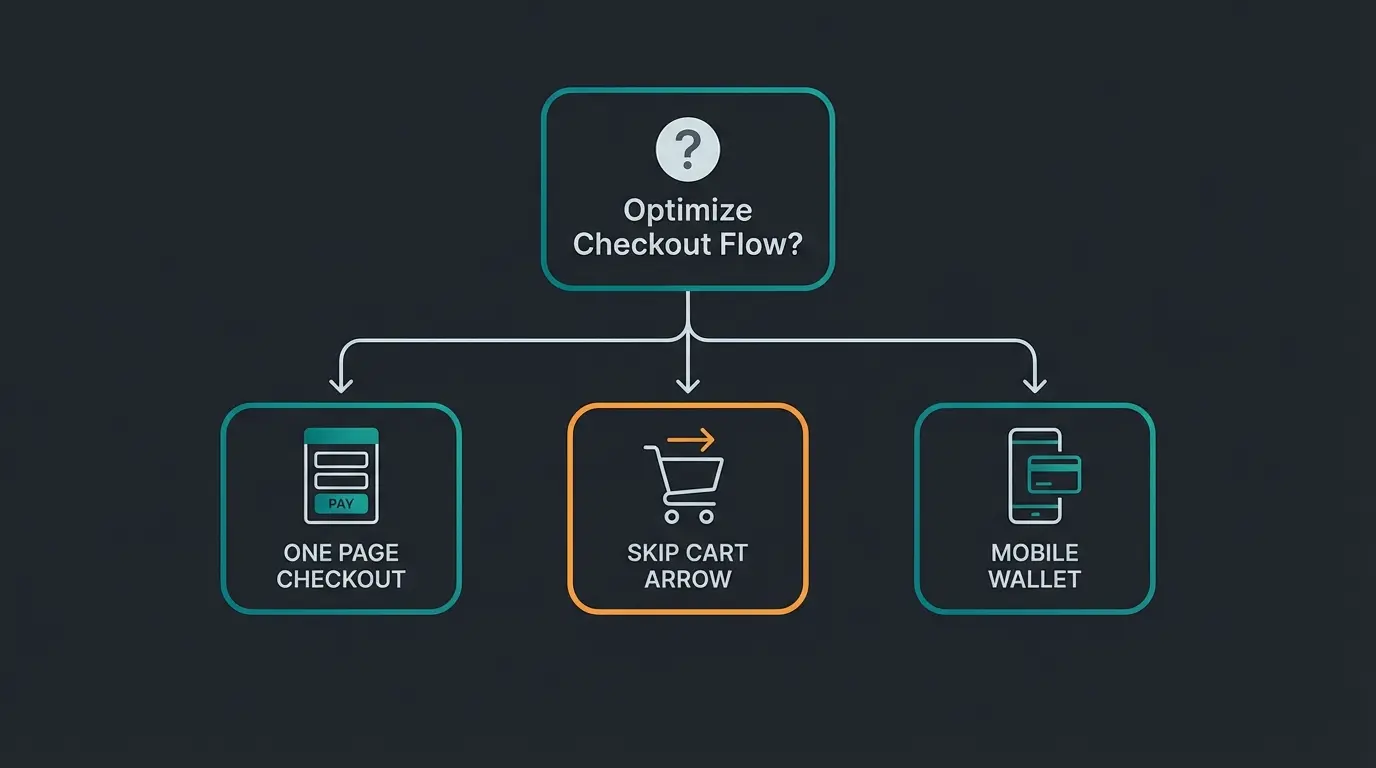
High-ticket items need consultation, simple products suit direct checkout
Single-item buyers benefit from skip cart, bundle buyers need cart review
High mobile traffic demands express checkout options
Products generating many questions require AI consultation integration
Our strategy for this article: We focus on combining these methods to create a "Zero-Exit" checkout – a page the customer doesn't need to leave, neither technically nor mentally. This approach aligns with modern AI-driven consultation strategies.
The Psychology of Abandonment: Why Faster Isn't Always Better
Most optimization guides focus on technical friction: too many form fields, slow loading times, forced account creation. These are valid points. According to current studies from wowrevenue.com, 24% of users abandon when forced to create an account, and 17% when the process is too complicated.
But there's a second, often overlooked type of friction: Psychological Friction (Pre-Purchase Anxiety).
Imagine your customer standing at the checkout (your one page checkout). Everything is fast. They just need to click "Buy." Suddenly, a thought shoots through their mind:
- "Will the package arrive before the weekend?"
- "Does this replacement part really fit my 2021 model?"
- "How does the return work if it doesn't fit?"
- "Is there a discount code I'm missing?"
- "Is this site actually secure?"
The Pre-Purchase Anxiety Gap
Competitors and plugin developers often ignore this aspect. They sell you tools to delete fields. But when you delete fields, you often delete security. A customer who doubts doesn't convert – no matter how few clicks it takes to purchase. This is where AI product consultation becomes essential.
The solution: We need to transform the checkout from a static form into an intelligent sales room. More on this later in the section on AI integration. Understanding KI E-Commerce principles is crucial for modern conversion optimization.
The European Context: GDPR, Legal Requirements & Local Payment
Simply installing a US plugin is grossly negligent for European store operators. The European e-commerce market is one of the most heavily regulated in the world. When you search for "WooCommerce one page checkout," you mostly find English-language tutorials that ignore these three pillars:
1. Button Labeling (Legal Requirement in Germany)
Since 2012, German law requires that the order button must be clearly labeled (e.g., "Buy with obligation to pay" or "Purchase"). Labels like "Continue" or "Order" are subject to legal action. Additionally, immediately before this button, essential contract information (product, price, shipping costs, total price) must be summarized and displayed again. According to wpmanageninja.com, many US plugins place the "Place Order" button directly next to payment options or move the summary to an impermissible location.
2. GDPR & Checkboxes
You need active consent options (opt-ins) in the checkout or at least clear references to terms and conditions and cancellation policy. These must not be pre-selected (for opt-ins) and must be technically integrated flawlessly into the one-page flow. This is especially important when implementing AI-powered prevention strategies.
3. Local Payment Methods
Credit cards don't dominate in Germany. Purchase on account (Klarna, Ratepay), PayPal, and instant bank transfer are essential. A one page checkout that doesn't cleanly display these methods (e.g., through missing iFrames or popups) will fail. Similar considerations apply to other European markets with their preferred payment methods.
Best WooCommerce One Page Checkout Plugins Tested (2025)
Based on our research and compatibility with international markets (particularly in connection with plugins like Germanized or German Market for EU compliance), these are our top recommendations.
The German-Ready Comparison Matrix
| Plugin Name | Type | Price (approx.) | EU/Germanized Compatibility | AI/Chat Ready? | Special Feature |
|---|---|---|---|---|---|
| FunnelKit (formerly WooFunnels) | Funnel Builder | from $99/year | High (Official Integration) | Yes | Best choice for upsells & sales funnels |
| WooCommerce One Page Checkout | Official | $79/year | Medium (Requires adjustment) | Yes | Solid, but few design options |
| Barn2 Product Table | B2B / List | from $49/year | High (Translations included) | Yes | Perfect for wholesale lists |
| Direct Checkout (QuadLayers) | Skip Cart | Free / Pro | Medium | Yes | Best free entry-level solution |
| Fluid Checkout | UX Optimization | Free / Pro | High (Explicit hooks for Germanized) | Yes | Best "Shopify-Style" checkout |
Detailed Analysis of the Top 3 Plugins
1. FunnelKit (The All-Rounder)
FunnelKit is more than just a checkout plugin; it's a complete marketing system. According to funnelkit.com, FunnelKit explicitly lists "Germanized for WooCommerce" and "German Market" as compatible integrations. This means legal checkboxes and button solutions are considered in the templates.
- Why for international markets? Explicit compliance plugin support
- Key features: A/B testing of checkout, order bumps (additional sales in checkout), address auto-completion (Google Maps)
- Best for: Stores focused on maximizing revenue per checkout through upsells and cross-sells
2. Barn2 WooCommerce Product Table (The B2B Specialist)
If you sell many products that customers often order in quantities (e.g., screws, office supplies, spare parts), the classic tile design is unsuitable. As noted by barn2.com, the plugin already includes German translations and is compatible with WPML.
- Functionality: Creates a tabular list where customers can select quantities and add everything to the cart and pay with one click (One Page Order Form)
- Localization: Already contains German translations and WPML compatibility
- Best for: B2B stores with large product catalogs and bulk ordering
3. Fluid Checkout (The UX Savior)
Fluid Checkout is an insider tip for anyone who wants the Shopify look & feel in WooCommerce without switching platforms. According to fluidcheckout.com, it offers special hooks (`fc_pro_woocommerce_germanized_...`) to ensure delivery times and legal notices are displayed in the correct location.
- Advantage: Special hooks for legal compliance integration
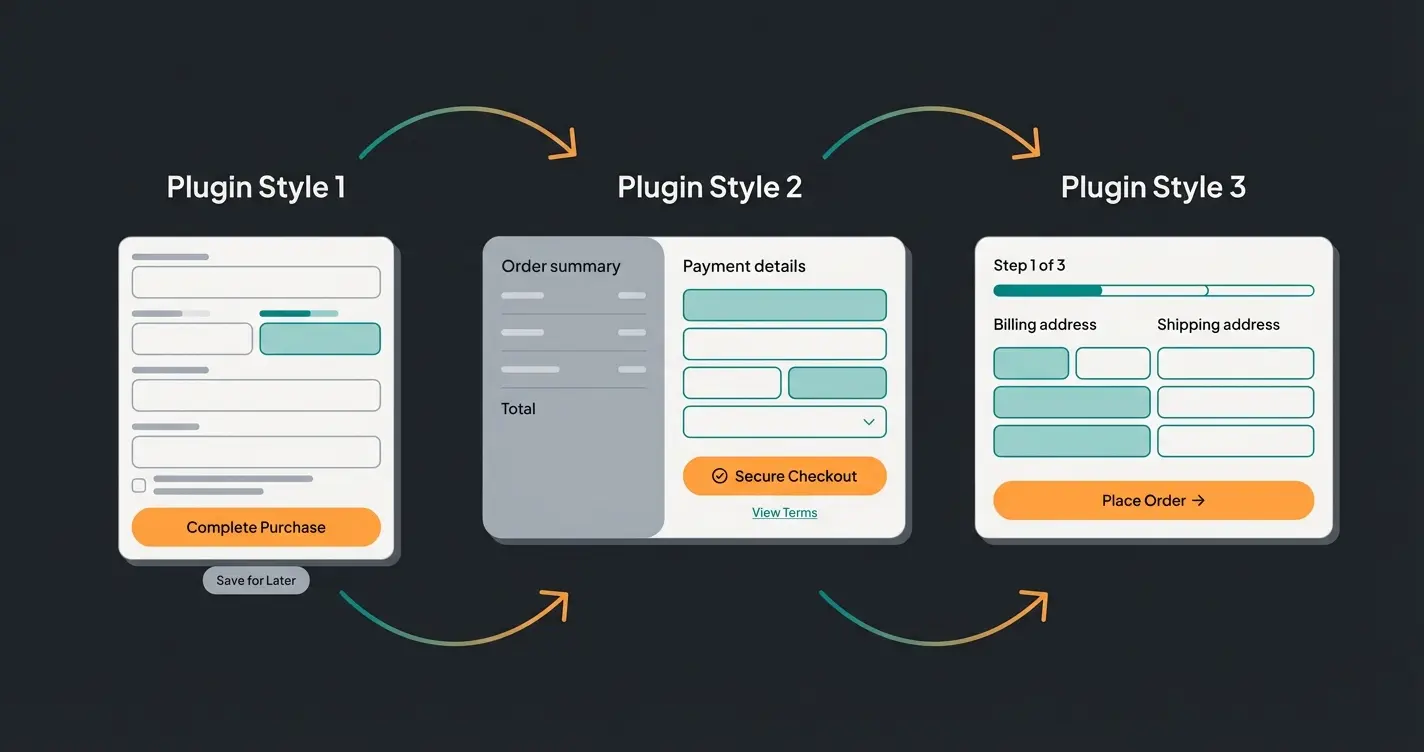
- Structure: Transforms the checkout into a very clear multi-step or one-step process that works extremely well on mobile devices
- Best for: Stores prioritizing mobile UX and clean design
Discover how AI-powered product consultation can eliminate pre-purchase anxiety and boost your conversion rates by up to 30%.
Start Your Free TrialStep-by-Step: Setting Up a Direct Checkout (Free)
For getting started, we'll show you how to skip the shopping cart and optimize the checkout using the free plugin Direct Checkout for WooCommerce.
Prerequisite: You have WooCommerce installed. For EU stores, also install Germanized for WooCommerce.
Step 1: Installation
- Go to Plugins > Add New in your WordPress dashboard
- Search for "Direct Checkout for WooCommerce" (by QuadLayers)
- Install and activate the plugin
- Verify the plugin appears in your active plugins list
Step 2: Skip "Add to Cart"
- Navigate to WooCommerce > Direct Checkout
- In the General tab: Set "Added to cart redirect" to Yes
- Select Checkout (Cart) at "Added to cart redirect to"
- Save the settings
Effect: When a customer clicks "Buy" on the product page, they land directly in the checkout.
Step 3: Remove Fields (Caution!)
In the Checkout tab, you can remove unnecessary fields (e.g., "Company name" in B2C areas).
Step 4: Legal Compliance (Button Solution)
Now check your checkout carefully:
- Scroll down to the "Buy" button
- Does it say "Buy with obligation to pay" or "Purchase" (for EU compliance)?
- Is the product summary and total price directly visible above it?
- If the plugin breaks the layout (e.g., button moves up), check the "Force checkout adjustments" option in Germanized settings or make CSS adjustments
- Germanized often tries to correct the order via hooks
The Game Changer: From Transaction Form to AI Sales Advisor
The Missing Link: AI-Powered Checkout Consultation
Here we leave the terrain of standard tutorials. You now have a fast checkout. But what happens when the customer hesitates? This is where Guided Selling principles become crucial.
The scenario: A customer stands in the one page checkout. They see the "Coupon code" field. They Google for a code (leave the page -> tab closed -> purchase abandoned). Or they wonder: "Is the return free?"
The "Zero-Exit" Strategy with AI
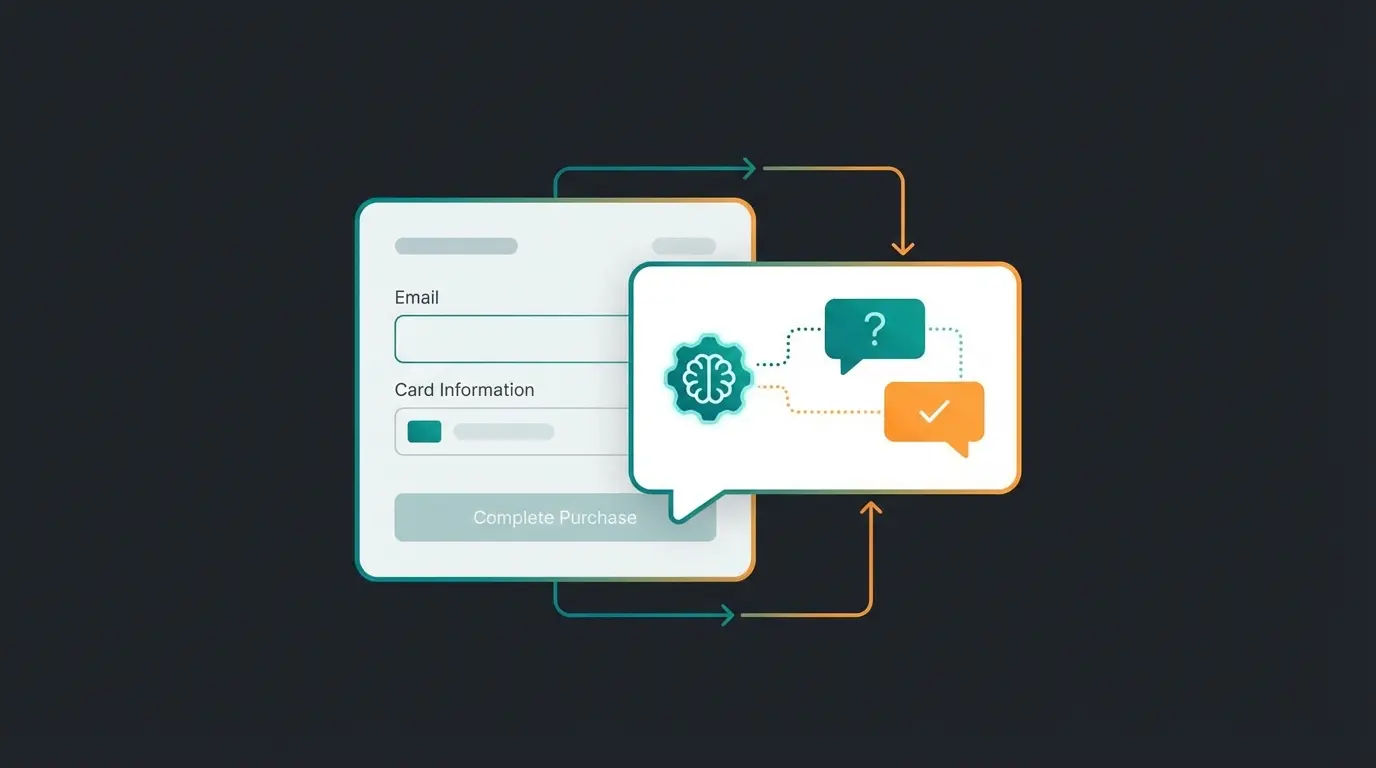
Instead of sending the customer to an FAQ page, we bring the answer into the checkout. We integrate an AI consultant who stands like a salesperson at the register. This approach exemplifies modern AI Selling strategies.
Why AI in the Checkout?
- Instant answers: Tools like Manifest AI or Tidio (with Lyro AI) can answer questions about shipping, returns, and product details in real-time
- No context switching: The chatbot overlays the checkout. The customer types, reads the answer, and clicks "Buy" in the same moment
- Cart rescue: If the AI detects the customer is hesitating (e.g., through mouse movement to the "Close" button), it can proactively offer a discount or help ("Can I help you with payment?")
According to getmanifest.ai, Manifest AI uses GPT-4 to not only provide support but actively sell. It reads your product descriptions and policies. When the customer asks "Does this fit with X?", the AI answers based on your data.
As documented by paymentplanswc.com, Tidio with Lyro specializes in intercepting repetitive questions (shipping, returns). It integrates deeply into WooCommerce and can even check order status. This complements AI-powered prevention strategies.
Practical Tip: The Consultant Prompt
Configure your bot not as "support" but as a "checkout assistant." Understanding AI product consultation best practices will help you craft effective prompts.
- Wrong: "Hello, how can I help?" (Too generic)
- Right: "Hi! Do you have questions about delivery or payment before completing your order?" (Context-specific)
- Better: "I noticed you're checking out the [Product Name]. Any questions about sizing, shipping, or returns before you complete your purchase?"
Essential Optimizations for Maximum Conversions
To make your one page checkout not only fast but also trustworthy, you need to optimize these three elements:
1. Trust Signals (Trust Anchors)
Place trust badges (Trusted Shops, EHI, TÜV for EU markets; BBB, Norton, McAfee for US markets) near the buy button. In a one page checkout, space is limited. Use the area below the "Summary" to signal security.
- German customers are security-conscious; an unknown shop without seals has a hard time
- US customers respond well to SSL certificates, money-back guarantees, and recognized payment processor logos
- Display customer review ratings prominently near the checkout button
2. Local Payment Icons
Show logos of PayPal, Klarna, Visa, and relevant shipping providers prominently. This signals: "You can pay securely and in your usual way here."
- Ensure that when selecting "Klarna invoice" the credit check runs in the background (or via modal) without destroying the one-page flow
- For US markets, prominently display Apple Pay, Google Pay, and major credit card logos
- Consider adding "Buy Now, Pay Later" options like Affirm or Afterpay for higher-ticket items
3. Mobile Optimization
According to digital-magazin.de, over 74% of cart abandonments happen on smartphones.
- Test: Is the "Buy" button on mobile "sticky" (always visible at the bottom)?
- Keyboard: Does the number pad automatically open when entering phone numbers? (This can often be set in plugins like Fluid Checkout)
- Form fields: Are input fields large enough for touch interaction?
- Loading speed: Mobile users are especially impatient – optimize for speed
Apple Pay, Google Pay, PayPal at the top for quick checkout
Only essential fields, smart defaults, address auto-complete
SSL indicators, payment logos, guarantee badges visible
Chatbot ready to answer questions without leaving page
Total price, shipping, taxes clearly displayed above buy button
Properly labeled, legally compliant purchase button
Conclusion: Speed Plus Trust Equals Conversions
The WooCommerce one page checkout in 2025 is no longer just a technical feature. It's the heart of your conversion strategy.
For the international market, the following applies:
- Legal compliance comes before speed: Use plugins like FunnelKit or Fluid Checkout that work with compliance plugins for your market
- Reduce fields, but not information: Use accordions or tooltips for details instead of deleting them entirely
- Integrate AI: Close the "pre-purchase anxiety" gap. An AI assistant in the checkout is the digital salesperson who takes the customer by the hand when they're uncertain and guides them to completion
Action recommendation: Start today. Set up a test environment, configure a direct checkout, and – this is the most important step – ask someone who doesn't know your store to buy a product. Observe where they hesitate. That's exactly where your AI assistant belongs.
FAQ: Common Questions About One Page Checkout
Yes, if you ensure that checkboxes for terms and data protection are not pre-selected and all data transfers are SSL encrypted. Plugins like Germanized help enormously with this for EU markets. For US stores, ensure you comply with state privacy laws like CCPA.
Yes, modern plugins like FunnelKit or WooCommerce One Page Checkout support common gateways. It's important that the iFrames (e.g., for credit card entry with Stripe or Klarna) load correctly in the one-page layout without breaking the flow.
A well-configured one page checkout is often faster than the standard process since fewer pages need to be loaded. However, ensure that AJAX requests (e.g., when changing quantities) are performant. Good hosting is mandatory.
Most AI consultation tools like Manifest AI or Tidio integrate via JavaScript widgets that work independently of your checkout plugin. They overlay your existing checkout page, making them compatible with virtually any one page checkout solution.
These terms are often used interchangeably. Both refer to a checkout process where product selection and payment happen on the same page without navigation to separate cart or checkout pages. The key is minimizing steps between product interest and completed purchase.
Join hundreds of WooCommerce stores using AI-powered consultation to reduce cart abandonment and increase conversions. See results in your first week.
Get Started Free
Lasse is CEO and co-founder of Qualimero. After completing his MBA at WHU and scaling a company to seven-figure revenue, he founded Qualimero to build AI-powered digital employees for e-commerce. His focus: helping businesses measurably improve customer interaction through intelligent automation.