The 70% Problem in the Shopware Universe
Imagine you run a brick-and-mortar store on a busy shopping street. Ten customers enter your shop, look around, and seven of them place products in their shopping basket. They walk to the checkout, put the items on the counter – and at the last moment, they silently turn around, leave everything behind, and walk out of the store.
In the physical world, this would be a nightmare. In e-commerce, it's the standard.
The statistics are sobering and consistent: According to current studies from the Baymard Institute and data from Uptain, the average cart abandonment rate sits at around 70.19%. On mobile devices, this figure climbs to over 80%. For Shopware merchants, this means: The majority of your marketing budget evaporates on the final stretch. Understanding Conversion Rates in Online Stores puts these abandonment figures into perspective.
The e-commerce industry's standard answer to this phenomenon has been the same for years: "Send an email." Plugins like CleverReach or specialized solutions promise to bring the customer back. But in 2025, under the watchful eyes of GDPR (General Data Protection Regulation), this strategy is no longer sufficient. For more details, see our conversion rate optimization. It's reactive, legally complex, and often inefficient.
This article shows you why you need to stop chasing ghosts and how you can drastically reduce your Shopware cart abandonment with a proactive strategy – supported by Artificial Intelligence – before customers click the "Close" button. Understanding how Shopware AI features work is the first step toward implementing this transformation.
Desktop users leaving items in cart
Significantly higher on smartphones
Unexpected shipping or taxes
Forced registration drives users away
The Psychology of Abandonment: Why Customers Really Leave
To solve the problem, we must understand what's happening in the customer's mind. Most analyses only scratch the surface.
The Obvious Reasons (Hard Facts)
When you ask customers why they abandoned a purchase, they often cite rational, measurable reasons. According to Statista and Baymard, the top checkout killers include:
- Unexpected additional costs: 48% of users abandon when shipping costs or taxes are higher than expected.
- Forced account creation: 26% don't want to register and prefer to order as guests.
- Technical problems & performance: Long loading times or crashes in checkout destroy trust.
- Payment methods: The preferred payment option is missing (e.g., PayPal, Apple Pay, Buy Now Pay Later).
The Invisible Reason: Purchase Anxiety (Soft Facts)
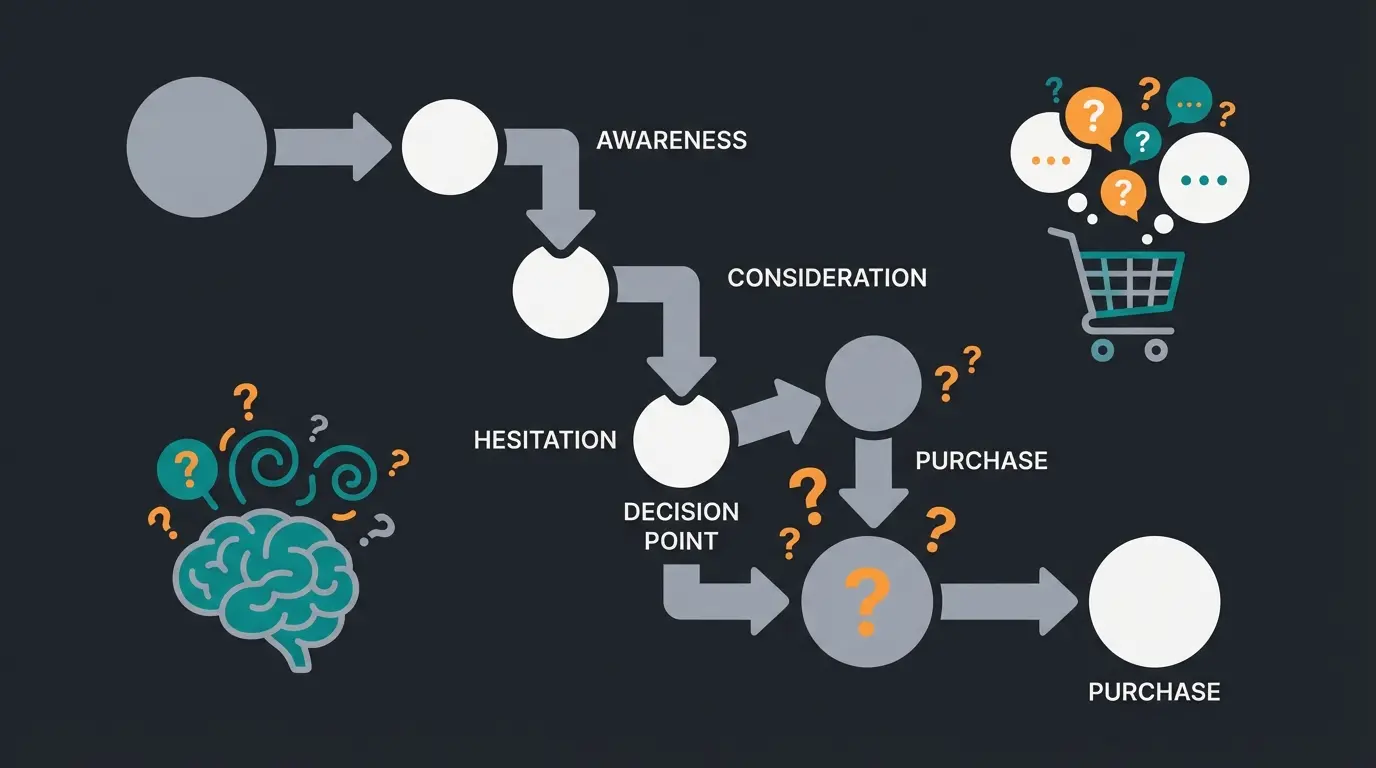
However, there's a reason often hidden in classic statistics under "I was just browsing" (approximately 43%). In truth, this is frequently code for purchase uncertainty or purchase anxiety.
The customer asks themselves: "Does this replacement part really fit my machine?" "Is the color in real life the same as in the photo?" "What happens if I need to return it?"
In a brick-and-mortar store, a salesperson would step in here. In an online shop, there's silence. This silence is the moment when abandonment happens. A customer who is uncertain doesn't buy – they abandon. No checkout page optimization can compensate for missing consultation. This is exactly where AI product consultation becomes a game-changer.
Status Quo in Shopware 6: The Analytics Dilemma
Before you can solve a problem, you need to measure it. Here, many merchants who migrated from Shopware 5 to Shopware 6 encounter an unexpected obstacle.
Where Are My Cart Abandoners?
In Shopware 5, the "Abandonment Analysis" was a popular standard feature. Merchants could see in the backend who had what in their cart and when they abandoned. In Shopware 6, this native function was significantly reduced or removed in the standard version (Community Edition), causing considerable frustration in the community. According to discussions on Shopware forums, many merchants report that while they have a display for "cart abandoners," it often remains empty or provides no detailed data.
Workarounds for Shopware 6
To shed light on this in Shopware 6, you currently have three main paths:
- Commercial extensions: The Shopware Store offers plugins like "Statistics Professional" or specialized "Abandoned Cart" tools that restore these views.
- Google Analytics 4 (GA4): This is the most precise method for tracking behavioral flow, even though it doesn't provide personal data (who exactly abandoned?). Through "Funnel Exploration" in GA4, you can see exactly at which checkout step (e.g., address entry vs. payment selection) users drop off.
- Shopware Commercial Features: In higher license tiers (Rise, Evolve), Shopware adds features like "Shopware Analytics" that should provide deeper insights.
Key takeaway: Without additional tools, you're often flying blind in Shopware 6. Installing a solid tracking setup (GA4 or plugin) is the non-negotiable first step. Understanding Shopware automation in 2025 can help you leverage these insights effectively.
Customer unsure about product details → Solution: AI Product Consultant
Shipping cost shock or complexity → Solution: Transparent UI & pricing
Payment or registration friction → Solution: Guest checkout & more payment options
Customer has left the shop → Solution: GDPR-compliant recovery email
Strategy A: The Safety Net (Reactive) – And Why It Has Holes
The classic method for combating cart abandonment is the cart abandonment email (Abandoned Cart Email). Tools like CleverReach, Klaviyo, or Uptain offer powerful integrations for Shopware 6.
How It Works
A plugin tracks the shopping cart. When the user abandons, an email is sent after a defined time (e.g., 1 hour): "Hello, you forgot something! Here's a 5% discount code."
The GDPR Problem (The Elephant in the Room)
In Germany and the EU, this strategy is legally highly sensitive. Unlike in the USA, you cannot simply send an email to everyone whose email address you "captured" through an abandoned input in the checkout.
- Legal situation: Emails to cart abandoners are considered advertising. Advertising requires explicit consent.
- Double Opt-In (DOI): You need not just consent, but verifiable Double Opt-In. This means: The customer must have already actively signed up for your newsletter and confirmed it before the abandonment.
- The consequence: You can legally only contact existing customers or newsletter subscribers.
- The dilemma: Most abandoners are new customers or guest shoppers without a newsletter subscription. Exactly this group – often 70-80% of traffic – cannot be reached with the email strategy.
Reactive emails are important as a "safety net" for your most loyal customers, but they're not a solution for the mass problem of new customer acquisition. This is where AI chatbots transform the entire approach to customer engagement.
Strategy B: The Digital Sales Consultant (Proactive)
If we're not allowed (or able) to bring customers back, we must prevent them from leaving in the first place. Here comes the paradigm shift: Proactive [conversion rate optimization](/blog/ecommerce-conversion-rate-optimization-guide-2026) through AI.
Instead of waiting until the child has fallen into the well, innovative Shopware merchants are betting on Conversational Commerce and AI sales assistants. Understanding how Conversational AI evolves helps you stay ahead of the competition.
What Is an AI Sales Assistant?
Unlike dumb chatbots of the past that only spit out FAQ links, modern AI agents (based on LLMs like GPT-4) understand the context of the shopping cart. They act like an experienced salesperson in a store. Modern Shopware 6 chatbots can understand customer intent and provide personalized guidance.
How AI Prevents Abandonment (Use Cases)
1. Detecting Hesitation (Exit Intent): The AI recognizes when a customer lingers on the checkout page for too long, moves the mouse toward "Close," or switches back and forth between tabs.
- Action: A subtle chat window opens: "Are you unsure whether the replacement part fits? I can quickly check that for you."
- Effect: The uncertainty is addressed immediately.
2. Guided Selling (Consultation Instead of Filters): Often the cart is full, but the customer is overwhelmed ("Do I really need Cable A and Cable B?"). This is where AI Guided Selling makes the difference.
- Action: The AI analyzes the cart and confirms: "Good choice! Just a note: Cable A is already included in the delivery of Product X. You don't need it twice."
- Effect: Trust building through honesty. The customer buys reassured.
3. Privacy Advantage: A live chat or on-site AI requires no Double Opt-In for an email. The interaction takes place anonymously and session-based on the website. You therefore reach 100% of your visitors, not just newsletter subscribers.
Data Gold Mine: Why Did You Almost Abandon?
An AI assistant delivers data that no analytics tool in the world can provide. This is where AI product finder technology shows its true value.
- Analytics says: "Customer abandoned at step 3."
- AI says: "Customer asked: 'Do you deliver on Saturdays?' and abandoned when the answer was 'No.'"
This qualitative data ("Zero-Party Data") is the key to long-term optimization of your product range and service promises. Learn how digital sales consultants capture these valuable insights.
Reactive vs. Proactive: The Complete Comparison
Here you can see at a glance why shifting focus is necessary. This comparison highlights why KI E-Commerce strategies are transforming online retail:
| Feature | Cart Abandonment Email (Reactive) | AI Sales Consultant (Proactive) |
|---|---|---|
| Timing | 1-24 hours after abandonment | Real-time during shopping |
| Target Audience | Only existing customers / newsletter subscribers | All visitors (including guests & new customers) |
| GDPR Hurdle | High (Double Opt-In mandatory) | Low (Anonymous session / Cookie consent) |
| Psychology | Attempt at recovery (reactivation) | Resolving uncertainty (prevention) |
| Success Rate | Open rates ~40%, click rates ~10% | Conversion increase up to 20-30% |
| Data Quality | Basic purchase/no purchase metrics | Rich qualitative insights on customer hesitation |
| Cost Model | Per email / license fee | Per session / license fee |
Prevent cart abandonment before it happens with AI-powered product consultation. See how leading Shopware merchants achieve 20-30% higher conversion rates.
Start Free AI TrialAnti-Abandonment Checklist for Shopware Merchants 2025
To significantly reduce abandonment rates in Shopware 6, we recommend a three-step strategy that addresses cart abandonment comprehensively.
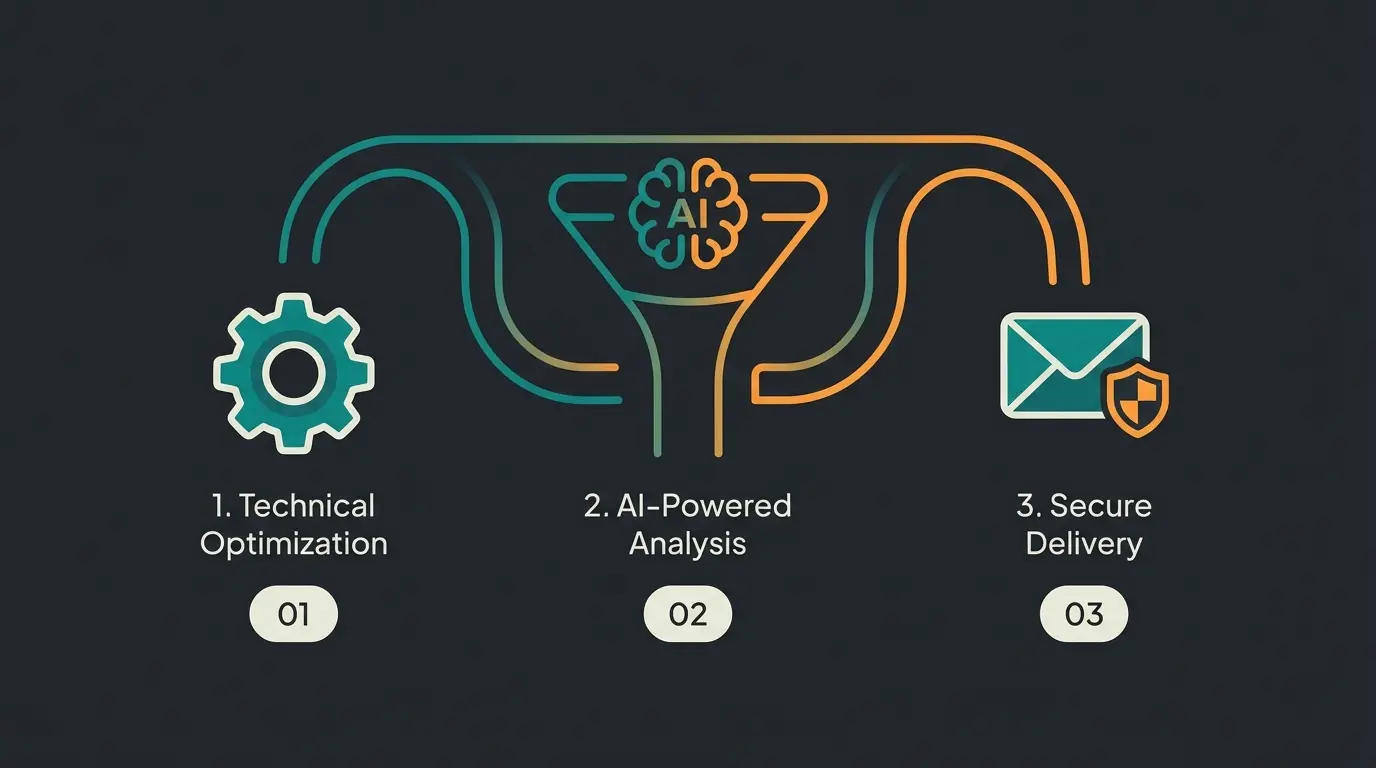
Step 1: Fix the Basics (Technical Hygiene)
Before deploying AI, the "hygiene factors" must be in order:
- Enable guest checkout: Don't force anyone to create an account.
- Make shipping costs transparent: Show costs before checkout (e.g., in the off-canvas cart).
- Check payment mix: Do you offer PayPal, Apple Pay/Google Pay, and Buy Now Pay Later?
- Optimize loading times: Use tools like Shopware HTML Minify or caching plugins according to YouTube tutorials on Shopware optimization.
Step 2: Integrate Proactive Consultation (The Game Changer)
Install a solution that keeps customers in the shop. This is where AI consulting e-commerce solutions prove their worth:
- Test AI assistants: Use plugins like the "AI Product Advisor" or integrate chat solutions based on GPT.
- Exit-Intent Popups: Use tools like Uptain, but configure them not as annoying advertising banners, but as a service offer ("Need help choosing?").
- Guided Selling: Implement product advisors for complex categories to reduce "choice overload."
Step 3: Deploy the Safety Net (Legally Compliant)
Catch the remaining abandoners where it's permitted:
- Connect CleverReach / Klaviyo: Automate emails for existing customers.
- Review legal texts: Ensure your privacy policy covers sending reminder emails to existing customers (considering § 7 para. 3 UWG) – consult a lawyer for this.
See how AI Employee Kira implemented this three-step strategy to achieve remarkable results for a garden supplies retailer.
The Missing Dashboard: What Shopware 6 Doesn't Show You
One of the biggest frustrations for Shopware merchants migrating from version 5 is the loss of native abandonment analytics. Where Shopware 5 offered clear visibility into who abandoned what and when, Shopware 6's Community Edition leaves merchants in the dark.
This creates a significant blind spot: You know you're losing customers, but you don't know exactly where or why. While commercial plugins can restore some of this visibility, they still only answer the "what" question – not the "why."
This is where AI consultation tools provide a unique advantage. Beyond tracking abandonment, they capture the actual questions customers ask before leaving. Imagine seeing a dashboard that shows:
- "15 customers this week asked about Saturday delivery and left when told no"
- "23 customers were unsure about product compatibility with specific models"
- "8 customers asked about return policies and didn't complete purchase"
This qualitative data is impossible to capture with traditional analytics. It transforms your abandonment problem from a mystery into an actionable improvement roadmap.
Conclusion: Act Instead of React
The hunt for cart abandoners has long been a reactive game: Wait until the customer leaves, then call them back. With the capabilities of Shopware 6 and modern AI tools, we can flip this game around.
The most successful shops in 2025 won't be those that write the best "come back" emails. They will be the shops that understand and guide their customers so well that they no longer have any reason to leave the shopping cart behind.
Your Action Plan
- Check your Shopware 6 Analytics (or set up GA4 properly) to see where you're losing customers.
- Stop relying solely on emails that have to ignore 80% of your visitors (those without opt-in).
- Test a proactive approach: Whether through Guided Selling plugins or an AI chatbot that transforms purchase uncertainty into purchase decisions.
The best cart abandoner is the one that never existed in the first place.
FAQ: Shopware Cart Abandonment Questions Answered
By default, Shopware 6 (Community Edition) doesn't offer a detailed personal view like Shopware 5 did. You need plugins from the Shopware Store (e.g., 'Cart Abandoner' or statistics plugins) or a connection to external marketing tools like Klaviyo or CleverReach to gain this visibility.
Only with restrictions. You generally need explicit consent (Double Opt-In) from the user. An exception may apply under narrow conditions for existing customers according to § 7 para. 3 UWG, but this is legal thin ice and should be reviewed by a lawyer before implementation.
For analysis and recovery (email), CleverReach, Uptain, and Klaviyo are leading solutions. For prevention (proactive), Guided Selling plugins or AI-powered chat solutions like the AI Product Advisor are recommended.
Mobile users are interrupted more often, often struggle with poor internet connections, and find complex forms (checkout) more tedious. A one-page checkout and mobile wallets (Apple Pay) are mandatory for reducing mobile abandonment.
According to industry data from sources like Quickchat.ai and SalesGroup.ai, AI-powered sales assistants can increase conversion rates by 20-30% by addressing purchase uncertainty in real-time, before customers decide to leave.
Join leading e-commerce merchants using AI to prevent cart abandonment. Get personalized product consultation that converts uncertain browsers into confident buyers.
Get Started Free
Lasse is CEO and co-founder of Qualimero. After completing his MBA at WHU and scaling a company to seven-figure revenue, he founded Qualimero to build AI-powered digital employees for e-commerce. His focus: helping businesses measurably improve customer interaction through intelligent automation.