WooCommerce Checkout Field Editor: Customize Fields & Boost Conversions
Learn how to use a WooCommerce checkout field editor to customize checkout fields, boost conversions, and stay GDPR-compliant. Complete 2025 guide.

Key Points Summary
- Cart Abandonment: Around 70% of all customers abandon their purchase—often due to overly complex checkouts according to Baymard Institute and Contentsquare.
- Legal Compliance (DACH): Germany has strict rules (GDPR). Phone numbers usually cannot be a required field in B2C according to Trusted Shops and IT-Recht Kanzlei.
- Strategy: Less is more. Remove unnecessary fields instead of adding new ones.
- AI Approach: Use AI consultants on the product page for complex queries instead of turning your checkout into a survey form.
- Solution: We compare plugins (ThemeHigh) with performant code snippets for `functions.php`.
Why Your WooCommerce Checkout Fields Matter
The checkout is the most critical point in your WooCommerce shop. This is where visitors either become customers—or become part of the statistics. According to current studies by the Baymard Institute, the average cart abandonment rate exceeds 70%. One main reason? A checkout process that's too long and complicated with unnecessary form fields.
Many shop owners make the mistake of overloading the checkout with questions like "How did you find us?", "Date of birth", or "Skin type". But every additional click costs revenue. This comprehensive guide on Shopify checkout optimization shows similar principles apply across platforms.
In this comprehensive guide, you'll learn not only how to technically customize your checkout with a WooCommerce checkout field editor, but also how to do this strategically to maximize conversion rates while staying GDPR-compliant. We'll also look at a completely new approach: why you should leave complex data queries to an AI on the product page instead of clogging up the checkout.
Customers who leave without completing purchase
Users who abandon when forced to register
Abandonment due to too many form fields
I. The German Context: Legal Pitfalls & UX Requirements
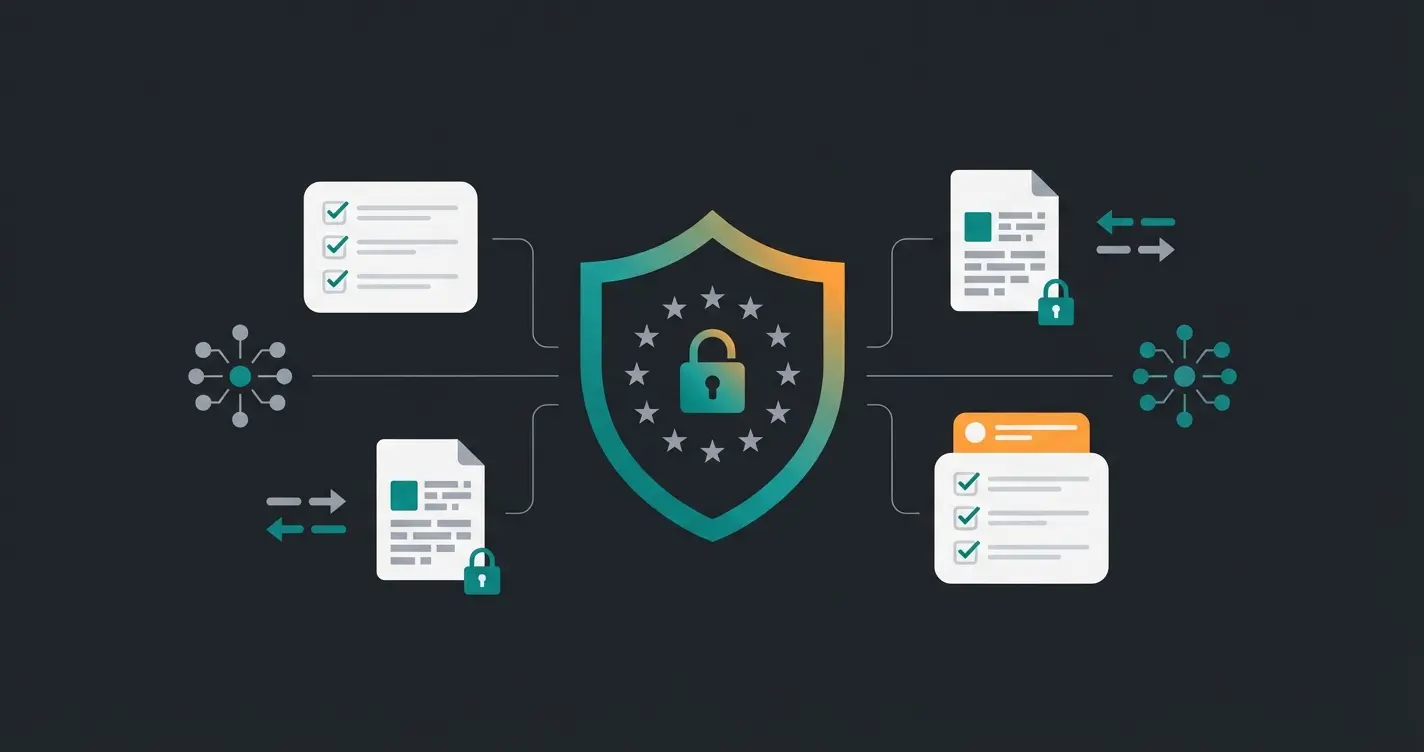
Before we delete or add fields, we must address the "elephant in the room": the special requirements of the German market (DACH region). A US tutorial often won't help you here, as it ignores the strict General Data Protection Regulation (GDPR) and the specifics of plugins like Germanized or German Market.
1. The Phone Number Problem (GDPR)
In many standard WooCommerce installations, the "Phone Number" field is required. For the German market, this is a massive problem. According to the principle of data minimization (Art. 5 GDPR), you may only collect data that is absolutely necessary for contract fulfillment, as explained by Proliance and Trusted Shops.
- B2C (Private Customers): Do you really need the phone number to ship the package? Usually not. DHL and other carriers announce packages via email. If you require the number as a mandatory field, you risk warnings and annoy customers who want to protect their data according to IT-Recht Kanzlei and Webseitenmann.
- Freight Goods: Only when telephone notification (appointment scheduling) by the freight company is absolutely necessary can this field be mandatory.
2. B2B vs. B2C: The "Company" Field Trap
Another common annoyance is the "Company Name" field. Private customers often feel irritated: "Do I need to enter something here? I'm buying privately." Meanwhile, business customers absolutely need this field for a correct invoice (input tax deduction).
A static checkout cannot differentiate here. The solution lies in dynamic adjustment: The "Company" field (and possibly "VAT ID") should ideally only appear or become mandatory when the customer actively selects "I'm ordering as a business" as noted by Noptin. Understanding these distinctions is crucial when you set up WooCommerce with AI.
3. Compatibility with "Germanized" & "German Market"
In Germany, almost all professional shops use plugins like Germanized for WooCommerce or German Market to be legally compliant (button solution, terms and conditions checkboxes, strikethrough prices) according to WordPress.org and WPList.
When you install a WooCommerce checkout field editor, you must ensure it doesn't override the adjustments from your legal plugins.
- Risk: A poorly programmed field editor plugin could move or delete the checkbox for "Accept Terms and Conditions".
- Solution: Use established plugins (see Section III) or clean code snippets (Section IV) that respect WooCommerce hooks.
II. Method A: The Quick Way (Plugins)
For users who don't want to program, plugins are the safest choice. They offer visual editors ("drag & drop") to move, rename, or delete fields. We analyze the market leader and the best alternatives for 2025 here.
1. Checkout Field Editor for WooCommerce (ThemeHigh)
This plugin is the "dominant player" with over 500,000 active installations according to ThemeHigh. It's the standard when searching for "woocommerce checkout field editor" or "checkout field editor for woocommerce".
| Feature | Free Version | Pro Version (~$49) |
|---|---|---|
| Add/Delete Fields | Yes (Basic Types: Text, Select) | Yes (24+ Types: File Upload, Checkbox Groups) |
| Edit Fields | Label, Placeholder, CSS Classes | Advanced Validation (Regex) |
| Change Required Fields | Yes (Required/Optional) | Yes |
| Conditional Logic | No | Yes (Show Field X if Product Y in Cart) |
| Price Fields | No | Yes (Additional Costs for Options) |
Our Assessment: For 90% of all shops, the Free Version is completely sufficient for simple tasks (e.g., removing "Address Line 2" or making "Phone" optional) as confirmed by DevNet. The Pro Version becomes interesting when you need Conditional Logic—for example: "Show the 'Delivery Notes' field only when shipping method 'Express' is selected."
2. Checkout Manager for WooCommerce (QuadLayers)
A strong alternative that often appears more modern in its interface. According to WPWebify and WPBookster:
- Advantage: Already offers some features in the free version that are paid at ThemeHigh, and has good integration for file uploads.
- Disadvantage: Can sometimes lead to styling conflicts with many other plugins (like Germanized) in very complex setups.
3. Flexible Checkout Fields (WP Desk)
Particularly popular in Europe. WP Desk is known for good compatibility with shipping plugins according to WordPress.org.
- Special Feature: Very clean UI and good documentation. If you plan to introduce complex shipping rules later, this ecosystem is worth a look.
III. Method B: The Performance Way (Code Snippets)
Why install a plugin when five lines of code will do? Every plugin loads additional scripts and CSS, which can minimally worsen the loading time (Page Speed) in the checkout. Since we know that every second of loading time costs conversions, the path through `functions.php` (in your child theme!) is often the more professional approach.
Scenario 1: Remove Unnecessary Fields (Cleanup)
The most common candidates for deletion are "Website" (nobody needs it) and "Address Line 2" (often confuses customers). Here's the code based on logic from WPSlash, LearnWoo, and Square Internet:
```php /** Removes unnecessary fields from WooCommerce Checkout / add_filter( 'woocommerce_checkout_fields' , 'custom_override_checkout_fields' ); function custom_override_checkout_fields( $fields ) { // Removes the "Company Name" field (Caution with B2B!) // unset($fields['billing']['billing_company']); // Removes the "Address Line 2" field unset($fields['billing']['billing_address_2']); // Removes the "Website" field (if present) // unset($fields['billing']['billing_website']); return $fields; } ```
Scenario 2: Make Phone Number Optional (GDPR Hack)
Instead of deleting the field (which can cause problems if a payment gateway expects it), we simply make it optional. This approach is documented by Tyche Softwares, Conic Solutions, and Theme Location:
```php /** Makes the phone field optional in checkout / add_filter( 'woocommerce_billing_fields', 'make_phone_optional_in_checkout' ); function make_phone_optional_in_checkout( $fields ) { $fields['billing_phone']['required'] = false; return $fields; } ```
Scenario 3: Cleanup Only for Virtual Products (Downloads)
If you sell e-books or software, you don't need a shipping address. WooCommerce often hides "Shipping" automatically, but the billing address remains long.
```php add_filter( 'woocommerce_checkout_fields' , 'simplify_checkout_virtual' ); function simplify_checkout_virtual( $fields ) { // Check if only virtual products are in the cart $only_virtual = true; foreach( WC()->cart->get_cart() as $cart_item ) { if ( ! $cart_item['data']->is_virtual() ) $only_virtual = false; } if( $only_virtual ) { unset($fields['billing']['billing_company']); unset($fields['billing']['billing_address_1']); unset($fields['billing']['billing_address_2']); unset($fields['billing']['billing_city']); unset($fields['billing']['billing_postcode']); unset($fields['billing']['billing_country']); unset($fields['billing']['billing_phone']); } return $fields; } ```
Stop losing customers to complex checkouts. Our AI consultation tools help you collect the right data at the right time—before checkout, not during it.
Start Free TrialIV. Method C: The Strategic Shift (Your AI Advantage)
Here lies the real lever for 2025. Most shop owners use the WooCommerce checkout field editor to query additional information:
- "What is your skin type?" (Cosmetics)
- "What car model do you drive?" (Spare parts)
- "How did you hear about us?" (Marketing)
This is a strategic mistake.
The checkout is the "Point of Sale." The customer has their credit card in hand. Every question that makes them think ("Hmm, do I have combination skin or dry skin?") interrupts the buying impulse. The brain switches from "Buy" (emotional) to "Analyze" (rational)—and abandons. This is where AI product consultation becomes essential.
The Solution: AI Consultation *Before* the Cart
Instead of bloating the checkout, you should collect this data on the product page—interactively and value-adding. Learn more about how AI in e-commerce transforms customer interactions.
The Scenario: Imagine you sell premium dog food.
- Old Way: Add a dropdown field "Dog Breed" in the checkout. Result: Checkout becomes longer, customer is annoyed.
- New AI Way: On the product page, there's an "AI Food Advisor" (chatbot or interactive quiz). The customer tells the AI: "I have a Labrador, 5 years old." The AI recommends the perfect product. The Key: The AI saves this info ("Labrador") as meta data in the cart object.
The Result:
- Checkout stays clean: Only name, address, payment. Maximum conversion.
- Data quality increases: Customers are more willing to share data in a consultation conversation than in a bureaucratic form.
- Personalization: You still have the data for fulfillment or later marketing emails.
This approach aligns perfectly with conversational commerce strategies that are reshaping e-commerce in 2025.
Implementation Approach
This doesn't require complex checkout plugins, but an AI chatbot for product consultation or a quiz plugin that passes data to the `WooCommerce Cart`. The Checkout Field Editor then becomes unnecessary for marketing questions and serves only pure address optimization. Consider how AI consulting in e-commerce can transform your entire customer journey.
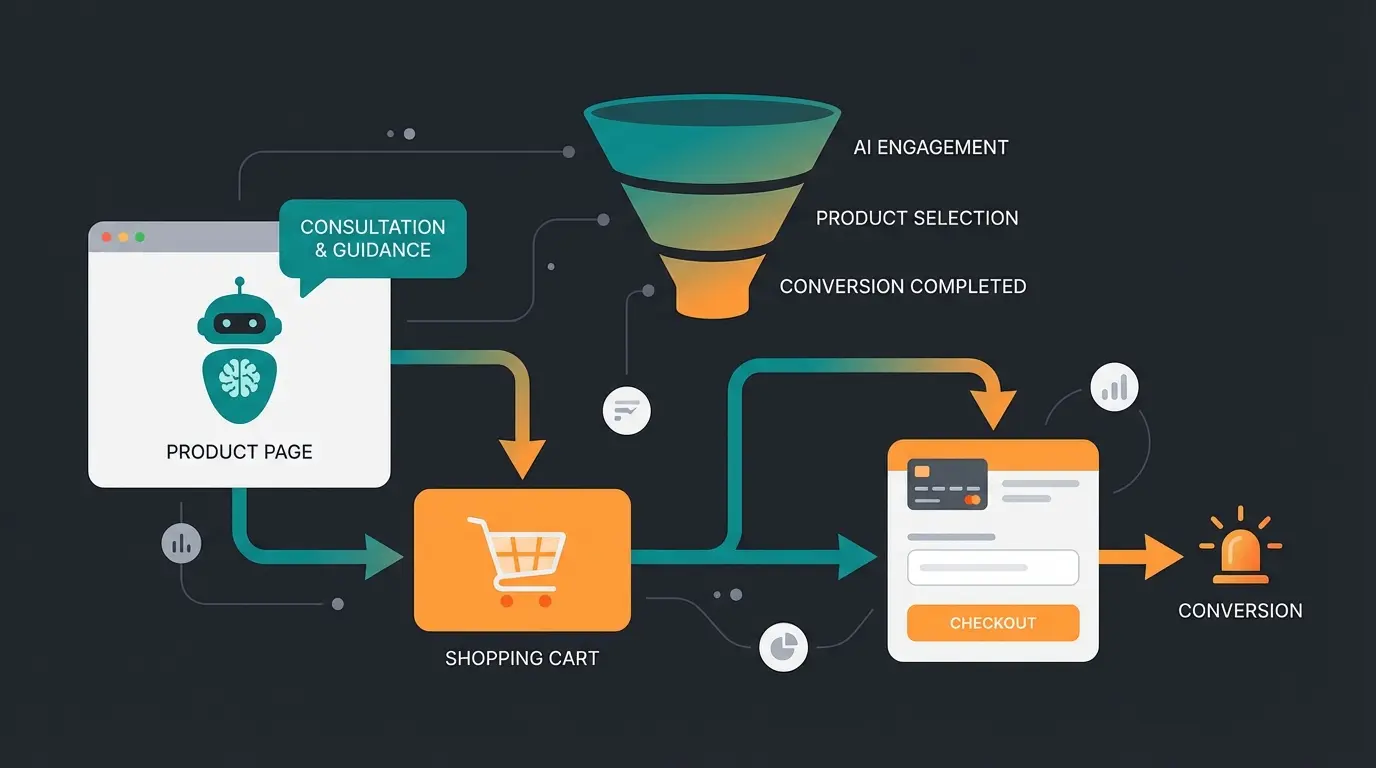
AI chatbot collects preferences, needs, and consultation data interactively
Information automatically attached to cart for fulfillment without extra fields
Only essential fields: name, address, payment method—maximum conversion
Thank you page collects marketing data after successful purchase
V. Step-by-Step Guide: The Perfect German Checkout
Let's summarize everything. What does the ideal checkout for a German shop look like in 2025? This process shares similarities with checkout optimization in Shopware and other platforms.
Step 1: Check Basic Setup
Install Germanized or German Market. Make sure the "button solution" ("Buy" instead of "Order") is active.
Step 2: Radically Shorten Fields (via Plugin or Code)
- Remove: `billing_address_2` (Address Line 2), `billing_state` (State—usually irrelevant for shipping in Germany since postal code is sufficient), `billing_website`.
- Adjust: Set `billing_phone` to "Optional" (or hide it for pure B2C).
Step 3: Localize Labels
Some themes translate poorly. Change labels for more clarity. For German markets: Instead of "Locality" → "City / Town", Instead of "Postal Code" → "ZIP" (short and concise). Similar localization principles apply when implementing Shopware personalization.
Step 4: Place Trust Elements
Use hooks (e.g., `woocommerce_review_order_before_submit`) to display trust badges (Trusted Shops, TÜV, SSL) or notes like "Free Return Shipping" directly above the "Buy" button according to Codexpert. This reduces the final hurdle and helps reduce cart abandonment.
Step 5: Enable Guest Checkout
Don't force customers to register. According to the Baymard Institute, 24% of users abandon if they must create an account, as confirmed by Amran & Elma and Shopify. Enable in WooCommerce under Settings > Accounts & Privacy: "Allow customers to place orders without an account."
VI. Comparison Table: Where Does the Data Belong?
To clarify our strategy: Which field belongs in the checkout (via Field Editor) and which on the product page (via AI/Quiz)? This understanding is crucial for effective Shopware conversion optimization as well.
| Data Type | Example | Location: Checkout? | Location: Product Page (AI)? | Reasoning |
|---|---|---|---|---|
| Logistics | Delivery Address, ZIP | ✅ YES | ❌ No | Absolutely necessary for shipping. |
| Legal | Terms, Age (Alcohol) | ✅ YES | ❌ No | Must be confirmed at contract conclusion. |
| Preference | T-Shirt Size, Color | ❌ No | ✅ YES | Belongs to product selection (variant). |
| Consultation | Skin Type, Pet Type | ❌ NO! | ✅ YES | Disturbs purchase completion. Better to ask as "service" beforehand. |
| Marketing | "How did you find us?" | ❌ NO! | ✅ YES (Post-Purchase) | Ask this on the "Thank You Page," not before! |
| Appointments | Delivery Date | ✅ YES | ❌ No | Logistical necessity (e.g., flower delivery). |
VII. Anatomy of a High-Converting German Checkout
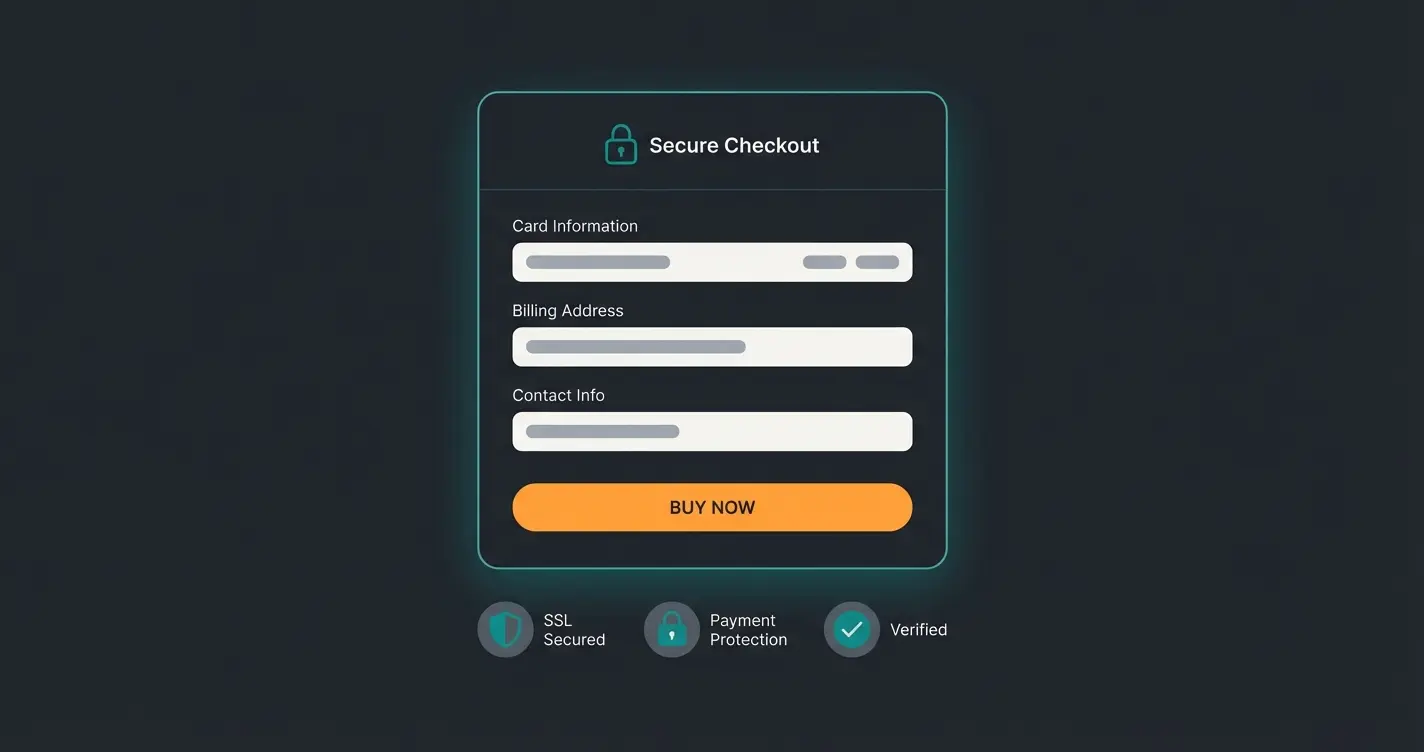
Understanding the visual structure of an optimized checkout helps implement changes effectively. Here's what the ideal German checkout includes—and what it intentionally excludes:
Name, address, email, payment only
Trusted Shops, SSL, Payment Icons
No surveys or preference fields
The key is maintaining focus: shipping information, payment method, and legal confirmations. Everything else—product preferences, marketing surveys, consultation data—belongs elsewhere in the customer journey. This principle also applies when ensuring WhatsApp Business GDPR compliance for customer communications.
VIII. Conclusion & Checklist
Customizing WooCommerce checkout fields isn't just a cosmetic intervention—it's an operation on the open heart of your revenue. Tools like the Checkout Field Editor for WooCommerce from ThemeHigh make it technically easy, but the art lies in reduction.
Your To-Do List for Today:
- Audit: Go through your own checkout on mobile. Where do you stall?
- Legal: Check whether phone number and company name are handled GDPR-compliantly (Optional vs. Required).
- Code vs. Plugin: Make your decision. If you only want to delete 2 fields, take the code snippet from Section IV.
- AI Strategy: Consider which queries you can banish from the checkout and pre-position in an intelligent product consultation.
A lean checkout is the best salesperson. Clear the way for it. Understanding how AI can prevent returns through better pre-purchase consultation shows the full potential of this strategic shift.
Frequently Asked Questions (FAQ)
No, or technically risky. Even if you only ship to Germany, payment providers (PayPal, credit cards) need the country for billing address verification (Fraud Protection) and for correct tax calculation (tax rate at delivery location) according to WooCommerce.com documentation and legal experts.
Yes, this works with the Pro version of plugins like ThemeHigh Checkout Field Editor or Flexible Checkout Fields. Example: The "Delivery Permission" field only appears when the customer selects "Standard Shipping," not with "Store Pickup."
Often it's caching. Clear your browser cache and the cache from plugins like WP Rocket. Also check whether your theme (e.g., Divi, Elementor) overrides the standard checkout and has its own settings for fields, as noted by FunnelKit.
For simple changes like removing 1-2 fields or making phone optional, code snippets are cleaner and faster. For complex conditional logic or if you're not comfortable with code, a plugin like ThemeHigh is safer and more maintainable.
Each plugin adds some overhead through additional scripts and CSS. For maximum performance, especially on mobile, code snippets in your child theme's functions.php have minimal impact. However, well-coded plugins like ThemeHigh have negligible performance effects for most sites.
Ready to implement the strategic shift? Our AI consultation tools help you collect customer data naturally on product pages while keeping your checkout conversion-optimized.
Get Started Now
Kevin is CTO and co-founder of Qualimero. As an AI architect with over 15 years of experience as CTO and CPO in the tech industry, he designs the AI systems that automate tens of thousands of customer interactions daily for Qualimero's clients — reliably, securely, and at scale.