The landscape for CRM for small business is undergoing a radical transformation. While just a few years ago, simply digitizing your address book was considered innovative, we now stand at the threshold of a new era in 2026: intelligent, consultative customer management. For founders, startups, and small to medium-sized enterprises (SMEs) in Europe and beyond, choosing the right software is no longer just about staying organized—it's a decisive competitive advantage.
This article analyzes the current market status, exposes hidden cost traps of supposedly 'free solutions,' and demonstrates why the future belongs not to pure data management but to AI-powered customer service and product consultation.
Why Excel No Longer Cuts It: The Paradigm Shift
Every business starts with a list at some point. Column A: Name, Column B: Email, Column C: Status. That works—until it doesn't. According to findstack.de, companies typically need to invest in CRM technology within the first 5 years after founding to avoid losing track of their customer relationships.
The problem isn't just the lack of clarity. The problem is that Excel is passive. A spreadsheet won't remind you to follow up with a potential customer. It doesn't recognize sales patterns, and it certainly can't advise a customer who's searching for solutions on your website at 11 PM.
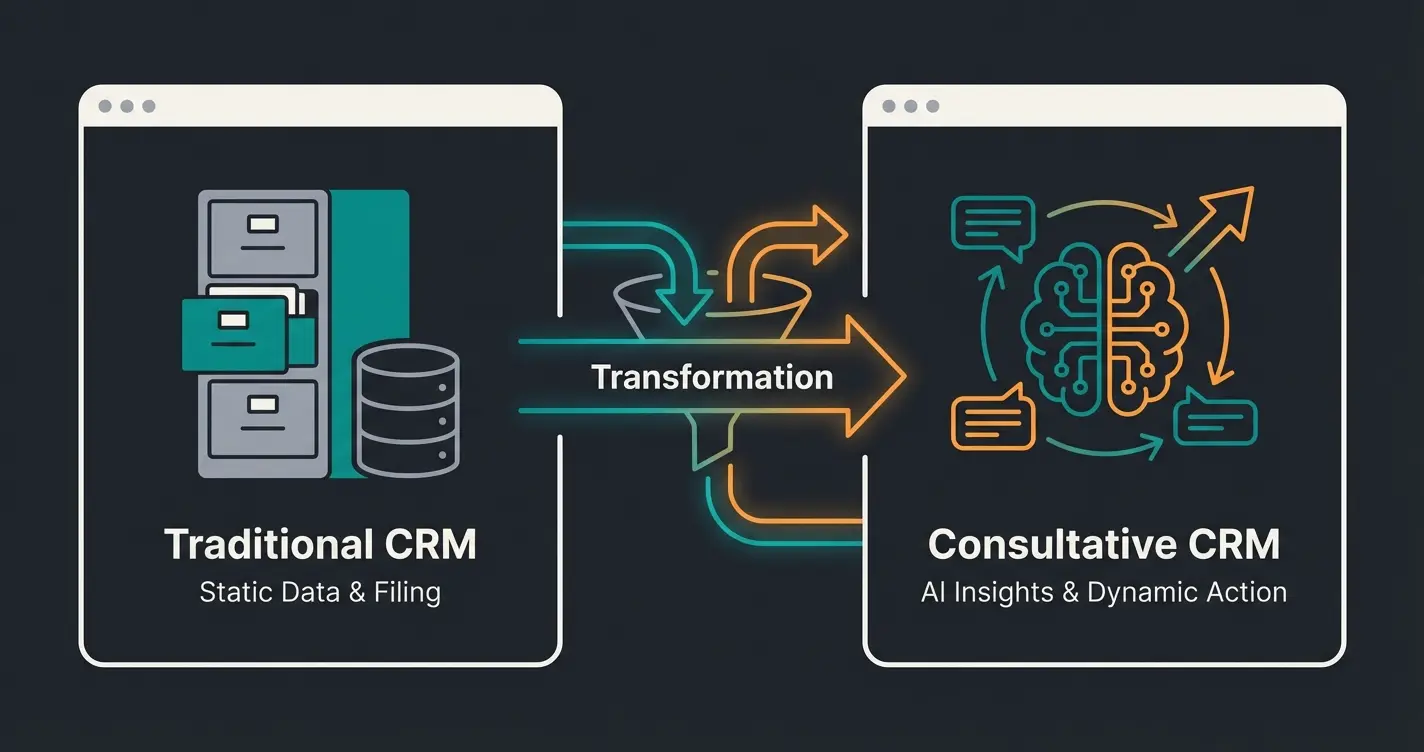
We're moving away from systems that merely manage data (Administration) toward systems that actively help with selling (Consultation). Anyone searching for a CRM for small business today shouldn't settle for a digital filing cabinet.
Physical card systems for contact storage, manual updates, limited accessibility
Digital lists with basic sorting, but passive and error-prone at scale
Centralized data with team access, automated reminders, basic reporting
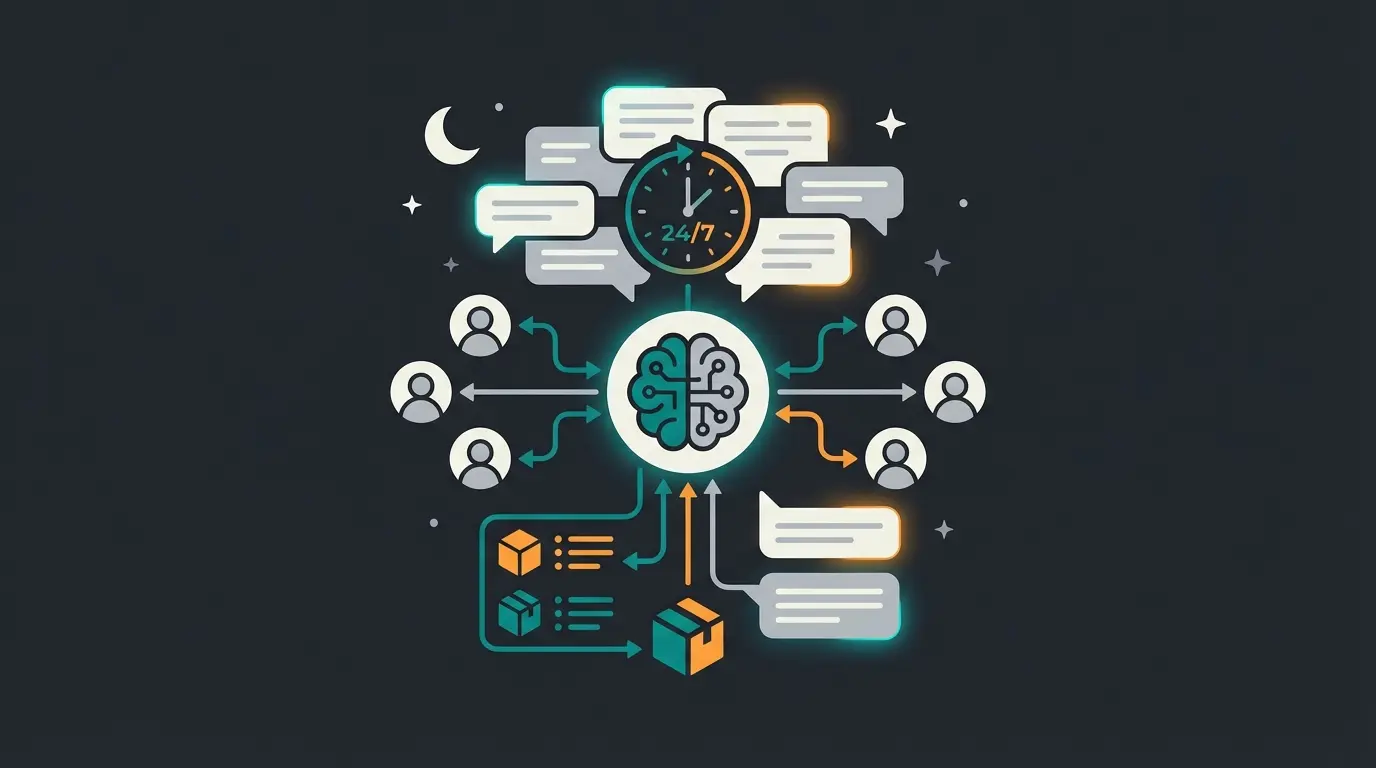
Active selling 24/7, intelligent consultation, automated lead qualification
What Makes a Good CRM for SMEs? (Selection Criteria)
Before diving into the tool comparison, we need to define what 'good' actually means in the context of a small business. The requirements of a Fortune 500 company (Salesforce) are often poison for a craft business or a tech startup with 10 employees.
1. Simplicity vs. Feature Bloat
A simple CRM is the key to team adoption. If your employees need three weeks of training just to create a contact, the system won't be used. Tools like CentralStationCRM or Pipedrive address this by reducing features rather than inflating them, as noted by zeeg.me. A CRM must be intuitive—the 'merchant's book' principle, where a customer's entire history is visible at a glance, beats complex dashboards every time.
2. GDPR Compliance (The European Standard)
Data privacy is not optional in Europe. According to cizaconsulting.de, a GDPR violation can result in fines of up to 20 million euros or 4% of annual revenue.
- US Providers: Tools like HubSpot or Zoho often store data in the USA by default or require complex settings to guarantee EU servers. As zoho.com explains, Zoho offers data centers in Amsterdam and Dublin, but users must ensure they register via zoho.eu
- European/German Providers: Solutions like CentralStationCRM or TecArt guarantee hosting in Germany according to omr.com, massively simplifying legal compliance
3. Consultation Capabilities (The New Standard)
This is where the wheat separates from the chaff. Most CRM systems for SMEs are databases. They store what was. Modern systems with an AI approach analyze what could be. Does the tool offer ways to actively explain products? Can it pre-qualify inquiries before a human invests time? That's the difference between administration and value creation. This is where AI lead generation becomes a true competitive advantage.
Top 7 CRM Systems for Small Businesses Compared
Here's a strategic analysis of the most important players on the market for 2026.
The Comparison Table
| Provider | Best Use Case | Price (Start) | Server Location | Special Feature |
|---|---|---|---|---|
| AI Employee Solution | AI Product Consultation & Sales | On Request | EU/Germany | Actively sells instead of just storing |
| Pipedrive | Pure Sales Focus | ~$15/User | Frankfurt (AWS) | Visual Pipeline View |
| CentralStationCRM | European SMEs & Data Privacy | Free/$25 | Germany | Extremely Simple Operation |
| HubSpot | Inbound Marketing | $0 (with catches) | USA (EU Option) | Powerful, but expensive at scale |
| Zoho CRM | Price-Performance Winner | $14/User | EU (via .eu) | Massive App Ecosystem |
| Lexware Office | Accounting + CRM Light | Integrated | Germany | Perfect for Invoicing |
| Brevo (formerly Sendinblue) | Marketing & Email | Free/Module | France | Newsletter Marketing Focus |
1. Pipedrive: The Sales Pipeline Specialist
Pipedrive isn't an all-rounder but a specialized tool for sales. It practically forces users to focus on closing deals.
- Advantages: The Kanban view is the industry standard. It's visual, fast, and focused. Frankfurt server location is possible according to trusted.de
- Disadvantages: Important features like email sync or automations are often limited or missing in the cheapest 'Essential' tier (~$15), requiring upgrades to the 'Advanced' tier (~$30-40) as saasgenius.com points out
- Conclusion: Ideal for teams that work purely in sales and practice 'hard sales'
2. CentralStationCRM: The Data Privacy Champion
For many small businesses, this tool is the safest harbor. It positions itself as a 'merchant's book' and deliberately foregoes bells and whistles.
- Advantages: Servers in Germany, German support, extremely simple interface. According to centralstationcrm.de, there's a permanently free version ('Starter') and fair team rates from about $25. The integration with Lexware Office is excellently implemented, connecting accounting and sales
- Disadvantages: Anyone looking for complex marketing automation or AI features won't find them here. It's an administrative solution, not a selling machine
- Conclusion: The best simple CRM for craftspeople, agencies, and service providers who want to live worry-free regarding GDPR
3. HubSpot: The Giant with the 'Free' Trap
HubSpot dominates the market with its 'Free CRM.' It's a powerful tool that connects marketing, sales, and service.
- Advantages: The entry barrier is non-existent. The connection between website tracking and CRM is first-class
- Disadvantages: As zeeg.me notes, the free version has serious gaps: often no email sync with external providers (only Outlook/Gmail integration with limits), no automated logging of all emails, and HubSpot branding on all forms and chatbots. According to close.com, once you need features like marketing automation, prices often jump from $0 to several hundred dollars per month ('Professional' tiers)
- Conclusion: Good for starting, but beware of scaling costs
4. AI-Powered CRM Solutions: The Next Generation
While the systems mentioned above primarily store data, modern AI-powered solutions go a step further. They're specifically developed for startups and SMEs that have products requiring explanation.
The Difference: Instead of a customer filling out a contact form and waiting 24 hours (while going to the competition), a specialized AI immediately conducts a consultation conversation. It knows your product catalog and guides the customer to a purchase decision. Companies like those featured in our sales consulting AI success story have seen remarkable results with this approach.
Added Value: It combines the database qualities of a CRM with the 24/7 availability of a top salesperson. This closes the gap between 'visitor' and 'lead' more effectively than any static form. Businesses utilizing AI product consultation have transformed their customer engagement entirely.
5. Zoho CRM: The Price-Performance All-Rounder
Zoho is often called the 'affordable Salesforce.' It offers an enormous range of features for little money.
- Advantages: From about $14/user, you get a massive feature set. According to zoho.com, it's part of a massive ecosystem (Zoho One) that can replace almost any business software
- Disadvantages: As omr.com points out, the user interface often feels cluttered and dated. Support is often only quickly available in English, although they're working on European infrastructure
- Conclusion: For tech-savvy bargain hunters looking for lots of function for little budget ('affordable CRM')
Stop managing contacts manually. Start converting visitors into customers 24/7 with intelligent AI consultation that knows your products inside and out.
Start Your Free TrialThe Game Changer: CRM as Sales Consultant, Not Just Database
We need to talk about a fundamental mistake that most CRM for SME guides make: They treat CRM as a purely administrative tool.
Administrative CRM vs. Consultative CRM
The traditional approach is reactive. A customer calls -> You type notes into the CRM -> You set a follow-up. That's administration.
The new approach for 2026 is proactive and consultative. Consider this scenario:
- 8:00 PM: A prospect visits the website of a specialized building materials dealer. They're unsure which insulation they need
- Classic CRM: The customer sees a contact form ('Write to us'). They abandon because they want an answer now
- Consultative CRM (AI Approach): An AI assistant that isn't just a dumb chatbot but has deep product knowledge asks: 'What surface are you looking for insulation for?' The assistant guides the customer through the consultation, pre-qualifies the lead, and then stores the perfectly prepared data in the CRM
This consultative approach has proven transformative for businesses across industries. From AI product consultation in lawn care to lead qualification automation in healthcare services, the results speak for themselves.
| Feature | Traditional CRM | AI-Enhanced CRM |
|---|---|---|
| Data Entry | Manual input by staff | Automated from conversations |
| Customer Availability | Office hours only | 24/7 intelligent response |
| Primary Function | Archive & organize contacts | Active selling & consultation |
| Lead Qualification | Human reviews all inquiries | AI pre-qualifies before handoff |
| Product Knowledge | Staff must be trained | AI knows entire catalog instantly |
| Response Time | Hours to days | Immediate, any time |
What to Watch for with Free CRMs (Hidden Costs)
A free CRM sounds tempting but is often the most expensive tool you'll ever use. Here's the 'Real Cost' check:
- Feature Locks: According to eesel.ai, Pipedrive lacks email synchronization in its cheapest tier. This means: Your employees must manually copy every email into the CRM. Calculate this time expenditure (10 min per day x 20 days x $40 hourly wage) against the license costs. Manual work is more expensive than software
- Contact Limits: HubSpot attracts with 1,000,000 free contacts, but as soon as you want to use marketing features (e.g., newsletters), you pay for these contacts—and often retroactively or for all addresses in the system, even inactive ones
- Support Desert: Free tiers usually offer no phone support, often just community forums. When your system goes down, you're on your own
- Add-on Inflation: According to meetergo.com, Pipedrive charges over $35 extra per month for the 'LeadBooster' (chatbot/forms). What looked cheap suddenly doubles in price
True Costs Over 12 Months (Example for 3 Users)
| Item | 'Free' Tool (e.g., HubSpot Free + Upgrades) | Affordable CRM (e.g., Pipedrive Essential + Add-ons) | Consultative CRM (All-in-One) |
|---|---|---|---|
| License Fee | $0 | ~$540 (3 x $15 x 12) | Flat Rate |
| Email Sync | Manual (Cost: Work time!) | Often Extra / Manual | Included |
| Chatbot/Forms | Branding / Limited | ~$420 (Add-on) | AI Consultation Included |
| Reporting | Limited | Limited | Included |
| Total (approx.) | High (due to inefficiency) | ~$960 - $1,300 | Transparent & Predictable |
Time staff spends copying emails to CRM without sync
Annual cost of manual data entry per employee
Typical increase when upgrading from free to professional tiers
How long leads wait with form-based systems
Step-by-Step: Implement a CRM in 48 Hours
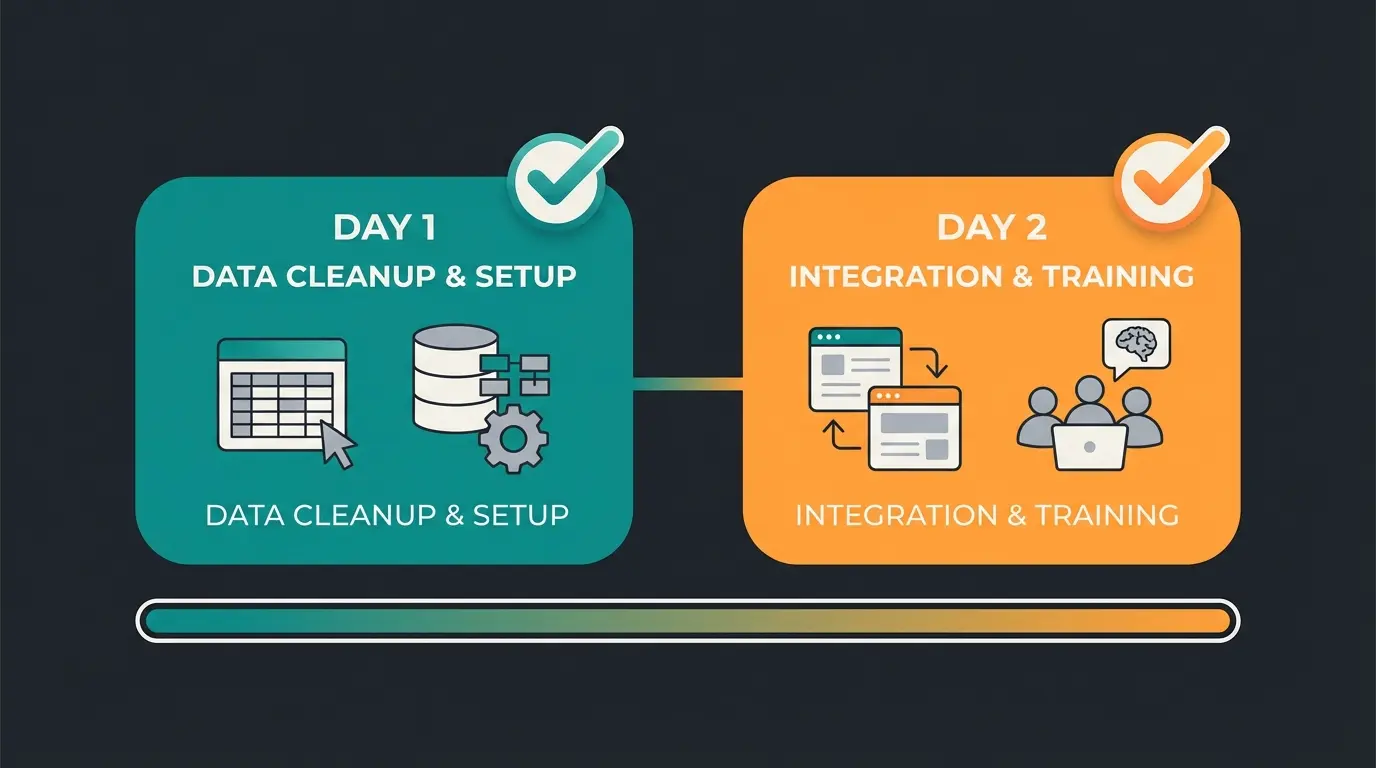
The fear of 'implementation' is the main reason companies stick with Excel. Yet a CRM implementation is achievable in 48 hours if you proceed pragmatically.
Day 1: Data Cleanup & Setup (9:00 AM - 5:00 PM)
- Export (1 Hour): Pull all contacts from Outlook, Excel, and your invoicing software
- Clean Up (3 Hours): This is the most important step. Delete duplicates before you import. A CRM with bad data is worthless. 'Garbage in, Garbage out'
- Setup (2 Hours): Register (e.g., with CentralStation or an AI-powered solution). Create users. Important: Define permissions. Should the intern be able to export the customer database? (Hopefully not)
- Import (2 Hours): Use the CSV import functions. Map the fields (Column 'City' to Field 'Location')
Day 2: Integration & Training (9:00 AM - 5:00 PM)
- Email & Calendar (2 Hours): Connect your email accounts. This is often just a login via OAuth (Google/Microsoft). From now on, every email should automatically appear with the customer contact
- Web Integration (2 Hours): Replace your contact form with the CRM form or AI consultant. This way, inquiries land directly in the system. Businesses like those in our AI Employee E-Commerce case study have seen immediate improvements
- Team Workshop (4 Hours): Show the team NOT all features. Show only three things: How do I find a customer? How do I create a note/task? How does the AI assistant see the customer? Tip: Explain the benefit ('You'll never have to search for what colleague Smith promised the customer'), not the technology
Frequently Asked Questions (FAQ)
Expect $15 to $30 per user per month for a solid solution without hidden limits. 'Free' is usually only permanently practical for solopreneurs. Systems like Zoho or Pipedrive start cheap but often require higher tiers for automation, as pd-experts.com confirms.
Generally: No. Salesforce is a powerful enterprise tool. For small businesses ('CRM startup'), it's often too complex, too expensive to set up, and requires specialized administrators. Better to choose solutions built for SMEs ('Lean CRM').
A CRM (Customer Relationship Management) handles the customer before and during the sale (marketing, sales, service). An ERP (Enterprise Resource Planning) handles everything afterward (warehouse, invoicing, production). According to atools.de, many SMEs use a CRM (like Pipedrive) and connect it with an accounting tool instead of introducing a massive ERP.
This is complex ('Schrems II' ruling). US providers like HubSpot work with Standard Contractual Clauses, but theoretically US authorities have access (Cloud Act). Anyone wanting to be 100% safe should choose a provider with headquarters and servers in the EU or Germany.
Modern AI consultants go beyond simple chatbot rules. They understand your entire product catalog, recognize customer intent from conversations, and provide personalized recommendations 24/7. Companies using solutions like lead generation AI or product consultation AI have seen significant improvements in lead quality and conversion rates.
Conclusion: The Future Belongs to the Bold (and Organized)
The search for the right CRM for small business is more than a software comparison. It's a decision about how you want to work in the future.
Do you want to continue managing addresses? Then a simple tool like CentralStationCRM will suffice.
But if you want to grow and delight customers before you even speak to them personally? Then there's no way around a modern, AI-powered approach. Businesses implementing HR automation alongside AI consultation have found they can scale their operations dramatically.
The tools are here. They're affordable. And they're easier than ever. The only mistake you can still make in 2026 is to keep relying on Excel.
Start your transformation today from administrator to AI-powered consultant. Book a free initial consultation to see how AI can revolutionize your customer management.
Join forward-thinking businesses using AI consultation to convert more visitors, qualify leads automatically, and provide 24/7 product expertise. No more lost opportunities at night or on weekends.
Hire an AI Employee Today