What makes a good ERP for Shopware stores?
A good Shopware ERP must handle real-time inventory sync, multi-channel order management, and automated invoicing while integrating natively with Shopware 6. No custom middleware. No extensive developer resources. The system should reduce manual work from day one, not create a new integration project.
That sounds obvious. In practice, the gap between marketing claims and actual integration depth is enormous. We have tested all three systems in this comparison across live Shopware 6 stores, and the differences start at the plugin installation screen.
The ERP software market reached USD 78 billion in 2026, growing at 9.12% annually. Yet only 17% of retailers have ERP systems fully integrated across departments, according to Mordor Intelligence. Cloud deployments now account for 70.4% of all ERP implementations, with SMEs representing the fastest-growing segment at a 14.29% CAGR through 2031.
For Shopware store owners, the real question is not whether to use an ERP. It is which one fits your specific sales model. For a comprehensive overview of how ERP systems connect to the Shopware platform, see our Shopware ERP Integration Guide.
We evaluated Pickware, JTL-Wawi, and Xentral on six criteria: native Shopware integration depth, inventory sync speed, multi-channel support, pricing transparency, setup complexity, and automation capabilities for stores under 50 employees.
Pickware: the native Shopware ERP
Pickware is the only ERP built directly into Shopware 6, offering native inventory management, POS integration, and warehouse management without third-party connectors. Starting at EUR 99/month for the ERP module, it is also the most affordable entry point for Shopware-only stores.
Native means something specific here. Pickware runs as a Shopware plugin. No API calls to external servers, no webhook delays, no separate admin panel. Inventory changes reflect in real time because the ERP shares the same database as your store. That is a structural advantage no external system can replicate.
The ERP module covers order processing, invoicing, supplier management, and stock tracking. The WMS module (EUR 199/month per device) adds barcode scanning, pick-and-pack workflows, and bin location management. POS (EUR 89/month per checkout) handles in-store sales with automatic inventory sync. All three modules share a single data layer inside Shopware.
| Module | Monthly cost | What you get |
|---|---|---|
| ERP | From EUR 99 | Order processing, invoicing, stock tracking, supplier management |
| WMS | EUR 199 per device | Barcode scanning, pick-and-pack, bin locations, stock transfers |
| POS | EUR 89 per checkout | In-store sales, receipt printing, real-time inventory sync |
| Hardware | EUR 500-1,500 one-time | Scanner cases, iPads, receipt printers per workstation |
JTL-Wawi: multi-channel powerhouse
JTL-Wawi is a free-to-download ERP system that excels at multi-channel selling across Amazon, eBay, and Shopware simultaneously. It requires a separate JTL-Connector for Shopware integration, and the real costs come from order-based pricing, not the software itself.
The free JTL Start edition handles up to 500 items with basic ERP and a store connection. Enough for testing. Not enough for a real business with variants and seasonal catalogs. Growing beyond 500 items requires JTL Advanced or higher, where the pricing shifts to an order-package model.
This is where JTL gets interesting and, for some sellers, expensive. Orders from JTL-Shop or POS are free. Orders from Shopware 6, Shopify, Amazon, or eBay require an order package. Once your quota runs out, you pay per additional order: EUR 0.22 on Start, EUR 0.16 on Advanced, EUR 0.11 on Pro. For a shop processing 3,000 Shopware orders per month on the Advanced plan with a 2,500-order package, that means 500 extra orders at EUR 0.16 each, so EUR 80 in overages alone.
| Edition | Base cost | Item limit | Order packages | Overage rate |
|---|---|---|---|---|
| Start (Free) | EUR 0 | 500 items | 100 / 250 / 500 | EUR 0.22/order |
| Advanced | Paid (varies) | Unlimited | 1,000 / 2,500 | EUR 0.16/order |
| Pro | Paid (varies) | Unlimited | 5,000 / 10,000 | EUR 0.11/order |
| Enterprise | Paid (varies) | Unlimited | 5,000 / 10,000 | Custom |
Xentral: modular cloud ERP
Xentral is a cloud-based modular ERP that connects Shopware with fulfillment, accounting, CRM, and purchasing in one platform. It is the most comprehensive option in this comparison, and the most expensive, with the Starter plan beginning at EUR 349/month.
Where Pickware and JTL focus on inventory and orders, Xentral covers the full operational stack. DATEV export for German accounting, purchase order management, CRM with HubSpot integration, employee time tracking, production planning. If your operations extend beyond "receive order, ship product," Xentral eliminates the need for four or five separate tools.
The pricing reflects that scope. Starter (EUR 349/month) covers e-commerce integrations, basic inventory, invoicing, and CRM. Business (EUR 649/month) adds automation, pick-and-pack, banking integrations, and API access. Pro (EUR 849/month) adds advanced invoicing, returns portal, purchase management, and reporting. Scale pricing is custom. All plans include unlimited users, which is a significant differentiator. Both Pickware and JTL charge per device or per user for certain features.
| Plan | Monthly cost | Key additions | Best for |
|---|---|---|---|
| Starter | From EUR 349 | E-commerce, inventory, invoicing, CRM | Growing stores needing operational basics |
| Business | From EUR 649 | + Automation, pick-and-pack, banking, API | Mid-sized with automation needs |
| Pro | From EUR 849 | + Returns portal, purchasing, reporting | Complex operations, multi-warehouse |
| Scale | Custom | Custom API limits, SLA, workflows | High-volume, enterprise requirements |
Side-by-side feature comparison
Pickware wins on native Shopware integration and simplicity. JTL leads for multi-channel sellers needing Amazon and eBay sync. Xentral is the best choice for growing businesses that need a full cloud ERP beyond inventory management. The table below strips away the marketing copy and shows what each system actually delivers.
| Feature | Pickware | JTL-Wawi | Xentral |
|---|---|---|---|
| Shopware integration | Native plugin (same DB) | JTL-Connector (API sync) | API connector (cloud sync) |
| Multi-channel (Amazon, eBay) | Not supported | 30+ marketplaces built-in | Amazon, eBay, Shopify, WooCommerce |
| Entry price | EUR 99/month | Free (500 items) | EUR 349/month |
| Realistic monthly cost (mid-size) | EUR 99-298 | EUR 200-400 | EUR 649-849 |
| Unlimited users | No (per-device pricing) | Yes (Wawi app) | Yes (all plans) |
| Warehouse management | WMS module (EUR 199/device) | WMS from Advanced plan | Built into Business+ plans |
| Accounting/DATEV | Not included | Via JTL2DATEV add-on | Native DATEV export |
| CRM | Not included | Basic customer management | HubSpot integration + native |
| POS / In-store | EUR 89/checkout | EUR 29/month per POS | Available as add-on |
| API access | Shopware API (indirect) | REST API (Pro+ only) | API from Business plan |
| Setup time | Under 10 minutes | 1-2 days | 2-5 days |
| Free trial | 30 days | Free edition (permanent) | 14 days |
The "realistic monthly cost" row matters more than entry price. A Pickware ERP plus WMS setup runs EUR 298/month. A JTL setup with Advanced edition and a 2,500-order package lands around EUR 245-400/month depending on volume. Xentral's Business plan at EUR 649/month includes features that would require three separate tools with the other systems. For more on how ERP connectors work technically, see our Shopware ERP Connection guide.
Integration and setup complexity
Pickware requires zero setup beyond Shopware plugin installation, under 10 minutes total. JTL needs the separate JTL-Connector plugin plus configuration, typically 1-2 days. Xentral requires API setup with potential developer involvement, budget 2-5 days for a clean implementation.
Install plugin from Shopware Store. Activate. Configure warehouse locations. Done. No external accounts, no API keys, no connector setup.
Download JTL-Wawi (Windows only). Install JTL-Connector in Shopware. Map product categories and customer groups. Test sync. Expect 1-2 days for initial setup plus ongoing sync tuning.
Create Xentral cloud account. Configure Shopware API connection. Map products, warehouses, and order flows. Test automation rules. Budget 2-5 days, more if accounting and CRM are included.
One detail that JTL's marketing does not emphasize: JTL-Wawi runs on Windows. If your team works on macOS, you need JTL-Wawi Cloud (browser-based) or a virtual machine. Pickware and Xentral are platform-independent since they run inside Shopware and the browser respectively.
I would argue that setup complexity is the most underrated factor in ERP selection. A system that takes five days to configure is five days of split attention, potential data inconsistencies, and support tickets. For stores without a dedicated IT person, Pickware's 10-minute installation is not just convenient. It is a strategic advantage.
AI-powered ERP workflows
Modern ERP systems generate valuable product and inventory data that AI employees can use for automated customer service, product consultation, and order tracking. This turns your ERP from a back-office tool into a front-office revenue driver.
Robert Kramer at Moor Insights and Strategy puts it clearly: "We've moved past the experimental phase into practical use, where AI will manage entire workflows within ERP and supply chain systems." Shopware is moving in the same direction. Stefan Hamann, Shopware's Co-CEO, is leading the Agentic Commerce Alliance to build an open, agent-based commerce ecosystem connecting ERP, PIM, and CRM data with AI-driven sales agents.
This is where real-time inventory data from your ERP becomes critical. When an AI employee can access live stock levels, product attributes, and pricing rules, it delivers consultation that static FAQ pages never could. Rasendoktor, a lawn care e-commerce brand, connected their product data with a Qualimero AI employee and achieved 16x return on investment with 100% automation of routine product questions. That kind of result requires clean, accessible ERP data as the foundation.
Alternative ERP options for Shopware
Beyond Pickware, JTL, and Xentral, Shopware store owners can also consider Lexware for accounting-focused needs, Microsoft Dynamics 365 for enterprise scale, or weclapp for an all-in-one cloud approach. None of these three match the Shopware-specific integration depth of the main contenders, but they serve legitimate edge cases.
Lexware is primarily an accounting tool with inventory add-ons. If your ERP requirement is really "automated invoicing and DATEV export" and nothing else, Lexware is cheaper and simpler. For details on connecting it, see our Lexware Shopware Integration guide. Microsoft Dynamics 365 is enterprise-grade at enterprise prices. Relevant if you process 50,000+ orders monthly and have a dedicated IT team. Overkill for stores under 50 employees. weclapp offers a cloud ERP with Shopware integration via API, positioned between Xentral and JTL in pricing. Less established in the Shopware ecosystem, with fewer community resources and certified partners.
Which ERP should you choose?
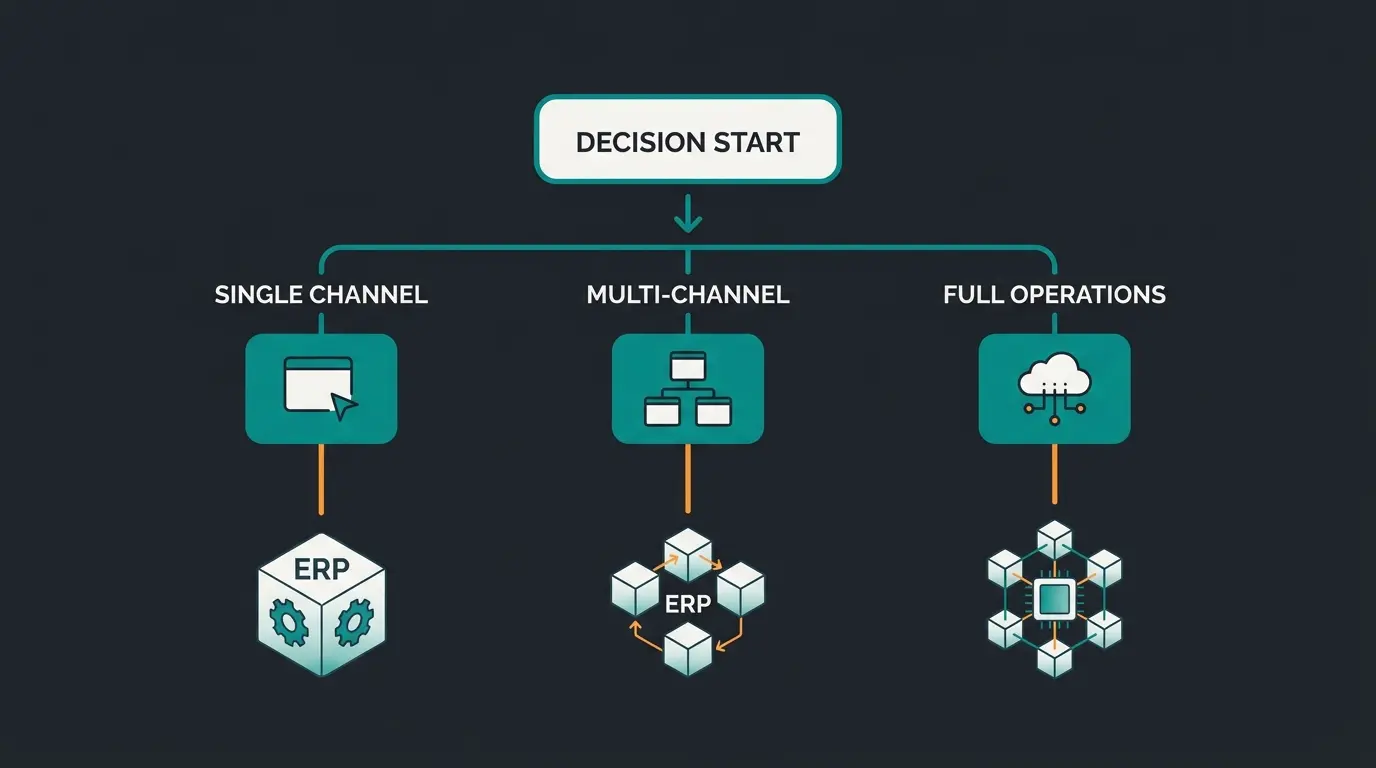
Choose Pickware if you sell exclusively through Shopware and want the simplest setup. Choose JTL-Wawi if you sell on multiple marketplaces and need centralized order management. Choose Xentral if you are growing fast and need a scalable cloud ERP that handles accounting, CRM, and operations beyond inventory.
| Your situation | Best ERP | Why |
|---|---|---|
| Shopware-only, under 1,000 orders/month | Pickware | Cheapest, fastest setup, native integration |
| Shopware + Amazon + eBay | JTL-Wawi | 30+ marketplace connectors, free base tier |
| Growing fast, need accounting + CRM + warehouse | Xentral | Full operational stack, unlimited users |
| Primarily need invoicing and DATEV | Lexware | Accounting specialist, lighter footprint |
| Enterprise, 50,000+ orders/month | Microsoft Dynamics 365 | Enterprise scale, dedicated IT required |
My honest take after testing all three: most Shopware store owners under 50 employees should start with Pickware. It covers 80% of ERP needs at 30% of Xentral's cost, and you can be operational in under an hour. If you outgrow it because you expand to Amazon or need proper accounting automation, migration to JTL or Xentral is straightforward because your product data already lives in Shopware.
The one scenario where I would skip Pickware entirely: if you already sell on two or more marketplaces. Retrofitting multi-channel capabilities onto a Shopware-native ERP creates more friction than starting with JTL from day one.
JTL-Wawi's base software (Start edition) is free to download and use with up to 500 items. However, Shopware orders require an order package starting at EUR 25/month for 100 orders. Once you exceed your package, overage fees apply at EUR 0.22 per additional order. A store processing 1,000 Shopware orders monthly should budget EUR 79-129/month in order packages alone.
No. Pickware is designed exclusively for the Shopware ecosystem, including online store, WMS, and POS. It does not connect to Amazon, eBay, or other marketplaces. If you need multi-channel, choose JTL-Wawi or Xentral instead.
Xentral's first-year investment typically ranges from EUR 13,000 to EUR 21,000. This includes the monthly subscription (Starter at EUR 349/month = EUR 4,188/year), mandatory onboarding at EUR 1,990, and any add-on modules. The Business plan at EUR 649/month totals EUR 9,778/year before onboarding.
Pickware. Because it runs as a native Shopware plugin sharing the same database, inventory updates are instantaneous. JTL-Connector syncs via API with typical delays of 1-5 minutes. Xentral syncs via cloud API with similar latency. For real-time inventory accuracy, Pickware is structurally unmatched.
At 100 orders per month, a full ERP is optional. Shopware's built-in order management handles basic workflows. But if you manage inventory across a warehouse with bin locations, or you need automated invoicing, even Pickware's EUR 99/month pays for itself in time savings within the first month. The threshold is not order volume but operational complexity.
Whichever ERP you choose, the data it generates can power AI-driven product consultation. Qualimero's AI employees connect to your Shopware store and ERP to advise customers in real time, increasing cart value by up to 35%. See it in action.
Book a free demo
Kevin is CTO and co-founder of Qualimero. As an AI architect with over 15 years of experience as CTO and CPO in the tech industry, he designs the AI systems that automate tens of thousands of customer interactions daily for Qualimero's clients — reliably, securely, and at scale.