What is Pickware?
Pickware is a native inventory management solution for Shopware that combines ERP, WMS, and POS in a single system. Instead of connecting external software through APIs or middleware, you manage warehouse operations, shipping, and point-of-sale directly inside your Shopware 6 admin panel.
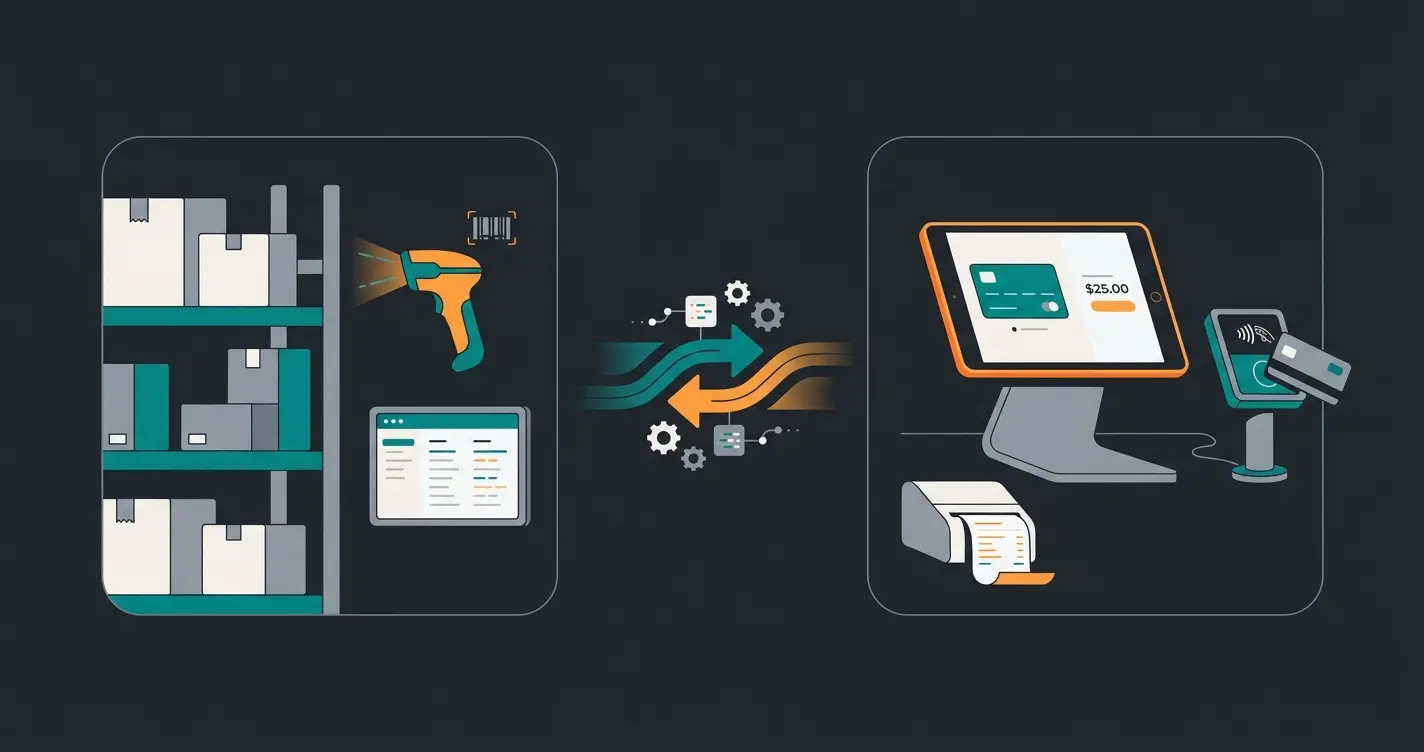
Three modules make up the product suite. Pickware ERP handles stock management, purchasing, and accounting. Pickware WMS brings mobile barcode scanning to your warehouse floor. Pickware POS turns an iPad into a cash register that syncs inventory with your online shop in real time. Each module works independently, but the real value appears when you combine them.
Why does the native architecture matter? External ERPs like SAP Business One or Xentral rely on a connector layer between the ERP database and Shopware. That connector is a single point of failure. When Shopware pushes an update, the connector needs adjustment. With Pickware, the data sits in the same database. No sync delays, no middleware to maintain. According to Pickware, this is the primary reason merchants migrate from external systems.
The warehouse management system market is growing fast. Mordor Intelligence estimates the global WMS market at USD 4.04 billion in 2025, with cloud-based platforms expanding at 19.12% CAGR. Pickware rides this trend as one of the few WMS solutions built directly into an e-commerce platform rather than bolted on afterward.
For a broader comparison of how Pickware fits into the Shopware ecosystem alongside competing solutions, see our Shopware Inventory Management overview.
Pickware ERP in detail
Pickware ERP covers inventory management, stock planning, purchasing, returns, and accounting export, all natively integrated in Shopware 6. Pricing starts at EUR 99/month for shops with lower order volumes and scales to EUR 1,069/month for high-volume operations.
The ERP module is the foundation. Every WMS and POS feature depends on it. We tested the core capabilities against what external Shopware ERP solutions offer.
| Feature | What it does | Advantage over external ERP |
|---|---|---|
| Stock management | Real-time inventory across all warehouses and sales channels | No sync intervals, instant updates |
| Purchasing | Supplier management, purchase orders, reorder point alerts | Purchase orders created directly in Shopware admin |
| Accounting export | DATEV-compatible exports for tax compliance | No manual data transfer between systems |
| Returns processing | RMA workflows with automatic stock adjustments | Return triggers immediate inventory update |
| Multi-warehouse | Chaotic warehousing with bin-location management | Saves up to 30% storage space via dynamic allocation |
Who is Pickware ERP for? Shops processing more than 50 orders per day will notice the difference immediately. Below that threshold, a manual workflow in the Shopware admin might still work. Above it, you need automation. Reorder alerts alone can prevent the revenue loss from stockouts, which for most mid-sized shops amounts to 3-5% of monthly revenue.
The critical difference: external ERPs synchronize on intervals. Every 15 minutes is common. Pickware operates on the Shopware database directly. When a customer places an order, stock levels update instantly across every channel. For merchants processing hundreds of daily orders, that gap between "15-minute sync" and "instant" determines whether you oversell.
According to a long-term user review on the Shopware Store from December 2025, merchants report using Pickware ERP & WMS reliably for nearly a decade, citing integration depth and consistent updates as the main retention factors. That kind of track record is rare for Shopware plugins.
For connecting Pickware to external accounting or Shopware ERP Integration platforms, the REST API provides endpoints for all major data objects. Invoice management within this setup is covered in our Shopware Invoices guide.
Pickware WMS and POS
Pickware WMS optimizes warehouse processes with mobile barcode scanners, while Pickware POS provides a full point-of-sale system for brick-and-mortar retail with real-time inventory sync. Both modules extend the ERP foundation in different directions.
| Capability | Pickware WMS | Pickware POS |
|---|---|---|
| Primary use | Warehouse operations | Physical retail stores |
| Hardware | iPhone with scanner case | iPad with card reader |
| Key function | Pick lists, goods receipt, inventory counts | Cash register, payments, receipts |
| Inventory sync | Real-time warehouse-to-shop | Real-time store-to-online |
| Pricing (Q2 2026) | EUR 199/month per device | Separate license per register |
| Best for | Shops with 100+ daily shipments | Omnichannel retailers with physical stores |
WMS is where the operational savings compound. According to BrandCrock, barcode-scanner-based warehouse solutions reduce picking errors by up to 99%. With average e-commerce return rates sitting at 16-18%, eliminating picking errors alone can cut your returns volume measurably.
POS solves a different problem. If you sell a product in your physical store, your online inventory needs to reflect that immediately. Not in 15 minutes. Now. Pickware POS handles this through the shared database. Sell a jacket in Berlin, and your Shopware shop shows one fewer in stock before the customer leaves the register. For details on the full Shopware integration, see Pickware for Shopware.
Pickware costs and pricing
Pickware ERP costs between EUR 99 and EUR 1,069 monthly, depending on order volume and the chosen package. WMS and POS are licensed separately per device. All modules include a 30-day free trial.
| Module | Starting price | Scaling factor | Trial |
|---|---|---|---|
| Pickware ERP | EUR 99/month | Order volume tiers up to EUR 1,069/month | 30 days free |
| Pickware WMS | EUR 199/month | Per device license | 30 days free |
| Pickware POS | Separate license | Per register/device | 30 days free |
| Shopify plans | EUR 89/month (Starter) | Up to EUR 599/month (Professional) | 30 days free |
A realistic monthly cost for a mid-sized Shopware shop running ERP plus one WMS device: around EUR 300-400. The Pickware listing in the Shopware Store shows the full tier breakdown. From February 2026, new WMS customers pay the updated EUR 199/month rate.
Setting up Pickware
Setting up Pickware works through the Shopware Store: install the plugin, connect your Pickware account, and configure warehouse structures. Basic setup takes 1-2 hours for the ERP module. WMS with scanner hardware adds another half day.
- Verify prerequisites: Shopware 6.4 or higher, PHP 8.1+, MySQL 8 or compatible
- Install the Pickware ERP plugin via Shopware Admin (Extensions > Store > search "Pickware ERP") or via Composer CLI for development environments
- Activate the plugin and connect your Pickware account through the admin settings panel
- Configure your default warehouse, storage bins, and supplier data under Settings > Pickware ERP
- Run the initial stock import wizard to sync existing inventory data into Pickware
- Test the setup with a small batch of orders before going live
If you plan to connect Pickware to external systems (DATEV, shipping providers, marketplace connectors), our Shopware ERP Connection guide covers the integration points and common pitfalls.
Two common pitfalls in our experience. First, skipping the initial stock import wizard and manually entering inventory. This creates inconsistencies that surface weeks later as phantom stock. Second, activating WMS before the warehouse bin-location structure is fully mapped. Plan the physical layout first, then digitize it. Reversing bin assignments after going live costs a full day of warehouse downtime.
Pickware alternatives
The main Pickware alternatives for Shopware are JTL-Wawi, Xentral, and Lexware. Each has distinct strengths in pricing, feature scope, and integration depth. None match Pickware's native Shopware integration, but they offer advantages in other areas.
| Criterion | Pickware | JTL-Wawi | Xentral |
|---|---|---|---|
| Shopware integration | Native (same database) | Connector-based | API-based |
| Starting price | EUR 99/month | Free (basic) | From EUR 249/month |
| Multi-channel | Shopware + Shopify | Shopware, Shopify, Amazon, eBay | Shopware, Shopify, Amazon, eBay, Otto |
| WMS included | Yes (EUR 199/month add-on) | Yes (built-in) | Yes (built-in) |
| Best for | Shopware-first merchants | Multi-marketplace sellers | Scaling businesses with complex workflows |
JTL-Wawi wins on marketplace breadth. Xentral wins on workflow automation for growing companies. Pickware wins when Shopware is your primary sales channel and you need zero-latency inventory data. For the detailed comparison with test results, see our Pickware vs JTL vs Xentral breakdown.
Combining Pickware with AI consultation
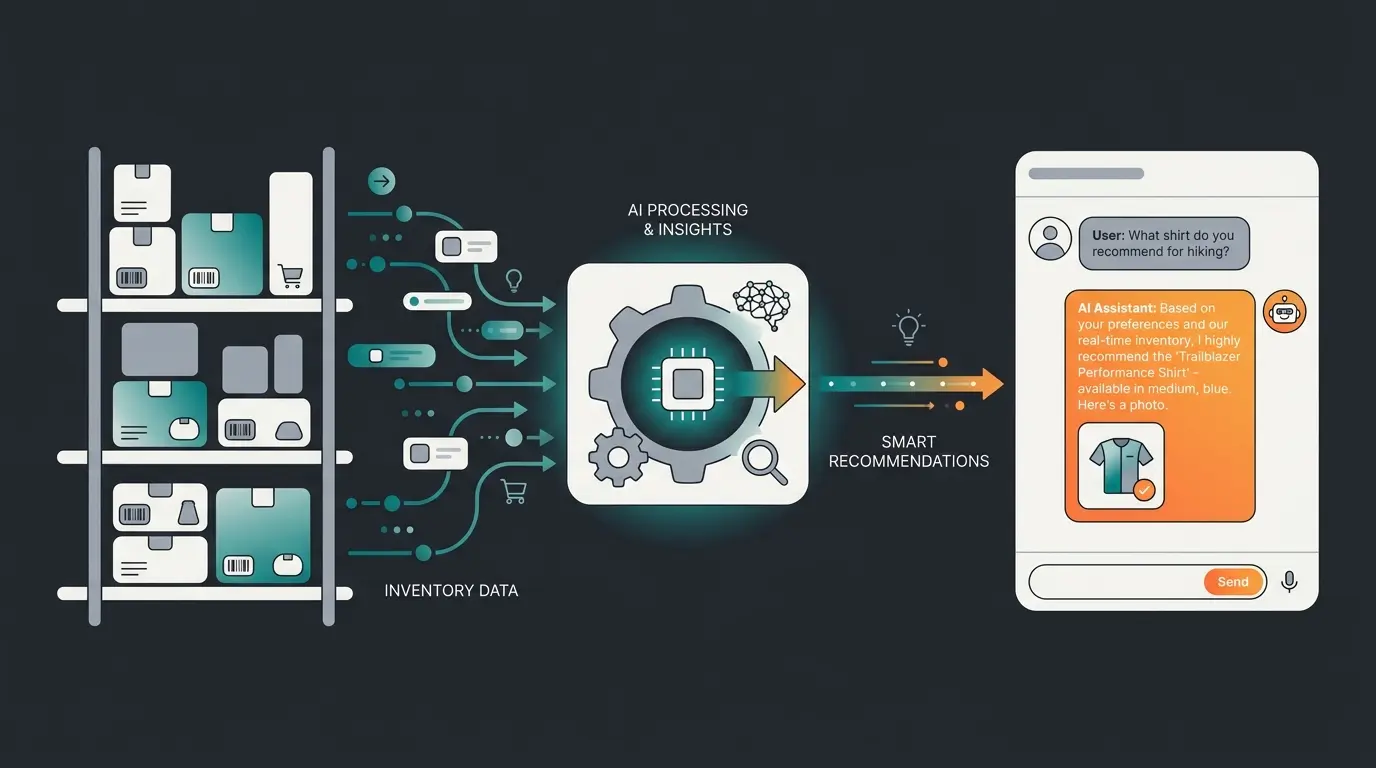
Pickware optimizes the logistics behind your shop, but conversion happens in customer interactions. AI product advisors complement Pickware by using real-time inventory data to recommend available products, communicate delivery times, and suggest alternatives when items are out of stock.
This is where inventory accuracy becomes a revenue driver, not just an operations metric. When your AI employee knows that product A is in stock but product B ships in two weeks, it steers the conversation accordingly. Precedence Research projects the global WMS market to grow from USD 4.04 billion in 2025 to over USD 10 billion by 2031, and the integration of AI with warehouse data is a key driver of that growth.
We see this in practice. Rasendoktor, an online specialist for professional lawn care products, combined structured product data with an AI employee for real-time product consultation. The result: 16x return on investment and 100% automation of consultation-intensive inquiries. Read the full Rasendoktor Success Story for the details.
The pattern works across verticals. Pooldoktor, a pool and swimming equipment retailer, achieved a 33x return on investment with AI product consultation by connecting product data to real-time customer interactions. Revenue per user increased by 18.75% compared to the control group. These are not theoretical projections. They are measured A/B test results from live Shopware shops.
FAQ
Pickware ERP starts at EUR 99/month and scales to EUR 1,069/month based on order volume. WMS costs EUR 199/month per device license (as of February 2026). POS is licensed separately per register. All modules offer a 30-day free trial.
Yes, Pickware is built natively for Shopware 6.4 and above. It runs on the same database, so updates happen automatically with Shopware core releases. No separate connector or middleware is required.
All Pickware modules include a 30-day free trial. You install the plugin through the Shopware Store, connect a Pickware account, and test the full feature set before committing to a paid plan.
Pickware ERP handles stock management, purchasing, and accounting inside the Shopware admin panel. Pickware WMS adds mobile warehouse operations: barcode scanning, digital pick lists, and optimized walking routes. ERP is the foundation; WMS extends it to the warehouse floor.
Yes, Pickware expanded to Shopify with plans starting at EUR 89/month (Starter) to EUR 599/month (Professional). The Shopify integration covers ERP and WMS functions but does not include POS.
Pickware handles logistics. An AI employee handles the customer. Together, they turn inventory data into purchase recommendations that increase cart value by up to 35%. Book a free demo to see the integration in action.
Book a demo
Kevin is CTO and co-founder of Qualimero. As an AI architect with over 15 years of experience as CTO and CPO in the tech industry, he designs the AI systems that automate tens of thousands of customer interactions daily for Qualimero's clients — reliably, securely, and at scale.